Overview

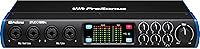
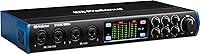
The PreSonus Studio 1810c USB Audio Interface sits squarely in the mid-range tier, built for home studio producers who've hit the ceiling of their two-channel starter gear. The jump to USB-C connectivity is a practical win — it works with modern laptops and desktops without hunting for adapters, and both cable types are in the box. What really sets this interface apart at its price point is the sheer I/O headroom: 18 inputs and 8 outputs give you real room to grow. Throw in bundled copies of Studio One Artist and Ableton Live Lite, and you're not starting from zero on software either. Just know this is a tool for multi-source recording — not a minimalist two-channel setup.
Features & Benefits

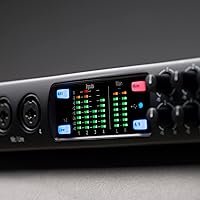
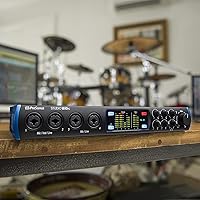
The four XMAX Class A preamps are the heart of this interface — they're quiet enough to handle condensers without adding unwanted noise, and they have sufficient headroom for louder dynamic mics without distorting under pressure. The 24-bit/192 kHz conversion and 114 dB dynamic range translate directly to more breathing room when you're mixing and mastering: you're capturing fine detail rather than fighting a compressed signal. Need to track a full drum kit? ADAT expansion lets you push the Studio 1810c to 18 simultaneous inputs. The UC Surface app handles zero-latency monitor mixing from a phone or tablet, which is a genuine quality-of-life improvement during tracking sessions. Front-panel LED metering rounds things out by making level management visual and immediate.

Best For

This PreSonus interface makes the most sense for home studio producers who regularly record more than two sources at once — think a vocalist, guitarist, and keys player running simultaneously, or a small podcasting team with individual mics. It's also a solid fit for musicians who want room to grow; the ADAT expansion means you won't outgrow this interface quickly. If you're already invested in learning Studio One as your primary DAW, the bundled Artist license makes the onboarding feel worthwhile. On the flip side, if you primarily record on a laptop away from a desk or need something bus-powered, this 18-input audio interface isn't the right fit — it needs a dedicated workspace to shine.

User Feedback

The Studio 1810c holds a strong aggregate rating, and the pattern in feedback is fairly consistent: users frequently call out preamp clarity and the build quality as highlights, with the UC Surface control software drawing praise for being more approachable than expected. Where things get nuanced is driver behavior — a meaningful number of Windows users have run into stability issues, ranging from occasional dropouts to installation headaches. It's not universal, but it's common enough to mention. First-time interface owners sometimes flag the initial setup as more involved than anticipated. Those upgrading from basic two-channel gear, though, almost universally feel the expanded I/O pays off immediately once everything is configured.

Pros

  • Four XMAX Class A preamps deliver clean, low-noise recordings even with demanding condenser microphones.
  • The 24-bit/192 kHz conversion provides serious headroom for mixing and mastering without sacrificing detail.
  • ADAT expansion pushes the Studio 1810c to 18 simultaneous inputs, making full band tracking genuinely feasible.
  • USB-C connectivity is compatible with modern laptops and desktops, and both cable types ship in the box.
  • UC Surface app enables zero-latency monitor mixing from a phone or tablet during tracking sessions.
  • Bundled Studio One Artist and Ableton Live Lite deliver real, usable software value straight out of the box.
  • Ladder-style LED metering on inputs and outputs makes real-time level monitoring intuitive for any skill level.
  • Build quality earns consistent praise in buyer reviews, with a sturdy construction that feels appropriate for studio use.
  • Buyers upgrading from two-channel interfaces almost universally report the expanded I/O pays off immediately.

Cons

  • Windows driver stability issues are well-documented, with a notable subset of users reporting dropouts and installation headaches.
  • No bus-powered operation means a power outlet is always required — not workable for mobile or travel recording.
  • Only 4 of the 18 advertised inputs include dedicated mic preamps; the rest require expansion hardware to reach that count.
  • Initial setup and software configuration take longer than expected, particularly for first-time interface owners.
  • The unit is not rack-mountable, which limits its fit in more formally structured studio hardware builds.
  • Routing and monitor mixing controls carry a moderate learning curve that can frustrate producers new to multi-input recording.
  • Mac users consistently report a smoother experience than PC users; Windows compatibility should be verified before purchasing.

Ratings

The PreSonus Studio 1810c USB Audio Interface carries a strong aggregate score across hundreds of verified global buyers, and these ratings were generated by AI after systematically analyzing that real-world feedback while actively filtering out spam, bot activity, and incentivized reviews. The scores below reflect both the consistent strengths and the documented pain points — particularly around Windows driver stability and first-time setup friction — that surface repeatedly in honest buyer accounts. You will find the full picture here, not just the highlights.

Preamp Quality
83%
The 4 XMAX Class A preamps punch above their weight for a mid-range interface — users consistently note a clean, quiet signal even when recording condenser mics at moderate gain levels. For home studio tracking of vocals and acoustic instruments, the noise floor is low enough that you are not fighting hiss in post-production.
At very high gain settings, some users report a slight coloration that more demanding engineers may notice, though it is unlikely to bother most home studio producers. The 4-preamp ceiling also means you are limited without ADAT expansion hardware if you want to mic an entire drum kit simultaneously.
Build Quality
86%
The chassis feels solid and purposeful for a desktop interface — controls have a firm, reassuring feel, and the unit does not slide around on a desk during active sessions. Buyers who have owned it for multiple years frequently report no degradation in feel or function, which matters for equipment that takes daily wear.
The form factor is purely utilitarian — do not expect premium aesthetics or any visual flair. A small number of users have mentioned that front-panel knobs feel slightly loose after extended use, though this appears to be a minority experience rather than a systemic build flaw.
Audio Fidelity
87%
Recording at 24-bit/192 kHz with 114 dB of dynamic range gives you real headroom when mixing and mastering — you are capturing nuance rather than compressing it at the source. Producers who track at high sample rates and later downsample for streaming report noticeably cleaner results compared to entry-level converters.
The difference between 96 kHz and 192 kHz is audible mainly in very controlled listening environments, and casual home studio users may not perceive the practical ceiling. For podcasting or basic demo recording, you are paying for conversion quality you may never fully exploit in real sessions.
I/O Versatility
89%
The combination of 4 mic inputs, 6 balanced line inputs, ADAT expansion, and MIDI I/O in one unit covers a wide range of recording scenarios — from band tracking to synth-heavy production setups. Buyers upgrading from two-channel interfaces almost universally report that the expanded routing pays off immediately on their first multi-source session.
The jump from the advertised 18 inputs to the 4 actual built-in mic preamps can mislead buyers who assume the interface ships ready for full configurations. Reaching the full input count requires additional ADAT-compatible expansion hardware that adds both cost and setup complexity beyond the initial purchase.
Driver Stability
61%
39%
Mac users and those on up-to-date Windows systems with compatible hardware generally report stable, low-latency performance once drivers are correctly installed. PreSonus releases periodic driver updates, and many buyers who encountered initial issues resolved them after reinstalling or updating their driver package from the official support page.
Windows driver stability is the most frequently cited frustration across user reviews — reports include audio dropouts, installation failures, and intermittent recognition issues on certain PC configurations. This pattern is consistent enough that Windows-first buyers should actively research their specific hardware compatibility before committing to a purchase.
Value for Money
81%
19%
When you factor in bundled DAW licenses alongside ADAT expandability and USB-C connectivity, the overall package competes favorably with similarly priced rivals. Most buyers who understand what they are getting feel the price reflects the I/O and features on offer, especially those who actively use multiple inputs on a regular basis.
For users who only ever need two simultaneous inputs, the pricing feels steep relative to simpler alternatives that handle the same workload for less. The value equation only holds up when you are actively using the multi-input capabilities — if half your I/O sits idle permanently, you are overpaying for what you need.
Software Bundle
84%
Getting both Studio One Artist and Ableton Live Lite as full, non-expiring licenses straight out of the box is a genuine advantage over competitors that bundle little to nothing. For producers new to Studio One, the Artist tier covers most everyday recording and mixing tasks without needing an immediate paid upgrade.
Studio One Artist has feature limitations compared to the Pro tier, and some users hit those walls faster than expected — missing functionality like certain plugin types or advanced editing tools. The Studio Magic plug-in suite also requires individual activation through an online portal, which adds setup friction for newer users.
Ease of Setup
68%
32%
For users who have configured an audio interface before, physical installation is straightforward — connect via USB-C, install the driver package, and you are largely operational within minutes. Having both cable types included removes one common out-of-box hurdle that trips up buyers on their first day with a new interface.
True first-timers frequently flag the initial setup as more involved than anticipated, particularly the multi-platform software license activation process. On Windows, driver installation has generated enough documented friction across user reviews that it represents a real risk for less patient or less experienced buyers working through it alone.
Expandability
88%
The ADAT and S-PDIF expansion ports mean this interface grows alongside your studio — adding a compatible 8-channel preamp expander unlocks the full 18-input potential without replacing the unit itself. This is one of the most compelling reasons to choose it over a fixed I/O competitor at a similar price point.
Expansion requires additional investment in ADAT-capable hardware that adds meaningful cost beyond the interface itself, which some buyers underestimate at the time of purchase. Users who expected the 18-input count to be immediately usable out of the box were among the more vocally disappointed voices in verified feedback.
Monitor Mixing
79%
21%
The UC Surface app draws consistent praise for making zero-latency headphone monitoring more intuitive than hardware-only solutions — adjusting your mix from a tablet while standing at a microphone is a practical convenience that accumulates real value during longer multi-source tracking sessions. Most users find it more approachable than expected.
UC Surface has a moderate learning curve, and users unfamiliar with monitor mixing concepts find the routing options confusing during their first few sessions. Android users specifically report that the app experience feels less polished than the macOS or iPad versions in terms of layout consistency and touch responsiveness.
DAW Compatibility
85%
Class-compliant USB operation means this PreSonus interface works with most major recording platforms — Logic Pro, Pro Tools, FL Studio, Cubase, and Reaper users all report clean, reliable integration without needing proprietary software bridges. The interface is not locked into the PreSonus ecosystem, which is a genuine flexibility advantage for most buyers.
Some advanced routing and UC Surface integration features work most fluidly within Studio One, giving PreSonus ecosystem users a subtle workflow edge over those on competing DAWs. Documentation for less mainstream recording software can be sparse, leaving some users to work through configuration through trial and error on their own.
Connectivity
82%
18%
USB-C connectivity is a meaningful modernization over older USB-B interfaces — it works cleanly with current laptops and desktops, and both cable types ship in the box so you do not need to source adapters on day one. MIDI I/O and balanced line outputs cover professional routing needs without additional hardware.
The interface is not bus-powered, which eliminates it as an option for mobile or travel-based recording without a nearby power source. Standard 5-pin DIN MIDI connectors may also require additional adapters for users working with newer MIDI hardware that uses USB-MIDI or TRS-based MIDI connections.
Metering
77%
23%
Ladder-style LED meters across both inputs and outputs give you a reliable, at-a-glance view of signal levels during recording — accurate enough to catch potential clipping before it ruins a take. For home studio users without dedicated outboard metering hardware, this built-in visual feedback is a practical and genuinely useful safety net.
The metering resolution is relatively basic compared to the more granular peak or RMS metering found on higher-tier interfaces. Users who tend to record close to threshold for dynamic effect sometimes wish for finer visual gradation between safe and clip zones rather than the broader LED band increments provided.
Beginner Friendliness
58%
42%
For musicians stepping up from basic gear and taking their home studio more seriously, this 18-input audio interface provides enough bundled software and guided tools to start recording relatively quickly. The front-panel layout keeps essential controls accessible, and UC Surface reduces the need to navigate complex routing menus from the outset.
Absolute beginners who have never managed gain staging, monitor routing, or multi-input signal chains will likely find this interface overwhelming rather than welcoming. The I/O count and multi-step software activation process have frustrated several first-time interface owners in verified reviews, with some describing the onboarding experience as unexpectedly involved.
Form Factor
72%
28%
At 3.2 pounds with a compact desktop footprint, the unit sits comfortably on a standard studio desk without consuming excessive surface space. Front-panel placement of gain knobs, metering displays, and the headphone output keeps frequently accessed controls within easy reach during active tracking without requiring you to reach behind the unit.
The lack of rack-mount support is a real limitation for producers building more formalized hardware setups, as competing interfaces at the same tier sometimes offer rack ears as optional accessories. The desktop-only form factor combined with the power requirement makes this interface completely unsuitable for any mobile recording scenario.

Suitable for:

The PreSonus Studio 1810c USB Audio Interface is the kind of tool that earns its place once you've genuinely hit the ceiling of a two-channel setup and need real, practical I/O to record multiple sources at once. If you're tracking a small band — drums, bass, guitar, and vocals simultaneously — or hosting a multi-person podcast with each co-host on their own microphone, the expanded input count here is immediately useful rather than theoretical. Home studio producers who are building their rig incrementally will also appreciate that ADAT expansion allows you to add more inputs down the line without swapping out the interface entirely, which protects your investment. The bundled software stack — Studio One Artist and Ableton Live Lite — means you can start recording properly without spending extra on a DAW, and users already considering Studio One as their primary workflow will find the integration especially smooth. This is fundamentally a workhorse for serious hobbyists and semi-professional recordists who need dependable I/O, clean preamps, and a clear path to scale up.

Not suitable for:

If your recording workflow is primarily laptop-based and on-the-go, the PreSonus Studio 1810c USB Audio Interface is likely the wrong choice — it requires a proper desk setup, does not offer bus-powered operation, and is simply not designed for mobile use. Producers who only ever track one or two sources at a time will also find the I/O count excessive; there are simpler, more affordable interfaces better sized for that kind of workflow, and paying for inputs you'll never use doesn't make much sense. This is also not an ideal first interface for true beginners — the routing options, monitor mixing controls, and companion software can overwhelm someone who has never worked with an audio interface before, and the initial setup can take considerably longer than expected. Windows users in particular should be aware that driver stability has been a recurring complaint from a subset of buyers, so those on PC hardware should verify current driver support before committing. Finally, anyone who needs a rack-mountable unit for a more formal studio build will need to look elsewhere.
Specifications

  • Connectivity: The interface connects via USB-C, with both a USB-C to USB-C and a USB-C to USB-A cable included in the box.
  • Audio Resolution: Supports 24-bit recording at sample rates up to 192 kHz for high-fidelity audio capture.
  • Dynamic Range: Analog-to-digital converters achieve a dynamic range of 114 dB.
  • Mic Preamps: Equipped with 4 XMAX Class A microphone preamps designed for low noise and clean gain at moderate to high levels.
  • Total Inputs: Expandable to 18 simultaneous inputs when using ADAT or S-PDIF digital expansion hardware.
  • Total Outputs: Provides 8 total outputs for flexible monitoring and signal routing configurations.
  • Combo Inputs: Features 2 high-headroom combo inputs that accept XLR microphones or 1/4-inch instrument signals interchangeably.
  • Line Inputs: Includes 6 balanced mic/line inputs for connecting synthesizers, outboard gear, and other line-level sources.
  • Expansion I/O: ADAT and S-PDIF digital I/O ports allow connection of external preamps and converters to expand the total input count.
  • MIDI I/O: Dedicated MIDI input and output ports support hardware synthesizers, drum machines, and MIDI controllers.
  • LED Metering: Ladder-style LED meters on both inputs and outputs provide real-time level monitoring to help prevent clipping during recording.
  • Monitor Mixing: Zero-latency monitor mixing is managed via the free UC Surface software application without adding latency to the recorded signal.
  • UC Surface: UC Surface is compatible with macOS, Windows, iPad, and Android devices for flexible remote control of the monitor mix.
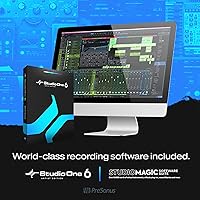
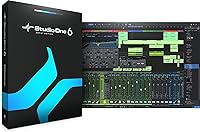
  • Bundled Software: Includes Studio One Artist, the Studio Magic Plug-in Suite, and Ableton Live Lite as bundled recording software licenses.
  • Dimensions: Physical dimensions measure 5.51 x 12.52 x 1.73 inches.
  • Weight: The unit weighs 3.2 pounds.
  • Rack Mount: The unit is not designed for rack mounting and is intended for tabletop desktop use only.
  • Release Date: The interface was first made available for purchase in January 2019.

Related Reviews
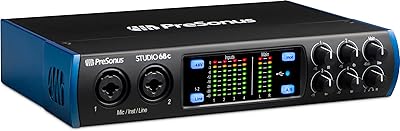
PreSonus Studio 68c USB Audio Interface
80%
88%
Preamp Quality
86%
Audio Clarity
91%
Input/Output Flexibility
67%
Driver Stability
83%
Software Bundle Value
More
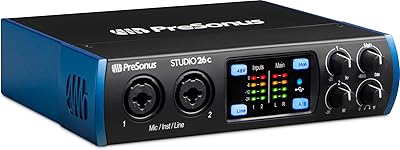
PreSonus Studio 26c USB Audio Interface
86%
92%
Sound Quality
89%
Ease of Use
94%
Value for Money
85%
Software Bundle
88%
Build Quality
More
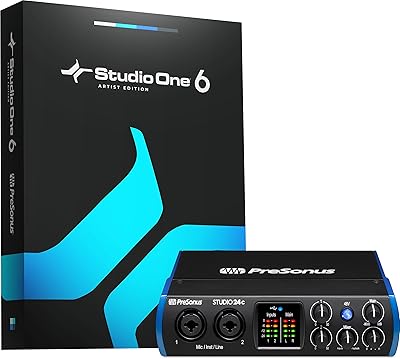
PreSonus Studio 24c
PreSonus Studio 24c
84%
92%
Build Quality & Durability
88%
Sound Quality & Resolution
86%
Preamp Performance (XMAX-L)
94%
Software Bundle Value
89%
Portability & Form Factor
More
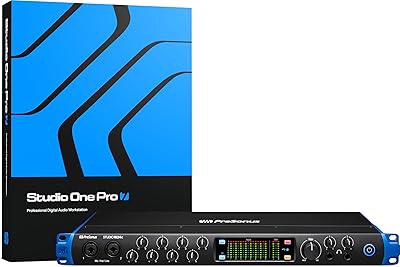
PreSonus Studio 192 USB 3.0 Audio Interface
71%
84%
Preamp Quality
51%
Driver Stability
81%
I/O Count & Routing
62%
UC Surface Software
77%
Build & Hardware Quality
More
PreSonus Studio 1824c
86%
91%
Preamplifier Clarity
88%
Chassis & Build Quality
84%
Low-Latency Performance
93%
Software Bundle Value
87%
Monitoring Flexibility
More
PreSonus AudioBox USB 96 Audio Interface
77%
86%
Preamp Quality
83%
Ease of Setup
78%
Build Quality
91%
Value for Money
84%
Recording Resolution
More
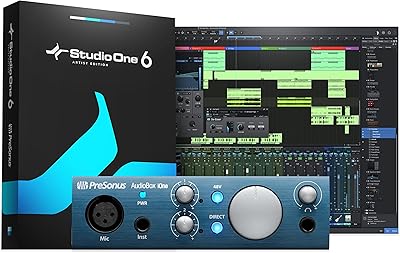
PreSonus AudioBox iOne
75%
88%
Preamp Quality
83%
Build Quality
91%
Ease of Setup
61%
Direct Monitoring
86%
iPad Compatibility
More
PreSonus ioStation 24c
84%
88%
Build Quality & Ergonomics
91%
Fader Responsiveness
89%
Preamp Audio Quality
94%
Native DAW Integration
68%
Third-Party DAW Compatibility
More
PreSonus AudioBox iTwo 2x2 USB/iPad Audio Interface
86%
92%
Value for Money
89%
Portability & Design
91%
Software & Ease of Use
88%
Sound Quality
85%
Build Quality
More
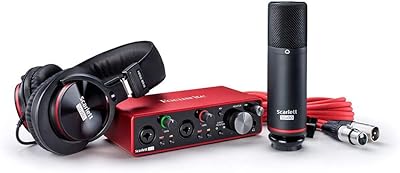
Focusrite Scarlett 2i2 Studio 3rd Gen Bundle
82%
91%
Build Quality
88%
Preamp Quality
93%
Ease of Setup
86%
Driver Stability
83%
Value for Money
More

FAQ

Yes, it connects via USB-C natively and a USB-C to USB-C cable ships in the box. If you're on an older Mac or a PC with USB-A ports, a USB-C to USB-A cable is also included, so you're covered either way without hunting for a separate adapter.

Not exactly, and this is worth clarifying before you buy. The interface has 4 dedicated XMAX mic preamps built in, which means only 4 XLR microphones can connect directly without additional hardware. To reach 18 simultaneous inputs, you would need to add an external preamp expander connected via ADAT. Out of the box, you are working with 4 mic inputs plus several line-level inputs.

It depends on where you are starting. If you have used a basic interface before and understand gain staging and signal routing, the Studio 1810c is manageable and gives you real room to grow. If this is your very first interface and you have never touched one, the I/O count and UC Surface routing controls can feel overwhelming — a simpler two-channel unit might be a gentler entry point. That said, if you are committed to learning and plan to record multiple sources down the line, the investment in the learning curve pays off.

Windows driver stability has been a recurring theme in user feedback, and it is fair to flag it upfront. A portion of buyers on Windows have reported issues ranging from occasional audio dropouts to installation friction, particularly on older hardware configurations. It is not a universal problem — many Windows users report no issues at all — but it comes up more often than with some competing interfaces in this price range. Before purchasing, it is worth checking PreSonus's support page for the most current driver release and any known compatibility notes for your specific Windows version.

Yes, it is class-compliant and works with most major DAWs including Pro Tools, Logic Pro, FL Studio, Cubase, Reaper, and many others. The bundled Studio One Artist and Ableton Live Lite are included out of the box, but you are not locked in — connect it and use it with whatever software you already prefer.

This PreSonus interface is not bus-powered, meaning it will not run on USB power alone the way a compact two-channel interface might. It requires a separate power connection, so it is designed for a fixed desk setup rather than portable, on-the-go recording. If you need something that runs purely from a laptop port, a smaller model in the Studio line would be a better fit.

UC Surface is the free companion app that controls your monitor mix — essentially how you and your performers hear audio in headphones during recording — without introducing latency into the signal. You can run it on a Mac, Windows PC, iPad, or Android device, which is handy if you want to adjust levels from across the room. You do not strictly need it for basic recording, but if you are tracking musicians who need their own customized headphone blend, it makes that workflow considerably more practical.

It is a solid fit for that use case. If you are running three or four hosts each on their own microphone, this 18-input audio interface gives you plenty of headroom for XLR connections and additional line-level sources without running short on inputs. The UC Surface monitor mix controls also make it straightforward for each person to hear themselves clearly during recording, which matters a lot in a multi-host setup.

No, the unit is not rack-mountable. It is built for desktop use only, so if you are planning a rack-based studio build, you will need a third-party shelf adapter or a different interface model that supports rack mounting natively.

You get three legitimate software licenses: Studio One Artist, which is a fully functional version of the Studio One DAW rather than a time-limited trial (though it has fewer features than the Pro tier); the Studio Magic Plug-in Suite, a collection of third-party plugins activated through PreSonus's website; and Ableton Live Lite, a streamlined but genuinely usable version of Ableton. None of these are demos. Studio One Artist handles most everyday recording and mixing tasks well, and upgrading to the full version later is straightforward if you need the advanced feature set.

Where to Buy