Overview

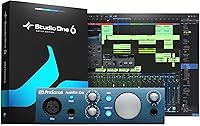
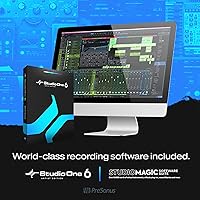
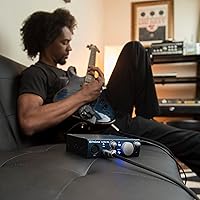
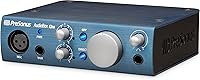
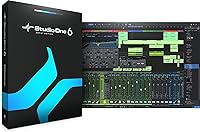
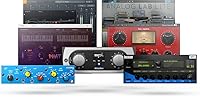
The PreSonus AudioBox iOne is a compact, bus-powered audio interface built for solo home studio users who want a clean, straightforward recording setup without spending a fortune. It sits in the entry-to-mid range tier — sturdy metal chassis, distinctive blue finish — and looks more serious than its price implies. Plug it into a laptop or an iPad and you are ready to record; no wall adapter needed, no extra power bricks cluttering your desk. The included software bundle — Studio One Artist, Ableton Live Lite, and the Studio Magic plug-in suite — adds genuine value to the package, though beginners should expect a real learning curve with the DAWs before getting the most out of them.

Features & Benefits

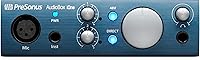
At the heart of this audio interface is a single Class A microphone preamp that handles condenser mics with ease — flip on the +48V phantom power and you are ready to track vocals or acoustic instruments cleanly. The Hi-Z instrument input lets guitarists and bass players plug in directly without needing a separate DI box. Recording tops out at 24-bit/96kHz, and the converters are genuinely quiet for this tier. The direct monitoring button keeps latency out of your headphones while you record, though it locks you into a fixed 50/50 blend of your live signal and DAW playback — a limitation worth knowing about before you buy.

Best For

This USB interface makes the most sense for solo singer-songwriters — one mic, one guitar, one take at a time. Podcasters and voice-over artists will appreciate how simple the setup is; there is nothing to configure beyond gain and headphone volume. Students building their first home rig get solid hardware plus a real DAW included on day one, which is a meaningful head start. The iPad compatibility is a genuine plus for mobile musicians who want to capture ideas anywhere without lugging a laptop. If you regularly record multiple performers or depend on MIDI keyboards, you will want something with more inputs — this one is built around focused solo work.

User Feedback

Across hundreds of reviews, the AudioBox iOne holds a strong overall rating — and the praise is fairly consistent. Most buyers call out preamp quality as a standout, noting the clean, low-noise sound that punches above expectations. iPad compatibility gets its own round of applause from mobile users. The most common gripe, and it is a real one, is the fixed monitoring blend — unlike sibling models, you cannot dial in the mix ratio between your direct signal and DAW playback; it is always 50/50. The absence of MIDI I/O is another sticking point for keyboard players. A smaller group simply outgrew the single-preamp setup over time. Legitimate concerns, but most buyers still recommend it.

Pros

  • The Class A preamp delivers clean, low-noise recordings that punch well above expectations for this price tier.
  • Bus-powered operation means zero wall adapters — just one USB cable and you are ready to record.
  • iPad compatibility opens up genuine mobile recording sessions without needing a laptop nearby.
  • Phantom power support lets you use studio condenser microphones right out of the box.
  • The metal chassis feels solid and handles regular use and light travel without showing wear quickly.
  • Bundled software includes a real, full-featured DAW plus Ableton Live Lite — not just demos or trials.
  • Plug-and-play setup on Mac and iPad makes the first recording session nearly effortless.
  • The dedicated headphone output with its own volume knob keeps monitor and output levels independent.
  • 24-bit/96kHz recording capability means the interface itself is not the weak link in your signal chain.
  • The AudioBox iOne covers the most common solo recording scenario — one mic, one instrument — without unnecessary complexity.

Cons

  • The direct monitoring mix is locked at a fixed 50/50 blend with no way to adjust the ratio.
  • No MIDI input or output makes it incompatible with hardware synthesizers and traditional MIDI gear.
  • Only one microphone preamp means you cannot record two vocalists or a stereo mic pair simultaneously.
  • The gain knob on some units develops a scratchy feel after extended use over time.
  • Windows driver reliability has been inconsistent across OS updates, with occasional dropouts reported.
  • Beginners may find the bundled Studio One DAW has a steeper learning curve than expected.
  • Sensitive in-ear monitors may pick up faint background hiss through the headphone output.
  • High-impedance headphones may not reach comfortable listening volumes from the headphone jack.
  • The correct USB adapter for newer iPads is not always included, requiring a separate purchase.
  • Ableton Live Lite hits its track limit quickly, pushing active users toward a paid upgrade sooner than expected.

Ratings

The PreSonus AudioBox iOne scores here reflect AI analysis of verified global buyer reviews, with spam, bot activity, and incentivized feedback actively filtered out before any scoring took place. Strengths and frustrations are both represented transparently — this is not a highlight reel. The result is an honest picture of where this USB interface genuinely delivers and where real users have run into friction.

Preamp Quality
88%
For a single-preamp interface at this price tier, the Class A circuit consistently earns respect. Buyers recording vocals, acoustic guitar, and voice-over work report a clean, low-noise signal that holds up well even when gain is pushed. Many note it sounds noticeably better than interfaces they used previously at a similar price.
Experienced recordists chasing a richer, more colored preamp character will find it a little clinical. At higher gain settings, some users detect a slight thinness in the low-mid range, particularly noticeable when tracking male vocals or close-miked acoustic instruments.
Build Quality
83%
The metal chassis feels reassuringly solid for its size and price class — this is not a plastic box that flexes under pressure. Knobs have a smooth, deliberate feel, and the unit sits stably on a desk without sliding around. Users who travel with it appreciate that it survives bag life without obvious wear.
A few long-term owners report that the input gain knob develops a subtle scratchy feeling after a year or more of regular use. The unit is compact, which is mostly a plus, but the knobs are positioned close together and can feel cramped when making quick adjustments mid-session.
Ease of Setup
91%
Plug it in, install the driver if on Windows, and it works — that is the near-universal experience reported by first-time buyers. Mac and iPad users in particular describe a fully plug-and-play process with zero configuration headaches. This is one of the clearest strengths across all buyer segments.
Windows users occasionally report needing to manually select the correct driver or update firmware before the interface is recognized reliably. A small number of users also found the bundled software activation process confusing, particularly when redeeming multiple licenses from the included card.
Direct Monitoring
61%
39%
Having any zero-latency monitoring option is genuinely useful for tracking vocals or live instruments, and the button is clearly labeled and responsive. Singers and guitarists who just need to hear themselves while recording find it does the job without any setup required.
The fixed 50/50 blend between the direct input signal and DAW playback is the most consistently cited frustration across all reviewer groups. There is no knob to shift that balance — unlike sibling models — which means users who want to hear mostly their DAW mix while recording have no way to adjust it without workarounds.
iPad Compatibility
86%
Mobile musicians consistently highlight this as a standout feature. Paired with an iPad and a compatible cable, the interface works cleanly for on-the-go songwriting sessions — particularly useful for capturing ideas without a laptop present. The Capture Duo app adds practical one-tap recording that genuinely suits mobile workflows.
iPad compatibility requires the correct USB cable or adapter, and PreSonus does not always include the necessary Lightning or USB-C adapter depending on the iPad generation. Some users were caught off guard by needing to purchase an additional cable, which adds minor friction to what is otherwise a smooth experience.
Value for Money
84%
The combination of functional hardware and a legitimately useful software bundle — including a full version of Studio One Artist and Ableton Live Lite — makes the overall package feel well-priced for what a beginner actually needs to start recording seriously. Most buyers feel they got more than they expected.
Buyers who already own a DAW and do not need the software bundle may feel the hardware alone is priced a touch high relative to competing interfaces with similar specs. The value equation is strongest for newcomers; experienced users upgrading from older gear may find less to get excited about.
Microphone Compatibility
82%
18%
The +48V phantom power handles standard studio condenser microphones without any issues — dynamic mics, ribbons, and condensers all work as expected. Users pairing this interface with entry-level large-diaphragm condensers frequently report clean, professional-sounding results straight out of the box.
With only one mic input, there is simply no room to grow beyond a single microphone at a time. Users who started with solo recording and later wanted to track two vocalists or a stereo room mic setup hit a hard ceiling immediately and had to look at a different interface entirely.
Software Bundle
79%
21%
Getting both Studio One Artist and Ableton Live Lite in a single box is a meaningful head start for anyone new to home recording. The Studio Magic plug-in suite includes tools — compressors, EQs, virtual instruments — that would otherwise cost real money to acquire separately.
Beginners frequently mention that Studio One has a steeper learning curve than expected, and the included documentation does not always make it easy to get started quickly. Ableton Live Lite, while useful, has a hard track limit that forces an upgrade fairly quickly once a user progresses past basic arrangements.
Headphone Output
74%
26%
The dedicated headphone jack with its own independent level knob is a practical addition for solo sessions — being able to adjust monitor volume without touching the main outputs is a small but genuinely useful detail. Output volume is loud enough for most consumer and prosumer headphones.
Audiophile-grade headphones with higher impedance do not always reach satisfying volume levels, and a handful of users report a faint background hiss when using sensitive in-ear monitors at lower gain settings. It handles everyday studio cans just fine, but it is not a dedicated headphone amplifier by any measure.
Input Flexibility
55%
45%
Having both a mic input and a dedicated Hi-Z instrument input means a guitarist can plug in directly while simultaneously recording vocals — that two-track simultaneous capability covers the most common solo home recording scenario without any adapters or splitters.
Two inputs total is genuinely limiting for anyone whose recording needs expand even slightly. No stereo line inputs means you cannot easily record a stereo keyboard or external preamp without workarounds. Users who discover they need three or four inputs — even occasionally — will find this interface hits its ceiling fast.
MIDI Capability
28%
72%
There is nothing to say on the positive side here — the interface does not have MIDI I/O and was not designed with keyboard-centric workflows in mind. For purely mic-and-guitar users, this is a non-issue and never comes up.
The complete absence of MIDI in and out is a clear dealbreaker for producers who rely on hardware synthesizers, drum machines, or MIDI controllers beyond basic USB connectivity. Several reviewers note they had to purchase a separate USB MIDI interface to run alongside it, which adds cost and desk clutter.
Portability
87%
At just over a pound and roughly the footprint of a hardback book, this USB interface genuinely fits in a backpack without taking up meaningful space. Bus-powered operation removes the need to carry a wall adapter, which makes spontaneous mobile sessions practical rather than just theoretical.
The unit has no rubber feet on all four corners in some production runs, so it can shift on polished or angled surfaces. The cable connection points are solid, but the USB port shows minor play on some units after repeated plugging and unplugging over extended periods of travel use.
Driver Stability
72%
28%
Mac users across multiple OS versions report consistently stable, reliable operation with no recurring dropouts or unexpected disconnections. Many long-term owners mention running the interface for years on macOS without needing a single driver update after initial setup.
Windows users have a more mixed experience — occasional reports of crackling, dropouts, or the interface not being recognized after a Windows update are scattered throughout reviews. These issues are not universal, but they appear often enough to suggest the Windows driver has not always kept pace with OS changes as reliably as the macOS side.
Recording Resolution
85%
24-bit/96kHz recording capability means the interface is not a technical bottleneck for serious home studio work. Buyers who later compare their recordings with those made on significantly more expensive interfaces are often surprised by how close the output quality sits.
The practical real-world difference between 96kHz and 48kHz is negligible for most home recording applications, so the spec ceiling rarely gets exercised. A small number of users on older computers report CPU strain when running sessions at higher sample rates, which occasionally forces them to record at lower settings anyway.

Suitable for:

The PreSonus AudioBox iOne is a strong fit for solo home studio beginners who are just getting serious about recording and do not yet need more than one mic and one instrument input at a time. Singer-songwriters who typically sit down to track a vocal and an acoustic guitar — or a vocal and a direct-input electric guitar — will find the two-input setup covers every session without anything feeling like a compromise. Podcasters and voice-over artists get a clean, quiet preamp and a simple control layout that does not require any technical background to operate confidently. Students setting up their first real recording environment benefit especially from the bundled software, which includes a full DAW and a suite of plug-ins that would otherwise require a separate purchase. iPad users who want a portable recording rig that works without a laptop or a wall adapter will find this USB interface genuinely practical for mobile sessions and quick idea capture on the go.

Not suitable for:

Producers and musicians who rely on MIDI hardware — synthesizers, drum machines, or MIDI controllers that connect via 5-pin DIN rather than USB — will find the PreSonus AudioBox iOne immediately limiting, since it has no MIDI input or output whatsoever. Anyone who regularly records more than one source at a time, such as a vocalist and an acoustic instrument simultaneously through two separate microphones, will hit a hard ceiling with a single mic preamp. Musicians who prefer to have granular control over their headphone monitoring mix — for example, wanting to hear predominantly the backing track with just a hint of their live vocal — will be frustrated by the fixed 50/50 direct monitoring blend that cannot be adjusted. Keyboard-focused producers who need to run a stereo line-level source into the interface will also find the input options too narrow for comfortable workflow. Users who already own a DAW and have no need for the bundled software will find the value equation less compelling compared to competing hardware at similar price points.

Specifications

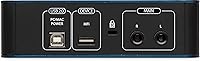
  • Connectivity: Connects to Mac, Windows, and iPad via USB 2.0, with no external power supply required — the interface draws power directly from the host device.
  • Mic Preamps: Equipped with one Class A microphone preamplifier designed for low noise and high headroom, suitable for condenser, dynamic, and ribbon microphones.
  • Phantom Power: Provides +48V phantom power on the microphone input to support studio condenser microphones that require external powering.
  • Instrument Input: Includes one dedicated Hi-Z instrument input on a 1/4-inch TS connector, designed for direct connection of electric guitar, bass, or other passive instruments.
  • Simultaneous I/O: Supports 2-in/2-out simultaneous recording and playback, allowing one microphone and one instrument source to be tracked at the same time.
  • Resolution: Records and plays back audio at up to 24-bit depth and 96kHz sample rate, meeting the technical requirements of professional home studio work.
  • Main Outputs: Features two balanced 1/4-inch TRS main line-level outputs for connecting studio monitor speakers or an external mixing console.
  • Headphone Output: Includes a stereo headphone output on a 1/4-inch TRS connector with an independent level control knob separate from the main output volume.
  • Direct Monitoring: A dedicated Direct button enables zero-latency monitoring by blending the live input signal with DAW playback at a fixed 50/50 ratio — no variable mix control is available.
  • MIDI: This interface does not include MIDI input or output connectivity of any kind.
  • Dimensions: The unit measures 9 x 3.25 x 8.75 inches, making it compact enough to sit comfortably on a small desk or fit inside a backpack.
  • Weight: Weighs 1.35 pounds, light enough for regular transport between home, studio, and mobile recording locations.
  • Power Method: Fully bus-powered over USB — no wall adapter, no external power brick, and no batteries required under any operating condition.
  • OS Compatibility: Compatible with macOS, Windows, and iPadOS; driver installation is required on Windows, while Mac and iPad operation is plug-and-play.
  • Bundled Software: Ships with Studio One Artist, Ableton Live Lite, Capture Duo for iPad, and the Studio Magic plug-in suite covering compressors, EQs, and virtual instruments.
  • Chassis Material: The outer enclosure is constructed from metal, giving the unit a solid, road-worthy feel despite its compact footprint.
  • Color: Available in a distinctive blue finish that sets it apart visually from the predominantly black or silver interfaces in its price class.
  • Model Number: Officially designated as the AudioBox iOne, the single-preamp entry point in PreSonus's AudioBox interface lineup.

Related Reviews
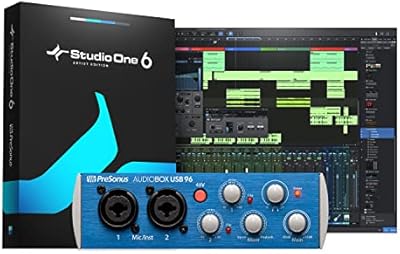
PreSonus AudioBox USB 96 Audio Interface
87%
92%
Value for Money
88%
Sound Quality
94%
Ease of Use
91%
Portability
85%
Build Quality
More
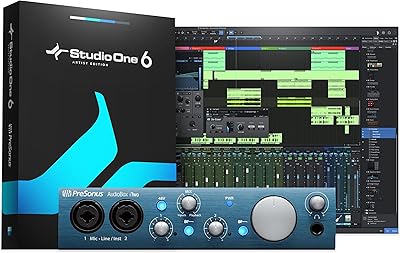
PreSonus AudioBox iTwo 2x2 USB/iPad Audio Interface
86%
92%
Value for Money
89%
Portability & Design
91%
Software & Ease of Use
88%
Sound Quality
85%
Build Quality
More
PreSonus Studio 1824c
86%
91%
Preamplifier Clarity
88%
Chassis & Build Quality
84%
Low-Latency Performance
93%
Software Bundle Value
87%
Monitoring Flexibility
More
PreSonus HD5
PreSonus HD5
79%
83%
Sound Accuracy
87%
Comfort & Wearability
61%
Build Quality
91%
Value for Money
74%
Isolation & Bleed Control
More
ION Audio Max LP
ION Audio Max LP
72%
93%
Ease of Setup
61%
Sound Quality (Built-in Speakers)
67%
Vinyl-to-Digital Conversion
54%
Build Quality
79%
Value for Money
More
PreSonus Studio 68c USB Audio Interface
84%
89%
Audio Quality
86%
Ease of Setup
91%
Software Bundle
88%
Latency Performance
84%
Connectivity
More
PreSonus Quantum 2626 Thunderbolt Audio Interface
88%
96%
Latency
94%
Sound Quality
91%
Software Bundle
88%
Build Quality
87%
Expandability
More
PreSonus Studio 26c USB Audio Interface
86%
92%
Sound Quality
89%
Ease of Use
94%
Value for Money
85%
Software Bundle
88%
Build Quality
More
PreSonus Quantum 26x32 Thunderbolt Audio Interface

83%
91%
Performance
88%
Sound Quality
93%
Ease of Setup
90%
Latency
85%
Connectivity (Thunderbolt 2)
More
Bushnell iON Elite Golf GPS Watch
88%
91%
GPS Accuracy
88%
Battery Life
85%
Ease of Use
90%
Build Quality
93%
Slope Technology
More

FAQ

Yes, the interface is iPad-compatible, but you will need the correct USB adapter for your specific iPad model — either a Lightning to USB adapter or a USB-C to USB-A adapter depending on your generation. PreSonus does not always include that adapter in the box, so check what your iPad needs before your gear arrives. Once connected with the right cable, it works reliably and the Capture Duo app makes mobile recording genuinely straightforward.

Absolutely — the mic input has +48V phantom power, so any standard studio condenser microphone will work fine. Just make sure phantom power is switched on before you plug in your mic, and be aware that ribbon microphones generally should not have phantom power applied unless the manufacturer specifically states they are phantom-safe.

Yes, that is exactly what the Hi-Z instrument input is designed for. Plug your electric guitar or bass straight in using a standard 1/4-inch instrument cable and you will get a clean direct signal into your DAW — no DI box or external preamp needed.

On Mac and iPad it is essentially plug-and-play — connect it and your computer recognizes it immediately. On Windows you will want to download and install the ASIO driver from the PreSonus website first, which takes only a few minutes and significantly improves performance and stability compared to using the generic Windows audio driver.

Yes — the interface handles exactly that scenario. You can connect a microphone to the XLR input and plug your guitar into the instrument input simultaneously, recording both as separate tracks in your DAW in a single pass. That two-track simultaneous capability is really the core use case this interface was built around.

When you hit the Direct button, you hear your live input signal through your headphones without it passing through the DAW first — which eliminates the processing delay that would otherwise make tracking vocals or guitar feel uncomfortably out of sync. The one thing to know is that the blend between your live signal and whatever is playing back in your DAW is fixed at an equal 50/50 mix, and there is no knob to shift that balance in either direction. If you want to hear mostly your backing track with just a touch of your voice, you will need to find a workaround in your DAW settings.

No — this USB interface has no MIDI connectivity whatsoever. If you need to connect a hardware synthesizer or a keyboard via traditional 5-pin MIDI cables, you would need a separate dedicated MIDI interface alongside it. USB-based MIDI controllers that connect directly to your computer do not require the audio interface to have MIDI ports, so those will still work fine.

The bundle is genuinely useful, especially for someone starting from scratch. Studio One Artist is a fully functional DAW — not a stripped-down demo — and the Studio Magic plug-in suite includes professional-grade tools you would otherwise pay for separately. Ableton Live Lite is a real version of Ableton, though it has a track limit that becomes noticeable fairly quickly. The honest caveat is that Studio One has a learning curve, so expect to invest some time with tutorials before it clicks.

Yes — the interface is class-compliant and works with virtually any recording software on Mac, Windows, or iPad, including GarageBand, Logic Pro, Pro Tools, Reaper, and others. You are not locked into the bundled PreSonus software at all; it simply shows up as a standard audio input and output device that any DAW can use.

The main practical difference is that the iTwo has two microphone preamps instead of one, and its direct monitoring uses a variable mix knob rather than a fixed 50/50 button, which gives you more control over what you hear while recording. If you only ever record one source at a time and the monitoring limitation does not bother you, the single-preamp model covers your needs completely. If you think you will ever want to mic two sources simultaneously — or if the fixed monitoring blend sounds like it will frustrate you — the iTwo is worth the step up.