Overview
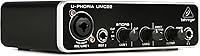
The Behringer UMC22 USB Audio Interface has been a quiet fixture in the budget recording world since 2013, and the fact that it remains relevant says something real about what it actually delivers. It won't satisfy producers chasing high-resolution audio, but for beginners stepping away from a laptop's built-in soundcard for the first time, this compact interface gets the job done without demanding much in return. The headline feature is the Midas-designed preamp — a name borrowed from professional console history. In practice, that translates to noticeably lower noise and cleaner gain than you'd typically expect at this price tier. Plug it in via USB and you're recording within minutes.
Features & Benefits
The front panel gives you a combo XLR/TRS input for microphones and a separate quarter-inch instrument input for guitar or bass — both usable simultaneously if needed. Phantom power lives on the rear panel as a simple toggle switch, so condenser microphones are fully supported. The UMC22 tops out at 48 kHz and 24-bit, which is more than adequate for podcasting, vocal demos, and home recordings destined for streaming. A direct monitor switch lets you hear yourself in real time without latency, which matters more than people realize when tracking vocals. And because it draws power straight from USB, there is no adapter or power brick to carry around.
Best For
This entry-level audio interface is genuinely well-matched to a specific kind of buyer. Singer-songwriters who need to capture vocals and an acoustic guitar at the same time will find it covers that use case cleanly. Podcasters and content creators who simply want a reliable XLR input for their microphone will find the setup refreshingly painless. Students working through recording tutorials will appreciate the broad DAW compatibility — Pro Tools, Ableton, and Cubase all recognize it without fuss. It also travels well: lightweight and bus-powered, it fits neatly into any laptop bag. Where it falls short is for anyone needing more than two inputs or sample rates above 48 kHz.
User Feedback
Across a wide range of buyer reviews, the most consistent praise centers on the noticeable audio improvement over built-in laptop sound — people are often genuinely surprised by how much cleaner their recordings become. Setup earns high marks too, with most users running on Windows or Mac quickly and without complications. That said, the UMC22 draws real criticism in a few areas. The plastic casing feels light in a way that makes some buyers nervous about long-term durability, and a subset of Windows users have reported driver stability issues on certain system configurations. A handful of more experienced reviewers also flag the 48 kHz ceiling as limiting. Overall satisfaction is strong for the intended audience, but expectations need to stay grounded.
Pros
- The Midas-designed preamp delivers noticeably cleaner gain than most interfaces competing at this price point.
- Plug-and-play USB setup means most users are recording within minutes of opening the box.
- Bus-powered operation eliminates the need for an external adapter, keeping your desk and bag tidy.
- Works reliably with major DAWs including Pro Tools, Ableton Live, and Cubase without manual driver hunting.
- The direct monitor switch lets you hear yourself in real time, reducing the frustration of latency while tracking vocals.
- Phantom power support means you can use condenser microphones right away without a separate preamp.
- The combo XLR and instrument inputs give you genuine two-source recording flexibility in a tiny footprint.
- At roughly one pound, the UMC22 is one of the most portable wired interfaces available in its class.
- Signal clip and status LEDs give you just enough visual feedback to catch gain issues without cluttering the interface.
- Cross-platform compatibility with both Windows and Mac keeps it accessible regardless of your setup.
Cons
- The plastic build feels light in hand and raises legitimate questions about how well it holds up over years of regular use.
- A notable number of Windows users have reported driver instability on specific system configurations, which can disrupt recording sessions.
- The 48 kHz sample rate ceiling rules it out for any project requiring high-resolution audio delivery.
- Only two inputs means you cannot simultaneously record more than a mic and one instrument — no band tracking possible.
- Gain knob feel and overall tactile feedback from the controls is basic at best, with no premium build quality to speak of.
- No software bundle is included, so first-time buyers will need to source a DAW separately if they do not already have one.
- The rear-panel placement of the phantom power switch is awkward and easy to forget, especially for beginners mid-session.
- Output monitoring options are limited, with no dedicated headphone volume control separate from the main output level.
- Users upgrading from a mid-range interface will notice a clear step down in headroom and preamp transparency.
- No USB-C connectivity, which is increasingly relevant as newer laptops drop standard USB-A ports.
Ratings
The scores below for the Behringer UMC22 USB Audio Interface were generated by our AI system after analyzing thousands of verified global buyer reviews, with spam, bot activity, and incentivized feedback actively filtered out before any scoring took place. Both the genuine strengths and the real frustrations buyers have encountered are reflected honestly in each category — nothing has been softened to protect a brand impression.
Audio Quality
Ease of Setup
Build Quality
Value for Money
DAW Compatibility
Microphone Preamp
Phantom Power
Direct Monitoring
Portability
Headphone Output
Input Flexibility
Driver Stability
Sample Rate Ceiling
Indicator Visibility
Suitable for:
The Behringer UMC22 USB Audio Interface is a solid fit for anyone taking their first real step into home recording without wanting to overthink the setup or overextend their budget. Singer-songwriters who need to lay down vocals and a guitar simultaneously will find its two-input design covers that workflow cleanly and reliably. Podcasters and content creators who simply need a proper XLR microphone input — rather than relying on a USB mic or onboard laptop audio — will appreciate how quickly this compact interface gets them up and running. Students enrolled in music production programs benefit from its broad DAW compatibility, since it works out of the box with Pro Tools, Ableton, and Cubase without any complex driver configuration. Traveling musicians will also find it genuinely convenient: it weighs about a pound, draws all its power from a USB port, and takes up almost no space in a bag.
Not suitable for:
The UMC22 is not the right tool for producers or engineers who need more than two simultaneous inputs, work at sample rates above 48 kHz, or rely on high-resolution audio for professional deliverables. Bands tracking multiple instruments at once will hit the ceiling of what this entry-level audio interface can handle almost immediately. Buyers who have already worked with mid-range interfaces from brands like Focusrite, Universal Audio, or MOTU will likely find the preamp performance and build quality a step down from what they are used to. The plastic chassis is noticeably light, and users who tend to be hard on gear or move equipment frequently should factor in some real durability concerns. There is also a subset of Windows users who have encountered driver stability problems depending on their system configuration, so if a rock-solid, trouble-free driver experience is non-negotiable for you, it is worth researching compatibility with your specific OS version before committing.
Specifications
- Connectivity: The UMC22 connects to a computer via USB 2.0 and is fully bus-powered, requiring no external power supply.
- Sample Rate: Maximum sample rate is 48 kHz, which is suitable for podcasting, streaming, and standard home recording projects.
- Bit Depth: Records at 24-bit depth, providing a clean dynamic range appropriate for vocal and instrument tracking.
- Input Configuration: Features a 2-in layout: one front-panel combo XLR/TRS input for microphones and one dedicated 1/4-inch TRS instrument input.
- Output Configuration: Provides two rear-panel 1/4-inch TRS balanced outputs for connecting to studio monitors or a mixing desk.
- Mic Preamp: Equipped with a Midas-designed microphone preamplifier intended to reduce noise and deliver cleaner gain at this price tier.
- Phantom Power: A +48V phantom power switch is located on the rear panel, enabling the use of condenser microphones that require external power.
- Direct Monitoring: A front-panel direct monitor select switch allows zero-latency monitoring of the input signal during recording.
- Headphone Output: Includes a front-panel headphone output with a dedicated volume knob for real-time monitoring through headphones.
- Indicators: Status LED and signal clip LED indicators are present to provide basic visual feedback on power and gain levels.
- OS Compatibility: Compatible with both Windows and macOS operating systems, functioning as a class-compliant USB audio device on supported versions.
- DAW Support: Works with major digital audio workstations including Avid Pro Tools, Ableton Live, and Steinberg Cubase without requiring proprietary software.
- Dimensions: The unit measures 9.61 x 6.14 x 3.46 inches, making it compact enough to fit in most laptop bags.
- Weight: Weighs approximately 1 pound, keeping it among the lighter options in the entry-level interface category.
- Chassis Material: The housing is constructed from plastic, which contributes to its low weight but raises some user concerns about long-term durability.
- Power Source: Draws all operating power directly from the connected USB port, eliminating the need for a wall adapter or batteries.
- Channel Count: Operates as a 2-in, 2-out interface, supporting simultaneous recording of one microphone and one instrument source.
- First Available: The UMC22 was first made available in August 2013 and has remained in active production without discontinuation.
Related Reviews
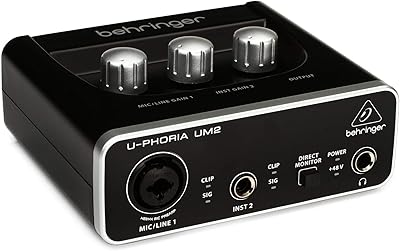
Behringer UM2 USB Audio Interface

M-Audio M-Track 2X2 USB Audio Interface

Black Lion Audio Revolution 2x2 Audio Interface

M-Audio M-Track Duo
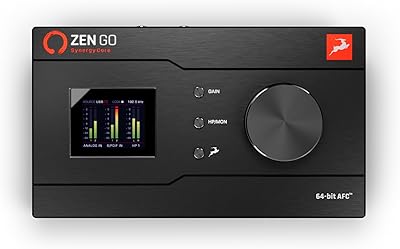
Antelope Audio Zen Go Synergy Core Interface
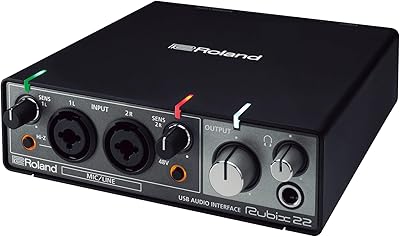
Roland Rubix22 USB Audio Interface

Behringer UMC1820
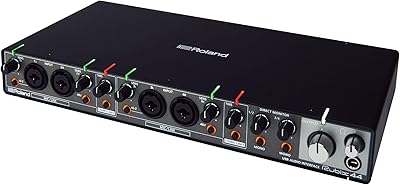
Roland Rubix44 4-In/4-Out USB Audio Interface
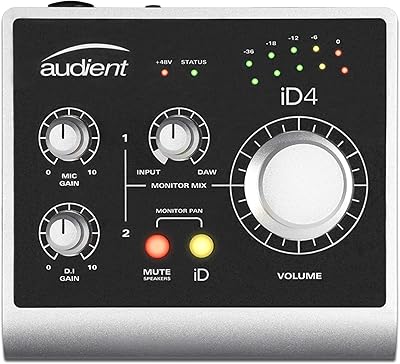
Audient iD4 USB Audio Interface
