Overview

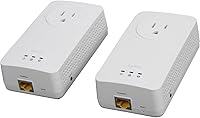
The ZyXEL PLA5215KIT Powerline Adapter Kit is ZyXEL's answer to one of the most common home networking headaches: rooms where Wi-Fi simply won't reach reliably. ZyXEL has been building networking hardware for decades, so this isn't a brand experimenting with unfamiliar territory. The kit ships with two units and works straight out of the box — no router login, no app, no setup ritual. It carries your network signal through the home's existing electrical wiring, which sounds clever in theory. In practice, though, results vary. Homes with newer wiring on a single circuit tend to perform well; older properties with mixed wiring can be hit or miss. Temper expectations accordingly.
Features & Benefits

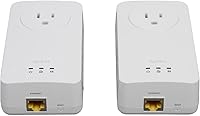
These powerline adapters run on the HomePlug AV2 standard, rated at 600 Mbps — but treat that number as a ceiling, not a promise. Real-world throughput depends heavily on your wiring, and most users see a fraction of that figure. What does hold up consistently is the Gigabit Ethernet port on each unit, which means there's no bottleneck on the device side. The built-in AC passthrough outlet is a genuinely useful touch; you don't sacrifice a wall socket just to get a network connection in the room. ZyXEL's Smart Link Plus technology routes the signal across multiple electrical paths, which can help in homes where one circuit is noisier than another. No software, no drivers — just plug in and go.

Best For

This powerline kit is a natural fit for anyone who's tired of Wi-Fi dropping mid-stream or mid-match but doesn't want to run cable through walls. Think of the living-room TV that buffers during 4K content, or a basement home office where video calls stutter because the signal can't punch through the floor. Gamers in particular stand to benefit — powerline connections generally offer lower latency than a wireless extender. Renters who can't modify walls will appreciate the no-drill setup. That said, homes with aging electrical systems or units landing on separate circuits may not get the stable connection they're hoping for, so it's worth testing within the return window.

User Feedback

The ZyXEL AV2 set earns consistent praise for how painless the initial setup is — most users report both units online within minutes. Where things get more mixed is performance. A noticeable portion of buyers report speeds well below spec, particularly in homes where the two adapters land on different electrical circuits. Some also mention that the units run noticeably warm after extended use — not a safety concern, but worth keeping in mind. Long-term reliability is generally positive, with many reporting months of stable operation; however, a subset describe connections dropping intermittently, requiring a quick replug to recover. Balanced overall, but very dependent on your home's wiring.

Pros

  • Plug-and-play setup gets most users online in under five minutes with zero configuration.
  • The built-in AC passthrough outlet means you never lose a wall socket after installation.
  • Delivers meaningfully lower latency than a typical Wi-Fi extender — a real advantage for gaming.
  • Works with any Ethernet-capable device straight away: smart TVs, consoles, PCs, NAS boxes.
  • Compact wall-plug form factor keeps the installation completely tidy with no extra cables.
  • Ships as a complete two-unit kit — nothing extra to buy before you can get started.
  • In well-wired homes, these powerline adapters maintain stable connections for months without intervention.
  • Smart Link Plus multi-path transmission adds a layer of resilience in larger or more complex layouts.
  • A solid option for renters who need a wired connection without drilling holes or modifying walls.

Cons

  • Real-world speeds regularly fall well short of the 600 Mbps spec, often landing below 150 Mbps.
  • Performance is highly unpredictable — results in the same home can vary dramatically by outlet pair.
  • Units placed on different electrical circuits frequently produce unstable or barely usable connections.
  • The adapters run noticeably warm under sustained load, which raises concerns for always-on installations.
  • Periodic disconnections requiring a manual replug have been reported by a consistent share of buyers.
  • Physical size is larger than it appears in photos and can block adjacent sockets in dual-outlet plates.
  • Included documentation offers almost no useful guidance when the initial connection fails.
  • The white casing shows scuffs and yellowing with age, particularly near floor-level outlets.
  • One unit in the pair failing while the other continues working is a recurring long-term complaint.
  • No Wi-Fi output means wireless-only devices gain nothing from this kit directly.

Ratings

The scores below for the ZyXEL PLA5215KIT Powerline Adapter Kit were produced by AI after analyzing thousands of verified global buyer reviews, with spam, incentivized, and bot-generated submissions actively filtered out. The results reflect a candid picture of where these powerline adapters genuinely deliver and where real-world frustrations surface. Both the strengths and the recurring pain points are weighted equally so you can make an informed call before buying.
Ease of Setup
93%
Getting these powerline adapters running is about as close to effortless as networking hardware gets. Most buyers report both units synced and online within two or three minutes of plugging them in — no app download, no router login, no pairing button dance. For non-technical users connecting a bedroom TV or a basement PC, that simplicity is genuinely appreciated.
A small number of users found that in certain home environments the units did not auto-pair on first plug-in and needed a manual sync via the pairing button — a process that isn't clearly explained in the included documentation. The quick-start guide could be more explicit about troubleshooting that first connection.
Real-World Data Speed
58%
42%
For everyday tasks like streaming HD video or joining a video call, the speeds these adapters deliver are usually more than sufficient. Users running a smart TV or a home office PC in a room far from the router consistently describe a noticeable improvement over a congested Wi-Fi connection, particularly for latency-sensitive tasks.
The 600 Mbps figure on the box is a theoretical ceiling, and real-world throughput routinely lands far below it — many buyers report sustained speeds closer to 80 to 150 Mbps under typical conditions. Users who need high-bandwidth transfers between devices, or who expected near-Gigabit performance for local file sharing, tend to come away disappointed.
Connection Stability
67%
33%
When the wiring conditions are favorable — newer construction, a single electrical circuit between both units — these powerline adapters hold a connection reliably for months. Gamers and remote workers in well-wired homes report far fewer dropouts compared to a Wi-Fi extender placed at the edge of coverage range.
Stability becomes unpredictable when the two adapters land on different electrical circuits, which is common in larger homes or split-level layouts. A recurring complaint involves periodic disconnections requiring a replug to recover — not a dealbreaker, but genuinely frustrating if it happens during a work call or an online gaming session.
Performance Consistency Across Homes
54%
46%
In homes built within the last 15 to 20 years with clean, single-circuit wiring between the two outlet locations, the ZyXEL AV2 set tends to perform close to its potential. Buyers in those environments frequently describe speeds and stability that make the purchase feel worthwhile.
Older homes — particularly those with knob-and-tube wiring, multiple subpanels, or heavily shared circuits — present a significant challenge. Performance variability across different homes is the single most common theme in critical reviews, and there is no way to predict results without simply trying the kit in your specific environment.
AC Passthrough Outlet
88%
The built-in passthrough socket is one of the most practical features on this powerline kit. It means you plug the adapter into a wall outlet and still have a functioning socket available for a lamp, a phone charger, or a power strip — no outlet is wasted. In rooms with limited sockets, buyers consistently call this out as a deciding factor.
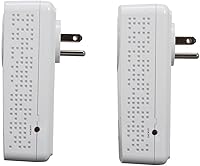
The passthrough socket works as advertised, but the adapter's physical size means it can partially obstruct a second outlet in a standard dual-socket plate. Users with wide furniture or tight outlet placements occasionally find the fit awkward, and the adapter does not accept large plug heads comfortably in the passthrough port.
Build Quality & Durability
72%
28%
The units feel reasonably solid for their price tier — the plastic shell has enough heft to suggest the internals are well-protected, and neither unit develops rattle or creaking after extended use. Long-term buyers who have run these powerline adapters for over a year generally report no physical degradation.
The casing runs noticeably warm after a few hours of sustained use, which gives some buyers pause even if it hasn't translated into widespread failure reports. The white finish also shows scuffs and yellowing over time when installed in high-traffic areas near floor-level outlets.
Thermal Management
61%
39%
Under light to moderate network loads — streaming a single TV, browsing, occasional file transfers — the units stay at an acceptable temperature and have not triggered thermal shutdowns in the vast majority of user reports. For typical household use the heat output is manageable.
Under sustained heavy load, such as continuous large file transfers or extended 4K streaming sessions, the units become uncomfortably warm to the touch. A subset of buyers in warmer climates or poorly ventilated rooms have described throttled performance that appeared heat-related, though ZyXEL does not publish specific thermal thresholds.
Latency Performance
79%
21%
Compared to a mid-range Wi-Fi extender, these powerline adapters consistently deliver lower and more predictable latency — a meaningful advantage for online gaming and video conferencing. Buyers who switched from a wireless repeater setup often comment specifically on how much smoother their experience became.
Latency is not as low as a direct Ethernet cable run, and in electrically noisy environments it can spike unpredictably. Competitive gamers who need sub-10ms consistency may still find powerline technology falls short of their expectations compared to a proper cable installation.
Compatibility with Devices
84%
The standard Gigabit Ethernet port means these adapters work with virtually any wired-capable device without drivers, dongles, or adapters. Smart TVs, game consoles, desktop PCs, streaming boxes, and NAS units all connect without friction — if it has an Ethernet port, it works.
There is no built-in Wi-Fi radio on these units, so wireless-only devices like phones and tablets cannot benefit directly. Buyers who expected to extend Wi-Fi coverage through this kit — rather than extend a wired connection — occasionally leave disappointed due to a misread of the product's purpose.
Value for Money
66%
34%
For buyers whose homes are suited to powerline networking, the kit represents a fair exchange of price for capability — particularly given the included passthrough outlet and the two-unit starter pack. No additional purchases are needed to get up and running, which reduces the real total cost.
At its price point, the kit competes with newer Wi-Fi 6 extenders and mesh network nodes that offer broader device coverage and more predictable performance regardless of home wiring. Buyers in older homes who end up with mediocre speeds frequently feel the value proposition does not hold up under those conditions.
Physical Footprint & Installation
81%
19%
The wall-plug form factor keeps the installation completely clean — no boxes on shelves, no cables snaking across floors, no power bricks to hide. For renters or anyone who values a tidy setup, the ability to simply plug into an existing outlet and walk away is a genuine practical advantage.
The adapters are larger than they look in product photos, and in cramped outlet spaces — behind furniture, in tight corners — the physical bulk can be awkward. Users who need both socket positions in a dual outlet available may find the adapter occupies more real estate than expected.
Long-Term Reliability
71%
29%
A meaningful portion of buyers report running the ZyXEL AV2 set continuously for one to two years without hardware failure or significant performance degradation. For a device that stays plugged in 24 hours a day, that track record is reasonable and in line with what you would expect from an established networking brand.
There is a smaller but consistent thread of reports describing one unit in the pair failing within the first year, with the other continuing to work fine. Warranty support experiences are mixed, and some users describe difficulty getting replacement units honored without a drawn-out support process.
Documentation & Support Resources
55%
45%
The plug-and-play nature of the kit means most buyers never need the manual at all, which partially offsets its shortcomings. For standard setups in typical homes, you genuinely can unbox, plug in, and be done without reading a single page.
When something does not work as expected — units that won't pair, speeds that are far below acceptable — the included documentation offers very little actionable guidance. ZyXEL's online support resources for this specific model are sparse, and community forum help is limited compared to more widely discussed networking brands.

Suitable for:

The ZyXEL PLA5215KIT Powerline Adapter Kit is a practical choice for anyone who needs a reliable wired connection in a room where running Ethernet cable simply isn't an option. Renters who can't drill through walls, homeowners in thick-walled older properties, and anyone frustrated by Wi-Fi dead zones in a far bedroom or basement will find this a worthwhile solution — provided the home's wiring cooperates. Smart TV users who experience buffering on wireless connections stand to benefit immediately, as do remote workers who need a stable link for video calls without the inconsistency of a wireless extender. Gamers looking to reduce latency without committing to a full cable installation will also find these powerline adapters a reasonable middle ground. The plug-and-play setup makes it accessible to buyers who have no interest in configuring network hardware, and the two-unit kit means you have everything needed to get started without additional purchases.
Not suitable for:

The ZyXEL PLA5215KIT Powerline Adapter Kit is a poor fit for anyone who needs guaranteed, high-throughput performance regardless of environment. If your home was built before the 1980s, has aluminum or knob-and-tube wiring, or your two target outlets sit on separate electrical circuits, there is a genuine chance this kit will underperform or deliver frustratingly inconsistent results. Buyers expecting anywhere near the 600 Mbps headline figure for real-world tasks like large local file transfers or simultaneous 4K streams to multiple devices will likely be disappointed — actual throughput in typical conditions is a fraction of that. It is also not a substitute for a Wi-Fi extender or mesh node if your goal is to provide wireless coverage to phones, tablets, or laptops, since these adapters only output a wired Ethernet connection. Users who live in apartments with shared electrical infrastructure may experience additional interference from neighbors' devices on the same lines. Finally, anyone who needs rock-solid 24/7 uptime for a business-critical application should look at a properly cabled solution instead.

Specifications

  • Brand: Manufactured by ZyXEL, a networking hardware company with decades of experience in broadband and home network equipment.
  • Model Number: The exact model identifier for this kit is PLA5215KIT, which designates the two-unit starter bundle.
  • Networking Standard: Operates on the HomePlug AV2 standard and is compliant with both IEEE 1901 and the original HomePlug AV specification for broad interoperability.
  • Max Data Rate: Rated at a theoretical maximum of 600 Mbps over powerline, though real-world throughput will be significantly lower depending on home wiring conditions.
  • Ethernet Port: Each adapter includes one auto-sensing Gigabit Ethernet port (10/100/1000 Mbps) for connecting wired devices directly.
  • AC Passthrough: Each unit features a built-in AC passthrough outlet so the wall socket remains available for other devices after the adapter is installed.
  • Kit Contents: The kit includes two PLA5215 adapter units, making it a complete starter package with no additional hardware required for a basic two-point installation.
  • Setup Method: Plug-and-play design requires no software installation or manual configuration; units auto-pair when plugged into the same home electrical network.
  • Signal Technology: ZyXEL's Smart Link Plus technology uses multiple electrical paths simultaneously to improve signal stability and coverage across larger homes.
  • Form Factor: Wall-plug design with no external power supply or loose cables; each unit plugs directly into a standard wall outlet.
  • Dimensions: The kit measures 7.01 x 3.70 x 5.28 inches in its packaged form, with each individual adapter having a compact but moderately sized profile.
  • Weight: The complete kit weighs 1.1 pounds, reflecting the dual-unit contents and their associated packaging.
  • Color: Both adapter units are finished in white, designed to blend unobtrusively into typical home wall outlet surroundings.
  • Compatible Devices: Works with any device that has a standard Ethernet port, including smart TVs, game consoles, desktop PCs, laptops with adapters, NAS devices, and streaming boxes.
  • Network Encryption: Supports 128-bit AES data encryption over the powerline network to protect traffic passing between the two adapter units.
  • Power Saving: Includes an automatic power-saving mode that reduces energy consumption when no active network traffic is detected on the line.
  • Operating Temperature: Designed to operate within a standard indoor temperature range of 0°C to 40°C (32°F to 104°F).
  • Warranty: ZyXEL provides a limited hardware warranty on this product; buyers should verify current warranty terms directly with ZyXEL or their retailer at time of purchase.

Related Reviews
Zyxel PLA5456 AV2000 Powerline Adapter Kit
74%
91%
Ease of Setup
67%
Real-World Throughput
74%
Network Stability
61%
Hardware Reliability
88%
Port Configuration
More
ZyXEL PLA5206 Powerline Adapter Kit
64%
84%
Ease of Setup
58%
Real-World Network Speed
63%
Reliability & Connection Stability
51%
Compatibility with Home Wiring
61%
Value for Money
More
NETGEAR Powerline Adapter Kit PLP2000-100PAS
74%
91%
Ease of Setup
67%
Real-World Speed Performance
78%
Network Reliability & Stability
74%
Build Quality & Durability
88%
Pass-Through Outlet Design
More
Netgear XAVB5001 Powerline Network Adapter Kit
70%
88%
Ease of Setup
51%
Real-World Speed Performance
73%
Connection Stability
58%
Electrical Outlet Compatibility
67%
Value for Money
More
Netgear XETB1001 Powerline Network Adapter Kit
68%
88%
Ease of Setup
51%
Real-World Speed
67%
Connection Stability
58%
Value for Money
74%
Compatibility
More
Actiontec PWR514K01 Powerline Network Adapter Kit
73%
91%
Ease of Setup
88%
Multi-Device Connectivity
57%
Real-World Throughput
74%
Connection Stability
69%
Value for Money
More
NETGEAR Powerline AV+ 200 Adapter Kit XAVB2501
82%
86%
Performance
92%
Ease of Setup
82%
Connectivity Reliability
78%
Speed Stability
88%
Value for Money
More
D-Link DHP-601AV Powerline Adapter Starter Kit
85%
88%
Performance for Gaming
92%
Ease of Setup
85%
Speed and Reliability
90%
Value for Money
87%
Compatibility with Devices
More
TRENDnet TPL-423E2K Powerline 1300 AV2 Adapter Kit
75%
88%
Ease of Setup
63%
Real-World Data Speed
74%
Connection Stability
91%
Pass-Through Outlet
67%
Build Quality & Durability
More
NETGEAR XAVB2101 Powerline Network Adapter Kit
71%
91%
Ease of Setup
61%
Real-World Speed Performance
88%
Physical Design & Form Factor
72%
Network Stability
67%
Value for Money
More

FAQ

No software or app is required at all. You plug one adapter into a wall outlet near your router and connect it to the router with an Ethernet cable, then plug the second unit into any outlet in the room where you need the connection. In most cases they find each other automatically and you are online within a couple of minutes.

Almost certainly not, and it is worth being upfront about that. The 600 Mbps figure is a theoretical ceiling tested under ideal laboratory conditions. In a real home with typical electrical wiring, most users see somewhere between 80 and 200 Mbps of actual throughput. That is still more than enough for 4K streaming, video calls, and online gaming — just do not expect it to rival a direct Ethernet cable run.

It depends, and that honest answer is important. Homes with older wiring — particularly those built before the 1970s — can produce inconsistent results because aging or mixed wiring introduces more electrical noise onto the line. The best advice is to buy from a retailer with a reasonable return window, test the kit in your specific home, and measure the actual speeds before committing. Some older homes work fine; others simply do not.

You do not lose it. Each adapter has a built-in AC passthrough socket on the front, so you can still plug in a lamp, a phone charger, or a power strip after the adapter is installed. It is one of the more genuinely useful features on this kit, especially in rooms with limited outlets.

Yes, in principle — powerline signal travels through your home's electrical wiring regardless of floor. The practical caveat is that performance can degrade if the two outlets you use are on separate electrical circuits, which is common when spanning floors. If both outlets trace back to the same circuit breaker, results are generally much better.

Generally yes, and meaningfully so compared to a wireless extender at the edge of your router's coverage. Powerline connections typically deliver more stable and lower latency than a stretched Wi-Fi signal, which translates to fewer lag spikes during online play. It will not match a direct Ethernet cable run to your router, but for most gamers it is a worthwhile improvement over wireless.

Yes. Additional individual PLA5215 units are compatible with this kit, and you can add them to the same powerline network without reconfiguring the existing pair. Each new adapter will auto-pair to the existing network on the same electrical circuit, giving you wired connections in multiple rooms from a single setup.

Warm-to-touch operation is common with powerline adapters and is generally expected, not a defect. These units are designed to run continuously and the warmth reflects normal power conversion activity. That said, if a unit feels hot enough to be uncomfortable or starts dropping the connection, make sure it has some airflow around it and is not enclosed in a cabinet or behind furniture.

They will often connect across different circuits, but performance and stability drop considerably when they do. For the best results, both adapters should ideally be on the same circuit — meaning they share the same breaker in your electrical panel. If you are unsure, a licensed electrician can confirm your outlet layout, or you can simply test and compare speed results from different outlet pairs.

Start by making sure both units are plugged directly into wall outlets, not into power strips or surge protectors — those devices often filter out the powerline signal entirely. If they still do not pair, try the manual sync button on each unit: hold the button on one adapter for about two seconds, then do the same on the second unit within two minutes. If problems persist, try a different outlet pair to rule out a circuit mismatch.