Overview

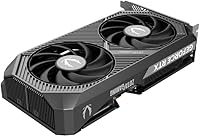
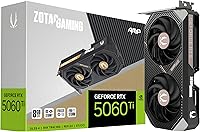
The ZOTAC RTX 5060 Ti 8GB Graphics Card enters the mid-range GPU market as NVIDIA's Blackwell architecture makes its way down to more accessible price points. This is a card aimed squarely at 1080p-to-1440p gamers who want a genuine generational upgrade without paying flagship prices. ZOTAC's AMP series has historically landed in a sweet spot — better cooling and clock speeds than the base model, without the bulk of their top-tier Amp Extreme variants. What genuinely sets this compact RTX 5060 Ti apart from most of its siblings is the SFF-ready form factor — a full 2-slot card at just 8.7 inches. One honest caveat worth stating upfront: the 8GB VRAM is a real conversation worth having before you buy.
Features & Benefits

The headline feature here is Multi Frame Generation, DLSS 4's most impactful addition, which can multiply frame rates dramatically in supported titles — though game support still varies, so the uplift is not universal. The GDDR7 memory running at 28 Gbps is a meaningful step up from the GDDR6X found on previous-gen cards, making texture streaming and scene loading noticeably snappier at 1440p. Cooling is handled by IceStorm 2.0, and the dual 90mm BladeLink fans stop spinning entirely at low loads, so idle use is completely silent. Connectivity is strong, with three DisplayPort 2.1b outputs and one HDMI 2.1b port. The single 8-pin power connector is a quiet relief for anyone building on a modest PSU.

Best For

This compact RTX 5060 Ti is an obvious fit for small form factor builds — the short PCB and 2-slot design go places that larger cards simply cannot. If you are gaming at 1440p and your current card is three or four years old, the performance jump here is substantial enough to feel in practically every title. Streamers and content creators will appreciate the AV1 hardware encoding and DLSS 4 AI features, which reduce processing burden without sacrificing output quality. Users who value quiet computing will find the idle fan stop genuinely pleasant for everyday desktop work. That said, if you regularly play texture-heavy open-world games at maximum settings, the 8GB framebuffer may become a bottleneck sooner than you would hope.

User Feedback

Across 145 ratings sitting at a 4.6-star average, the most consistent praise centers on how easy the card is to install and how quietly it runs day-to-day. Several buyers in small-case builds specifically call out the size as something they struggled to find in a competing card at this tier. On the less positive side, a handful of users raise concerns about VRAM headroom in newer, more demanding titles — this is a legitimate issue and not an outlier opinion. Long-term reliability reports are mostly positive, with the cooling system holding steady under extended gaming sessions. Driver stability has not been a widespread complaint, though a few early adopters noted minor issues that were resolved through updates. Overall, buyer sentiment tracks closely with what the specs suggest.

Pros

  • Compact 8.7-inch, 2-slot design fits mini-ITX and SFF cases that reject most competing cards.
  • GDDR7 memory delivers noticeably faster texture streaming compared to previous-gen GDDR6X cards.
  • Fans stop completely at idle, making the 5060 Ti AMP genuinely silent during everyday desktop use.
  • Single 8-pin power connector means no adapters and no stress on modest power supplies.
  • Strong 1440p performance in the vast majority of titles released through 2024.
  • DLSS 4 Multi Frame Generation delivers impressive frame rate gains in supported titles.
  • AV1 hardware encoding is a practical, real-world benefit for streamers and video creators.
  • Four display outputs including three DisplayPort 2.1b ports support flexible multi-monitor setups.
  • Straightforward installation process with no compatibility surprises on modern platforms.
  • Blackwell architecture provides a foundation for NVIDIA feature support well into the coming years.

Cons

  • 8GB VRAM is already showing limits in select demanding titles at max 1440p settings.
  • DLSS 4 Multi Frame Generation benefits only apply to games with explicit support — far from universal.
  • Early adopters encountered driver instability that required waiting on NVIDIA update cycles to resolve.
  • This compact RTX 5060 Ti runs warmer and louder inside poorly ventilated SFF cases.
  • White LED lighting offers minimal customization options beyond basic on and off.
  • No real advantage over full-size alternatives for buyers who do not need the compact footprint.
  • Long-term durability data is still limited given how recently the card launched.
  • Buyers on 500W or lower power supplies should audit their full system draw before purchasing.
  • Performance headroom in ray tracing-heavy scenarios is noticeably tighter than on higher-tier cards.
  • Limited to one 8-pin connector, which leaves no path for the card to exceed its power target under overclocking.

Ratings

The ZOTAC RTX 5060 Ti 8GB Graphics Card has been evaluated by our AI system after analyzing verified global buyer reviews, with spam, bot-submitted, and incentivized feedback actively filtered out. Scores reflect the honest distribution of real-world experiences — strengths and frustrations alike — so you can make a genuinely informed decision. This compact RTX 5060 Ti earns strong marks in several areas, but there are a few trade-offs worth understanding before committing.

Gaming Performance at 1440p
88%
Buyers upgrading from RTX 3060 or RX 6700-class cards consistently report noticeable improvements in frame rates at 1440p across a wide range of titles. Games like Cyberpunk 2077 and Hogwarts Legacy run comfortably at high settings without the stuttering that plagued older mid-range cards.
A subset of users note that in the most demanding open-world games at ultra settings, frame rates can dip into less comfortable territory — particularly when DLSS is unavailable or disabled. The card performs best when DLSS is left enabled, which is not always a choice players want to make.
VRAM Capacity & Future-Proofing
58%
42%
For most titles released before 2024, 8GB is genuinely sufficient, and many buyers find the card handles their current game library without any texture pop-in or memory-related issues at 1440p medium-to-high settings.
This is the most debated aspect of the card. Several buyers report hitting VRAM limits in newer, texture-heavy titles at 1440p max settings, leading to stuttering or forced quality reductions. Given the card's expected multi-year lifespan, the 8GB ceiling is a real concern for anyone who games at the bleeding edge.
DLSS 4 & AI Feature Effectiveness
83%
In titles that fully support DLSS 4 with Multi Frame Generation, buyers describe the frame rate boost as genuinely impressive — enough to push a borderline experience into a smooth one. Streamers also appreciate the AI-assisted workload reduction during simultaneous gaming and broadcast sessions.
The catch is consistency. DLSS 4 Multi Frame Generation relies on per-game implementation, and several users found that a meaningful portion of their library simply does not support it yet. The benefit is real but selective, not a blanket upgrade across every game you own.
Thermal Performance & Cooling
86%
Under sustained gaming loads, temperatures stay in a comfortable range for a 2-slot card, and buyers in mid-tower cases report the IceStorm 2.0 cooler handling things quietly without ramping fans to intrusive speeds. The pass-thru airflow design helps when the card is slotted into a case with decent ventilation.
In compact SFF cases with restricted airflow, some users observe higher operating temperatures and more audible fan activity than expected. The cooler is sized for the card's footprint, so it has less thermal headroom than physically larger competing designs in tight enclosures.
Noise Levels & Idle Behavior
91%
The FREEZE Fan Stop feature is one of the most appreciated aspects among buyers who use their system for everyday work. Browsing, video playback, and light productivity tasks are completely silent, and many users specifically mention this as a quality-of-life upgrade from their previous card.
Under full gaming load, the fans are audible — not loud by GPU standards, but present enough that users in very quiet rooms or with open cases may notice them. A few buyers with particularly noise-sensitive setups wished for a semi-passive mode at moderate loads, not just at idle.
Form Factor & Build Quality
89%
The compact 8.7-inch length and 2-slot footprint make this one of the few Blackwell-generation cards that actually fits in mini-ITX and small form factor cases without modification. Buyers in SFF builds frequently call out the size as the deciding factor in their purchase, and the metal backplate gives the card a solid, well-constructed feel.
A small number of users noted the card feels lighter than expected, which some interpret as less robust compared to larger triple-fan competitors. The white LED lighting, while clean, cannot be fully customized beyond basic on/off controls according to several buyers.
Installation & Compatibility
93%
The single 8-pin power connector is a standout for users building on older or lower-wattage PSUs — no adapters, no multi-connector daisy-chains. Buyers consistently describe the physical installation as quick and uncomplicated, with the card fitting standard PCIe slots without any issues.
A handful of users running very old platforms noted they needed to verify PCIe 5.0 backward compatibility, and a couple reported minor slot-fitting issues in older cases with tight GPU clearance. Nothing widespread, but worth a quick case measurement check before ordering.
Driver Stability
77%
23%
The majority of buyers report stable day-to-day operation with no crash-to-desktop or BSOD incidents after the initial setup period. Most users who experienced early driver hiccups found that updating to the latest NVIDIA release resolved the issues.
Being a new-generation card on a fresh architecture, some early adopters encountered driver-related instability during the first few weeks post-launch. The issues appear to have diminished with successive updates, but buyers who need a rock-solid experience from day one may want to wait a driver cycle or two.
Value for Money
74%
26%
For small form factor builders specifically, this compact RTX 5060 Ti is one of the few options that delivers Blackwell-generation performance in the required size, making the price justifiable when no larger alternative would fit the case. The power efficiency relative to older mid-range cards also reduces long-term electricity costs.
Against full-size RTX 5060 Ti cards at the same or similar price, the value calculation gets murkier — you are partly paying for the compact form factor. Buyers who do not need the small footprint may feel the 8GB limitation makes it a harder sell compared to competing options with more memory headroom.
Display Output Versatility
87%
Having three DisplayPort 2.1b outputs alongside HDMI 2.1b is genuinely useful for multi-monitor setups, and buyers running dual or triple displays note clean, flicker-free output. The 8K-capable outputs also reassure buyers that the card will not become a bottleneck for future display upgrades.
For single-monitor setups, the extra outputs are obviously irrelevant, and a few users noted they would have preferred a second HDMI port over the third DisplayPort for home theater flexibility. The 8K output capability is more of a future spec than a current practical feature for most buyers at this price tier.
Power Efficiency
84%
Buyers upgrading from RTX 3080 or RX 6800-class cards report noticeably lower power draw during gaming sessions, which translates to reduced system temperatures and quieter overall operation. The Blackwell architecture delivers more performance-per-watt than previous generations, which buyers in warm climates or thermally constrained builds specifically appreciate.
Users coming from lower-wattage cards like the RTX 3060 will see a modest increase in power consumption during peak loads. While not problematic on a modern PSU, buyers on 500W or lower units should verify their power budget carefully before purchasing.
Content Creation & Encoding
81%
19%
Streamers and video editors report meaningful quality improvements with AV1 hardware encoding, particularly those pushing 1080p60 or 1440p streams. The DLSS 4 AI features also reduce rendering overhead in supported creative applications, making multi-tasking more practical.
Content creation benefits are concentrated in software that explicitly supports NVIDIA-specific features. Users working in DaVinci Resolve, Blender, or other cross-platform tools may see more modest gains compared to those in NVIDIA-optimized workflows like OBS with NVENC.
Long-Term Reliability
79%
21%
Given the card is relatively new, early buyer feedback on longevity is limited but encouraging. No widespread reports of premature fan bearing noise, coil whine, or thermal degradation have surfaced in the review pool, and ZOTAC's AMP line has a reasonable track record from previous generations.
The sample size for long-term reliability data is inherently small this early in the product's life. Buyers who prioritize proven multi-year durability should note that first-gen architecture cards always carry slightly more unknowns than a product that has been in the market for 18 or more months.

Suitable for:

The ZOTAC RTX 5060 Ti 8GB Graphics Card is an excellent match for 1440p gamers who want a meaningful generational leap without stretching into flagship GPU territory. It is particularly well-suited for small form factor and mini-ITX builders — this is genuinely one of the few Blackwell-generation cards that physically fits in tight cases without compromise, and that alone narrows the field considerably. Upgraders coming from RTX 3060, RTX 2070, or RX 6700-era hardware will feel the performance difference across most of their game library immediately. Streamers and part-time content creators benefit from the AV1 hardware encoding and DLSS 4 AI features, which take real pressure off the CPU during simultaneous gaming and broadcast workloads. Users who value a quiet desktop environment will appreciate the fan-stop behavior during idle and light use — it is a genuinely pleasant daily experience.

Not suitable for:

The ZOTAC RTX 5060 Ti 8GB Graphics Card is not the right call for buyers who routinely play the most texture-demanding open-world games at maximum settings, where the 8GB VRAM ceiling can become a real constraint rather than a theoretical one. If your game library skews toward titles like newer AAA releases at ultra settings in 1440p, you will likely run into memory pressure sooner than you would on a card with 12GB or 16GB. This compact RTX 5060 Ti is also a poor fit for anyone building a high-performance workstation for 3D rendering, machine learning, or heavy video production — those workflows demand more VRAM and raw compute than this mid-range card is designed to provide. Buyers who do not need the small footprint and are choosing purely on performance-per-dollar may find competing full-size options at similar price points offer a better balance. Finally, anyone who needs rock-solid driver stability from day one should be aware that first-generation architecture cards often require a few driver update cycles to fully settle.
Specifications

  • GPU Architecture: Built on NVIDIA's Blackwell architecture, the same platform powering the RTX 50-series lineup.
  • GPU Model: Equipped with the GeForce RTX 5060 Ti graphics processor manufactured by NVIDIA.
  • VRAM: 8GB of GDDR7 memory provides fast frame buffer access for gaming and light creative workloads.
  • Memory Bus: A 128-bit memory interface connects the GPU core to its GDDR7 memory modules.
  • Memory Speed: Memory operates at 28 Gbps, offering substantially higher bandwidth than the GDDR6X found in previous mid-range generations.
  • Boost Clock: The GPU boosts up to 2632 MHz under load, enabling strong frame rates across 1080p and 1440p titles.
  • PCIe Interface: Uses a PCIe 5.0 x16 slot interface, fully backward compatible with PCIe 4.0 and 3.0 motherboards.
  • Power Connector: Requires a single 8-pin PCIe power connector, simplifying installation on a wide range of power supplies.
  • Cooling System: IceStorm 2.0 cooling uses dual 90mm BladeLink fans with composite heatpipes and a pass-thru airflow design.
  • Fan Stop: FREEZE Fan Stop technology halts both fans entirely at low load, producing zero fan noise during idle or light desktop use.
  • Card Length: The PCB measures 8.7 inches in length, making it compatible with compact mini-ITX and SFF cases.
  • Slot Width: Occupies exactly 2 expansion slots, leaving adjacent slots free in most standard mid-tower and SFF builds.
  • Card Weight: Weighs 1.7 pounds, which is lighter than most competing dual-fan cards and aids installation in tight chassis.
  • Display Outputs: Offers three DisplayPort 2.1b ports and one HDMI 2.1b port, supporting up to four simultaneous displays.
  • Max Resolution: Capable of driving displays at up to 7680x4320 (8K) resolution over DisplayPort 2.1b or HDMI 2.1b.
  • DLSS Version: Supports DLSS 4 including Multi Frame Generation, NVIDIA's latest AI-powered upscaling and frame synthesis technology.
  • Lighting: Features white LED lighting along the card shroud with basic on/off control via ZOTAC's FireStorm utility.
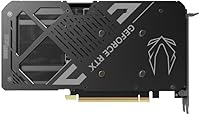
  • Backplate: A full metal backplate covers the rear of the PCB, adding structural rigidity and a clean aesthetic finish.
  • HDCP Support: HDCP 2.3 compliance ensures compatibility with protected 4K and 8K content playback across all outputs.
  • Form Factor: Classified as SFF-ready, the card is designed to fit small form factor systems where longer or thicker GPUs cannot install.

Related Reviews
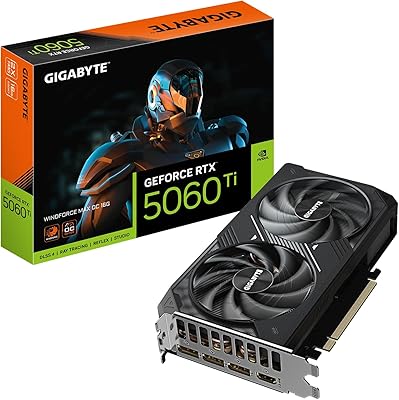
GIGABYTE RTX 5060 Ti 8GB Graphics Card
84%
88%
1440p Gaming Performance
91%
DLSS 4 & AI Upscaling
66%
VRAM Capacity & Adequacy
93%
Thermal Performance & Cooling
86%
Noise Level
More
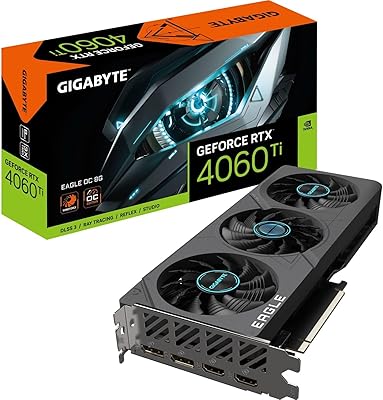
ZOTAC GeForce RTX 3070 Ti AMP Holo Graphics Card
81%
88%
Gaming Performance
91%
Cooling Efficiency
86%
Noise Levels
93%
Build Quality
84%
Thermal Management
More
GIGABYTE GeForce RTX 4060 Ti Gaming OC 8GB Graphics Card
86%
92%
Performance
88%
Cooling Efficiency
89%
Value for Money
85%
Build Quality
91%
Ease of Setup
More
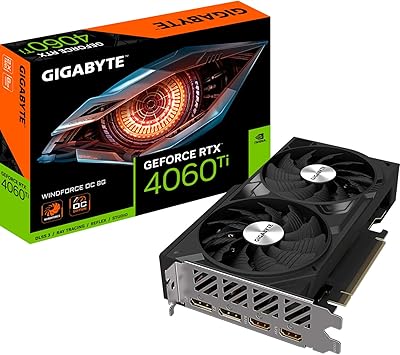
Gigabyte RTX 4060 Ti Eagle OC GPU
82%
83%
Gaming Performance
88%
Thermal Management
84%
Noise Level
86%
DLSS 3 & Frame Generation
61%
VRAM & Memory
More
Gigabyte NVIDIA GeForce RTX 4060 Ti WINDFORCE OC 8GB Graphics Card
86%
90%
Gaming Performance
92%
Value for Money
89%
Ray Tracing & DLSS
88%
Cooling & Noise
85%
Installation & Setup
More
GIGABYTE GeForce RTX 5060 Ti WINDFORCE MAX OC 16G
85%
91%
1440p Gaming Performance
93%
Thermal Management
88%
VRAM Capacity & Usefulness
92%
Noise Levels
84%
Value for Money
More
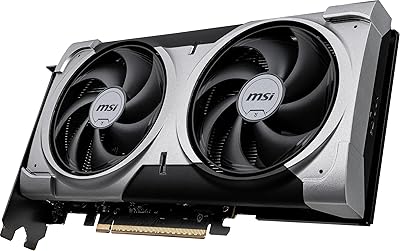
MSI GeForce RTX 5060 Ti 16G VENTUS 2X OC Plus Graphics Card
87%
92%
Gaming Performance
89%
Cooling Efficiency
87%
Build Quality
91%
Compatibility with Modern Systems
88%
Price-to-Performance Ratio
More
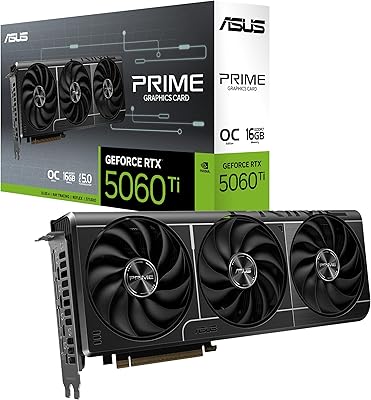
ASUS PRIME GeForce RTX 5060 Ti 16GB GDDR7 OC Edition Graphics Card
88%
93%
Performance
88%
Cooling Efficiency
92%
Value for Money
86%
Ease of Installation
90%
Build Quality
More
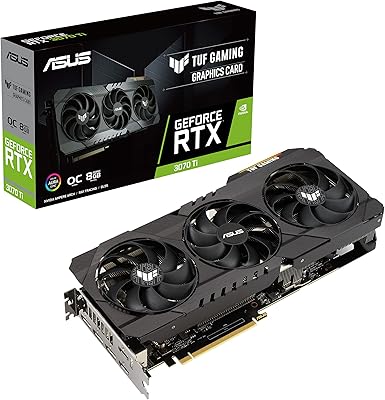
ASUS TUF Gaming NVIDIA GeForce RTX 3070 Ti OC Edition Graphics Card 8GB GDDR6X
87%
92%
Performance
88%
Cooling Efficiency
94%
Build Quality & Durability
90%
Value for Money
76%
Thermals (Under Load)
More
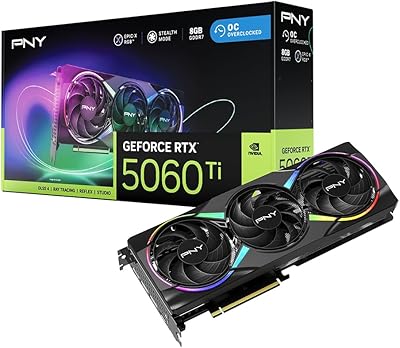
PNY RTX 5060 Ti 8GB Graphics Card
80%
83%
Gaming Performance
58%
VRAM Adequacy
89%
Cooling & Thermals
62%
Value for Money
91%
DLSS 4 & AI Features
More

FAQ

Most likely yes — at 8.7 inches long and 2 slots wide, this compact RTX 5060 Ti is specifically designed with SFF builds in mind. That said, always cross-check your case's maximum GPU length spec before ordering, since a small number of ultra-compact cases cap out below 8.7 inches.

For most titles, yes — but it depends heavily on which games you play. At 1440p with high or very high settings, 8GB handles the majority of the current library without issue. Where you will feel the pinch is in a handful of newer open-world games that push past 8GB at maximum texture quality. If you consistently play at ultra settings in the most demanding titles, it is worth acknowledging this limitation honestly before buying.

NVIDIA and ZOTAC recommend at least a 650W power supply for a full system build using this card. If your rig has a power-efficient CPU and minimal additional components, a quality 600W unit may work, but 650W gives you comfortable headroom. The single 8-pin connector makes wiring simple, but total system draw still matters.

Not in all games — Multi Frame Generation requires explicit per-game support, and while the list of compatible titles is growing, a meaningful portion of the existing game catalog does not yet support it. In titles that do support it, the frame rate uplift is substantial. In titles that do not, you are still getting the Blackwell architecture performance gains, just without the MFG multiplier.

At idle and during light tasks, it is completely silent thanks to the fan stop feature — fans do not spin at all. Under a sustained gaming load, the fans are audible but not aggressive by dual-fan card standards. Most users describe it as a background hum rather than a distracting whine. In a closed case, you will barely notice it.

Yes, PCIe 5.0 is fully backward compatible with PCIe 4.0 and 3.0 slots. You will not lose the ability to run the card — it will simply negotiate down to the slot's maximum speed. In practice, the performance difference between PCIe 4.0 and 5.0 at this GPU tier is negligible for gaming workloads.

Absolutely. The card has three DisplayPort 2.1b outputs and one HDMI 2.1b port, allowing up to four simultaneous displays. Whether you are running a triple-monitor gaming setup or a mixed productivity and entertainment arrangement, the outputs are there to support it.

The jump is meaningful enough to feel in real gameplay. You are moving from Ampere architecture to Blackwell, gaining access to DLSS 4, significantly faster GDDR7 memory, and higher raw GPU performance. Most benchmarks show a substantial improvement in frame rates at 1440p, and the efficiency gains mean you are getting more performance while using similar or less power.

It is a fair concern. Like most first-generation architecture releases, early adopters did encounter some driver-related instability in the first few weeks after launch. NVIDIA has been pushing updates, and subsequent driver versions have addressed most of the reported issues. If you need bulletproof stability immediately, waiting one or two more driver cycles is a reasonable precaution.

No — the white LED lighting on this card is controlled through ZOTAC's own FireStorm software utility, not via a physical ARGB header connection to your motherboard. You can turn it on or off through the software, but it does not sync natively with motherboard RGB ecosystems like ASUS Aura or MSI Mystic Light.

Where to Buy