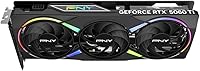

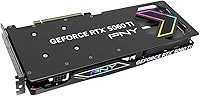
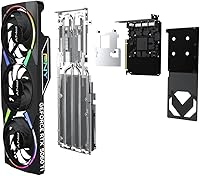
Overview

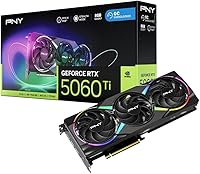
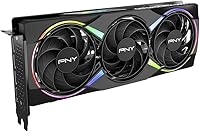
The PNY RTX 5060 Ti 8GB Graphics Card is NVIDIA's Blackwell-generation answer to mainstream gaming, targeting 1080p and 1440p players who want real performance without stepping into flagship pricing. PNY's Epic-X Triple Fan variant adds a factory overclock and a compact 2-slot footprint, making it a practical pick for SFF builds too. Where things get interesting — and occasionally contentious — is the 8GB GDDR7 VRAM running on a 128-bit bus. For most games today, that is plenty. But if you play texture-heavy titles or plan to hold onto this card for several years, it is a legitimate consideration worth weighing before buying.

Features & Benefits

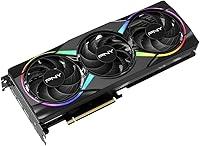
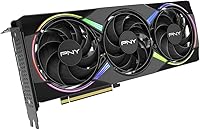
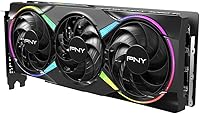
The Blackwell architecture underneath this RTX 5060 Ti brings tangible upgrades over previous generations. DLSS 4 with Frame Generation is the headline feature — in supported titles like Cyberpunk 2077 or Alan Wake 2, it can multiply frame rates well beyond what the raw hardware alone would produce. The 2692 MHz boost clock represents a modest factory overclock, but it does translate to a small real-world edge over reference cards. The triple ARGB fan cooler handles thermals quietly under typical gaming loads, and the 2-slot design keeps things tidy in tighter cases. PCIe 5.0, HDMI 2.1, and DisplayPort 2.1 round out the connectivity side, ensuring you will not outgrow the outputs anytime soon.

Best For

This Blackwell-gen GPU is a strong fit for 1080p high-refresh gamers — think 144Hz or 165Hz monitors running titles like Valorant, Fortnite, or Call of Duty — where the raw horsepower is more than enough without leaning on AI upscaling. It is also a solid choice for 1440p casual gaming when you are willing to enable DLSS Frame Generation to smooth things out in more demanding titles. Content creators running DaVinci Resolve or Adobe Premiere Pro on a budget will appreciate the GPU-accelerated export speeds. And if you are building inside a compact or mini-ITX case, the SFF-ready form factor is a genuine advantage. Upgraders coming from a GTX 1070 or RTX 2060 will notice a dramatic jump in both performance and feature support.

User Feedback

Across nearly 200 ratings, the PNY Epic-X Triple Fan holds a 4.4-star average, and the feedback pattern is fairly consistent. On the positive side, buyers highlight quiet cooling performance and clean ARGB lighting that syncs reliably with Asus Aura, MSI Mystic Light, and similar software. Driver installation is reportedly painless, and the card simply works out of the box. The recurring criticism centers squarely on the 8GB VRAM ceiling — some reviewers feel it is limiting compared to competing cards offering 16GB at a comparable price, especially looking two or three years down the road. Ray tracing is capable, but do not expect it to match higher-tier cards. For most buyers today the experience is positive; the hesitation is really about longevity.

Pros

  • Blackwell architecture delivers a major generational leap for anyone upgrading from GTX 10-series or RTX 20-series cards.
  • DLSS 4 Frame Generation dramatically boosts framerates in supported titles without a visible quality penalty.
  • The triple ARGB fan cooler runs quietly under typical gaming loads, even during extended sessions.
  • Factory overclock to 2692 MHz boost gives a small but real-world performance edge over reference models.
  • 2-slot SFF-ready design fits compact and mini-ITX cases where most triple-fan cards cannot go.
  • HDMI 2.1 and DisplayPort 2.1 outputs keep you compatible with high-refresh and high-resolution displays for years.
  • NVIDIA Reflex integration noticeably tightens system latency in competitive multiplayer games.
  • ARGB lighting syncs cleanly with Asus Aura, MSI Mystic Light, and similar motherboard software.
  • Installation is straightforward, and NVIDIA drivers work reliably out of the box with no extra setup.
  • Rated 4.4 out of 5 across nearly 200 buyers, indicating consistently positive real-world ownership experiences.

Cons

  • 8GB VRAM is a legitimate long-term concern as modern games increasingly push beyond that threshold.
  • The 128-bit memory bus limits memory bandwidth compared to wider-bus competitors at a similar price.
  • Competing cards offer 16GB VRAM at a comparable price, making the value case harder to defend for future-focused buyers.
  • Ray tracing at ultra settings requires significant quality trade-offs — this is a mid-range card, not an enthusiast one.
  • 4K gaming at high settings is not a realistic use case despite the card technically supporting 4K output.
  • VRAM-intensive creative workloads like large AI inference or heavy 3D rendering can saturate the 8GB buffer quickly.
  • DLSS 4 dependency means performance gains in demanding titles rely on developer support, which is not universal.
  • PCIe 5.0 interface offers no practical benefit today and requires a modern motherboard to even utilize.
  • The factory overclock margin over reference clocks is modest, offering limited headroom for further manual tuning.

Ratings

The PNY RTX 5060 Ti 8GB Graphics Card has been scored by our AI system after analyzing verified buyer reviews from global marketplaces, with spam, incentivized, and bot-generated feedback actively filtered out. Scores reflect real ownership experiences across a broad range of use cases — from competitive gaming rigs to compact creative workstations — and both the strengths and the genuine frustrations buyers encountered are transparently represented below.

Gaming Performance
83%
At 1080p, this RTX 5060 Ti handles demanding titles like Cyberpunk 2077, Elden Ring, and Fortnite with strong, consistent frame rates. With DLSS 4 Frame Generation enabled, 1440p gaming becomes very accessible, and buyers upgrading from older mid-range cards report a noticeable and satisfying generational jump.
Without DLSS assistance, 1440p performance in the most demanding games can feel tight rather than comfortable. Buyers expecting native 1440p ultra settings without AI upscaling may find the raw rasterization performance slightly underwhelming relative to the price point.
VRAM Adequacy
58%
42%
For current 1080p gaming and most 1440p titles, 8GB of GDDR7 is functional and rarely causes problems in day-to-day gaming sessions. Titles like Valorant, Apex Legends, and Forza Horizon 5 run well within the VRAM budget without visible stuttering or texture pop-in.
The 8GB limit is the single most cited concern among buyers, and for good reason — several modern titles already push or exceed this at high texture settings. Buyers holding onto this card for three or more years face a real risk of VRAM becoming the bottleneck before the GPU itself does.
Cooling & Thermals
89%
The triple-fan ARGB cooler consistently keeps GPU temperatures in a comfortable range even during extended gaming sessions, with multiple buyers noting it runs noticeably quieter than competing dual-fan designs at equivalent loads. For enclosed mid-tower builds, the thermal headroom feels generous.
Under sustained maximum workloads — think long rendering jobs or heavy stress tests — the fans do ramp up audibly, which may be noticeable in quieter environments. A small number of buyers in poorly ventilated cases reported slightly higher-than-expected idle temperatures.
Value for Money
62%
38%
For buyers coming from GTX 10-series or RTX 20-series cards, the performance uplift is substantial enough that the price feels justified. The factory overclock, ARGB cooler, and SFF-ready form factor add real value over a reference-spec card at a similar price.
The 8GB VRAM situation is where the value case gets rocky — competing GPUs at a comparable price offering 16GB give buyers a harder choice to rationalize. Several reviewers specifically flagged that the performance-per-dollar calculation tips against this card when 16GB alternatives are available.
DLSS 4 & AI Features
91%
DLSS 4 is a genuinely impressive implementation on this Blackwell-gen GPU, and buyers who game in supported titles like Cyberpunk 2077, Alan Wake 2, or Marvel's Spider-Man 2 report frame rate boosts that feel smooth and natural rather than artificial. Multi Frame Generation in particular impresses users who were skeptical of AI rendering going in.
DLSS 4 support is not universal, and buyers who primarily play older titles or niche indie games will find the feature largely irrelevant to their daily experience. The reliance on developer adoption means the value of this feature set varies significantly depending on your game library.
Build & Form Factor
86%
The 2-slot, SFF-ready design is a genuine differentiator for compact builders, and buyers who successfully installed the PNY Epic-X Triple Fan into mini-ITX cases praised how well it fit without the clearance anxiety that comes with bulkier three-slot alternatives. The card feels solid and well-assembled.
While SFF-certified, buyers should still verify the card length against their specific chassis before purchasing, as a triple-fan cooler still requires meaningful internal length clearance. A handful of compact build users had to rearrange cable routing to accommodate the card.
ARGB Lighting
82%
18%
The ARGB lighting implementation is clean and well-diffused across the triple fans, producing an attractive effect in windowed cases. Buyers using Asus Aura Sync or MSI Mystic Light report reliable synchronization with minimal setup required after driver installation.
Users on less common RGB ecosystems or those running open-source lighting control software occasionally report inconsistent sync behavior. The lighting customization options within PNY's own software are more limited compared to some competing brands' dedicated RGB control suites.
Driver & Software Experience
88%
Buyers consistently report a clean out-of-box experience — plug in the card, install NVIDIA drivers, and everything works. NVIDIA's driver maturity for this architecture means issues are rare, and GeForce Experience setup is straightforward for users who want automatic optimization.
A small subset of buyers noted that GeForce Experience can be intrusive with notifications if left with default settings. PNY's own overlay software adds minimal value over NVIDIA's native tools, and a few users found it unnecessary.
Ray Tracing Performance
67%
33%
The 4th-generation RT cores deliver a real step up from older architectures, and in titles like Control or Metro Exodus with RT set to medium and DLSS active, the visual improvement over pure rasterization is visible and appreciated by buyers who care about lighting fidelity.
Pushing ray tracing to high or ultra settings in graphically complex games like Cyberpunk 2077 causes a significant framerate drop that most users find unacceptable without heavy DLSS reliance. Buyers expecting enthusiast-level RT performance will be disappointed — this is firmly mid-range territory for RT workloads.
Connectivity & Outputs
87%
HDMI 2.1 and DisplayPort 2.1 outputs give buyers excellent future-proofing for high-refresh monitors and next-generation displays, and the four-display output capability is appreciated by multi-monitor users. Buyers upgrading from older cards with HDMI 2.0 notice the difference immediately on 4K 144Hz panels.
The PCIe 5.0 interface, while technically current, offers no practical advantage over PCIe 4.0 for gaming today and requires a relatively modern platform to fully utilize. Buyers on older Z390 or B450 motherboards should confirm slot compatibility before ordering.
Installation Ease
90%
Nearly every buyer who commented on installation described it as straightforward, even for first-time GPU upgraders. Driver installation through NVIDIA's standard process is reliable, and the card is recognized immediately by Windows without additional configuration steps.
The card's weight — light for a triple-fan GPU, but still notable — means buyers with older or lightweight PCIe slot brackets should use a GPU support brace to prevent long-term sag. A few users wished PNY included one in the box.
Noise Levels
84%
At typical 1080p and 1440p gaming loads, the fan noise sits comfortably in the background and does not intrude on gameplay or voice chat. Buyers who previously owned blower-style or budget dual-fan GPUs specifically call out the noise improvement as a positive upgrade experience.
The card is not silent — at full load it does produce audible fan noise, which may bother users in very quiet room environments or those sensitive to sustained fan hum during long sessions. Semi-passive or silent mode is not a featured option on this cooler.
Creative Workload Performance
74%
26%
For content creators using DaVinci Resolve, Adobe Premiere Pro, or Blender at a budget-conscious tier, this Blackwell-gen GPU provides GPU-accelerated export speeds and AI-assisted features that represent a real productivity improvement over older or integrated graphics solutions.
The 8GB VRAM ceiling applies here too — editors working with complex multi-layer 4K timelines, large RAW assets, or GPU-intensive 3D renders may find memory pressure appearing sooner than expected. This card serves light-to-moderate creative users well, but it is not a professional workstation GPU.

Suitable for:

The PNY RTX 5060 Ti 8GB Graphics Card is a well-matched choice for gamers running a 1080p high-refresh monitor who want to push past 144fps in competitive titles like Valorant, Apex Legends, or Counter-Strike 2 without overspending. It is equally capable for 1440p gaming at moderate settings, particularly in players who are comfortable enabling DLSS 4 Frame Generation to bridge any framerate gaps in demanding titles. Upgraders coming from GTX 10-series or RTX 20-series cards will feel a dramatic generational leap in both raw performance and feature support, including proper ray tracing and AI-assisted rendering. Content creators on a budget who use DaVinci Resolve or Adobe Premiere Pro will also benefit from the GPU-accelerated workflows that Blackwell-gen hardware enables. Builders working with compact or mini-ITX cases will appreciate the 2-slot, SFF-ready footprint, which opens compatibility with enclosures that full-size triple-slot cards simply cannot fit.

Not suitable for:

The PNY RTX 5060 Ti 8GB Graphics Card is a harder sell for buyers who are thinking three or four years ahead, because the 8GB GDDR7 on a 128-bit bus is a real constraint in a GPU market where 16GB cards exist at a comparable price. Enthusiast-level 4K gamers should look elsewhere entirely — while the card technically supports 4K output, sustained 4K gaming at high settings will push the VRAM budget uncomfortably fast. Ray tracing purists will also find mid-range RT performance involves meaningful trade-offs; this Blackwell-gen GPU handles it better than older architectures, but it cannot compete with higher-tier cards when RT is pushed to ultra settings in something like Cyberpunk 2077 or Hogwarts Legacy. Professionals running VRAM-intensive workloads such as large AI model inference, 3D rendering with heavy texture assets, or multi-stream video editing will also likely find 8GB limiting before long. If 16GB VRAM at a similar budget is available from a competing product, value-focused buyers should seriously compare before committing.

Specifications

  • GPU Architecture: Built on the NVIDIA Blackwell architecture, the same platform powering NVIDIA's latest generation of consumer graphics cards.
  • VRAM: Equipped with 8GB of GDDR7 memory, offering fast bandwidth for 1080p and moderate 1440p workloads.
  • Memory Bus: Uses a 128-bit memory interface, which is standard for this tier but narrower than some competing cards at a similar price.
  • Boost Clock: Factory overclocked to a boost clock of 2692 MHz, slightly above reference RTX 5060 Ti specifications.
  • Base Clock: Operates at a base clock of 2407 MHz under typical load conditions.
  • PCIe Interface: Connects via PCIe 5.0, fully backward compatible with PCIe 4.0 and 3.0 motherboard slots.
  • Display Outputs: Provides one HDMI 2.1 port and three DisplayPort 2.1 ports, supporting up to four simultaneous displays.
  • Max Resolution: Supports a maximum output resolution of 7680x4320 (8K), though practical gaming at that resolution is not recommended for this tier.
  • Cooling System: Cooled by a triple-fan ARGB heatsink assembly designed to maintain stable thermals under sustained gaming loads.
  • Slot Width: Occupies 2 PCIe expansion slots, making it compatible with tighter builds and SFF chassis.
  • Form Factor: Officially SFF-Ready certified, indicating verified compatibility with small form factor case standards.
  • AI Features: Includes 5th-generation Tensor Cores enabling DLSS 4 with Frame Generation, Super Resolution, and Ray Reconstruction.
  • Ray Tracing: Powered by 4th-generation Ray Tracing Cores for hardware-accelerated ray tracing in supported titles.
  • Reflex Support: Supports NVIDIA Reflex technology, which reduces system latency in compatible multiplayer and competitive games.
  • Card Weight: Weighs approximately 2.2 pounds, which is relatively light for a triple-fan GPU cooler.
  • Manufacturer: Designed and sold by PNY Technologies, a long-standing NVIDIA board partner.
  • Model Number: Carries the model number VCG5060T8TFXXPB1-O for cross-referencing warranty and support documentation.
  • Chipset Brand: The GPU die is manufactured by NVIDIA, with PNY handling the board design and cooling solution.

Related Reviews
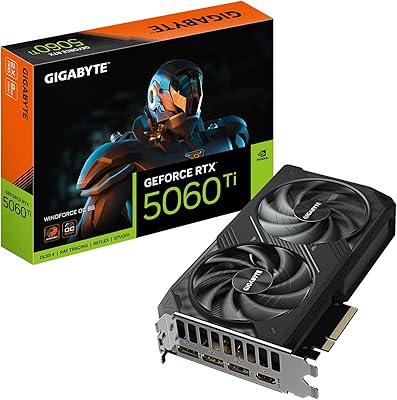
GIGABYTE RTX 5060 Ti 8GB Graphics Card
84%
88%
1440p Gaming Performance
91%
DLSS 4 & AI Upscaling
66%
VRAM Capacity & Adequacy
93%
Thermal Performance & Cooling
86%
Noise Level
More
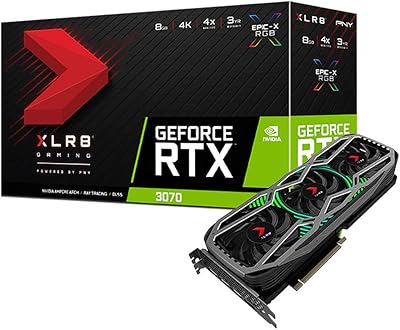
PNY GeForce RTX 3070 8GB Graphics Card
79%
91%
1440p Gaming Performance
88%
Thermal Management
86%
Noise Levels
63%
VRAM Adequacy
78%
Ray Tracing Performance
More
Gigabyte RTX 4060 Ti Eagle OC GPU
82%
83%
Gaming Performance
88%
Thermal Management
84%
Noise Level
86%
DLSS 3 & Frame Generation
61%
VRAM & Memory
More
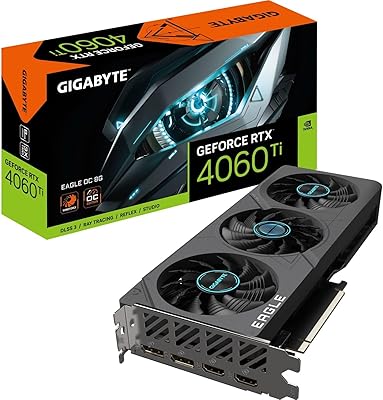
GIGABYTE GeForce RTX 4060 Ti Gaming OC 8GB Graphics Card
86%
92%
Performance
88%
Cooling Efficiency
89%
Value for Money
85%
Build Quality
91%
Ease of Setup
More
GIGABYTE GeForce RTX 5060 Ti WINDFORCE MAX OC 16G
85%
91%
1440p Gaming Performance
93%
Thermal Management
88%
VRAM Capacity & Usefulness
92%
Noise Levels
84%
Value for Money
More
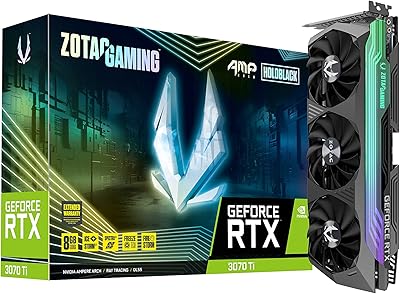
ZOTAC GeForce RTX 3070 Ti AMP Holo Graphics Card
81%
88%
Gaming Performance
91%
Cooling Efficiency
86%
Noise Levels
93%
Build Quality
84%
Thermal Management
More
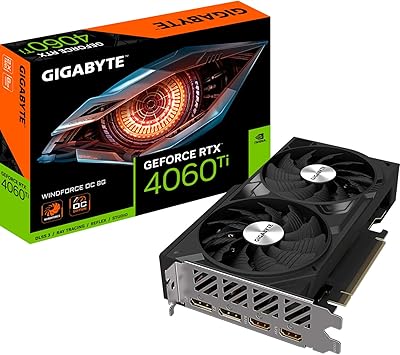
Gigabyte NVIDIA GeForce RTX 4060 Ti WINDFORCE OC 8GB Graphics Card
86%
90%
Gaming Performance
92%
Value for Money
89%
Ray Tracing & DLSS
88%
Cooling & Noise
85%
Installation & Setup
More
MSI GeForce RTX 5060 Ti 16G VENTUS 2X OC Plus Graphics Card
87%
92%
Gaming Performance
89%
Cooling Efficiency
87%
Build Quality
91%
Compatibility with Modern Systems
88%
Price-to-Performance Ratio
More
ASUS PRIME GeForce RTX 5060 Ti 16GB GDDR7 OC Edition Graphics Card
88%
93%
Performance
88%
Cooling Efficiency
92%
Value for Money
86%
Ease of Installation
90%
Build Quality
More
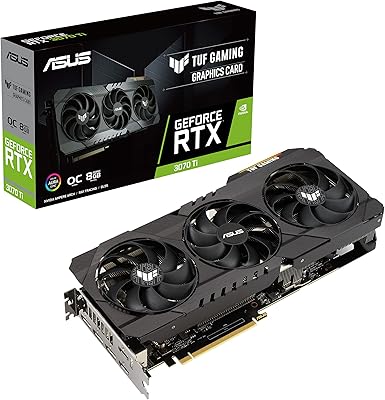
ASUS TUF Gaming NVIDIA GeForce RTX 3070 Ti OC Edition Graphics Card 8GB GDDR6X
87%
92%
Performance
88%
Cooling Efficiency
94%
Build Quality & Durability
90%
Value for Money
76%
Thermals (Under Load)
More

FAQ

For 1080p gaming in 2025, 8GB is generally sufficient for the vast majority of titles. At 1440p with high texture settings, you may hit the ceiling in a handful of demanding games like Hogwarts Legacy or Returnal. Enabling DLSS Super Resolution can reduce VRAM pressure meaningfully. If you plan to keep this card for four or five years, it is a fair concern worth thinking through before buying.

DLSS 4 uses AI running on the Tensor Cores inside the card to reconstruct high-resolution frames from lower-resolution inputs, and Frame Generation creates entirely new frames between rendered ones. In practice, it looks very clean in supported titles — most players cannot distinguish it from native rendering at typical viewing distances. The catch is that not every game supports it, so its value depends on what you play.

It should, in most cases. The PNY Epic-X Triple Fan carries SFF-Ready certification, which means it has been tested to fit within defined small form factor standards. At 2 slots wide, it clears most compact chassis that accept a dedicated GPU. Still, always check the maximum GPU length your specific case supports and compare it against PNY's published card length before buying.

Yes. PCIe 5.0 is fully backward compatible with PCIe 4.0 and 3.0 slots. You will not lose functionality, though you may see a very minor theoretical bandwidth difference on PCIe 3.0 in extreme scenarios. For gaming, this difference is negligible in practice.

Based on buyer feedback, the triple ARGB fan setup runs quietly during typical gaming sessions. Under heavy sustained loads it does spin up, but most users describe it as unobtrusive compared to smaller dual-fan designs. If you are running a silent build, it is worth checking independent noise measurements before finalizing your decision.

Yes, and it performs well for GPU-accelerated tasks in apps like DaVinci Resolve and Adobe Premiere Pro. The Blackwell architecture improves performance in AI-assisted creative tools, and CUDA acceleration works as expected. The 8GB VRAM is adequate for most editing workflows, though editors working with very large RAW files or complex multi-layer 4K timelines may occasionally feel constrained.

The PNY RTX 5060 Ti 8GB Graphics Card supports ARGB synchronization and buyers have confirmed it works reliably with Asus Aura Sync, MSI Mystic Light, and Gigabyte RGB Fusion. If you use a different ecosystem, check PNY's compatibility documentation to be sure.

Ray tracing is usable, but you need to set realistic expectations. In titles like Control or Metro Exodus, enabling RT at medium settings with DLSS running is a workable combination at 1080p. Cranking ray tracing to ultra in something like Cyberpunk 2077 will hurt framerates noticeably. Think of RT on this Blackwell-gen GPU as a nice-to-have feature you use selectively, not something you push to maximum.

NVIDIA officially recommends a 600W to 650W power supply for the RTX 5060 Ti. A quality 650W PSU from a reputable brand gives you comfortable headroom alongside a modern CPU. If your current PSU is older or lower-rated, it is worth upgrading it at the same time to avoid stability issues.

The RTX 5060 Ti offers meaningful improvements in rasterization performance and a significant step up in AI and DLSS capabilities thanks to the newer architecture. The switch from GDDR6 to GDDR7 also improves memory bandwidth. The upgrade is worthwhile if you are coming from an RTX 4060 Ti or older — the generational gains are real, though not dramatic enough to justify upgrading from a recent high-end card.

Where to Buy