Overview
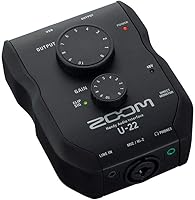
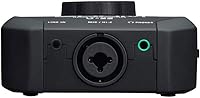
The Zoom U-22 USB Audio Interface is a compact two-channel recording device that has quietly held its ground since 2016 — a decent run for any entry-level piece of gear. At just 8 ounces, this little interface slips into any bag without fuss, which matters more than you'd expect when you're shuttling between a home desk and a friend's studio. What separates it from similarly priced competitors like the Focusrite Scarlett Solo is its AA battery operation — a practical fallback that most desktop interfaces skip entirely. It's aimed squarely at solo creators and beginners who want something reliable and portable without a steep learning curve or a heavy upfront commitment.
Features & Benefits
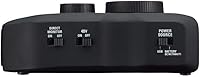
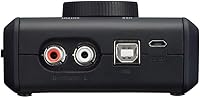
The U-22 packs an XLR/TRS combo jack that handles both microphones and instruments through a single input, with up to 43dB of gain and switchable +48V phantom power for condenser mics. Plug a guitar straight in using Hi-Z mode — the 484kOhm input impedance is correctly matched so you're not losing tone — and you can skip the DI box entirely. A stereo mini-jack on the side accepts line-level sources like a phone or small mixer. On Mac it's fully class-compliant, so setup takes under a minute. The preamp is clean and quiet for this price tier, though it won't outperform dedicated studio interfaces at two or three times the cost.
Best For
This Zoom recorder interface is a natural fit for podcasters who need phantom power support but don't want to carry a bulky unit around. Home-recording beginners pairing a single condenser mic with a laptop will find everything they need here and nothing they don't. Travel-minded musicians will genuinely appreciate the battery backup option — if you're doing field interviews or recording somewhere without a reliable USB power source, having two AA cells as a fallback is useful rather than a marketing footnote. It's less suited to anyone who needs to record multiple inputs simultaneously or those using quieter dynamic microphones that demand generous clean gain headroom.
User Feedback
Owners consistently praise the build quality and how compact the unit is relative to its cost — that combination seems to genuinely surprise people. The preamp noise floor draws positive comments too, with most users reporting clean results for voice and acoustic instruments. The battery mode earns warm mentions from mobile users who treat it as a legitimate feature rather than a novelty. On the critical side, the single combo jack means you cannot record two separate sources at once, which is a real limitation worth knowing upfront. Windows users have flagged driver installation as occasionally requiring manual steps. A handful of reviewers also note the gain tops out just barely for quieter dynamic mics.
Pros
- Compact and genuinely pocketable at just 8 ounces — easy to carry anywhere without a dedicated bag
- AA battery operation gives the U-22 real off-grid capability that most rival interfaces lack entirely
- Plug-and-play on Mac with no driver installation required — just connect and start recording
- Phantom power is reliable and consistently praised by owners using condenser microphones
- Hi-Z mode lets guitarists and bassists plug in directly without needing a separate DI box
- Clean, low-noise preamp floor for vocals and acoustic instruments at this price tier
- Stereo mini-jack line input adds useful flexibility for phones, mixers, or secondary audio sources
- Solid build quality that feels more durable than its price tag suggests
- Works with Pro Tools First, giving beginners access to a professional DAW environment at no extra cost
- Correctly matched input impedances on both mic and Hi-Z modes mean you're not sacrificing tone
Cons
- Only one combo input jack means you cannot record two independent sources at the same time
- Windows driver setup has caused real frustration for a meaningful number of buyers — not always plug-and-play
- Gain headroom is tight when using quieter dynamic microphones that demand more clean amplification
- No dedicated headphone volume knob on the unit, which limits real-time monitoring control
- A single product tier means you will likely outgrow it quickly if your recording ambitions expand
- No direct hardware monitoring mix control for latency-free tracking alongside playback
- Not suited to multi-instrument sessions or any setup requiring more than one XLR or TRS input simultaneously
- Battery operation requires two AA cells that are not included, adding a small but real ongoing cost
Ratings
Our AI rating system analyzed verified owner reviews for the Zoom U-22 USB Audio Interface from buyers worldwide, actively filtering out incentivized, duplicate, and bot-generated feedback to surface what real users actually experience. The scores below reflect an honest composite of both the strengths that keep this little interface competitive years after its release and the friction points that genuinely frustrate a portion of its owners. Nothing has been smoothed over — if a category underperforms, the score says so.
Portability
Build Quality
Preamp Quality
Phantom Power
Battery Operation
Input Versatility
Mac Compatibility
Windows Compatibility
Gain Headroom
Value for Money
Setup Ease
Size & Weight
DAW Compatibility
Suitable for:
The Zoom U-22 USB Audio Interface is a strong pick for anyone just starting out in home recording who wants a no-fuss setup that actually works out of the box. Podcasters who need reliable phantom power for a condenser mic — without buying a larger, more expensive unit — will find the U-22 hits a practical sweet spot. Singer-songwriters recording demos at home with a single mic or a guitar plugged straight in via Hi-Z will have everything they need and won't be paying for channels they'll never use. The battery-powered operation makes it genuinely useful for journalists, field recorders, or mobile creators who can't always count on a USB power source — that kind of flexibility is rare at this price point. Mac users in particular will appreciate the plug-and-play class-compliant setup, which means no driver installation headaches before a single note is tracked.
Not suitable for:
If your workflow involves recording two or more sources at the same time — say, a vocalist and a guitarist simultaneously — the Zoom U-22 USB Audio Interface simply cannot do that, and no workaround changes that hardware limit. Anyone using quieter dynamic microphones, like a Shure SM7B or similar broadcast-style mic, may find the gain ceiling just barely sufficient, which can introduce frustration when pushing the preamp harder than it's designed to go. Windows users should know upfront that driver installation has caused real headaches for a portion of buyers, so it's worth researching compatibility with your specific OS version before committing. Producers or hobbyists who expect to grow their setup quickly — adding synths, drum machines, or multiple mics — will outgrow the U-22 fast and might be better served by a four-input interface from the start. The preamp quality, while clean for this tier, is not in the same league as interfaces aimed at professional recording environments, so those chasing pristine studio-grade results should budget accordingly.
Specifications
- Input Connector: Features a single XLR/TRS combo jack that accepts both balanced microphone cables and instrument cables in one port.
- Mic Gain Range: Microphone input gain is adjustable from 0 to 43dB, covering most condenser and dynamic microphone scenarios at this tier.
- Mic Impedance: Microphone input impedance is 2.6kOhms, correctly matched for standard dynamic and condenser microphone operation.
- Hi-Z Impedance: Instrument input impedance in Hi-Z mode is 484kOhms, suitable for direct connection of electric guitars and basses without a DI box.
- Max Input Level: Maximum input level is -0.8dBu in microphone mode and +8.7dBu in Hi-Z instrument mode.
- Phantom Power: Switchable +48V phantom power is available on the XLR input, supporting standard condenser microphones that require external power.
- Line Input: A stereo 3.5mm mini-jack line input accepts phones, mixers, or other line-level sources at an impedance of 22kOhms.
- Channels: The unit provides two input channels total, with one combo XLR/TRS input and one stereo mini-jack line input.
- Power Options: Operates via USB bus power from a connected computer or independently using two AA batteries, which are not included.
- Connectivity: Connects to a host computer via USB, functioning as a class-compliant audio device without requiring proprietary drivers on Mac.
- OS Compatibility: Works plug-and-play on Mac as a class-compliant device; Windows users may need to install drivers manually depending on OS version.
- Supported Software: Officially compatible with Pro Tools First, Avid's entry-level DAW, though it will function with most major recording software.
- Dimensions: The unit measures 4.5 x 3.5 x 1.25 inches, making it genuinely compact enough to fit in a coat pocket or small bag.
- Weight: At 8 ounces, the U-22 is one of the lightest interfaces in its class, adding minimal burden to any carry setup.
- Manufacturer: Made by Zoom, a Japanese audio brand known for portable recorders and compact audio tools aimed at field and home recordists.
- Release Date: The product was first made available in August 2016 and remains actively manufactured and sold as of the current date.
- Color: Available in black only, with no other official color variants listed by the manufacturer.
- Model Number: Official manufacturer model number is U-22, part of Zoom's U-series line of USB audio interfaces.
Related Reviews
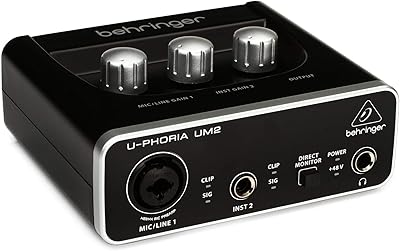
Behringer UM2 USB Audio Interface
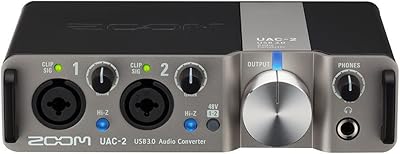
Zoom UAC-2 USB 3.0 Audio Interface

M-Audio M-Track Duo

Black Lion Audio Revolution 2x2 Audio Interface

M-Audio M-Track 2X2 USB Audio Interface
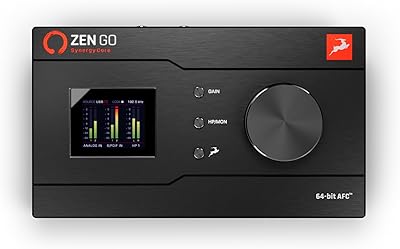
Antelope Audio Zen Go Synergy Core Interface

MOTU 8pre USB Audio Interface
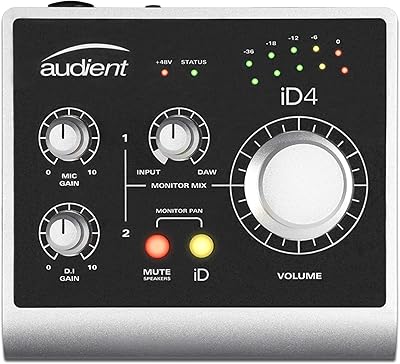
Audient iD4 USB Audio Interface
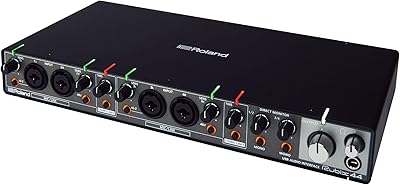
Roland Rubix44 4-In/4-Out USB Audio Interface