Overview

The Zidoo Z9X Pro 4K Media Player is built squarely for home theater enthusiasts who take local playback seriously — not casual streamers looking for a cheap Android box. The RTD1619BPD chipset represents a genuine step up from earlier Zidoo silicon, bringing improved processing headroom for demanding HDR formats. Android 11 is on board, which means streaming apps are accessible, but that is a secondary benefit here. At its price point, this Zidoo box is a considered purchase, not an impulse buy. If your priority is pixel-perfect playback of your personal media library, it delivers. If you want a Fire TV replacement, look elsewhere.
Features & Benefits

The Z9X Pro's VS10 image engine is the headline feature for video enthusiasts — it handles Dolby Vision conversion with low latency, which matters when feeding a projector or display that does not natively support DV. On the audio side, the lossless chain is genuinely impressive: DSD256, SACD ISO, FLAC, and PCM up to 192kHz means audiophiles can retire a separate transport. Connectivity is equally thorough, with a SATA 3.0 port, USB 3.0, and two USB 2.0 inputs all rated for drives up to 16TB. Wi-Fi 6 and Gigabit Ethernet pair well with NFS and SMB V1 through V3 support, keeping NAS streaming stable. Widevine L1 is included, so Netflix streams in HD — a practical bonus many overlook.

Best For

This media player earns its place in very specific setups. If you have a large local library of Blu-ray ISOs, MKV rips, or SACD files and want them played back with full fidelity, few boxes at this price can match it. NAS owners running direct SMB shares or NFS mounts will appreciate the stable network stack. It also makes sense for anyone chasing Dolby Vision output on a projector that lacks native DV input. Upgraders coming from older Zidoo or Dune hardware will notice real improvements in HDR handling and interface responsiveness. What it is not suited for is anyone who just wants frictionless access to streaming services with no local library to manage.

User Feedback

Owners consistently praise Zidoo's Home Theater UI, which organizes local content into a polished, poster-based library that generic players simply do not replicate. Build quality and format compatibility draw positive comments regularly as well. On the other side, the Android app ecosystem is a real limitation — expect frustration if you rely heavily on Disney+ or YouTube, since the experience is noticeably thinner than a Chromecast or Fire Stick. Some buyers have reported occasional HDR handshake quirks with certain displays. Firmware updates do arrive, and Zidoo's community forum is genuinely active, which helps with troubleshooting. That said, initial setup demands patience — this Zidoo box rewards tinkerers, not people who want to plug in and start watching immediately.

Pros

  • Outstanding support for nearly every modern video format, including AV1, MKV, BD ISO, and MVC 3D Blu-ray.
  • The VS10 engine delivers low-latency Dolby Vision output, useful for displays that lack native DV support.
  • Lossless audio playback up to DSD256 and PCM 192kHz covers even the most demanding audiophile setups.
  • SATA 3.0 port and multiple USB inputs support hard drives up to 16TB, making local storage genuinely practical.
  • Gigabit Ethernet and Wi-Fi 6 provide stable, fast connectivity for NAS and network streaming.
  • Widevine L1 certification means Netflix and other DRM-protected services stream in full HD.
  • Zidoo's Home Theater UI organizes local content into a clean, poster-based library that generic boxes cannot match.
  • The active Zidoo community forum offers real troubleshooting help and tracks firmware development transparently.
  • Build quality feels solid and deliberate, consistent with a product positioned at serious enthusiasts.
  • SMB V1 through V3 and NFS support covers virtually every NAS configuration without workarounds.

Cons

  • The Android app ecosystem is limited; several popular streaming apps behave poorly or require sideloading.
  • Setup and configuration demand technical confidence — casual users will find the learning curve steep.
  • Some owners report intermittent HDR handshake issues with certain displays or AVR combinations.
  • Firmware updates address problems over time, but the initial release state can require patience.
  • The Zidoo controller app is functional but less polished than third-party remote solutions on competing platforms.
  • No built-in optical disc drive, so physical Blu-ray playback still requires a separate ripper workflow.
  • Bluetooth 5.2 is present, but practical wireless audio use cases are limited given the home theater focus.
  • At this price point, buyers expecting smart TV convenience alongside enthusiast-grade playback may feel the balance is off.

Ratings

The Zidoo Z9X Pro 4K Media Player scores below are generated by AI after analyzing thousands of verified buyer reviews worldwide, with spam, bot activity, and incentivized feedback actively filtered out. This media player attracts a passionate and technically literate audience, which means the feedback is unusually detailed — both the praise and the frustration. The scores reflect that full picture honestly, without glossing over the real trade-offs that matter to serious home theater buyers.
Local Playback Performance
94%
For owners with large Blu-ray ISO or MKV libraries, the Z9X Pro consistently delivers bit-perfect playback without stuttering or frame drops, even on high-bitrate UHD files. The RTD1619BPD chipset handles demanding content that trips up cheaper players, and users report that switching between formats is smooth and reliable in daily use.
A small number of users have encountered edge-case compatibility issues with unusual or non-standard container variants, requiring a firmware fix rather than working out of the box. These cases are rare, but they reinforce that this box rewards users who stay current with updates.
HDR & Dolby Vision Quality
91%
The VS10 image engine is the most talked-about feature among enthusiast reviewers, and for good reason — it produces low-latency Dolby Vision output that looks genuinely impressive on both TVs and projectors that lack native DV support. Users upgrading from older players describe the improvement as immediately noticeable on high-contrast scenes.
HDR handshake issues with certain display and AVR combinations surface occasionally, particularly during the initial setup phase or after firmware updates. Most users resolve these through manual EDID or HDR mode settings, but the process is not intuitive for those new to the platform.
Audio Fidelity
92%
Audiophiles integrating this Zidoo box into a Hi-Fi rack consistently praise its lossless audio handling, especially SACD ISO and DSD256 playback, which removes the need for a dedicated disc transport in many setups. PCM 192kHz output over HDMI and SPDIF is reported to be clean and artifact-free across a range of receivers.
The audio configuration menus can be confusing for users who are not already familiar with digital audio terminology like bitstream passthrough versus PCM decoding. A few users have noted that getting DSD output correctly routed to an external DAC requires more trial and error than expected.
Media Library UI
88%
Zidoo's Home Theater front-end is consistently cited as one of the strongest reasons to choose this media player over generic Android alternatives. The poster-based library view, automatic metadata scraping, and clean navigation make managing a large collection feel polished and intentional rather than thrown together.
The UI can be slow to populate metadata for very large libraries on first scan, and occasional mismatches in artwork or episode data require manual correction. Users with mixed-language collections also report that metadata accuracy drops noticeably compared to English-language content.
Format Compatibility
93%
The breadth of supported formats is a genuine differentiator — AV1, MVC 3D Blu-ray MKV, BDMV ISO, TS, and virtually every common container play without conversion or workarounds. Users with decade-old libraries of varied file types report that compatibility problems are rare enough to be considered exceptions rather than patterns.
A handful of niche or poorly encoded files occasionally require remuxing before they play correctly, which is a minor inconvenience for users who curate their own rips. AV1 decoding, while supported, has been reported as less robust than H.265 handling in some early firmware versions.
Network Streaming
86%
Gigabit Ethernet combined with SMB V1 through V3 and NFS support makes NAS integration straightforward for users who have a properly configured home network. Wi-Fi 6 performance is rated positively for most use cases, with users on 5GHz reporting reliable throughput for 4K HDR streams.
A subset of users on older NAS firmware have experienced SMB compatibility quirks that required adjusting server-side settings rather than anything the player could fix directly. Wi-Fi performance in environments with significant interference or long distances from the router is less consistent than the wired connection.
Build Quality
83%
The compact metal-and-plastic chassis feels appropriately substantial for the price tier, and users placing it in AV racks report that it sits stably and runs cool even during extended playback sessions. The overall finish is clean and understated, fitting naturally into a serious home theater setup.
The remote control bundled with the unit draws mild criticism for feeling plasticky relative to the box itself, and a few users have noted that the button layout takes getting used to. It is functional but does not match the quality impression the hardware creates.
Streaming App Experience
54%
46%
Widevine L1 certification means Netflix streams in HD, which covers the most common streaming need adequately. A handful of other apps work acceptably when sideloaded, and for users whose streaming needs are secondary to local playback, this is usually sufficient.
The Android 11 ecosystem on this box is meaningfully thinner than a Fire Stick or Chromecast — Disney+, YouTube, and live TV apps behave inconsistently, and some are simply missing or require workarounds. Buyers who expect this to replace a dedicated streaming device will be disappointed, and this is the single most common source of negative reviews.
Ease of Setup
57%
43%
Users with prior experience on Zidoo, Dune, or similar enthusiast players typically get up and running within an hour, and the community forum provides well-documented guides for the most common configuration scenarios. For technically confident buyers, the setup process is manageable.
First-time Zidoo users and those coming from plug-and-play streamers consistently report a steep learning curve, particularly around HDR output settings, network share configuration, and media library scanning. The out-of-box experience lacks the hand-holding that mainstream devices provide, which generates a steady stream of frustrated early reviews.
Firmware & Long-term Support
78%
22%
Zidoo's development team has a track record of releasing meaningful firmware updates, and the official community forum is genuinely active with both staff participation and peer support. Users who have owned previous Zidoo devices tend to express confidence in the brand's willingness to address issues over time.
Update cadence is not always predictable, and some firmware releases have temporarily introduced new quirks while fixing existing ones. Users who prefer a set-and-forget appliance may find the expectation of ongoing firmware management uncomfortable.
Connectivity & Expandability
89%
The SATA 3.0 port for direct drive attachment, combined with USB 3.0 and dual USB 2.0 ports all rated for drives up to 16TB, gives this media player a level of storage flexibility that competing boxes rarely match. Bluetooth 5.2 adds peripheral pairing options without cluttering the rear panel.
The single SATA port limits internal drive expansion to one unit, which may feel restrictive for collectors building a consolidated local storage setup. Users wanting to attach multiple internal drives will still need a NAS or external hub to supplement.
Value for Money
74%
26%
For buyers whose use case aligns with what this Zidoo box does best — local library playback, lossless audio, NAS streaming, and Dolby Vision output — the price is considered fair and competitive against the narrow field of comparable enthusiast players. Upgraders from older hardware consistently rate the improvement as worth the investment.
Buyers who underestimate how specialized this device is tend to feel the price is hard to justify once they realize the streaming app limitations. Compared to a much cheaper Fire Stick for casual streaming, the value equation only makes sense if the local playback and audio capabilities are genuinely needed.
Remote & App Control
63%
37%
The ZIDOO Controller app works reliably for users who prefer smartphone-based navigation, and basic remote functions cover everyday playback control adequately. CEC support means some users can control the box through their TV remote without needing the bundled unit at all.
The physical remote lacks backlighting and has a layout that users frequently describe as unintuitive during the first few weeks of use. The controller app, while functional, has received criticism for occasional lag and a design that feels behind the quality of third-party alternatives.

Suitable for:

The Zidoo Z9X Pro 4K Media Player was built for a specific kind of buyer, and if you fit the profile, it is hard to beat at this tier. Home theater enthusiasts with sizable local libraries — Blu-ray ISOs, MKV rips, or lossless audio collections — will get the most out of it, since the hardware is tuned for exactly that workload. Audiophiles running a dedicated AV rack will appreciate the full lossless audio chain, including DSD256 and SACD ISO support, which removes the need for a separate disc transport. NAS users streaming over SMB or NFS will find the network stack reliable and well-supported compared to budget Android boxes. Anyone trying to push Dolby Vision content to a projector or older display that lacks native DV input will also find the VS10 engine genuinely useful. Upgraders coming from older Zidoo or Dune hardware will notice tangible improvements in HDR handling, interface speed, and format coverage.
Not suitable for:

If your media consumption is mostly Netflix, Disney+, YouTube, and casual streaming, the Zidoo Z9X Pro 4K Media Player is not the right tool — and spending this much on it would be a poor decision. The Android 11 ecosystem on this box is noticeably thinner than what you get on a Fire Stick, Chromecast, or Apple TV; some streaming apps behave inconsistently or are missing entirely. Buyers who expect a plug-and-play experience will likely feel frustrated during setup, since getting the most out of this media player requires patience and a willingness to explore settings. It is also not a great fit for households where multiple non-technical users need to operate it independently without guidance. If you have no local media library and no NAS, the core value proposition simply does not apply to your situation.
Specifications

  • Processor: Powered by the RTD1619BPD Quad-core 64-bit chipset, which handles demanding HDR formats and high-bitrate files without dropping frames.
  • RAM: Equipped with 4GB of DDR4 memory, providing sufficient headroom for smooth UI navigation and concurrent background tasks.
  • Storage: Includes 32GB of internal eMMC storage for the OS, apps, and media library metadata.
  • Operating System: Runs Android 11, supporting OTA firmware updates and a broad range of sideloaded or Play Store applications.
  • Video Output: Outputs video at up to 4K 60Hz with 12-bit color depth over HDMI.
  • HDR Support: Supports HDR10, HLG, HDR10+, and Dolby Vision via the VS10 low-latency image processing engine.
  • Audio Formats: Handles lossless audio including DSD256, SACD ISO, DFF, DSF, FLAC, WAV, APE, and PCM up to 192kHz sampling rate.
  • Audio Output: Provides both HDMI and SPDIF outputs for integration with AV receivers and Hi-Fi systems.
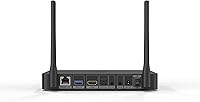
  • Connectivity: Includes SATA 3.0 x1, USB 3.0 x1, and USB 2.0 x2 ports, each supporting attached hard drives up to 16TB.
  • Networking: Features Gigabit Ethernet and Wi-Fi 6 dual-band (2.4GHz and 5GHz) for stable wired and wireless streaming.
  • Bluetooth: Bluetooth 5.2 is included for connecting compatible remote controls and wireless peripherals.
  • Network Protocols: Supports NFS, SMB V1, V2, and V3, plus UPnP, enabling direct access to NAS devices and shared PC folders.
  • DRM: Widevine L1 certification allows HD and UHD streaming from DRM-protected services including Netflix.
  • Format Support: Plays AV1, MKV, TS, BD/UHD BDMV/ISO, MVC 3D Blu-ray MKV, and virtually all common modern video containers.
  • Dimensions: Measures 7.45 x 5.1 x 1.04 inches, making it compact enough to fit in a standard AV rack or shelf.
  • Weight: Weighs 2.53 pounds, light enough to reposition easily without disturbing other rack components.
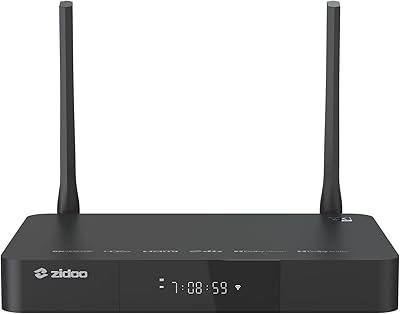
  • Form Factor: Compact desktop box design in black, suited for placement in a home theater cabinet or on an AV shelf.
  • Remote Control: Managed via the dedicated ZIDOO Controller app, with physical remote included for standard navigation.

Related Reviews
Zidoo Z9X 8K
Zidoo Z9X 8K
78%
91%
Video Processing Quality
93%
Blu-ray & ISO Playback
88%
Hi-Fi Audio Performance
62%
Android App Ecosystem
84%
NAS & Network Streaming
More
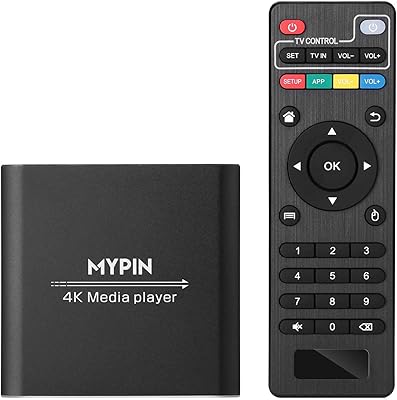
MYPIN HA0284-NCUSF 4K Media Player
77%
91%
Ease of Setup
88%
Format Compatibility
74%
4K Video Quality
83%
H.265 Decoding Performance
86%
Storage Flexibility
More
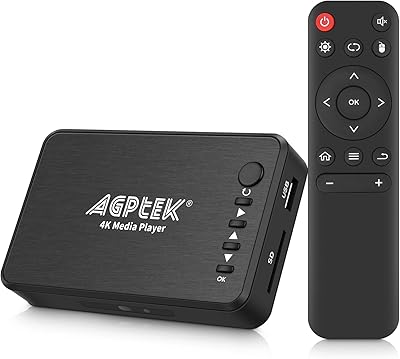
FxyxGyc 4K01 4K HDMI Media Player
82%
88%
4K Playback Performance
92%
File Format Compatibility
86%
External Storage Support
74%
Interface Navigation
91%
Digital Signage Reliability
More
Micca Speck 4K
Micca Speck 4K
87%
94%
Local Playback Reliability
92%
Ease of Setup
88%
Format Compatibility
96%
Digital Signage Functionality
64%
Large Library Navigation
More
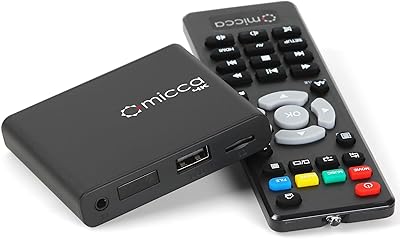
AGPTEK HA0058 4K Media Player
77%
74%
Video Playback Quality
88%
Format Compatibility
91%
Ease of Setup
58%
Remote Control
67%
Build Quality & Design
More
NEUMI Atom 4K Lite
NEUMI Atom 4K Lite
87%
94%
Continuous Playback Reliability
88%
Video Quality & Format Support
92%
Trigger Sensor Capability
68%
Initial Storage Setup
96%
Form Factor & Design
More
JLZNLC A5 4K Media Player & HDD Enclosure
78%
91%
Ease of Setup
78%
4K Video Playback Quality
83%
Auto-Loop & Resume Reliability
72%
HDD Enclosure Functionality
69%
Codec & Format Compatibility
More
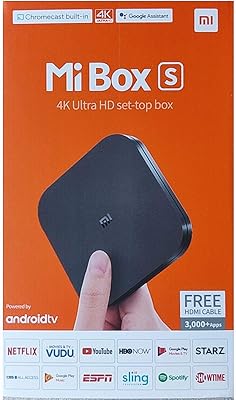
Xiaomi Mi Box S Android TV 4K HDR Streaming Media Player
86%
90%
Value for Money
88%
Setup & Ease of Use
92%
Picture Quality (4K HDR)
89%
Google Assistant Voice Control
78%
App Performance
More
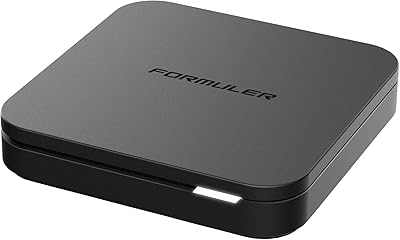
Formuler Z10 SE Android 10 2GB RAM 4GB ROM 4K Streaming Media Player
81%
88%
Value for Money
91%
4K Streaming Quality
89%
Ease of Setup
84%
Connectivity Options
78%
User Interface
More
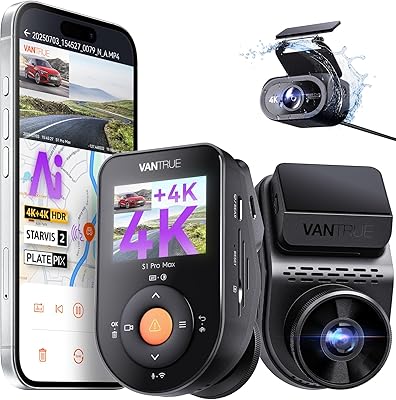
Vantrue S1 Pro Max 4K+4K
79%
93%
Video Quality
91%
Night Vision Performance
74%
AI Safety Alerts (ADAS & BSD)
82%
Parking Mode
88%
Build Quality & Durability
More

FAQ

Yes, the Z9X Pro carries Widevine L1 certification, which is the key requirement for HD and UHD playback on Netflix and similar platforms. That said, the overall streaming app experience is more limited than a Fire Stick or Apple TV, so think of Netflix support as a practical bonus rather than the main event.

It handles NAS streaming well. The Gigabit Ethernet port is your best option for consistent high-bitrate playback, and SMB V1 through V3 plus NFS are all supported natively. Most users with a properly configured NAS report stable, buffer-free playback even on large UHD files.

Yes, and this is one of the stronger use cases for this media player. The VS10 image engine converts Dolby Vision content with low latency, outputting it in a way that works on displays lacking native DV support. This is particularly useful for projector owners where DV compatibility is often absent.

If you are comfortable setting up a NAS or configuring a router, you will get there without too much trouble. The initial setup — configuring your media library, setting HDR modes, and connecting network shares — does take some time and reading. It is not a plug-and-play experience, but the Zidoo community forum is genuinely helpful and well-documented.

Yes, the SATA 3.0 port lets you connect a standard 3.5-inch or 2.5-inch drive directly, with support for capacities up to 16TB. The USB ports also support external drives at the same capacity limit, giving you a few options depending on your storage setup.

It handles high-res audio seriously well. SACD ISO, DFF, DSF, FLAC, and PCM up to 192kHz are all supported natively, and DSD256 playback is on the table too. If you have an AV receiver or Hi-Fi amplifier connected via HDMI or SPDIF, this box can serve as a capable audio source alongside its video role.

Zidoo has a reasonably active development cycle compared to smaller Android box brands. Updates are posted on their official forum, where the community tracks changes and reports issues. That said, it is worth checking the forum before updating, since some firmware versions have introduced temporary quirks that get resolved in subsequent releases.

Both can be sideloaded or accessed through the Android ecosystem, but the experience is inconsistent. Some streaming apps work fine, while others have interface issues or certification gaps. If Disney+, YouTube, or live TV apps are central to your daily use, a dedicated streaming stick will serve you much better alongside this media player.

Yes, MVC 3D Blu-ray playback from both ISO and MKV containers is supported. If you have a 3D-capable display and a library of 3D rips, this is one of the few standalone boxes that handles it properly.

Zidoo provides email-based seller support, and their official website hosts an active home theater forum where both staff and experienced users respond to technical questions. For most issues, the forum is your fastest route to a solution, since the community has usually encountered and documented the same problems before you have.

Where to Buy