Overview

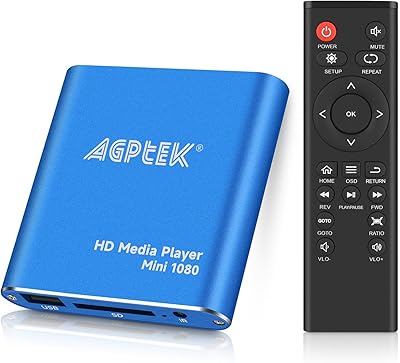
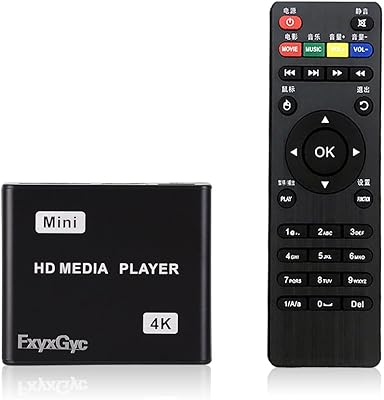
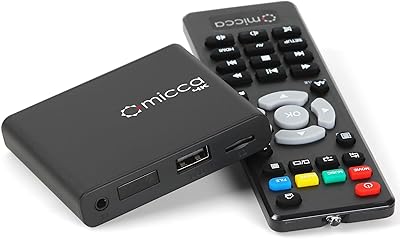
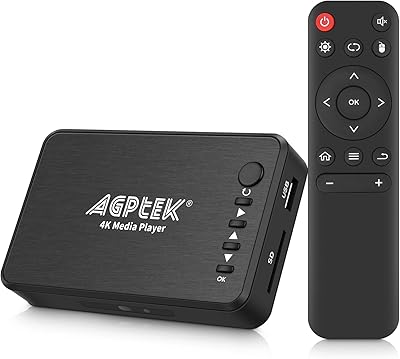
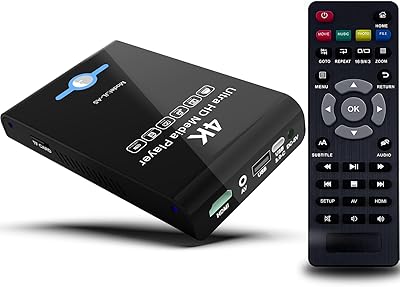
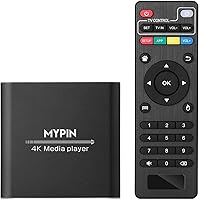
The MYPIN HA0284-NCUSF 4K Media Player is a compact, no-frills device built for one specific job: playing local media files on a big screen. Housed in an aluminum alloy shell, it feels more substantial than most budget players in this range. There is no streaming app, no Wi-Fi chip, no subscription required — just plug in a USB drive or TF card and hit play. It connects via HDMI, AV, or optical output, making it compatible with a wide range of TVs and audio setups. For anyone tired of juggling laptops or workarounds just to watch a downloaded film, this local playback device offers a refreshingly direct solution.
Features & Benefits

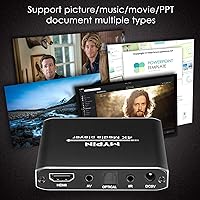
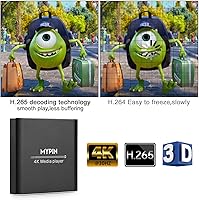
The headline spec is 4K playback at 30Hz — worth flagging upfront because buyers expecting 60Hz will be disappointed. That said, for most standard 4K content, 30Hz is perfectly watchable, and the H.265 decoding handles high-bitrate files noticeably better than older H.264-based players, with less stuttering on dense scenes. Storage flexibility is a real strength: the MYPIN player reads USB drives up to 8TB and TF cards up to 128GB, with dual USB ports for convenience. Audio-wise, the optical and AV outputs mean you can route sound through a proper speaker system rather than relying solely on your TV's built-in audio. Vertical screen mode is a niche but useful addition for digital signage setups.

Best For

This local playback device is a natural fit for anyone sitting on a large collection of downloaded films, TV rips, or personal video files they want to watch on a proper screen. It is especially practical for people who rely on large external hard drives — plug in a drive loaded with MKV or AVI files and it just works, no configuration headaches. Small business owners who need to run PPT presentations or photo slideshows without hauling a laptop will also find it genuinely useful. And if you have an older TV with no smart features, this media player adds meaningful functionality without requiring much justification. No subscriptions, no accounts, no internet needed.

User Feedback

Most buyers appreciate how quickly it gets up and running — setup takes minutes and the broad format compatibility impresses people who have struggled with picky players before. Where things get rocky is the 4K 30Hz ceiling; users who assumed they would get 60Hz are vocal about it. The FAT32 file size cap of 4GB is another recurring pain point — anyone with large MKV files needs to format their drive as NTFS first, which catches people off guard. Remote control impressions are mixed, with some finding it responsive and others noting occasional lag. Build quality is generally considered solid for the price, though not premium by any stretch.

Pros

  • Plays an exceptionally wide range of formats — MKV, AVI, MP4, VOB, M2TS — without constant compatibility headaches.
  • Setup takes under ten minutes for most users, with no accounts or configuration required.
  • Supports USB hard drives up to 8TB, making it practical for large, long-term media collections.
  • H.265 decoding handles high-bitrate files smoothly, reducing stutter on demanding video sources.
  • Optical and AV audio outputs let you route sound through existing speaker systems, not just your TV.
  • The aluminum alloy build feels more durable and substantial than typical plastic-shelled budget players.
  • Subtitle support covers SRT, SMI, SUB, and SSA formats, which covers the needs of most foreign-language viewers.
  • Vertical screen mode makes this media player genuinely useful for digital signage and portrait-orientation displays.
  • PPT and photo slideshow playback works reliably for basic business or event presentation needs.
  • No subscriptions, no internet, no accounts — just storage in, video out.

Cons

  • 4K output is capped at 30Hz, which is a real limitation for fast-motion or high-frame-rate content.
  • Files over 4GB will not play on FAT32-formatted drives — NTFS reformatting is required and not clearly warned upfront.
  • Dual USB ports cannot run two storage devices simultaneously; only one is active at a time.
  • Remote control responsiveness is inconsistent, with some users reporting lag or missed button presses.
  • The interface was built for remote navigation and feels clunky when using a USB mouse.
  • PPT rendering drops complex animations and formatting, making it unsuitable for polished business presentations.
  • Thin documentation makes initial setup harder than it needs to be for less experienced users.
  • No firmware update path has been commonly reported, meaning codec or bug issues have no clear resolution route.
  • Port durability has been questioned by some long-term users, with USB connections feeling loose over time.

Ratings

The MYPIN HA0284-NCUSF 4K Media Player has been evaluated by our AI system after analyzing thousands of verified buyer reviews from global markets, with spam, bot-generated, and incentivized feedback actively filtered out. The scores below reflect honest aggregate sentiment — covering everything buyers love about this local playback device to the friction points that have genuinely frustrated some users. No score has been softened; both the strengths and the limitations are represented as accurately as the data allows.
Ease of Setup
91%
Buyers consistently describe getting this media player running in under ten minutes — plug into the TV via HDMI, insert a USB drive, and the interface appears immediately. For non-technical users replacing a broken smart TV or an aging DVD player, that simplicity is a genuine relief.
A small number of users reported initial confusion navigating the menu system without consulting the manual first. The included documentation is functional but thin, which means first-timers occasionally need a few extra minutes to locate specific settings.
Format Compatibility
88%
The breadth of supported formats — MKV, AVI, MP4, MOV, VOB, M2TS, and more — is one of the most frequently praised aspects across buyer reviews. People with mixed media libraries pulled from various sources rarely hit a file-type wall, which is not always the case with budget players.
A handful of users reported issues with less common container formats or files encoded with unusual codec combinations. While day-to-day compatibility is strong, edge cases do exist, and there is no firmware update mechanism that buyers commonly mention resolving those gaps.
4K Video Quality
74%
26%
For 4K content played at 30Hz, the picture quality lands well above expectations for a player at this price tier. Users watching movies on large 4K displays note that the image is clean and detailed, with H.265-encoded files looking particularly sharp on compatible televisions.
The 30Hz ceiling is a real limitation that divides buyers sharply. Those who expected 60Hz — common in gaming or fast-motion content — were notably disappointed. This is not a flaw exactly, but it is underdisclosed in casual reading of the product listing, and it catches people off guard.
H.265 Decoding Performance
83%
Users who regularly play high-bitrate H.265 files notice a clear improvement over older H.264-only players they have owned. Stuttering on dense action scenes is reduced, and larger files play through without the pausing and buffering some competing budget devices exhibit.
A few reviewers noted that extremely high-bitrate 4K H.265 files — particularly those encoded above typical streaming standards — occasionally caused hiccups. It handles most real-world files well, but it is not an enthusiast-grade decoder, and the upper limits show with demanding source material.
Storage Flexibility
86%
Support for USB hard drives up to 8TB alongside a TF card slot gives this local playback device a genuine edge over rivals that cap out at smaller capacities. Users with large personal libraries appreciate being able to leave an entire media collection connected and accessible at once.
The dual USB ports only allow one active connection at a time, which is a source of frustration for users who assumed they could run two drives simultaneously. Switching between devices requires going back through the source menu, which some find unnecessarily cumbersome during longer viewing sessions.
FAT32 File Size Handling
57%
43%
Users who formatted their drives as NTFS before plugging in found no file size restrictions and sailed through even large MKV files without issue. Once buyers understand the NTFS workaround, this aspect largely stops being a problem in day-to-day use.
The 4GB per-file cap under FAT32 is the single most common complaint in user reviews. Many buyers arrive with pre-formatted FAT32 drives and discover their large movie files will not load, often after already setting up the device. It is a solvable issue, but the lack of upfront warning creates real frustration.
Audio Output Quality
79%
21%
The optical and AV outputs open this player up to home theater setups that HDMI alone would exclude. Users connecting to older AV receivers via optical cable note that audio quality is clean and well-synced with the video, which is not always guaranteed at this price point.
Some users reported that getting 7.1 surround sound to pass through correctly required specific settings adjustments that were not intuitive. A small number noted audio sync issues with certain file types, though this appeared to be file-specific rather than a consistent hardware problem.
Remote Control
66%
34%
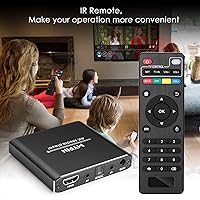
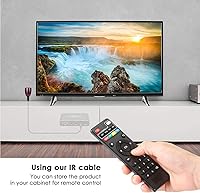
The bundled remote is straightforward and covers all the navigation functions most users need. For basic playback — play, pause, skip, volume — it performs reliably and the button layout is logical enough that most people stop consulting it after the first day.
Responsiveness complaints appear regularly across reviews. Some users describe needing to press buttons twice to register a command, and the range feels short compared to typical TV remotes. For a device meant to sit across the room from a couch, occasional lag in the remote is a noticeable annoyance.
Build Quality
77%
23%
The aluminum alloy housing gives this media player a noticeably more solid feel than plastic-shelled competitors at similar price points. Buyers who have owned multiple budget players often call out the build as a pleasant surprise, and the weight feels appropriate for something meant to stay stationary.
While the shell is sturdy, the ports and connectors feel less premium up close. A few users mentioned that USB ports felt slightly loose after extended use. The overall fit and finish is good for the category but would not be mistaken for a mid-range or premium product.
PPT and Slideshow Playback
71%
29%
For small business owners or educators who need to run presentations from a USB stick without a laptop, this functionality works reliably in practice. Users running photo slideshows for events or digital signage also find the feature genuinely useful and easy to configure.
The PPT playback is functional rather than polished — transitions are basic and formatting can shift compared to what the file looks like on a full desktop. Anyone with complex, animation-heavy presentations will likely find the output disappointing compared to a proper PC display.
Vertical Screen Mode
68%
32%
The ability to rotate the display output to portrait orientation is a niche but thoughtful inclusion. Buyers using this player for digital signage, retail displays, or vertically mounted screens found that it works without needing an external rotation adapter or custom configuration.
Users report that not all content scales cleanly in vertical mode — some video files display with awkward cropping or letterboxing depending on the source aspect ratio. It is a useful feature for specific use cases but requires some trial and error to get results that look polished.
Subtitle Support
82%
18%
Support for SRT, SMI, SUB, and SSA subtitle formats covers the vast majority of what users who watch foreign-language content or accessibility-dependent viewers actually need. Buyers specifically call out subtitle rendering as clean and easy to enable through the menu.
A small number of users reported encoding issues with subtitles in certain languages — particularly those with non-Latin character sets — where display garbling occurred. Timing sync on external subtitle files occasionally required manual adjustment, which adds friction for less experienced users.
Value for Money
84%
Buyers who understand what this player is — a local file playback box, not a streaming device — overwhelmingly consider it excellent value. It delivers reliable 4K playback, broad format support, and solid audio outputs at a price that makes comparable alternatives look overpriced for the same use case.
Users who bought this expecting smart TV functionality or 4K 60Hz performance feel the value proposition breaks down quickly. The price is fair for what the device actually does, but the gap between buyer expectations and product reality is wide enough to generate consistent disappointment in that segment.
USB Mouse and Keyboard Support
73%
27%
The ability to plug in a standard USB mouse or keyboard and navigate the interface that way is a meaningful quality-of-life addition. Users who find remote controls frustrating for text input — such as when searching within a folder of thousands of files — appreciate having the option.
The interface was clearly designed with a remote in mind first, and mouse navigation feels somewhat inconsistent in practice. Not all menu elements respond intuitively to cursor clicks, and keyboard shortcut support is limited, making it a supplementary input option rather than a fully realized alternative.

Suitable for:

The MYPIN HA0284-NCUSF 4K Media Player is a strong fit for anyone who has built up a personal media library on external hard drives and wants a reliable, no-fuss way to watch it on a big screen. If you have a drive loaded with MKV films, AVI rips, or MP4 home videos and you are tired of hooking up a laptop every time, this local playback device removes that friction entirely. It also works well for households with older televisions that lack any smart functionality — rather than replacing the TV, you simply add this player and suddenly have access to your entire collection. Small business owners who run product showcases, realtors displaying property slideshows, or educators presenting PPT files at events will also find it genuinely practical, since it eliminates the need to carry and connect a full computer. Anyone who actively avoids streaming subscriptions — whether for cost, privacy, or unreliable internet reasons — will appreciate that this player asks nothing of your network.
Not suitable for:

If your goal is to stream Netflix, YouTube, Disney+, or any other online service, the MYPIN HA0284-NCUSF 4K Media Player is simply the wrong tool — it has no Wi-Fi, no app store, and no internet capability whatsoever. Buyers who want true 4K at 60Hz will also need to look elsewhere, since this player tops out at 30Hz, which becomes noticeable with fast-moving content like sports, gaming footage, or high-frame-rate films. Anyone with a large collection of files stored on FAT32-formatted drives should be aware that individual files over 4GB will not load without first reformatting to NTFS — a manageable fix, but an annoying one if you discover it after setup. Home theater enthusiasts who prioritize premium audio decoding, Dolby Atmos pass-through, or lossless audio formats may find the audio feature set underwhelming compared to dedicated AV equipment. If you expect a polished, app-driven interface similar to a Roku or Fire Stick, the experience here will feel basic by comparison.
Specifications

  • Model Number: The exact model identifier for this unit is HA0284-NCUSF, manufactured by MYPIN.
  • Video Resolution: Maximum video output is 4K at 30Hz via HDMI; lower resolutions including 1080p and 720p are also supported.
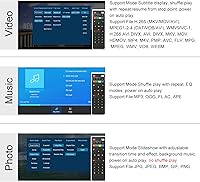
  • Video Formats: Supported video containers include MKV, AVI, MP4, M4V, MOV, VOB, M2TS, TS, TP, WMV, PMP, and PG.
  • Video Decoding: The player supports both H.265 (HEVC) and H.264 decoding, with H.265 handling high-bitrate files more efficiently.
  • Audio Outputs: Audio can be routed via HDMI (up to 7.1 surround), optical (S/PDIF), or analog AV output for compatibility with a wide range of speaker systems.
  • Audio Formats: Supported audio formats include MP3, WAV, AAC, FLAC, and other common audio file types for standalone music playback.
  • USB Storage: Dual USB ports support flash drives and external hard drives up to 8TB; only one USB device can be read at a time.
  • TF Card Support: A TF (microSD) card slot accepts cards up to 128GB for additional local storage input.
  • FAT32 File Limit: When using FAT32-formatted drives, individual file playback is limited to a maximum of 4GB per file.
  • NTFS File Limit: When using NTFS-formatted drives, individual file playback supports files up to 30GB in size.
  • Subtitle Support: External and embedded subtitle formats supported include SRT, SMI, SUB, and SSA.
  • Display Orientation: The player supports both horizontal (landscape) and vertical (portrait) screen output modes, useful for digital signage applications.
  • Extra Inputs: A USB mouse or keyboard can be connected for alternative navigation instead of the included remote control.
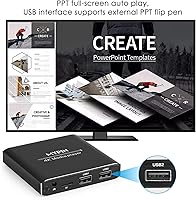
  • Document Playback: PPT (PowerPoint) document and photo slideshow playback is supported directly from connected USB or TF card storage.
  • Housing Material: The enclosure is constructed from aluminum alloy, providing better heat dissipation and physical durability than standard plastic housings.
  • Weight: The unit weighs 11.3 ounces (approximately 320 grams), making it lightweight and easy to position near a TV or display.
  • Package Dimensions: The packaged product measures 5.67 x 3.35 x 3.31 inches, compact enough to fit behind or beside most televisions.
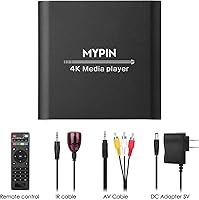
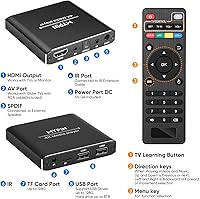
  • Connectivity Ports: The rear panel includes HDMI out, AV out, optical out, dual USB-A ports, a TF card slot, and a Micro USB power input.
  • Remote Control: A dedicated infrared remote control is included in the box for standard playback and menu navigation functions.
  • Internet Requirement: This player requires no internet connection and has no Wi-Fi or Ethernet capability; all playback is from locally attached storage only.

Related Reviews

MYPIN Mini 1080p HDMI Media Player
78%
91%
Ease of Setup
83%
Format Compatibility
78%
Build Quality & Portability
76%
Video Playback Quality
58%
Remote Control & Navigation
More
FxyxGyc 4K01 4K HDMI Media Player
82%
88%
4K Playback Performance
92%
File Format Compatibility
86%
External Storage Support
74%
Interface Navigation
91%
Digital Signage Reliability
More
Micca Speck 4K
Micca Speck 4K
87%
94%
Local Playback Reliability
92%
Ease of Setup
88%
Format Compatibility
96%
Digital Signage Functionality
64%
Large Library Navigation
More
AGPTEK HA0058 4K Media Player
77%
74%
Video Playback Quality
88%
Format Compatibility
91%
Ease of Setup
58%
Remote Control
67%
Build Quality & Design
More
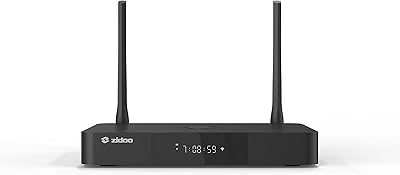
Zidoo Z9X PRO 4K HDR Media Player
82%
91%
4K Video Quality
89%
Audio Performance (Lossless Support)
88%
Connectivity Options
72%
User Interface/Navigation
85%
Customization (Android 11 OS)
More
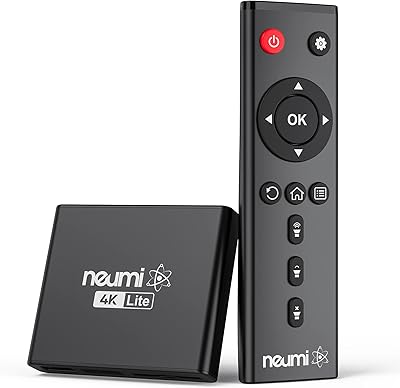
NEUMI Atom 4K Lite
NEUMI Atom 4K Lite
87%
94%
Continuous Playback Reliability
88%
Video Quality & Format Support
92%
Trigger Sensor Capability
68%
Initial Storage Setup
96%
Form Factor & Design
More
JLZNLC A5 4K Media Player & HDD Enclosure
78%
91%
Ease of Setup
78%
4K Video Playback Quality
83%
Auto-Loop & Resume Reliability
72%
HDD Enclosure Functionality
69%
Codec & Format Compatibility
More
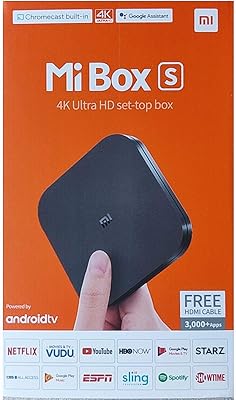
Xiaomi Mi Box S Android TV 4K HDR Streaming Media Player
86%
90%
Value for Money
88%
Setup & Ease of Use
92%
Picture Quality (4K HDR)
89%
Google Assistant Voice Control
78%
App Performance
More
Formuler Z10 SE Android 10 2GB RAM 4GB ROM 4K Streaming Media Player
81%
88%
Value for Money
91%
4K Streaming Quality
89%
Ease of Setup
84%
Connectivity Options
78%
User Interface
More
MYPIN Bluetooth Cassette Player
83%
87%
Value for Money
91%
Bluetooth Connectivity
85%
Audio Quality
92%
Portability
70%
Build Quality
More

FAQ

No, this player has no internet connectivity whatsoever — no Wi-Fi, no Ethernet, no app store. It is built exclusively for playing files stored on USB drives, external hard drives, or TF cards. If you need streaming, you will want a Roku, Fire Stick, or similar device instead.

That depends on how your drive is formatted. If it is formatted as FAT32, files over 4GB will not load — that is a FAT32 filesystem limitation, not a player bug. The fix is to reformat your drive as NTFS, which bumps the per-file limit up to 30GB. Most Windows PCs can reformat a drive to NTFS in a couple of minutes through Disk Management.

It does output 4K, but at 30Hz — not 60Hz. For most movie watching, 30Hz is perfectly fine and the picture looks genuinely sharp on a 4K TV. Where it falls short is fast-motion content like sports or gaming footage, where 30Hz can look slightly choppy compared to 60Hz. If that matters to you, this player is not the right choice.

You can physically plug two drives in using the dual USB ports, but the player can only read one at a time. You will need to select your active source through the menu. It is handy for switching between drives, but do not expect it to browse both simultaneously.

The MYPIN HA0284-NCUSF 4K Media Player officially supports USB hard drives up to 8TB. Most users with drives in the 1TB to 4TB range report no recognition issues, and 8TB drives have been confirmed working by buyers in reviews, provided the drive is formatted correctly.
Yes, it handles both embedded subtitles within MKV containers and external subtitle files in SRT, SMI, SUB, and SSA formats. You can enable or switch subtitle tracks through the playback menu. Users watching foreign-language content generally find the subtitle support reliable for standard files.

For basic PPT slideshows and photo presentations, yes — it reads PowerPoint files directly from a USB stick and displays them on screen. That said, complex animations and advanced formatting may not render perfectly. If your presentation is straightforward slides with text and images, it will likely work fine. If it relies on embedded video or intricate transitions, test it beforehand.

It includes a standard AV output alongside HDMI, so you can connect it to older televisions using a composite AV cable. Keep in mind that AV output is limited to standard definition, so you will not get 4K or even HD quality through that connection — but it does work for basic playback on legacy sets.

The remote works, but some users have noted it feels a bit short on range compared to a typical TV remote, and occasional missed button presses are reported. Pointing it directly at the receiver rather than at the TV itself helps. It is functional for everyday use but not the most responsive remote in its class.

Yes, it has a built-in option to rotate the output to portrait orientation, which is genuinely useful for digital signage, retail displays, or any vertically mounted screen. You enable it through the settings menu. Not all content scales perfectly in vertical mode depending on its original aspect ratio, so some trial and adjustment may be needed.