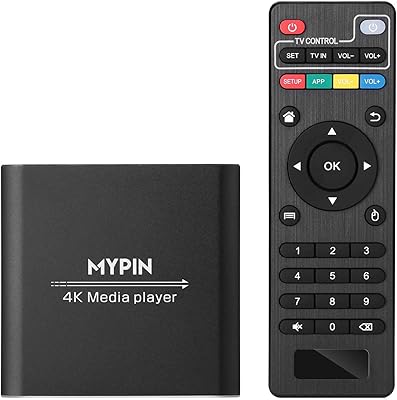
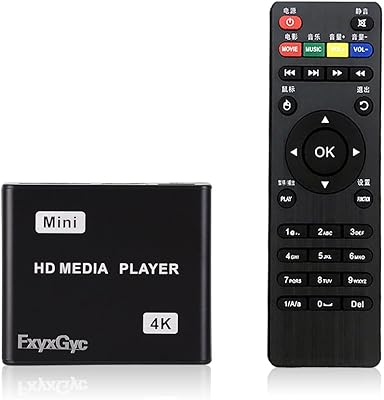
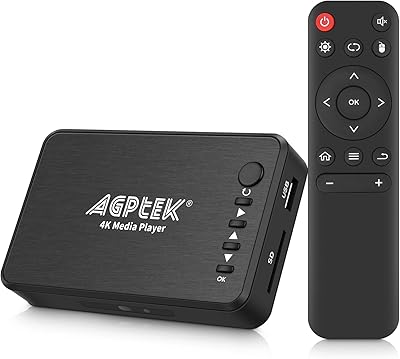
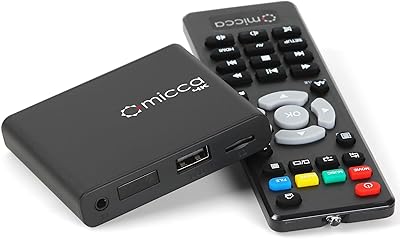
Overview

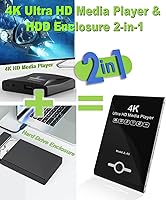
The JLZNLC A5 4K Media Player & HDD Enclosure is a compact, no-fuss device that pulls double duty as both a local media player and a 2.5″ SATA hard drive enclosure. At under four ounces and finished in piano black, it doesn't demand much space or attention. Plug it in, load your content, and it handles the rest — auto-playing, looping, and resuming from where it left off. The analog AV output is a thoughtful touch, letting you connect to older televisions that most modern players simply ignore. For the price, the combination of features on offer is genuinely hard to argue with.
Features & Benefits

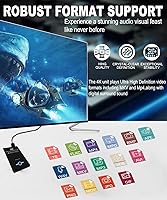
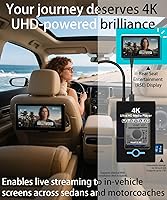
The headline feature is 4K video decoding via H.265/HEVC and H.264/AVC — formats that keep file sizes manageable without sacrificing quality. The HDMI output supports up to 4096x2304 resolution, though it's worth being clear: 4K content plays back at 30fps, while the HDMI port itself can run at 60Hz for lower-resolution material. Storage flexibility is a genuine strength; the A5 player accepts USB drives up to 8TB, microSD cards up to 1TB, or an internally seated SATA hard drive. The video rotation feature — supporting 90, 180, and 270 degrees — makes vertical display setups actually practical. It also reads FAT32, exFAT, and NTFS, so you're unlikely to hit file system compatibility walls.

Best For

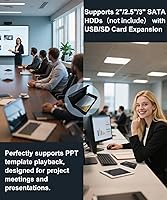
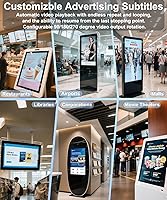
This 2-in-1 device hits a sweet spot for small business owners who need a simple looping display — think restaurant menu boards, gym screens, or lobby welcome videos — without the overhead of a full media PC. It's equally practical for home users with large local video libraries stored on a hard drive they can slot directly into the enclosure. Teachers and presenters will appreciate the ability to display PDFs, slideshows, and Word documents natively. The composite AV output makes it viable for anyone still running older TVs, and the compact form factor suits trade show or art installation setups where a discreet, dedicated looping player matters more than raw processing power.

User Feedback

Since this is a relatively new listing, the volume of buyer reviews is still limited, so take early patterns with appropriate caution. That said, buyers consistently point to plug-and-play setup as the standout strength — most report having content playing within minutes of unboxing. The lightweight chassis draws mixed reactions; some find it perfectly adequate for a fixed install, while others feel it could be sturdier. A few users have flagged inconsistent results with less common video codecs outside H.264 and H.265. The HDD enclosure function tends to be seen as a convenient bonus rather than a core reason to buy, which is useful context when weighing the overall value.

Pros

  • Auto-play and loop on power-up makes unattended signage installations genuinely hands-free.
  • Internal 2.5″ SATA bay eliminates the need for a separate dangling external drive.
  • Composite AV output supports older TVs that modern players typically abandon.
  • Portrait-mode video rotation works reliably for vertical display setups without extra hardware.
  • Reads FAT32, exFAT, and NTFS drives straight out of the box without reformatting.
  • The A5 player accepts USB storage up to 8TB, covering even large local video libraries.
  • H.265 decoding keeps file sizes manageable without sacrificing visible image quality.
  • Native PDF and slideshow support removes the need for a laptop in basic presentation scenarios.
  • Setup takes minutes — connect, load content, and it starts playing with no configuration required.

Cons

  • 4K content is capped at 30fps, which causes judder in fast-motion footage despite the 4K label.
  • Plastic chassis feels lightweight in ways that raise long-term durability concerns for commercial installs.
  • No Wi-Fi, streaming apps, or network connectivity of any kind.
  • Obscure or legacy video formats frequently fail to play without prior re-encoding.
  • Internal HDD storage is not accessible over a network — no file sharing, no remote management.
  • Menu navigation and the included remote both feel dated compared to newer media player interfaces.
  • No scheduling, playlist management, or CMS support for more demanding signage environments.
  • Auto-loop has been reported to stutter or reset unexpectedly during very long unattended sessions.
  • Complex PowerPoint animations and embedded media in documents often render with errors.

Ratings

The scores below for the JLZNLC A5 4K Media Player & HDD Enclosure were generated by AI after analyzing verified buyer reviews from global markets, with spam, bot activity, and incentivized feedback actively filtered out. Because this is a relatively new listing, the review pool is still growing, so scores are weighted conservatively where data is thinner. Both the genuine strengths and the real frustrations buyers have reported are reflected transparently in each category.
Ease of Setup
91%
Buyers consistently describe getting this media player up and running in just a few minutes — plug in a USB drive loaded with content, connect the HDMI cable, and it starts playing automatically. For non-technical users like restaurant owners or small retailers, that kind of friction-free setup is a significant practical advantage.
A small number of users ran into confusion around initial display settings, particularly when connecting to older or non-standard screens. The lack of a detailed printed manual means troubleshooting can require some trial and error for first-time users.
4K Video Playback Quality
78%
22%
For H.265 and H.264 encoded content, the A5 player delivers genuinely clean, sharp 4K output that holds up well on large screens in commercial environments. Users running lobby displays or menu boards reported smooth, artifact-free playback on well-encoded source files.
The 30fps ceiling on 4K content is a real limitation that some buyers discover only after purchase — the 60Hz HDMI spec refers to the output signal, not the decode rate. Fast-motion 4K footage can show slight judder, which matters in dynamic retail or event settings.
Auto-Loop & Resume Reliability
83%
The hands-free looping behavior is one of the most praised aspects of this 2-in-1 device, especially among business users who need content running unattended all day. Resume-from-last-position works consistently across reboots, which is a practical win for digital signage scenarios.
A handful of users reported that the auto-loop occasionally stutters or resets unexpectedly during very long unattended sessions, particularly with larger playlists. This seems less common with smaller, well-organized file sets but is worth noting for mission-critical installations.
HDD Enclosure Functionality
72%
28%
The ability to seat a 2.5″ SATA hard drive directly inside the chassis is a genuinely useful feature for users with large local video libraries — it eliminates the need for a separate external drive dangling off the unit. Home users managing movie collections found this particularly convenient.
Buyers should understand this is not a NAS replacement and does not allow network access to stored files. A few users were disappointed to find that drive access is limited to the player itself, and there is no companion software for library management.
Codec & Format Compatibility
69%
31%
Coverage of mainstream formats — H.265, H.264, MP4, MKV, AVI, MOV — is solid enough for the vast majority of everyday use cases, and support for FAT32, exFAT, and NTFS means most USB drives work without reformatting.
Less common formats like RMVB, older RM files, or high-bitrate TS streams from broadcast recordings can be hit or miss. Users with varied or legacy video archives reported occasional playback failures that required re-encoding files before use.
Build Quality & Durability
63%
37%
The piano-black finish gives the unit a tidy, presentable look that fits reasonably well in a commercial display environment. Its compact footprint is genuinely appreciated in tight installation spots like behind a mounted screen.
At under four ounces, the chassis feels lightweight in a way that raises durability questions for long-term commercial use. Several buyers noted the plastic housing flexes slightly under pressure, and it does not inspire confidence if installed in high-traffic or less controlled environments.
Digital Signage Use Case
81%
19%
For basic looping signage — restaurant menus, welcome screens, event backdrops — this media player performs well above what its price bracket might suggest. The ability to auto-start on power-up without any remote interaction makes it genuinely deployable in real business settings.
More demanding signage needs, such as scheduled content switching, multi-zone layouts, or remote management, are entirely outside what this device can do. Buyers expecting CMS-level control will need to look elsewhere.
Video Rotation Feature
84%
Support for 90, 180, and 270-degree rotation is a standout practical feature for anyone running portrait-oriented screens, which are increasingly common in retail and trade show environments. It works reliably and removes the need for any external adapters or software tricks.
The rotation setting requires navigating a menu rather than being configurable at first boot, which can add a small setup hurdle. Users who rotate frequently between landscape and portrait modes found the process slightly tedious over time.
Storage Flexibility
88%
Supporting USB drives up to 8TB and microSD cards up to 1TB alongside the internal SATA bay gives this 2-in-1 device an unusually broad range of storage options for the category. Switching content is as simple as swapping a USB stick.
All three storage inputs cannot be active simultaneously in every configuration, and some users noted minor inconsistencies in how the device prioritizes sources when multiple are connected. Clearer documentation on storage hierarchy would help avoid confusion.
Audio Output Quality
74%
26%
HDMI audio passthrough handles standard stereo and basic surround formats cleanly, and the composite AV output provides a workable analog audio feed for connecting to older stereo systems or PA setups. For background music in a retail space, it is more than adequate.
High-end audio formats like Dolby TrueHD or DTS-MA are not supported, which limits appeal for home theater purists. A few users also noted that analog audio output volume was lower than expected and required amplifier adjustments.
Compatibility with Older Displays
86%
The composite AV output is a genuinely rare feature at this price point and opens up usability on CRT televisions and older commercial monitors that lack HDMI inputs. For schools, community centers, or small venues still running legacy hardware, this is a meaningful practical benefit.
Composite output caps resolution at standard definition, so any 4K or HD content will be visibly downscaled. Users expecting quality visual output on older screens should set realistic expectations about the viewing experience.
Document & Slideshow Display
67%
33%
Native support for PDF, PPT, Word, and Excel files is a practical addition for educators or presenters who want to display materials without a laptop. Basic slideshows and text-heavy documents render clearly enough for classroom or conference use.
Rendering of complex layouts, animations, or embedded media within documents is inconsistent — some formatted presentations display with alignment issues or missing elements. This feature works best as a backup option rather than a primary presentation tool.
Value for Money
89%
Measured against competing standalone media players at similar price points, the A5 player offers a notably wider feature set — particularly the HDD enclosure bay, rotation support, and analog AV output. For buyers whose needs align with what it actually does well, the pricing feels fair.
If a buyer needs reliable 4K at 60fps, robust codec support, or any form of smart connectivity, the value calculus changes quickly. The price is justified only when the specific use case maps closely to the device's strengths.
Remote Control & Navigation
71%
29%
The included remote covers all core functions and lets users navigate menus, adjust settings, and control playback without getting up. For looping installations where the remote is mostly set-and-forget, it covers the bases adequately.
The remote itself feels budget-grade in hand, and a few buyers reported intermittent responsiveness issues at longer distances. Menu navigation has a slight learning curve, and the interface design feels dated compared to more modern media player software.

Suitable for:

The JLZNLC A5 4K Media Player & HDD Enclosure is a practical fit for small business owners who need a low-maintenance looping display — a café updating its menu board, a gym running promotional videos, or a hotel lobby cycling through welcome content. Because it powers on and plays automatically without any remote interaction, it works well in unattended installations where simplicity and reliability matter more than advanced features. Home users with a backlog of locally stored movies or home videos will appreciate the ability to slot a 2.5″ SATA hard drive directly into the unit, keeping things tidy without extra cables or enclosures. Educators and presenters who occasionally need to display PDFs or slideshows without hauling a laptop will find it a lightweight backup option. Anyone still running older televisions will also benefit from the analog AV output, which is increasingly rare on modern media players at this price point.
Not suitable for:

Buyers expecting a smart TV replacement or a device with streaming app support will be immediately disappointed — this media player has no Wi-Fi, no app ecosystem, and no network connectivity whatsoever. If your 4K content involves fast-moving sports footage or high-frame-rate gaming captures, the 30fps decode ceiling on 4K material will produce noticeable judder that undercuts the resolution advantage. The HDD enclosure bay is also not a substitute for a NAS or a shared network drive; files stored inside are only accessible to the player itself, with no remote management or file-sharing capability. Users with diverse or legacy video archives full of RMVB, older RM formats, or high-bitrate broadcast recordings may run into compatibility gaps that require re-encoding before files play cleanly. Anyone needing a content management system, scheduled playlist switching, or multi-screen coordination for a professional signage setup should look at purpose-built CMS-enabled players, as this 2-in-1 device does not support any of that functionality.

Specifications

  • Model: Model A5, manufactured by JLZNLC.
  • Dimensions: The unit measures 7″ in length, 5.8″ in width, and 2.1″ in height.
  • Weight: The device weighs 3.84 ounces, making it light enough to mount discreetly behind most displays.
  • Video Output: Outputs video via HDMI at up to 4096x2304 resolution at 30fps, with a UHD 60Hz HDMI port for lower-resolution content, plus a composite AV port for analog displays.
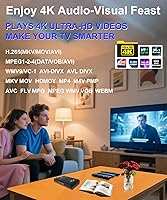
  • 4K Decode: Decodes H.265/HEVC and H.264/AVC encoded video up to 4096x2304 at 30fps and up to 200Mbps bitrate.
  • Video Formats: Supports MKV, MP4, M4V, AVI, MOV, MPG, VOB, M2TS, TS, FLV, RM, RMVB, 3GP, WMV, DAT, and TS container formats.
  • Audio Formats: Plays MP3, WAV, FLAC, APE, OGG, AAC, and WMA files at bitrates ranging from 32kbps to 320kbps.
  • Photo Formats: Displays JPG, JPEG, BMP, GIF (non-animated), and PNG image files with slideshow and random-order playback modes.
  • Document Support: Natively renders PDF, PPT, Word, and Excel files for basic document and presentation display.
  • HDD Enclosure: Accommodates one 2.5″ SATA hard disk drive internally, allowing the drive to serve as the primary media source.
  • USB Storage: Supports USB flash drives and USB hard drives with a maximum capacity of 8TB.
  • MicroSD Support: Accepts microSD cards up to 1TB in capacity.
  • File Systems: Compatible with FAT, FAT32, exFAT, and NTFS formatted storage devices.
  • Video Rotation: Supports output rotation in 90, 180, and 270-degree increments for portrait or inverted display orientations.
  • Subtitle Support: Supports SRT, PGS, and IDX+SUB subtitle formats with full subtitle display control.
  • Playback Modes: Features auto-play on power-on, continuous looping, shuffle playback, and resume-from-last-stop functionality.
  • Power Input: Powered via DC 5V at 2A through a standard power adapter.
  • Color & Finish: Available in a piano-black finish with a smooth plastic chassis.

Related Reviews

MYPIN HA0284-NCUSF 4K Media Player
77%
91%
Ease of Setup
88%
Format Compatibility
74%
4K Video Quality
83%
H.265 Decoding Performance
86%
Storage Flexibility
More
FxyxGyc 4K01 4K HDMI Media Player
82%
88%
4K Playback Performance
92%
File Format Compatibility
86%
External Storage Support
74%
Interface Navigation
91%
Digital Signage Reliability
More
Micca Speck 4K
Micca Speck 4K
87%
94%
Local Playback Reliability
92%
Ease of Setup
88%
Format Compatibility
96%
Digital Signage Functionality
64%
Large Library Navigation
More
AGPTEK HA0058 4K Media Player
77%
74%
Video Playback Quality
88%
Format Compatibility
91%
Ease of Setup
58%
Remote Control
67%
Build Quality & Design
More
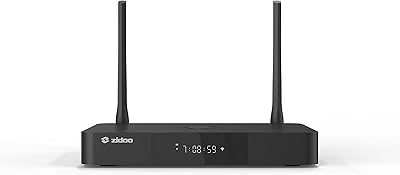
Zidoo Z9X PRO 4K HDR Media Player
82%
91%
4K Video Quality
89%
Audio Performance (Lossless Support)
88%
Connectivity Options
72%
User Interface/Navigation
85%
Customization (Android 11 OS)
More
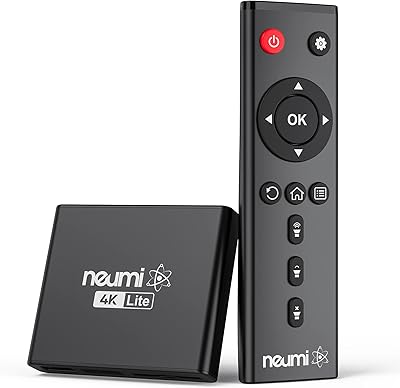
NEUMI Atom 4K Lite
NEUMI Atom 4K Lite
87%
94%
Continuous Playback Reliability
88%
Video Quality & Format Support
92%
Trigger Sensor Capability
68%
Initial Storage Setup
96%
Form Factor & Design
More
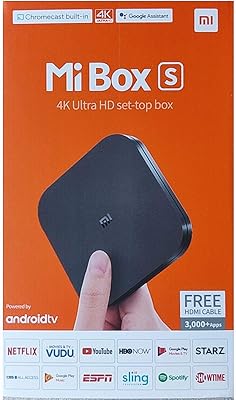
Xiaomi Mi Box S Android TV 4K HDR Streaming Media Player
86%
90%
Value for Money
88%
Setup & Ease of Use
92%
Picture Quality (4K HDR)
89%
Google Assistant Voice Control
78%
App Performance
More
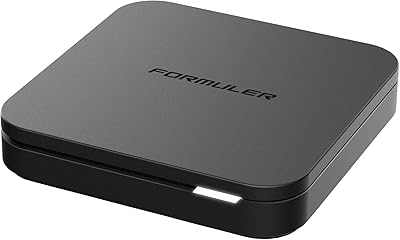
Formuler Z10 SE Android 10 2GB RAM 4GB ROM 4K Streaming Media Player
81%
88%
Value for Money
91%
4K Streaming Quality
89%
Ease of Setup
84%
Connectivity Options
78%
User Interface
More
X-MEDIA XM-EN3451 3.5-Inch USB 2.0 External HDD Enclosure
86%
90%
Value for Money
96%
Ease of Use
88%
Build Quality
65%
Thermal Performance
93%
Compatibility with Devices
More
MYPIN Mini 1080p HDMI Media Player
78%
91%
Ease of Setup
83%
Format Compatibility
78%
Build Quality & Portability
76%
Video Playback Quality
58%
Remote Control & Navigation
More

FAQ

No, it is entirely offline. There is no Wi-Fi, Bluetooth, or network port on this device — it plays content solely from locally attached storage like USB drives, a microSD card, or an internal SATA hard drive. If you need streaming apps or online content, this is not the right device for that.

This is worth clarifying because it causes genuine confusion. The 60Hz refers to the HDMI output signal capability, not the video decode rate. Actual 4K content is decoded and played back at up to 30fps. So for typical signage, movies, or standard video content, that is perfectly fine — but if you have 4K footage shot at 60fps, it will be played at 30fps instead.

No, it cannot. The JLZNLC A5 4K Media Player & HDD Enclosure is not a NAS. The internal SATA drive is only accessible to the player itself for media playback — you cannot browse or transfer files to it over a network. Think of it as a self-contained playback unit with built-in storage, not a shared drive.
Yes, that is one of its more practical features. The device is designed to auto-start and auto-play content as soon as it receives power, which is exactly what you want for a digital signage setup or any unattended looping display. It also resumes from where playback stopped, rather than starting over from the beginning.

It fits a standard 2.5-inch SATA hard drive — the same type used in most laptops. A basic Phillips screwdriver is typically all you need to open the bay and seat the drive. There is no mention of SSD compatibility being officially tested, though 2.5-inch SATA SSDs share the same connector and may work in practice.

Yes, and this is one of the more genuinely useful features on the device. You can set the video output to rotate 90 degrees, which lets you mount a standard widescreen TV in portrait orientation and have all content display correctly. It is a setting you configure once in the menu and then leave alone.

It does. The composite AV output lets you connect this media player to older CRT televisions or any display with standard yellow, red, and white RCA inputs. The output resolution will be standard definition in that case, so do not expect HD quality — but for basic looping content on legacy hardware, it works.

It will attempt to play all supported media files in sequence by default, with looping enabled. That said, very large or disorganized file structures can occasionally cause navigation sluggishness. Organizing your content into clearly named folders and sticking to well-supported formats like H.264 MP4 tends to produce the most reliable results.

A remote control is included in the box. For ongoing day-to-day use in a looping installation, you will barely need it once initial settings are configured. It becomes more relevant when adjusting rotation, switching playlists, or troubleshooting — but for a set-and-forget signage setup, it mostly lives in a drawer after the first day.

Configured settings like rotation angle and playback preferences are retained after a power interruption. When power is restored, the A5 player will auto-start and resume from approximately where it left off, rather than reverting to a default state. This makes it reasonably reliable for commercial environments where power stability is not always guaranteed.