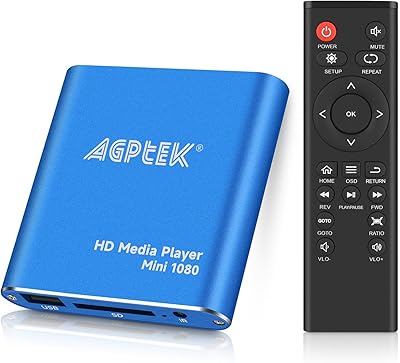
Overview

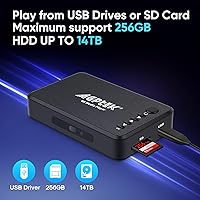
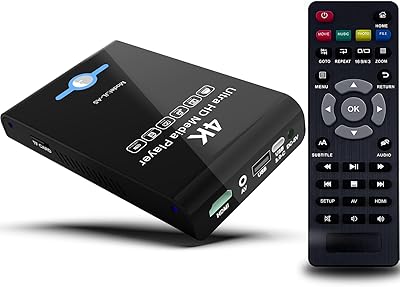
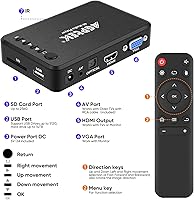
The AGPTEK HA0058 4K Media Player is a compact standalone box built for one job: playing your local video files on a TV without needing the internet, a smart TV, or a PC running in the background. It connects via HDMI for modern displays, but also carries VGA and composite AV outputs for older monitors — a practical touch you don't often see at this price tier. It reads from USB drives up to 256GB, SD cards, and external hard drives up to 14TB. A remote control and AV cable come in the box, though you'll need to supply your own AAA batteries.
Features & Benefits

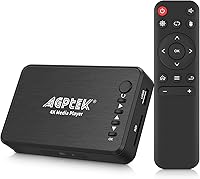
The HDMI output supports 4K at 30hz — worth noting that this is 30hz, not 60hz, so it's adequate for most video content but not ideal for high-frame-rate material. One underrated highlight is the optical audio output, which lets this standalone player feed a proper home theater receiver rather than being limited to TV speakers. Format coverage is genuinely wide: H.265, MKV, AVI, RMVB, and MP4 all play without conversion. For signage use, the autoplay folder lets files loop automatically with minimal configuration. Subtitle support covers SRT, SSA, SMI, and SUB formats across more than a dozen languages, a real plus for international content.

Best For

This media player is a solid match for anyone sitting on a large local video library who just wants to hit play without managing apps or accounts. It's particularly well suited to small businesses or retail venues that need a low-cost looping display — the autoplay and loop features make that setup straightforward. The dual HDMI and VGA output is genuinely useful for driving both a modern flatscreen and an older projector or monitor at the same time. One thing to be upfront about: the AGPTEK box has no Wi-Fi, no Bluetooth, and no streaming apps of any kind. This is strictly a local, file-based playback device.

User Feedback

With just under 1,600 ratings averaging 3.9 stars, this standalone player has earned a cautiously positive reputation. Buyers consistently praise the easy out-of-box setup and wide format compatibility — it handles files that trip up pricier devices, and overall value for the price is a recurring theme in positive reviews. On the frustration side, some users report that 4K playback can stutter or fail depending on a file's bitrate or encoding. The remote's limited range also draws complaints. A less obvious but real annoyance: fast forward and rewind require a two-step button combo that isn't documented clearly. The single USB port is another constraint that buyers managing large media collections have flagged repeatedly.

Pros

  • Plug-and-play setup takes minutes with no accounts, apps, or network configuration needed.
  • Exceptionally wide format support covers H.265, MKV, RMVB, AVI, VOB, and many more without conversion.
  • Optical audio output connects directly to home theater receivers — uncommon at this price tier.
  • Simultaneous HDMI and VGA output is a practical advantage for mixed display environments.
  • Supports external hard drives up to 14TB, making it future-proof for growing media libraries.
  • The autoplay and loop feature makes this standalone player a cost-effective digital signage solution.
  • Reads SD cards and USB drives in addition to large external HDDs, giving flexible storage options.
  • Broad subtitle format and language support covers SRT, SSA, SMI, and SUB across many languages.
  • Compact footprint tucks neatly behind a TV or monitor without cluttering the space.
  • The included AV cable means analog TV users can get started right out of the box.

Cons

  • 4K playback is capped at 30hz, and high-bitrate 4K files frequently stutter or fail entirely.
  • Only one USB port means constantly swapping drives when managing a large media library.
  • Fast forward and rewind require a non-obvious two-button remote sequence that is poorly documented.
  • Remote control range is short and angle-sensitive, requiring precise aiming from close range.
  • No firmware update path means stability bugs or compatibility gaps will not be patched after purchase.
  • The on-screen interface has no search function, no thumbnails, and no playback history tracking.
  • HDMI audio sync can lag on certain file types, creating noticeable lip-sync issues.
  • Dual HDMI and VGA output caps both displays at 1080p, even when the HDMI screen could handle more.
  • Some users report the USB port feeling loose after regular drive swapping, raising long-term durability concerns.

Ratings

The AGPTEK HA0058 4K Media Player has been scored by our AI system after parsing and filtering thousands of verified buyer reviews worldwide — spam, bot-generated feedback, and incentivized posts were actively excluded before any score was calculated. The ratings below reflect where this standalone player genuinely earns its keep and where real users have run into friction, with no attempt to soften the rough edges.
Video Playback Quality
74%
26%
For standard 1080p and well-encoded H.265 files, most buyers report clean, stable playback with no buffering or dropout. Connecting via HDMI to a modern flatscreen, the picture holds up well for everyday movie watching and TV series.
The 4K output is capped at 30hz, which creates visible judder on high-motion content. Several users also reported that high-bitrate 4K files stutter or fail to play entirely, which is a real disappointment for buyers who bought this specifically for 4K.
Format Compatibility
88%
This is arguably where the AGPTEK box earns the most goodwill. Buyers regularly note it handles formats that newer devices reject, including RMVB, older AVI encodes, and VOB rips from DVDs — a genuine convenience for anyone with a legacy media library.
A small number of users hit walls with uncommon or poorly tagged files that the player refuses to recognize. There is no way to install codec updates, so if a format is not supported out of the box, it simply will not play.
Ease of Setup
91%
Plug in the HDMI, connect a USB drive, and you are playing within minutes — nearly every first-time buyer mentions how painless the initial setup is. No accounts, no firmware activation, no network configuration required whatsoever.
The remote control layout is not immediately intuitive, and the fast forward and rewind functions require pressing two buttons in a specific sequence that is buried in the manual. Multiple reviewers flagged this as genuinely confusing during first use.
Remote Control
58%
42%
The included remote covers all core functions and the button layout is clean enough for basic navigation. For couch-distance use pointed directly at the unit, it generally responds reliably.
The effective range is short and the angle sensitivity is frustrating — buyers report having to point the remote precisely and sit closer than expected. A handful of users received units where the remote stopped responding within weeks.
Build Quality & Design
67%
33%
The compact footprint is genuinely useful; it tucks behind a TV or monitor without cluttering a shelf. The casing feels solid enough for stationary use in a home or office environment.
The plastic housing feels lightweight in hand, and the overall fit and finish is consistent with budget-tier hardware. It does not feel fragile, but it does not inspire confidence either — a few users noted the USB port feels loose after regular hot-swapping.
Audio Performance
79%
21%
The optical audio output is a standout for this price range, letting users push audio to a proper receiver or soundbar rather than relying on TV speakers. FLAC and DTS files play without downmixing issues according to most home theater users.
HDMI audio sync can lag slightly on some file types, and users relying on composite AV output report noticeably lower audio quality. There is no volume control on the device itself — you are fully dependent on the TV or receiver.
Storage & Connectivity
83%
Supporting external hard drives up to 14TB is a practical ceiling that eliminates storage anxiety for most users. The ability to read both USB 2.0 and 3.0 drives, plus SD cards, gives this standalone player real flexibility for different setups.
There is only one USB port, which means users with large libraries often have to swap drives rather than connecting everything at once. No USB hub support is officially confirmed, and some users report hubs do not work reliably.
Digital Signage Usability
82%
18%
The autoplay folder and looping features work reliably for retail and venue use cases. Business buyers running static or short promotional video loops on a screen report this being a cost-effective solution that just runs without intervention.
There is no scheduling function and no remote management capability — all file management has to be done physically. For more complex signage workflows, this standalone player will quickly hit its limits.
Value for Money
86%
At its price point, the breadth of output options — HDMI, VGA, AV composite, and optical audio — is hard to match. Buyers comparing it against similarly priced alternatives consistently call it a strong deal for offline, file-based playback needs.
The value case weakens if 4K playback is your primary reason for buying, since that specific capability is inconsistent. Buyers expecting performance comparable to a streaming stick or smart TV dongle will feel underserved.
Subtitle Support
77%
23%
Coverage across SRT, SSA, SMI, and SUB formats with support for over a dozen languages is genuinely useful for international viewers or anyone who relies on subtitles. Most users report subtitles loading and syncing correctly without any configuration.
Subtitle font sizing and positioning cannot be adjusted, which bothers some users with accessibility needs or large display setups. A few buyers noted that complex SSA subtitle formatting, such as styled karaoke tracks, does not always render correctly.
HDD Compatibility
81%
19%
NTFS and exFAT drives up to 14TB are recognized reliably, and the lack of MBR or GPT partition requirements removes a common headache for users repurposing old hard drives. Most plug-and-play HDD connections are reported as working on the first attempt.
A minority of users with certain HDD brands, particularly older drives with unusual sector sizes, report the player taking a long time to index or occasionally failing to mount the drive. Power delivery for bus-powered drives can also be inconsistent.
Multi-Output Flexibility
78%
22%
The ability to output to HDMI and VGA simultaneously at up to 1080p is a real differentiator for anyone running a mixed display setup — useful in classrooms, small offices, or older conference rooms that still have VGA projectors alongside modern screens.
When running dual outputs, the resolution is capped at 1080p even if the HDMI display could handle more. Users who assumed 4K would pass through to the HDMI display while VGA received a downscaled signal were disappointed to find both are limited.
Navigation & UI
63%
37%
The on-screen interface is clean and uncluttered, which makes finding and launching files straightforward for non-technical users. Folder navigation works logically and loads quickly even on large drives.
There is no search function, which becomes a real problem when browsing a hard drive with thousands of files. The interface also has no metadata display — no thumbnails, no file duration, no watched indicators — making library management tedious.
Reliability & Stability
71%
29%
Many buyers report using this media player continuously for months without crashes or freezes during normal playback. For standard file types in typical home or signage use, day-to-day stability is generally acceptable.
A subset of users report random freezes during long playback sessions or when switching between file types. The lack of firmware update support means any stability bugs present at purchase are unlikely to be patched.

Suitable for:

The AGPTEK HA0058 4K Media Player is a strong fit for anyone who has built up a large collection of local video files and wants a simple, reliable way to watch them on a TV without involving a laptop or a smart TV subscription. If your library includes older formats like RMVB, AVI, or DVD VOB rips that modern streaming sticks tend to reject, this standalone player handles them without conversion. It also makes a lot of sense for small businesses, retail shops, or venues that need an affordable looping display solution — the autoplay folder feature handles that use case with minimal fuss. Home theater enthusiasts on a budget will appreciate the optical audio output, which is rare at this price point and lets the device connect properly to a receiver or soundbar. Anyone needing to bridge a modern HDTV and an older VGA monitor or projector simultaneously will also find the dual-output capability genuinely useful.
Not suitable for:

Buyers expecting a fully capable 4K experience should look elsewhere — the AGPTEK HA0058 4K Media Player outputs 4K only at 30hz, and high-bitrate 4K files have a real chance of stuttering or refusing to play entirely. This is also not the right device for anyone who wants to stream Netflix, YouTube, or any online service, because it has no Wi-Fi, no Bluetooth, and no app ecosystem whatsoever — it is purely a local file playback device, and that will disappoint buyers who did not read the fine print. Users who regularly switch between multiple drives will find the single USB port a constant annoyance, since there is no reliable hub support. If you need smooth fast-forward and rewind controls — say, for skipping through long lecture recordings or sports replays — the awkward two-button remote combo will frustrate you repeatedly. And anyone hoping for a polished, modern interface with thumbnails, metadata, or a search function will find the bare-bones navigation underwhelming.
Specifications

  • Max Resolution: The device outputs video up to 4K at 30hz via HDMI; when running HDMI and VGA simultaneously, both outputs are capped at 1080p.
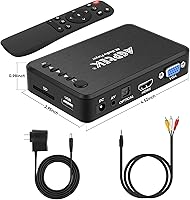
  • Video Outputs: Three video output options are available: HDMI, VGA, and composite AV, allowing connection to both modern and legacy displays.
  • Audio Outputs: Audio can be sent via HDMI, composite AV, or a dedicated optical (S/PDIF) port for connection to home theater receivers.
  • USB Support: One USB port supports both USB 2.0 and 3.0 drives and external hard drives formatted in FAT, FAT32, exFAT, or NTFS, up to 256GB for flash drives.
  • HDD Capacity: External hard drives up to 14TB are supported in NTFS and exFAT formats, with no MBR or GPT partition requirements.
  • SD Card: The device reads SD and SDHC memory cards directly, supporting FAT, FAT32, exFAT, and NTFS formatted cards up to 256GB.
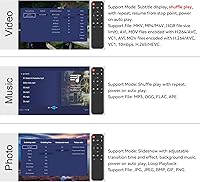
  • Video Formats: Supported video codecs and containers include H.265/HEVC, H.264, MPEG-1/2/4, MKV, AVI, RMVB, RM, WMV, VOB, FLV, TS, TP, MP4, MOV, and PMP.
  • Audio Formats: The player decodes MP3, FLAC, APE, WAV, WMA, DTS, AAC, AC3, MP2, AMR, M4A, MKA, WV, AU, and AIFF audio files.
  • Image Formats: Photo browsing supports JPEG, BMP, PNG, and static GIF files, with rotate, zoom, and slideshow playback modes.
  • Subtitle Formats: External subtitle files in SRT, SSA, SMI, and SUB formats are supported across more than a dozen languages including English, Chinese, Japanese, Russian, and others.
  • Dimensions: The unit measures 5.71 x 3.43 x 3.31 inches, making it compact enough to sit behind or beside most displays without occupying significant space.
  • Weight: The device weighs 10.9 ounces, light enough to mount or reposition easily in signage or home theater installations.
  • Power Input: The player accepts AC input from 180 to 260V at 50–60Hz, making it compatible with power standards across most countries.
  • Power Output: The included power adapter delivers 5V at 2A via DC connector; the adapter is included in the box.
  • Wireless Connectivity: This device has no Wi-Fi, no Bluetooth, and no network connectivity of any kind — all media must be loaded locally via USB, SD card, or external HDD.
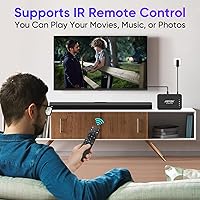
  • Remote Control: An infrared remote control is included and handles all core navigation functions; AAA batteries are required but not included in the box.
  • In-Box Contents: The package includes the media player unit, a 5V 2A power adapter, one composite AV cable, and one IR remote control.
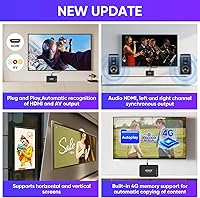
  • Autoplay Feature: A dedicated autoplay folder in the USB root directory enables automatic file loading and continuous loop playback without manual interaction.
  • Screen Orientation: The player supports both horizontal and vertical screen orientations, which is useful for portrait-mode digital signage installations.
  • Model Identifier: The official model number is HA0058, manufactured by AGPTek, with the ASIN B01CCRYIN8 on Amazon.

Related Reviews

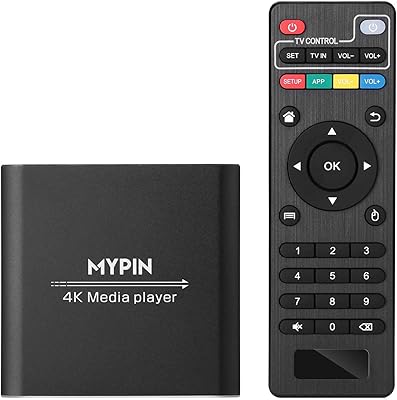
MYPIN HA0284-NCUSF 4K Media Player
77%
91%
Ease of Setup
88%
Format Compatibility
74%
4K Video Quality
83%
H.265 Decoding Performance
86%
Storage Flexibility
More
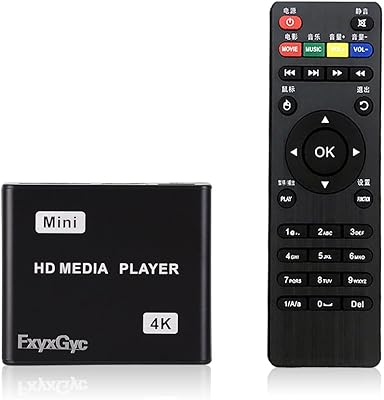
FxyxGyc 4K01 4K HDMI Media Player
82%
88%
4K Playback Performance
92%
File Format Compatibility
86%
External Storage Support
74%
Interface Navigation
91%
Digital Signage Reliability
More
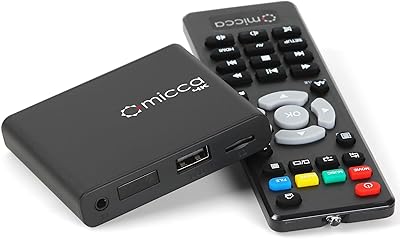
Micca Speck 4K
Micca Speck 4K
87%
94%
Local Playback Reliability
92%
Ease of Setup
88%
Format Compatibility
96%
Digital Signage Functionality
64%
Large Library Navigation
More
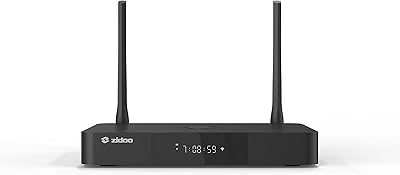
Zidoo Z9X PRO 4K HDR Media Player
82%
91%
4K Video Quality
89%
Audio Performance (Lossless Support)
88%
Connectivity Options
72%
User Interface/Navigation
85%
Customization (Android 11 OS)
More
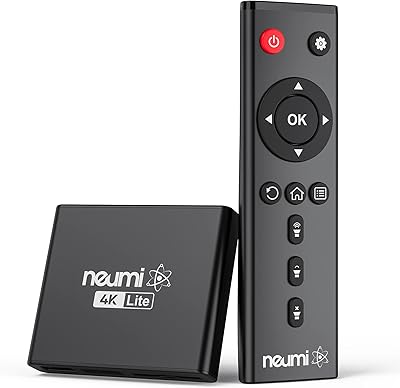
NEUMI Atom 4K Lite
NEUMI Atom 4K Lite
87%
94%
Continuous Playback Reliability
88%
Video Quality & Format Support
92%
Trigger Sensor Capability
68%
Initial Storage Setup
96%
Form Factor & Design
More
JLZNLC A5 4K Media Player & HDD Enclosure
78%
91%
Ease of Setup
78%
4K Video Playback Quality
83%
Auto-Loop & Resume Reliability
72%
HDD Enclosure Functionality
69%
Codec & Format Compatibility
More
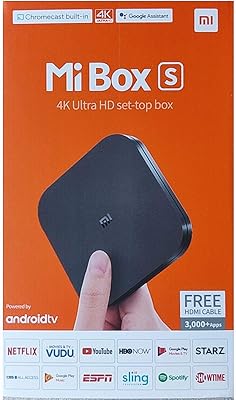
Xiaomi Mi Box S Android TV 4K HDR Streaming Media Player
86%
90%
Value for Money
88%
Setup & Ease of Use
92%
Picture Quality (4K HDR)
89%
Google Assistant Voice Control
78%
App Performance
More
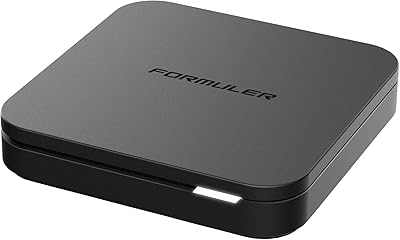
Formuler Z10 SE Android 10 2GB RAM 4GB ROM 4K Streaming Media Player
81%
88%
Value for Money
91%
4K Streaming Quality
89%
Ease of Setup
84%
Connectivity Options
78%
User Interface
More
MYPIN Mini 1080p HDMI Media Player
78%
91%
Ease of Setup
83%
Format Compatibility
78%
Build Quality & Portability
76%
Video Playback Quality
58%
Remote Control & Navigation
More
AGPTEK A09X 32GB MP3 Player
84%
88%
Sound Quality
85%
Battery Life
92%
Portability & Design
89%
Bluetooth Connectivity
65%
Display Quality
More

FAQ

It does output 4K, but only at 30hz — not the 60hz you get from a streaming stick or Blu-ray player. For most movies and TV shows that distinction is fine, but high-motion content can look a little juddery. More importantly, very high-bitrate 4K files sometimes stutter or won't play at all, so if your library is full of large 4K encodes, manage your expectations going in.

No — the AGPTEK HA0058 4K Media Player has absolutely no internet connectivity. There is no Wi-Fi, no Ethernet port, no app store, and no browser. It only plays files stored locally on a USB drive, SD card, or external hard drive. If streaming is part of your plan, this is the wrong device.
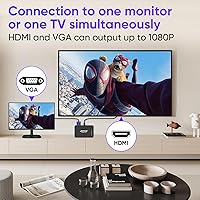
Yes, the VGA output is specifically there for older monitors and projectors that lack HDMI. You can also use the composite AV output for even older analog TVs — an AV cable is included in the box. Just keep in mind that VGA carries video only, so you will need a separate audio connection for sound.

You can. HDMI and VGA can both output simultaneously, which is handy in classrooms, meeting rooms, or any setup with mixed display types. The catch is that when both are active, the maximum resolution is 1080p on both outputs — 4K only works when HDMI is running solo.

This trips up a lot of users because it is not obvious. You need to first press the down arrow on the remote to enter the trick-play mode, then use the left and right arrows to rewind or fast forward. It is a two-step process every time, and it is not labelled on the remote itself — worth bookmarking in the manual.

Almost certainly yes. The player supports NTFS and exFAT drives up to 14TB, and there are no MBR or GPT partition requirements, which removes the most common compatibility headache. Just plug it in and it should index and browse the drive automatically. If you are using a bus-powered drive, make sure it has its own power supply, as the single USB port may not deliver enough current for larger spinning drives.

Officially, only one USB port is available and hub support is not guaranteed. Some users report basic hubs working, but others have had indexing failures or drives not being recognized at all. If your workflow involves multiple drives, it is safer to assume you will be swapping rather than running everything concurrently.

Yes, and this is actually one of the more reliable features on this standalone player. You create a folder called autoplay in the root directory of your USB drive, put your video files in it, and the device will load and loop them on startup without any remote interaction. It is straightforward enough for a non-technical retail or hospitality setup.

It does, and the coverage is decent. SRT, SSA, SMI, and SUB files are all supported, and the language list covers English, Chinese, Japanese, Korean, Russian, German, French, Spanish, Italian, Portuguese, and several others. The subtitle file just needs to be in the same folder as the video file and share the same filename. One limitation is that you cannot adjust font size or position from the interface.

The most common reason a file won't play is either an unsupported codec variant or a very high bitrate that exceeds what the hardware can decode in real time. There is no way to install additional codecs or update the firmware through the device, so your options are limited to re-encoding the file to a compatible format using free tools like HandBrake. If the file plays on a computer but not on this media player, a quick H.264 or H.265 re-encode at a more moderate bitrate usually resolves it.