


Overview

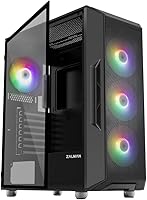
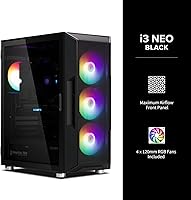
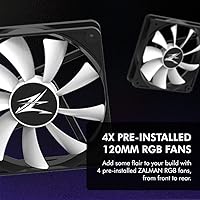
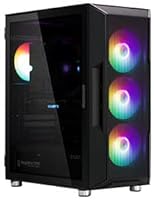
The Zalman i3 Neo ATX Mid Tower PC Case arrives from a brand with decades of experience in PC cooling and case design — and that history shows in the details. This isn't a no-name enclosure; Zalman has a real reputation to uphold. The swing-open glass side panel is the first thing you notice, and it genuinely sets this build apart at this price point. Four RGB fans come pre-installed, meaning someone putting together their first gaming rig doesn't need to budget for aesthetics separately. Just keep expectations grounded: this is a well-equipped, competitively priced case, not a premium flagship.

Features & Benefits

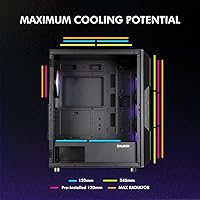
The most useful day-to-day feature of the i3 Neo is that hinged glass door — it swings open like a cabinet, so you're never wrestling a panel off and hunting for somewhere to lean it. The full glass front looks sharp, but it does restrict intake airflow more than a mesh alternative would, so high-TDP builds deserve a second thought. The four pre-installed fans glow with static rainbow LEDs, which look great — but these are not ARGB fans, meaning software sync through iCUE or Armoury Crate isn't possible without swapping them out. Dust management is practical: a magnetic top filter and a detachable bottom filter are both easy to pull and rinse. Radiator support hits 360mm up front, leaving real headroom for future liquid cooling.

Best For

This mid-tower case is a natural fit for first-time PC builders who want the process to feel less intimidating. The hinged panel alone removes one of the most frustrating parts of a build day. Motherboard compatibility spans ATX, mATX, and Mini-ITX, so it pairs well with the vast majority of consumer hardware. Anyone planning to add a 360mm AIO cooler later will find the front mount already waiting for them. It also works well in home office setups where the system needs to look presentable on a desk without commanding a premium price. The pre-installed fans mean the lighting is ready immediately, with no extra purchases required.

User Feedback

With nearly 700 verified buyers and a 4.5-out-of-5 rating, this Zalman build has earned its reputation. The most repeated praise focuses on how approachable the build experience is and how polished the finished system looks for the money. The consistent complaint, though, is the fans: buyers who wanted software-controlled lighting discovered the static LEDs offer no sync options, which is a genuine limitation worth knowing upfront. A handful of reviewers found the cable management clearance behind the motherboard tray tighter than expected. Fan noise at full speed comes up occasionally, though most agree it's acceptable under typical workloads. On balance, buyers consistently feel the price-to-quality ratio holds up well.

Pros

  • The hinged tempered glass side panel swings open like a cabinet door, making builds and upgrades far less fiddly.
  • Four RGB fans come pre-installed, so the system looks great from the first boot without any extra purchases.
  • Supports radiators up to 360mm in front, leaving real room to add liquid cooling later.
  • Broad motherboard compatibility — ATX, mATX, and Mini-ITX — means it works with nearly any consumer platform.
  • Magnetic top dust filter and detachable bottom filter make routine cleaning quick and straightforward.
  • Metal feet with rubberized cushions reduce vibration and keep noise levels reasonable under normal workloads.
  • The front I/O includes two USB 3.0 ports plus audio jacks, covering everyday peripheral needs without a hub.
  • Nearly 700 buyer reviews back up a 4.5-out-of-5 rating, giving real confidence in the build quality at this tier.
  • Bottom-mounted PSU placement keeps heat separation clean and contributes to a tidy interior layout.

Cons

  • The tempered glass front panel noticeably limits airflow intake compared to mesh-front cases in the same price range.
  • Included fans are static RGB only — no addressable lighting, no software sync, no ARGB controller included.
  • Buyers wanting ecosystem lighting integration will need to replace all four fans at additional cost.
  • Cable management clearance behind the motherboard tray is tighter than expected, which frustrates tidier builders.
  • Fan noise at full speed has been flagged by some users, particularly in warmer ambient environments.
  • Only one USB 2.0 port on the front panel feels dated given how common USB devices still requiring 2.0 remain.
  • The plastic components in the front panel construction feel noticeably lighter than the steel chassis.
  • No ARGB hub or fan controller is included, limiting expandability for users who want to add more fans later.

Ratings

The scores below were generated by our AI system after analyzing verified buyer reviews for the Zalman i3 Neo ATX Mid Tower PC Case from multiple global sources, with spam, bot activity, and incentivized feedback actively filtered out before any scoring was applied. Each category reflects the honest distribution of praise and frustration found across real builder experiences — nothing has been softened or inflated. Where genuine trade-offs exist, both sides are represented transparently so you can make a confident, informed decision.

Value for Money
91%
Buyers consistently point out that getting four pre-installed fans, a hinged tempered glass panel, and 360mm radiator support at this price tier is genuinely hard to beat. First-time builders in particular feel they are getting a complete, ready-to-use enclosure without needing to immediately spend more on lighting or cooling.
A small but vocal group of reviewers notes that once you factor in replacing the non-addressable fans for software sync compatibility, the effective cost rises meaningfully and erodes some of the value advantage. At that point, certain competing cases start looking more attractive.
Build Quality
78%
22%
The steel chassis feels solid and resists flexing during handling, which reassures builders who are firm-handed when routing cables or seating components. The tempered glass panels are well-fitted and do not rattle once the case is assembled, which matters for a desktop that stays powered on for hours.
The plastic elements — particularly around the front panel trim — feel noticeably lighter and less premium than the steel frame, which creates an inconsistent tactile impression. Several reviewers noted the front panel clips feel fragile, and a few reported minor fitment gaps between the glass and the plastic surround.
Ease of Building
88%
The hinged side panel is repeatedly called out as a standout convenience feature; builders doing their first build appreciate that it stays out of the way and does not need to be leaned against a wall or set on the floor. Tool-free access to the interior makes test-fitting components and revisiting cable runs far less tedious.
The clearance behind the motherboard tray for cable management is tighter than expected, and builders with thick power supply cables or dense cable combs have reported real frustration getting a clean finish. A wider channel or additional routing hooks would have made a noticeable difference here.
Airflow & Thermals
63%
37%
With three front intake fans pre-installed and support for a 360mm radiator, the i3 Neo has a solid foundation for keeping components cool under typical gaming or productivity workloads. Builders running mid-range GPUs and stock-clocked CPUs generally report acceptable temperatures without any modifications.
The full tempered glass front panel is a real airflow limiter — it restricts direct intake in a way that mesh-front cases at the same price simply do not. Builders running hot-running hardware combinations have reported GPU temperatures creeping higher than they would like, and some have resorted to removing the front panel entirely.
Lighting & RGB
69%
31%
Out of the box, the four static rainbow RGB fans produce a lively, colorful light show that looks genuinely impressive in a darkened room, especially when viewed through the tempered glass side panel. For buyers who just want their build to look good without any software configuration, this hits the mark immediately.
The static RGB nature of the fans is a recurring source of disappointment for builders who discover post-purchase that no software sync is possible without a full fan replacement. There is no ARGB controller included, and the fans cannot be tied into Aura Sync, iCUE, or any other lighting platform, which feels like a missed opportunity at this tier.
Fan Quality & Noise
66%
34%
Under light-to-moderate system loads, the bundled fans run quietly enough that they do not intrude on typical desktop use or casual gaming sessions. The rubberized feet help absorb vibration, which prevents the chassis buzz that cheaper cases with hard-plastic feet often produce.
At full speed, the fans become clearly audible — a few reviewers described them as noticeably loud in a quiet room or late-night setup. The fan bearings have also drawn some comments about longevity, with a handful of buyers reporting increased noise after extended use over several months.
Dust Filtration
83%
The magnetic top filter is one of the most praised maintenance features in user feedback — it snaps off without tools, shakes clean in seconds, and goes back on just as fast. The detachable bottom filter over the PSU intake is equally practical and keeps fine dust from building up in the power supply.
The front of the case lacks a dedicated dust filter, which is a noticeable omission given that three of the four fans draw air from that direction. Over time, dust accumulation on the front fans requires more hands-on cleaning than the filtered positions do.
Cable Management
61%
39%
The case does include cable routing holes and a bottom PSU shroud that hides the bulk of power supply cables from view, which helps deliver a reasonably tidy finished build for less experienced builders who are not aiming for a competition-grade setup.
The behind-motherboard-tray depth is the most consistent complaint in negative reviews — it simply does not leave enough room for bulkier cable runs, particularly with modular power supplies or high-density cable extensions. Achieving a genuinely clean build requires extra patience and careful planning.
Radiator & Cooling Support
86%
The front mounting position accommodates up to a 360mm radiator, which is unusually generous for a budget-oriented mid-tower and gives builders a clear upgrade path to liquid cooling without needing a new case. The top 240mm support adds further flexibility for those who want both CPU and GPU liquid cooling loops.
Thick radiators combined with high-profile RAM kits can create clearance conflicts near the top front mounting position, and a few builders reported needing to experiment with fan orientation to make everything fit. Zalman does not publish detailed radiator clearance specs, which creates uncertainty before purchasing.
I/O Panel Usability
72%
28%
Having two USB 3.0 ports and a dedicated audio combo on the top panel covers the daily needs of most users — plugging in a headset, a USB drive, or a controller is straightforward without reaching around to the back of the machine. The port placement on the top front edge is ergonomically sensible for a desktop setup.
Only one USB 2.0 port feels limiting given how many peripherals still rely on that standard, including some wireless receivers and older input devices. The absence of a USB-C front port is increasingly noticeable as more peripherals and phones shift to that connector, and it will date this case faster than other aspects.
Glass Panel Aesthetics
84%
Both the side and front tempered glass panels give the finished build a clean, premium-looking appearance that buyers consistently say punches above the price point. The edge-to-edge side glass in particular makes component showcasing — lit motherboards, GPU shrouds, RAM — look genuinely attractive.
The glass panels attract fingerprints readily, and keeping them looking clean requires regular wiping. A few reviewers also noted that the glass tint is slightly darker than product photos suggest, which can mute the RGB fan lighting more than expected in a brightly lit room.
Motherboard Compatibility
89%
Support for ATX, mATX, and Mini-ITX boards in a single enclosure makes this a practical pick for a wide range of builds, and buyers appreciate not needing to cross-reference complex compatibility charts. This flexibility also makes the case a sensible long-term investment if a motherboard upgrade is on the horizon.
Extended ATX (E-ATX) boards are not supported, which is expected at this price tier but worth noting for anyone planning a high-end HEDT or workstation build. The standoff layout is straightforward but some buyers found the printed manual unclear when identifying the correct standoff positions for smaller board formats.
Packaging & Delivery
77%
23%
Most buyers report that the case arrives well-protected and with no visible damage to the glass panels, which is a genuine concern with glass-heavy products shipped internationally. The packaging is dense enough that even rougher handling in transit has not produced widespread damage reports.
A minority of reviewers have reported receiving units with small scratches on the tempered glass or minor dents on the steel, suggesting quality control is not perfectly consistent across production batches. Accessory bags inside the box are functional but not well-organized, which slows down the start of a build.

Suitable for:

The Zalman i3 Neo ATX Mid Tower PC Case is an excellent pick for anyone assembling their first PC and wanting the process to feel manageable rather than frustrating. The hinged glass side panel alone removes a common source of annoyance during builds, making it especially welcoming for beginners who expect to open and close the case repeatedly while routing cables or testing components. Budget-conscious gamers who want their rig to look the part — without spending extra on fans or lighting — will find the four pre-installed RGB fans a genuine convenience. The case also suits builders with liquid cooling ambitions; the 360mm front radiator mount means an AIO upgrade is possible later without swapping the enclosure. Anyone fitting an ATX, mATX, or Mini-ITX board will find the compatibility span covers virtually every common consumer platform. For home office or desk setups where aesthetics matter but spending is capped, the i3 Neo hits a sensible balance between appearance and cost.

Not suitable for:

Builders who prioritize maximum airflow should think carefully before committing to the Zalman i3 Neo ATX Mid Tower PC Case, as the full tempered glass front panel restricts intake more noticeably than any mesh-front alternative at this price point. Enthusiasts running high-end, heat-intensive components — particularly top-tier GPUs paired with overclocked CPUs — may find thermal headroom tighter than desirable. Anyone invested in a synchronized RGB ecosystem using software like iCUE, Armoury Crate, or Mystic Light will hit an immediate wall: the included fans are static RGB, not addressable, and there is no ARGB controller in the box. Achieving software-controlled lighting means replacing all four included fans, which adds cost and negates part of the value proposition. Power users who need extensive drive bays or complex custom water-cooling loops may also find the interior layout limiting for more elaborate builds.

Specifications

  • Case Type: ATX Mid Tower form factor designed to fit on or under a standard desk.
  • Motherboard Support: Compatible with ATX, mATX, and Mini-ITX motherboard form factors.
  • Dimensions: The case measures 16.61 x 8.62 x 19.06 inches (L x W x H).
  • Weight: Shipping weight is approximately 12.5 pounds without components installed.
  • Materials: Constructed from alloy steel, plastic, and tempered glass panels.
  • Included Fans: Four 120mm static rainbow RGB LED fans come pre-installed across front and rear positions.
  • ARGB Controller: No ARGB controller is included; the fans use static RGB and cannot be software-synced.
  • Side Panel: Full-length hinged tempered glass side panel opens on a swing-door mechanism for tool-free access.
  • Front Panel: Full tempered glass front panel provides an aesthetic showcase but limits direct airflow intake.
  • Radiator Support: Supports up to 360mm radiators at the front, 240mm on top, and 120mm at the rear.
  • Top Dust Filter: Magnetic removable dust filter on the top panel can be pulled off and cleaned without tools.
  • Bottom Dust Filter: A detachable bottom dust filter protects the PSU intake and slides out for easy maintenance.
  • Front I/O Ports: Top I/O panel includes two USB 3.0 ports, one USB 2.0 port, a headphone jack, and a microphone port.
  • PSU Mount: Power supply is bottom-mounted for improved weight distribution and airflow separation.
  • Drive Bays: Supports standard 2.5-inch and 3.5-inch drive installations via dedicated mounting positions inside the chassis.
  • Expansion Slots: Provides seven expansion slots to accommodate full-length graphics cards and other PCIe add-in cards.
  • Case Feet: Metal feet fitted with rubberized cushions reduce vibration transfer and protect the surface beneath.
  • Color: Available in black with a dark-tinted tempered glass finish on both the side and front panels.

Related Reviews
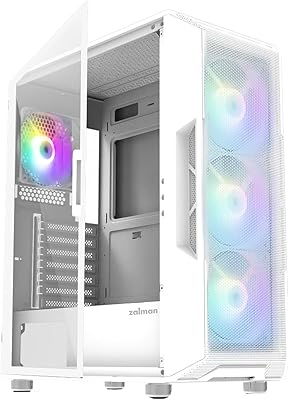
Zalman i3 NEO ATX Mid Tower PC Case

80%
72%
Build Quality
88%
Value for Money
68%
Airflow Performance
91%
Aesthetics & Design
83%
Ease of Assembly
More
Zalman S4 Mid-Tower ATX PC Case
75%
72%
Build Quality
88%
Value for Money
91%
Ease of Assembly
67%
Airflow Performance
63%
Cable Management
More
Zalman S3 ATX Mid-Tower PC Case

74%
83%
Value for Money
71%
Build Quality
58%
Airflow & Cooling Performance
86%
Ease of Assembly
67%
Acrylic Side Panel
More
Zalman S2 ATX Mid-Tower PC Case

76%
88%
Airflow Performance
63%
Build Quality
91%
Value for Money
86%
Ease of Assembly
84%
Cooling Expandability
More
Zalman Chronix Mid Tower ATX PC Case

78%
88%
Aesthetic Design
74%
Build Quality
83%
Included ARGB Fans
86%
Cooling Potential
84%
Internal Clearance
More
KEDIERS K4 ATX Mid Tower PC Case
80%
91%
Value for Money
93%
Aesthetic Design
74%
Build Quality
72%
Cooling Performance
84%
Ease of Assembly
More
Vetroo AL800 Mid Tower ATX PC Case

76%
78%
Build Quality
84%
Tempered Glass Panel
76%
Airflow Performance
61%
Fan Included & Expandability
69%
Cable Management
More
SAMA S40 Mid Tower ATX PC Case

79%
88%
Airflow Performance
83%
Included Fan Quality
79%
Build Quality & Finish
92%
GPU Compatibility
61%
Cable Management
More
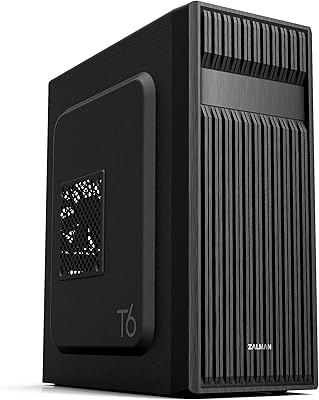
Zalman T6 ATX Mid Tower PC Case
71%
83%
Value for Money
67%
Build Quality
71%
Airflow & Cooling
79%
Interior Space & Layout
76%
Cable Management
More
SZSKYING CMSVB-1 Mid-Tower PC Gaming Case
74%
91%
Value for Money
88%
Included Fans
86%
Aesthetics & RGB
61%
Build Quality
74%
Airflow Performance
More

FAQ

Unfortunately, no. The fans that ship with this case use static RGB lighting, not addressable RGB (ARGB). That means they glow with a fixed rainbow pattern and have no data connection for software like Aura Sync, iCUE, or MSI Mystic Light to control. If ecosystem lighting sync is important to your build, you will need to replace them with ARGB fans that match your motherboard header.

It uses a simple swing-door mechanism with a latch you release by hand. There is no screwdriver required. You just pop the latch and the panel swings outward, giving you full access to the interior. It is genuinely one of the more convenient designs at this price tier, especially when you are going in and out of the case repeatedly during a build.

Yes, the front mount is confirmed to support up to a 360mm radiator. That covers the vast majority of popular AIO coolers on the market. Just be mindful of radiator thickness combined with fan depth — triple-fan thick radiators may require checking clearance against your specific motherboard and RAM layout before purchasing.

Tempered glass is more resilient than it looks, but it is still glass. Under normal use — opening, closing, and the occasional knock — it holds up well. The hinged design actually reduces the risk of accidental drops compared to cases where panels are fully removable. Just avoid sharp impacts on the edges or corners, which are the most vulnerable points.

This is a genuine trade-off to understand before buying. The full glass front panel looks great but blocks a meaningful amount of direct airflow compared to a perforated mesh front. For mid-range gaming builds with a decent GPU and a non-overclocked CPU, thermals are generally fine. If you are running a high-end, heat-intensive system, a mesh-front case will give you noticeably better cooling headroom.

The case accommodates graphics cards up to approximately 330mm in length, which covers most mainstream and upper-midrange GPUs currently available. Before purchasing, it is always worth checking your specific GPU length against the official Zalman spec sheet, particularly if you are considering an exceptionally long triple-fan flagship card.

Yes, the top of the case supports up to a 240mm radiator or two 120mm fans. There is also a magnetic dust filter covering that top vent, which you can remove when mounting fans or a radiator there. It is a practical setup for exhausting hot air out of the top of the chassis.

It is workable but not the most generous interior for cable routing. The clearance behind the motherboard tray is tighter than in more expensive enclosures, which can make tucking thicker cable bundles a bit of a squeeze. If you plan carefully and use cable ties or velcro straps, you can get a clean result, but it requires more patience than a premium case with wider routing channels.

At full speed they are audible, particularly in a quiet room. Under normal desktop use or light gaming, most people find the noise acceptable. If the system runs the fans hard consistently due to thermal load, it can become noticeable. Replacing the stock fans with quieter aftermarket options is an easy fix if noise is a priority for you.

They are genuinely practical. The magnetic top filter is particularly convenient — you pull it off, shake it out or rinse it, and snap it back in. The detachable bottom filter does the same job for the PSU intake. Neither requires tools, so there is no excuse not to clean them regularly. Keeping both filters clear is probably the single most effective thing you can do to maintain good temperatures over time.