Overview

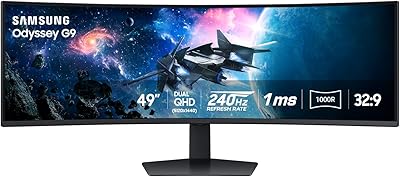
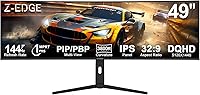
The Z-Edge UG49W 49-inch Curved Gaming Monitor enters a segment dominated by Samsung and LG, and the first question most buyers ask is whether Z-Edge can be trusted. Fair enough — it's not a household name. But the specs tell a compelling story: DQHD 5120x1440 resolution paired with a 144Hz IPS panel at a mid-range price point is genuinely hard to ignore. This is a monitor built for buyers who want the big ultrawide experience without paying flagship prices. The spec-per-dollar ratio is strong, though real-world performance has its nuances worth understanding before you commit.
Features & Benefits

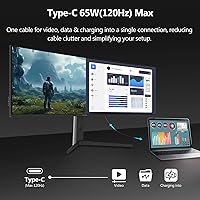
The 3800R curvature on this 49-inch ultrawide sits in a middle ground — less aggressive than many VA-panel competitors, which actually works in its favor during longer desk sessions where extreme curves cause edge distortion. The IPS panel delivers wide 178° viewing angles and solid color consistency. Running 5120x1440 at 144Hz is demanding; you'll want at least a mid-to-high-end GPU like an RTX 4070 or RX 7800 XT to take full advantage. One thing to watch: USB-C tops out at 120Hz, so laptop users won't hit the full refresh rate. The built-in KVM switch is genuinely useful for anyone juggling two machines, and the port selection — dual HDMI, DisplayPort, USB-C, plus a USB hub — covers most multi-device setups.

Best For

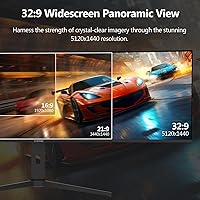
This curved DQHD monitor is purpose-built for immersive single-player gaming — sim racing, flight simulators, and open-world titles genuinely shine across that 32:9 canvas. It's equally at home on a professional desk: traders and developers who've suffered the center-seam of a dual-monitor setup will find the uninterrupted display refreshing. The adjustable stand makes height and tilt tuning straightforward, which matters when you're spending eight hours in front of this much screen. That said, if your focus is competitive esports, the 1ms MPRT rating isn't the same as a true sub-1ms GtG response — dedicated competitive players will notice. Similarly, HDR content here is functional but not exceptional; serious content creators with color-critical workflows should look at dedicated professional displays.

User Feedback

Buyers of the Z-Edge UG49W consistently praise its color accuracy straight out of the box — for an IPS at this price, that's not guaranteed. The stand draws positive comments too; it feels solid and the height adjustment range is genuinely practical. Recurring friction points center on the OSD menu, which several users describe as unintuitive, and brightness adequacy in sunlit rooms — 400 nits is comfortable for most environments, but not every setup. A handful of buyers reported minor QA inconsistencies, worth knowing given the brand's smaller distribution scale. The comparison that comes up most often is the Samsung Odyssey G9; the Z-Edge UG49W costs considerably less, and most users feel the trade-offs are reasonable for the price gap.

Pros

  • Excellent resolution for the price — 5120x1440 DQHD delivers a genuinely expansive workspace.
  • IPS panel produces accurate, consistent colors straight out of the box with no significant calibration needed.
  • The 3800R curve feels natural and immersive without the edge distortion some aggressive VA curves introduce.
  • Built-in KVM switch is a practical, underappreciated feature for anyone running two computers at one desk.
  • Comprehensive port selection covers dual HDMI, DisplayPort, USB-C, and a USB hub in a single unit.
  • AMD FreeSync support keeps gameplay smooth without requiring a specific GPU brand.
  • The stand is sturdy and the height adjustment range is wide enough for most desk and seating configurations.
  • Matte screen finish handles ambient reflections well, reducing glare in typical indoor environments.
  • 144Hz over HDMI and DisplayPort gives gamers a high refresh experience without needing a proprietary cable setup.
  • PIP and PBP support adds flexibility for professionals monitoring multiple inputs simultaneously.

Cons

  • The OSD navigation is widely reported as clunky and unintuitive, making dial-in adjustments more frustrating than they should be.
  • USB-C connectivity is capped at 120Hz, which matters for laptop users expecting the full refresh rate.
  • At 400 nits, brightness can feel insufficient in bright or sunlit rooms during daytime use.
  • HDR performance is nominal at best — do not expect meaningful HDR impact from this curved DQHD monitor.
  • QA consistency has been uneven for some buyers, with occasional unit-to-unit variation reported at delivery.
  • At 37 pounds, repositioning or mounting this display solo is genuinely awkward and usually a two-person job.
  • Z-Edge's after-sales support infrastructure is less tested and less accessible than major monitor brands.
  • Running the panel at full 144Hz resolution demands a high-end GPU — budget graphics card owners will face a performance ceiling.
  • No factory-calibration report or wide-gamut certification, which limits appeal for professional color work.
  • Speaker quality is functional but unremarkable — dedicated audio output is worth budgeting for separately.

Ratings

Our editorial AI has analyzed verified global buyer reviews for the Z-Edge UG49W 49-inch Curved Gaming Monitor, actively filtering out incentivized, spam, and duplicate submissions to surface what real owners genuinely think. The scores below reflect an honest synthesis of both enthusiastic praise and recurring frustrations across thousands of documented user experiences. Strengths are credited where earned, and pain points are reported without softening.

Value for Money
88%
Buyers consistently feel they are getting a disproportionate amount of monitor for the price — 5120x1440 resolution with a 144Hz IPS panel at this price tier is genuinely hard to find. First-time super-ultrawide owners in particular report feeling like they got a deal compared to Samsung and LG equivalents.
A handful of users feel the value calculus shifts if you factor in needing a GPU upgrade to actually run the panel at full spec, which can push total spend significantly higher. Those who experienced QA issues on delivery also felt the value proposition weakened considerably.
Image Quality
81%
19%
The IPS panel earns consistent praise for color accuracy that holds up without any manual calibration — users working in video editing and photo review note that skin tones and gradients look natural right out of the box. Wide viewing angles mean color stays consistent whether you are centered or slightly off-axis.
At 400 nits, the panel is not built for HDR work, and users who enabled HDR mode report minimal visible improvement over standard mode. Buyers coming from OLED or high-brightness VA panels sometimes describe the image as slightly flat in very dark scenes.
Gaming Performance
78%
22%
For single-player immersive titles — sim racing, open-world RPGs, flight simulators — users describe the 32:9 experience as genuinely transformative, with peripheral vision coverage that changes how the games feel. FreeSync support keeps the experience smooth for users with AMD GPUs across a wide frame rate range.
Competitive players flag that the 1ms MPRT spec does not translate to the sharpest native panel response, and fast-moving objects in shooters can exhibit more trailing than the spec sheet implies. Those expecting OLED-level motion clarity from this panel will be disappointed.
Productivity Use
86%
Developers, traders, and content managers who switched from a dual-monitor setup consistently report that eliminating the center bezel improved their workflow focus noticeably. The full-width 5120x1440 canvas fits multiple applications side by side with enough resolution that text stays crisp across all zones.
Some users note that certain older productivity apps do not handle 32:9 aspect ratios gracefully and display pillarboxed or stretched. The lack of a native USB-C 144Hz option is a friction point for laptop-based professionals who want a single-cable docking solution.
Build Quality
74%
26%
The stand draws more positive comments than expected for a value-tier monitor — buyers describe it as solid with no wobble during typing, and the height adjustment range is wide enough to suit most seated and standing desk combinations. The panel housing feels reasonably substantial.
Some users report visible plastic seams and a finish quality that reads as clearly a tier below Samsung or LG premium builds on close inspection. A small but consistent subset of buyers flagged minor flex in the panel edges when adjusting position, which raised durability concerns.
Connectivity
83%
Having dual HDMI, a DisplayPort, USB-C, a USB-B upstream, and two USB-A hub ports in a single monitor is genuinely practical — users with multi-device desks appreciate being able to connect a PC, a laptop, and peripherals without a separate hub. The KVM functionality turns this port variety into a real workflow feature.
The USB-C port capping out at 120Hz instead of 144Hz frustrates laptop users who want a single-cable connection at full refresh rate. A few buyers also noted the USB hub speeds are adequate for peripherals but not fast enough for external storage transfers.
KVM Functionality
76%
24%
For home office users running a work laptop alongside a personal desktop, the built-in KVM is cited as a standout practical feature that reduces desk clutter and removes the need for a separate hardware switch. Users who set it up correctly report it working reliably once configured.
Getting the KVM working requires navigating the OSD menu, which multiple users describe as the most frustrating part of the setup process. Switching inputs occasionally requires more button presses than it should, and the feedback in the menu does not always make the active state obvious.
OSD and Controls
53%
47%
Once initial settings are locked in, most users do not need to revisit the OSD frequently — and those who game in consistent lighting conditions report rarely touching it after the first week. Basic navigation to brightness and input switching is findable, even if not intuitive.
The OSD interface is the single most criticized aspect across all user feedback — it is described variously as confusing, unresponsive, and poorly labeled. Accessing features like PIP/PBP or KVM configuration requires multiple menu levels that are not logically organized, and several users gave up on certain features entirely.
Brightness and HDR
61%
39%
In a typical home office or gaming room with controlled ambient lighting, 400 nits is sufficient and the matte coating handles most indoor reflections competently. Users working evenings or in windowless rooms rarely mention brightness as a concern.
In bright environments or near windows, multiple users report the screen feeling underwhelming during daylight hours. HDR mode specifically receives critical feedback — buyers who expected meaningful HDR impact describe it as cosmetic at best, with no perceptible difference from standard mode in real content.
Setup and Assembly
72%
28%
Most buyers report the physical assembly of stand and panel is straightforward and achievable solo, with included hardware and reasonably clear instructions. Cable routing along the stand feels adequately managed for a monitor in this price range.
At 37 pounds, unboxing and positioning the panel safely is genuinely awkward as a solo task, and several users recommend having a second person present during initial placement. A few buyers noted that the stand attachment mechanism required more force than felt comfortable.
Panel Curvature
79%
21%
The 3800R curve consistently receives positive feedback from users who preferred it over sharper VA-panel curves — it wraps the field of view naturally without distorting straight lines in spreadsheets or code editors. After a short adjustment period, the majority of users stop noticing it and consider it an asset.
A minority of users, particularly those who primarily do precision design work, find even the moderate curvature subtly distorts straight horizontal lines at the panel edges. Users who sit farther back than the recommended distance also report the curve feeling less impactful.
Speaker Quality
47%
53%
Built-in speakers exist and function — for system alerts, video calls, and casual YouTube viewing they serve their purpose without requiring a separate device. Users who needed bare-minimum audio in a guest room or secondary setup found them acceptable.
For any real audio use, buyers consistently recommend bypassing the built-in speakers entirely. Bass is almost entirely absent, volume headroom is limited, and at higher volumes distortion is noticeable — the speakers feel like a checkbox feature rather than a genuine inclusion.
Brand Trust and Support
62%
38%
Users who had smooth purchase and delivery experiences report being pleasantly surprised by the product quality relative to their initial skepticism about the Z-Edge brand name. Positive reviews frequently mention the monitor over-delivering against low brand-recognition expectations.
Z-Edge does not yet have the after-sales infrastructure of major monitor brands, and buyers who needed support reported mixed experiences with response times and resolution. QA consistency is also a lingering concern — a small but notable share of buyers received units with dead pixels or backlight irregularities.
Ergonomics
77%
23%
Height and tilt adjustment on the stand give users enough range to dial in a comfortable position across most seated desk setups. Users who transitioned from a fixed-height stand on a previous monitor specifically mention the height range as a quality-of-life improvement.
The stand lacks a swivel adjustment, which some users found limiting when trying to angle the display slightly in a corner desk configuration. VESA compatibility is not clearly documented, which makes aftermarket arm mounting a research task rather than a guaranteed option.

Suitable for:

The Z-Edge UG49W 49-inch Curved Gaming Monitor is a strong match for anyone who wants to step into the 49-inch ultrawide category without the flagship price tag hanging over them. Sim racing and flight simulator enthusiasts will get real mileage out of the 32:9 canvas — the peripheral vision coverage changes how those genres feel in a way that a standard widescreen simply cannot replicate. Productivity-focused users, particularly traders, developers, and video editors who have grown tired of the gap between two separate monitors, will find the seamless 5120x1440 workspace genuinely practical for day-to-day work. Home office users who split time between professional tasks and evening gaming sessions are also well served here, since the built-in KVM switch and adjustable stand make it easy to run two machines off a single display without a cluttered desk. If you are entering the super-ultrawide category for the first time and want a capable, well-rounded option, this curved DQHD monitor offers a compelling starting point.
Not suitable for:

The Z-Edge UG49W 49-inch Curved Gaming Monitor is not the right call for competitive esports players who prioritize the fastest possible motion clarity — the 1ms rating here refers to MPRT, which is a backlight-strobing measurement, not the panel's native gray-to-gray response time, and serious competitive players will notice the difference. HDR-intensive workflows are also a mismatch; at 400 nits with no advanced local dimming, this 49-inch ultrawide delivers functional but underwhelming HDR output that color-critical creators or cinephiles will find unsatisfying. Buyers with a lower-end GPU should also pause — pushing 5120x1440 at 144Hz requires real horsepower, and pairing this monitor with a mid-budget graphics card means leaving significant performance on the table. If your workspace floods with direct sunlight, the 400-nit peak brightness may feel limiting during daytime hours. Finally, buyers who place a premium on brand-tier customer support and long-established warranty infrastructure may find the Z-Edge ownership experience less reassuring than purchasing from a more established monitor manufacturer.
Specifications

  • Screen Size: The panel measures 49 inches diagonally, providing a super-ultrawide viewing area equivalent to two 27-inch QHD monitors placed side by side.
  • Resolution: Native resolution is 5120x1440 pixels (DQHD), delivering a pixel density that keeps text sharp and detail visible across the full width of the panel.
  • Panel Type: Uses an IPS (In-Plane Switching) panel, which provides consistent color reproduction and wide 178° viewing angles both horizontally and vertically.
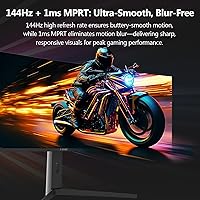
  • Refresh Rate: Supports 144Hz via HDMI and DisplayPort connections, and 120Hz when connected through USB-C.
  • Response Time: Rated at 1ms MPRT (Moving Picture Response Time), a backlight-strobing measurement used to reduce perceived motion blur during fast movement.
  • Curvature: The screen uses a 3800R curvature radius, offering a gentle but noticeable curve designed to match the natural field of human vision at typical desk distances.
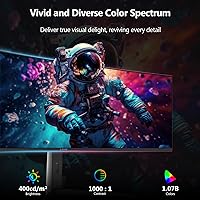
  • Brightness: Peak brightness is rated at 400 cd/m² (candela per square meter), suitable for most indoor lighting conditions but not optimized for HDR or direct sunlight environments.
  • Color Depth: The panel supports 10-bit color, enabling display of up to 1.07 billion colors for smoother gradients and more accurate color representation.
  • Aspect Ratio: The 32:9 aspect ratio is the widest mainstream format available for desktop monitors, providing a panoramic field of view for gaming and multitasking.
  • Connectivity: Port selection includes 2x HDMI, 1x DisplayPort, 1x USB-C, 1x USB-B upstream, and 2x USB-A downstream hub ports.
  • Adaptive Sync: AMD FreeSync is supported, synchronizing the monitor's refresh rate with a compatible GPU's frame output to reduce screen tearing during gameplay.
  • KVM Switch: A built-in KVM switch allows a single keyboard and mouse to control two connected computers, switching input focus without requiring separate hardware.
  • PIP and PBP: Picture-in-Picture and Picture-by-Picture modes allow simultaneous display of content from two separate input sources on the same screen.
  • Stand Adjustments: The included stand supports both tilt and height adjustment, allowing ergonomic positioning for users of varying desk heights and seating preferences.
  • Surface Finish: The screen uses a matte anti-glare coating that diffuses ambient light reflections, reducing eye strain in typical indoor environments.
  • Built-in Speakers: Integrated speakers are included, providing basic audio output without requiring a separate sound device for casual use.
  • Dimensions: The assembled monitor measures 47.8 x 12 x 4.6 inches (width x height x depth) with the stand attached.
  • Weight: Total unit weight with stand is 37 pounds, which is typical for this screen size class and relevant for desk load capacity planning.

Related Reviews

Z-Edge UG27H 27-inch Curved Gaming Monitor
73%
93%
Refresh Rate Performance
88%
Response Time & Motion Clarity
61%
Image Sharpness & Resolution
54%
Brightness & HDR
78%
Contrast & Color Accuracy
More
Z-Edge U27C 27-inch Curved Gaming Monitor
73%
88%
Value for Money
84%
Image Contrast & Depth
76%
Refresh Rate Performance
81%
Curvature & Immersion
79%
Eye Comfort & Fatigue
More
Z-Edge UG24 24-inch Curved Gaming Monitor
85%
88%
Gaming Performance
85%
Display Quality
81%
Build Quality
92%
Value for Money
89%
Ease of Setup
More
Z-Edge UG32 32-inch Curved Gaming Monitor
84%
91%
Gaming Performance
88%
Display Quality
85%
Design and Build Quality
84%
Ease of Setup
90%
Refresh Rate and Responsiveness
More
Z-Edge UG27Q 27-inch Curved Gaming Monitor
75%
83%
Image Quality
88%
Refresh Rate & Smoothness
71%
Response Time
86%
Curvature & Immersion
91%
Connectivity
More
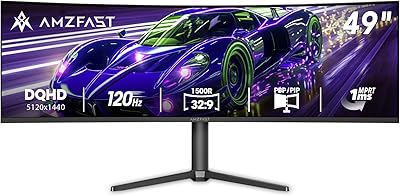
Amzfast AMZG49C7U 49-inch Curved Ultrawide Gaming Monitor
76%
88%
Image Clarity
81%
Refresh Rate Performance
84%
Color Accuracy
53%
HDR Quality
91%
Curvature & Immersion
More
Z-Edge UG30 30″ Curved Gaming Monitor
76%
88%
Value for Money
84%
Refresh Rate Performance
91%
Ultrawide Immersion
78%
Panel Curvature & Ergonomics
61%
Image Sharpness & Clarity
More
Samsung Odyssey G9 49-inch Curved Gaming Monitor
82%
93%
Visual Clarity
90%
Immersion & Curvature
94%
Gaming Performance (FPS)
60%
Ease of Setup
88%
Build Quality
More
Z-Edge UG27PJ 27-inch 240Hz Gaming Monitor
74%
88%
Gaming Performance
76%
Color Accuracy
91%
Value for Money
89%
Connectivity
41%
Ergonomics & Stand
More
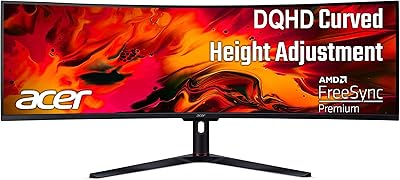
Acer EI491CUR 49-inch Curved DQHD Gaming Monitor
87%
91%
Display Quality
88%
Immersion and Screen Size
90%
Performance for Gaming
84%
Color Accuracy
92%
Refresh Rate and Response Time
More

FAQ

Yes, and this is worth taking seriously before you buy. Pushing 5120x1440 at 144Hz is a significant GPU workload — you will want something in the range of an RTX 4070 or RX 7800 XT at minimum to get consistent high-frame-rate performance in modern games. Pairing this display with a budget or mid-tier card means you will likely be running it well below its refresh rate ceiling in demanding titles.

MPRT stands for Moving Picture Response Time and measures how long a pixel appears visible during motion, typically achieved through backlight strobing. It is not the same as gray-to-gray (GtG) response time, which measures how quickly a pixel actually transitions between shades. The Z-Edge UG49W 49-inch Curved Gaming Monitor uses MPRT to reduce perceived blur, but competitive players who need the absolute fastest native panel transitions should check GtG specs specifically.

You can connect via USB-C and get full 5120x1440 resolution, but the refresh rate is capped at 120Hz over that connection — not 144Hz. If your laptop supports DisplayPort Alt Mode over USB-C and your workflow does not hinge on those extra 24Hz, it works well. For 144Hz you will need to use HDMI or DisplayPort directly.

The 32:9 aspect ratio is wider than most film formats, so you will often see black bars at the top and bottom unless the content is specifically mastered for ultra-widescreen. That said, the IPS panel produces accurate, pleasant colors for streaming, and the sheer width is impressive for cinematic content. Just do not expect strong HDR output — at 400 nits without advanced local dimming, HDR mode is cosmetic at best.

The built-in KVM lets you connect two computers to the monitor and switch which machine your keyboard and mouse are controlling without physically unplugging anything. You connect one computer via one input (say, DisplayPort) and another via a second input (say, USB-C or HDMI), then assign your keyboard and mouse to the USB-B upstream port. Switching between machines is typically done through the OSD menu — which some users find clunky — but the underlying functionality works as described.

The honest answer is that those monitors are in a higher tier, and the gap is real. The Odyssey G9 (especially the OLED version) and the LG 49WQ95C offer better peak brightness, deeper contrast, and more refined software ecosystems. The Z-Edge UG49W holds its own in terms of resolution and refresh rate on paper, but the overall polish and panel performance of the premium alternatives is noticeably better — whether that gap justifies the significant price difference is the actual question worth asking yourself.

Yes, you can connect a PS5 or Xbox Series X via HDMI, but there are limitations to know upfront. Current consoles do not output 5120x1440 natively — they will run at a lower resolution scaled to the screen. Additionally, console HDMI 2.1 bandwidth does not support the monitor's full resolution at high refresh rates, so you will be working within the console's output constraints rather than the monitor's full capabilities. It is more of a functional connection than an optimized one.

For a typical home office or a room with controlled lighting, 400 nits is generally adequate. However, if your workspace gets direct sunlight or you have overhead lighting aimed at your desk, you may find the image looks washed out during peak daylight hours. The matte coating helps with reflections, but it cannot compensate for brightness limitations. If you work near a window, this is worth factoring in.

VESA mounting compatibility is not explicitly confirmed in the official specifications for this model, and given the weight of 37 pounds, verifying VESA support before purchasing a mount is strongly recommended. Contact Z-Edge support directly or check updated product documentation to confirm the VESA hole pattern before investing in an arm — not all large monitors in this class are VESA-compatible out of the box.

The 3800R curve is subtle enough that most users do not find it distracting for text-heavy work. It is noticeably less aggressive than some VA-panel super-ultrawides, which can make window edges look slightly warped at the periphery. For coding or spreadsheet work across the full 49-inch width, the curve actually helps reduce the neck strain of looking at extreme screen edges — most users report it feeling natural after an adjustment period of a day or two.