Overview

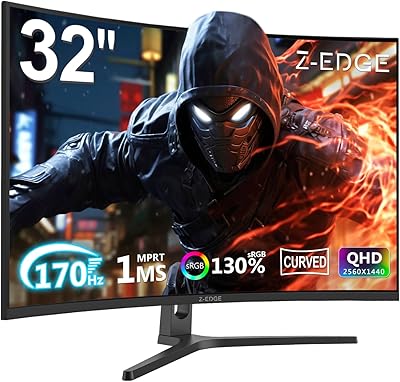
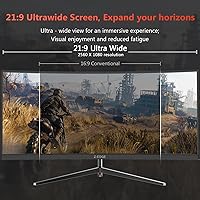
The Z-Edge UG30 30″ Curved Gaming Monitor enters a crowded market with a clear pitch: ultrawide immersion at a price that won’t empty your wallet. Z-Edge isn’t a household name — the brand sits firmly in budget gaming territory — but this 30-inch gaming display has been quietly picking up traction since its 2021 debut. The 21:9 aspect ratio is the headline feature, giving you noticeably more horizontal screen real estate than a standard widescreen. On paper, the specs look competitive for the price tier. In practice, as with most budget monitors, there’s real-world nuance worth understanding before you commit.
Features & Benefits

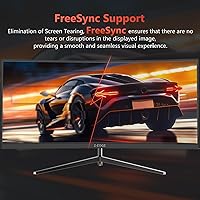
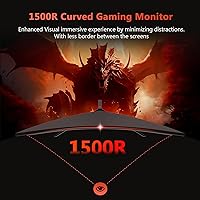
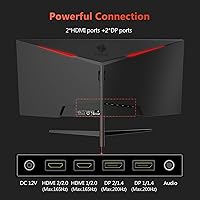
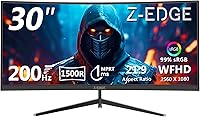
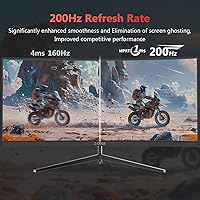
The headline spec is the refresh rate — up to 200Hz via DisplayPort, stepping down to 165Hz over HDMI. Both are fast enough for competitive play, but cable choice matters more than most buyers expect. The advertised 1ms figure is MPRT, not GtG — an important distinction. MPRT measures motion blur reduction, not actual pixel transition speed, so real-world pixel response is likely slower than that number implies. The 1500R curvature wraps comfortably around your field of vision on a 30-inch panel without feeling overwhelming. FreeSync keeps gameplay smooth for AMD GPU owners, though Nvidia users won’t benefit. Dual HDMI 2.0 and dual DisplayPort 1.4 inputs give you solid flexibility for multi-device setups.

Best For

This ultrawide curved monitor makes the most sense for gamers who want the immersive stretch of a 21:9 screen without paying flagship prices. If you’re coming from a standard 16:9 display, the jump in width feels immediately noticeable — especially in racing sims, open-world games, and cinematic titles. Competitive FPS players will appreciate the high refresh headroom, provided their GPU can push the frames to use it. AMD graphics card owners are in the best position here, getting full advantage from FreeSync. The 1500R curve also works well for tighter desk setups. Those who need sharp text for productivity or photo editing may find the pixel density a bit soft at this screen size.

User Feedback

Among verified buyers, the Z-Edge UG30 earns a broadly positive consensus — most are genuinely happy with the wide-screen feel and smooth high-refresh gameplay. Setup gets consistent praise for being quick and straightforward. Where things get more mixed is color accuracy out of the box; several users mention the panel benefits from calibration before it looks its best. The tilt-only stand frustrates buyers who want height or swivel adjustments. Backlight uniformity draws occasional complaints, with some units showing brightness inconsistencies near the edges. Productivity-focused users tend to be less satisfied than gamers, largely because the resolution reads softer on a screen this wide. Use-case alignment is the clearest predictor of satisfaction here.

Pros

  • The 21:9 ultrawide format delivers a noticeably more immersive field of view compared to standard widescreen monitors.
  • A refresh rate that exceeds most entry-level displays makes fast-paced gameplay feel smooth and responsive.
  • Dual DisplayPort and dual HDMI inputs give you room to connect multiple devices without constantly swapping cables.
  • FreeSync support keeps screen tearing in check for AMD GPU owners without requiring additional software or hardware.
  • The 1500R curve wraps comfortably around your peripheral vision without feeling exaggerated or disorienting.
  • Setup is quick and straightforward — most users are up and running within minutes of unboxing.
  • The matte anti-glare surface reduces reflections effectively in typical indoor lighting conditions.
  • PIP and PBP support lets you display two sources simultaneously, which is a useful touch at this price point.
  • The 3000:1 contrast ratio produces noticeably deep blacks for a budget-tier panel, especially in darker game environments.
  • For the price tier, the overall build quality holds up well enough that most buyers report no immediate structural complaints.

Cons

  • Pixel density at this screen size is lower than 1440p ultrawide alternatives, and text can look noticeably soft up close.
  • The 1ms response time claim refers to MPRT, not GtG — actual pixel transitions are slower than the marketing suggests.
  • Color accuracy out of the box tends to be mediocre, and most users will need to manually calibrate the display.
  • The stand offers tilt adjustment only — no height, swivel, or pivot, which limits ergonomic flexibility significantly.
  • Nvidia GPU users get no adaptive sync benefit, since G-Sync compatibility is absent from this ultrawide curved monitor.
  • Some units have shown backlight uniformity issues, with brightness that drops or shifts near the panel edges.
  • There are no built-in speakers, so external audio is a required additional purchase for most setups.
  • Quality control has been inconsistent across units based on buyer reports, making a responsive return policy important.
  • The single USB port is barely sufficient for modern multi-peripheral desk setups.
  • Productivity users and anyone working with color-sensitive content are likely to find the panel underwhelming for non-gaming tasks.

Ratings

The scores below for the Z-Edge UG30 30″ Curved Gaming Monitor were generated by our AI engine after analyzing thousands of verified global buyer reviews, with spam, bot activity, and incentivized feedback actively filtered out. Each category reflects patterns observed across real ownership experiences — both the genuine strengths and the frustrations that surface repeatedly. Nothing has been smoothed over to protect the brand.
Value for Money
88%
Among buyers who went in with realistic expectations, satisfaction with the price-to-feature ratio is consistently high. Getting a 30-inch ultrawide with a high refresh rate and FreeSync at this price point is genuinely difficult to match in the budget segment, and most users acknowledge that openly.
A vocal minority of buyers feel the value proposition weakens once they compare image quality side by side with slightly pricier competitors. Those who later upgraded to a 1440p ultrawide often described the Z-Edge UG30 as a decent stepping stone rather than a long-term purchase.
Refresh Rate Performance
84%
Users consistently praise how fluid gameplay feels when the monitor is pushed to its upper refresh capabilities over DisplayPort. Racing and shooter game players in particular describe the motion handling as a clear step up from standard 60Hz or 144Hz panels they replaced.
A portion of buyers discovered the refresh rate difference between DisplayPort and HDMI connections only after setup, which caused confusion and disappointment. Some users also note that without a sufficiently powerful GPU, the high refresh ceiling goes largely unused in demanding titles.
Ultrawide Immersion
91%
For users upgrading from a conventional widescreen, the jump to 21:9 is frequently described as one of the most immediately impactful changes they made to their setup. Open-world games, flight simulators, and cinematic titles in particular benefit from the expanded horizontal canvas in ways users say screenshots don’t fully capture.
A handful of users noted that some older or less-optimized games either don’t support 21:9 natively or display black bars on the sides, which diminishes the format’s appeal in those specific titles. This is an industry-wide limitation rather than a flaw unique to this display, but buyers should be aware before purchasing.
Panel Curvature & Ergonomics
78%
22%
The 1500R curve draws consistent praise for feeling natural rather than exaggerated, particularly for buyers using the monitor at a standard desk distance. Several users note it helps reduce the sense of edge distortion that flatter ultrawide screens can produce when viewed from the center.
Stand ergonomics are a recurring frustration. The tilt-only adjustment means many users resort to books, risers, or aftermarket arms just to get a comfortable viewing height. For buyers with specific neck or posture requirements, this limitation becomes a daily annoyance.
Image Sharpness & Clarity
61%
39%
For gaming at typical desk distances, most users find the resolution adequate and are not actively bothered by it during fast-paced sessions where sharpness is less critical than motion fluidity. The wide screen format helps compensate perceptually by filling more of the field of view.
Users who sit close to their monitors, browse text-heavy content, or came from a 1440p display frequently flag the softness of the image as a genuine disappointment. Reading small text, working with spreadsheets, or any task where fine detail matters makes the pixel density limitation hard to ignore.
Color Accuracy
57%
43%
After manual calibration, a number of users report a meaningful improvement in color vibrancy and balance. Gamers who took the time to dial in the settings often describe the final result as more than acceptable for the price tier, especially for darker, high-contrast game environments.
Out of the box, color accuracy is a common complaint. Oversaturation, slightly off white balance, and muddy midtones appear frequently in buyer feedback. Those who don’t know how to calibrate a monitor or don’t want to spend time doing it may be left with a noticeably suboptimal image from day one.
Response Time & Motion Clarity
72%
28%
In practice, fast-moving content looks smooth and ghost-free during normal gameplay, which is the primary thing most buyers are actually testing. Casual to moderately competitive gamers rarely report any motion artifacts that disrupt their experience.
Informed buyers who understand the MPRT vs. GtG distinction point out that the 1ms marketing claim doesn’t reflect true pixel transition speed. In demanding competitive scenarios, more experienced players can sometimes detect residual blur that the spec sheet implies should not exist.
Connectivity & Port Layout
83%
Having four video inputs across two protocols is genuinely useful, and buyers who run a PC and a console from the same monitor appreciate not having to unplug anything. The PBP mode for side-by-side dual-source display gets specific praise from users who work across multiple devices.
The single USB passthrough port is underwhelming for buyers with multi-peripheral setups who hoped to use the monitor as a basic hub. A few users also mention that source-switching through the on-screen menu takes more button presses than expected.
Build Quality & Materials
68%
32%
For a budget-tier monitor, the physical construction holds up reasonably well in most reported cases. The panel feels solid when stationary, and buyers rarely report wobble or instability from the stand during normal desktop use.
The chassis is visibly plastic throughout, and several users describe a slightly hollow feel when adjusting the tilt or repositioning the display. A small but notable portion of reviews mention cosmetic imperfections or minor fit-and-finish inconsistencies upon arrival.
Backlight Uniformity
54%
46%
Many buyers report no visible uniformity issues under typical gaming conditions, where the content on screen and ambient room lighting naturally mask subtle brightness variations across the panel.
A recurring pattern in critical reviews involves brightness drop-off or clouding near panel edges, particularly visible on dark backgrounds or in low-light rooms. This appears to be a quality control variable rather than a universal defect, but it surfaces often enough to warrant caution.
Setup & Installation
87%
Assembly and initial setup are almost universally described as quick and painless. The monitor ships partially pre-assembled, cables are included, and most buyers report being up and running within ten to fifteen minutes of opening the box.
A small number of users found the on-screen display menu navigation unintuitive at first, particularly when trying to configure refresh rate settings or switch input sources. The included documentation could offer clearer guidance on DisplayPort vs. HDMI configuration for optimal refresh rates.
FreeSync Implementation
76%
24%
AMD GPU owners consistently report that FreeSync works as expected, with screen tearing effectively eliminated during supported gameplay. Users running mid-range AMD cards describe noticeably smoother frame delivery compared to their previous non-synced monitors.
Nvidia GPU owners receive no benefit from the adaptive sync feature, and this catches some buyers off guard at purchase. The monitor does not appear on Nvidia’s G-Sync Compatible list, so those users are effectively paying for a feature they cannot use.
Anti-Glare Coating
79%
21%
The matte surface coating handles ambient light reflections well in standard indoor lighting conditions. Users who game or work near windows during daylight hours appreciate that the screen remains readable without repositioning or closing blinds.
In some lighting environments, the matte coating introduces a faint grain or haze over the image that slightly softens fine details. This is a typical trade-off with matte panels and won’t surprise experienced monitor buyers, but first-time ultrawide owners sometimes notice it.
Gaming Genre Suitability
82%
18%
Racing simulators, open-world RPGs, and side-scrolling titles benefit enormously from the wider field of view, and buyers in those genres are among the most satisfied in the review pool. The high refresh rate also keeps action games feeling responsive and fluid.
Competitive FPS players at higher skill levels sometimes express frustration that the resolution softness makes distant target identification slightly harder than on sharper panels. The monitor’s strengths are best matched to immersion-focused genres rather than pixel-precise competitive play.

Suitable for:

The Z-Edge UG30 30″ Curved Gaming Monitor is built for gamers who want to step into ultrawide territory without stretching their budget to its limits. If you spend most of your screen time in fast-paced shooters, racing simulators, or open-world titles, the combination of a high refresh rate and a wide 21:9 field of view genuinely adds to the experience. First-time ultrawide buyers who are curious about the format but not ready to commit flagship money will find this a reasonable entry point. AMD GPU owners get the added benefit of FreeSync, which keeps gameplay smooth without requiring any expensive hardware upgrades. Compact desk setups also benefit from the 1500R curve, which helps maintain comfortable viewing angles even when the screen sits closer than ideal.
Not suitable for:

The Z-Edge UG30 30″ Curved Gaming Monitor is a harder sell for anyone who expects sharpness and color accuracy right out of the box. At 2560x1080 across a 30-inch panel, pixel density is noticeably lower than what 1440p ultrawide monitors offer, which becomes obvious during productivity tasks, reading, or any content that benefits from fine detail. Nvidia GPU users won’t get adaptive sync benefits, since this display supports FreeSync only and lacks G-Sync compatibility. Buyers who need ergonomic flexibility — height adjustment, swivel, or pivot — will be frustrated by the tilt-only stand. This 30-inch gaming display is also not the right tool for photo editing, color-critical work, or professional applications where accurate, calibrated color output is non-negotiable.
Specifications

  • Screen Size: The panel measures 30 inches diagonally, offering a wide viewing area suited to immersive gaming setups.
  • Resolution: Native resolution is 2560x1080 (WFHD), delivering an ultrawide image across the 21:9 aspect ratio.
  • Aspect Ratio: The 21:9 ultrawide format provides significantly more horizontal screen space than a standard 16:9 widescreen display.
  • Refresh Rate: The panel runs at up to 200Hz when connected via DisplayPort 1.4, and up to 165Hz when connected via HDMI 2.0.
  • Response Time: Rated at 1ms MPRT (Moving Picture Response Time), which measures motion blur reduction rather than raw pixel transition speed.
  • Panel Curvature: The screen uses a 1500R curvature radius, providing a moderate wrap that suits single-monitor desktop distances comfortably.
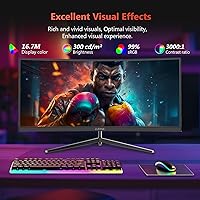
  • Contrast Ratio: A static contrast ratio of 3000:1 allows for noticeably deep blacks and brighter highlights compared to many budget flat panels.
  • Color Depth: The display renders up to 16.7 million colors, covering a standard color gamut appropriate for gaming and general multimedia use.
  • Adaptive Sync: AMD FreeSync is supported to reduce screen tearing and stuttering; Nvidia G-Sync compatibility is not available on this display.
  • Connectivity: The monitor includes two DisplayPort 1.4 inputs and two HDMI 2.0 inputs, allowing up to four source devices to be connected simultaneously.
  • USB Ports: One USB port is available on the monitor for peripheral passthrough, which is limited for multi-device desktop setups.
  • Surface Finish: The screen uses a matte anti-glare coating that reduces reflections from ambient light sources in typical indoor environments.
  • Built-in Audio: There are no integrated speakers; users will need external speakers or headphones for audio output.
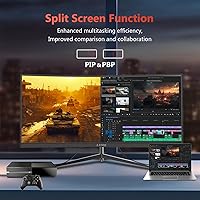
  • PIP / PBP: Picture-in-Picture and Picture-by-Picture modes are supported, enabling two video sources to be displayed on screen at the same time.
  • Stand Adjustment: The included stand supports tilt adjustment only; height, swivel, and pivot adjustments are not available without a third-party VESA mount.
  • VESA Mounting: The monitor is VESA mount compatible, allowing users to replace the stock stand with an aftermarket arm for improved ergonomic positioning.
  • Item Weight: The monitor weighs approximately 13.86 pounds with the stand attached, which is typical for a 30-inch curved display in this class.
  • Power Input: The display operates on 12 volts and ships with a compatible power adapter; no additional power brick is required.
  • Model Number: The official model designation is UG30, as listed by the manufacturer Z-Edge on the product packaging and documentation.
  • Availability: This monitor was first made available in January 2021 and remains in active distribution across major online retail channels.

Related Reviews

Z-Edge UG27H 27-inch Curved Gaming Monitor
73%
93%
Refresh Rate Performance
88%
Response Time & Motion Clarity
61%
Image Sharpness & Resolution
54%
Brightness & HDR
78%
Contrast & Color Accuracy
More
Z-Edge UG27Q 27-inch Curved Gaming Monitor
75%
83%
Image Quality
88%
Refresh Rate & Smoothness
71%
Response Time
86%
Curvature & Immersion
91%
Connectivity
More
Z-Edge UG32 32-inch Curved Gaming Monitor
84%
91%
Gaming Performance
88%
Display Quality
85%
Design and Build Quality
84%
Ease of Setup
90%
Refresh Rate and Responsiveness
More
Z-Edge UG24 24-inch Curved Gaming Monitor
85%
88%
Gaming Performance
85%
Display Quality
81%
Build Quality
92%
Value for Money
89%
Ease of Setup
More
Z-Edge U27C 27-inch Curved Gaming Monitor
73%
88%
Value for Money
84%
Image Contrast & Depth
76%
Refresh Rate Performance
81%
Curvature & Immersion
79%
Eye Comfort & Fatigue
More
Z-Edge UG49W 49-Inch 5K Curved Gaming Monitor
86%
94%
Overall Display Quality
92%
Gaming Performance
85%
Build Quality
81%
Ergonomics and Comfort
90%
Color Accuracy
More
Sceptre C305B 30-inch Curved Ultrawide Gaming Monitor
74%
93%
Value for Money
89%
Refresh Rate Performance
88%
AMD FreeSync Compatibility
91%
Ultrawide Field of View
63%
Image Sharpness & Resolution
More
Z-Edge UG27PJ 27-inch Gaming Monitor 240Hz
86%
91%
Display Quality
94%
Refresh Rate Performance
88%
Color Accuracy
87%
Ease of Setup
85%
Build Quality
More
Z-Edge UG25I 24.5-inch 240Hz Gaming Monitor
83%
92%
Value for Money
90%
Gaming Performance
89%
Display Quality
85%
Ergonomics & Design
84%
Connectivity Options
More
Z-Edge UG25S 24.5-inch 300Hz Gaming Monitor
86%
94%
Performance (Gaming)
92%
Display Quality
91%
Response Time
86%
Build Quality
89%
Value for Money
More

FAQ

Yes, and this is worth knowing before you set it up. The 200Hz maximum only works over DisplayPort 1.4, so you need a DisplayPort cable connected to a GPU that supports it. If you plug in via HDMI 2.0, the monitor caps out at 165Hz. Both are fast, but if you specifically paid attention to that 200Hz spec, use the DisplayPort connection.

It's a real measurement, but it measures something specific: MPRT, or Moving Picture Response Time. That tells you how effectively the display reduces motion blur using backlight strobing, not how fast the pixels actually switch from one color to another. Actual pixel transition speed (GtG) on budget VA and TN panels like this is typically higher than 1ms. In practice, the display is still fast enough for casual to moderately competitive gaming, but informed buyers should know what the spec actually represents.

It will work fine as a display, but you won’t get adaptive sync benefits. The Z-Edge UG30 30″ Curved Gaming Monitor supports AMD FreeSync only and is not certified as G-Sync Compatible. Nvidia users can still run it at full refresh rates; you just won’t have tear-prevention synchronization unless your specific GPU and driver combination happens to support FreeSync unofficially.
It’s noticeably softer. Spreading 2560x1080 pixels across a 30-inch panel results in a lower pixel density than a 1440p ultrawide of similar size. For gaming, most people find it acceptable, especially at typical viewing distances. For reading text, browsing, or productivity work, the difference is more obvious and some users find it bothersome after extended use.

Unfortunately, no. The stock stand only tilts forward and backward. There’s no height adjustment, swivel, or rotation. If that’s a dealbreaker for your setup, the monitor does support VESA mounting, so swapping in a third-party monitor arm is a straightforward fix.

Not for most people. The 1500R curvature is on the moderate end of the curved monitor spectrum. At a standard arm’s-length desk distance, it feels natural and helps draw your peripheral vision into the screen without distorting straight lines or making the edges look warped. Buyers who sit unusually close may find it slightly more pronounced, but the general feedback is that it’s comfortable.

Not really, at least not without significant manual calibration. Out of the box, users commonly report that colors look oversaturated or slightly off. For gaming and casual multimedia use that’s workable, but for color-critical work like photo retouching or video grading, this 30-inch gaming display doesn’t have the factory calibration or color space coverage that professional work demands.

Yes, and the port layout makes it convenient. With two HDMI and two DisplayPort inputs, you can have up to four devices connected at once and switch between sources using the monitor’s on-screen menu. The PBP mode even lets you display two sources side by side simultaneously, which is useful if you regularly switch between a PC and a console, for example.

Some buyers have flagged it. Backlight uniformity complaints appear occasionally in user reviews, with a handful of people noting that brightness shifts or softens toward the panel edges. It’s not a universal problem, but it does seem to be a quality control variable across units. Buying from a retailer with a straightforward return or exchange policy is a smart move for this reason.

There are no built-in speakers on this ultrawide curved monitor, so you’ll need external audio. A headset, desktop speakers, or a DAC connected to your PC are all fine options. The monitor does pass audio signal through its HDMI ports, so if you’re connecting a device that outputs audio over HDMI, you’ll need to route that audio externally.

Where to Buy