Overview

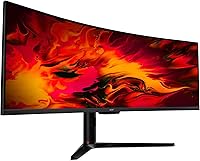
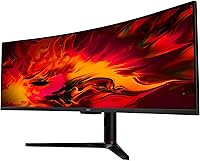
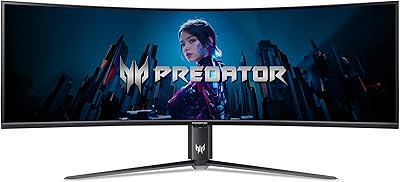
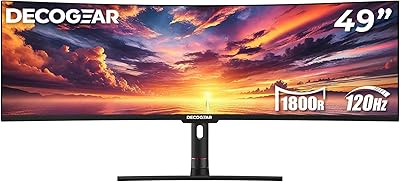
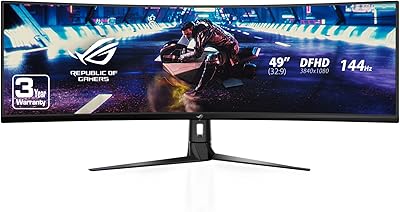
The Acer EI491CUR 49″ Curved DQHD Gaming Monitor is built for people who think a standard widescreen just doesn't cut it anymore — gamers craving peripheral immersion and desk workers tired of juggling two separate screens. At its core is a 49-inch VA panel with a deep 1800R curve and a 5120x1440 resolution stretched across a 32:9 canvas. Acer has earned a solid reputation in the monitor market over the years, and this ultrawide monitor sits comfortably in the upper-mid premium tier. That said, it isn't for everyone — if your desk is compact or your GPU is mid-range, read on before committing.
Features & Benefits

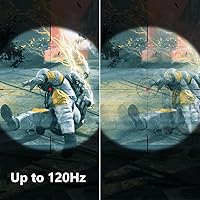
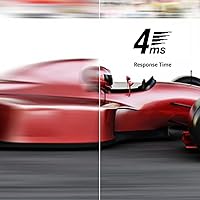
The 32:9 aspect ratio combined with that 1800R curve does something a flat monitor simply can't — it wraps the image around your field of view in a way that feels genuinely immersive, especially in open-world games and simulation titles. The VA panel covers 94% of the DCI-P3 gamut, delivering rich, saturated visuals without needing endless calibration tweaks. Paired with AMD FreeSync Premium and a 120Hz refresh rate over DisplayPort, motion stays clean at 4ms response time — respectable for this panel type, though not tailored for competitive esports. Two DisplayPort 1.4 and two HDMI 2.0 ports handle multi-device setups well, and the ergonomic stand adds tilt, swivel, and height adjustment for long-haul comfort.

Best For

This super-ultrawide panel earns its place in setups built around simulation gaming — sim racers, flight sim pilots, and strategy gamers will immediately feel the payoff of that expansive field of view. It also works well as a dual-monitor replacement, letting knowledge workers keep a full browser, document, and communication app open side by side without a distracting bezel break down the middle. Content creators benefit from the DCI-P3 color accuracy. The honest caveat: you need a deep desk — nearly four feet wide — and a capable discrete GPU to push this resolution properly. Mid-range cards will struggle maintaining smooth frame rates at this pixel count.

User Feedback

Buyers who've settled into the 49-inch Acer curved display generally land at a strong 4.4 stars, and reading through their comments, it's easy to see why. Image quality and the depth of the curve draw consistent praise — people describe the experience as genuinely absorbing rather than just technically impressive. Where frustration surfaces, two themes recur: stand wobble under desk vibrations and a brightness ceiling some find limiting in very bright rooms, even in HDR mode. A handful also flag that HDMI 2.0 can't fully unlock the panel's resolution and refresh rate simultaneously, making DisplayPort the smarter connection choice. Despite those gripes, most owners feel the value holds up well against pricier competition.

Pros

  • The 1800R curve across 49 inches creates a genuinely immersive wrap-around effect that flat monitors simply cannot replicate.
  • 94% DCI-P3 color coverage means rich, accurate visuals straight out of the box with minimal calibration needed.
  • Two DisplayPort 1.4 and two HDMI 2.0 inputs make it easy to connect a PC and a console simultaneously.
  • AMD FreeSync Premium keeps gameplay smooth and tear-free when paired with a compatible AMD GPU.
  • The matte panel surface handles ambient light well, reducing glare during daytime use without color washing.
  • Height adjustment, tilt, and swivel on the stand make it practical to dial in ergonomics for long sessions.
  • The zero-frame design gives the 49-inch Acer curved display a clean, modern look that fits most desk aesthetics.
  • Replacing a dual-monitor setup eliminates the center bezel break that interrupts workflow and immersion.
  • Built-in 3W speakers are a useful backup option for casual listening without reaching for external audio.
  • Buyers consistently report that image quality and curve depth exceed expectations relative to the asking price.

Cons

  • The stand has a reputation for wobbling under desk vibration, which is noticeable and frustrating at this size.
  • HDMI 2.0 bandwidth cannot simultaneously support the panel's full resolution and maximum refresh rate — DisplayPort is mandatory for peak performance.
  • At 400 nits peak brightness, HDR mode is underwhelming and doesn't deliver a meaningful high-dynamic-range experience.
  • Driving 5120x1440 at high frame rates demands a top-tier GPU, adding significant hidden cost for buyers upgrading from mid-range hardware.
  • The 120Hz refresh rate cap means this ultrawide monitor trails newer competitors offering 144Hz or 165Hz at similar price points.
  • At over 47 inches wide and 35 pounds, desk space and furniture weight limits must be considered before purchase.
  • Response time at 4ms GTG is adequate for most gaming but falls short for competitive esports players who need faster pixel transitions.
  • No USB hub is built into the stand, which is a common convenience feature missing at this price tier.
  • The included speakers are weak for a monitor this large and are unlikely to satisfy anyone who cares about audio quality.
  • Some buyers report cable management is awkward given the monitor's size and limited routing options on the stand.

Ratings

Our AI rating system analyzed verified buyer reviews for the Acer EI491CUR 49″ Curved DQHD Gaming Monitor from across global marketplaces, actively filtering out incentivized, bot-generated, and outlier feedback to surface what real owners consistently experience. The scores below reflect an honest synthesis of both the genuine strengths that keep buyers satisfied and the recurring frustrations that show up in long-term ownership. Nothing is glossed over — the highs and the pain points are weighted equally.

Image Quality
88%
The VA panel's contrast depth is one of the first things owners notice — dark scenes in games like space sims or horror titles look genuinely rich without the washed-out blacks that plague IPS panels. The 94% DCI-P3 coverage also means colors feel punchy and lifelike without needing significant calibration out of the box.
Brightness tops out in a way that can feel limiting in sun-lit rooms, even with HDR mode engaged. A handful of owners also report slight color uniformity inconsistencies toward the outer edges of the panel, which is not unusual for a VA display of this width but worth knowing about.
Immersion & Curvature
93%
This is where the 49-inch Acer curved display genuinely delivers — buyers who use it for sim racing, flight simulators, or open-world RPGs consistently describe the 1800R curve as transformative compared to flat ultrawides. The 32:9 wrap-around effect fills peripheral vision in a way that shorter panels simply cannot replicate.
The immersive curve is a double-edged sword for some productivity users who find that content near the far edges of the screen requires slight head movement. A small group of buyers also report mild eye fatigue during very long sessions if seated too close to the display.
Gaming Performance
79%
21%
For slower-paced and simulation-focused gaming, this super-ultrawide panel performs well — FreeSync Premium keeps things smooth, and 120Hz over DisplayPort is a noticeable improvement over standard 60Hz ultrawides when exploring large open environments or managing RTS battles across a wide map.
The 4ms GTG response time and 120Hz ceiling put this monitor at a disadvantage for competitive FPS gaming, where rivals offer 144Hz or higher with faster pixel transitions. Some users report mild ghosting in high-contrast fast-motion scenes, a known trait of VA panels under these conditions.
Color Accuracy
84%
Content creators and media-focused buyers are pleasantly surprised by the out-of-box color performance for a gaming monitor at this tier. The DCI-P3 coverage makes movie watching and casual photo editing genuinely enjoyable without needing an external colorimeter for basic use.
The display is not factory-calibrated, so professionals who need precise delta-E values for print or broadcast work will need to invest in hardware calibration tools. Gamma consistency can also drift slightly between preset modes, requiring manual fine-tuning to match specific workflows.
HDR Experience
54%
46%
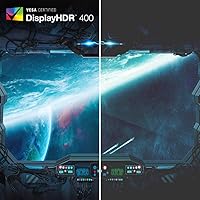
HDR400 support does provide a marginal step up over straight SDR in compatible titles and streaming content, with slightly improved highlight rendering in bright outdoor scenes. For casual viewing where a user isn't comparing directly against a true HDR display, it passes without obvious disappointment.
At 400 nits peak brightness, HDR mode falls well short of what modern HDR content demands — shadows lack the depth and highlights lack the punch that true HDR1000 panels deliver. Most experienced buyers end up disabling HDR mode entirely and preferring a manually tuned SDR profile.
Build Quality
72%
28%
The monitor's chassis feels solid and the zero-frame panel edges give it a premium, purposeful look that holds up well on a desk. The matte coating is applied evenly, and the physical buttons and port layout are accessible without being fiddly.
The stand is where buyers have the most consistent gripes — at 35 pounds, any vibration from nearby speakers, desk bumps, or even typing can cause noticeable wobble. This is a recurrent theme in owner feedback and the single most cited build-related frustration with this ultrawide monitor.
Ergonomics & Adjustability
76%
24%
The 3.7-inch height adjustment range, combined with tilt and swivel options, gives buyers enough flexibility to find a comfortable position without immediately needing a third-party arm. For most standard desk setups, the included stand covers the ergonomic basics adequately.
The swivel range of ±15° feels tight given the monitor's width — repositioning the screen even slightly for different seating angles requires more movement than users expect. Buyers who work long shifts also note that the tilt range, while functional, doesn't go far enough back for very reclined postures.
Connectivity
81%
19%
Having two DisplayPort 1.4 and two HDMI 2.0 inputs is genuinely useful for buyers running a PC alongside a console or a secondary machine — switching between sources is straightforward and the inclusion of both a DisplayPort and HDMI cable in the box is a practical touch that reduces day-one friction.
The HDMI 2.0 bandwidth limitation is a real constraint that catches buyers off guard — at full DQHD resolution you cannot simultaneously hit 120Hz over HDMI, making DisplayPort mandatory for peak performance. The absence of a USB hub in the stand is also a noticeable omission at this price point.
Value for Money
82%
18%
Relative to competing 49-inch ultrawides, buyers broadly feel this panel punches above its weight on image quality and color performance. Owners who researched alternatives consistently mention that comparable panels at higher prices didn't justify the gap, making this a well-regarded value proposition in the super-ultrawide category.
The value calculation changes significantly once you factor in the GPU required to fully exploit 5120x1440 at 120Hz — buyers on a tighter total budget can find themselves spending considerably more than planned. The modest HDR implementation also means the premium for that feature essentially delivers nothing meaningful.
Setup & Installation
77%
23%
Assembly is straightforward — the stand clicks together without tools, and both necessary cables are included, so most buyers are up and running within 15 to 20 minutes of unboxing. The on-screen display menu is logically organized and easier to navigate than many competing gaming monitors.
The sheer physical size of the monitor creates real handling challenges during unboxing and placement — at 35 pounds, solo setup is awkward and at minimum a two-person job is advisable. Cable management around the stand is also limited, leaving a cluttered look behind the monitor for neat-desk enthusiasts.
Audio Quality
47%
53%
The built-in 3W speakers do provide functional audio output for video calls or background music at low volume, which is genuinely convenient for productivity users who don't want external speakers on a tight desk.
At 3 watts per channel, the speakers sound thin and compressed at anything approaching normal listening volume — bass is virtually absent and mid-range clarity is weak. Almost every buyer who comments on audio recommends treating the built-in speakers as an emergency fallback only and pairing the monitor with dedicated audio hardware.
Multitasking & Productivity
86%
Users who switched from dual-monitor setups are consistently positive about the productivity gain — having spreadsheets, documentation, and a browser open simultaneously across 49 inches with no center bezel interruption is a workflow improvement that owners describe as hard to give up once experienced.
Some productivity-focused buyers find that certain applications don't handle 32:9 aspect ratio well, either centering content awkwardly or failing to take advantage of the extra width. Window management without additional software like FancyZones on Windows requires some initial setup effort to feel natural.
Matte Coating Quality
83%
The anti-glare matte surface is one of the practical wins buyers in bright home offices mention frequently — ambient light and overhead lighting that would cause distracting reflections on a glossy display are effectively diffused, making daytime use significantly more comfortable.
The matte coating adds a subtle grain or haziness to the image that is most noticeable when viewing very fine text or high-contrast edges at close range. Users migrating from high-quality IPS glossy panels sometimes describe the texture as a step down in perceived clarity, even though resolution itself is unchanged.

Suitable for:

The Acer EI491CUR 49″ Curved DQHD Gaming Monitor was built for a specific kind of user, and those people will genuinely love it. Sim racers and flight sim enthusiasts get the most obvious payoff — the 32:9 field of view fills peripheral vision in a way that a standard widescreen never could, making cockpit and track environments feel far more physical. RTS and open-world gamers benefit similarly, gaining a battlefield overview that changes how they play. Beyond gaming, professionals who've grown tired of managing two separate displays will find that this ultrawide panel gives them the screen real estate to run a full document, spreadsheet, and browser window simultaneously without a bezel cutting through the middle. Content creators and media editors who need dependable color accuracy will appreciate the 94% DCI-P3 coverage from the VA panel. The key practical requirements are a desk wide enough to house a nearly four-foot monitor and a discrete GPU powerful enough to push 5120x1440 resolution without dropping frames.
Not suitable for:

There's a real category of buyers who should think carefully before committing to this super-ultrawide panel, and honesty here matters more than a sale. Competitive FPS players chasing triple-digit refresh rates and sub-2ms response times will find the 120Hz ceiling and 4ms GTG response adequate but not exceptional — this isn't the monitor that will sharpen your aim in fast-paced shooters. Anyone working on a smaller or shallower desk should also pause: at over 47 inches wide and weighing 35 pounds, the physical footprint is significant and can't be fudged. Budget-conscious buyers pairing this display with a mid-range GPU will hit a frustrating bottleneck, since driving 5120x1440 smoothly demands real horsepower. Those sensitive to HDR performance should note that the 400-nit peak brightness is modest for the feature and won't deliver the dramatic HDR contrast seen on higher-end panels. Finally, console gamers should know that HDMI 2.0 bandwidth limits prevent running the full resolution and refresh rate simultaneously, so the experience is more constrained than on PC.

Specifications

  • Panel Type: This monitor uses a VA (Vertical Alignment) panel, which provides deeper blacks and higher native contrast compared to IPS alternatives at this screen size.
  • Screen Size: The display measures 49 inches diagonally, spanning approximately 47.2 inches in width — large enough to replace two standard 27-inch monitors side by side.
  • Resolution: Native resolution is DQHD 5120x1440, delivering roughly 109 pixels per inch across the 32:9 panel for a sharp, detailed image.
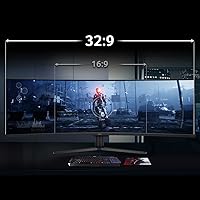
  • Aspect Ratio: The 32:9 aspect ratio is equivalent to two 16:9 displays placed side by side, making it particularly well suited for panoramic gaming and wide multitasking layouts.
  • Curvature: The panel features an 1800R curve radius, meaning the screen is bent to match the arc of a circle with an 1800mm radius for a more natural viewing angle at close range.
  • Refresh Rate: Maximum refresh rate is 120Hz when connected via DisplayPort 1.4; HDMI 2.0 connections are limited to lower refresh rates at full DQHD resolution.
  • Response Time: Rated at 4ms gray-to-gray (GTG), which is adequate for most gaming scenarios but not optimized for high-level competitive play where sub-2ms panels are preferred.
  • Color Gamut: The panel covers 94% of the DCI-P3 color space, offering rich and accurate color reproduction suitable for gaming, media consumption, and creative work.
  • HDR Support: Supports HDR400 with a peak brightness of 400 nits — functional for mild HDR content, but not sufficient for a high-impact HDR experience found on more premium displays.
  • Adaptive Sync: AMD FreeSync Premium is supported, reducing screen tearing and stuttering when paired with a compatible AMD Radeon graphics card over DisplayPort.
  • Connectivity: Includes 2x DisplayPort 1.4, 2x HDMI 2.0, and 1x 3.5mm audio output; both a DisplayPort and HDMI cable are included in the box.
  • Built-in Audio: Two 3-watt integrated speakers are built into the monitor frame, providing basic audio output without the need for external speakers for casual use.
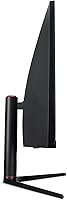
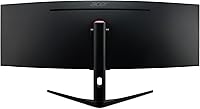
  • Ergonomics: The stand supports tilt adjustment from -5° to 15°, swivel of ±15°, and vertical height adjustment of 3.7 inches to accommodate different seating positions.
  • Panel Surface: The screen uses a matte anti-glare coating that reduces reflections in bright environments without significantly impacting color vibrancy.
  • Dimensions: The monitor measures 47.2 inches wide, 20.94 inches tall, and 11.04 inches deep with the stand attached, requiring a desk with substantial width and depth.
  • Weight: The full unit including stand weighs 35 pounds, so desk surface load capacity and mount compatibility should be verified before purchase.
  • Zero-Frame Design: The display uses an edge-to-edge zero-frame bezel design on the top and sides, minimizing visual borders and enhancing the panoramic feel of the wide panel.
  • VESA Compatibility: The monitor supports VESA mounting for users who prefer to use a third-party arm or wall mount instead of the included stand.

Related Reviews
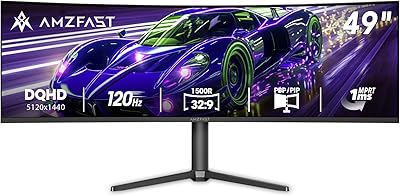
Amzfast AMZG49C7U 49-inch Curved Ultrawide Gaming Monitor
76%
88%
Image Clarity
81%
Refresh Rate Performance
84%
Color Accuracy
53%
HDR Quality
91%
Curvature & Immersion
More
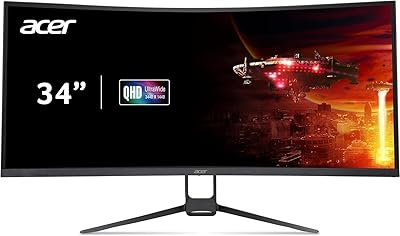
Acer Nitro EDA343CUR 34″ Curved Gaming Monitor
83%
94%
Display Quality
91%
Gaming Performance
72%
Build Quality
85%
Ease of Setup
80%
Ergonomics & Adjustability
More
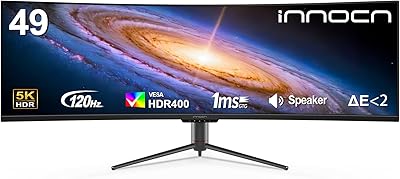
Acer Nitro ED270R 27″ Curved Gaming Monitor
73%
91%
Value for Money
88%
Immersion & Curvature
79%
Picture Quality
89%
Refresh Rate & Smoothness
84%
Adaptive Sync (FreeSync)
More
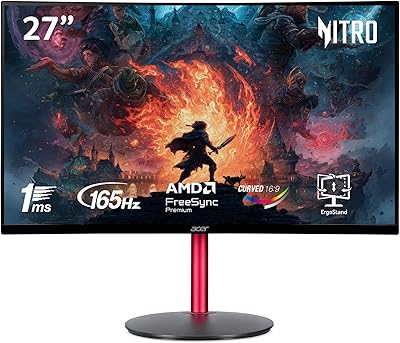
INNOCN 49C1R 49″ Curved Ultrawide Monitor
74%
88%
Display Immersion
84%
Contrast & Black Levels
76%
Color Accuracy
81%
Refresh Rate & Motion Handling
54%
HDR Performance
More
Acer Predator Z57 57-inch Curved Gaming Monitor
81%
94%
Display Quality
90%
Gaming Performance
92%
Color Accuracy
76%
Build Quality
88%
Ease of Setup
More
Acer Nitro XZ342CU 34″ Curved Gaming Monitor
78%
86%
Image Quality
88%
Refresh Rate Performance
91%
Ultrawide Immersion
54%
HDR Performance
83%
Build Quality
More
ASUS ROG Strix XG49VQ 49-inch Ultrawide Gaming Monitor
76%
93%
Gaming Immersion
89%
Refresh Rate & Smoothness
91%
Display Immersion & Curve
78%
Color Accuracy & Gamut
58%
Resolution & Pixel Density
More
Samsung Odyssey G9 49-inch Curved Gaming Monitor
82%
93%
Visual Clarity
90%
Immersion & Curvature
94%
Gaming Performance (FPS)
60%
Ease of Setup
88%
Build Quality
More
Deco Gear DGVIEW495K 49″ Curved Ultrawide Monitor
74%
93%
Immersion & Screen Real Estate
88%
Color Accuracy
79%
Refresh Rate & Gaming Smoothness
67%
Response Time
84%
Value for Money
More
Acer Nitro EDA270U 27″ Curved Gaming Monitor
75%
91%
Image Clarity & Resolution
88%
Refresh Rate & Motion Performance
86%
AMD FreeSync Premium
58%
HDR Performance
63%
Color Accuracy & Out-of-Box Calibration
More

FAQ

Yes, and this is probably the most important thing to check before buying. To hit 5120x1440 at 120Hz, you need a modern high-end GPU — think an Nvidia RTX 3080 or AMD RX 6800 XT class card or better. Mid-range cards will struggle to push games smoothly at this resolution, so factor that into your total budget.

You can connect a console via HDMI 2.0, but there's a catch — HDMI 2.0 doesn't have enough bandwidth to run the full 5120x1440 resolution at 120Hz simultaneously. In practice, console users will see a reduced resolution or capped refresh rate. For PC use over DisplayPort, this isn't an issue.

It supports AMD FreeSync Premium natively, and some NVIDIA GPUs can run FreeSync monitors in G-Sync Compatible mode — but this isn't officially certified. Most users with NVIDIA cards report it works acceptably, though you'd want to test it yourself since performance varies by GPU generation.

A general rule for this curvature and size is around 2.5 to 3.5 feet from the screen. Sitting too close makes it hard to take in the full width comfortably; too far and you lose the immersive effect of the 1800R curve. It's worth measuring your desk depth before buying since shallower desks can make the viewing distance uncomfortably short.

Yes, it has VESA mount compatibility, which is actually a popular upgrade for this screen since it frees up desk space and addresses the stand wobble some users report. Just make sure any arm or wall mount you buy is rated for at least 35 pounds and supports the relevant VESA pattern.

It's a reasonable option for creative work, especially given the 94% DCI-P3 coverage, which is genuinely strong for a gaming-oriented panel. That said, it isn't factory-calibrated, so color-critical professionals may want to run a hardware calibration pass. For casual creative use or YouTube editing, it's more than capable.

Yes, it supports PBP (Picture by Picture) mode, which lets you split the screen between two input sources simultaneously — handy if you want to have a console feed on one half and a PC on the other without switching inputs manually.

VA panels can show some trailing or ghosting in very fast motion compared to IPS panels, and this one is no exception. At 4ms GTG it's manageable for most gaming, but if you primarily play fast shooters like CS2 or Valorant, you may notice it. For slower games, sim titles, or RPGs, it's really not an issue.

You get the monitor, the stand, a DisplayPort cable, an HDMI cable, and a power cable. The fact that both cables are included is a small but genuinely appreciated touch at this size and price point — you won't need to make an extra accessory order just to get started.

Honestly, it's functional rather than impressive. The 400-nit peak brightness ceiling means HDR content looks a bit better than SDR in some scenes, but you won't get the dramatic highlights and shadow depth that true HDR panels deliver. Most experienced users end up leaving HDR mode off and manually tuning the display to their preference instead.