Overview

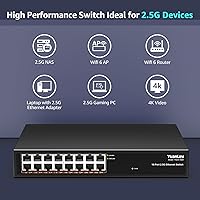
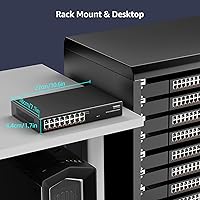
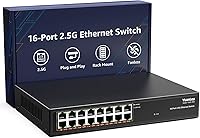
The YuanLey YS25-1600 16-Port 2.5G Ethernet Switch landed in March 2025 and has already carved out a credible spot in the mid-range networking market — no small feat for a brand competing against well-established names. For home lab enthusiasts, prosumers, and small offices looking to step up from Gigabit infrastructure, this 16-port 2.5G switch offers a genuinely accessible entry point without demanding any configuration knowledge. The all-metal fanless chassis immediately sets it apart from the plastic-bodied alternatives at this port count. It also supports both desktop and rack-mount installation, so whether it sits on a shelf or slides into a 1U rack, it adapts without issue.
Features & Benefits

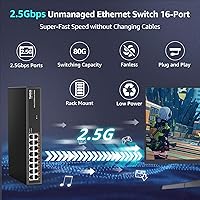
Every port on this fanless YuanLey switch runs at up to 2.5Gbps while staying fully compatible with older 100Mbps and Gigabit gear on the same network — so you're not forced into a full infrastructure overhaul on day one. Behind the scenes, an 80Gbps switching capacity paired with an 89.28Mpps forwarding rate means the hardware won't become a bottleneck even when multiple devices push hard simultaneously. The fanless passive cooling isn't just a marketing checkbox; without a spinning fan to wear out, the unit runs completely silently and has one fewer mechanical failure point to worry about over time. Surge protection rated at 6KV and jumbo frame support up to 12K bytes round out a solid, well-considered spec sheet.

Best For

This unmanaged 2.5G network switch is a natural fit for anyone who has maxed out an 8-port 2.5G box and needs more room to grow — particularly home lab users with a 2.5G-capable NAS wanting to connect multiple client machines without juggling VLANs or managed switch logic. It's also a strong fit for WiFi 6 or WiFi 6E deployments where several access points each need a dedicated 2.5G uplink. Gamers running 2.5G PCIe adapters will notice the headroom over standard Gigabit, especially in LAN-heavy scenarios. Small offices that want to future-proof their wired infrastructure without hiring a network admin will appreciate the zero-configuration setup. High-bitrate media environments with multiple concurrent 4K streams are equally well served.

User Feedback

With a 4.4-star average across over 340 ratings in under a year, this 16-port 2.5G switch has gotten off to a solid start. Buyers consistently highlight effortless setup — plug in, done — and the near-silent operation gets specific praise from users who keep their networking gear in living spaces or home offices. The metal chassis draws positive comments on build quality. On the flip side, a handful of reviewers note the unit runs warm under sustained heavy load, something worth watching since there's no active cooling to compensate. Long-term reliability data is still limited given the product's age, and a small number of buyers report inconsistent link negotiation on certain older cables. For most, though, it has been trouble-free.

Pros

  • All 16 ports support up to 2.5Gbps while staying fully backward compatible with older Gigabit and Fast Ethernet devices.
  • Completely silent operation makes this fanless YuanLey switch a practical choice for home offices and living spaces.
  • Plug-and-play setup is genuinely instant — no login portals, no firmware configuration, just cables and connectivity.
  • Metal housing feels noticeably sturdier than the plastic-bodied alternatives common among budget competitors at this port count.
  • An 80Gbps non-blocking switching capacity means the hardware itself will not bottleneck even under simultaneous heavy loads.
  • Both desktop and rack-mount deployment are supported out of the box, adding real flexibility for varied installation needs.
  • 6KV surge protection offers meaningful insurance against power spike damage in less-than-ideal electrical environments.
  • A 16K MAC address table accommodates growing networks without performance degradation as more devices come online.
  • Early user satisfaction ratings are strong for a product this new, pointing to consistent build and performance quality.
  • Auto MDI/MDIX on every port eliminates crossover cable concerns entirely, regardless of how you wire each connection.

Cons

  • Absolutely no management features — VLANs, QoS, port mirroring, and traffic prioritization are completely unavailable.
  • The chassis can run noticeably warm under sustained full-load use, with no active cooling to compensate.
  • No SFP or fiber uplink ports limit integration into larger multi-switch or enterprise-adjacent network environments.
  • The product launched in early 2025, so long-term real-world reliability data from users is still accumulating.
  • A portion of buyers report inconsistent link-speed negotiation when using older or lower-grade Cat5e patch cables.
  • No redundant power input or link aggregation support for setups where uptime is a hard requirement.
  • Troubleshooting network issues is harder without any built-in diagnostics or per-port traffic visibility whatsoever.
  • YuanLey carries limited brand recognition outside of budget networking circles, which may concern buyers prioritizing vendor longevity.

Ratings

The scores below reflect AI analysis of verified buyer reviews worldwide for the YuanLey YS25-1600 16-Port 2.5G Ethernet Switch, with spam, incentivized, and bot-generated feedback actively filtered out before scoring. Each category is weighted against real deployment experiences from home lab users, small office administrators, and prosumer network builders. Both standout strengths and recurring pain points are represented transparently, so you get an honest picture of what daily life with this switch actually looks like.

Network Performance
91%
Users consistently report rock-solid throughput on NAS transfers and multi-device setups, with several noting that saturating all 16 ports simultaneously produced no measurable slowdown. The 80Gbps non-blocking fabric means the hardware itself is never the weak link — something home lab users with multi-drive NAS arrays appreciated immediately.
A small number of reviewers encountered inconsistent link negotiation — typically when connecting via older Cat5e cables that fall short of the Cat6 recommendation. In nearly every case, swapping to Cat6 resolved the issue, which suggests the hardware is fine but cable quality matters more at 2.5G than most buyers expect.
Plug-and-Play Setup
93%
Buyers across all skill levels — from IT veterans to first-time home lab builders — describe setup as genuinely instant. Plug in the power, run the cables, and every port starts negotiating automatically within seconds. No firmware, no login screen, no configuration headaches of any kind.
The absolute simplicity that makes setup effortless is also a ceiling — there is no way to configure anything after the fact. Users who expected even basic features like port status LEDs that distinguish between 1G and 2.5G link speeds have been disappointed, since all active ports display identically.
Build Quality
86%
The all-metal housing draws genuine praise from buyers who have handled enough plastic networking gear to know the difference. Several users specifically mention that the chassis feels dense and well-finished — not hollow or cheap — and that ports seat firmly without any flex.
A handful of buyers note the unit runs warm enough under full load that the chassis acts as a heat sink you can feel if you rest a hand on top. A small number of buyers also report the switch slides on smooth surfaces, suggesting rubber feet quality is inconsistent across units.
Noise Level
97%
Silence is the most frequently mentioned positive in buyer reviews, and it is completely earned — without a fan, there is no mechanical noise source at all. Users who previously tolerated fan hum from a managed switch in their home office or media room consistently describe the difference as immediately noticeable and appreciated.
There are essentially no noise-related complaints at scale — the few low scores in this area come from buyers who received units with a faint electrical hum from the power supply under certain load conditions, though this appears isolated rather than a systematic issue across the product line.
Value for Money
83%
For buyers who need 16 ports of true 2.5G connectivity in an unmanaged package, the price-per-port math works out favorably compared to comparable options from larger networking brands. Home lab users in particular describe it as the most cost-effective way to connect multiple 2.5G-capable NAS bays and client machines under one roof.
Some buyers feel the value proposition weakens if they only needed 8 ports, since smaller 2.5G switches have come down in price considerably. There is also friction for buyers who wanted any management capability — paying more for a managed alternative is the only path, and that gap can feel significant depending on budget.
Port Density
88%
Having 16 ports of 2.5G in a single unit hits the right number for home labs and multi-AP deployments that have outgrown 8-port options without needing to cascade switches. Users managing four to six WiFi 6 access points alongside several servers and workstations find 16 ports the practical sweet spot.
Buyers who need more than 16 ports have no expansion path within this switch — there are no SFP slots or trunk ports to daisy-chain a second unit cleanly. For setups that grow rapidly past 16 devices, the only real solution is replacing this switch with a higher-count model entirely.
Thermal Management
71%
29%
The double-sided ventilation design does a reasonable job of moving heat out of the chassis passively, and most users running the unit in open-air environments — on a desk, a shelf, or in a vented rack — report no issues with sustained operation across days and weeks of continuous use.
Users who place this switch in confined, poorly ventilated spaces — such as closed AV cabinets or tight network closets — report noticeably elevated chassis temperatures. Without any active cooling fallback, sustained heavy load in a warm enclosure introduces legitimate concerns about long-term component stress that buyers should not overlook.
Speed Compatibility
89%
The auto-negotiation across 100Mbps, 1Gbps, and 2.5Gbps on every port is one of the more practically useful aspects of this unmanaged 2.5G network switch. Buyers who run mixed generations of hardware — a new 2.5G NAS alongside older Gigabit cameras or printers — confirm that every device connects at its correct speed without any manual intervention.
A small subset of users report that certain older network cards or NAS units occasionally fall back to 100Mbps rather than holding at 1G during auto-negotiation. This appears to be an edge-case compatibility issue rather than a widespread failure, but buyers with particularly aging hardware may want to verify behavior before committing.
Surge Protection
84%
The 6KV surge rating on every port gets a genuine nod from users in regions with unstable power grids or where cable runs pass between outdoor buildings — scenarios where cheaper switches without protection have historically failed. Several buyers specifically cited this as a deciding factor over competing models at a similar price.
There is no separate whole-unit power surge protection beyond the per-port rating, so buyers in areas with very frequent brownouts or major voltage swings should still pair this fanless YuanLey switch with a UPS rather than relying solely on port-level protection. No warranty claim data specific to surge events is publicly available yet.
Mounting Flexibility
81%
19%
The ability to move from desktop to rack-mount without purchasing extra hardware is a genuine convenience that buyers appreciate — particularly those who start with a home lab setup on a desk and later migrate equipment into a proper rack as their network grows and formalizes over time.
A small number of buyers find the rack-mounting ears slightly awkward to align, and the included mounting hardware is described as basic rather than robust. Wall-mounting — popular in home deployments where desk space is limited — is not officially supported, which disappointed a handful of users who expected that as an option.
Long-term Reliability
73%
27%
For a product on the market since early 2025, a sustained 4.4-star average across several hundred reviews is an encouraging early indicator of hardware consistency. The metal housing and fanless design remove the two most common early-failure points — chassis flex and fan bearing wear — which is a reasonable reliability foundation.
Multi-year reliability data simply does not exist yet for this model, and any strong claim in that direction would be speculative at this stage. A small cluster of buyers reported port failures or link instability within the first few weeks — not enough to establish a clear pattern, but worth monitoring as the review base grows.
Management & Features
38%
62%
For buyers who specifically want a zero-configuration switch and nothing more, the complete absence of a management interface is a feature rather than a gap — there is nothing to misconfigure, no firmware to update on a schedule, and no management interface to learn or maintain.
Outside the pure plug-and-play crowd, the lack of any management capability is the most common criticism across all negative reviews. No VLANs, no QoS, no port mirroring, no traffic monitoring, no link aggregation — for any buyer who needs even one of those features, this switch is categorically the wrong purchase.
Power Efficiency
77%
23%
Users note the switch draws modest power in standby and scales consumption reasonably with active port load, which matters for always-on setups where the unit runs continuously. Several home lab users running detailed power monitoring confirm it stays within expected draw for a 16-port 2.5G device of this class.
YuanLey does not publish a precise TDP or per-port power consumption figure, which makes it harder for buyers running energy-budgeted home labs or small offices to plan accurately. The internal power supply also adds a small amount of supplemental heat inside the chassis that compounds what the active ports already generate.

Suitable for:

The YuanLey YS25-1600 16-Port 2.5G Ethernet Switch is purpose-built for network-aware home users and prosumers who have hit the ceiling on their existing Gigabit or 8-port 2.5G setup and need more ports without jumping to expensive managed hardware. If you are running a multi-bay NAS with a 2.5G controller and want several PCs or servers connecting to it at full speed simultaneously, 16 ports of dedicated 2.5Gbps capacity is exactly what that scenario demands. It is also a smart pick for anyone building out a multi-room WiFi 6 or WiFi 6E network where each access point needs its own 2.5G uplink back to a central switch. Gamers running 2.5G PCIe adapters across a LAN setup — or even in a single household with multiple gaming rigs — will get real, measurable headroom over standard Gigabit. Small offices that want a straightforward infrastructure upgrade without hiring a network consultant will appreciate the zero-configuration approach. The fanless metal build also makes it a sensible choice for living rooms, media centers, or any space where a fan-cooled unit would be intrusive.
Not suitable for:

The YuanLey YS25-1600 16-Port 2.5G Ethernet Switch is not the right tool if your network requires any form of traffic management — there are no VLANs, no QoS controls, no port mirroring, and no management interface of any kind. If you need to segment traffic between departments, prioritize VoIP calls, or monitor individual port statistics, you will need a managed switch regardless of price difference. Buyers in high-ambient-temperature environments — server rooms or poorly ventilated closets that routinely exceed 45°C — should be cautious, since passive cooling has no mechanical fallback when things get hot. This unmanaged 2.5G network switch is also not ideal for users who need SFP uplink ports to connect fiber runs or aggregate links back to a core switch in a larger network. And if your entire existing infrastructure is Gigabit and you have no 2.5G-capable devices on the horizon, the upgrade cost will not translate to any real-world speed improvement yet.
Specifications

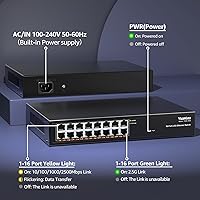
  • Port Count: The switch provides 16 x RJ45 ports, each capable of operating at up to 2.5Gbps under the 2.5G Base-T standard.
  • Switching Capacity: Total non-blocking switching capacity is 80Gbps, ensuring no single port or traffic burst can create a bottleneck across the entire switch fabric.
  • Forwarding Rate: The packet forwarding rate is rated at 89.28Mpps, supporting high-density, low-latency data transfer across all 16 ports simultaneously.
  • Speed Compatibility: All ports auto-negotiate across 100Mbps, 1Gbps, and 2.5Gbps, allowing legacy and next-generation devices to coexist on the same switch without manual configuration.
  • Jumbo Frames: Jumbo frame support extends to 12KBytes, which benefits large file transfers and storage-heavy workloads such as NAS access and virtualization traffic.
  • MAC Address Table: The switch maintains a MAC address table of up to 16,000 entries, providing capacity for moderately complex or growing network environments.
  • Cooling Design: Passive fanless cooling is implemented via double-sided ventilation slots on the all-metal chassis, producing zero acoustic output under any operating condition.
  • Surge Protection: Each port carries 6KV lightning and surge protection, offering a meaningful hardware-level defense against power spike damage.
  • Operating Temperature: The unit is rated for continuous operation between 0°C and 45°C, with a storage temperature range of -40°C to 70°C.
  • Operating Humidity: The switch is rated for non-condensing humidity between 10% and 90%, covering typical indoor environments without special climate control.
  • Mounting Options: The chassis supports both flat desktop placement and standard rack mounting, with the necessary hardware included in the package.
  • Network Standards: The switch is compliant with IEEE 802.3bz (2.5G Base-T), IEEE 802.3u (Fast Ethernet), and IEEE 802.3x (full-duplex flow control).
  • Cable Requirements: Achieving full 2.5Gbps link speed requires Cat6 or higher cabling; Cat5e may work at shorter runs but is not officially guaranteed for 2.5G at standard distances.
  • Auto MDI/MDIX: All 16 ports include automatic MDI/MDIX detection, eliminating any need for crossover cables regardless of the connected device type.
  • Power Input: The internal power supply accepts AC input from 100V to 240V at 50–60Hz, making it compatible with standard mains power in most countries worldwide.
  • Dimensions: The unit measures 271mm x 182mm x 45mm (L x W x H), occupying roughly 1U of vertical space in a standard 19-inch rack.
  • Product Weight: The switch itself weighs 1.68kg, and the full packaged unit including accessories weighs approximately 1.87kg.
  • Management Type: This is a fully unmanaged switch with no web interface, CLI, SNMP access, or configuration options of any kind — pure plug-and-play operation only.

Related Reviews
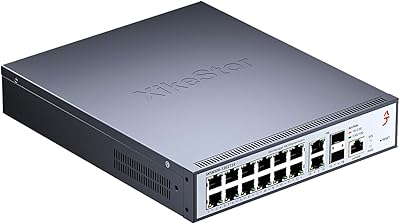
XikeStor SKS8300 16-Port 2.5G L3 Managed Switch
73%
88%
Value for Money
91%
Port Configuration
83%
Layer 3 Routing Capability
89%
Switching Performance
62%
Web Interface Usability
More
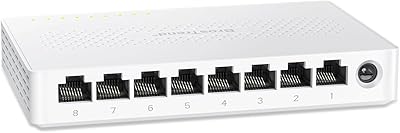
BrosTrend 8-Port 2.5G Unmanaged Switch
83%
93%
Port Speed Consistency
96%
Ease of Setup
61%
Build Quality
74%
Thermal Performance
91%
Value for Money
More
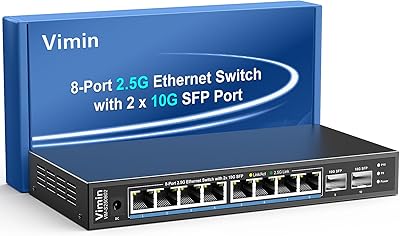
VIMIN 10-Port 2.5G Unmanaged Switch
79%
96%
Ease of Setup
89%
Port Performance
84%
Build Quality
67%
Thermal Management
71%
SFP Uplink Usability
More
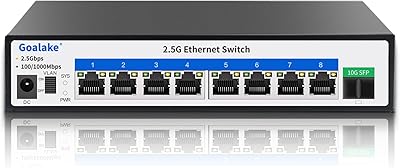
Goalake 8-Port 2.5G Ethernet Switch
80%
91%
Port Count & Configuration
88%
Throughput & Switching Performance
93%
Ease of Setup
79%
Build Quality & Materials
96%
Fanless & Noise Level
More
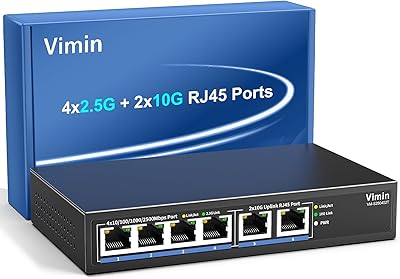
Vimin 6-Port 2.5G/10G Unmanaged Network Switch
79%
94%
Ease of Setup
86%
Network Performance
83%
Value for Money
88%
Port Configuration
67%
Thermal Management
More
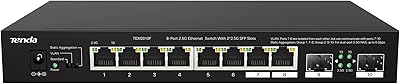
Tenda TEM2010F 8-Port 2.5G Ethernet Switch
77%
96%
Ease of Setup
91%
Network Performance
94%
Noise Level
82%
Build Quality
67%
Thermal Management
More
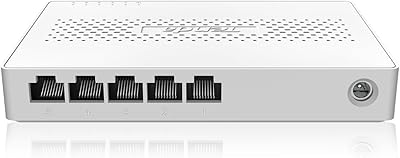
Tenda SE105 5-Port 2.5G Unmanaged Switch
83%
97%
Ease of Setup
91%
Port Speed Performance
93%
Value for Money
67%
Build Quality
78%
Thermal Management
More
MokerLink 4-Port 2.5G 10G SFP Network Switch
82%
91%
Value for Money
86%
Build Quality
93%
Ease of Setup
97%
Noise Level
67%
Thermal Performance
More
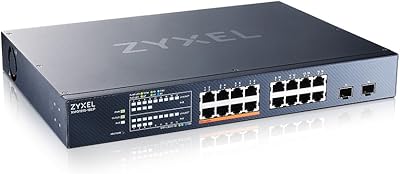
Zyxel XMG1915-18EP 16-Port 2.5G Multi-Gig Switch
87%
92%
Performance
94%
Ease of Setup
88%
Build Quality
90%
PoE Functionality
95%
Fanless Design (Noise)
More
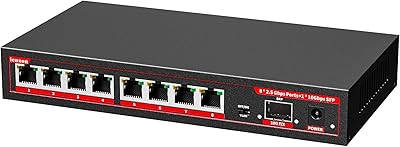
ienRon 9-Port 2.5G 10G SFP Ethernet Switch
82%
88%
Throughput Performance
93%
Ease of Setup
82%
Build Quality
96%
Fanless Noise Level
77%
10G SFP+ Uplink Flexibility
More

FAQ

Not at all. This unmanaged 2.5G network switch is entirely plug-and-play — connect power, run your cables, and every port activates automatically. There is no web interface, no app, and no configuration required at any stage.

You can mix speeds freely. Each port auto-negotiates independently, so a Gigabit device gets a 1Gbps connection while a 2.5G device on the same switch gets 2.5Gbps. You only get the 2.5G speed boost on ports where both ends of the cable are 2.5G capable.

Cat6 or better is the safe choice for full 2.5G speeds at standard distances. Cat5e can sometimes work at shorter runs — under about 30 meters — but results are inconsistent enough that it is not worth relying on. If you are pulling new cables, just use Cat6.

Yes. The chassis fits a standard 19-inch rack and occupies 1U of vertical space. Rack-mounting hardware is included in the box, so you do not need to source any additional brackets separately.

Yes, completely silent. There is no fan anywhere in the unit — cooling is handled entirely by the metal housing and the ventilation slots on both sides of the chassis. In a quiet room you will not hear anything from it at any load level.

The metal body does get warm under sustained full-load conditions, which is expected from any passively cooled device. Some users report it running noticeably warm to the touch when all 16 ports are pushing hard for extended periods. Make sure the unit has adequate airflow around it — do not enclose it in a tight cabinet without ventilation.

No. This is a strictly unmanaged switch, which means there is no support for VLANs, QoS, port mirroring, traffic prioritization, or any other traffic management feature. If you need any of those capabilities, you will need a managed switch regardless of budget.

It is actually one of the strongest use cases for this fanless YuanLey switch. Most modern WiFi 6 and WiFi 6E access points have 2.5G uplink ports, and connecting several of them to a dedicated 2.5G switch eliminates the Gigabit backhaul bottleneck that limits throughput in dense deployments. Each AP gets its own 2.5Gbps uplink, which is ideal.

That depends on the NAS side. The switch itself can absolutely provide each client with a full 2.5Gbps connection to the NAS port. The practical limit is your NAS hardware — specifically whether it has link aggregation or multiple 2.5G ports to serve several simultaneous clients. The switch will not be the bottleneck.

Early feedback across more than 340 ratings sits at 4.4 stars, which is a solid signal for a product launched in early 2025. The majority of buyers report consistent uptime and trouble-free operation. That said, the product is still relatively new, so long-term durability data beyond the first year is not yet available — something worth keeping in mind if multi-year reliability is a hard requirement for your setup.