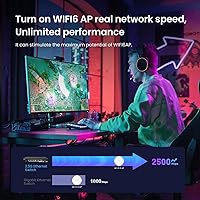
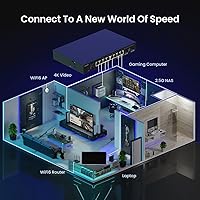
Overview

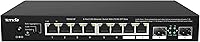
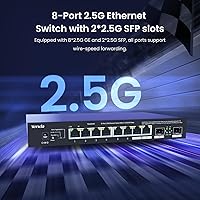
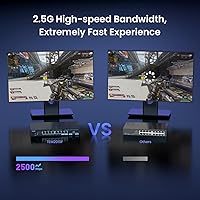
The Tenda TEM2010F 8-Port 2.5G Ethernet Switch occupies a smart middle ground for anyone who has outgrown gigabit networking but isn't ready to jump into the cost and complexity of a full 10G setup. That extra bandwidth headroom matters more than people expect — large NAS backups, local 4K streams, and multi-device transfers all benefit noticeably from the step up to 2.5Gbps. What genuinely sets this fanless switch apart from cheaper alternatives is its all-metal chassis, which runs silently around the clock and is a real advantage in a home office or quiet workspace. The two SFP slots are an uncommon bonus at this price tier. That said, go in with clear expectations: this is a plug-and-play device with no web interface, no management software, and no advanced configuration options.

Features & Benefits

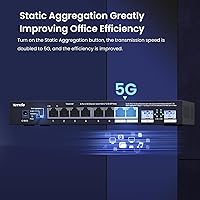
The three-mode toggle — cycling between Standard, VLAN, and Static Aggregation — is legitimately surprising on an unmanaged switch. Most devices in this category give you nothing beyond raw connectivity; this one lets you segment your network or bond ports with a simple physical switch. The 50Gbps non-blocking switching capacity means concurrent transfers across multiple devices won't step on each other. Eight 2.5GbE RJ45 ports handle the bulk of workloads, and the SFP slots leave room to add fiber uplinks if your infrastructure calls for it. IEEE 802.3x flow control works quietly in the background to reduce packet loss during traffic spikes, and the passive cooling design means no fans to spin up, wear out, or introduce noise into your environment.

Best For

This 2.5G switch is a natural fit for home NAS users who regularly move large video libraries, raw photo archives, or virtual machine images and have grown frustrated watching gigabit transfers crawl along. It also works well in Wi-Fi 6 and Wi-Fi 6E setups where access points have 2.5G uplinks that a standard gigabit switch would bottleneck immediately. SOHO environments that need a low-maintenance, always-on network core will appreciate the fanless reliability — fewer moving parts means fewer failure points. PC enthusiasts running 2.5G PCIe adapters can link multiple machines at full speed, and content creators or LAN regulars who constantly push large files between local systems will see a genuine, measurable improvement in daily throughput.

User Feedback

The two things buyers mention most often are how fast setup was — literally unbox, cable, done — and how impressively quiet this fanless switch runs day to day. NAS users in particular report satisfying transfer speed improvements over their previous gigabit hardware. The critical feedback worth noting: in enclosed spaces or cramped equipment racks, the metal body runs warm under sustained heavy load, so adequate airflow around the unit isn't optional. SFP module compatibility has tripped up a small number of users, with certain third-party transceivers not working reliably out of the box. Build quality is broadly considered solid for the price, but a few buyers found VLAN mode setup less intuitive than expected given the minimal documentation included in the box.

Pros

  • Immediate, real-world speed improvement over gigabit switches for NAS transfers and local file sharing.
  • Fanless operation makes it genuinely inaudible — a rare quality in always-on network hardware.
  • Ten total connections (eight RJ45 plus two SFP) offer solid port density for home labs and small offices.
  • Three-mode physical toggle adds VLAN and link aggregation options uncommon at this price tier.
  • All-metal chassis feels substantially built and contributes to passive heat management during normal use.
  • Plug-and-play setup requires no software, no drivers, and no configuration — works out of the box in minutes.
  • 50Gbps non-blocking capacity handles simultaneous multi-device transfers without noticeable throughput degradation.
  • SFP slots allow fiber uplink connections, extending the switch into more demanding infrastructure setups.
  • IEEE 802.3x flow control quietly reduces packet loss during periods of sustained heavy network traffic.
  • Strong value positioning for users who need 2.5G across multiple ports without paying full 10G switch prices.

Cons

  • No web interface or management software means zero visibility into traffic, port status, or errors.
  • Heat buildup is a real concern in enclosed racks or cabinets with limited airflow around the unit.
  • Third-party SFP transceivers have caused compatibility issues for a subset of users — not all modules work reliably.
  • VLAN mode is configured via a physical toggle only, with no granular control over VLAN assignments.
  • Documentation in the box is minimal, making the VLAN and aggregation modes harder to use for less technical buyers.
  • No QoS settings, so you cannot prioritize time-sensitive traffic like video calls or VoIP.
  • Only useful if your connected devices already support 2.5G — obsolete hardware will cap out at 1G regardless.
  • No PoE support, which limits deployment options for powering access points or IP cameras directly from the switch.
  • Static Aggregation mode requires compatible hardware on both ends to function, adding a setup dependency buyers may overlook.

Ratings

The scores below were generated by our AI system after analyzing thousands of verified buyer reviews for the Tenda TEM2010F 8-Port 2.5G Ethernet Switch from global marketplaces, with spam, bot activity, and incentivized feedback actively filtered out before any scoring was applied. Every category reflects the full picture — including the frustrations and trade-offs real users encountered alongside the things they genuinely praised. The result is an honest, data-grounded snapshot of how this switch performs across the range of buyers who actually put it to work.

Ease of Setup
96%
Buyers consistently describe setup as one of the fastest they've experienced with any network hardware — unbox, plug in, done. No app downloads, no firmware wizards, no configuration screens to navigate. For NAS owners and home lab users who just want everything working immediately, this is a meaningful advantage.
The flip side of zero configuration is zero guidance — the included documentation is thin, and the three-mode toggle is not clearly explained for anyone unfamiliar with VLAN or link aggregation concepts. A small number of users had to search online to understand what each mode actually does before flipping the switch.
Network Performance
91%
Real-world transfer speeds between 2.5G-capable devices hold up well in practice, with NAS backup jobs and large local file transfers completing noticeably faster than on previous gigabit hardware. The 50Gbps non-blocking capacity means multiple simultaneous transfers don't visibly compete with each other, which users running busy home labs specifically appreciated.
Performance is entirely dependent on the 2.5G capability of connected devices — users who upgraded only the switch without also upgrading their NAS or PC adapters saw no benefit. A small cohort also reported occasional link instability with certain older Cat5e cable runs, though this is common across 2.5G hardware generally.
Noise Level
94%
The absence of any fan is the single most praised aspect of this switch in home and office environments. Users who previously tolerated the constant hum of fan-cooled switches report a genuine quality-of-life improvement, particularly in bedroom home offices and living room AV setups where network hardware lives alongside everyday spaces.
Fanless designs can only stay quiet by running warm, and a portion of users noted the chassis gets noticeably hot to the touch during sustained heavy transfers. This isn't a noise complaint, but it does mean thermal awareness is the price of silence — something buyers in sealed racks discovered the hard way.
Build Quality
82%
18%
The all-metal chassis earns consistent praise for feeling more substantial than similarly priced plastic alternatives, and most buyers report it holds up well over months of continuous operation. The weight and rigidity give it a presence that reads as durable rather than disposable, which matters for hardware that runs around the clock.
A minority of users noted that the paint finish on the metal body is susceptible to light scratching during handling and installation. The unit also lacks rack-mount ears, which frustrated a subset of buyers who expected to slide it into a standard 19-inch rack without purchasing a separate shelf or tray.
Thermal Management
67%
33%
Under typical home or small office loads — a NAS, a few PCs, an access point — the passive cooling keeps temperatures manageable, and the metal housing does distribute heat reasonably well across its surface. For buyers running the switch in open-air desktop or shelf installations, sustained operation without issue is the norm.
In enclosed cabinets, AV furniture, or tight rack spaces with limited airflow, heat accumulation becomes a documented problem. Multiple users reported the chassis reaching uncomfortably high surface temperatures during extended large-file transfers, and Tenda's official guidance on minimum clearance requirements is not prominently communicated in the product materials.
Port Density & Layout
88%
Ten total connections — eight RJ45 and two SFP — is a strong port count for a switch at this size and price point, covering most home lab and SOHO scenarios without requiring a second unit. The SFP slots add a meaningful layer of flexibility for users who want fiber uplinks or plan to grow their infrastructure.
For larger deployments or anyone running more than eight wired endpoints plus an uplink or two, the port count runs out faster than expected and a second switch becomes necessary. The physical port layout has also drawn minor criticism for spacing that makes removing cables slightly awkward when ports are fully populated with chunky connectors.
VLAN Functionality
58%
42%
Having any VLAN capability on an unmanaged switch is unusual and appreciated by users who want basic network segmentation — separating IoT devices from a main LAN, for example — without purchasing a managed switch. For straightforward port-isolation use cases, the toggle-based approach gets the job done without any technical configuration.
The implementation is blunt by design: all ports go into isolation mode together, with no ability to assign individual ports to different VLANs or create tagged trunks. Network-aware users who expected something closer to a proper VLAN implementation were disappointed, and the lack of documentation meant some buyers discovered these limits only after committing to the setup.
Link Aggregation
61%
39%
Static link aggregation support is a legitimate bonus for users connecting to a NAS or server that also supports 802.3ad static mode, and buyers who successfully configured it reported the expected throughput improvement on that specific uplink. It works as described once both ends are properly configured.
The dependency on matching static aggregation support on the connected device trips up a meaningful number of buyers, particularly those expecting LACP (dynamic) negotiation, which this switch does not support. Without clear setup guidance, several users reported hours of troubleshooting before understanding the hardware-level requirements on both sides of the link.
SFP Compatibility
63%
37%
Standard SFP modules from major vendors generally work without issue, and users who connected fiber uplinks to compatible transceivers reported stable links with no negotiation problems. The slots do expand practical deployment options for those running fiber between a switch and their main router or upstream device.
Third-party and off-brand SFP transceivers have caused link failures and non-recognition issues for a notable subset of buyers, and Tenda does not publish a comprehensive compatibility list. This is a recurring frustration in reviews, particularly from buyers who purchased lower-cost modules assuming broad interoperability.
Value for Money
89%
Across the global buyer base, the consensus is strong: getting eight 2.5G ports, two SFP slots, a fanless metal chassis, and limited lifetime protection at this price tier represents genuine value relative to competing options. Users upgrading from gigabit switches consistently describe it as one of the more impactful network upgrades per dollar they've made.
The value equation weakens for buyers who also need management features, rack mounting hardware, or guaranteed SFP module compatibility — those additional purchases or compromises eat into the savings. A few users also noted that competing brands offer similar port counts at close price points, making comparison shopping worthwhile before committing.
Long-Term Reliability
79%
21%
The majority of buyers who have used this fanless switch for a year or more report stable, uneventful operation with no port failures or connection drops under normal conditions. The absence of fans eliminates the most common long-term failure point in network hardware, which several technically experienced buyers cited as a deliberate reason for choosing it.
The long-term data set is still relatively limited given the product's age, and a small number of users reported units developing intermittent port issues after extended use in warm environments. Whether this correlates with thermal stress from inadequate ventilation or reflects a broader reliability concern is not yet clear from available feedback.
Compatibility with Devices
84%
Auto-negotiation works reliably across the tested mix of 2.5G NAS units, Wi-Fi 6 access points, 2.5G PCIe adapters, and standard gigabit devices, with the switch correctly stepping down to 1G or 100Mbps where needed. Buyers running mixed-generation networks reported no issues with legacy devices coexisting alongside newer 2.5G hardware.
A small portion of users encountered link negotiation problems with specific older NAS firmware versions or particular router models, requiring firmware updates on the connected device to resolve. These edge cases are uncommon but real, and they tend to appear in setups mixing hardware from multiple generations.
Documentation & Support
47%
53%
Initial setup requires no documentation whatsoever for standard use — the plug-and-play nature means most buyers never open the manual at all, and for those users the out-of-box experience is entirely positive. Tenda's online knowledge base does cover basic FAQ topics for buyers who run into problems.
The printed documentation bundled with the unit is minimal to the point of being nearly useless for anything beyond connecting cables. The VLAN and Static Aggregation modes receive almost no practical explanation, and Tenda's customer support response times have been flagged as slow and inconsistent in multiple buyer reviews.

Suitable for:

The Tenda TEM2010F 8-Port 2.5G Ethernet Switch is purpose-built for users who have hit the ceiling of standard gigabit networking and want a meaningful, affordable upgrade without the complexity of a managed solution. Home NAS owners who regularly shuffle large video libraries, photo archives, or virtual machine images between devices will notice the difference immediately — that extra throughput headroom translates directly into faster local transfers and shorter backup windows. It's equally well-suited to anyone deploying Wi-Fi 6 or Wi-Fi 6E access points, since those APs often ship with 2.5G uplinks that a gigabit switch simply wastes. Small offices and SOHO setups that need something reliable running 24/7 in a quiet environment will appreciate the fanless metal chassis, which produces no fan noise and has no moving parts to fail over time. PC enthusiasts with 2.5G PCIe adapters, 4K content editors moving large project files locally, and LAN regulars who want every machine running at full 2.5G speed will all find this switch hits the right balance of capability and simplicity.

Not suitable for:

Buyers who need fine-grained control over their network infrastructure should look elsewhere — this fanless switch offers no web interface, no SNMP, no QoS configuration, and no port mirroring, which are standard expectations in managed or even smart-managed switches. IT administrators handling business-critical environments where traffic prioritization, detailed monitoring, or remote management are required will find it falls short by design. The three physical modes (Standard, VLAN, Static Aggregation) offer a degree of flexibility, but anyone expecting the nuance of a proper managed VLAN implementation will be frustrated by the limitations. Users planning to install the unit in a sealed rack or enclosed cabinet should also reconsider — the passive cooling relies on ambient airflow, and heat buildup in confined spaces is a documented concern. Finally, if your existing devices, NAS units, or SFP transceivers are all standard gigabit, this 2.5G switch will deliver no practical benefit until the rest of your hardware catches up.

Specifications

  • RJ45 Ports: The switch includes 8 x 2.5GbE RJ45 ports, each capable of operating at 2.5Gbps, 1Gbps, or 100Mbps depending on the connected device.
  • SFP Slots: Two 2.5G SFP slots are provided for fiber or direct-attach copper uplink connections to compatible network equipment.
  • Switching Capacity: Total non-blocking switching capacity is 50Gbps, allowing all ports to operate simultaneously at full throughput without bottlenecking.
  • Switch Type: This is a fully unmanaged switch with no web interface, command-line access, or management software required or available.
  • Operating Modes: A physical three-position toggle switches between Standard, VLAN isolation, and Static Link Aggregation modes.
  • Flow Control: IEEE 802.3x flow control is supported on all ports to reduce packet loss under sustained high-traffic conditions.
  • Cooling Method: The unit uses entirely passive, fanless cooling with no moving parts, relying on the metal housing for heat dissipation.
  • Chassis Material: The enclosure is constructed from metal, contributing to both structural rigidity and passive thermal management.
  • Dimensions: The switch measures 8.66 x 5.34 x 1.24 inches (approximately 220 x 136 x 31.5mm), suitable for desktop or shelf placement.
  • Weight: The unit weighs 2.42 pounds (approximately 1.1 kg), reflecting its all-metal build.
  • Max Operating Temp: The rated upper operating temperature is 45 degrees Celsius, which should be accounted for in enclosed or poorly ventilated installations.
  • MAC Table: The switch supports standard MAC address learning and forwarding as expected of an unmanaged Layer 2 device.
  • Standards: The device complies with IEEE 802.3bz (2.5GBASE-T), IEEE 802.3ab (1000BASE-T), IEEE 802.3u (100BASE-TX), and IEEE 802.3x flow control.
  • Power Input: The switch uses an external DC power adapter included in the box; no PoE output capability is provided on any port.
  • Warranty: Tenda provides limited lifetime protection on the TEM2010F, covering manufacturing defects under normal use conditions.
  • Setup Requirement: No drivers, software installation, or configuration are required — the switch is operational immediately upon connecting power and cables.
  • Compatible Devices: Documented compatible device types include 2.5G and 5G NAS units, Wi-Fi 6 access points, 2.5G PCIe adapters, gaming PCs, smart TVs, and mesh system nodes.
  • Model Number: The official model designation is TEM2010F, sold under the Tenda brand.

Related Reviews
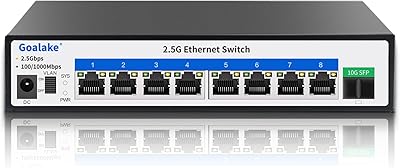
Goalake 8-Port 2.5G Ethernet Switch
80%
91%
Port Count & Configuration
88%
Throughput & Switching Performance
93%
Ease of Setup
79%
Build Quality & Materials
96%
Fanless & Noise Level
More
BrosTrend 8-Port 2.5G Unmanaged Switch
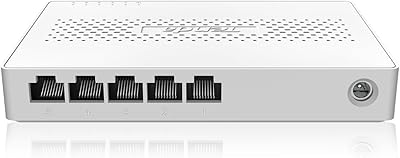
83%
93%
Port Speed Consistency
96%
Ease of Setup
61%
Build Quality
74%
Thermal Performance
91%
Value for Money
More
Tenda SE105 5-Port 2.5G Unmanaged Switch
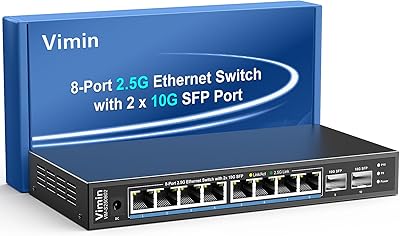
83%
97%
Ease of Setup
91%
Port Speed Performance
93%
Value for Money
67%
Build Quality
78%
Thermal Management
More
Tenda TEG1008M 8-Port Gigabit Ethernet Switch
86%
95%
Ease of Setup
89%
Performance/Stability
91%
Noise Level
87%
Build Quality
85%
Mounting Flexibility
More
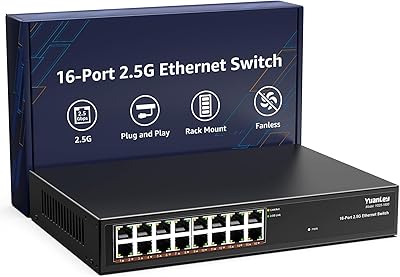
YuanLey 16-Port 2.5G Ethernet Switch
84%
91%
Ease of Setup
94%
Fanless Design & Noise Levels
88%
Speed & Performance
85%
Build Quality
92%
Value for Money
More
VIMIN 10-Port 2.5G Unmanaged Switch
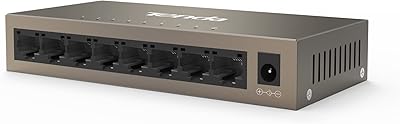
79%
96%
Ease of Setup
89%
Port Performance
84%
Build Quality
67%
Thermal Management
71%
SFP Uplink Usability
More
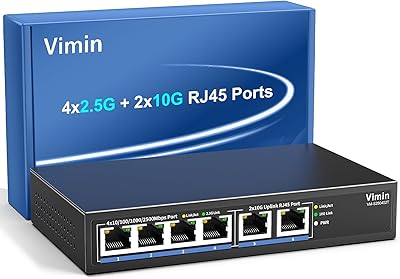
VIMIN 6-Port 10G/2.5G Ethernet Switch
88%
95%
Port Performance
92%
Data Throughput Stability
94%
Setup & Installation Ease
90%
Build Quality
78%
Thermal Management
More
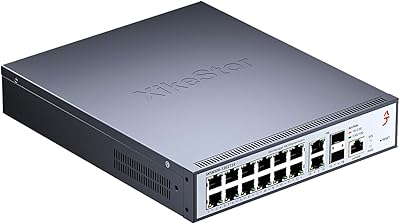
XikeStor 16-Port 2.5G L3 Managed Ethernet Switch
85%
92%
Port Variety and Flexibility
85%
Ease of Setup
88%
Traffic Management Features
90%
Build Quality
84%
Cooling and Thermals
More
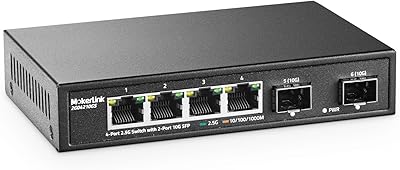
MokerLink 4-Port 2.5G 10G SFP Network Switch
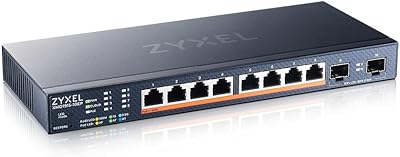
82%
91%
Value for Money
86%
Build Quality
93%
Ease of Setup
97%
Noise Level
67%
Thermal Performance
More
Zyxel XMG1915-10EP 8-Port 2.5G PoE Switch
81%
78%
PoE Performance
84%
Cloud Management
86%
Setup & Onboarding
81%
Build Quality
89%
2.5G Port Speed
More

FAQ

No, there is nothing to configure. You plug in the power adapter, connect your devices with Ethernet cables, and the switch starts working immediately. There is no web interface, no app, and no drivers involved at any stage.

It works fine with older gigabit and even 100Mbps devices — the switch auto-negotiates the best speed each port supports. The 2.5Gbps benefit only applies to devices that are themselves 2.5G-capable, so mixed environments are completely normal and supported.

There is no fan. The Tenda TEM2010F 8-Port 2.5G Ethernet Switch uses completely passive cooling, so it produces zero fan noise at any load level. The metal body gets warm during sustained transfers but remains silent throughout.

It can be. Passive cooling depends on ambient air movement around the chassis, and enclosed cabinets trap heat. Under light to moderate use it's generally fine, but if you're running sustained heavy transfers in a sealed space, the body temperature can climb noticeably. Leave some clearance around the unit if you can.

In VLAN mode, each port is isolated from every other port and can only communicate through the uplink — useful for guest networks or separating untrusted devices. You activate it by flipping the physical toggle on the switch body, which is simple enough, but there's no way to assign specific ports to specific VLANs. If you need that level of control, you'd want a managed switch instead.

Yes, as long as both devices have 2.5G-capable network adapters. The switch will negotiate 2.5Gbps on both ports and traffic will flow at that speed between them. Many modern NAS units and motherboards with 2.5G built-in work well in exactly this setup.

The SFP slots are rated for 2.5G SFP transceivers, including standard fiber modules and some direct-attach copper options. In practice, a subset of third-party modules has caused compatibility issues for some users, so sticking with well-known brands or modules explicitly listed as compatible by Tenda reduces the risk of problems.

Yes, the Static Aggregation mode bonds two ports together for increased throughput or redundancy between two devices. However, both ends of the connection — your switch and your NAS, router, or server — need to support 802.3ad static link aggregation and need to be configured to match. It is not automatic, so check that your other hardware supports it before relying on this feature.

The all-metal chassis is solid and the unit feels well-constructed relative to its price point. It does not have rack-mount ears, so it sits on a shelf or desktop rather than mounting in a standard 19-inch rack without a separate tray. For a SOHO setup on a network shelf or inside a small cabinet, it holds up well in everyday use.

No — each port on this switch maxes out at 2.5Gbps. A NAS with a 5G or 10G port will connect and work, but the link will negotiate down to 2.5Gbps. You would need a 5G or 10G switch to take full advantage of a higher-speed NAS port.

Where to Buy