

Overview

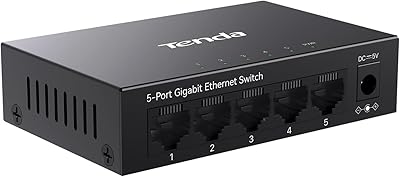
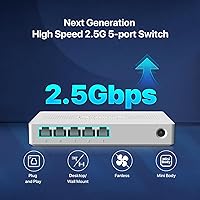
The Tenda SE105 5-Port 2.5G Unmanaged Switch arrives at exactly the right moment — routers, NAS boxes, and even laptops are increasingly shipping with 2.5G ports, yet most home networks are still bottlenecked by decade-old gigabit switches. Tenda isn't a household name like Netgear or TP-Link, but the brand has steadily earned credibility in the budget-to-prosumer networking space. What sets the SE105 apart from pricier managed alternatives is its zero-configuration setup — plug it in and it works. For users who don't need VLANs or QoS controls, that simplicity isn't a limitation; it's the whole point. This is a straightforward, honest upgrade path into multi-gig networking without the complexity tax.

Features & Benefits

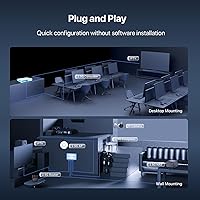
All five ports auto-negotiate across 100, 1000, and 2500 Mbps, so older Cat5e cabling won't force you into an infrastructure overhaul. The 25 Gbps switching capacity means the entire switch can handle every port running at full 2.5G simultaneously — no hidden bottleneck when your NAS, desktop, and streaming box are all active at once. At just 5W of max draw, it runs quietly in the background without adding to your power bill. The physical footprint is small enough to tuck behind a desk or mount on a wall. Backing it up is a 3-year warranty plus lifetime tech support, which signals Tenda is genuinely willing to stand behind the hardware long after purchase.

Best For

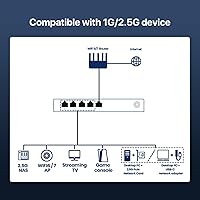
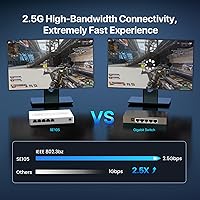
This 2.5G switch makes the most sense if you already have a multi-gig router or modem and want to extend that speed to several wired devices without paying a premium for managed features you'll never use. NAS users will see the most immediate payoff — local file transfers that previously crawled near gigabit limits can jump noticeably when both ends support 2.5G. Gamers and heavy streamers running wired connections will appreciate removing the switch as a potential choke point. It's equally practical for a small office where a handful of people need reliable, fast wired access but no one wants to log into a management interface to configure anything.

User Feedback

With a 4.7 out of 5 rating across nearly 500 buyers, the SE105 earns its score honestly. The most consistent praise centers on immediate setup and real, measurable speed gains — particularly from users pairing it with a 2.5G-capable router or NAS. Comparisons to TP-Link and Netgear equivalents frequently favor Tenda on value. The honest caveat: the plastic housing feels lightweight, and some buyers note it doesn't inspire the same confidence as metal-clad alternatives. Port spacing also draws occasional complaints when thick cables are involved. That said, reliability concerns are essentially absent from the feedback — the gripes are about aesthetics, not performance, which most buyers at this price point seem willing to accept.

Pros

  • All five ports auto-negotiate up to 2.5 Gbps, so existing Cat5e or Cat6 cabling works without replacement.
  • Zero configuration required — unbox, plug in, and the switch is fully operational within seconds.
  • 25 Gbps total switching capacity means no internal bottleneck even when every port runs at full speed.
  • At just 5W of max power draw, it runs cost-efficiently as an always-on part of your home network.
  • The compact size fits easily on a desk, shelf, or wall bracket without dominating the space.
  • A 3-year warranty combined with lifetime tech support is unusually generous at this price point.
  • Backward compatibility with 100 Mbps and 1 Gbps devices means mixed-speed setups work without issues.
  • NAS and multi-client file transfer speeds see a tangible, measurable improvement over standard gigabit switches.
  • Buyers consistently report a smooth setup experience, with no driver installs or app pairing needed.
  • Competitive value compared to similar 2.5G unmanaged options from larger networking brands.

Cons

  • The plastic housing feels noticeably lightweight and may not inspire confidence in demanding or high-traffic environments.
  • No management features at all — VLANs, QoS, and port mirroring are completely absent by design.
  • Only five ports, with no expansion or uplink option, limits scalability for growing setups.
  • The external power brick adds a cable to manage, unlike some competing switches with built-in power supplies.
  • Port spacing can get tight when using thick or stiff ethernet cables on adjacent ports.
  • No link aggregation support, so you cannot bond two ports for higher throughput to a single device.
  • Tenda's brand recognition and long-term firmware track record is harder to evaluate than more established names.
  • No fanless or thermal design notes are provided, making heat management in enclosed spaces a mild unknown.

Ratings

The scores below reflect an AI-driven analysis of verified global buyer reviews for the Tenda SE105 5-Port 2.5G Unmanaged Switch, with spam, bot-generated, and incentivized feedback actively filtered out to ensure accuracy. Our model weighs both the enthusiasm of satisfied users and the frustrations of those who found limitations, so every score captures the full picture — not just the highlights. Strengths and recurring pain points are represented equally, giving you an honest basis for comparison.

Ease of Setup
97%
Buyers consistently describe setup as the smoothest part of the entire experience — unbox, plug in, and it works. No drivers, no app pairing, no configuration menus. Users coming from managed switches specifically called out how refreshing the zero-friction installation felt, especially for a first multi-gig upgrade.
A small number of users running complex home labs noted that the complete absence of any setup interface means there is nothing to verify or troubleshoot if something behaves unexpectedly. For true plug-and-play buyers this is irrelevant, but it is worth noting for advanced users who prefer confirmation feedback.
Port Speed Performance
91%
Users pairing the SE105 with a 2.5G-capable NAS and a multi-gig adapter on their desktop reported local transfer speeds that clearly surpassed gigabit limits, often exceeding 250 MB/s on large file moves. For NAS owners and home media server users, this is where the purchase pays off most concretely.
A handful of users noted that achieving the full 2.5G link required quality cabling and a short run — marginally long or older cable runs occasionally negotiated down to 1 Gbps. The switch itself was not at fault in these cases, but buyers should not assume 2.5G is automatic across all existing wiring.
Value for Money
93%
At its price point, buyers repeatedly described the SE105 as the most affordable credible entry into 2.5G switching, especially compared to branded competitors from TP-Link and Netgear in the same port count. Getting five full 2.5G ports, a 3-year warranty, and lifetime support for what it costs struck reviewers as genuinely strong value.
Users who later decided they needed VLAN support or QoS controls felt the money would have been better spent on a smarter switch from the start. The value proposition is real, but only if your use case actually fits an unmanaged setup — buyers who outgrow it quickly may feel differently in retrospect.
Build Quality
67%
33%
Most users acknowledged the plastic enclosure as appropriate for a budget-tier switch that lives on a desk or behind a TV stand. It is compact, the port alignment is clean, and the unit stays put on a surface without sliding. For stationary, low-handling use, buyers generally found it adequate.
The lightweight plastic shell is the most frequently cited criticism across reviews. Users comparing it side-by-side with metal-encased TP-Link or Netgear units found it felt noticeably cheaper. A few buyers mentioned the housing felt slightly flexed near the port cluster when pressing in cables, which created minor concern about long-term port integrity.
Thermal Management
78%
22%
The fanless passive cooling design means the switch runs in complete silence, which matters for bedroom setups, home theaters, or quiet office environments. Users who leave networking gear powered on around the clock appreciated not having to deal with fan noise aging or failure over time.
Tenda provides no published operating temperature floor or airflow guidance, which left some users uncertain about placement in enclosed media cabinets or tight rack shelves. A small number of reviewers reported the unit running noticeably warm to the touch under sustained heavy load, though no thermal-related failures were documented.
Port Count & Layout
72%
28%
Five ports covers the most common home network expansion scenario well — router, NAS, desktop, gaming console, and one spare. The physical port spacing is consistent, and the LED indicators per port are visible and easy to interpret at a glance.
Users with growing setups quickly found five ports limiting, and since this is an unmanaged switch there is no link aggregation to compensate. Port spacing drew complaints from buyers using thick Cat6a or braided cables — the ports are close enough together that stiff connectors on adjacent ports feel cramped.
Compatibility
89%
Auto-negotiation across 100/1000/2500 Mbps meant buyers could mix older gigabit devices with newer 2.5G hardware on the same switch without any manual configuration. Users with heterogeneous setups — a mix of gaming consoles, older printers, and newer NAS units — found everything recognized and connected without issue.
A few users on very old or non-standard network hardware reported occasional link instability at 2.5G that resolved when falling back to 1 Gbps, suggesting edge-case compatibility sensitivity. These cases were uncommon, but buyers with unusual legacy hardware should keep the return window in mind.
Warranty & Support
88%
The 3-year hardware warranty is notably longer than many competing budget switches, and the lifetime tech support commitment was called out by multiple reviewers as a genuine differentiator. Users who reached Tenda support reported helpful, responsive interactions rather than the runaround common with some budget brands.
Tenda's overall brand longevity and long-term parts availability is less established than larger networking names, which creates a mild background concern about whether lifetime support will still be meaningful in five or ten years. The warranty documentation could also be clearer about what the claims process involves.
Power Efficiency
86%
At 5W max draw, the SE105 is among the more efficient switches in this category. Users who monitor whole-home power usage found it a negligible addition to their electricity footprint even when left on continuously. The included adapter is compact and does not block adjacent outlets on most power strips.
The external power adapter is a minor inconvenience compared to switches with internal power regulation, adding an extra cable to manage. A small number of users noted the adapter runs slightly warm and wished Tenda had built power circuitry into the chassis directly.
Physical Footprint
84%
At under 6 inches long and less than an inch tall, the switch disappears easily into most setups. Wall-mount hardware is included, and several buyers praised the clean look when mounted vertically next to a patch panel or router — it keeps cable clutter contained and the desk clear.
The wall-mount holes are modest in spacing, and a couple of buyers mentioned the mount points felt slightly under-engineered for heavy cable loads when multiple stiff ethernet cables are pulling on the unit simultaneously. This is a minor concern for desktop use but worth noting for permanent wall installations.
Indicator Lights
76%
24%
Each port has an LED that signals link status and activity, which is enough for basic diagnostics — confirming a cable is live or spotting a dead connection is quick and obvious. Users appreciated that the indicators are not overly bright, making the switch bedroom-friendly in low-light environments.
The LEDs do not differentiate between 1G and 2.5G link speeds, which frustrated users who wanted to verify at a glance whether each device had negotiated the full 2.5G connection. Competing switches in a similar price range have begun offering speed-differentiated LED modes, making this a noticeable gap.
Reliability Over Time
83%
For a relatively new product, the SE105 has accumulated a meaningful review base, and long-term reliability complaints are essentially absent from the feedback corpus. Users running it as an always-on switch for several months reported no dropouts, reboots, or port failures under normal operating conditions.
The product was first available in mid-2024, so multi-year reliability data is still limited. Buyers who prioritize long-term proven hardware may want to wait for a more established track record before committing, particularly if the switch will be deployed in a critical always-on business environment.
Packaging & Unboxing
74%
26%
The packaging is straightforward and includes everything needed: the switch, power adapter, and mounting hardware. Users noted the box communicates the key specs clearly, and nothing arrived damaged in the vast majority of reported shipments.
A few buyers found the included ethernet cable absent — while not strictly expected at this price, some competitors do include a short patch cable in the box. The packaging itself is functional rather than premium, which is a minor but consistent observation among users who compared the unboxing experience to other networking hardware.

Suitable for:

The Tenda SE105 5-Port 2.5G Unmanaged Switch is a strong fit for anyone whose network gear has already crossed into multi-gig territory but whose switch is still the bottleneck. If you have a 2.5G-capable router — increasingly common in Wi-Fi 6 and 6E models — and want to extend that speed to several wired devices without paying a premium for management features you will never configure, this is a practical, low-friction solution. NAS owners stand to benefit the most: local transfers between a server and multiple client machines can break well past the old gigabit ceiling when the switch stops being the weakest link. Home theater setups, gaming rigs, and busy SOHO desks with four or five wired devices also fit naturally into this switch's wheelhouse. The plug-and-play design means there is no learning curve, no web interface to navigate, and no ongoing maintenance — it simply works from the moment you plug it in.

Not suitable for:

Buyers who need any layer of traffic control should look elsewhere before committing to the SE105. There are no VLANs, no QoS prioritization, no port mirroring, and no management interface at all — by design, not by accident. If you are running a network that needs to isolate IoT devices, prioritize VoIP traffic, or segment guest access from internal resources, an unmanaged switch will not meet those requirements regardless of its port speed. The plastic enclosure is also worth considering honestly: it feels lightweight compared to metal-bodied alternatives from Netgear or TP-Link, which may matter in environments where the switch is handled frequently or mounted in a busy rack. Users who need more than five ports will also find the SE105 too limiting, since there is no uplink or expansion path built in. Finally, anyone running a network with 10G endpoints should skip this tier entirely — 2.5G, while a real improvement over gigabit, will still be a ceiling for the most bandwidth-intensive professional workflows.

Specifications

  • Ports: The switch provides 5 × 2.5G Base-T RJ45 ports, each capable of auto-negotiating to 100, 1000, or 2500 Mbps depending on the connected device.
  • Switching Capacity: Total non-blocking switching capacity is 25 Gbps, meaning all five ports can operate at full 2.5G simultaneously without internal congestion.
  • MAC Table: Supports up to 16,000 MAC address entries with automatic learning and aging, enabling efficient packet forwarding across densely connected environments.
  • Standards: Fully compliant with IEEE 802.3 networking standards, ensuring broad interoperability with routers, NAS devices, and network adapters from any manufacturer.
  • Management: Completely unmanaged with zero configuration required — there is no web interface, mobile app, or software involved at any point.
  • Dimensions: The unit measures 5.6″ in length, 3.55″ in width, and 0.95″ in height, making it compact enough to fit behind most desktop setups.
  • Weight: The switch weighs 12.3 oz, which is light enough for wall mounting without requiring heavy-duty hardware.
  • Power Supply: Powered by an included 12V external power adapter; no PoE support is provided on any port.
  • Power Consumption: Maximum power draw is 5W under full load, making it one of the more energy-efficient options in the 2.5G switch category.
  • Operating Temp: Rated for operation up to 70°C, which provides adequate thermal headroom for always-on home and small office deployments.
  • Case Material: The enclosure is constructed from plastic, keeping the unit lightweight and the cost accessible while remaining sufficient for desktop or wall-mount use.
  • Mounting Options: Supports both flat desktop placement and wall mounting, with mounting hardware included to accommodate either installation preference.
  • Cable Compatibility: Compatible with Cat5e and Cat6 cabling for 2.5G speeds; older Cat5 cabling will typically limit connections to 1 Gbps or below.
  • Warranty: Backed by a 3-year limited hardware warranty covering manufacturing defects and hardware failures under normal operating conditions.
  • Tech Support: Tenda includes lifetime 24/7 technical support via phone and email at no additional cost, regardless of when the product was purchased.

Related Reviews
TRENDnet TEG-S350 5-Port 2.5G Network Switch
78%
88%
Value for Money
91%
Network Performance
94%
Ease of Setup
86%
Build Quality
97%
Noise Level
More
Zyxel MG-105 5-Port 2.5G Unmanaged Switch
80%
93%
Network Performance
97%
Ease of Setup
89%
Value for Money
62%
Build Quality
98%
Noise Level
More
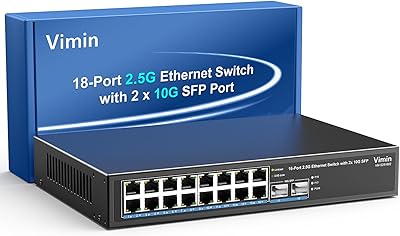
VIMIN 18-Port 2.5G Unmanaged Switch
87%
86%
Performance
92%
Ease of Setup
88%
Build Quality
94%
Fanless Design
85%
Compatibility with Devices
More
VIMIN 6-Port 2.5G Unmanaged Network Switch
83%
88%
Throughput Performance
84%
Build Quality
93%
Setup & Ease of Use
67%
SFP+ Port Usability
96%
Fanless Noise Level
More
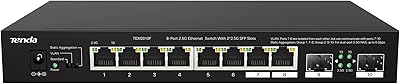
Tenda TEM2010F 8-Port 2.5G Ethernet Switch
77%
96%
Ease of Setup
91%
Network Performance
94%
Noise Level
82%
Build Quality
67%
Thermal Management
More
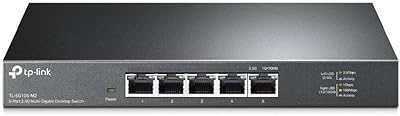
TP-Link TL-SG105-M2 5-Port 2.5G Unmanaged Switch
82%
91%
Throughput Performance
96%
Ease of Setup
88%
Build Quality
71%
Thermal Management
63%
Port Count & Expandability
More
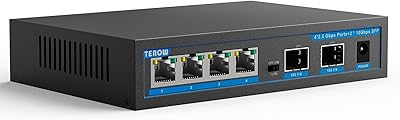
TEROW 4-Port 2.5G 2-Port SFP+ Network Switch
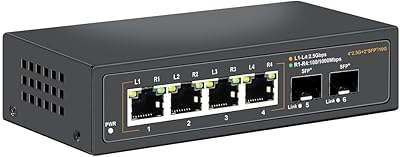
81%
93%
Value for Money
96%
Ease of Setup
88%
Port Performance & Link Stability
71%
SFP+ Port Compatibility
84%
Build Quality & Materials
More
Tenda TEG1005D 5-Port Gigabit Switch
89%
96%
Setup and Installation
88%
Performance During Heavy Use
85%
Build Quality and Durability
92%
Noise Level (Fanless Design)
90%
Traffic Handling and Optimization
More
Davuaz 2.5G Unmanaged Ethernet Switch
87%
88%
Performance
93%
Ease of Setup
90%
Energy Efficiency
85%
Build Quality
72%
Compatibility with Devices
More
ienRon 6-Port 2.5Gb PoE Switch with 2-Port 10Gb SFP+
85%
86%
Performance
91%
Ease of Setup
88%
PoE Power Delivery
84%
Build Quality
93%
Fanless Operation
More

FAQ

Not at all. The Tenda SE105 5-Port 2.5G Unmanaged Switch requires zero configuration — there is no app, no web interface, and no driver to install. You plug in the power adapter, connect your devices with ethernet cables, and it starts working immediately.

Cat5e is fine for 2.5G speeds over typical home distances, so most people will not need to replace their existing runs. Cat6 works as well. Just avoid very long runs of older Cat5 cable, which may cap out at gigabit speeds.

The switch itself will happily run 2.5G between any two devices connected directly to it — for example, between a NAS and a desktop with 2.5G adapters. However, any traffic going through a gigabit router will still be capped at 1 Gbps at that hop. The real benefit shows up in local network transfers, not internet speed.

Yes, as long as your NAS has a 2.5G network port — which most modern mid-range and higher Synology and QNAP units do. Connect the NAS to one port and your computer to another, and local transfer speeds will reflect the full 2.5G link rather than being capped at gigabit.

There are no fans in this unit — it is entirely passively cooled. In normal home or office environments it runs silently, which is a practical plus if it sits near your desk or in a bedroom entertainment setup.

No, and this is an important limitation to understand before buying. This unmanaged switch has no traffic management features whatsoever — no VLANs, no QoS, no port isolation. If those features matter to your network setup, you will need to step up to a managed or smart switch instead.

Both are 5-port 2.5G unmanaged switches in a similar price range and perform comparably in real-world use. The SE105 tends to edge ahead on warranty and support terms, while TP-Link carries slightly stronger brand recognition in some markets. For pure plug-and-play 2.5G functionality, most users find the performance difference negligible.

Yes, it supports wall mounting and the necessary mounting hardware is included in the box. The unit is light enough that standard drywall anchors are typically sufficient, though you should always verify your wall type before mounting.

No, link aggregation is not supported. This is an unmanaged switch without any advanced port configuration capabilities, so you cannot bond two ports together to push higher throughput to a single device like a NAS.

It is a fair observation. The enclosure is noticeably lighter than metal-bodied switches from Netgear or some TP-Link models. That said, for a desktop or wall-mounted switch that stays in one place, the plastic construction has not been a source of reliability complaints in user feedback. The electronics inside matter more than the shell for day-to-day durability, and the 3-year warranty gives you a reasonable safety net either way.