Overview

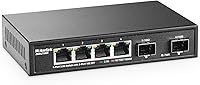
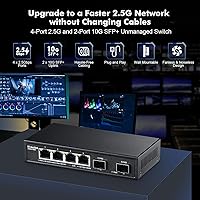
The MokerLink 4-Port 2.5G 10G SFP Network Switch sits in an interesting corner of the home networking market — it offers genuine 2.5G copper ports and 10G SFP uplinks at a price where most alternatives still top out at gigabit. That combination is rare at this tier. The all-metal fanless chassis sets it apart from the plastic, fan-cooled options you typically find at comparable prices. It is designed for NAS owners, Wi-Fi 6 AP users, and home lab enthusiasts who want a real speed upgrade without added complexity. One thing to clarify upfront: this is a plug-and-play unmanaged switch, with no PoE, no VLANs, and no configuration interface.
Features & Benefits

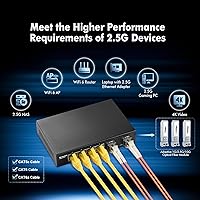
The four 2.5G copper ports make a noticeable real-world difference — pulling large files off a NAS or streaming 4K content from local storage feels meaningfully faster compared to a standard gigabit connection. Each port auto-negotiates down to 10/100/1000Mbps, so mixing older and newer hardware on the same switch is painless. The two SFP+ slots support 10G fiber or DAC cable uplinks, making it straightforward to connect this 2.5G switch to a higher-capacity core switch. Note that SFP modules are sold separately and must be purchased independently. The backplane is sized so all ports can run simultaneously without throttling each other, and the fanless metal body keeps operation silent for always-on use.

Best For

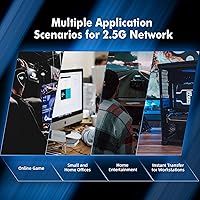
This MokerLink switch makes the most sense if you already have 2.5G-capable endpoints and just need the right switch to connect them. NAS users are the clearest fit — if your drives regularly saturate a gigabit link, this is the logical next step before full 10G becomes worth the cost. Owners of Wi-Fi 6 access points with 2.5G uplinks will see a direct benefit, since the switch itself will not be the bottleneck. Gamers who want low-latency wired connections between a high-speed PC and other devices will find it capable. If you need PoE, VLANs, or more than four copper ports, this is not the right fit.

User Feedback

Owners of this compact network switch consistently highlight two strengths: the silent fanless operation and how fast the initial setup goes. Most report it up and running within a minute of unboxing, which is exactly the point of an unmanaged device. The metal construction earns solid marks for feeling sturdy at this price. That said, a few buyers flag the DC power adapter as feeling slightly flimsy — worth noting if cable management is tight. Users in warm or enclosed spaces report the chassis can get noticeably warm under extended heavy load, so some airflow around it helps. A recurring issue worth flagging clearly: SFP modules excluded, and this catches a fair number of buyers off guard.

Pros

  • Real 2.5G speeds across all four copper ports make a tangible difference for NAS transfers and local 4K streaming.
  • Two 10G SFP+ slots offer genuine uplink flexibility for connecting to fiber or a higher-capacity core switch.
  • Completely silent operation makes this MokerLink switch a natural fit for living rooms, bedrooms, and quiet offices.
  • Setup takes under a minute — plug in power, connect cables, done. No software, no drivers, no configuration.
  • The all-metal chassis feels noticeably more solid than plastic competitors at this price tier.
  • Backward compatibility with older gigabit and fast-ethernet devices means you do not need to replace everything at once.
  • Per-port LED indicators make it easy to spot a bad cable or a mismatched link speed at a glance.
  • Compact footprint supports both desktop placement and wall mounting, keeping installs tidy and flexible.
  • Strong community of verified buyers with a high average rating signals reliable real-world performance for a niche product.
  • Surge protection on ports adds a layer of hardware safety that budget switches often skip entirely.

Cons

  • No PoE support on any port — cameras, access points, and VoIP phones will all need separate power adapters.
  • Only four copper ports, which fills up fast in households with multiple wired devices.
  • SFP modules are not included and must be purchased separately, adding unexpected cost if you plan to use the uplink slots right away.
  • The DC barrel power adapter feels flimsy to some users, which is a minor but recurring quality complaint.
  • Passive cooling can lead to noticeable warmth on the chassis in poorly ventilated or enclosed installations.
  • No management interface whatsoever — no VLANs, no QoS, no port monitoring, nothing beyond basic switching.
  • No wall-mounting hardware is included in the box, so a wall install requires sourcing your own screws and anchors.
  • Limited to a four-entry port count means scaling beyond a small setup requires adding another switch entirely.

Ratings

The scores below were generated by our AI after analyzing verified purchase reviews worldwide for the MokerLink 4-Port 2.5G 10G SFP Network Switch, with spam, bot activity, and incentivized feedback actively filtered out before any score was calculated. Both the genuine strengths and the recurring frustrations are reflected here without softening either side. If something bothered real buyers consistently, you will see it in the numbers.

Value for Money
91%
For a switch that delivers genuine 2.5G copper ports and two 10G SFP uplinks, the price sits well below what competing brands charge for similar specs. Home lab builders and NAS enthusiasts in particular feel they are getting substantially more than they paid for, especially compared to gigabit-only alternatives in the same bracket.
The value calculation shifts slightly once you factor in the cost of SFP modules, which are not included. Buyers who need both uplink slots populated immediately can find the true out-of-pocket cost climbs more than the sticker price suggests.
Build Quality
86%
The all-metal chassis earns consistent praise from buyers who expected a plastic shell at this price point. It feels dense and well-assembled, and most users report zero flex or rattling even after months of continuous operation in tight cabinet installs.
The DC barrel power adapter is the weak link — multiple buyers describe it as noticeably flimsier than the switch body itself, which undermines the otherwise solid hardware impression. A beefier power connector would bring the overall build perception in line with the chassis quality.
Ease of Setup
93%
Plug-and-play means exactly that here — the vast majority of buyers report being fully connected in under a minute with no driver downloads, no configuration pages, and no app required. For non-technical users upgrading a home network, this zero-friction experience is frequently cited as the deciding factor.
The simplicity is also the ceiling: there is no way to assign port priorities, configure VLANs, or troubleshoot traffic issues through any interface. Users who grow into needing more control will find there is simply nothing there to work with.
Noise Level
97%
Completely silent operation is one of the most praised aspects across the entire review pool. The fanless design makes this switch invisible acoustically, which is a meaningful quality-of-life advantage for anyone placing it in a bedroom, living room, or open-plan office environment.
There is essentially no noise-related complaint to report, which is rare. The only tangential concern is that the absence of a fan means heat management relies entirely on placement, so silence comes with the implicit requirement of adequate ambient airflow.
Thermal Performance
67%
33%
Under typical home network loads — a NAS, a few PCs, and a Wi-Fi access point running simultaneously — the chassis stays warm but well within comfortable operating range. The metal body does a reasonable job conducting heat away from internal components during normal daily use.
Users running sustained high-throughput workloads, such as large simultaneous backups or continuous 2.5G transfers across multiple ports, report the enclosure getting noticeably hot. In enclosed or poorly ventilated cabinets, this thermal buildup is a real concern that a small amount of airflow would largely resolve.
Port Performance
88%
Real-world transfer speeds between 2.5G-capable devices consistently hit close to the theoretical maximum, with NAS users reporting measurably faster backup and file transfer times compared to their previous gigabit setups. Auto-negotiation works reliably across all four ports with no manual intervention needed.
The copper ports top out at 2.5G, so buyers who later want 10G to the desktop will need a different switch entirely. The 10G capability is exclusively reserved for the SFP uplink slots, which some buyers only realize after purchase.
SFP Uplink Flexibility
79%
21%
Having two 10G SFP+ slots on a switch at this price gives home lab enthusiasts real uplink options — DAC cables, fiber modules, or even 2.5G SFP modules all work, making it practical to connect this switch to a higher-capacity core switch or a fiber backbone.
The complete absence of included modules means the uplink ports are unusable out of the box, and sourcing compatible modules adds both cost and research effort. Buyers who assumed everything needed was in the box have left some of the more frustrated reviews in the pool.
LED Indicators
82%
18%
Per-port LEDs that distinguish between 2.5G and slower link speeds by color make it genuinely easy to verify that each connection is running at the expected rate. Several buyers highlight this as a useful diagnostic feature when troubleshooting cable or adapter issues.
The LEDs are functional but basic — there is no way to disable them for dark-room setups, and the color differentiation between speed states can be subtle in bright ambient lighting. A brief glance is not always enough to confirm the link state with confidence.
Compatibility
89%
The auto-negotiation across all four copper ports means this compact network switch integrates cleanly into mixed-speed networks without any manual configuration. Older gigabit devices, fast-ethernet printers, and 2.5G NAS units can all coexist on the same switch without conflicts.
Buyers using less common 2.5G NICs, particularly older or off-brand PCIe adapters, occasionally report slower-than-expected negotiated speeds. These cases appear to be edge situations rather than a systemic issue, but compatibility with non-standard hardware is not guaranteed.
Port Count
61%
39%
Four ports is sufficient for focused single-purpose deployments — connecting a NAS, one or two workstations, and a Wi-Fi access point covers the core home network use case cleanly without any ports going to waste.
Four ports fills up fast in any household with more than a handful of wired devices, and there is no expansion path short of adding another switch. Users who underestimate how quickly they run out of ports tend to wish they had purchased an eight-port model instead.
Heat-Related Reliability
73%
27%
The majority of long-term buyers report no reliability issues after many months of continuous 24/7 operation under normal home conditions. The switch appears to handle typical always-on workloads without failures, which is the baseline expectation for any unmanaged device.
A subset of users in warmer climates or enclosed rack installations report intermittent link drops that resolve after the unit cools down. This points to thermal throttling or protection circuits activating, and it underscores the importance of placing the switch somewhere with open airflow.
Power Efficiency
84%
A maximum draw of 12W under full load makes this one of the more energy-conscious options in its class. For a device running continuously in a home lab or media cabinet, the low power consumption translates to negligible electricity costs over months of use.
The external barrel-style power adapter adds a small amount of desk or shelf clutter, and its perceived build quality does not match the switch itself. An integrated or higher-quality power solution would round out the package more convincingly.
Mounting Options
71%
29%
Support for both flat desktop use and wall mounting gives buyers genuine flexibility in how they integrate this switch into a network setup. The compact footprint makes it easy to tuck behind a router or mount discreetly inside a media cabinet.
Wall-mounting hardware is not included, which is a minor but genuine omission for a product that advertises wall-mount support. Buyers who want to mount it immediately need to source their own screws and anchors, which adds a small but unnecessary friction point to the install.

Suitable for:

The MokerLink 4-Port 2.5G 10G SFP Network Switch was built for a specific kind of buyer, and if you fit the profile, it delivers real value. Home NAS users are the most obvious match — if you have a multi-bay NAS with fast drives and you keep hitting the ceiling of a standard gigabit connection during large file transfers or backups, this switch gives you a meaningful speed bump without requiring a full 10G overhaul across your whole network. Wi-Fi 6 and 6E access point owners with 2.5G uplink ports will also benefit directly, since this switch will not become the bottleneck between their AP and the rest of the network. Home lab enthusiasts who want SFP uplink flexibility — to tie into a fiber backbone or a higher-capacity core switch via DAC cable — will appreciate having those two 10G slots available at this price point. It also suits anyone in a bedroom, home office, or media room where fan noise is a real concern, since the passive metal chassis runs completely silent around the clock.
Not suitable for:

Buyers who need Power over Ethernet should look elsewhere immediately — this compact network switch provides no PoE on any port, so it cannot power access points, IP cameras, or VoIP phones directly. Anyone who needs VLAN support, port isolation, traffic prioritization, or any form of network management will find this device frustrating, as it is strictly plug-and-play with zero configuration options. If you regularly run more than four wired devices at 2.5G speeds simultaneously and need room to grow, four copper ports will feel limiting quickly. Users in warm server closets or enclosed cabinets with poor airflow should also be cautious, since the fanless design relies on ambient air to keep temperatures in check under sustained heavy loads. And if you are planning to use the SFP slots immediately, budget for the modules separately — they are not included, and forgetting that is a common and avoidable surprise when the package arrives.

Specifications

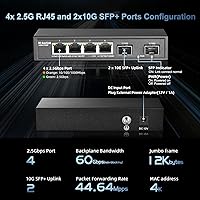
  • Copper Ports: Four RJ45 ports support 2.5G speeds and auto-negotiate down to 10/100/1000Mbps for backward compatibility with older devices.
  • SFP Uplinks: Two SFP+ slots accommodate 10G fiber or DAC cable modules, and also accept 1G and 2.5G SFP modules for flexible uplink configurations.
  • Switching Capacity: The internal backplane handles up to 60Gbps of total throughput, ensuring no port starves another even under simultaneous full-load traffic.
  • Forwarding Rate: Packet forwarding is rated at approximately 44.64 million packets per second, supporting fast, low-latency data movement across all ports.
  • Packet Buffer: An 8Mbit shared packet buffer helps absorb short traffic bursts without dropping frames during peak usage.
  • MAC Table: The switch supports a MAC address table of up to 4,000 entries, suitable for small office and home network environments.
  • Management: This is a fully unmanaged switch with no web interface, CLI, or app — auto-negotiation and auto MDI/MDIX handle everything automatically.
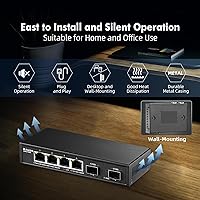
  • Chassis Material: The enclosure is constructed entirely from metal, providing passive heat dissipation and a more durable build than plastic alternatives at this price tier.
  • Cooling: A fanless passive cooling design means the switch operates in complete silence and generates no fan noise under normal operating conditions.
  • Power Supply: The switch runs on a DC 12V 1A external adapter included in the box, with a maximum power draw of 12W under full load.
  • Surge Protection: Built-in surge protection covers common mode up to 4KV and differential mode up to 2KV, with ESD air discharge protection rated at 8KV.
  • Dimensions: The unit measures 140 x 93 x 28mm, making it compact enough to tuck behind a desk, mount on a wall, or fit inside a small network closet.
  • Weight: The switch weighs 0.33kg net, light enough to wall-mount securely without heavy-duty anchoring hardware.
  • Installation: Supports both flat desktop placement and wall mounting, though wall-mounting hardware is not included in the package.
  • LED Indicators: Each port has a dedicated LED that indicates connection speed by color and blinks to show active data transmission, making fault diagnosis straightforward.
  • Operating Temp: The switch is rated for operating environments between 0°C and 40°C, with storage tolerance down to -40°C.
  • Standards: The switch complies with IEEE 802.3bz for 2.5G, along with IEEE 802.3ab for Gigabit, 802.3ae for 10G, and 802.3x for flow control.
  • SFP Modules: No SFP modules are included in the box — they must be purchased separately based on the user's specific uplink type and cable infrastructure.
  • Box Contents: The package includes the switch unit, one AC-to-DC power adapter, and a printed instruction manual.
  • Humidity Range: Safe operating humidity runs from 10% to 90% non-condensing, and storage humidity tolerance extends up to 95% non-condensing.

Related Reviews

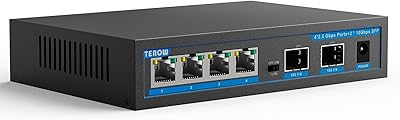
TEROW 4-Port 2.5G 2-Port SFP+ Network Switch
81%
93%
Value for Money
96%
Ease of Setup
88%
Port Performance & Link Stability
71%
SFP+ Port Compatibility
84%
Build Quality & Materials
More
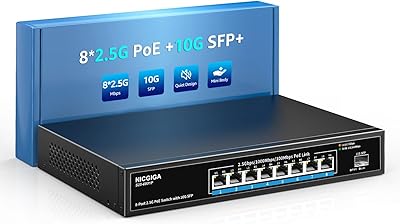
NICGIGA S25-0801P 8-Port 2.5G PoE Switch
79%
88%
Network Performance
79%
PoE Reliability
84%
Build Quality
76%
Thermal Management
93%
Ease of Setup
More
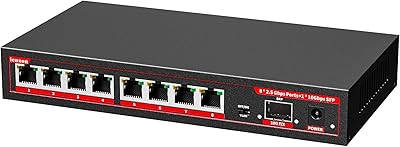
ienRon 6-Port 2.5Gb PoE Switch with 2-Port 10Gb SFP+
85%
86%
Performance
91%
Ease of Setup
88%
PoE Power Delivery
84%
Build Quality
93%
Fanless Operation
More
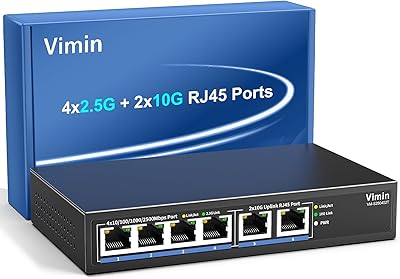
VIMIN 6-Port 10G/2.5G Ethernet Switch
88%
95%
Port Performance
92%
Data Throughput Stability
94%
Setup & Installation Ease
90%
Build Quality
78%
Thermal Management
More
VIMIN 6-Port 2.5G Unmanaged Network Switch
83%
88%
Throughput Performance
84%
Build Quality
93%
Setup & Ease of Use
67%
SFP+ Port Usability
96%
Fanless Noise Level
More
ienRon 9-Port 2.5G 10G SFP Ethernet Switch
82%
88%
Throughput Performance
93%
Ease of Setup
82%
Build Quality
96%
Fanless Noise Level
77%
10G SFP+ Uplink Flexibility
More
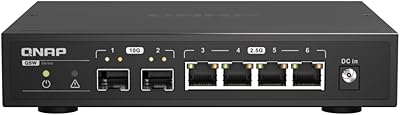
QNAP QSW-2104-2S-A-US 2.5GbE & 10G SFP+ Network Switch
84%
95%
Ease of Setup
91%
Network Performance
89%
Quiet Operation
85%
Build Quality
87%
Compatibility
More
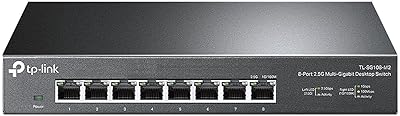
TP-Link TL-SG108-M2 8-Port 2.5G Multi-Gigabit Network Switch
89%
93%
Ease of Setup
89%
Network Performance
91%
Build Quality
96%
Noise Level (Fanless Design)
87%
Compatibility with Cat5e Cables
More
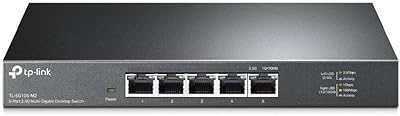
TP-Link TL-SG105-M2 5-Port 2.5G Unmanaged Switch
82%
91%
Throughput Performance
96%
Ease of Setup
88%
Build Quality
71%
Thermal Management
63%
Port Count & Expandability
More
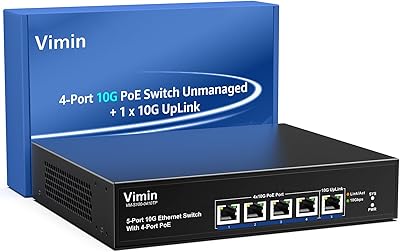
VIMIN 4-Port 10G PoE Switch with 10G Uplink
87%
92%
Performance & Speed
88%
Ease of Setup
90%
Build Quality & Durability
85%
Power over Ethernet (PoE) Capability
89%
Compatibility with Devices
More

FAQ

Yes, you need at least one 2.5G-capable device on each end of the connection to benefit from the faster speed. If your router only has a gigabit port, traffic between the switch and router will still be capped at 1G. However, devices connected directly to each other through this switch — like a NAS and a PC, both with 2.5G adapters — will run at full 2.5G speed regardless of what your router supports.

No, it does not. The two SFP+ slots are empty out of the box, and you will need to purchase compatible modules separately. This catches a fair number of buyers off guard, so make sure to budget for that if you plan to use the uplink ports right away. The slots accept 1G, 2.5G, and 10G SFP modules, as well as standard DAC cables.

Absolutely. All four copper ports auto-negotiate, so plugging in an older gigabit device works without any configuration. The port will simply connect at 1G instead of 2.5G. This means you can mix 2.5G and gigabit hardware on the same switch without any issues.

It is completely silent. There is no fan — cooling is handled entirely by the metal chassis passively dissipating heat. Many buyers specifically choose this MokerLink switch for media rooms and bedrooms for exactly this reason.

No, this is a fully unmanaged switch. There is no app, no browser interface, no CLI, and no management protocol supported. It is purely plug-and-play. If you need features like VLANs, port prioritization, or traffic monitoring, you will need to look at managed switch options, which are in a different category and price range.

No, none of the ports supply Power over Ethernet. Every connected device will need its own power source. If PoE is a requirement for your access point or cameras, this switch is not the right fit and you should look specifically for PoE-capable models.

Under typical home or small office loads, the metal body gets warm to the touch but not uncomfortably hot. Users who run it under sustained heavy traffic in a poorly ventilated cabinet have reported it getting quite warm. If you are putting it in an enclosed rack or tight cabinet, make sure there is some airflow around it.

Yes, the MokerLink 4-Port 2.5G 10G SFP Network Switch supports wall mounting. However, the mounting hardware is not included in the box, so you will need your own screws and anchors appropriate for your wall type.
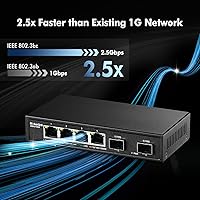
The copper RJ45 ports max out at 2.5G — they do not support 10G over standard Cat cable. If you have a 10G device, you would need to connect it through one of the SFP+ slots using an appropriate 10G module or DAC cable. The SFP slots are where the 10G capability lives on this switch.

The included adapter is designed for standard use, so buyers outside regions using a standard plug type may need a plug adapter or a compatible third-party 12V 1A DC power supply. It is worth checking the adapter's input voltage range printed on the label, as many universal adapters handle a wide voltage range automatically.