Yottamaster PS200U3 32TB 2-Bay Hard Drive Enclosure
Yottamaster PS200U3 32TB 2-Bay Hard Drive Enclosure — image 1
Yottamaster PS200U3 32TB 2-Bay Hard Drive Enclosure — image 2
Yottamaster PS200U3 32TB 2-Bay Hard Drive Enclosure — image 3
Yottamaster PS200U3 32TB 2-Bay Hard Drive Enclosure — image 4
Yottamaster PS200U3 32TB 2-Bay Hard Drive Enclosure — image 5
Yottamaster PS200U3 32TB 2-Bay Hard Drive Enclosure — image 6
Yottamaster PS200U3 32TB 2-Bay Hard Drive Enclosure — image 7
72%
28%

Overview

The Yottamaster PS200U3 32TB 2-Bay Hard Drive Enclosure is a straightforward, plug-and-play desktop storage box designed for home users and small offices that need to expand capacity without the complexity of a NAS or RAID setup. What sets it apart from most competitors in this price range is its solid aluminum chassis — most rivals at similar prices ship in plastic shells that flex and creak. The push-tray loading system makes swapping drives quick and painless. Just be clear on what this is: direct-attached storage only. No network sharing, no redundancy. You plug it into a single machine and use it exactly like a large external drive.

Features & Benefits

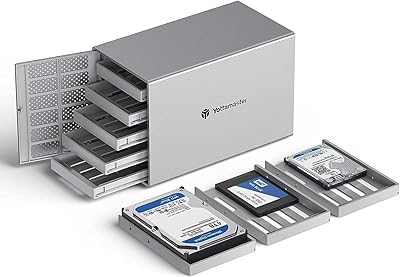
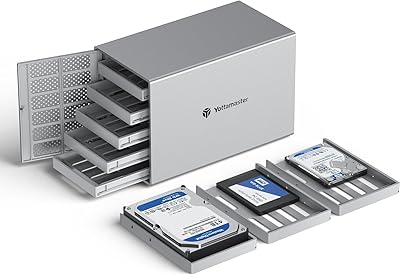
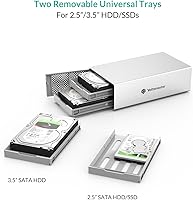
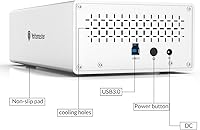
This dual-bay enclosure fits both 3.5-inch desktop drives and 2.5-inch laptop drives or SSDs, with each bay handling up to 16TB — giving you 32TB of raw storage when fully loaded. The USB 3.0 interface pushes data at up to 6 Gbps, which is more than fast enough for media playback and large file transfers. That said, the Type-B USB port is worth flagging: it is a legacy connector that feels out of step with the USB-C standard most buyers now expect. The aluminum body also draws heat away from drives passively, which genuinely matters during long backup runs. Each bay has its own LED, and a red light paired with an audible beep will alert you if a drive develops a fault.

Best For

This desktop storage box makes the most sense for people who want a no-fuss way to house large drives for local backup or media archiving without configuring anything. Photographers and video editors storing project files on separate drives will appreciate having both bays accessible from one unit. It is also a practical option for anyone retiring old desktop drives from a previous build who wants to keep them running in a tidy enclosure. Those willing to overlook the dated USB port in exchange for a genuinely sturdy build will find it a reasonable value. One clear caveat: anyone expecting RAID mirroring or network access should look elsewhere entirely.

User Feedback

Across its review base, the Yottamaster PS200U3 earns a 3.9-star average — respectable, but the split between satisfied and frustrated buyers tells a more nuanced story. Most happy owners highlight the easy initial setup, quiet operation, and build quality that feels solid for the price. Criticism clusters around two areas: the Type-B USB cable, which many find inconveniently outdated, and occasional compatibility quirks with specific drive brands or capacities. The screw-type confusion is a recurring frustration worth flagging — the enclosure uses two distinct screw sizes, and mixing them up during installation trips up a surprising number of buyers. Long-term durability feedback is mixed enough that reviewing the most recent posts before purchasing is genuinely advisable.

Pros

  • Aluminum alloy body feels noticeably more solid than plastic enclosures at a similar price point.
  • Supports both 3.5-inch and 2.5-inch SATA drives, giving you flexibility to mix drive types across the two bays.
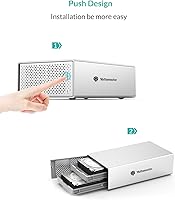
  • Push-button tray ejection makes installing or swapping drives quick and tool-free in most cases.
  • Per-bay LED indicators give you a live read on drive activity at a glance.
  • Audible beep plus red LED alert provides a useful early warning when a drive starts to fail.
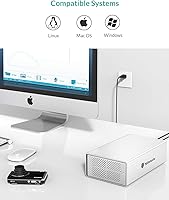
  • Works across Windows, macOS, and Linux without requiring special drivers or software.
  • Bundled accessories — cable, power adapter, screwdriver, and manual — mean you can set it up straight out of the box.
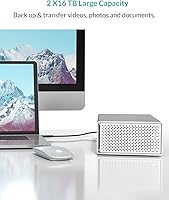
  • Up to 32TB of raw capacity makes it a practical option for large media libraries or long-term archives.
  • Passive heat dissipation from the aluminum body helps keep drives cooler during extended use sessions.
  • Ranked among the top enclosures in its category on Amazon, suggesting a reasonable track record over time.

Cons

  • The USB 3.0 Type-B port is a legacy connector that feels outdated compared to the USB-C standard most buyers now expect.
  • No RAID support means there is zero built-in data redundancy — a single drive failure means data loss if you have no separate backup.
  • Two different screw types are used in the assembly, and mixing them up is a frequently reported frustration among real buyers.
  • Some users report compatibility issues with specific drive brands or high-capacity models, which may require extra troubleshooting.
  • The audible beep alarm, while useful, can be disruptive in quiet home or office environments with no option to mute it.
  • Long-term reliability feedback across the review base is inconsistent, making it harder to predict lifespan with confidence.
  • No USB-C cable or adapter is included, adding an extra cost if your computer lacks a Type-A port.
  • As a direct-attached device, it can only be used by one computer at a time — not practical for shared office environments.

Ratings

The scores below for the Yottamaster PS200U3 32TB 2-Bay Hard Drive Enclosure were generated by our AI after analyzing verified buyer reviews from multiple global markets, with spam, bot-submitted, and incentivized feedback actively filtered out. Each category reflects the honest consensus of real owners — including the frustrations, not just the highlights. Where opinions were divided, that tension is reflected directly in the score.

Build Quality
83%
The aluminum alloy chassis is the most consistently praised aspect of this enclosure across hundreds of reviews. Buyers who previously owned plastic enclosures specifically call out how much more substantial it feels on a desk, and the anodized finish holds up well to daily handling without showing scratches easily.
A handful of users note that while the outer shell is solid, the plastic tray sleds feel less premium than the body itself. The push-button mechanism on the trays has occasionally been reported as slightly stiff or inconsistent after extended use.
Ease of Setup
79%
21%
The majority of buyers report being up and running within minutes — plug in power, connect the USB cable, and the drives appear on the desktop without any driver installation on Windows, macOS, or Linux. The included accessories mean there is genuinely nothing extra to buy just to get started.
The two-screw-type system is a recurring stumbling block that catches a disproportionate number of buyers off guard during initial installation. Without careful attention to which screws go where, it is easy to strip a thread or damage a drive tray, and the manual explanation does not fully prevent the confusion.
Drive Compatibility
71%
29%
Supporting both 3.5-inch and 2.5-inch SATA drives in the same unit gives this desktop storage box genuine flexibility for users who are repurposing a mix of old laptop and desktop drives. Most common drive brands from major manufacturers install and are recognized without any fuss.
Compatibility issues with specific high-capacity drives or lesser-known brands surface regularly enough in reviews to be a concern. Some buyers report that drives above 10TB from certain manufacturers required firmware awareness or additional troubleshooting before being recognized correctly.
Transfer Speed
74%
26%
For everyday tasks like transferring large video files, running Time Machine backups, or duplicating footage between bays, the USB 3.0 connection delivers speeds that are practical and rarely a bottleneck in typical home or freelance workflows. Most users report sustained reads and writes that align with their drive specifications.
The USB 3.0 interface, while functional, is not going to satisfy power users pushing large sequential workloads who have become accustomed to USB 3.2 Gen 2 or Thunderbolt speeds. Real-world throughput is also naturally capped by the speed of the drives installed, not just the interface.
Connectivity & Ports
56%
44%
The USB 3.0 Type-B connection is universally compatible with older desktop setups and legacy workstations, and backward compatibility with USB 2.0 means it works with virtually any host machine. For users on older hardware, this is a non-issue.
For anyone running a modern laptop or workstation with only USB-C ports, this is a genuine friction point with no in-box solution — no adapter or alternative cable is provided. The Type-B connector itself feels like a design holdover from an earlier era, and in a market that has largely moved on to USB-C, it is increasingly hard to overlook.
Thermal Management
77%
23%
The aluminum body does meaningful passive cooling work during long backup sessions or archiving runs. Buyers who leave the enclosure running overnight consistently report that drives stay at acceptable temperatures without any active fan noise to contend with.
Passive cooling has limits, and in warmer ambient environments or under sustained heavy workloads, drive temperatures can climb higher than ideal. There is no active fan option, so placement and ventilation around the unit become the user's responsibility.
Noise Level
81%
19%
Under normal operation, the only sounds come from the drives themselves spinning — the enclosure adds nothing on its own, which owners in home office or bedroom setups particularly appreciate. Quiet drives in this unit are genuinely quiet.
The fault-detection beep alarm is the one noise wildcard. It serves a real purpose, but there is no way to reduce or disable the alert tone, and in open-plan offices or quiet environments, an unexpected beeping enclosure draws unwanted attention.
Value for Money
72%
28%
Relative to plastic-chassis competitors in the same category, the aluminum build adds tangible perceived and physical value without demanding a significant premium. For users repurposing drives they already own, the overall cost of expanding usable storage this way compares favorably to buying pre-filled external drives.
The lack of USB-C, RAID support, and any network connectivity means buyers are paying a mid-range price for a relatively basic feature set by current standards. Those who need more from their enclosure will find that stepping up to a RAID-capable or NAS-ready unit does not cost dramatically more in today's market.
Long-Term Reliability
61%
39%
A significant share of the review base reports trouble-free operation over one to two years of regular use, with the aluminum chassis showing no structural degradation over time. For light to moderate home use, many units appear to hold up without incident.
The long-term reliability picture is genuinely uneven across the review base, with a non-trivial number of owners reporting unit failures or erratic behavior after extended use. This inconsistency makes it harder to recommend with full confidence for mission-critical or always-on storage scenarios.
Documentation & Support
58%
42%
The included manual covers the basic installation steps and does flag the screw-type distinction, which at least gives attentive buyers a heads-up before they start. For straightforward setups, the documentation is sufficient.
The manual is not detailed enough to prevent the screw confusion that appears repeatedly in buyer reviews, suggesting the explanation is either too brief or too easy to skim past. Post-purchase manufacturer support is not widely praised in community feedback, leaving users reliant on forums and third-party troubleshooting resources.
Indicator Lights
76%
24%
Having a dedicated LED per bay that actively shows drive status is more useful than a single shared light for the whole unit, especially when diagnosing which drive is active or flagging an issue. The red-light fault alert has reportedly helped several buyers catch a failing drive before losing data.
The LEDs are functional rather than refined — brightness and placement have drawn minor complaints, with some users finding them either too bright in low-light environments or not immediately visible depending on desk positioning. There is no brightness adjustment.
Packaging & Unboxing
78%
22%
The retail box is well-organized, with the included accessories — cable, power supply, screwdriver, and manual — all present and accounted for. Buyers generally report the unit arrives well-protected and ready to deploy without a secondary hardware run.
The screwdriver included in the kit is functional but minimal, and a few buyers note that the tray screws are easy to lose during first-time setup if you are working over a carpeted surface. A small parts tray or labeled compartments in the packaging would reduce that frustration noticeably.

Suitable for:

The Yottamaster PS200U3 32TB 2-Bay Hard Drive Enclosure is a strong fit for home users, freelancers, and small office workers who need a simple, high-capacity storage expansion without the overhead of configuring a NAS or managing RAID arrays. If you have a pile of old 3.5-inch SATA drives sitting in a drawer after a PC upgrade, this dual-bay enclosure gives them a second life in a compact, organized unit. Video editors and photographers will find it practical for keeping large project archives locally accessible at decent transfer speeds. It also works well for anyone running manual backup routines — duplicating footage or archiving documents across two independent drives is exactly the kind of workflow this desktop storage box handles without complaint. The aluminum build gives it a durability edge over similarly priced plastic alternatives, which matters if the unit will run for extended periods.

Not suitable for:

The Yottamaster PS200U3 32TB 2-Bay Hard Drive Enclosure is not the right tool for buyers who need data redundancy, network access, or modern connectivity. If your goal is to mirror drives for automatic data protection, you will need a RAID-capable enclosure — this one operates in JBOD mode only, meaning a failed drive takes its data with it. Anyone planning to share storage across multiple computers or over a home network should be looking at a NAS device instead. The USB 3.0 Type-B interface also feels like a step behind for buyers whose setups have moved fully to USB-C, and the lack of an adapter in the box makes that friction immediate. Users who want a set-and-forget reliability guarantee may also want to dig into the most recent reviews before committing, as long-term durability feedback from owners is genuinely mixed.

Specifications

  • Brand & Model: Manufactured by Yottamaster under the model designation PS200U3, first made available in April 2017.
  • Bay Count: Houses two independent drive bays, each operated separately with no RAID dependency between them.
  • Max Capacity: Supports up to 32TB of total raw storage when two drives of up to 16TB each are installed.
  • Drive Compatibility: Accepts 2.5″ and 3.5″ SATA HDDs and SSDs from most major manufacturers.
  • Interface: Connects to a host computer via a USB 3.0 Type-B port, with backward compatibility for USB 2.0 and 1.0.
  • Transfer Speed: Rated at up to 6 Gbps under the SATA III protocol when paired with a USB 3.0-capable host port.
  • Body Material: Constructed from aluminum alloy with an anodized surface finish that aids passive thermal management and resists surface wear.
  • Drive Installation: Each bay uses a push-button tray ejection system that allows drives to be inserted or removed without tools in most configurations.
  • Status Indicators: Two LED indicators per bay display active drive operation in standard use and switch to red with an audible beep alert upon drive fault detection.
  • Power Supply: Includes a 12V/4A external power adapter in the box; no USB bus power — a dedicated power connection is always required.
  • RAID Support: Does not support any RAID mode; drives operate in JBOD configuration only, functioning as independent volumes.
  • OS Compatibility: Compatible with Windows, macOS, and Linux operating systems without requiring proprietary drivers.
  • Package Weight: The complete retail package weighs 3.02 pounds including all bundled accessories.
  • Package Dimensions: The retail box measures 11.06 x 9.8 x 4.84 inches, suitable for standard desktop placement.
  • Included Accessories: Box contents include one USB 3.0 cable, a 12V/4A power supply, a screwdriver kit, and a printed user manual.
  • Screw Configuration: Two distinct screw thread types are used: wider-thread screws secure the drive to the tray, while finer-thread screws attach the tray to the enclosure chassis.
  • BSR Ranking: Holds a Best Sellers Rank of #763 in the Enclosures category on Amazon at the time of this review.
  • Product Longevity: The product is confirmed as not discontinued by the manufacturer and has remained actively listed since its 2017 launch.

Related Reviews

TerraMaster D4-320
TerraMaster D4-320
80%
93%
Ease of Setup
86%
Transfer Speed
71%
Build Quality
88%
Noise Level
82%
Thermal Management
More
Yottamaster PS400C3 4-Bay External Hard Drive Enclosure
73%
83%
Build Quality
78%
Thermal Management
66%
Transfer Speed
88%
Drive Compatibility
63%
Ease of Setup
More
Yottamaster PS500U3 5-Bay External HDD Enclosure
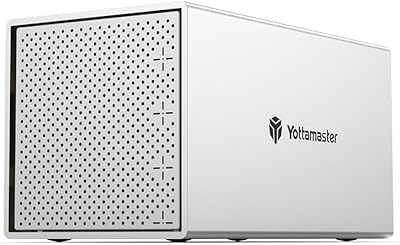
74%
84%
Build Quality
79%
Cooling Performance
61%
Transfer Speed
88%
Drive Compatibility
91%
Ease of Installation
More
Yottamaster PS500C3 5-Bay USB-C HDD Enclosure
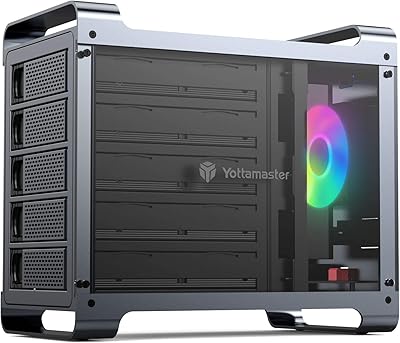
72%
83%
Build Quality
57%
Transfer Speed
88%
Drive Compatibility
91%
Ease of Setup
73%
Thermal Management
More
Yottamaster DF5RU3 5-Bay RAID Hard Drive Enclosure
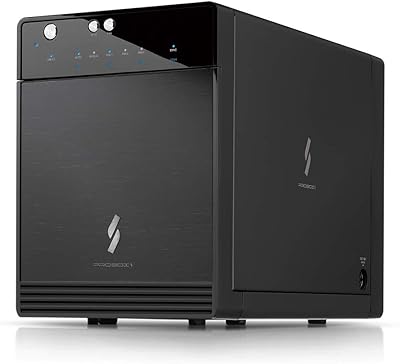
75%
88%
Build Quality
84%
RAID Configuration
58%
Transfer Speed
83%
Cooling Performance
67%
Ease of Setup
More
Mediasonic HF7-SU31C 4-Bay Hard Drive Enclosure
77%
88%
Ease of Setup
74%
Transfer Speed
82%
Build Quality
71%
Thermal Management
61%
Fan Noise
More
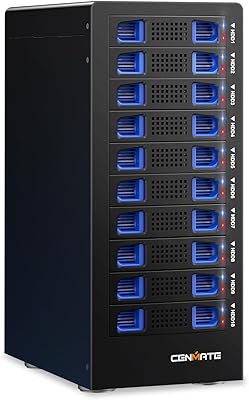
Cenmate 10 Bay Hard Drive Enclosure with Cooling Fan
82%
89%
Performance
94%
Ease of Installation
78%
Cooling Efficiency
85%
Data Transfer Speed
83%
Build Quality
More
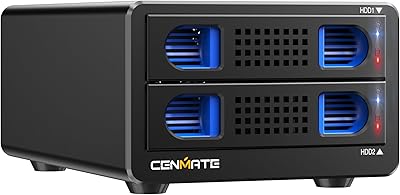
Cenmate Dual Bay Hard Drive Enclosure
78%
83%
Build Quality
78%
Cooling Performance
76%
Transfer Speed
86%
Hot-Swap Functionality
91%
Ease of Installation
More
MAIWO K25272 Dual Bay Hard Drive RAID Enclosure 16TB
84%
89%
Performance
88%
Build Quality
92%
Ease of Setup
87%
Data Transfer Speed
85%
Compatibility
More
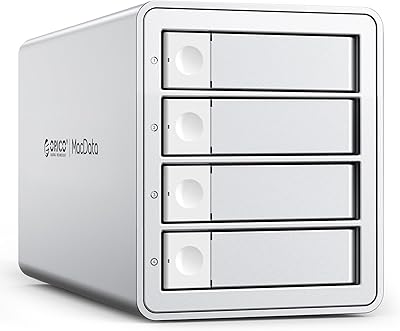
TerraMaster D6-320 6-Bay Hard Drive Enclosure
77%
88%
Build Quality
91%
Throughput Performance
93%
Ease of Setup
89%
Hot-Swap Functionality
79%
Thermal Management
More

FAQ

They appear as two completely separate drives on your computer — one per bay. This enclosure runs in JBOD mode only, so your operating system sees each disk independently, just like plugging in two external hard drives. There is no option to span or combine them into a single volume through the enclosure itself.

Yes, absolutely. Both bays operate independently, so you can populate one bay and leave the other empty with no issues. The enclosure will simply show one drive on your system until you add a second.

Yes, the Yottamaster PS200U3 32TB 2-Bay Hard Drive Enclosure works with macOS without any additional drivers. Just note that drives formatted in NTFS will be read-only on a Mac by default, so you may want to format new drives as exFAT or use a third-party NTFS driver if you need full read-write access across Windows and macOS.

This trips up a lot of buyers. The enclosure uses wider-thread screws to fasten the drive onto the tray sled, and a finer-thread screw to then secure the loaded sled into the enclosure bay. They look similar but are not interchangeable, so take a moment to sort them before you start. The included screwdriver kit is sized for both, and the manual does label them — it is worth a quick read before diving in.

The enclosure uses a USB 3.0 Type-B port on its end and ships with a standard Type-A to Type-B cable. If your laptop only has USB-C ports, you will need a USB-C to USB-A adapter or a USB-C to Type-B cable, neither of which is included in the box. That is a real inconvenience worth factoring in before you buy.

Under normal conditions it is quite quiet — there are no cooling fans, so you only hear the drives themselves spinning. The one exception is the fault alarm: if a drive develops an error, the enclosure emits a repeating beep to alert you. Some users find this helpful; others find it disruptive in a quiet room, and there is no hardware mute switch.

No. This desktop storage box is designed exclusively for SATA-interface drives. NVMe and PCIe-based M.2 SSDs use a different protocol entirely and will not be recognized, and physically they will not seat in the SATA trays either.

The push-tray design is convenient for physical drive removal, but officially this is not a hot-swap device in the enterprise sense. You should safely eject the drive through your operating system before pulling the tray to avoid data corruption or drive errors.

The aluminum body does a reasonable job of drawing heat away from the drives passively. Users running extended backups or archiving large files overnight generally report that drives stay within acceptable temperature ranges. That said, placement matters — keep the unit in an open, ventilated spot and avoid stacking objects on top of it.

That is the fault alert doing its job. Power down the enclosure safely, check which bay triggered the alert, and inspect that drive using disk health software like CrystalDiskInfo on Windows or Disk Utility on macOS before trusting it with any data. If the drive shows errors or failing SMART attributes, treat it as a sign to replace it promptly and restore from a backup if you have one.