Overview

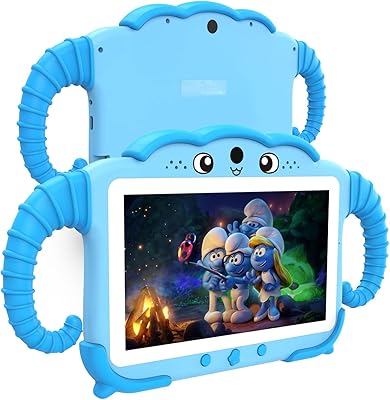
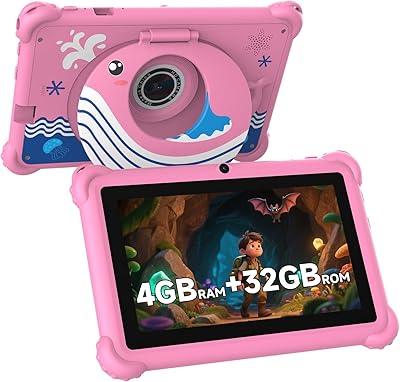
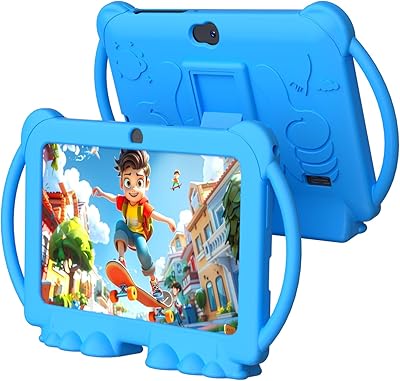
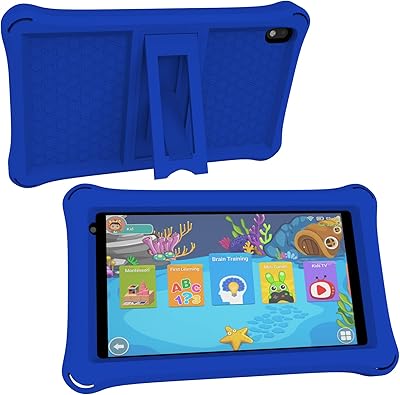
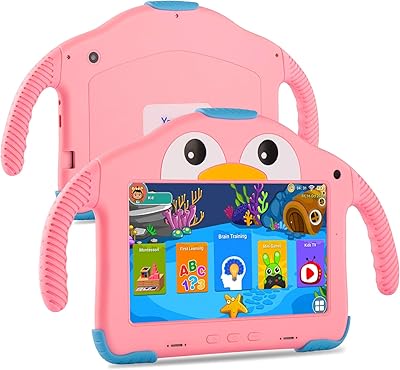
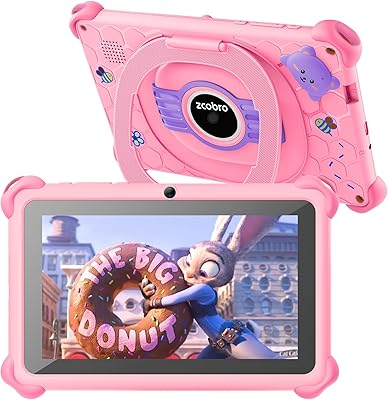
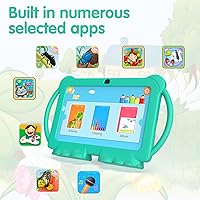
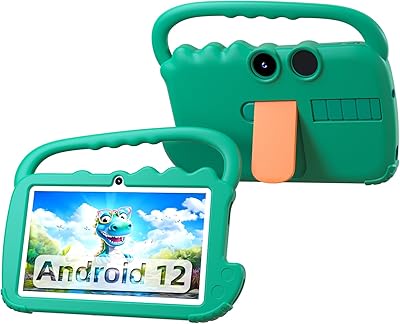
The PEICHENG PCQ8 7-Inch Kids Android Tablet is a budget-oriented device built specifically for young children, targeting roughly the 3-to-10 age range where durability and simplicity matter more than raw specs. PEICHENG is a lesser-known Chinese OEM, so walking in with realistic expectations matters — this isn't competing on brand name with the big players, but it does deliver Android 12 with full Google certification, meaning real Play Store access, YouTube, Gmail, and more right out of the box. It also comes bundled with a shockproof case and an adjustable stand, which are practical inclusions that parents will actually appreciate on day one.
Features & Benefits

The parental control system is arguably where the PCQ8 earns its keep — no extra apps needed to set screen time limits, filter websites, or restrict specific content. The 7-inch IPS display at 1024x600 is not cutting-edge, but it's clear and comfortable for kids watching videos or working through educational apps. Worth flagging: the advertised 4GB of RAM includes 2GB of virtual RAM, so real multitasking headroom is more limited than the spec suggests. Widevine L1 support is a genuine plus, enabling HD Netflix playback rather than a degraded fallback. Storage starts at 32GB with microSD expansion to 512GB, which is more than generous for a child's device.

Best For

This toddler tablet makes the most sense as a first device for younger kids — think ages 3 to 8 — where a parent wants something affordable enough not to stress about drops and capable enough to run real apps. Families already in the Google ecosystem will appreciate having full Play Store access rather than a walled-off proprietary app store. It's also a practical pick for gift-giving; it arrives nearly ready to use without a lengthy setup process. That said, it's less suited for older children who might notice screen resolution limits or bump into Wi-Fi performance issues during heavy streaming. Think of it as a low-stakes starter tablet, not a long-term device.

User Feedback

Parents who've picked up this kids tablet tend to praise how quickly the parental controls come together — most report a short setup process. The bundled case earns decent marks for day-to-day protection, though a few buyers note it may not withstand harder falls. Battery life gets mixed reactions; some find it comfortable for a couple of hours of daily use, while others mention that heavy streaming drains it faster than expected. The Wi-Fi, restricted to the older 802.11g standard, is a recurring concern in reviews — real-world range and speed lag behind more current hardware. Overall, most buyers feel the value is fair for what they're paying, as long as expectations are calibrated to a budget-tier device.

Pros

  • Full Google Play Store access means no fighting with a locked-down app ecosystem to install popular educational apps.
  • Widevine L1 certification allows actual HD Netflix playback, not a downgraded stream.
  • Built-in parental controls cover screen time, app restrictions, and content filtering without extra software.
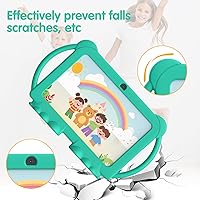
  • The included shockproof case adds real drop protection right out of the box — no extra purchase needed.
  • MicroSD expansion up to 512GB means storage will never realistically be a problem for a child's library of apps and videos.
  • Android 12 keeps the software experience current and compatible with a wide range of apps.
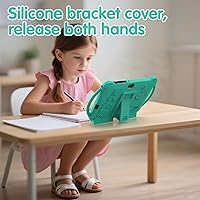
  • The adjustable stand lets kids use the PCQ8 hands-free, which parents of younger children will appreciate.
  • At this price point, GMS certification is not a given — having it here is a meaningful advantage.
  • Lightweight build at just over a pound makes it genuinely manageable for small hands.
  • Ready-to-use setup out of the box makes it a practical gift with minimal assembly required.

Cons

  • The 4GB RAM figure is misleading — only 2GB is physical, and the virtual portion is a poor substitute for real memory.
  • 802.11g Wi-Fi is two generations behind current standards, which can cause buffering on busy home networks.
  • Battery life under heavy streaming load appears shorter than parents typically hope for in a kids device.
  • PEICHENG offers little brand transparency, making warranty support and long-term reliability harder to assess.
  • The 1024x600 display resolution looks noticeably soft compared to even modestly priced competing tablets.
  • The bundled case provides basic protection but may not hold up well against repeated hard drops by energetic young children.
  • No clear information on processor speed or battery capacity in the listing makes it difficult to set realistic performance expectations.
  • Software update support from a lesser-known OEM is uncertain, which matters for long-term security.
  • Outdoor visibility on the display is limited — bright sunlight makes the screen difficult for kids to see clearly.
  • The default parental mode password of 0000 is trivially easy for curious older kids to guess.

Ratings

Our AI rating system analyzed verified global user reviews for the PEICHENG PCQ8 7-Inch Kids Android Tablet, actively filtering out incentivized, bot-generated, and duplicate submissions to surface what real caregivers actually experienced. The scores below reflect a candid synthesis of both the genuine strengths and the recurring frustrations buyers reported after extended daily use. Nothing has been softened — where the device earns praise it shows, and where it falls short, that is reflected too.

Value for Money
83%
For parents who need a capable first tablet for a young child without committing to a premium price, the PCQ8 delivers a surprising amount of functionality. Full Google Play access, Widevine L1 streaming, and a bundled shockproof case make the overall package feel well-considered at this price tier.
A handful of buyers felt the value proposition weakens once you factor in the older Wi-Fi standard and the partially virtual RAM, which together suggest the device will feel dated sooner than the price might imply. Expectations need to be calibrated carefully.
Parental Controls
78%
22%
Parents consistently praised how quickly they could configure screen time limits and content filters without needing a third-party app. The built-in kids mode covers the basics — app restrictions, website filtering, and time caps — in a way that most caregivers found intuitive enough to set up in under ten minutes.
The default PIN of 0000 is trivially easy for older or curious children to discover, and some parents reported that the filtering system occasionally blocked legitimate educational content. The controls work, but they lack the depth and polish of more established platforms.
Display Quality
67%
33%
For indoor viewing — watching YouTube Kids, reading illustrated books, or working through educational apps — the 7-inch IPS panel at 1024x600 is adequately clear and bright enough for a young child's daily use. The automatic brightness adjustment is a practical touch that reduces the need for manual tweaking.
Outdoor visibility is a recurring complaint; in direct sunlight the screen washes out significantly, making it frustrating to use in the backyard or during travel. The resolution also looks noticeably soft when compared side-by-side with even modestly priced competing tablets, and parents of older children noticed it more.
Performance & Speed
62%
38%
For light daily tasks — running a single educational app, streaming a video, or browsing a curated kids app library — the PCQ8 keeps up without embarrassing lag. Toddlers and younger children using it for its intended purpose rarely pushed it hard enough to notice its limitations.
The partially virtual RAM means that running two or more demanding apps simultaneously causes noticeable slowdowns, and some parents reported occasional app crashes after extended sessions. The undisclosed processor specs make it hard to benchmark, but real-world feedback confirms this is a light-use device, not a versatile one.
Build & Durability
71%
29%
The included shockproof case wraps the tablet in a soft, grippy shell that handles the kind of everyday drops and table-edge bumps that come with handing a device to a young child. The tablet itself feels reasonably solid for its price, and the slim profile makes it easy for small hands to grip.
Drop protection has its limits — multiple reviewers noted the case struggled with harder falls onto tile or hardwood from table height. The case also adds noticeable bulk, and a few parents found the fit slightly loose over time, which reduced their confidence in it as a long-term protective solution.
Battery Life
59%
41%
Under light use — a mix of app sessions and offline video — the battery holds up adequately for a couple of hours of continuous use, which covers most short engagement windows parents set for young children. For controlled, limited-session use, it rarely causes frustration.
Under streaming-heavy conditions, particularly HD video playback, battery drain is faster than many parents expected. The manufacturer does not disclose the battery capacity in mAh, which makes it difficult to set expectations, and several reviewers noted they needed to charge the device daily even with moderate use.
Wi-Fi Connectivity
48%
52%
In small apartments or rooms close to a router, the 802.11g connection is stable enough for standard-definition streaming and app downloads. Users in low-traffic network environments rarely flagged connectivity as a major issue during casual daily use.
The 802.11g standard is genuinely outdated, and in homes with busy networks or routers placed in another room, buffering during HD streaming was a frequently mentioned frustration. This is the single most technically limiting spec on the device, and it has a real impact on the streaming experience the product is marketed around.
Camera Usability
61%
39%
The dual-camera setup gives kids the ability to make video calls with family and take basic photos, which adds genuine everyday utility for younger children who enjoy capturing their surroundings. For its intended age group, the cameras are functional and easy to use without instruction.
The 2MP front and 5MP rear cameras produce images that are soft, grainy in anything less than bright light, and clearly entry-level. Parents who hoped to use the cameras for video calls in dim rooms or indoors reported noticeably poor image quality, and older children found the cameras underwhelming quickly.
App Ecosystem
84%
Full Google Mobile Services certification is a meaningful differentiator here — parents can install any Play Store app their child's school or therapist recommends without workarounds. Having Gmail, YouTube, and the full Google suite available from day one removes a common friction point with budget kids tablets.
Because it runs standard Android rather than a curated kids-only OS, the open app environment means parental controls do more heavy lifting than they would on a closed platform. Parents who are less tech-comfortable occasionally found the openness more overwhelming than reassuring.
Setup Ease
77%
23%
Most parents reported getting the tablet up and running with parental controls configured in well under thirty minutes, which is a real win for gift-giving scenarios or busy caregivers. The out-of-box experience is largely plug-and-play, with the case already fitted and no required accessory purchases.
The initial Android setup process, while standard, is not specifically designed for a caregiver audience and assumes some familiarity with Android device setup. Parents less comfortable with Android occasionally found the parental mode configuration menus harder to navigate than expected.
Streaming Capability
76%
24%
Widevine L1 certification is not a given at this price point, and it means Netflix streams in actual HD rather than the degraded quality that L3-only devices are locked to. For families who use Netflix as part of their kids content rotation, this is a concrete, day-to-day benefit.
The streaming experience is only as good as the Wi-Fi connection behind it, and the 802.11g limitation regularly undermines what the Widevine L1 certification makes possible. On congested home networks, HD streaming is inconsistent, which partially cancels out this otherwise strong advantage.
Portability
79%
21%
At just over a pound and with a compact 7-inch footprint, this toddler tablet is easy for young children to carry independently and light enough for parents to toss into a bag without thinking twice. The included stand adds useful desktop-mode flexibility for longer viewing sessions.
The bundled case, while protective, adds meaningful bulk and changes the feel of the device noticeably. A few parents found the overall thickness with the case attached made it harder for smaller toddler hands to grip comfortably over extended play sessions.
Brand Reliability
44%
56%
For buyers who treat this as a short-term, budget-tier device with limited expectations around long-term support, PEICHENG delivers adequate hardware at an accessible price. The product functions as advertised for its primary use cases right out of the box.
PEICHENG lacks the brand infrastructure, customer support track record, and software update commitment of established tablet makers. Buyers who needed post-purchase support reported difficulty getting timely responses, and the long-term software support roadmap is effectively unknown, which matters for device security over time.
Audio Quality
66%
34%
The dual speakers produce enough volume to be heard clearly during outdoor play or in a noisy living room, which is a practical plus for a kids device where volume matters more than audio fidelity. The 3.5mm headphone jack is a welcome inclusion for shared households.
The sound quality itself is thin and lacks bass, which makes music and movie audio feel flat compared to even mid-tier competing tablets. At louder volumes, the speakers distort slightly, and a few parents noted the maximum volume was not quite loud enough in genuinely noisy environments.

Suitable for:

The PEICHENG PCQ8 7-Inch Kids Android Tablet is a solid pick for parents who want to hand a young child their own device without spending heavily or worrying constantly about damage. It fits best in households with children roughly between ages 3 and 8 who primarily need it for educational apps, YouTube Kids, and simple games — everyday use cases where the hardware limitations simply don't matter much. Families already living inside the Google ecosystem will appreciate having real Play Store access, since it means installing familiar apps without jumping through hoops. The built-in parental controls are practical enough for caregivers who don't want to spend an evening configuring third-party software just to keep a five-year-old away from inappropriate content. It also makes a genuinely thoughtful gift — it arrives largely ready to use, the shockproof case is already on, and the adjustable stand means kids can prop it up independently without needing help.
Not suitable for:

The PEICHENG PCQ8 7-Inch Kids Android Tablet is a harder sell for parents of older or more tech-savvy kids who will quickly notice the display's resolution limits and the device's slower Wi-Fi performance. Because only 2GB of the advertised RAM is physical — the rest is virtual — heavier apps or aggressive multitasking may result in noticeable slowdowns over time, which an older child using more demanding apps will run into sooner than a toddler watching cartoons. The 802.11g Wi-Fi standard is genuinely outdated, meaning homes with busy networks or weak router signals may experience buffering issues that frustrate both kids and parents. Buyers expecting brand reliability, long-term software support, or a durable build comparable to an Amazon Fire Kids or iPad mini will find this device falls short in those areas. If your household needs a tablet that can grow with a child for several years, or one that handles HD streaming consistently in a congested network environment, this is likely not the right fit.
Specifications

  • Brand & Model: Manufactured by PEICHENG under the model designation PCQ8, also referenced internally as the Q8K.
  • Operating System: Runs Android 12 out of the box with Google Mobile Services certification included.
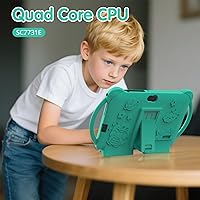
  • Processor: Powered by a quad-core processor; the specific clock speed and chipset model are not disclosed by the manufacturer.
  • RAM: Advertised as 4GB total RAM, comprising 2GB of physical RAM supplemented by 2GB of virtual RAM.
  • Internal Storage: Comes with 32GB of built-in storage for apps, media, and offline content.
  • Storage Expansion: Accepts a microSD card to expand available storage by up to 512GB.
  • Display: Features a 7-inch IPS panel with a resolution of 1024x600 pixels and automatic brightness adjustment.
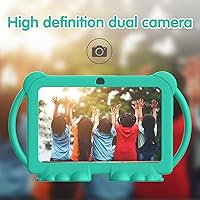
  • Front Camera: Equipped with a 2.0MP front-facing camera suitable for video calls and basic selfies.
  • Rear Camera: Includes a 5.0MP rear camera for photos and video recording at a basic quality level.
  • Wi-Fi: Supports wireless connectivity via the 802.11g standard only, which is an older and slower protocol compared to modern 802.11n or ac standards.
  • Bluetooth: Bluetooth is supported, enabling connection to wireless headphones, speakers, and accessories.
  • Streaming Support: Certified with Widevine L1, allowing HD-quality playback on supported streaming platforms including Netflix.
  • Audio: Equipped with dual speakers and a 3.5mm headphone jack for wired audio output.
  • Battery: Includes one non-standard proprietary battery; exact capacity in mAh is not specified by the manufacturer.
  • Dimensions: Measures 7 x 3.1 x 0.28 inches, making it compact enough for small hands to hold comfortably.
  • Weight: Weighs approximately 1.32 pounds without the protective case attached.
  • Included Accessories: Ships with a shockproof soft protective case and an adjustable plastic stand in the box.
  • Parental Controls: Built-in kids mode includes screen time management, app restrictions, and website content filtering without requiring third-party software.
  • Default PIN: The default parental kids mode password is set to 0000 and should be changed during initial setup.
  • GMS Certification: Google Mobile Services certified, providing full access to the Google Play Store, Gmail, YouTube, and other Google apps.

Related Reviews
qunyiCO Y7 7-inch Kids Android Tablet
69%
83%
Value for Money
88%
Ease of Setup
54%
Performance & Speed
81%
Parental Controls
72%
Display Quality
More
PEICHENG CP31MK 10.1-inch Kids Tablet
74%
81%
Value for Money
87%
Ease of Setup
84%
Parental Controls
53%
Performance
69%
Battery Life
More
zcobro KIDS710 7-inch 32GB Kids Tablet
68%
83%
Value for Money
78%
Parental Controls
86%
Ease of Setup
54%
Performance & Speed
63%
Battery Life
More
NEWISION K7 7-inch Kids Tablet 32GB
84%
88%
Build Quality & Durability
94%
Parental Controls
90%
Educational Value
63%
Battery Life
80%
Display Quality
More
QISTOQI KD88 7-inch Kids Tablet
69%
83%
Value for Money
78%
Durability & Build
87%
Ease of Setup
72%
Parental Controls
61%
Display Quality
More
ATOZEE Q8K 7-inch 32GB Kids Tablet
71%
88%
Value for Money
91%
Ease of Setup
57%
Display Quality
83%
Parental Controls
74%
Build Quality & Durability
More
ZZB ZZBAT70K Kids Tablet 7-inch, 32GB
84%
90%
Value for Money
88%
Durability
93%
Parental Controls
85%
Display Quality
80%
Battery Life
More
ATOZEE Q2 8-Inch Kids Android Tablet
65%
83%
Value for Money
81%
Parental Controls
58%
Display Quality
62%
Performance & Speed
74%
Build Quality & Durability
More
YosaToo KIDS712 Kids Tablet 7-inch 32GB
84%
89%
Value for Money
85%
Battery Life
92%
Parental Controls
88%
Build Quality/Durability
75%
Display Quality
More
YosaToo ZIDS701 7-inch Kids Tablet
67%
83%
Value for Money
86%
Parental Controls
74%
Durability
51%
Display Quality
62%
Performance & Speed
More

FAQ

Yes, the PCQ8 is fully Google Mobile Services certified, which means the Play Store comes pre-installed and works normally. Your child can access the same apps you would find on any standard Android device, subject to whatever parental restrictions you configure.

There is a catch worth knowing about. Of the advertised 4GB, only 2GB is physical RAM — the other 2GB is virtual RAM, which the device borrows from storage to simulate extra memory. For light use like educational apps and YouTube Kids, this is generally fine, but do not expect the same multitasking performance you would get from a device with a true 4GB physical RAM configuration.

Yes, and this is actually one of the more notable things about this toddler tablet. It carries Widevine L1 certification, which is the certification Netflix requires to allow HD playback. Many budget tablets only have L3 certification and are locked to lower resolutions, so this is a genuine advantage here.

It is straightforward. The device ships with a built-in kids mode that lets you set screen time limits, restrict specific apps, and filter website content. You access it through the settings during initial setup. The default PIN for kids mode is 0000, and you should change that immediately to something your child will not guess.

The bundled soft case provides reasonable protection for everyday bumps and minor drops, and it is included in the box at no extra cost. That said, parent feedback suggests it handles routine drops adequately but may not hold up against harder impacts or falls onto hard flooring from table height. If your child is particularly rough with devices, a third-party reinforced case might be worth considering.

802.11g is an older Wi-Fi standard with a maximum theoretical speed of 54 Mbps, compared to the 300 Mbps or more offered by newer 802.11n routers. For most kids apps and standard-definition streaming it will be adequate, but if your home network is busy with multiple devices or your router is on the other side of the house, you may notice buffering during HD video playback. It is the weakest spec on this device from a connectivity standpoint.

The device ships with 32GB, but like any Android tablet, the operating system and pre-installed apps consume a portion of that out of the box — typically leaving around 20 to 24GB free for actual use. The good news is that you can add a microSD card to expand storage significantly, up to 512GB, so running out of space for videos and apps should not be a long-term problem.

The device is marketed toward children roughly aged 3 to 10, with the sweet spot being younger kids in the 3-to-8 range. Older children who are used to faster, higher-resolution devices may find the display and performance a bit underwhelming, but for toddlers and early elementary-age kids using it for learning apps and videos, it fits the bill well.

It comes largely ready to use out of the box. The protective case is already included, the adjustable stand is in the package, and the battery comes installed. You will need to provide your own microSD card if you want expanded storage, and you may want to pick up a compatible charger if the included one does not match your preference, but there is no required additional purchase to get started.

PEICHENG is a smaller Chinese OEM without the brand recognition or established customer support infrastructure of major tablet makers. That is worth factoring into your decision. Warranty support and long-term software updates are less predictable than with established brands, so this kids tablet is best approached as a budget-tier, shorter-lifespan device rather than a multi-year investment. If reliability and after-sales support are top priorities, you may want to weigh that against the price difference with better-known alternatives.