

Overview

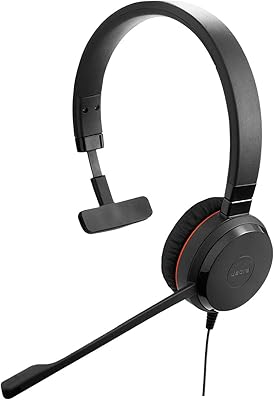
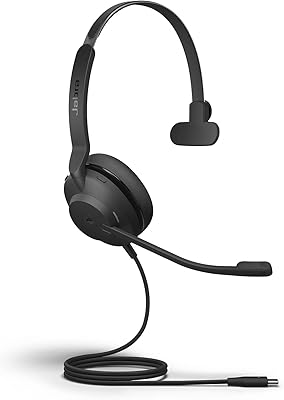
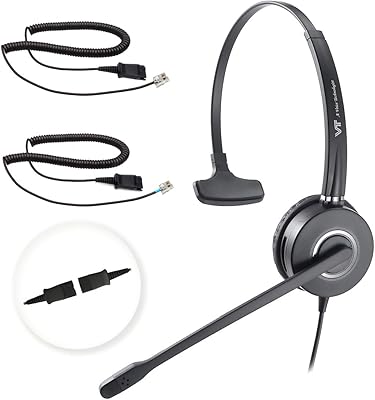
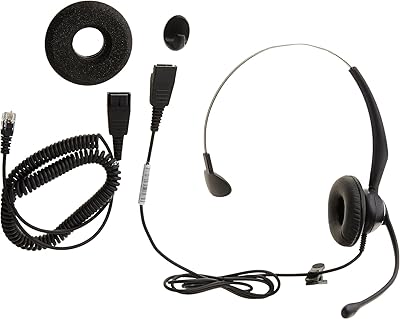
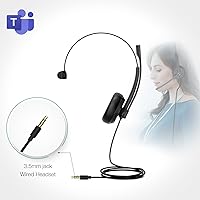
The Yealink UH34 Mono Wired Headset comes from a brand with deep roots in business communications, and it wears that focus openly. Yealink chose a 3.5mm wired connection here — a deliberate trade-off where you give up wireless freedom but gain plug-and-play reliability across nearly any device with a headphone jack. Sitting at #75 in Computer Headsets on Amazon reflects consistent demand rather than a single viral moment. Keep expectations calibrated, though: this is built for calls, not music or gaming. At this price tier, the Microsoft Teams certification is a genuine standout; many competing options in the same range simply do not carry it.

Features & Benefits

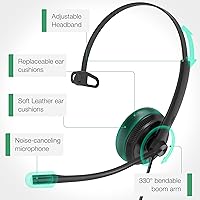
The Teams, Zoom, and Meet certification means this mono headset integrates natively with the platforms most office workers rely on daily — no wrestling with audio routing or explaining to IT why calls sound hollow. Passive noise cancellation is the approach here, physically reducing ambient sound through the ear cup design rather than using electronics. That works well enough to soften background hum and keyboard clatter, but do not expect it to match what active noise-cancelling systems deliver. At 155 grams with a retractable 1.2-meter cable, the form factor stays manageable on a busy desk. The inline volume control lets you adjust quietly mid-call without touching your computer.

Best For

This wired office headset is squarely aimed at remote and hybrid workers who spend most of their workday on calls and want a headset that requires zero configuration. Plug it in, open your meeting app, and it works — that kind of reliability has real value when the alternative is troubleshooting audio before every call. It also suits people who switch between devices throughout the day; the 3.5mm jack covers laptops, tablets, and smartphones without software reconfiguration. The mono on-ear design makes it especially practical in shared workspaces where staying aware of your surroundings matters. If you need Teams certification without spending significantly more, the options at this tier are genuinely limited.

User Feedback

Buyers consistently highlight call clarity and mic quality as this mono headset's strongest area — people on the receiving end of calls rarely complain, which is the most practical measure for a business-focused headset. Comfort earns solid marks for shorter sessions, though some reviewers note the protein leather ear cushion traps heat during longer stretches, worth keeping in mind if you chain meetings all afternoon. The adapter dependency is the most recurring friction point: USB-C-only laptops and newer iPhones need a separate adapter not included in the box, and several buyers feel this is not communicated clearly enough upfront. Cable durability over months of daily use draws notably mixed feedback.

Pros

  • Microsoft Teams certified out of the box — no compatibility guesswork for business users.
  • Plug-and-play setup works instantly across Windows, macOS, iOS, and Android devices.
  • Microphone intelligibility is consistently praised; callers on the other end hear you clearly.
  • At 155 grams, this wired office headset is light enough to forget you are wearing it during shorter calls.
  • The retractable cable keeps desk clutter manageable and reduces tangling during daily use.
  • Passive noise cancellation handles typical office hum and keyboard noise without needing power.
  • Compatible with Zoom and Google Meet in addition to Teams, covering all the major platforms.
  • The inline volume control lets you adjust audio quickly mid-call without interrupting your workflow.
  • Works with gaming controllers that have a 3.5mm port, adding some flexibility beyond office use.
  • Consistent Best Seller ranking suggests strong ongoing demand and reliable product availability.

Cons

  • No adapter included — USB-C and Lightning users must buy one separately before the headset works.
  • Mono-only audio means no stereo sound, which some users find fatiguing over very long sessions.
  • Protein leather ear cushion can trap heat and cause discomfort during back-to-back afternoon meetings.
  • The 1.2-meter cable length, while tidy, may feel restrictive for users with longer-distance desk setups.
  • Cable and headband durability draws mixed feedback after several months of daily heavy use.
  • Passive noise isolation is limited — not suitable for consistently loud or disruptive environments.
  • No mute button on the inline control; muting requires going back to your computer or call platform.
  • The headset is not water resistant, making it a risky choice for outdoor or commuting use.
  • The Yealink UH34 has no wireless or Bluetooth mode, which rules it out for users who move frequently.
  • Some buyers find the on-ear fit less secure during active movement compared to over-ear alternatives.

Ratings

The Yealink UH34 Mono Wired Headset has been evaluated by our AI rating engine after processing verified global buyer reviews, with spam, bot-submitted, and incentivized feedback actively filtered out before scoring. The results below reflect a candid, balanced picture — what real users consistently praised, where frustrations surfaced, and what trade-offs matter most when making your buying decision. Scores span both the headset's genuine strengths and its documented limitations.

Call Audio Clarity
88%
Buyers working in customer service roles and corporate call centers frequently note that colleagues and clients on the other end of the line report hearing them clearly without asking for repeats. The voice-optimized dynamic driver keeps speech intelligible even when call conditions are less than perfect.
A subset of users report that audio output can sound slightly flat during calls on certain softphone platforms, particularly when the headset is connected through an adapter rather than directly. It is a minor issue, but worth noting for users on sensitive or proprietary business phone systems.
Microphone Quality
84%
In typical home office and shared workspace environments, the microphone performs reliably — voices come through with good definition and without the muffled quality that plagues many headsets at this price tier. Remote workers on daily Teams calls find it handles conversational speech well without post-processing.
In louder settings such as open-plan offices or homes with kids or pets, the microphone picks up more ambient sound than buyers expect from a headset marketed with noise cancellation. The passive design has real limits that become obvious in genuinely noisy conditions.
Comfort & Wearability
73%
27%
The lightweight 155-gram frame makes initial wear genuinely comfortable, and users who take calls for two to three hours at a stretch generally report no significant pressure or fatigue. The on-ear mono design also means less total contact with the head compared to over-ear alternatives.
Protein leather ear cushions trap heat, and buyers logging four to six hour days notice warmth and mild stickiness building up over time. A handful of users with smaller ears also find the on-ear fit less secure than they would like during longer uninterrupted sessions.
Platform Compatibility
91%
The Microsoft Teams certification is the headline here, and it holds up in practice — Teams recognizes this wired office headset cleanly with no manual audio routing needed. Zoom and Google Meet work just as smoothly, which matters for hybrid workers who switch between platforms throughout the week.
Compatibility is essentially limited to devices with a physical 3.5mm port, which excludes a growing portion of modern hardware without an adapter. Users on USB-C-only laptops or newer smartphones face an extra setup step that feels out of place for a plug-and-play product.
Adapter Dependency
52%
48%
For users who already own a USB-C or Lightning to 3.5mm adapter — or who are connecting to a device with a native headphone jack — there is no issue whatsoever, and the 3.5mm standard ensures broad long-term compatibility across many device types.
This is the most consistently cited frustration in buyer feedback. USB-C laptop users and iPhone owners discover the adapter requirement only after purchase since it is not prominently communicated, and the adapter is not included in the box. For a business-positioned headset, this friction point erodes the plug-and-play promise significantly.
Build Quality
67%
33%
The combination of metal reinforcement in the headband and a reasonably solid plastic frame gives this mono headset a sturdier feel than purely plastic competitors at the same price. Day-to-day handling — tossing it in a bag, coiling the cable — does not immediately reveal any obvious weak points.
Longer-term durability feedback is mixed, with multiple buyers flagging cable wear near the jack and headband stress points after six to twelve months of daily use. The build quality is adequate for the price tier but not confidence-inspiring enough for buyers who expect multi-year longevity from a work tool.
Cable Design
76%
24%
The retractable cable is a practical touch that most users appreciate — it keeps desk setups tidy and reduces the tangling that plagues fixed-length headset cables. The 1.2-meter reach covers the typical distance between a seated user and a laptop or monitor setup.
Users with desktop towers positioned on the floor, or those who need to step slightly away from their desk while on a call, find 1.2 meters genuinely limiting. A few buyers also report the retraction mechanism becoming less reliable over time with frequent daily use.
Ease of Setup
93%
For users connecting directly via a 3.5mm port, setup is genuinely instant — plug in, and the device recognizes the headset without a single configuration step. Windows, macOS, iOS, and Android all handle it automatically, which is exactly what busy workers need before a morning call.
The setup experience degrades for users who need an adapter, as that adds a variable — adapter quality, connection reliability — that can introduce intermittent audio issues that are hard to diagnose. The experience is only truly plug-and-play when no adapter is involved.
Passive Noise Isolation
63%
37%
In quieter home office environments, the passive isolation does a reasonable job of softening keyboard clicks, light HVAC hum, and moderate ambient chatter. Users in calm settings find it sufficient for maintaining focus during calls without any additional noise-blocking tools.
Buyers working in genuinely loud spaces — busy households, open-plan offices, or coffee shops — find the passive isolation notably inadequate. The on-ear design and single-ear coverage leave the unoccupied ear fully exposed to the environment, which compounds the limitation significantly.
Value for Money
82%
18%
For buyers who specifically need a Teams-certified headset and are working from devices with a native 3.5mm port, the value proposition is solid — few alternatives in the same price range carry the same certification with comparable call audio performance. It punches above its weight for business use.
The value calculation shifts unfavorably for buyers who need an adapter, effectively increasing the real cost of ownership. Users who later compare it against slightly higher-priced USB headsets often feel those alternatives would have delivered better durability and a cleaner feature set for a modest additional spend.
Portability
79%
21%
At just 155 grams with a retractable cable, this wired office headset is easy to pack into a laptop bag or backpack for hybrid workers commuting between home and office. The 3.5mm connection also means it works with hotel room phones and shared AV equipment that other headsets cannot access.
There is no carrying case or pouch included, so the headset is somewhat vulnerable to pressure and scratching during transit. The on-ear form factor also does not fold flat for compact storage the way some travel-oriented headsets do.
Inline Controls
61%
39%
Having a physical volume control on the cable is a genuine convenience during calls, allowing quick adjustments without reaching for the computer or navigating on-screen sliders. It works reliably and consistently across tested devices.
The absence of a mute button is a meaningful gap for a business headset. Having to unmute through a platform interface — especially during fast-paced back-and-forth meetings — adds small but repeated friction that users notice after a few weeks of daily use.
Device Versatility
74%
26%
The 3.5mm standard gives the Yealink UH34 a broader device footprint than USB-only headsets — it works with PS4 and PS5 controllers, older laptops, tablets, Android phones, and even some smart TVs, which some buyers genuinely appreciate as a single-headset-for-everything solution.
The growing industry shift toward USB-C and the elimination of headphone jacks on flagship phones means the headset requires an adapter for a widening share of modern devices. What was broad compatibility in 2021 is becoming a progressively more adapter-dependent proposition.

Suitable for:

The Yealink UH34 Mono Wired Headset is a strong match for remote workers, hybrid office employees, and small-business users who spend a significant chunk of their day on calls across Teams, Zoom, or Google Meet. If your priority is a headset that works immediately — no app installs, no pairing rituals, no driver headaches — the 3.5mm wired connection delivers exactly that kind of dependable simplicity. The mono on-ear design is especially practical for people working in shared or open-plan spaces, where staying audible to colleagues around you is just as important as hearing whoever is on the other end of the call. It also travels well: light enough to toss in a laptop bag and compatible with enough devices that one headset covers your workstation, your tablet, and your phone. Budget-conscious buyers who specifically need a certified Teams headset will find very few alternatives at this price point that carry that credential.

Not suitable for:

The Yealink UH34 Mono Wired Headset is a poor fit for anyone hoping to use it primarily for music, video content, or immersive audio experiences — the mono driver and call-optimized tuning simply are not designed for that. People working from USB-C-only laptops or using newer iPhones will need to purchase a separate adapter before this headset works at all, which adds friction and cost that should factor into your buying decision upfront. If you are sensitive to ear warmth during long sessions, the protein leather cushion can become uncomfortable after a few hours, and this headset does not offer the breathable mesh alternatives that some competitors include. Those expecting active noise cancellation to block out loud environments will be disappointed; the passive isolation here handles light background noise reasonably well but offers no real defense against a busy household or a noisy open office. Finally, buyers who need stereo audio for calls — whether for preference or accessibility reasons — should look elsewhere, as this is strictly a single-ear design.

Specifications

  • Connectivity: The headset uses a standard 3.5mm wired jack, requiring a separate adapter for USB-A, USB-C, or Lightning ports.
  • Certification: Officially certified for Microsoft Teams and compatible with Zoom and Google Meet out of the box.
  • Ear Design: On-ear mono configuration covers a single ear, keeping the opposite ear open for ambient awareness.
  • Noise Control: Passive noise cancellation is achieved through an independent cavity design in the ear cup, requiring no power or software.
  • Driver Type: Equipped with a dynamic audio driver tuned for voice clarity and call intelligibility rather than wide-range music reproduction.
  • Weight: The headset weighs 155 grams (5.5 oz), keeping it light enough for extended on-ear wear throughout the workday.
  • Cable Length: The retractable cable extends to 1.2 meters (approximately 3.94 ft), providing enough reach for typical desk setups without excess slack.
  • Ear Cushion: The ear cushion is made from protein leather, which mimics a soft feel but can retain heat during longer sessions.
  • Frame Materials: The headset frame is constructed from a combination of leather, metal, and plastic components.
  • Inline Control: A single inline control module on the cable provides volume adjustment without requiring interaction with the connected device.
  • OS Compatibility: Compatible with Windows 8, 10, and XP, as well as macOS, iOS, and Android operating systems.
  • Device Support: Works with PCs, Macs, laptops, tablets, smartphones, PS4 and PS5 controllers, and Xbox One controllers that feature a 3.5mm port.
  • Model Number: The official model designation is UHM341, as listed by the manufacturer Yealink.
  • Water Resistance: This headset carries no water resistance rating and should not be exposed to moisture or used in wet conditions.
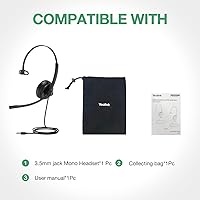
  • Package Contents: The box includes the headset and cable only; no USB adapter, carrying pouch, or additional accessories are bundled in.
  • Best Seller Rank: Ranked #75 in the Computer Headsets category on Amazon, reflecting sustained purchasing volume across the product lifecycle.
  • Target Use: Designed specifically for business communication applications including video conferencing, voice calls, and softphone platforms.

Related Reviews
Yealink UH35 USB Headset
80%
83%
Microphone Clarity
88%
Wearing Comfort
79%
Build Quality
63%
Ear Pad Durability
93%
Plug-and-Play Setup
More
Yealink WH66 DECT Wireless Headset
77%
91%
Call Audio Clarity
88%
DECT Wireless Range
79%
Battery Life
74%
Touch Screen Usability
83%
Comfort During Extended Wear
More
Yealink BH70 Mono Wireless Bluetooth Headset
86%
92%
Comfort for Long Wear
89%
Noise Cancellation Performance
75%
Bluetooth Connectivity
91%
Battery Life
88%
Sound Quality for Calls
More
Yealink UH38 Bluetooth USB Wired Headset
87%
93%
Dual Connectivity
88%
Noise Cancellation
91%
Comfort for Long Sessions
90%
Teams Integration
85%
Microphone Performance
More
Jabra Evolve 30 II UC Mono Wired Headset
85%
89%
Comfort for Extended Use
92%
Call Quality & Microphone Performance
95%
Ease of Use & Setup
72%
Noise Cancellation Effectiveness
78%
Build Quality & Durability
More
Jabra Evolve2 30 UC Mono USB-C
78%
88%
Microphone Clarity
74%
Passive Noise Isolation
71%
Comfort & Wearability
82%
Build Quality
93%
USB-C Compatibility & Setup
More
VT VT6932 Mono QD Telephone Headset
75%
88%
Value for Money
83%
Call Audio Clarity
71%
Microphone Noise Cancellation
81%
Comfort During Extended Wear
67%
Build Quality & Durability
More
Yealink YHS33 Headset
87%
91%
Comfort for Extended Use
88%
Sound Quality
85%
Noise Cancellation Effectiveness
83%
Build Quality
90%
Ease of Use / Setup
More
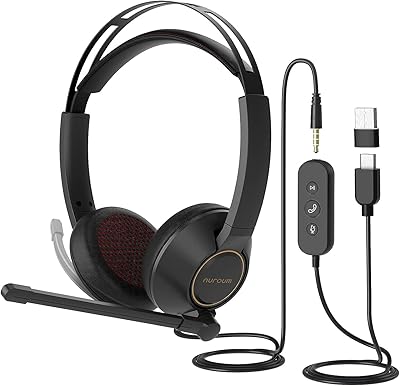
NUROUM HP11DU
NUROUM HP11DU
74%
83%
Microphone Clarity
69%
Comfort & Wearability
67%
Build Quality
78%
Value for Money
76%
Noise Cancellation (Mic-Side)
More
Yealink UH37
Yealink UH37
79%
86%
Microphone Clarity
63%
Noise Cancellation
74%
Comfort for Extended Use
81%
Build Quality
91%
USB Compatibility
More

FAQ

Not directly out of the box. The Yealink UH34 Mono Wired Headset uses a 3.5mm jack, so you will need a separate USB-C to 3.5mm adapter to connect it to a USB-C-only MacBook. These adapters are inexpensive and widely available, but it is worth budgeting for one if your laptop lacks a headphone port.

Yes, but iPhones from model 7 onward removed the 3.5mm port, so you will need a Lightning to 3.5mm adapter. That adapter is sold separately and is not included in the box. Once you have the adapter, the headset functions normally for calls and apps on iOS.

No. This wired office headset is fully plug-and-play on Windows, macOS, iOS, and Android. You simply connect it to your device and your operating system or call platform recognizes it automatically. There is no companion app or driver installation required.

The noise cancellation here is passive, meaning it works through the physical design of the microphone rather than any electronic processing. It handles common background sounds like keyboard noise, mild HVAC hum, and light ambient chatter reasonably well. That said, it is not going to perform like a dedicated noise-cancelling USB mic in a loud environment, so set your expectations accordingly.

Technically yes, since it connects like any standard headphone. However, the mono single-ear design and voice-optimized tuning make it a poor experience for music or immersive video content. You will only hear audio from one ear, and the sound profile is optimized for speech, not entertainment. It is genuinely designed as a call headset, and that is where it earns its keep.

For most people, it holds up reasonably well through a busy call day. The 155-gram weight keeps physical pressure light. The protein leather ear cushion is soft initially, but some users report noticeable warmth and mild discomfort building up over three to four hours of continuous use. If your workday involves back-to-back long calls, taking short breaks helps.

No, there is no dedicated mute button on the inline control module. To mute yourself during a call, you need to use the mute function within your call platform — Teams, Zoom, Google Meet, and similar apps all have keyboard shortcuts or on-screen controls for this. It is a notable omission for a business headset, so it is worth knowing before you buy.

Yes, as long as your controller has a 3.5mm headphone port, which PS4, PS5, and most Xbox One controllers do. Plug it into the controller jack and it works for in-game chat audio. Just keep in mind it is mono only, so game audio will come through a single ear, which is not ideal for gaming but functional for communication.

The cable extends to 1.2 meters, which is just under four feet. For laptop users or those sitting close to their machine, that is generally sufficient. If your desktop tower sits on the floor or at a distance from your seat, you may find the cable falls a bit short and might need a 3.5mm extension cable.

Feedback on long-term durability is mixed. The headband and overall build quality are adequate for everyday office use, but the cable junction points — where the cable meets the headband and the 3.5mm plug — are the areas most commonly flagged for wear over time with heavy daily use. Storing it carefully rather than coiling the cable tightly helps extend its lifespan.