Overview

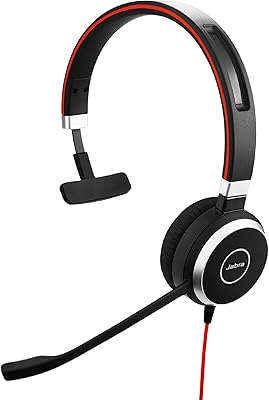
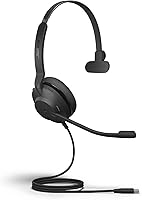
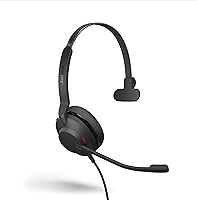
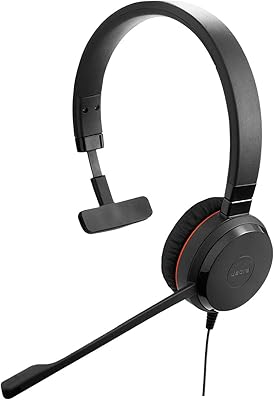
The Jabra Evolve2 30 UC Mono USB-C is a wired professional headset built for people who spend a serious portion of their day on calls. It connects via USB-C, so plugging into a modern laptop takes about three seconds — no drivers, no setup fuss. The reinforced steel headband keeps the build sturdy without adding much weight, and the overall design reflects Jabra's focus on workers who need reliability rather than flashy extras. It carries UC certification, meaning it works out of the box with Zoom, Google Meet, and Chime. For a mid-range wired headset, the build quality feels appropriately solid.
Features & Benefits

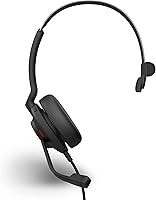
The dual-microphone system is where the Evolve2 30 earns its keep. It actively filters background noise rather than just picking up whatever the room offers, which matters when you're working near a busy street or in an open kitchen. The angled ear cups, combined with memory foam oval cushions, deliver passive noise isolation — Jabra claims around 48% better than standard designs, and in practice it does reduce the distraction of ambient chatter. A small but genuinely useful touch is the auto-activating busylight, which turns on the moment you join a call, signaling to anyone nearby that you're occupied. Inline controls round things out.

Best For

This wired office headset suits a specific kind of buyer well. If you regularly hop between Zoom, Teams, and Google Meet, the UC certification removes any compatibility headache. Remote workers dealing with noisy home environments will appreciate the passive isolation — not as aggressive as active noise cancellation, but it genuinely takes the edge off background noise. The single-ear mono design also appeals to anyone who needs to stay half-aware of their surroundings, whether that's a home with kids or a shared office floor. And since there's no battery to charge, it's one less thing to think about during a packed workday.

User Feedback

Buyers consistently praise the microphone clarity — many note that colleagues on the other end of calls remark on how clean their voice sounds, even in less-than-ideal settings. The busylight gets positive mentions too, particularly from people in open offices where visual cues matter. On the downside, some users report that on-ear pressure becomes noticeable after several hours, which is worth considering if you wear a headset for six-plus hours straight. A handful of reviewers also wish the cable were longer. Compared to similarly priced alternatives, most buyers feel this Jabra headset holds its own, with build quality and microphone performance cited as the deciding factors.

Pros

  • Microphone quality is consistently praised — colleagues often notice the improvement without being prompted.
  • Plug-and-play USB-C setup means zero configuration time across all major video platforms.
  • The auto-activating busylight is a practical, low-effort way to signal availability in shared workspaces.
  • Reinforced steel headband adds durability without making the headset feel heavy during wear.
  • No battery to charge means one fewer daily task for already-busy remote professionals.
  • Memory foam ear cushions feel noticeably softer than the pads on cheaper competing headsets.
  • The mono design lets you stay aware of your surroundings while staying focused on the call.
  • Compact enough to fit in a laptop bag without a dedicated headset pocket or bulky case.
  • UC certification covers all major platforms, so switching between meeting tools never causes audio issues.
  • Inline cable controls let you mute or adjust volume quickly without touching the keyboard or screen.

Cons

  • Cable length frustrates users whose laptops connect through under-desk docking stations.
  • No USB-A adapter included despite this being a USB-C-only variant — easy to overlook before buying.
  • On-ear pressure accumulates over long sessions, particularly for users who wear glasses.
  • The soft pouch offers scratch protection but minimal defense against impact in a packed commuter bag.
  • Busylight visibility is limited in bright environments and narrow in its effective viewing angle.
  • Audio playback for music or media is flat and uninspiring outside of its call-focused purpose.
  • Ear cushion material shows wear over many months of daily intensive use.
  • A small number of users report cable fraying near the connector after extended daily use.
  • No active noise cancellation limits usefulness in genuinely loud or unpredictable work environments.
  • Advanced call controls are absent from the inline remote — mute and volume only, nothing more.

Ratings

The Jabra Evolve2 30 UC Mono USB-C has been rated by our AI system after processing hundreds of verified global buyer reviews, with spam, bot-generated, and incentivized feedback actively filtered out. Scores reflect the real-world experience of professionals using this wired office headset daily — from open-plan offices to home workspaces — and both its consistent strengths and genuine limitations are represented transparently.
Microphone Clarity
88%
Buyers across multiple platforms repeatedly call out how clean their voice sounds to colleagues and clients, even in moderately noisy rooms. The dual-microphone setup does a credible job of pushing background noise to the background, which is exactly what remote workers need when the neighbor's lawnmower fires up mid-meeting.
In very loud environments — think a busy café or a construction-adjacent home office — the noise filtering starts to struggle, and callers can still detect ambient sound bleeding through. It handles typical home or office noise well but is not infallible under extreme conditions.
Passive Noise Isolation
74%
26%
The angled ear cups and memory foam cushions work together to reduce outside noise more effectively than most standard on-ear designs at this price tier. For workers in open-plan offices, the reduction in chatter and keyboard clatter is noticeable and appreciated during focused calls.
This is passive isolation only — there is no active noise cancellation, and buyers who expect ANC-level blocking will be disappointed. The isolation is solid for a wired headset in this class, but it is not a substitute for true ANC if you work in genuinely chaotic environments.
Comfort & Wearability
71%
29%
For most users, the lightweight build and evenly distributed headband pressure make the Evolve2 30 comfortable enough for two to four hours of continuous wear. The memory foam cushions are noticeably softer than the firm pads found on cheaper headsets, and the overall weight sits well on the head.
On-ear designs inherently create pressure points that over-ear headsets avoid, and users with longer workdays — six or more hours on calls — report that ear fatigue sets in. Fit is personal, and buyers with larger or narrower heads have flagged that the clamping force feels less forgiving than they hoped.
Build Quality
82%
18%
The reinforced steel headband gives the Evolve2 30 a reassuring sturdiness that plastic-only competitors at similar prices cannot match. Most buyers report that after months of daily use, plugging and unplugging included, the headset shows no significant signs of wear or structural weakness.
A small but recurring thread in user reviews mentions cable durability near the connector, with a few long-term users noting fraying after heavy daily use. The ear cushion material, while comfortable initially, can show wear over many months of intensive use.
USB-C Compatibility & Setup
93%
Plug-in-and-go functionality is one of the most praised aspects of this headset. Buyers with modern laptops, including MacBooks and recent Windows ultrabooks, report instant recognition with zero driver installation or configuration required — a genuine convenience for hot-desking professionals.
Users with older USB-A-only machines will need an adapter, as this specific variant is USB-C only. A handful of buyers did not check the variant before purchasing and found themselves needing a dongle, which slightly undermines the plug-and-play promise.
UC Certification & Platform Compatibility
91%
The UC certification translates into real-world reliability across Zoom, Google Meet, Microsoft Teams, and Chime without any manual configuration. IT teams and individual buyers alike appreciate not having to troubleshoot audio routing every time a new platform is involved.
While UC compatibility is broad, some buyers using niche or enterprise-specific communication tools noted occasional manual setup was still required. The certification covers the major platforms confidently but is not a universal guarantee across every possible software environment.
Busylight Functionality
79%
21%
The auto-activating busylight is one of those features that seems minor until you work in a shared space and someone repeatedly interrupts your calls. In open-plan offices and home environments with family members nearby, multiple buyers note it genuinely reduced unwanted interruptions without any manual toggling.
The busylight is only visible from certain angles, and in brightly lit offices it can be easy to miss. Buyers working solo from home found it largely redundant, and a small number felt the light intensity could be stronger to be useful across a larger room.
Portability & Form Factor
84%
At just over six ounces and with a compact folded footprint, the Evolve2 30 slips easily into a laptop bag alongside the included soft pouch. Commuters and hot-deskers particularly appreciate not having to wrestle with bulky packaging or carry an oversized case just for a work headset.
The included soft pouch protects against scratches but offers minimal impact protection, so buyers who travel frequently with it in a packed bag have expressed concern about long-term durability. A semi-rigid case would have been a stronger choice for road warriors.
Audio Playback Quality
67%
33%
For call audio and video conferencing, the sound reproduction is clear and intelligible — voices are rendered naturally and without noticeable distortion at reasonable volume levels. Buyers using it for its intended purpose of calls and meetings find the audio quality more than adequate.
This is a communication headset, not a music or media device, and buyers who expected richer audio for casual listening or content consumption were underwhelmed. The dynamic driver delivers functional sound, but depth and bass response fall short of even budget consumer headphones.
Cable Length & Management
61%
39%
The cable is long enough for standard desk setups where the laptop sits directly in front of the user, and the inline controls are well-positioned for quick mute or volume adjustments without reaching for the device.
Cable length drew consistent criticism from buyers whose laptops connect through docking stations positioned below the desk or on the floor. Several users reported the cable felt just short enough to create tension, and the lack of a cable management clip or longer cord option was a genuine frustration in these setups.
Inline Controls
76%
24%
The call and volume controls on the cable feel tactile and responsive, making it easy to mute quickly during a call or adjust volume without breaking focus or reaching for the keyboard. The button placement works well for most seated desk positions.
The controls are basic — mute, volume up, and volume down — with no track-skipping or advanced call-management functions. Power users who want more granular control from the cable itself will find the limited functionality a bit restrictive compared to more feature-rich headsets.
Value for Money
78%
22%
At its price point, the Evolve2 30 delivers a noticeably more professional audio and build experience than consumer-grade headsets in the same range. Buyers switching from cheaper alternatives frequently mention feeling like they made a meaningful upgrade in call quality and construction.
Buyers comparing it to higher-end Jabra models or similarly priced competitors with active noise cancellation will feel the trade-offs more acutely. For strictly professional use the value proposition holds, but if you want richer features for the same investment, there are alternatives worth considering.
Weight & Headband Pressure
72%
28%
The headset is impressively light for a steel-reinforced build, and the headband distributes pressure across the crown rather than concentrating it at a single point. Most first-time users are pleasantly surprised by how little they notice wearing it during the first hour or two.
Extended wear sessions remain the weak point — the on-ear pressure accumulates gradually, and buyers with sensitive ears or who wear glasses report discomfort arriving sooner than they expected. Compared to over-ear alternatives, the on-ear design simply has an inherent ceiling on all-day comfort.
Packaging & Included Accessories
69%
31%
The inclusion of a soft carrying pouch is a thoughtful touch that elevates the unboxing experience slightly above bare-bones headset packaging. The headset arrives ready to use immediately, which buyers appreciate as a signal of a professionally assembled product.
Beyond the pouch and safety leaflets, the accessory package is minimal. There is no USB-A adapter included despite this being a USB-C-only variant, which caught several buyers off guard who assumed an adapter would be bundled in.

Suitable for:

The Jabra Evolve2 30 UC Mono USB-C is built for professionals whose workday revolves around calls and video meetings — particularly those in hybrid or fully remote roles where call clarity directly affects how they're perceived by colleagues and clients. If you work from a home office with moderate background noise, the dual-microphone filtering and passive noise isolation will make a meaningful difference without requiring any technical setup. Hybrid workers who carry their headset between a home desk and a shared office will appreciate how compact and light it is, especially with the included soft pouch keeping it protected in a bag. The mono design is a deliberate advantage for anyone who needs to stay partially aware of their environment — whether that's keeping an ear out for a doorbell, a coworker, or a child at home. People who cycle through Zoom, Google Meet, and Teams throughout the day will find the UC certification removes every compatibility headache. And for those who are genuinely tired of charging wireless headsets before every long workday, a reliable wired option with no battery anxiety is a practical relief.
Not suitable for:

Buyers expecting active noise cancellation should look elsewhere — the Jabra Evolve2 30 UC Mono USB-C relies entirely on passive isolation, which handles typical office background noise reasonably well but will not satisfy anyone working in a loud café, near heavy street noise, or in a genuinely chaotic environment. If your workday runs six or more hours of near-continuous headset use, the on-ear design may cause cumulative discomfort that an over-ear alternative would avoid. Audiophiles or anyone hoping to use this headset for music listening, media consumption, or any purpose beyond calls and meetings will find the audio reproduction underwhelming — this is a communication tool, not a listening device. The USB-C-only connection means users with older USB-A laptops or docking-station setups will need an adapter that is not included in the box. Anyone who prioritizes wireless freedom, even at the cost of battery management, will find the wired format a daily friction point. Finally, buyers who need a stereo headset for immersive conference calls or spatial audio experiences should note that this is a mono unit by design.
Specifications

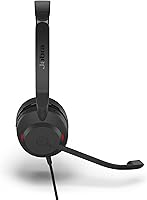
  • Connection: Wired USB-C connection providing plug-and-play compatibility with modern laptops and devices without requiring drivers.
  • Form Factor: On-ear mono headband design with a single ear cup, allowing the wearer to remain aware of their surrounding environment.
  • Microphone: Dual-microphone array that actively analyzes and reduces ambient noise during calls for cleaner voice transmission.
  • Busylight: Integrated busylight that activates automatically when a call begins, signaling a do-not-disturb status to nearby colleagues.
  • Ear Cushions: Memory foam oval ear cushions with an angled ear cup design that delivers approximately 48% more passive noise isolation than standard designs.
  • Driver Type: Dynamic audio driver with a 32 Ohm impedance rating, optimized for voice clarity in communication applications.
  • Frequency Response: Audio frequency response range extending up to 20,000 Hz, covering the full spectrum needed for natural voice reproduction.
  • Weight: The headset weighs 6.4 ounces, keeping it light enough for extended desk-based wear throughout a working day.
  • Dimensions: The packaged unit measures 10 x 7 x 2 inches, making it compact enough to store in a laptop bag alongside its included soft pouch.
  • UC Certification: Certified for Unified Communications platforms including Zoom, Google Meet, and Amazon Chime, ensuring out-of-the-box compatibility without manual configuration.
  • Cable Controls: Inline media control module on the cable allows call answer and end, mute toggling, and volume adjustment without touching the connected device.
  • Headband Material: Reinforced steel headband construction provides structural durability while distributing clamping pressure evenly across the head.
  • Noise Isolation: Passive sound isolation achieved through cushion material and ear cup angle, with no active noise cancellation technology present.
  • Included Items: Package includes the headset, a soft fabric carrying pouch, and safety and warranty documentation leaflets.
  • Connectivity Type: USB wired connection only — no Bluetooth, wireless mode, or USB-A variant included with this specific model configuration.
  • Ear Placement: On-ear form factor positions the ear cup against the outer ear rather than enclosing it, keeping the design lightweight and compact.
  • Compatible Platforms: Works out of the box with all major UC platforms including Microsoft Teams, Zoom, Google Meet, Cisco Webex, and Amazon Chime.
  • First Available: This headset model was first made available for purchase in February 2021 and remains an active product in the Jabra lineup.

Related Reviews
Jabra Evolve 30 II UC Mono Wired Headset
85%
89%
Comfort for Extended Use
92%
Call Quality & Microphone Performance
95%
Ease of Use & Setup
72%
Noise Cancellation Effectiveness
78%
Build Quality & Durability
More
Jabra Evolve 40 UC Mono Headset
84%
89%
Sound Quality
92%
Comfort for Long Calls
85%
Busylight Functionality
84%
Build Quality
80%
Noise Cancellation
More
Plantronics Voyager 4310 USB-C Bluetooth Mono Headset
86%
88%
Call Clarity & Noise Cancellation
91%
Battery Life
85%
Comfort for Long Use
90%
Bluetooth Connectivity
80%
Sound Quality
More
Symphonized NRG C USB-C Earphones
81%
90%
Sound Quality
85%
Build Quality
75%
Comfort & Fit
80%
Noise Isolation
92%
USB-C Connectivity
More
Teslong MS100-C USB-C Digital Microscope
85%
89%
Magnification Quality
91%
Ease of Use
84%
Build Quality
93%
Portability
88%
LED Lighting Performance
More
ySky 512GB USB-C/USB 3.2 SSD
88%
91%
Read Speed Performance
88%
Write Speed Performance
92%
Build Quality & Durability
89%
Portability
95%
Ease of Use / Setup
More
CHHI D800 Wireless Mouse with Bluetooth, USB-A, USB-C Receiver
88%
88%
Performance
91%
Battery Life
85%
Ergonomics
90%
Connectivity Options
89%
Ease of Setup
More
Revision Skincare C+ Correcting Complex 30% Vitamin C Serum 1oz
86%
92%
Effectiveness for Brightening
89%
Impact on Fine Lines & Wrinkles
85%
Suitability for Sensitive Skin
91%
Absorption Speed
87%
Texture/Feel
More
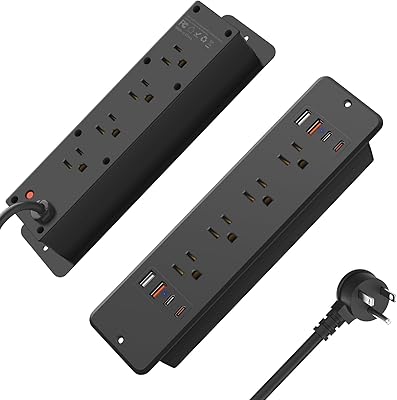
HHSOET 8 Outlet Recessed Power Strip with USB-C and USB-A Ports
88%
94%
Surge Protection
89%
Ease of Installation
88%
Charging Speed
91%
Design & Space-Saving
87%
Build Quality
More
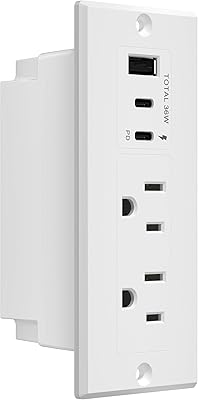
LIDER PD 36W Recessed Outlet Station with USB-A and USB-C Ports
86%
94%
Ease of Installation
89%
Charging Speed (USB-C Power Delivery)
90%
Safety Features (Tamper-Resistant Outlets)
88%
Design and Aesthetics
75%
Cord Length (6.5 ft)
More

FAQ

The Evolve2 30 carries broad UC certification that covers Microsoft Teams, Zoom, Google Meet, Amazon Chime, and several other major platforms. You can switch between them throughout your day without changing any audio settings — it simply works as your default audio device on whatever platform you open.

Jabra sells the Evolve2 30 in both USB-A and USB-C variants, so if you need USB-A you would need to purchase that specific version separately. This particular listing is the USB-C model, and no adapter is included in the box, so check your laptop ports before ordering.

No, it does not. This headset uses passive noise isolation only, achieved through the angled ear cup design and memory foam cushions. It reduces a meaningful amount of ambient noise for most office and home environments, but it will not match the performance of a headset with active noise cancellation technology if you work in a very loud space.

It activates automatically the moment you join a call, so there is nothing to manually toggle. When your call ends, it turns off on its own. This makes it genuinely useful in shared spaces because it works without you having to remember to switch it on.

On-ear designs in general can create some pressure at the points where the cushions meet the arms of glasses frames, and this headset is no different. Many glasses wearers find it comfortable for one to three hours, but beyond that, some discomfort around the temples can build up. It varies quite a bit depending on the shape and thickness of your glasses frames.

You can use it for music, but it was engineered for voice communication rather than audio fidelity, so the listening experience is fairly flat and lacks the depth or bass response you would expect from a consumer headphone at a similar price. It works fine as background listening, but if music is a priority for your workday, a dedicated pair of headphones would serve you better.

The cable is designed for standard desk use, which means it works well when your laptop or USB hub is sitting on or near your desk surface. If your docking station is mounted below the desk or on the floor, several users have found the cable length just short enough to create tension. Jabra does not publish an exact cable length in the official specs, but real-world feedback suggests under-desk setups may require a USB-C extension cable.

The dual-microphone system does a reasonable job of filtering typical background sounds like keyboard clicks and distant conversation. It handles everyday home and office ambient noise well. That said, in a loud open-plan office with people talking nearby, some background audio can still bleed through — it reduces noise rather than eliminating it entirely.

Yes, the steel headband is adjustable across a range of head sizes. Most users find a comfortable fit, but a small number of buyers with larger heads have noted that the clamping force feels firmer at the outer adjustment positions. It is worth noting that the fit impression can change after a brief break-in period as the headband slightly conforms to use.

The box contains the headset itself, a soft fabric carrying pouch for storage and transport, and the standard warranty and safety documentation leaflets. There is no USB-A adapter, no charging stand, and no additional cable accessories included — just the headset, the pouch, and the paperwork.