Overview

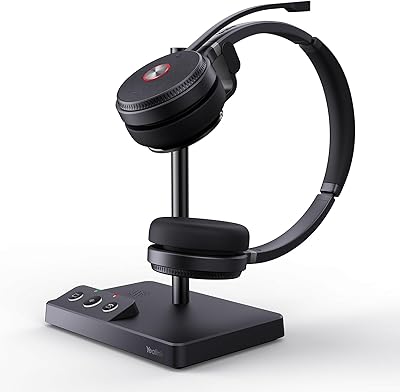
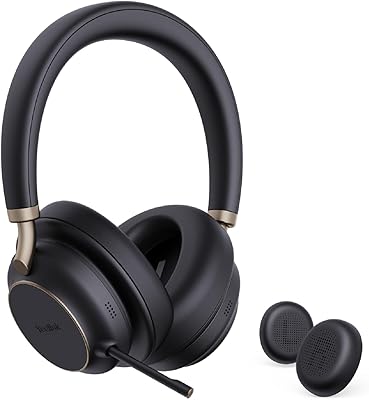
The Yealink BH70 Dual Wireless Bluetooth Headset is a mid-range business headset aimed squarely at hybrid workers who need something reliable across both the open office and the home desk. It carries Microsoft Teams certification, which matters if your organization runs on Teams and you want buttons that actually do what they are supposed to. At just 147g, it sits lightly on your head during marathon meeting days — a real consideration if you have ever ended a long call with a sore neck. The included BHC70 charging stand is a genuine perk at this price tier. Just keep expectations realistic: this is a solid entry-level work headset, not a premium audio device.
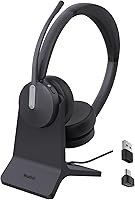
Features & Benefits

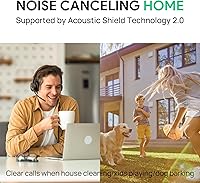
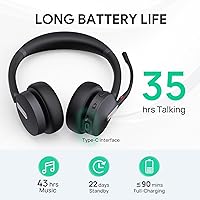
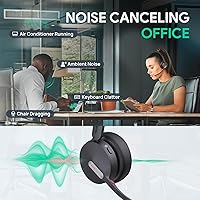
The BH70 Dual uses a three-MEMS microphone array with beamforming processing to filter out background noise on your end — think keyboard clatter in the office or a barking dog at home. That noise cancellation works on what your colleagues hear, not what you hear, so do not confuse it with listener-side ANC. Bluetooth 5.2 and a 50-meter wireless range via the included USB dongle give you the freedom to step away from your desk mid-call without dropping audio. Battery life is genuinely strong: 35 hours of talk time translates to roughly four full workdays between charges. The 90-minute charge time via the stand or a standard USB-A cable keeps things simple and hassle-free.

Best For

This business Bluetooth headset makes the most sense for hybrid and remote workers who spend a meaningful chunk of their day on Teams or UC platform calls and need their mic to perform reliably in variable environments. It is also a strong pick for anyone working in a noisy open-plan office where background chatter is constant. The desk-friendly charging stand appeals to people who want their workspace tidy and their headset always ready to go. If you are sensitive to headset weight — especially after three or four hours — the lightweight 147g frame is a real advantage over bulkier alternatives. IT managers or small business owners standardizing gear across a team will appreciate the consistent Teams certification and straightforward setup process.

User Feedback

With a 4.3-star average across around 200 ratings, this Yealink headset earns broadly positive marks, though the picture is not without nuance. Mic clarity and comfort come up repeatedly as genuine strengths — users report that colleagues hear them clearly even in noisy settings, and the lightweight build holds up well through long workdays. The charging stand draws consistent praise for desk convenience. On the other side, some buyers are caught off guard by the absence of listener-side noise cancellation — the headset filters noise for your callers, not for you. A few users also note that the on-ear fit can feel snug over extended sessions depending on head shape. Given the headset launched in mid-2024, the review pool is still relatively modest.

Pros

  • Mic noise cancellation genuinely performs in open offices and busy home environments, keeping your voice clear for callers.
  • At 147g, this Yealink headset is light enough that most users forget they are wearing it during long meeting blocks.
  • 35 hours of talk time means charging roughly once every four to five standard workdays for typical users.
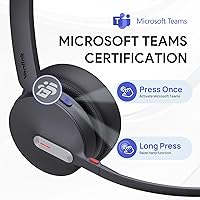
  • Microsoft Teams certification ensures button controls work as intended without any workaround or driver setup.
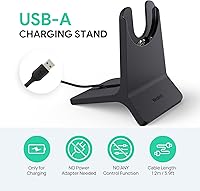
  • The included BHC70 charging stand keeps the headset docked and ready, with a full charge in just 90 minutes.
  • 50-meter wireless range lets you walk to the kitchen or printer mid-call without audio dropping.
  • Bluetooth 5.2 reconnects quickly when returning to range, with no noticeable lag in re-pairing.
  • No proprietary charging adapter needed — a standard USB-A cable works just as well as the stand.
  • The BH70 Dual supports platform switching between UC and Teams modes, adding flexibility for mixed environments.
  • Build quality feels solid and professional enough for daily desk use without any noticeable flex or rattle.

Cons

  • There is no listener-side active noise cancellation — background sound bleeds through clearly in loud spaces.
  • On-ear pressure causes noticeable fatigue for some users during sessions longer than three hours.
  • The busylight feature reduces talk time below the advertised 35-hour figure, which is not prominently disclosed.
  • Full Teams button functionality requires the BT51 dongle; native Bluetooth pairing loses those controls entirely.
  • No carrying case or pouch is included, leaving cushions and the headband unprotected inside a bag.
  • The charging stand has no indicator light, so there is no visual confirmation that charging is actively occurring.
  • Music and media playback sounds noticeably thin and flat — this is a voice tool, not an audio headphone.
  • Small, low-profile buttons are difficult to locate reliably by touch alone during a live call.
  • Wireless performance degrades in offices with dense Bluetooth and Wi-Fi interference from competing devices.
  • The review sample is still relatively modest for a product launched in mid-2024, leaving some edge-case reliability questions open.

Ratings

The Yealink BH70 Dual Wireless Bluetooth Headset has been scored below using an AI-driven analysis of verified global user reviews, with spam, bot-generated, and incentivized feedback actively filtered out before scoring. Ratings reflect the honest consensus across real-world work environments — from open-plan offices to home setups — capturing both the strengths buyers consistently praise and the friction points that surface in day-to-day use. Nothing has been smoothed over: where users found limitations, the scores reflect that plainly.
Microphone Quality
86%
The three-MEMS beamforming array genuinely performs in noisy settings — colleagues on the other end of a call consistently report hearing clear, clean voice audio even when the user is working in a busy open-plan office or a kitchen with background appliance noise. For business call clarity, it punches above its price tier.
In very reverberant spaces or with loud, close-range noise sources, the mic processing can occasionally introduce a slightly processed or compressed quality to the voice. A small number of users noticed that aggressive noise filtering sometimes clips the edges of quieter speech.
Comfort & Wearability
83%
At 147g, the BH70 Dual is noticeably lighter than most business headsets in its class, and users who wear it through four or five consecutive hours frequently comment that it barely registers on their head. The headband distributes weight evenly, and the ear cushions feel soft enough for extended morning meeting blocks.
The on-ear design rather than over-ear means the ear cups rest directly on the outer ear, which causes pressure fatigue for some users after sessions longer than three hours. People with larger ears or those sensitive to on-ear contact tend to find it less forgiving than a fully circumaural design.
Battery Life
91%
Thirty-five hours of talk time means most users only need to charge this business Bluetooth headset once every four or five working days under typical call loads — a genuine convenience that removes the anxiety of mid-day dead batteries. The standby figure of up to 22 days means infrequent users rarely pick it up to find it discharged.
The 35-hour figure applies with the busylight feature turned off; real-world talk time with busylight active drops noticeably, and Yealink does not prominently advertise the reduced figure. A handful of users who relied on the spec sheet felt misled once they started using the busylight in daily rotation.
Microsoft Teams Integration
88%
The dedicated one-click Teams activation button works reliably when paired via the BT51 dongle, allowing users to jump into calls, mute, and manage basic call functions without touching their laptop. For teams standardized on Microsoft 365, the certified integration removes the compatibility guesswork that plagues generic headsets.
Teams functionality depends entirely on the BT51 dongle being connected — pairing the headset directly via native Bluetooth without the dongle loses access to Teams button controls. Users on non-Microsoft platforms get a competent UC headset but miss the feature that most justifies the certification premium.
Noise Cancellation (Listener-Side)
57%
43%
The BH70 Dual does a reasonable job of attenuating ambient office hum and moderate keyboard noise passively through the ear cup contact. For users whose primary concern is hearing calls clearly in a quiet home office, the passive isolation is sufficient and generally unobtrusive.
There is no active noise cancellation for the listener — a point that genuinely surprises buyers who assume ANC works both ways. In loud environments like open offices near HVAC vents or shared kitchen areas, background noise bleeds through clearly. Buyers coming from ANC-equipped headsets will feel the absence acutely.
Build Quality & Materials
74%
26%
The headset feels solid in hand with no obvious flex or creaking in the headband, and the revised materials Yealink introduced in the 2024 iteration give it a cleaner, more professional aesthetic than its predecessors. The matte finish resists fingerprints reasonably well during daily handling.
Plastic dominates the construction throughout, and while it is sturdy enough for desk use, the BH70 Dual does not inspire confidence if dropped or regularly transported in a bag. A few users noted that the headband adjustment mechanism feels slightly loose after extended use, introducing minor slippage.
Wireless Range & Connectivity
82%
18%
The 50-meter rated range via the BT51 dongle holds up well in real office conditions — users can comfortably walk to a printer, step into an adjacent room, or grab a coffee without losing audio. Bluetooth 5.2 also means the connection re-establishes quickly when returning to range after a brief dropout.
Range degrades in environments with heavy wireless interference, such as dense offices with many competing Bluetooth and Wi-Fi devices. A small subset of users reported intermittent audio stuttering in particularly congested wireless environments, though this appears to be the exception rather than a consistent issue.
Charging Stand & Accessories
79%
21%
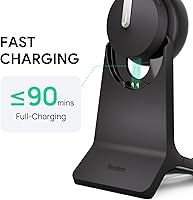
The included BHC70 charging stand is a meaningful inclusion at this price point — it keeps the headset visually organized on the desk, charges without any cable fumbling, and fully tops up the battery in 90 minutes. Users consistently praise it as a practical desk companion that encourages the habit of always having the headset charged.
The stand has no pass-through power controls or status indicators beyond basic charging, so there is no visual feedback that charging is actively happening unless you check the headset itself. It also requires its own USB power source, which means one more cable and port in use on the desk.
Call Controls & Usability
77%
23%
Mute, volume, and call answer and end functions are all accessible directly from the headset without reaching for the laptop, which adds up meaningfully across a day of back-to-back meetings. The button layout is logical enough that most users learn it within the first day of use without consulting a manual.
The physical buttons are relatively small and not especially tactile, making them harder to locate by feel alone during a live call — particularly for users who wear the headset with the controls positioned toward the back of the ear. Voice control support is listed but limited in practical scope.
Audio Quality for Music & Media
66%
34%
For background music during focused work, the BH70 Dual delivers a warm, acceptable sound with adequate volume range. The 43-hour music playback figure means users who use it casually for audio alongside calls will rarely need to charge mid-week.
This is an office communication headset using dynamic drivers tuned for voice, not a music headphone. Bass response is thin, soundstage is narrow, and users with any expectations set by consumer audio headphones will find the listening experience underwhelming. It is best treated as a work tool that tolerates background music, not a dedicated listening device.
Value for Money
78%
22%
The combination of Teams certification, the charging stand inclusion, strong battery life, and a capable noise-cancelling microphone makes the BH70 Dual a well-rounded package that competes credibly at its price point. For budget-conscious businesses equipping multiple desks, the per-unit value is genuinely solid.
Buyers comparing it directly to higher-end certified headsets from Jabra or Poly will find meaningful gaps in listener audio quality and fit refinement. At its price, the lack of listener-side ANC is a tangible omission that more demanding hybrid workers may find difficult to accept when alternatives exist nearby in the market.
Setup & Compatibility
84%
Out of the box, pairing via the BT51 dongle is fast and requires no driver installation on most systems — plug in, connect, and the headset is recognized within seconds. Switching between UC and Teams platform modes is straightforward and documented clearly in the quick-start guide.
The dongle-dependent workflow means users working across multiple machines face the minor inconvenience of swapping the dongle between computers. Native Bluetooth pairing without the dongle works but strips away the dedicated Teams controls and the extended wireless range, making it a noticeably lesser experience.
Portability & Travel Friendliness
61%
39%
The 147g weight makes this one of the lighter dual-ear business headsets available, and its relatively compact folded profile fits into a laptop bag side pocket without much effort. Users who commute and prefer not to carry a bulky headset appreciate the low-profile form factor.
The headset does not fold flat or collapse into a compact travel configuration, limiting how well it packs. There is no included carrying pouch or case, which means the ear cushions and headband are unprotected in a bag — a recurring minor frustration among users who move between office and home regularly.

Suitable for:

The Yealink BH70 Dual Wireless Bluetooth Headset is built for the kind of worker who spends a significant portion of their day on calls — hybrid professionals juggling home and office environments, open-plan office workers dealing with constant background noise, and remote employees who need their voice to come through clearly regardless of what is happening around them. If your organization runs on Microsoft Teams and you want a headset where the dedicated button controls actually work reliably out of the box, this is one of the more practical certified options at its price tier. The 147g weight is a genuine advantage for anyone who has struggled through a six-hour meeting day with a heavy headset leaving marks on their skull by 3pm. IT managers or small business owners looking to standardize a batch of desk headsets across a team will also find the combination of Teams certification, solid battery life, and the included charging stand makes deployment and daily management straightforward. If your call volume is high and you need something that keeps up without constant charging stops, the multi-day battery life alone makes a strong practical case.
Not suitable for:

The Yealink BH70 Dual Wireless Bluetooth Headset is not the right choice for buyers who need active noise cancellation on the listening end — the noise cancellation here works on your microphone output for your callers, not on what your ears receive, and that distinction catches a meaningful number of buyers off guard. If you work in an extremely loud environment and genuinely need to block out ambient sound while you listen — think a shared workspace near heavy machinery or a loud call center floor — this headset will leave you wanting. It is also not suited to anyone using it primarily for music or media consumption; the dynamic drivers are tuned for voice intelligibility, not audio fidelity, and the listening experience is flat compared to any consumer-grade headphone at a similar price. People with larger ears or those who find on-ear pressure uncomfortable during long sessions should consider an over-ear design instead, since the fit fatigue is a recurring complaint after the three-hour mark. Finally, buyers who regularly move between multiple computers and want to avoid the dongle-swapping inconvenience of a dedicated USB receiver may find the workflow friction frustrating over time.
Specifications

  • Weight: The headset weighs 147g, making it one of the lighter dual-ear business headsets in its category.
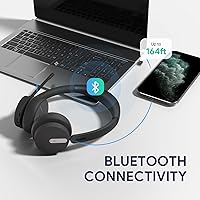
  • Bluetooth Version: Bluetooth 5.2 is used for wireless connectivity, providing stable pairing and efficient power consumption.
  • Wireless Range: When paired via the BT51 USB dongle, the headset maintains a wireless range of up to 50 meters (164ft).
  • Talk Time: Battery supports up to 35 hours of talk time with the busylight feature disabled, or reduced runtime when busylight is active.
  • Music Playback: Continuous music playback reaches up to 43 hours on a full charge under standard conditions.
  • Standby Time: In standby mode, the headset can go up to 22 days without requiring a recharge.
  • Charge Time: A full charge takes approximately 90 minutes whether using the BHC70 charging stand or a direct USB-A cable connection.
  • Microphones: Three MEMS microphones with beamforming noise cancellation technology are used to filter background noise from the speaker's audio output.
  • Audio Driver: Dynamic drivers handle audio playback, tuned primarily for voice clarity rather than wide-spectrum music reproduction.
  • Ear Placement: The BH70 Dual uses an on-ear (supra-aural) design, meaning the ear cups rest on the outer ear rather than enclosing it.
  • Form Factor: Binaural (dual-ear) configuration with an adjustable overhead headband designed to accommodate a range of head sizes.
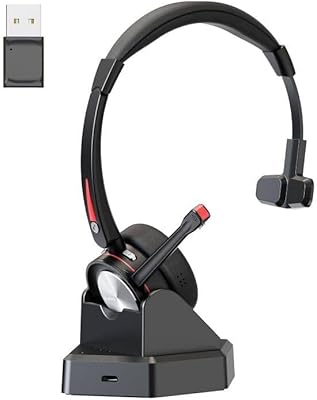
  • Dongle Type: The included BT51 dongle features a USB-C connector with a USB-A adapter, covering both legacy and modern laptop ports.
  • Listener ANC: Active noise cancellation is not present on the listener side; noise filtering applies only to the microphone output heard by callers.
  • Teams Certification: Microsoft Teams certified with one-click Teams activation available via a dedicated headset button when the BT51 dongle is connected.
  • Platform Support: Default platform is UC (Unified Communications), with the option to switch to Teams mode via the headset controls.
  • Included Accessories: Package includes the BH70 headset, BHC70 charging stand, BT51 USB-C to USB-A dongle, and a 1.2m USB-C to USB-A charging cable.
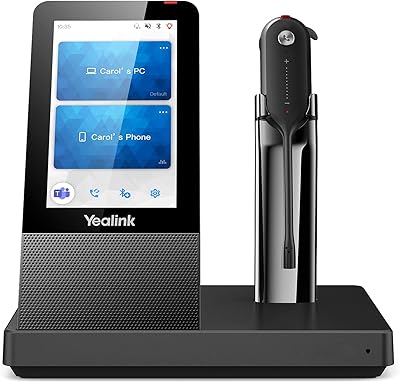
  • Charging Stand: The BHC70 stand charges the BH70 and the WH64 Hybrid Headphone and requires no external power adapter beyond a standard USB power source.
  • Connectivity: Wireless Bluetooth connection is established exclusively via the BT51 dongle for full feature access; native device Bluetooth pairing is also supported with reduced functionality.
  • Battery Type: One built-in lithium-ion rechargeable battery is included and pre-installed in the headset.
  • Compatible Devices: Works with any Bluetooth-enabled device, with full Teams and UC call-control features available only when connected via the BT51 dongle.

Related Reviews
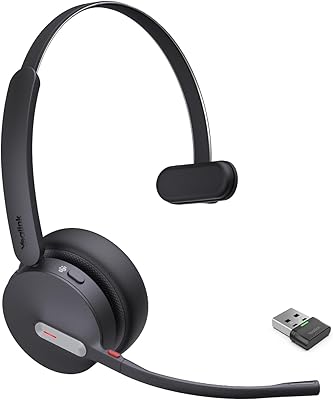
Yealink BH70 Mono Wireless Bluetooth Headset
86%
92%
Comfort for Long Wear
89%
Noise Cancellation Performance
75%
Bluetooth Connectivity
91%
Battery Life
88%
Sound Quality for Calls
More
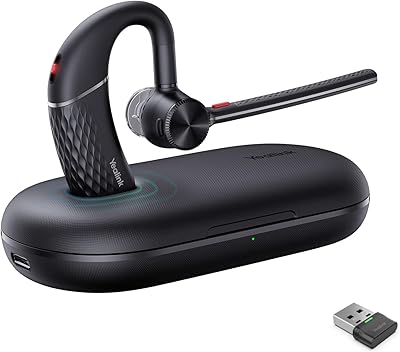
Yealink BH71 Pro Wireless Bluetooth Headset
80%
91%
Microphone & Call Clarity
88%
Battery Life
67%
Comfort & Fit
83%
Noise Cancellation
86%
Connectivity & Dongle Reliability
More
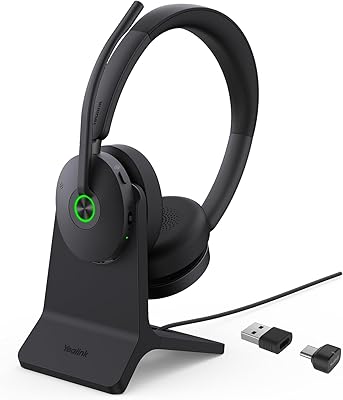
Yealink WH62 Dual UC DECT Wireless Headset
82%
92%
Wireless Range & Stability
88%
Call Audio Clarity
79%
Microphone Noise Cancellation
81%
Comfort & Wearability
87%
Battery Life
More
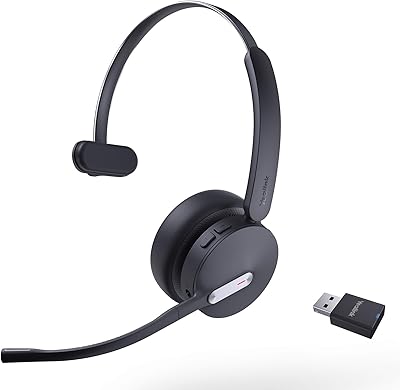
Yealink WH64 Hybrid Mono Wireless Headset
82%
88%
Call Audio Clarity
91%
Wireless Range (DECT)
93%
Battery Life
86%
Charging Speed
83%
Multi-Device Connectivity
More
Yealink BH74 with Stand ANC Wireless Bluetooth Headset
86%
85%
Comfort & Fit
91%
Active Noise Cancellation (ANC) Effectiveness
88%
Battery Life
83%
Build Quality
84%
Sound Quality
More
Yealink WH63 DECT Wireless Office Headset
75%
88%
Call Audio Clarity
76%
Microphone Noise Cancellation
91%
Wireless Range & Reliability
69%
Battery Life
73%
Comfort & Wearing Styles
More
Yealink WH67 Wireless DECT Headset
85%
91%
Comfort for Long Calls
88%
Audio Quality (Call Clarity)
85%
Noise-Canceling Microphone
68%
Bluetooth Connectivity
80%
Battery Life
More
Yealink BH76 Plus Bluetooth Headset
88%
91%
Comfort for All-Day Wear
85%
Active Noise Cancellation (ANC) Performance
94%
Battery Life
88%
Audio Quality for Calls
89%
Microphone Clarity
More
Logitech Zone 300 Wireless Bluetooth Headset
87%
88%
Audio Quality
92%
Comfort & Fit
90%
Noise-Canceling Performance
85%
Battery Life
83%
Build Quality
More
Yealink UH38 Bluetooth USB Wired Headset
87%
93%
Dual Connectivity
88%
Noise Cancellation
91%
Comfort for Long Sessions
90%
Teams Integration
85%
Microphone Performance
More

FAQ

This is one of the most common points of confusion with the Yealink BH70 Dual Wireless Bluetooth Headset, so it is worth being direct: the noise cancellation works on your microphone output — meaning your callers hear less of your background noise — but there is no active noise cancellation blocking sound from reaching your own ears. If you need to block out ambient noise while you listen, this headset relies on passive isolation from the ear cup contact, which is modest at best.

You can pair the BH70 Dual directly to a device via native Bluetooth without the dongle, and it will work for audio. However, if you want the dedicated Teams button controls, the full 50-meter wireless range, and the best connection stability, you need the BT51 dongle plugged into your computer. For most office users, keeping the dongle in is the right call.

Under typical conditions — around six to eight hours of mixed call and idle time per day — most users find they charge the BH70 Dual roughly every four to five working days. The 35-hour figure is measured with the busylight off, so if you use the busylight feature during calls, expect that number to come down a bit. Even so, the battery longevity in day-to-day practice is genuinely strong for the category.

The BHC70 charging stand connects via a standard USB port — no proprietary power adapter is needed. You can run it from a laptop USB port, a USB wall charger, or a powered hub. It is a simple, no-fuss setup that most people appreciate not having to think about.

The dedicated Teams activation button is designed specifically for Microsoft Teams and works via the BT51 dongle connection. On a Mac running Teams, the core call controls (answer, end, mute) generally work, though experience may vary slightly by operating system. If your organization uses Zoom, Google Meet, or another UC platform instead of Teams, you can switch the headset to UC mode, where standard call controls function, but the Teams-specific one-click launch feature will not apply.

For most people, yes — the 147g weight helps a lot, and users consistently report comfort through typical four to six hour meeting-heavy days. That said, on-ear designs press against the outer ear rather than surrounding it, which can cause some pressure fatigue over very long sessions, particularly for people with larger ears or those sensitive to that contact point. If you regularly wear a headset for seven or eight consecutive hours without breaks, it is worth considering whether an over-ear design might suit you better.

The BH70 Dual supports multipoint Bluetooth connectivity, allowing it to be connected to two devices simultaneously. In practice, this means you can have it paired to your work laptop via the dongle and your phone via Bluetooth at the same time, switching between calls as needed. The exact behavior during simultaneous audio from both sources will depend on the firmware and platform, but basic dual-device connection is supported.

For standard video conferencing and phone calls, yes — the three-MEMS beamforming setup does a solid job of isolating your voice and reducing background noise, and most colleagues on the other end will hear you clearly without noticing any quality issues. It is not a studio microphone, and in very reverberant rooms it can sound slightly processed, but as a daily business call microphone it performs well above what most built-in laptop mics offer.

The BH70 Dual supports UC platform mode, which covers compatibility with a range of softphone applications including Cisco Webex, Avaya, and other standard UC clients. Teams mode and UC mode are switchable directly from the headset, so if your company uses a mixed environment or migrates platforms, the headset adapts without needing a hardware change. Full call-control button integration will vary by platform and may require the relevant softphone client to support headset API controls.

At a comparable price, Jabra and Poly alternatives often offer more refined ear cushion materials and, in some cases, listener-side ANC that the BH70 Dual does not have. Where this Yealink headset competes well is on battery life, included accessories (the charging stand is not always standard elsewhere at this tier), and lightweight comfort. If Teams certification and long battery life are your top priorities and you are not reliant on listener ANC, the BH70 Dual holds its own; if audio quality for music or listener noise blocking matters to you, the competition may be worth the closer look.

Where to Buy