Overview

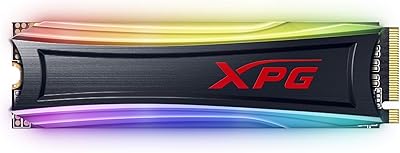
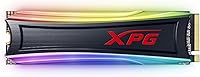
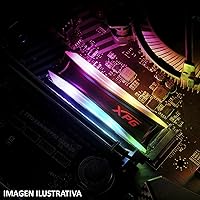
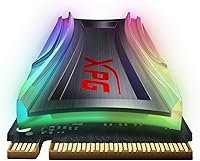
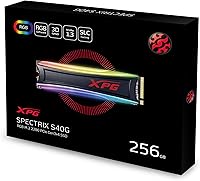
The XPG S40G 256GB NVMe SSD is ADATA's attempt at giving budget builders a taste of gaming-grade flair without the flagship price tag. It slots into the M.2 2280 socket found in nearly every modern motherboard, so compatibility isn't really a concern. What sets this drive apart from a sea of look-alike SSDs is the built-in RGB lighting, which feels like a small but welcome touch rather than a gimmick tacked on for marketing photos. Under the hood, it runs on a PCIe Gen3x4 connection with NVMe 1.3 support, and ADATA backs it with a 5-year warranty, which says something about their confidence in the hardware even at this price point.

Features & Benefits

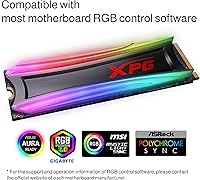
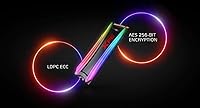
On paper, this XPG SSD is rated for sequential speeds up to 3500MB/s read and 3000MB/s write, numbers that feel genuinely fast next to any SATA drive still kicking around in an older build. The 3D NAND flash inside helps with both data density and long-term endurance, so it's not just a speed trick with nothing behind it. Its low profile design doesn't choke airflow in cramped cases, a small but appreciated detail for smaller builds. The RGB lighting syncs cleanly with Aura Sync, Mystic Light, and similar software from major board makers. The catch is capacity: 256GB handles an OS and core programs fine, but big game libraries will eat through it quickly.

Best For

This storage upgrade makes the most sense for budget-conscious gamers who want a noticeable speed bump and a bit of visual personality without spending flagship money. It's also a smart pick for anyone still running an aging SATA SSD or, worse, a mechanical hard drive as their primary boot disk. Compact or small form factor builds benefit especially well, since the low-profile design and RGB accents add character without crowding the case. Used as a secondary OS drive alongside a larger storage option, it performs admirably. Where it falls short is for users who need to keep large media libraries or extensive game collections on a single drive, since 256GB simply won't stretch that far.

User Feedback

Owners consistently mention the jump in everyday responsiveness once they swap out an old SATA drive for this one, with boot times and file transfers cited as the most obvious improvements. The RGB lighting gets genuine praise too, with several buyers calling it a nice surprise rather than an afterthought. On the downside, the 256GB capacity comes up often as a limitation, especially for anyone trying to install multiple modern games or large applications. A handful of reviewers also note that getting the full lighting customization working requires installing separate motherboard software, which isn't always intuitive. Overall, though, reliability and value for the price are the recurring themes in most feedback.

Pros

  • Clear, noticeable speed improvement over any SATA-based SSD or hard drive
  • RGB lighting adds personality without feeling like a cheap gimmick
  • Compatible with major RGB software ecosystems like Aura Sync and Mystic Light
  • Low-profile design keeps airflow unobstructed in compact PC builds
  • Backed by a reassuring 5-year manufacturer warranty
  • 3D NAND flash supports solid long-term endurance
  • XPG S40G 256GB NVMe SSD delivers strong value for budget-focused upgrades
  • Easy drop-in compatibility with most modern M.2 motherboards

Cons

  • 256GB capacity fills up quickly with modern games or large applications
  • Not ideal as a sole drive for heavy media or creative work
  • Full RGB customization often requires installing extra third-party software
  • Performance sits below true flagship NVMe drives in sustained workloads
  • Limited headroom for users who frequently install large software suites
  • No higher-capacity sweet spot option within this exact model line for growth

Ratings

Our scores for the XPG S40G 256GB NVMe SSD are generated by AI after analyzing verified user reviews from buyers worldwide, filtering out spam, bot activity, and incentivized feedback along the way. What's left is a transparent picture of how this drive actually performs in daily use, strengths and pain points included.

Sequential Speed
88%
Owners consistently notice a real jump in boot times and large file transfers compared to their old SATA drive, especially when loading game levels or copying project folders. For everyday desktop use, the speed feels immediate and satisfying rather than marginal.
It doesn't match flagship Gen4 drives in raw throughput, so users coming from a high-end PCIe 4.0 SSD may notice the ceiling. Sustained heavy workloads can also see speeds taper off after the initial cache is used.
Storage Capacity
54%
46%
For users who only need space for their operating system, a browser, and a few core applications, 256GB feels perfectly adequate and keeps the upgrade affordable. It works well paired with a secondary drive for bulk storage.
Many buyers report filling the drive surprisingly fast once a couple of modern games or large software suites are installed. Anyone managing large media libraries finds this capacity restrictive within just a few months.
RGB Lighting Quality
83%
Buyers frequently describe the RGB as a genuinely nice surprise rather than a tacked-on gimmick, especially in builds with a tempered glass side panel. It adds visual flair without feeling like wasted engineering.
A subset of users find the effect underwhelming if their case doesn't show the M.2 slot well, making the lighting essentially invisible. The visual payoff really depends heavily on case design.
Software Compatibility
71%
29%
This XPG SSD syncs cleanly with major ecosystems like Aura Sync and Mystic Light, letting users control lighting alongside the rest of their build's RGB components. Setup is generally described as straightforward for those already using those tools.
Some buyers mention needing to hunt down and install separate software just to unlock full customization, which feels like an extra step compared to plug-and-play alternatives. Documentation on this process isn't always clear.
Build Quality
85%
The compact M.2 2280 form factor feels solid and well-constructed, with a low-profile design that fits cleanly into tight spaces without obstructing other components. Reviewers note it feels durable for everyday handling during installation.
There's no included heatsink, so in poorly ventilated cases the drive can run warmer under sustained load. A few users wish for a more reinforced casing given the drive's gaming-oriented branding.
Installation Ease
91%
Most users describe installation as quick and painless, requiring just a single screw and the M.2 slot already present on their motherboard. No special tools or extensive setup steps are typically needed.
A few first-time builders mention initial confusion around BIOS recognition or NVMe boot priority settings, though this is more a general M.2 quirk than something specific to this drive.
Value for Money
86%
Given the price tier, the combination of solid NVMe speeds and RGB lighting feels like genuine added value rather than padding. Many reviewers explicitly call it a smart upgrade from SATA without breaking the budget.
Buyers comparing strictly cost-per-gigabyte against larger capacity drives sometimes find better long-term value elsewhere. The RGB feature adds limited value for users who don't care about case aesthetics.
Reliability & Endurance
84%
The 3D NAND flash memory and 5-year warranty give buyers confidence in long-term durability, and most reviews report stable performance well after the initial honeymoon period. Few users report unexpected failures or data loss.
As with any SSD at this capacity, heavy daily read/write cycles from frequent large file operations can shorten lifespan faster than lighter usage patterns. Long-term endurance data beyond a couple years remains limited in user reports.
Noise & Thermal Behavior
89%
Being a solid-state drive, it runs completely silent, which users appreciate especially in quiet home office or bedroom setups. There's no mechanical noise whatsoever during heavy read or write operations.
Compatibility Range
92%
This storage upgrade slots into virtually any modern desktop or laptop with an available M.2 2280 NVMe slot, making it a flexible choice across a wide range of builds and brands. Buyers report minimal compatibility headaches across different motherboard manufacturers.
A small number of laptop owners discover their M.2 slot only supports SATA-based drives, not NVMe, leading to compatibility disappointment that isn't really the drive's fault but still affects the buying experience.
Gaming Performance
81%
19%
For budget gamers, load times into levels and open-world areas noticeably improve compared to HDD or SATA setups, making this a popular choice as a dedicated game boot drive. The RGB element adds a nice bonus for gaming-focused builds.
With only 256GB, gamers with sizable libraries quickly run into space constraints, forcing difficult choices about which titles to keep installed at any given time.
Warranty & Support
87%
The 5-year limited warranty reassures buyers that ADATA stands behind the product, and most reviewers report a smooth experience when contacting support for questions. This coverage length is competitive for the price segment.
A few users note that warranty claim processes can take time depending on region, and support responsiveness varies somewhat by country.

Suitable for:

The XPG S40G 256GB NVMe SSD is a smart pick for anyone upgrading an aging laptop or desktop that's still limping along on a mechanical hard drive or first-generation SATA SSD. Budget gamers will appreciate the combination of genuinely fast boot and load times with RGB lighting that actually syncs with their existing motherboard ecosystem instead of fighting it. It also makes sense as a secondary drive in a build that already has bulk storage elsewhere, since it can be dedicated purely to the OS and a handful of frequently used programs. Small form factor PC builders benefit from the compact, low-profile design that doesn't interfere with airflow in tight cases. For anyone wanting a noticeable, tangible speed upgrade without spending flagship money, this is a sensible, low-risk choice.

Not suitable for:

This storage upgrade isn't a good match for anyone who needs to store a large modern game library, extensive video projects, or sizable creative asset collections on a single drive. The XPG S40G 256GB NVMe SSD's capacity simply doesn't leave much breathing room once a few demanding titles or large applications are installed. Professionals working with 4K footage, large datasets, or virtual machines will likely find themselves running out of space far sooner than expected. Buyers chasing absolute top-tier NVMe performance for high-end workstations should also look elsewhere, since this drive is positioned as a value option rather than a speed flagship. If RGB lighting holds no appeal, there are plainer drives that offer similar performance for less.

Specifications

  • Capacity: This drive offers 256GB of usable storage space.
  • Interface: It connects via a PCIe Gen3x4 interface for fast data transfer.
  • Protocol: It supports the NVMe 1.3 protocol for efficient command processing.
  • Form Factor: The drive uses the compact M.2 2280 form factor.
  • Sequential Read Speed: Rated sequential read speed reaches up to 3500MB/s.
  • Sequential Write Speed: Rated sequential write speed reaches up to 3000MB/s.
  • Memory Type: It uses 3D NAND flash memory for improved density and endurance.
  • Lighting: Built-in RGB lighting can be customized through compatible motherboard software.
  • Software Compatibility: RGB effects sync with major utilities including Aura Sync and Mystic Light.
  • Warranty: The product is backed by a 5-year limited manufacturer warranty.
  • Brand: This drive is manufactured by ADATA under the XPG sub-brand.
  • Model Number: The official model number is AS40G-256GT-C.
  • Installation Type: It is designed as an internal drive for desktop installation.
  • Design Profile: The low-profile design helps maintain airflow in compact PC cases.
  • Ideal Use Case: It is best suited as a fast boot drive or secondary OS drive.

Related Reviews
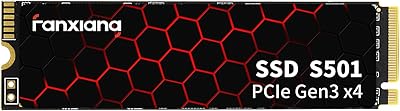
fanxiang S501 256GB NVMe SSD
82%
86%
Performance
92%
Value for Money
88%
Speed Improvement
91%
Ease of Installation
80%
Build Quality
More
XPG SX8100 4TB NVMe M.2 SSD
72%
93%
Storage Capacity
86%
Sequential Read Speed
67%
Sequential Write Speed
58%
Thermal Performance
84%
Endurance & Longevity
More
XPG S40G 256GB RGB NVMe M.2 SSD
78%
88%
Sequential Performance
76%
Real-World Speed
82%
Value for Money
86%
RGB Aesthetics
53%
Capacity Adequacy
More
XPG SX6000 Pro 512GB NVMe SSD
75%
86%
Sequential Read Performance
61%
Sustained Write Performance
83%
Value for Money
91%
Installation Ease
58%
Compatibility & Platform Support
More
XPG SX6000 Lite 512GB NVMe SSD
85%
87%
Performance
90%
Read Speed
85%
Write Speed
91%
Ease of Installation
92%
Value for Money
More
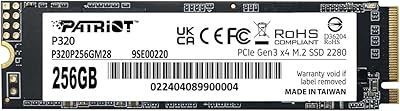
Patriot Memory P320 256GB M.2 NVMe SSD
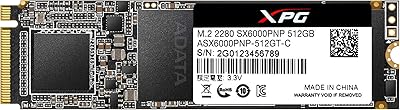
76%
92%
Value for Money
88%
Boot & Launch Speed
83%
Sequential Read Performance
57%
Sustained Write Performance
94%
Installation Experience
More
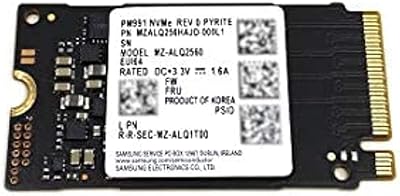
Samsung PM991 256GB M.2 2242 NVMe SSD
78%
94%
Form Factor Fit
78%
Read/Write Performance
88%
Build Reliability
83%
Value for Money
91%
Installation Ease
More
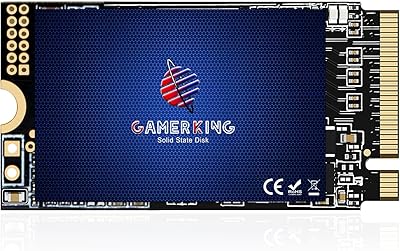
GAMERKING 256GB M.2 2242 NVMe SSD
79%
93%
Form Factor Compatibility
88%
Value for Money
74%
Read/Write Performance
86%
Installation Experience
76%
Warranty & Support
More
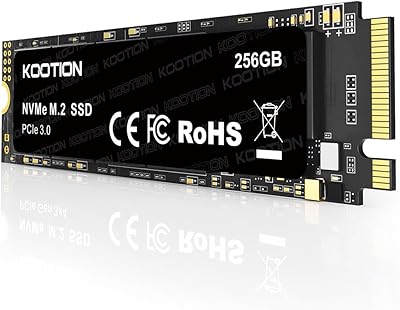
KOOTION 256GB NVMe M.2 Internal SSD
77%
88%
Value for Money
82%
Sequential Performance
71%
Real-World Speed
93%
Installation Ease
86%
Compatibility
More
ORICO J10-2242 256GB M.2 NVMe SSD
78%
88%
Value for Money
83%
Read Performance
67%
Write Performance
93%
Form Factor Compatibility
76%
Thermal Management
More

FAQ

Yes, as long as your motherboard has an M.2 2280 slot, which is standard on the vast majority of modern desktop boards. It's worth double-checking your specific board's manual just to confirm slot placement and any heatsink clearance issues.

It depends on how many games you plan to install at once. A handful of modern AAA titles can easily eat up 256GB, so many buyers use this as a fast OS and boot drive while keeping a larger secondary drive for game libraries.

The lighting itself is built in, but full customization typically requires installing RGB control software from your motherboard manufacturer, like Aura Sync or Mystic Light. Without that software, you'll likely just get a default lighting pattern.

Noticeably faster in real-world use, especially for boot times and large file transfers, since it's rated well above what SATA SSDs can achieve. Most owners report a clear, tangible difference when switching over.

It depends on your laptop's internal layout and whether it supports PCIe NVMe drives in its M.2 slot, since some laptops only accept SATA-based M.2 drives. Checking your laptop's specifications beforehand is the safest way to confirm compatibility.

No, this drive does not include a dedicated heatsink, so if your case has limited airflow, you may want to consider adding one separately for sustained heavy workloads.

It's covered by a 5-year limited manufacturer warranty from ADATA, which is a solid length of coverage for a drive in this price range.

Not really as a primary drive for that kind of work, since 256GB fills up quickly with large media files. It works better as a fast OS drive paired with a higher-capacity drive for your project files.

No, the RGB lighting has a negligible impact on both power draw and drive performance, so you won't notice any meaningful tradeoff there.

Based on common owner feedback, reliability has generally been a strong point, with most buyers reporting solid performance and few failures over time. As with any SSD, keeping reasonable free space available helps maintain consistent performance.