Overview

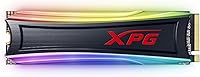
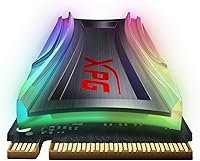
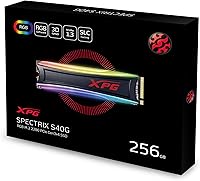
The XPG S40G 256GB RGB NVMe M.2 SSD comes from ADATA’s gaming sub-brand, XPG, which has built a credible reputation in the enthusiast storage market. Running on a PCIe Gen3x4 NVMe 1.3 interface in the compact M.2 2280 form factor, it lands squarely in mid-range territory — faster than any SATA drive, without the premium price tag of a Gen4 unit. At 256GB, this RGB NVMe drive is best used as a dedicated boot drive or a home for your most-played titles rather than a catch-all storage solution. The rated speeds are strong, but real-world gains vary depending on the type of work you’re throwing at it.

Features & Benefits

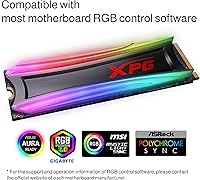
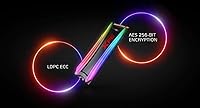
At 3500MB/s sequential read and 3000MB/s write, the S40G delivers the kind of speed that cuts Windows boot times noticeably and makes large file transfers far less painful than on a SATA drive. The NVMe 1.3 protocol keeps latency low in ways SATA simply cannot match — something you feel most during sustained, read-heavy tasks like loading large project files or game assets. The 3D NAND flash underneath offers reasonable long-term endurance for everyday workloads. The customizable RGB strip plays nicely with ASUS Aura Sync, MSI Mystic Light, and Gigabyte RGB Fusion, though unlocking full color control requires compatible motherboard software. A five-year limited warranty rounds things out confidently for this price tier, matching or beating many rivals.

Best For

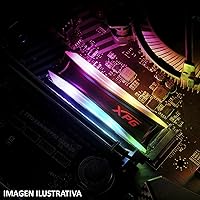
This XPG SSD is squarely aimed at desktop PC builders — and that distinction matters. If you’re assembling a windowed case with a cohesive RGB lighting setup, the illuminated heatspreader adds real visual impact rather than feeling like an afterthought. Gamers wanting a fast OS or game-install drive without stepping up to Gen4 pricing will find solid value here, and content creators handling moderate 3D rendering or graphic design work will appreciate the snappier load times. Users upgrading from a SATA SSD will notice a clear, immediate difference. Just do not consider this for a laptop — the RGB power draw and physical clearance requirements make it a desktop-only drive.

User Feedback

With over 6,900 ratings sitting at a 4.6-star average, buyer sentiment for this RGB NVMe drive is consistently strong. Easy installation and a noticeable speed jump over SATA are the two things users highlight most, and the RGB aesthetics earn solid marks from builders who care about case presentation. The recurring friction point is the lighting: it is not truly plug-and-play, and meaningful customization requires compatible motherboard software. A small number of buyers have also flagged compatibility hiccups with older motherboards, so checking your specs before purchasing is worth the extra step. The most common buyer regret is capacity — 256GB disappears faster than many expect once modern game installs start stacking up.

Pros

  • PCIe Gen3x4 NVMe interface delivers noticeably faster boot times than any SATA SSD can match.
  • Sequential read speeds up to 3500MB/s make large file transfers genuinely quicker in practice.
  • The RGB heatspreader integrates cleanly with ASUS Aura Sync, MSI Mystic Light, and Gigabyte RGB Fusion.
  • Installation is consistently described as straightforward, with no complicated driver setup required.
  • A five-year limited warranty provides solid long-term confidence for this market tier.
  • 3D NAND flash delivers reliable everyday endurance for typical mixed read-write workloads.
  • The compact M.2 2280 footprint fits virtually any compatible desktop motherboard without fuss.
  • Over 6,900 ratings averaging 4.6 stars reflect broad and sustained real-world buyer satisfaction.
  • The heatspreader design helps manage thermals while doubling as the RGB diffuser — practical and visual at once.

Cons

  • 256GB fills up alarmingly fast once modern game titles and large applications start accumulating.
  • RGB customization is not plug-and-play — full control requires compatible motherboard lighting software.
  • A minority of buyers have reported compatibility hiccups with certain older motherboard platforms.
  • This is a desktop-only drive; laptop users must look elsewhere due to power draw and clearance constraints.
  • Real-world random read and write speeds can fall well short of the impressive sequential headline figures.
  • Buyers prioritizing peak performance may find a Gen4 NVMe drive a smarter long-term investment.
  • Without a supported RGB ecosystem, lighting defaults to a fixed mode with no adjustment options.
  • The 256GB capacity offers no room for growth, making a secondary storage drive a near-necessity for gamers.

Ratings

The XPG S40G 256GB RGB NVMe M.2 SSD earns a strong overall standing based on AI-driven analysis of thousands of verified global buyer reviews, with spam, bot activity, and incentivized feedback actively identified and filtered out before scoring. Ratings below reflect the genuine strengths this drive consistently delivers alongside the real frustrations that surface in honest post-purchase accounts from users across diverse desktop builds worldwide. Every score is calibrated to give prospective buyers a transparent, balanced picture before they commit.

Sequential Performance
88%
In real transfer tests, the S40G holds up well, pushing large files across an NVMe connection at speeds that make moving a 50GB game install feel nearly instant compared to a SATA drive. Buyers upgrading from older storage consistently describe the difference as one of the most immediately satisfying changes they have made to their desktop system.
The 3500MB/s sequential read ceiling is competitive for Gen3 but clearly outpaced by Gen4 drives that are increasingly available at similar price points. Users running write-heavy workloads such as frequent large video exports may also notice the drive pulling back during sustained operations once it pushes past its SLC cache window.
Real-World Speed
76%
24%
Day-to-day, this RGB NVMe drive makes a tangible difference for anyone stepping up from a SATA connection — Windows loads faster, applications open with less hesitation, and switching between large project files in tools like Photoshop or Blender feels more responsive. Buyers in both gaming and light creative workflows consistently confirm the improvement is noticeable and immediate.
Random read and write performance — the metric that governs how snappy a drive feels during typical multitasking with many small files — is more modest than the headline sequential figures suggest. Users who expected every interaction to feel dramatically transformed were sometimes underwhelmed, particularly those running virtualization environments or working with large directories of small assets.
Value for Money
82%
18%
For a mid-range NVMe drive bundling Gen3 performance with a well-executed RGB aesthetic and a five-year warranty, the S40G delivers a genuinely competitive package relative to its price. Buyers frequently note they got comparable speeds to more expensive branded alternatives while gaining a visually distinctive drive that fits their build theme without paying a premium for the name alone.
At 256GB, some buyers feel the per-gigabyte cost is harder to justify once they realize how quickly modern software and game installs consume the space. Gen4 NVMe drives have also dropped meaningfully in price, making the value case here less clear-cut for buyers willing to stretch slightly for a more future-ready storage option.
RGB Aesthetics
86%
The illuminated heatspreader is one of the more visually polished RGB implementations on any M.2 drive in this price tier, diffusing light evenly across the full drive length without visible hot spots. In windowed cases with dark interiors, the effect looks genuinely premium, and builders regularly cite the lighting as the deciding reason for choosing this drive over a plain-label competitor.
Without a compatible motherboard RGB ecosystem, the lighting stays locked in a default color cycle with no way to match it to the surrounding build. A minority of users also report that the RGB header positioning on certain boards made cable routing slightly awkward, requiring careful management to avoid partially obstructing the illuminated surface.
Capacity Adequacy
53%
47%
As a dedicated OS and frequently-used applications drive, 256GB manages perfectly well — Windows, a full productivity suite, and a handful of smaller programs fit comfortably without constantly watching the storage gauge. Buyers who go in with that specific, focused use case in mind rarely have complaints about the available space.
The most frequently cited frustration across verified reviews is that 256GB runs out faster than buyers anticipate — two or three modern AAA titles can fill it completely, leaving no room for future installs. A significant share of post-purchase regret reviews explicitly state the buyer wishes they had chosen a 512GB or 1TB capacity variant from the start.
Installation Ease
93%
Nearly every reviewer who mentions installation describes it as one of the most straightforward hardware upgrades they have done — slide in at an angle, press flat, tighten one retention screw, and the drive is detected immediately. First-time builders especially appreciate that no external power cables are involved and that modern desktop operating systems recognize the drive without any additional driver steps.
A small number of users report that the heatspreader's added height caused minor clearance conflicts with certain motherboard M.2 heatsink covers, requiring removal of the board's factory cover before the drive would seat properly. This is an infrequent issue, but checking your motherboard manual for M.2 slot clearance specifications before ordering is worth the extra minute.
RGB Customization
64%
36%
When used within a supported ecosystem — particularly ASUS Aura Sync or MSI Mystic Light — the customization depth is genuinely broad, covering static colors, breathing effects, full color cycling, and synchronization with fans, RAM, and GPU lighting for a cohesive build aesthetic. Enthusiasts already invested in one of these platforms report the integration works reliably once properly configured.
The dependency on specific motherboard software is a real barrier — buyers with boards outside the three supported ecosystems have no access to any customization and are permanently stuck with the default lighting mode. A handful of users also note that motherboard software updates have occasionally broken RGB detection temporarily, requiring a full reinstall of the lighting application to restore control.
Build & Finish Quality
84%
The heatspreader gives this XPG SSD a premium physical presence that punches above its price — it feels rigid in hand, shows no flex under light pressure, and the RGB diffuser panel is evenly finished without visible gaps or panel misalignment. For its market tier, the material quality reads as more expensive hardware than the price tag suggests.
A small number of buyers received units showing minor cosmetic imperfections on the heatspreader out of the box, though these did not appear to affect functional performance in reported cases. Overall construction, while solid, does not quite match the heft and refinement found in premium-tier alternatives from Samsung or WD Black at the high end of the segment.
Thermal Management
77%
23%
The integrated heatspreader does a respectable job keeping temperatures stable during moderate workloads — general desktop use, gaming sessions, and typical file transfers rarely push this drive into throttling territory. Buyers running it as an OS drive report consistent and stable performance without the heat-related slowdowns that can affect bare M.2 modules in poorly ventilated cases.
Under sustained write-heavy workloads such as long video rendering exports or back-to-back large sequential writes, temperatures can climb to a point where the drive begins throttling back, reducing write speeds noticeably. Users requiring consistent sustained write throughput over extended periods may find a drive equipped with a beefier passive cooler performs more predictably under those conditions.
Platform Compatibility
69%
31%
On current-generation desktop platforms — Intel 12th through 14th gen and AMD Ryzen 5000 and 7000 series boards — the S40G installs cleanly and operates without any configuration beyond basic BIOS NVMe detection. The vast majority of buyers with modern systems report zero compatibility friction from the moment of first boot.
A documented minority of buyers using older motherboards released before widespread NVMe support became standard have encountered detection issues requiring BIOS updates or workarounds to resolve. The drive is also entirely off the table for laptop users and does not support PS5 storage expansion, both of which have caught a meaningful number of buyers off guard post-purchase.
Warranty & Support
91%
Five years is a genuinely strong warranty commitment for a consumer NVMe SSD — most competing drives in this price bracket offer three years at best, and some budget options provide as little as one. Buyers report that XPG's warranty process, when invoked, has generally been handled without excessive friction through ADATA's support channels.
Coverage is defined as a limited warranty, meaning physical damage, improper installation, and certain edge-case scenarios may void the claim on inspection. A handful of users reported longer-than-expected service turnaround times, which is especially disruptive when the affected drive serves as the primary system volume and the machine is sidelined during the process.
Long-Term Reliability
79%
21%
With thousands of units in active daily use across multiple years and a 4.6-star aggregate score that shows no meaningful degradation in sentiment over time, the S40G has demonstrated solid real-world durability for typical desktop workloads. The 3D NAND foundation is well-regarded for consumer endurance, and the five-year warranty provides a meaningful safety net if issues eventually surface.
A small percentage of buyers report early failure — units not recognized on first boot or dying within the first year of use — which, while consistent with normal consumer electronics failure rates, is particularly impactful for buyers relying on this as their sole system drive. Running regular backups to a secondary location is strongly advisable for anyone using it as a primary OS volume.
Software Experience
72%
28%
For core storage use, no additional software or drivers are required — the drive appears in Windows and Linux immediately on first boot without any extra steps. Buyers focused purely on storage performance with no interest in the RGB aspect enjoy a completely frictionless software experience from day one.
The RGB software dependency creates a fundamentally two-tiered experience — buyers with compatible motherboards get full lighting control, while everyone else gets a fixed default with no recourse. Some users also report that major motherboard software version updates occasionally break RGB synchronization entirely, requiring a clean reinstall of the lighting application before control is restored.

Suitable for:

The XPG S40G 256GB RGB NVMe M.2 SSD is a genuinely strong choice for desktop PC enthusiasts who want real storage performance paired with visual flair, without stepping up to Gen4 pricing. If you are building or refreshing a system with a windowed case and an RGB theme, the illuminated heatspreader slots naturally into ASUS Aura Sync, MSI Mystic Light, or Gigabyte RGB Fusion ecosystems and looks cohesive rather than tacked-on. At 256GB, it works best as a dedicated OS drive or a focused home for your most-used applications and top-rotation games — keeping your system snappy without trying to serve as a mass storage solution. Gamers stepping up from an aging SATA SSD will notice an immediate and meaningful improvement in boot times and application load screens. Content creators handling moderate workloads like 3D modeling, graphic design, or frequent large project file access will also benefit from the low-latency NVMe access that SATA simply cannot offer.

Not suitable for:

The XPG S40G 256GB RGB NVMe M.2 SSD is a poor fit for laptop users — the RGB strip draws additional power and the drive’s physical profile creates clearance issues in most notebook M.2 slots, making it a desktop-exclusive option by design. If you are planning to build or maintain a serious game library, 256GB will become a frustration faster than you expect; a handful of modern AAA titles can consume that entire capacity, leaving you managing installs constantly or relying on a secondary drive. Anyone who wants truly effortless RGB should also think carefully, since meaningful lighting customization depends entirely on compatible motherboard software — without it, you get a fixed default mode and no further control. Buyers chasing the highest sequential speeds available today would be better served by a PCIe Gen4 drive, as this generation, while capable, is no longer at the cutting edge. Finally, users with older motherboards should verify NVMe compatibility before purchasing, since a small minority of buyers have encountered platform-level issues.

Specifications

  • Capacity: The drive provides 256GB of usable storage, well-suited for an operating system, core applications, and a curated selection of frequently played games.
  • Interface: Uses a PCIe Gen3x4 NVMe 1.3 interface, delivering significantly lower latency and higher bandwidth than any SATA-based SSD can offer.
  • Form Factor: M.2 2280 form factor measures 22mm wide by 80mm long, fitting the most common M.2 slot found on modern desktop motherboards.
  • Sequential Read: Rated sequential read speed reaches up to 3500MB/s under optimal sustained transfer conditions, depending on capacity and system configuration.
  • Sequential Write: Rated sequential write speed reaches up to 3000MB/s, enabling fast saving and large-file copying compared to SATA alternatives.
  • NAND Type: Built on 3D NAND flash, which stacks memory cells vertically to improve storage density and endurance over older planar NAND designs.
  • RGB Lighting: Features a customizable RGB lighting strip integrated directly into the heatspreader, providing addressable color and lighting effect control.
  • RGB Software: Compatible with ASUS Aura Sync, MSI Mystic Light, and Gigabyte RGB Fusion; full lighting customization requires one of these supported motherboard platforms.
  • Warranty: Covered by a five-year limited manufacturer warranty, which is above the two-to-three-year standard common among many competing consumer NVMe drives.
  • Weight: The drive weighs approximately 0.459 oz (around 13g), making it one of the lightest internal storage components you can install.
  • Dimensions: Physical dimensions measure 0.87 x 3.15 x 0.31 inches (L x W x H), consistent with a standard M.2 2280 module fitted with a heatspreader.
  • Installation: Designed for tool-assisted internal installation, sliding into an M.2 slot at an angle and secured with a single retention screw — no data cables required.
  • Compatibility: Intended exclusively for desktop builds; the RGB heatspreader height and additional power draw make it unsuitable for most laptop M.2 configurations.
  • Manufacturer: Produced by ADATA under the XPG sub-brand, which specializes in gaming and enthusiast-grade storage, memory, and peripheral hardware.
  • Market Rank: Holds a position of #1,306 in Internal Solid State Drives on Amazon, reflecting consistent and sustained sales in a highly competitive product category.

Related Reviews

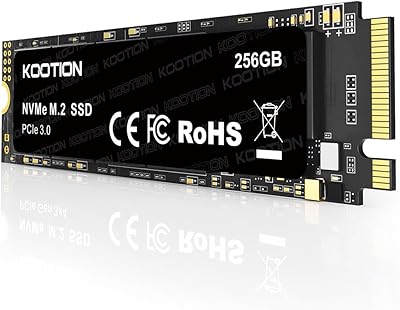
KOOTION 256GB NVMe M.2 Internal SSD
77%
88%
Value for Money
82%
Sequential Performance
71%
Real-World Speed
93%
Installation Ease
86%
Compatibility
More
Samsung PM991 256GB M.2 2242 NVMe SSD
78%
94%
Form Factor Fit
78%
Read/Write Performance
88%
Build Reliability
83%
Value for Money
91%
Installation Ease
More
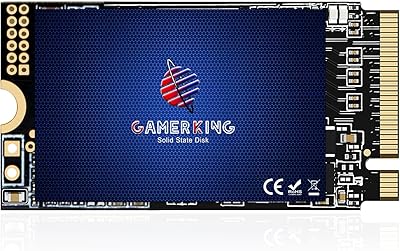
GAMERKING 256GB M.2 2242 NVMe SSD
79%
93%
Form Factor Compatibility
88%
Value for Money
74%
Read/Write Performance
86%
Installation Experience
76%
Warranty & Support
More
ORICO J10-2242 256GB M.2 NVMe SSD
78%
88%
Value for Money
83%
Read Performance
67%
Write Performance
93%
Form Factor Compatibility
76%
Thermal Management
More
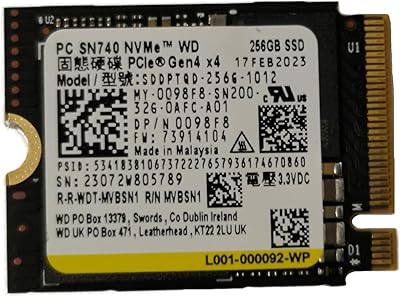
WD SN740 256GB 2230 NVMe SSD
80%
94%
Form Factor Compatibility
88%
NVMe Read/Write Speed
86%
Value for Money
83%
OEM Hardware Authenticity
89%
Thermal Performance
More
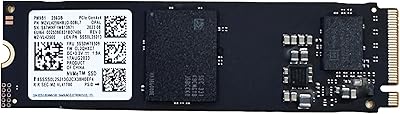
Samsung PM9B1 256GB M.2 NVMe SSD
77%
91%
Value for Money
84%
Read Speed Performance
67%
Write Speed & Sustained Performance
88%
Authenticity & Build Quality
82%
Compatibility
More
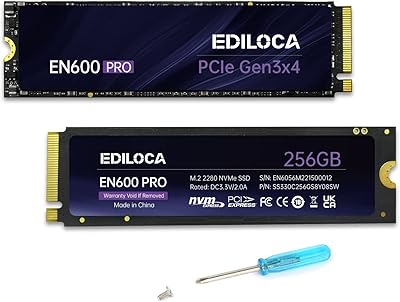
Ediloca EN600 Pro 256GB NVMe M.2 SSD
77%
93%
Value for Money
94%
Installation Experience
83%
Read Performance
57%
Sustained Write Speed
87%
Compatibility
More
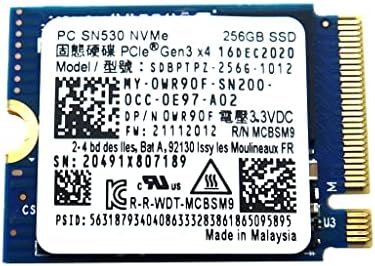
Timetec 256GB SSD NVMe PCIe Gen3x4 M.2 2280
85%
88%
Performance
90%
Speed (Read/Write)
85%
Installation Ease
91%
Compatibility
89%
Reliability (MTBF)
More
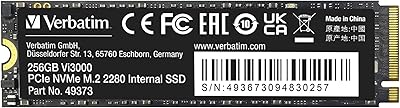
Western Digital PC SN530 256GB NVMe SSD
74%
93%
Form Factor Accuracy
78%
NVMe Read/Write Speed
86%
Installation Ease
84%
Value for Money
76%
Device Compatibility
More
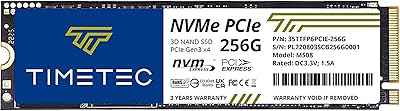
Verbatim Vi3000 256GB NVMe M.2 SSD
74%
88%
Value for Money
83%
Read Performance
74%
Write Performance
91%
Ease of Installation
58%
Storage Capacity
More
Dogfish M.2 2230 NVMe PCIe 256GB SSD
82%
91%
Form Factor Fit
83%
Read & Write Speed
64%
Sustained Write Performance
86%
Value for Money
89%
Steam Deck Compatibility
More

FAQ

No, and it is worth being firm about that before you order. The heatspreader adds physical height that typically exceeds the clearance inside laptop M.2 bays, and the RGB strip draws extra power that is not a good fit for battery-powered systems. The S40G is a desktop-only drive, full stop.

Yes, and this surprises a lot of buyers. Out of the box the lighting will glow in a default mode, but actually customizing colors and effects requires a compatible motherboard running ASUS Aura Sync, MSI Mystic Light, or Gigabyte RGB Fusion. If your board does not support any of those platforms, you are locked into the default lighting with no way to adjust it.

It depends on how disciplined you are with your game library. As a dedicated OS and core-applications drive it works great, but if you plan to stack modern titles directly on it, space evaporates fast — some AAA games push 80 to 100GB on their own. Most buyers who use this drive pair it with a larger secondary storage drive for the bulk of their game installs.

You will notice it most in boot times and when moving large files. The S40G hits sequential read speeds up to 3500MB/s, while even a fast SATA SSD caps out around 550MB/s — that gap is real. Everyday tasks like opening a browser or a Word document will feel roughly the same, but cold boots and game or application load screens typically improve meaningfully.

The drive includes an integrated heatspreader that doubles as the RGB diffuser, so basic thermal management is already built in. It is not a bulky aftermarket cooler, but it does the job for typical workloads. One thing to watch: if your motherboard has its own M.2 heatsink cover, check whether the two will stack cleanly or whether you need to choose one over the other.

It will work, but it will run at Gen3 speeds regardless of the platform. PCIe is backward and forward compatible, so the drive will be recognized and function normally — it just will not benefit from the higher bandwidth a Gen4 slot offers. If maximizing future storage performance is a priority, it may be worth stepping up to a Gen4 drive now rather than later.

No. The PS5 requires a PCIe Gen4 NVMe drive for its expansion slot, and this is a Gen3 drive. On top of that, the heatspreader height may not clear the PS5’s tight internal bay dimensions. If you are shopping for PS5 storage, look specifically for drives validated for that use case.

It is one of the easier PC upgrades you can do. Find the M.2 slot on your motherboard, remove the small retention screw at the far end, slide the drive in at about a 30-degree angle until it seats firmly in the connector, press it flat, and replace the screw. No cables, no power connectors. Most first-time builders have it done in under five minutes.

For typical desktop use — running an OS, apps, and games — this drive should hold up comfortably well beyond its five-year warranty period. SSDs wear out based on how much data is written to them over time, and ordinary consumer workloads are well within what 3D NAND flash is designed to handle. Heavy write-intensive tasks like constant 4K video editing or large database work will shorten that lifespan, but that applies to any consumer-grade SSD.

Start by confirming your motherboard actually supports one of the three compatible platforms: ASUS Aura Sync, MSI Mystic Light, or Gigabyte RGB Fusion, and that you have the latest version of that software installed. Then check your motherboard manual for the specific M.2 slot you used — some boards have multiple M.2 slots but only route RGB signals through one of them. If the correct slot is being used and software is up to date, a full system restart after installing the drive sometimes resolves detection issues.