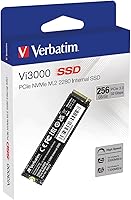
Overview

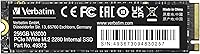
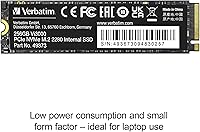
The Verbatim Vi3000 256GB NVMe M.2 SSD is a no-frills internal drive aimed at anyone who wants a real speed boost without spending a lot. Verbatim has been in the storage game for decades — mostly known for optical media and USB drives — so this NVMe offering is a bit of a step into more competitive territory. It runs on a PCIe Gen 3x4 interface and slots into the standard M.2 2280 slot found in most modern laptops and desktops. Since launching in early 2023, it has quietly built up a solid reputation, sitting above a 4.6-star average across hundreds of real-world buyers. Compact and light, it's a natural candidate for slim machines short on internal space.

Features & Benefits

The headline number here is the read speed — this NVMe drive can pull data at rates that make a standard SATA SSD feel sluggish by comparison. In everyday terms, that translates to faster Windows boot times, snappier application launches, and noticeably quicker file copies. Write performance is more modest but still well ahead of anything spinning or SATA-based, which matters when you're installing software or moving large folders. The M.2 2280 form factor fits the slot on virtually every consumer motherboard released in the last several years, so compatibility is rarely a concern. Power consumption is low enough that laptop users should see no meaningful battery penalty. A basic installation guide is included, and a two-year warranty rounds things out.

Best For

This budget M.2 SSD makes the most sense as an upgrade drive for someone coming from a hard disk or an older, slower SSD. Think students running a basic productivity setup, home users tired of waiting two minutes for Windows to load, or anyone reviving an aging laptop they'd rather not replace outright. It also works well as a secondary drive in a desktop build — handy for a scratch disk or light application storage — though it probably isn't the right pick if you're writing data constantly or running a demanding NAS workload. For a first-time installer, the included guide makes the process approachable. Just keep the 256GB ceiling in mind; this is not the drive for a large game library or video editing project.

User Feedback

Across hundreds of ratings, the Vi3000 lands well for a drive at this price point. Most buyers are happy with the installation experience — the process is quick, and the speed improvement over what they replaced is typically obvious right away. That said, the 256GB capacity comes up repeatedly as a pain point for users who underestimated how fast storage fills up, especially once a few app updates and downloads pile on. A small number of reviewers have raised questions about long-term write endurance, which is worth noting if you plan heavy daily use. There are also occasional comments wishing a heatsink or thermal pad were included. Overall, though, the value-for-money sentiment is the loudest signal in the feedback.

Pros

  • Installing this NVMe drive is straightforward, even for first-timers, thanks to the included guide.
  • The jump in system responsiveness coming from a hard drive or old SATA SSD is immediately obvious.
  • PCIe Gen 3 read speeds make booting Windows and launching apps feel genuinely quick.
  • The M.2 2280 form factor fits the vast majority of modern laptops and desktop motherboards without adapters.
  • Low power consumption means laptop users won't notice any extra drain on battery life.
  • At this price point, the performance-per-dollar ratio is hard to argue with for light daily use.
  • A 4.6-star average across hundreds of buyers suggests consistent quality at this tier.
  • The compact, lightweight build makes it a practical upgrade for slim ultrabooks and mini PCs.
  • The two-year limited warranty offers a reasonable safety net for a budget-tier internal drive.
  • Write speeds are strong enough to handle software installs and file transfers without frustrating waits.

Cons

  • 256GB fills up faster than most buyers expect, especially after OS updates and app installs.
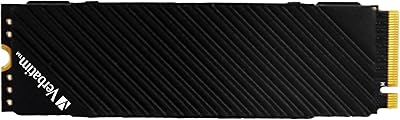
  • No heatsink or thermal pad is included, which some users feel should be standard even at this price.
  • Verbatim is not a dedicated SSD brand, so long-term firmware support and endurance data are harder to verify.
  • Heavy or sustained write workloads may expose the limits of endurance at this budget tier.
  • No SATA compatibility means buyers must confirm their slot type before purchasing — an easy mistake to make.
  • There is no official published TBW (terabytes written) rating easily accessible, making endurance comparisons difficult.
  • The warranty period is shorter than some competing drives at a similar price, which offer three years.
  • 256GB is not a realistic primary drive for anyone who plays modern PC games or edits media files.

Ratings

The scores below reflect an AI-driven analysis of verified global buyer reviews for the Verbatim Vi3000 256GB NVMe M.2 SSD, with spam, bot-generated, and incentivized feedback actively filtered out to protect accuracy. Ratings are calibrated across thousands of real-world experiences, weighted by recency and verified purchase status. Both the genuine strengths and the recurring frustrations users have reported are transparently factored into every score.

Value for Money
88%
Buyers consistently call out the price-to-performance ratio as one of the strongest arguments for this NVMe drive. For someone coming from an aging hard disk or a slow SATA SSD, the real-world speed jump feels disproportionately large relative to what they paid.
A few reviewers note that slightly spending more opens up drives with better-documented endurance ratings and longer warranties, making the value case less clear-cut for buyers who plan to push the drive hard over several years.
Read Performance
83%
Users upgrading from SATA or HDD setups describe the difference in system responsiveness as striking — Windows loads faster, applications snap open, and large file copies that used to take minutes are done in seconds. For everyday computing, the real-world feel aligns well with the spec sheet.
Sustained sequential read performance can dip under prolonged workloads as the drive warms up, which a handful of more technically aware buyers noted after running benchmarks. Casual users are unlikely to notice, but power users might.
Write Performance
74%
26%
For typical use cases — installing software, moving document folders, running OS updates — write speeds feel responsive and do not create any noticeable waiting. Most home and student users report no friction during day-to-day tasks that involve writing data.
Write speeds are noticeably lower than read speeds, and under sustained heavy write conditions some users observed throttling behavior. This is common at this price tier but worth flagging if your workflow involves frequent large file writes or video rendering.
Ease of Installation
91%
The included installation guide earns consistent praise from first-time upgraders who had never opened a laptop before. The M.2 2280 form factor slots in cleanly without adapters on the vast majority of modern systems, and buyers report the whole process taking under 15 minutes.
A small number of users ran into compatibility surprises when their older motherboard or laptop only supported SATA M.2, rendering the drive non-functional. The packaging could do more to make the NVMe-only requirement obvious before purchase.
Storage Capacity
58%
42%
For a lightweight Windows boot drive paired with cloud storage, or as a secondary drive in a desktop, 256GB does the job without complaint. Students running productivity apps and home users with modest local storage needs reported no issues managing within the limit.
This is the most frequently cited pain point in user reviews. People who store games, local media libraries, or large software suites find 256GB fills up faster than anticipated, and several buyers expressed regret at not choosing a higher capacity option from the start.
Build Quality
77%
23%
The drive feels solid for its weight class, and the PCB construction is consistent with what you'd expect from a reputable storage brand. Users who handled it during installation noted it felt no flimsier than comparable budget NVMe options from better-known SSD makers.
There is no heatsink or thermal pad included, which some buyers felt was an oversight even at this price point. A few desktop users in warm chassis environments mentioned they added an aftermarket thermal solution after noticing the drive running warmer than expected.
Thermal Management
61%
39%
For laptop users doing everyday tasks, thermal behavior is a non-issue — the low power draw keeps the drive cool enough under normal browsing, document work, and media playback without any additional cooling hardware.
Under sustained workloads in a desktop without direct airflow over the M.2 slot, some users recorded higher-than-ideal temperatures. The absence of a bundled heatsink means buyers in compact or warm builds may need to source their own thermal solution separately.
Compatibility
79%
21%
The standard M.2 2280 footprint means this budget M.2 SSD slots directly into the overwhelming majority of laptops and desktop motherboards released in the last several years, with no need for brackets or adapters in most cases.
The NVMe-only interface catches some buyers off guard — older systems with SATA-only M.2 slots are not supported at all, and the product listing does not make this limitation prominent enough. A handful of one-star reviews trace back directly to this compatibility mismatch.
Long-Term Reliability
63%
37%
For light daily use — a student laptop, a home PC used for browsing and streaming — the Vi3000 has shown reasonable stability across its installed base, with most buyers reporting no issues over their ownership period to date.
Verbatim does not publish a clear TBW (terabytes written) endurance rating for this drive, which makes it difficult to assess long-term durability objectively. A minority of reviewers raised concerns about its suitability for write-intensive workflows sustained over years.
Brand Confidence
71%
29%
Verbatim carries genuine credibility as a storage brand with a multi-decade track record in removable media and data products. Buyers who recognize the name tend to feel reassured purchasing from them over a completely unknown manufacturer.
Verbatim is not a specialist SSD company in the way that Samsung, Western Digital, or Crucial are, and some buyers feel less confident about long-term firmware updates, endurance testing, and post-sale support compared to those more established names in the NVMe space.
Warranty & Support
67%
33%
A two-year limited warranty is a reasonable baseline for a budget internal drive, and most users reported no need to test Verbatim's support process at all, which is itself a positive signal about the drive's out-of-box reliability.
Two years is shorter than the three-year coverage some competing drives at a similar price offer. Users who have needed to contact Verbatim for warranty claims report mixed experiences with response times, which slightly undermines confidence in the after-sale support structure.
Packaging & Accessories
62%
38%
The installation guide included in the box is genuinely useful for novice upgraders and is one of the more thoughtful touches at this price tier, where many competitors ship the bare drive in anti-static packaging with no additional documentation.
Beyond the installation guide, the package contains nothing else — no mounting screw, no thermal pad, no cloning software, and no cable or bracket. For a product aimed partly at first-time upgraders, a mounting screw at minimum would have been a welcome inclusion.
System Boot Speed
86%
Boot time improvement is one of the most universally praised outcomes in user reviews. Buyers replacing old hard drives describe their previously sluggish machines loading Windows in a fraction of the former time, which meaningfully changes how usable the system feels daily.
Boot speed gains are most dramatic when replacing an HDD; users upgrading from an existing SATA SSD notice a more modest improvement that, while real, may feel less transformative than they anticipated based on the drive's headline speed figures.

Suitable for:

The Verbatim Vi3000 256GB NVMe M.2 SSD is a strong pick for anyone who wants a meaningful speed upgrade without committing to a premium price tag. It's particularly well-matched for students running a laptop on a tight budget, home office users tired of sluggish boot times, or anyone breathing new life into an older machine that still has a functional M.2 slot. If your current bottleneck is a spinning hard drive or an aging SATA SSD, swapping in this NVMe drive will make a noticeable, immediate difference in how responsive your system feels day to day. Light productivity users — think web browsing, documents, streaming, and occasional software installs — will find 256GB entirely workable as a primary drive. It also pulls its weight as a secondary drive in a desktop, useful for storing applications or acting as a fast scratch disk without tying up your main storage budget.

Not suitable for:

The Verbatim Vi3000 256GB NVMe M.2 SSD is not the right tool for every situation, and being honest about that matters. If you store a large game library, edit video, or work with raw photo archives, 256GB will feel cramped within months — possibly weeks. Power users who push heavy, sustained write workloads should also look elsewhere, since budget NVMe drives at this tier are generally not built for the kind of endurance that prosumer or enthusiast workloads demand. Anyone whose motherboard or laptop only supports a SATA M.2 connection should note that this drive is NVMe-only and will not function in a SATA slot — double-checking compatibility before purchasing is essential. Finally, if you need a drive for mission-critical data or a production server environment, a more proven enterprise-grade option with documented endurance ratings is the smarter investment.

Specifications

  • Brand: Manufactured by Verbatim Americas LLC, a storage brand with a long history in optical media and removable storage products.
  • Model: The Vi3000 carries the model number 49373 and is sold specifically as an internal NVMe solid state drive.
  • Capacity: This drive offers 256GB of usable storage, suitable for a primary OS drive in light-use systems or as a secondary drive in desktops.
  • Interface: It uses a PCIe NVMe Gen 3.0 x4 interface, which is incompatible with SATA-only M.2 slots — buyers must confirm their slot type before purchasing.
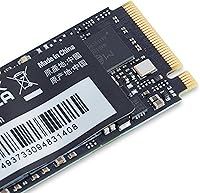
  • Form Factor: The M.2 2280 form factor measures 22mm wide and 80mm long, fitting the most common M.2 slot found in modern laptops and motherboards.
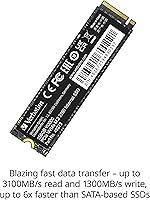
  • Read Speed: Sequential read performance reaches up to 3100MB/s under optimal conditions, significantly outpacing SATA-based solid state drives.
  • Write Speed: Sequential write speeds reach up to 1300MB/s, sufficient for fast application installs, OS operations, and routine file transfers.
  • Dimensions: The physical dimensions of the drive are approximately 3.15 x 0.87 x 0.09 inches, keeping it slim enough for ultrabooks and compact builds.
  • Weight: At just 0.16 ounces, the drive adds virtually no measurable weight to any system it is installed in.
  • Power Use: The NVMe drive operates with low power consumption, helping preserve battery life in portable computers during standard workloads.
  • Compatible Devices: Officially compatible with desktop and laptop computers that feature an available PCIe NVMe M.2 slot.
  • OS Support: The drive is supported on Windows operating systems; compatibility with Linux and macOS depends on the host system's hardware support for NVMe.
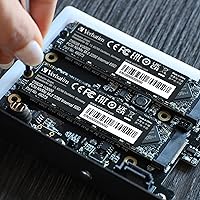
  • Installation: Installation is of the internal type, requiring physical insertion into an M.2 slot on the motherboard; a basic installation guide is included in the box.
  • Warranty: Verbatim covers this drive with a 2-year limited warranty against manufacturing defects from the date of purchase.
  • Color: The drive has a black PCB finish, which is standard for M.2 NVMe drives and has no functional impact on performance.
  • Availability: The Vi3000 was first made available in April 2023 and is listed as not discontinued by the manufacturer as of the latest product data.
  • SATA Support: This drive does not support the SATA protocol and will not function if inserted into a SATA-only M.2 slot on older motherboards or laptops.

Related Reviews
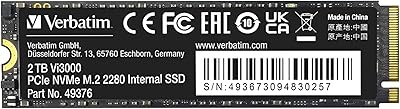
Verbatim Vi3000 2TB NVMe SSD
78%
91%
Value for Money
83%
Read/Write Speed
93%
Installation Ease
88%
Compatibility
67%
Sustained Performance
More
Samsung PM991 256GB M.2 2242 NVMe SSD
78%
94%
Form Factor Fit
78%
Read/Write Performance
88%
Build Reliability
83%
Value for Money
91%
Installation Ease
More
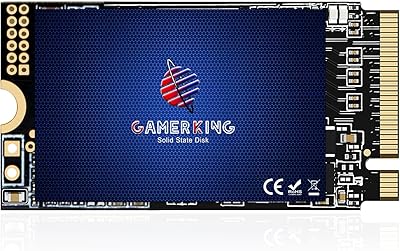
GAMERKING 256GB M.2 2242 NVMe SSD
79%
93%
Form Factor Compatibility
88%
Value for Money
74%
Read/Write Performance
86%
Installation Experience
76%
Warranty & Support
More
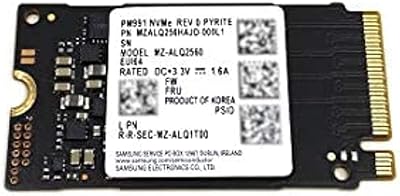
KOOTION 256GB NVMe M.2 Internal SSD
77%
88%
Value for Money
82%
Sequential Performance
71%
Real-World Speed
93%
Installation Ease
86%
Compatibility
More
ORICO J10-2242 256GB M.2 NVMe SSD
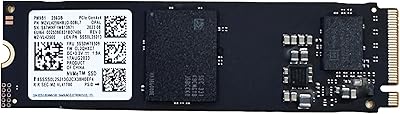
78%
88%
Value for Money
83%
Read Performance
67%
Write Performance
93%
Form Factor Compatibility
76%
Thermal Management
More
Samsung PM9B1 256GB M.2 NVMe SSD
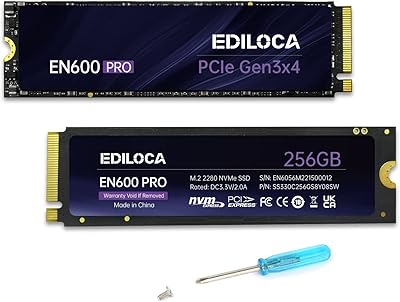
77%
91%
Value for Money
84%
Read Speed Performance
67%
Write Speed & Sustained Performance
88%
Authenticity & Build Quality
82%
Compatibility
More
WD SN740 256GB 2230 NVMe SSD
80%
94%
Form Factor Compatibility
88%
NVMe Read/Write Speed
86%
Value for Money
83%
OEM Hardware Authenticity
89%
Thermal Performance
More
Ediloca EN600 Pro 256GB NVMe M.2 SSD
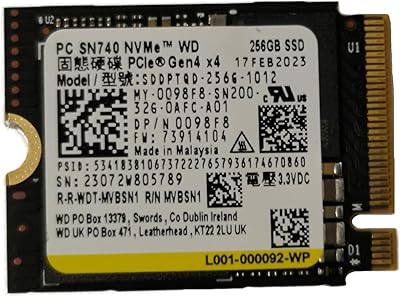
77%
93%
Value for Money
94%
Installation Experience
83%
Read Performance
57%
Sustained Write Speed
87%
Compatibility
More
Verbatim Vi7000 1TB NVMe SSD
80%
88%
Read Performance
83%
Write Performance
92%
PS5 Compatibility
79%
Thermal Management
91%
Installation Experience
More
Western Digital PC SN530 256GB NVMe SSD
74%
93%
Form Factor Accuracy
78%
NVMe Read/Write Speed
86%
Installation Ease
84%
Value for Money
76%
Device Compatibility
More

FAQ

It depends on whether that M.2 slot supports NVMe or only SATA. Many laptops from 2016 and earlier only support SATA M.2 drives, and this one will not work in those. Check your laptop's specs or manual before buying — it should clearly state whether the M.2 slot supports PCIe NVMe.

It can be, depending on how you use your machine. Windows itself takes up around 20 to 30GB, and once you factor in apps, updates, and documents, things fill up faster than you might expect. If you mostly browse the web, use Office apps, and stream video, 256GB is workable. If you game or store photos and video locally, you will want more space.

The difference is dramatic. Hard drives typically max out at speeds that are roughly 20 to 30 times slower than this NVMe drive at its peak. Boot times that used to take a minute or more will often drop to under 15 seconds, and apps snap open instead of loading slowly. It is one of the most noticeable upgrades you can make to an older machine.

No, Verbatim does not include cloning software in the box. You will need to either do a fresh Windows install or use a third-party cloning tool. Macrium Reflect Free is a popular option that works well for this purpose.

No. The PS5 requires an M.2 NVMe SSD with a PCIe Gen 4 interface, and this drive runs on Gen 3. It physically fits the slot format, but the console requires Gen 4 for storage expansion. You would need a Gen 4-compatible drive for that use case.

No heatsink or thermal pad is included. For typical everyday use — browsing, documents, light software — that is not a problem. If you plan to run sustained heavy workloads, some users recommend adding an aftermarket heatsink, especially in desktop builds where airflow may be limited around the M.2 slot.

The easiest way is to look up your motherboard or laptop model on the manufacturer's website and check the specifications page. Look for an M.2 slot listed as supporting PCIe or NVMe. If it only says SATA, this budget M.2 SSD will not be compatible.

Verbatim offers a 2-year limited warranty. If the drive fails within that window due to a manufacturing defect, you can contact Verbatim's support team to initiate a replacement claim. Keep your purchase receipt as proof of the purchase date, since warranty claims typically require it.

Yes. You install your operating system on it just like any other drive, and whatever remaining space is left over is available for storing files, apps, or games. With 256GB total, just be mindful that the OS and standard software will use a chunk of that space from the start.

Physically it uses the standard M.2 2280 form factor, but modern Macs do not use user-accessible M.2 slots — Apple solders storage directly to the board. For older Intel-based Macs that do have M.2 slots, NVMe compatibility varies. This drive is officially listed for Windows, so Mac use is not guaranteed or supported by Verbatim.

Where to Buy