Overview

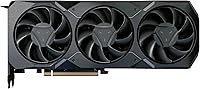
The XFX Radeon RX 7900 XT 20GB sits just below AMD’s flagship tier, offering serious performance for buyers who want high-end horsepower without paying a top-of-the-stack premium. XFX has been an AMD board partner for decades, and that long relationship shows in the build quality, warranty support, and cooling designs they bring to each release. This card runs on AMD’s RDNA 3 architecture, a meaningful generational step that improved compute efficiency and ray-tracing capability over the previous generation. If you’re upgrading from mid-range RDNA 2 hardware or an older Nvidia GPU, the performance gap is real and noticeable. That said, it rewards users who can actually push it.
Features & Benefits

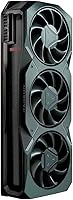
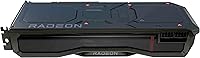
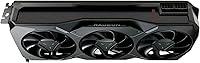
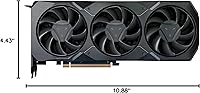
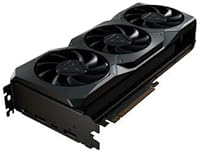
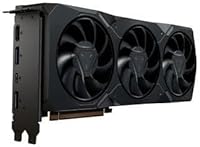
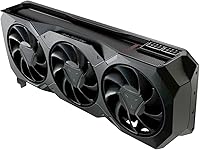
The headline spec is the 20GB of GDDR6 VRAM — at 4K, texture-heavy open-world titles rarely run into a memory ceiling the way 12GB or 16GB cards sometimes do, and creative users working with large video timelines or 3D asset libraries will appreciate that headroom too. The 84 Compute Units and 5376 Stream Processors deliver strong rasterization performance in practice, and the triple-fan cooling solution does a solid job sustaining the 2400 MHz boost clock under extended load without the fans becoming intrusive. Idle noise is minimal. DisplayPort output handles 4K at high refresh rates cleanly. At 10.88 inches long, verify your case clearance before ordering.

Best For

This RX 7900 XT is a natural fit for enthusiast 1440p gamers who want meaningful performance headroom — you’ll rarely be GPU-limited, and the extra VRAM future-proofs you as upcoming titles grow more asset-heavy. At 4K, expect solid frame rates in most AAA titles, typically landing in the 60–90 fps range depending on settings and quality presets. Video editors and 3D artists handling large projects will find the memory capacity genuinely practical rather than a marketing number. Builders moving up from aging mid-range hardware will notice a clear improvement, and this AMD GPU is especially well-suited to anyone already committed to AMD’s FreeSync and open-driver ecosystem.

User Feedback

Carrying a 4.5-star average across more than 9,000 reviews, the XFX card earns broadly positive marks from verified buyers. Thermal management and the generous VRAM buffer come up repeatedly as highlights, with many users noting the card runs cooler than anticipated under sustained 4K loads. On the less favorable side, power draw is a consistent talking point — this GPU has a real appetite for wattage, and reviewers recommend pairing it with a quality 850W PSU at minimum. A subset of buyers reported driver quirks during initial setup, though most described them as resolved with updated software. Value sentiment is split: VRAM-focused buyers feel well-served, while others weigh it carefully against competing options.

Pros

  • Twenty gigabytes of GDDR6 VRAM is a genuine advantage for 4K gaming and memory-hungry creative workloads.
  • The triple-fan cooler keeps thermals in check during extended gaming sessions without becoming intrusive.
  • RDNA 3 architecture delivers a meaningful generational leap over previous AMD and older Nvidia cards.
  • At 1440p, the XFX card is overpowered in a way that provides real future-proofing headroom.
  • XFX’s build quality reflects decades of AMD board partnership, with solid materials and reliable fan construction.
  • FreeSync support and open-source driver compatibility make it a natural fit for the AMD ecosystem.
  • Buyers consistently report smooth, stutter-free 4K performance in demanding open-world AAA titles.
  • GPU-accelerated creative tools benefit noticeably from the large memory pool during complex project exports.
  • At idle, the card is nearly silent, making it comfortable for daily desktop and productivity use.

Cons

  • Power draw is substantial; a quality 850W PSU is a firm minimum recommendation, not a suggestion.
  • Driver setup occasionally causes compatibility or stability issues, particularly during initial installation.
  • Ray-tracing performance lags behind Nvidia competitors at a comparable price point in the most demanding titles.
  • The card’s weight and thickness can cause GPU sag in cases that lack a support bracket.
  • Some PCIe power connector placement makes cable management awkward in tighter mid-tower builds.
  • AMD’s GPU-accelerated software ecosystem still lags behind CUDA support in certain professional applications.
  • Buyers primarily gaming at 1080p will not extract meaningful value from the card’s higher-tier capabilities.
  • Value perception is genuinely divided in the review pool when stacked against competing cards at similar prices.
  • Occasional post-driver-update crashes have been reported, requiring rollbacks or clean reinstallation in some cases.

Ratings

The XFX Radeon RX 7900 XT 20GB earns its place near the top of the AMD GPU stack, and the scores below reflect what real buyers worldwide actually experienced after living with this card. Our AI analyzed thousands of verified purchase reviews, actively filtering out incentivized, spam, and duplicate submissions to surface honest signal. Both the genuine strengths and the recurring frustrations are represented here without sugarcoating.
Gaming Performance at 4K
88%
Buyers running demanding AAA titles at 4K resolution consistently report smooth, high-fidelity gameplay without the stuttering or frame-drop patterns that haunted previous-generation cards. The combination of raw compute power and a generous memory buffer means even texture-heavy open-world titles hold up well across extended sessions.
A handful of users noted that in poorly optimized titles, frame rates can dip unexpectedly despite the hardware headroom. It does not quite match the absolute peak frame rates of the top-tier flagship cards, so users chasing maximum numbers at 4K may feel a ceiling in certain scenarios.
VRAM Capacity & Headroom
93%
Twenty gigabytes of GDDR6 is a standout advantage at this tier, and buyers genuinely feel it. Content creators working with 8K timelines, large 3D scenes, or multi-layer compositing projects report noticeably fewer memory-related slowdowns compared to 12GB or 16GB alternatives they previously owned.
A small group of reviewers pointed out that for purely competitive gaming at 1080p or 1440p with lower texture settings, the extra VRAM goes largely unused. It is a future-proofing asset rather than an immediate differentiator for every use case, which affects perceived value for some buyers.
Thermal Management
86%
The triple-fan cooler keeps junction temperatures well within safe limits even during hour-long gaming sessions, and multiple users specifically called out how the card runs cooler than they expected given the GPU’s power profile. Idle behavior is quiet enough that it effectively disappears in daily desktop use.
Under the most sustained workloads, like extended 4K benchmark loops or long rendering jobs, the fans do ramp up noticeably. It never crosses into genuinely loud territory for most users, but buyers in quiet home-office environments running continuous creative workloads did flag the fan noise as a mild but real consideration.
Power Consumption
61%
39%
Buyers who planned ahead with a high-capacity power supply report no stability issues, and the card delivers strong performance-per-watt compared to some older architectures it replaces. For users already running premium PSUs in a full enthusiast build, the power draw is simply a known variable they accounted for.
Power consumption is the most frequently cited criticism across the review pool. Users who underestimated PSU requirements reported instability or failed to boot, and the consensus recommendation is a quality 850W unit at minimum. Running this AMD GPU in compact mid-tower builds with modest PSUs has caused real headaches for a notable subset of buyers.
Driver Stability & Software
67%
33%
For the majority of users, AMD’s Adrenalin software works reliably out of the box once updated to a recent driver version, and the open-driver approach is genuinely appreciated by Linux users and AMD ecosystem loyalists who find it more flexible than proprietary alternatives.
Driver-related issues surface more frequently in reviews for this card than for comparable Nvidia products. Initial setup problems, occasional crashes after driver updates, and specific game compatibility hiccups were reported by a meaningful minority. AMD has improved significantly over the years, but the software experience is not yet at full parity for all users.
Build Quality & Materials
84%
XFX’s long-standing relationship with AMD translates into a card that feels deliberately engineered rather than mass-produced. The shroud is solid, the fans spin without wobble, and the PCB construction holds up to the scrutiny buyers bring to a premium-tier purchase.
The card is heavy at 4.18 lbs, and a couple of reviewers noted GPU sag in cases without a support bracket. Nothing that affects function, but for builders spending time on cable management and aesthetics, it is worth accounting for.
Cooling System Noise
77%
23%
At idle and during light desktop tasks, the card is essentially inaudible. Even during moderate gaming sessions at 1440p, most buyers reported the fan noise stays comfortably in the background, well below the threshold that would require headphones to mask.
The triple fans do become audible during intensive sustained loads, particularly at 4K maximum settings. It is not disruptive by enthusiast standards, but buyers sensitive to system acoustics or building a near-silent workstation should factor this in when comparing cooling solutions.
Physical Fit & Case Compatibility
72%
28%
At just under 11 inches in length, this RX 7900 XT fits comfortably in most full-tower and mid-tower ATX cases without modification. Buyers who checked clearance specs ahead of installation reported a smooth, straightforward fit with room to spare for cable routing.
Compact mid-tower and mini-ITX builders have run into clearance problems, and a few reviewers noted that some budget cases with front-mounted drive cages made installation awkward. The card’s thickness across three slots also means it eliminates the slot below it, which matters for builders using multi-card PCIe setups.
4K Display & Output Quality
89%
DisplayPort output at 4K delivers clean, stable signal to high-refresh monitors, and buyers pairing this AMD GPU with premium 144Hz or 165Hz 4K panels report a noticeably crisp visual experience. FreeSync compatibility is a practical bonus for users who already own AMD-compatible displays.
The card lacks HDMI 2.1 in some configurations, which matters for buyers connecting to a 4K television rather than a dedicated gaming monitor. It is a niche limitation, but for living-room gaming setups the output options are narrower than some competing cards offer.
Value for Money
74%
26%
Buyers who specifically needed abundant VRAM for creative workloads or future-proof 4K gaming report feeling well-served by the price-to-capability ratio. The 20GB buffer alone justifies a premium over lower-memory competitors for those who actually use it.
Reviewers who game primarily at 1440p and do not do creative work felt the pricing was harder to justify against alternatives that offer comparable gaming frame rates for less. Value perception is genuinely split in the review pool, and it leans heavily on whether the VRAM advantage matters for your specific workload.
Installation Experience
78%
22%
Most buyers described a standard, uncomplicated installation process. The card seats cleanly in a PCIe x16 slot, the power connectors are accessible, and XFX’s packaging does a solid job protecting the card during shipping with no reported DOA issues at scale.
The power connector placement drew some criticism from users in tighter cases, as it sits in a position that makes cable management less clean than ideal. A few buyers also flagged confusion around the required PCIe power configuration for first-time high-end GPU builders.
1440p Gaming Performance
91%
At 1440p, this card is genuinely overpowered in the best sense. Buyers running competitive shooters, fast-paced RPGs, and demanding strategy titles at ultra settings report high, stable frame rates that make the display the limiting factor rather than the GPU.
That surplus headroom means buyers paying for the full capability of this card at 1440p are not extracting full value from its hardware. For purely 1440p use cases, the cost premium over a mid-range option is hard to defend on frame rate numbers alone.
Ray Tracing Performance
69%
31%
RDNA 3 brought genuine ray-tracing improvements over the previous generation, and buyers using it in titles with selective ray-tracing effects report a visually worthwhile upgrade without severe frame-rate penalties when settings are tuned thoughtfully.
Head-to-head comparisons with Nvidia’s competing cards at similar price points show a consistent ray-tracing gap that AMD has not fully closed. Buyers who prioritize maximum ray-tracing fidelity above all other factors will notice the difference in the most demanding RT workloads.
Content Creation & Compute
82%
18%
Video editors and 3D artists working in GPU-accelerated applications like DaVinci Resolve or Blender report that the large memory pool and strong compute unit count handle complex scenes and long export queues without the memory-related bottlenecks that plague smaller cards.
The AMD ecosystem for GPU-accelerated creative tools is still catching up to Nvidia’s CUDA-based pipeline in certain professional applications. Buyers relying on specific software suites should verify AMD GPU compatibility before committing, as not every tool treats AMD and Nvidia acceleration equally.

Suitable for:

The XFX Radeon RX 7900 XT 20GB is the right card for builders who want to play demanding AAA titles at 4K without paying flagship prices, and who can live with a small performance gap at the very top of the stack in exchange for significantly better value. Enthusiast 1440p gamers will find it almost absurdly capable at that resolution, with enough headroom to run future titles at maximum settings without feeling the need to upgrade again soon. The 20GB GDDR6 buffer is a genuinely practical asset for video editors, 3D artists, and compositors working in DaVinci Resolve, Blender, or similar GPU-accelerated tools where running out of VRAM mid-project causes real workflow disruption. Users upgrading from mid-range RDNA 2 hardware or older Nvidia cards in the GTX 10 or RTX 20 series will experience a substantial and immediately noticeable performance improvement across nearly every workload. Anyone already invested in the AMD ecosystem, whether through FreeSync monitors, Ryzen platforms, or open-source Linux drivers, will find this card integrates cleanly and benefits from synergies that Nvidia users simply cannot access.
Not suitable for:

The XFX Radeon RX 7900 XT 20GB is a harder sell for buyers whose primary use case is purely competitive gaming at 1080p or 1440p with low to medium quality settings, where a significantly cheaper card produces identical frame rates and the extra VRAM goes completely untapped. Builders working with compact mid-tower or small form factor cases need to carefully verify clearance, because the card’s physical dimensions and three-slot thickness have caused genuine installation problems for a real subset of buyers. If your power supply is rated below 750W or is an older unit of questionable quality, this GPU will stress it in ways that could cause instability or prevent the system from booting reliably, and a PSU upgrade adds to the total cost of ownership. Users who depend on specific CUDA-accelerated professional software, such as certain AI inference tools, motion graphics applications, or industry-specific simulation platforms, will find that Nvidia’s ecosystem integration is deeper and better supported by third-party developers. Finally, buyers who prioritize ray-tracing performance above all other considerations should know that competing options at a similar price point consistently outperform AMD’s implementation in the most demanding ray-traced titles, and that gap is measurable in real gameplay.
Specifications

  • GPU Architecture: Built on AMD's RDNA 3 architecture, delivering improved compute efficiency and ray-tracing capability over the previous RDNA 2 generation.
  • Chipset: The core GPU is the AMD Radeon RX 7900 XT, positioned just below AMD's flagship RX 7900 XTX in the lineup.
  • VRAM: Equipped with 20GB of GDDR6 memory, providing substantial headroom for 4K gaming, large texture assets, and memory-intensive creative workloads.
  • Memory Speed: The GDDR6 memory operates at an effective speed of 20 Gbps, supporting high-bandwidth data throughput during demanding rendering tasks.
  • Compute Units: The GPU contains 84 Compute Units, housing a total of 5376 Stream Processors for parallel processing across gaming and compute tasks.
  • Boost Clock: The card reaches a boost clock of up to 2400 MHz under optimal thermal conditions, sustained by the triple-fan cooling solution.
  • Game Clock: The rated game clock sits at up to 2000 MHz, representing the sustained frequency expected during typical extended gaming loads.
  • Cooling System: A triple-fan cooling solution manages thermals across the full card length, balancing heat dissipation with acceptable acoustic output under load.
  • Video Output: The card outputs via DisplayPort, supporting up to 4K (2160p) resolution at high refresh rates on compatible monitors.
  • Max Resolution: Native display output supports up to 2160p (4K UHD), making it suited for both high-refresh 1440p and 4K panel configurations.
  • Card Dimensions: The card measures 10.88 inches in length, 4.43 inches in height, and 2.02 inches in depth, occupying three PCIe expansion slots.
  • Card Weight: The card weighs 4.18 lbs, which is substantial enough to warrant consideration of GPU sag support in open cases.
  • Slot Width: This is a triple-slot card, meaning it will block the PCIe slot directly below it in a standard ATX motherboard layout.
  • Power Requirements: The RX 7900 XT has a rated TDP that requires a high-capacity PSU; a quality 850W unit is the widely recommended minimum.
  • Brand & Manufacturer: Manufactured and sold by XFX, a long-standing AMD Radeon board partner with an established reputation in enthusiast GPU hardware.
  • Model Number: The specific XFX model identifier for this card is RX-79TMBABF9, useful for warranty registration, driver lookup, and RMA support.
  • PCIe Interface: The card connects via a PCIe x16 interface, compatible with PCIe 4.0 and backward compatible with PCIe 3.0 motherboard slots.
  • Amazon BSR: Ranked #9 in the Computer Graphics Cards category on Amazon, reflecting strong and sustained sales volume among verified buyers.

Related Reviews
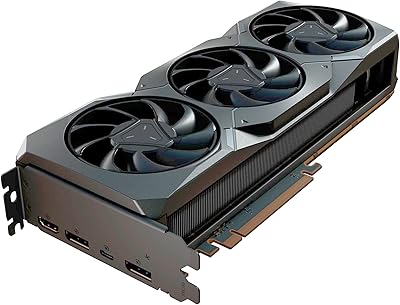
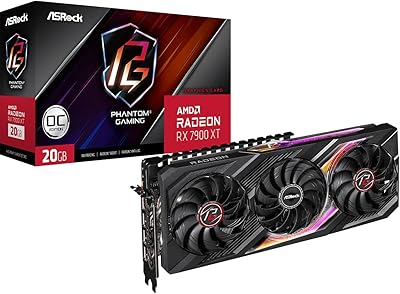
Sapphire AMD Radeon RX 7900 XT 24GB Graphics Card
83%
94%
Gaming Performance (4K and Above)
89%
Ray Tracing Support
71%
Thermals and Cooling
95%
Memory Capacity and Speed
84%
Build Quality
More
ASRock RX 7900 XT Phantom Gaming 20GB OC Graphics Card
86%
94%
4K Gaming Performance
91%
Cooling Efficiency
70%
Size/Case Compatibility
89%
Build Quality
96%
Visual Quality & Resolution
More
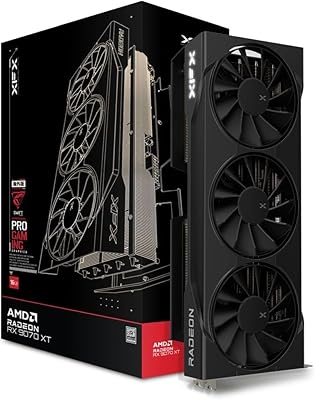
XFX Swift AMD Radeon RX 9070 XT 16GB GDDR6 Graphics Card
88%
94%
4K Gaming Performance
90%
Cooling Efficiency
88%
Build Quality
85%
Ease of Installation
89%
Multi-Monitor Compatibility
More
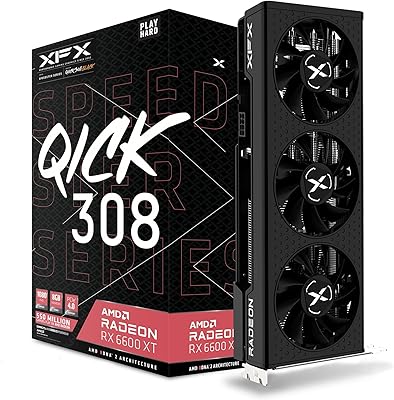
XFX Speedster QICK308 Radeon RX 6600 XT 8GB GDDR6 Graphics Card
87%
91%
Performance at 1080p
89%
Cooling Efficiency
92%
Value for Money
85%
Performance at 1440p
88%
Build Quality
More
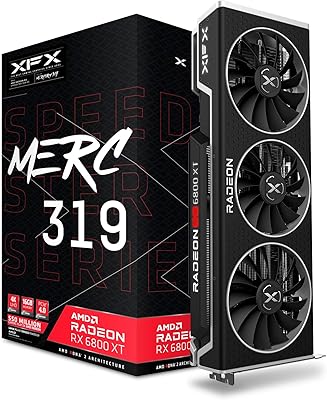
XFX Speedster MERC319 AMD Radeon RX 6800 XT 16GB GDDR6 Graphics Card
85%
94%
Performance in 4K Gaming
88%
Thermal Management & Cooling
89%
Value for Money
85%
Build Quality & Durability
82%
Installation & Setup
More
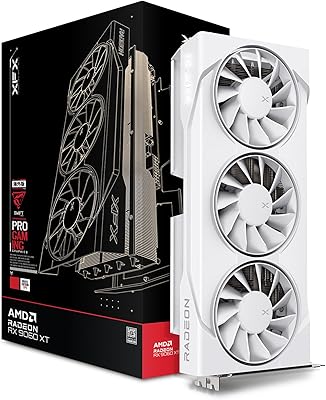
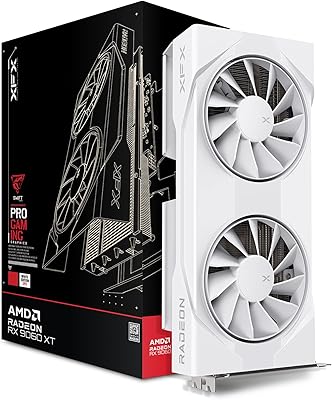
XFX Swift AMD Radeon RX 9060 XT OC White 8GB GDDR6 Graphics Card
85%
94%
Performance for 4K Gaming
87%
Cooling Effectiveness
90%
Build Quality
80%
Ease of Installation
92%
Graphics Quality
More
XFX RX 9060 XT 16GB
XFX RX 9060 XT 16GB
87%
94%
Gaming Performance
91%
4K Resolution Handling
88%
Cooling Efficiency
85%
Noise Levels
96%
Memory Capacity
More
PowerColor Radeon RX 7800 XT 16GB
85%
93%
Gaming Performance
88%
Cooling Efficiency
91%
4K Gaming Capabilities
85%
Build Quality
87%
Noise Level
More
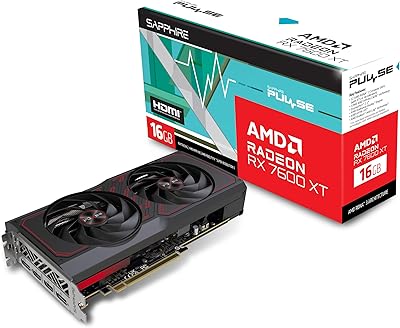
Sapphire PULSE Radeon RX 7600 XT 16GB
86%
89%
Performance
90%
Cooling Efficiency
87%
Value for Money
85%
Build Quality
91%
Gaming Performance (1080p/1440p)
More
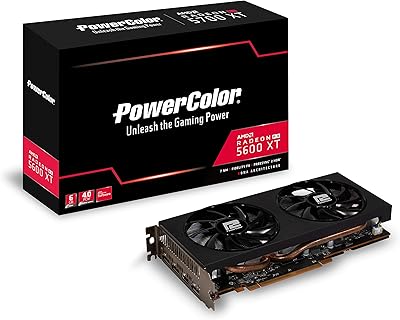
PowerColor AMD Radeon RX 5600 XT 6GB
82%
89%
Gaming Performance (1080p/1440p)
75%
Cooling and Thermal Management
92%
Value for Money
84%
Build Quality
88%
Power Consumption
More

FAQ

The safe minimum is a quality 850W power supply from a reputable brand. That gives you enough headroom for the GPU, your CPU, and the rest of your system under full load. If you are running a high-core-count processor or multiple storage drives, a 1000W unit gives you extra breathing room and is worth considering.

It fits in most standard mid-tower ATX cases without issue, but you need to verify your case’s GPU clearance spec before buying. The card is just under 11 inches long and occupies three slots, so compact mid-towers with front drive cages or restrictive layouts have caused installation problems for some buyers. Check your case manufacturer’s maximum GPU length spec first.

In most demanding titles at 4K with high or ultra settings, you can expect frame rates in the 60 to 90 fps range depending on the specific game and how well it is optimized. Titles with heavy ray tracing will land at the lower end of that range. For 4K at 60 fps consistently, this card handles it confidently across nearly everything available today.

AMD has improved driver stability significantly over the past couple of years, and the majority of users have no major issues once they install the latest Adrenalin software. That said, a minority of buyers still report occasional crashes or quirks after driver updates, and specific game compatibility issues do crop up from time to time. It is not the persistent headache it once was, but it is not quite as frictionless as Nvidia’s driver experience either.

Yes, and the 20GB VRAM is a meaningful advantage here. Applications like DaVinci Resolve and Blender support AMD GPU acceleration, and the large memory pool handles complex timelines and dense 3D scenes well. The caveat is that if your specific workflow relies on CUDA-dependent tools, those will not run on AMD hardware, so check your software’s GPU compatibility before committing.

Yes, AMD FreeSync is fully supported and works well with compatible displays. If you already own a FreeSync monitor, pairing it with this RX 7900 XT is a natural fit and produces noticeably smoother gameplay compared to a fixed refresh rate setup.

At idle it is essentially silent, and during moderate gaming sessions the fans stay in the background. Under sustained heavy loads, like long benchmark runs or extended 4K sessions at maximum settings, the fans do ramp up and become audible. Most users describe it as normal enthusiast-tier fan noise, not disruptive, but it is noticeable in a quiet room.

Yes, and it is one of the better options for Linux users because AMD’s open-source driver stack is actively maintained and well-integrated into the kernel. Most major Linux distributions detect and configure the card without needing third-party driver installation, which is a genuine advantage over Nvidia for users on that platform.

The performance gap between an RX 580 and this card is enormous. You are looking at multiple generations of architectural improvement, more than triple the VRAM, and dramatically higher compute throughput. The upgrade is absolutely worth it if your monitor and use case can take advantage of the extra headroom, particularly at 1440p or 4K.

Yes, the card is backward compatible with PCIe 3.0 slots. You will see a small theoretical bandwidth reduction compared to running it in a PCIe 4.0 slot, but in practical gaming and creative workloads the real-world performance difference is minimal and not something most users will ever notice.