Overview

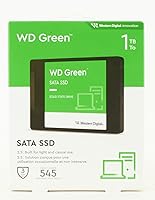
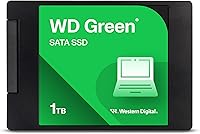
The Western Digital WD Green 1TB Internal SSD is a no-fuss, dependable SATA drive aimed squarely at upgraders who want better storage without overthinking it. It sits below WD's Blue and Black tiers in terms of raw performance, but that positioning is deliberate — this is built for everyday reliability, not benchmarking competitions. The 2.5-inch, 7mm chassis means it physically fits into virtually any laptop bay or desktop SATA slot without adapters or hassle. With over 21,000 ratings and a 3-year limited warranty backing it up, there's a lot of real-world confidence behind this drive. It's the kind of upgrade people actually follow through on.
Features & Benefits

The Green drive runs on a SATA III connection, hitting sequential reads of up to 545 MB/s. In practice, that translates to booting Windows in seconds and apps snapping open where they used to drag. An SLC caching layer helps with burst writes — copying a folder of files feels instant. That said, if you're moving large amounts of data continuously, write speeds will taper once the cache fills. Worth knowing going in. The drive's power draw is notably low compared to spinning disks, which matters if you're running it in a laptop. It's also shock-resistant and WD F.I.T. Lab certified, meaning it has been tested across a wide range of system configurations.

Best For

This 1TB SATA SSD is most at home as a first-time HDD replacement — if your laptop takes 45 seconds to boot and you're fed up waiting, this is the straightforward fix. Students and home office users will appreciate that it just does its job without demanding attention. It's also a smart pick for secondary storage: an extra drive for a media library, a dedicated backup disk, or a secondary OS install. If your system doesn't have an M.2 slot, this is a natural go-to. Just keep in mind it's a SATA drive — anyone needing NVMe-level throughput for video editing or heavy data work should look elsewhere.

User Feedback

Across more than 21,000 ratings, the feedback leans strongly positive, and the common thread is simple: people install it, their computer becomes noticeably faster, and they stop thinking about storage entirely. Installation gets mentioned constantly — most buyers report the swap took under 30 minutes even without prior experience. Quieter operation compared to a spinning disk gets regular nods too. Where things get more mixed is sustained write performance. Users doing large sequential transfers notice speed drops once the SLC cache fills — not a dealbreaker for daily use, but worth knowing. A handful of buyers on older SATA II systems noted reduced speeds, which is expected. Long-term reliability reports after a year or two are generally encouraging.

Pros

  • Boot times and app load speeds improve dramatically over any spinning hard drive.
  • The standard 2.5-inch, 7mm form factor fits almost every laptop and desktop without extra hardware.
  • Ultra-low power draw helps extend battery life in laptops — a genuine, day-to-day benefit.
  • Quiet operation is a consistent highlight: no spinning platters, no vibration, no noise.
  • Installation is straightforward enough that most users complete it in under 30 minutes with no prior experience.
  • The 3-year limited warranty provides solid peace of mind for an entry-level storage upgrade.
  • WD F.I.T. Lab certification means it has been tested across a broad range of systems for real compatibility.
  • Over 21,000 customer ratings gives you a reliable signal on how this drive holds up across diverse real-world setups.
  • At 1TB, there is enough headroom for an OS, apps, and a solid media or document library without juggling storage.
  • Shock-resistant build adds a layer of durability useful for laptops that get moved around regularly.

Cons

  • Sustained write speeds drop once the SLC cache fills — a real limitation for large sequential transfers.
  • This is a SATA drive, so systems with M.2 slots are leaving significant performance on the table by choosing it.
  • Users on older SATA II systems will see reduced speeds, as the drive cannot run at its rated throughput.
  • No included cloning software or mounting bracket in the box — budget extra time and potentially extra hardware for the migration.
  • The Green drive sits at the lower end of WD's own lineup, meaning the brand offers faster options at a modest price difference.
  • Write endurance ratings are not prominently specified, which makes long-term heavy-write use harder to evaluate confidently.
  • Not ideal as a sole drive for large media collections beyond the 1TB cap — no higher-capacity SATA variant in this series.
  • Buyers who already own a mid-range or newer SSD will notice little practical difference in everyday use.

Ratings

The scores below were generated by our AI engine after processing thousands of verified global reviews for the Western Digital WD Green 1TB Internal SSD, with algorithmic filters applied to remove incentivized, duplicate, and bot-suspected submissions. The result is a balanced scorecard that reflects what real buyers consistently praised — and where they ran into friction. Both sides of the ownership experience are represented honestly.

Real-World Speed Improvement
91%
For anyone coming from a spinning hard drive, the day-one difference is hard to overstate. Users consistently report boot times falling from over a minute to under 20 seconds, and applications that used to lag on startup now open almost instantly. That kind of tangible, immediate change drives a lot of the enthusiasm in the review pool.
The improvement is most dramatic in the HDD-to-SSD jump — buyers already running an older SSD often feel the upgrade is less compelling. A handful of users on SATA II systems noted they did not see the full rated speeds, which tempered their excitement somewhat.
Sustained Write Performance
63%
37%
For typical daily tasks — saving files, downloading software, moving photo batches — the SLC cache keeps things feeling fast and responsive. Most home and office users will rarely push the drive hard enough to notice any ceiling, and within that comfort zone it performs reliably.
When transferring large volumes of data in a single session, write speeds drop noticeably once the cache is exhausted, falling to the native NAND write rate. Users copying large video libraries or doing bulk backups flagged this as a real frustration, and it is the single most recurring technical criticism across the review base.
Ease of Installation
94%
Installation is one of the most praised aspects across the entire review pool. Buyers with zero prior hardware experience routinely describe completing the swap in under 30 minutes using only a screwdriver. The standard 2.5-inch form factor means no adapters, no guesswork — it just fits.
The drive ships without cloning software or a mounting bracket, which adds a step for users migrating from an existing drive. A small number of buyers were caught off guard by the need to purchase a USB-to-SATA adapter separately to clone their old drive before the swap.
Value for Money
88%
Most buyers feel they got a fair deal given the performance jump over mechanical storage. For anyone reviving an aging laptop rather than buying a new machine, the cost-to-benefit ratio is particularly strong — the improvement in usability is disproportionately large relative to what was spent.
The gap between this drive and WD's Blue tier has narrowed over time, leading some buyers to question whether the small price difference warranted going with the Green over a faster option. A few reviewers noted that competing brands occasionally offer comparable or better sustained write specs at a similar price point.
Long-Term Reliability
82%
18%
The volume and consistency of positive long-term ownership reports is genuinely reassuring. Many reviewers mention using the drive daily for one to two years without any issues, and the WD brand carries a track record in storage that newer entrants simply do not have. The 3-year warranty adds a concrete safety net.
Write endurance specifications are not prominently published for this series, which makes it harder to assess longevity for write-heavy use cases. A small but consistent minority of reviewers reported early failures, though at the scale of 21,000-plus ratings this appears to fall within normal statistical range.
Power Efficiency
87%
Laptop users frequently mention improved battery run time after replacing their hard drive with the Green drive — not a dramatic swing, but a real and welcome one during long work sessions or travel days. The absence of spinning platters means no energy wasted on mechanical movement.
The power efficiency advantage is less meaningful for desktop users where battery life is not a factor. In laptop comparisons against NVMe drives, the efficiency delta is less clear-cut, and some ultra-thin laptops are better served by the M.2 variant of this drive family anyway.
Noise & Vibration
96%
Silence is essentially universal with this drive — no clicking, no spinning, no vibration. Users who previously worked next to a loud mechanical drive describe the quiet as an unexpectedly pleasant quality-of-life improvement, especially in quiet office or study environments.
There is genuinely little to criticize here given the nature of flash storage. The only context where this stops being a differentiator is if the user is comparing it to another SSD, in which case all options perform equally on noise.
System Compatibility
83%
WD F.I.T. Lab certification provides real confidence that this drive has been validated across a wide range of platforms. The overwhelming majority of buyers report a plug-and-play experience with no driver installation required — Windows, Linux, and macOS all recognized it without issue.
Compatibility is not universal — users with older SATA II systems see reduced throughput, and a few buyers with specific older laptop models reported needing to update firmware before the drive was recognized correctly. These are edge cases, but worth checking before purchasing for an older machine.
Build & Form Factor Fit
89%
The 7mm height fits the standard laptop bay without a spacer in almost every tested configuration. At just over an ounce, it adds nothing meaningful to portable device weight, and the rigid casing feels solid without being bulky.
Ultra-thin laptops using a 5mm drive bay cannot accommodate this drive without a workaround. A small number of buyers discovered this mismatch only after purchase, which underlines the importance of verifying bay depth before ordering.
Warranty & Support Experience
78%
22%
The 3-year limited warranty is a meaningful commitment for an entry-level drive, and WD's support infrastructure is well-established. Buyers who contacted support generally reported the RMA process was handled without excessive friction.
Some reviewers felt the warranty claim process required more documentation than expected, and a few noted slower-than-anticipated response times during peak periods. The warranty does not cover data recovery, which is worth factoring in if the drive is used for irreplaceable files without a backup.
Thermal Performance
84%
The drive runs cool under normal workloads — casual users report no thermal throttling and no noticeable heat generation during everyday tasks like web browsing, document editing, or media playback. This contributes to a stable, predictable daily experience.
During sustained write sessions that push past the SLC cache, temperatures climb more noticeably. In poorly ventilated laptop chassis, a handful of users reported the drive getting warm enough to trigger thermal protection, which compounds the sustained write speed issue.
Random Read & Write Responsiveness
79%
21%
For the everyday use cases this drive targets — launching browsers, switching between apps, loading system files — random read responsiveness is strong. The system feels snappy and attentive, which is what most home and office users actually experience day to day.
Random write IOPS are modest by current SSD standards, and users running databases, virtual machines, or any application that hammers the drive with small random writes will hit a ceiling. This is where the Blue tier or an NVMe option shows a meaningful advantage.
Packaging & Unboxing
71%
29%
The drive arrives in secure, minimal packaging that protects it adequately during shipping. For buyers who simply want the drive to arrive undamaged and get to work, the no-frills presentation is perfectly functional.
There are no accessories included — no screws, no mounting hardware, no cable, no software. Buyers who are new to drive installation and expected a more complete kit were occasionally caught off guard, particularly those who did not already own a SATA data cable or enclosure for cloning.

Suitable for:

The Western Digital WD Green 1TB Internal SSD is an excellent match for anyone pulling a sluggish old laptop back from the brink — if your machine still runs a spinning hard drive, this single swap will make it feel like a different computer. Students who need a dependable, low-maintenance drive for coursework, browser tabs, and light creative work will find it more than capable. Home office workers who prioritize stability and quiet operation over peak throughput are similarly well served. It also makes a practical secondary drive for desktops: think a dedicated media library, a backup volume, or a clean secondary OS install. Because it ships in a standard 2.5-inch, 7mm form factor, it fits the vast majority of laptops and desktops without adapters — and the 3-year warranty means you're not taking much of a gamble.
Not suitable for:

The Western Digital WD Green 1TB Internal SSD is not the right call if you need the fastest storage your system can handle. This is a SATA drive — not NVMe — so if your machine has an M.2 slot and you are doing video editing, large database work, or any task that involves sustained high-volume data transfers, a faster NVMe option will make a real difference that this drive simply cannot match. The SLC caching helps with everyday burst writes, but once that cache saturates during long sequential write sessions, speeds drop noticeably. Power users who are already running a modern SSD will see little to no practical improvement from switching to this drive. It is also not a strong pick for professional or creative workflows where storage bottlenecks directly impact productivity.
Specifications

  • Capacity: The drive offers 1TB of flash storage, suitable for an operating system, applications, and a substantial media or document library.
  • Interface: It uses a SATA III 6 Gb/s connection, which is the standard interface found on the vast majority of laptops and desktop motherboards produced in the last decade.
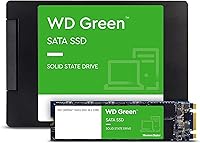
  • Form Factor: The drive is housed in a 2.5-inch casing with a 7mm height profile, fitting standard laptop drive bays and desktop SATA mounts without requiring a spacer in most cases.
  • Read Speed: Sequential read speeds reach up to 545 MB/s under optimal conditions, representing a substantial throughput improvement over mechanical hard drives.
  • Cache Type: An SLC caching layer is used to accelerate burst write operations, improving responsiveness during everyday tasks such as file transfers and application launches.
  • Power Draw: The drive operates at ultra-low power consumption compared to spinning hard drives, which contributes to longer battery run times in laptop configurations.
  • Weight: The drive weighs approximately 1.15 ounces, adding negligible mass to any portable system it is installed in.
  • Dimensions: Physical dimensions measure 3.96 x 2.75 x 0.28 inches, consistent with the standard 2.5-inch internal drive specification.
  • Compatibility: Certified through WD F.I.T. Lab testing for broad compatibility across desktop and laptop platforms running standard SATA connections.
  • Shock Resistance: The drive is rated as shock-resistant, providing added durability against incidental drops or vibration during transport in a laptop.
  • Drive Type: This is a NAND-based internal solid state drive with no moving parts, operating silently and generating minimal heat during normal use.
  • Warranty: Western Digital backs this drive with a 3-year limited warranty, covering manufacturing defects under normal use conditions.
  • Model Number: The official model identifier is WDS100T3G0A, which can be used to verify compatibility with system documentation or manufacturer support resources.
  • Brand: Manufactured by Western Digital Technologies, Inc., a company with decades of experience in consumer and enterprise storage solutions.
  • Available Form Factors: Beyond the 2.5-inch variant, this drive family is also available in an M.2 2280 form factor for systems that support that slot type.
  • Drive Series: This drive belongs to the WD Green SATA SSD lineup, which sits below the WD Blue and WD Black tiers in terms of performance and intended workload intensity.

Related Reviews
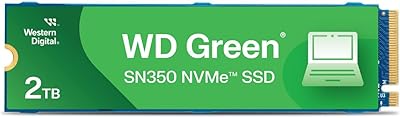
Western Digital 1TB WD Green SN350 NVMe SSD
85%
92%
Performance (Read Speed)
89%
Value for Money
88%
Durability & Shock Resistance
90%
Ease of Installation
75%
Write Speed
More
Western Digital WD Green 2TB Internal SSD
82%
91%
Value for Money
84%
Read Performance
71%
Write Performance
93%
Installation Experience
92%
Compatibility
More
Western Digital 240GB WD Green SSD
88%
92%
Value for Money
87%
Performance
93%
Ease of Installation
90%
Battery Efficiency
89%
Compatibility
More
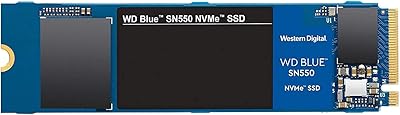
Western Digital 1TB WD Blue SN550 NVMe SSD
88%
93%
Performance
91%
Read Speed
88%
Write Speed
89%
Ease of Installation
90%
Compatibility
More
Western Digital Red SA500 1TB NAS SSD
85%
94%
NAS Compatibility
88%
Read Performance
76%
Write Performance
91%
24/7 Reliability
67%
Value for Money
More
WD Green SN350 500GB NVMe SSD
77%
91%
Value for Money
88%
Everyday Speed
61%
Write Performance
86%
Compatibility
79%
Long-term Reliability
More
Western Digital SN750 1TB NVMe SSD
79%
88%
Read Speed Performance
79%
Write Speed & Sustained Throughput
63%
Thermal Management
91%
Reliability & Longevity
84%
Installation & Compatibility
More
WD Green SN350 2TB NVMe SSD
82%
92%
Value for Money
83%
Read Speed Performance
58%
Sustained Write Performance
94%
Installation Ease
88%
Thermal Management
More
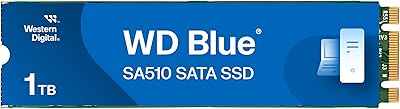
Western Digital WD Blue SA510 1TB SSD
83%
83%
Read & Write Speed
88%
Everyday Responsiveness
91%
Installation & Compatibility
86%
Value for Money
89%
Long-Term Reliability
More
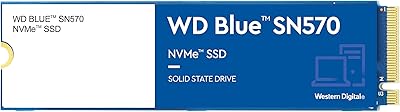
Western Digital 1TB WD Blue SN570 NVMe SSD
87%
92%
Performance
91%
Value for Money
88%
Ease of Installation
94%
Read/Write Speed
85%
Power Efficiency
More

FAQ

In most cases, yes. As long as your laptop has a 2.5-inch SATA drive bay — which covers the vast majority of machines made in the last 15 years — the Green drive will slot right in. Just double-check your laptop's bay height; some ultra-thin models use a 5mm slot, which is slightly too shallow for this 7mm drive.

If you are coming from a spinning hard drive, the difference is striking. Boot times that used to take 60 to 90 seconds typically drop to under 20. Apps open faster, files load without the familiar lag, and the whole system feels more responsive. If you are already running an SSD, the improvement will be far less noticeable.

No, the drive ships without bundled cloning software. You will need to use a third-party tool — Macrium Reflect Free and Clonezilla are popular options — to clone your existing drive before swapping. You will also need a USB-to-SATA adapter or enclosure to connect the new drive externally during the cloning process.

It handles everyday gaming reasonably well — loading into game levels and launching titles is noticeably faster than with a hard drive. That said, if you are playing modern open-world games with aggressive asset streaming, a faster NVMe drive will give you a more consistent experience. For casual or older titles, this 1TB SATA SSD is perfectly adequate.

Once the cache is saturated, write speeds drop to the drive's native NAND write speed, which is significantly lower than the burst figures. In practice, this matters most if you are copying very large files — think tens of gigabytes in a single session. For everyday use like saving documents, downloading software, or moving photos, you are unlikely to hit that ceiling.

Absolutely — it works well in that role. Many users install it alongside an existing SSD or NVMe boot drive and use the Green drive for media libraries, game installs, or backups. It is a cost-effective way to add a large, reliable volume to a desktop with an open SATA port.

It will work, but it will run at SATA II speeds rather than the full SATA III rated speed. SATA is backward compatible, so there are no compatibility issues, but the drive's peak throughput will be capped by the slower interface. You will still see a major improvement over a mechanical hard drive in that same system.

The WD Blue generally offers higher sustained write speeds and is rated for heavier workloads, making it a better fit for users who frequently move large amounts of data. The Green is optimized for lighter, everyday use — if you are mostly browsing, working in documents, and running standard applications, the real-world difference between the two is smaller than the spec sheets suggest.

That depends entirely on your laptop manufacturer and regional consumer protection laws. Many manufacturers allow user-replaceable storage without voiding the warranty, but some do not. Check your laptop's documentation or contact the manufacturer directly before opening the case if warranty coverage is a concern.

Based on the large pool of user feedback available, the drive holds up well under normal everyday conditions. Many owners report trouble-free use well beyond the first year. That said, like any flash storage device, it has a finite write endurance — for typical home or office use this is not a practical concern, but running extremely write-intensive workloads daily over several years will eventually wear any NAND drive down.