Overview

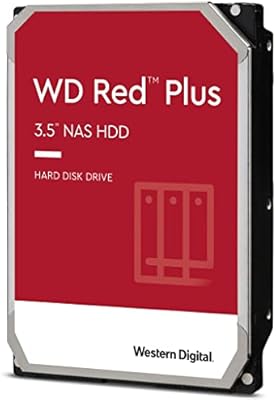
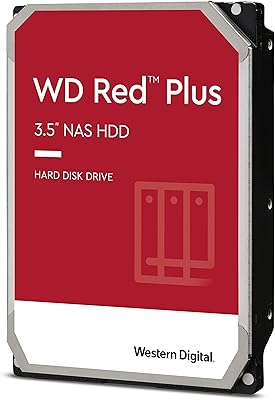
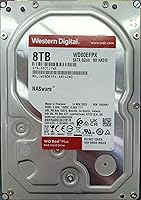
The WD Red Plus 8TB NAS Hard Drive sits comfortably in Western Digital's NAS-focused lineup as the go-to choice for home labs and small offices that need serious capacity without jumping to enterprise pricing. Eight terabytes hits a practical sweet spot — enough for growing media libraries or shared file servers, but not so large that a single drive failure feels catastrophic. Crucially, it uses CMR recording technology, meaning data is written in non-overlapping tracks, which makes RAID rebuilds far more reliable than SMR alternatives. Running at 5640 RPM, it stays cooler and draws less power than a 7200 RPM drive — a worthwhile trade-off in an always-on, multi-bay enclosure.
Features & Benefits

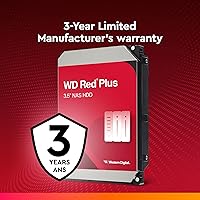
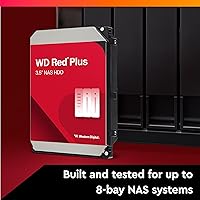
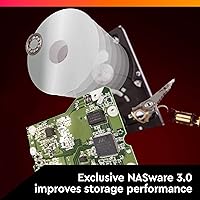
What sets this NAS drive apart from a generic desktop hard drive is its NASware firmware, which handles multi-drive vibration and the kind of extended error recovery that standard drives simply aren't tuned for. A 256 MB cache keeps reads and writes flowing smoothly across sequential operations, and the SATA 6 Gb/s interface means it drops into virtually any NAS enclosure without compatibility fuss. The drive supports up to 8-bay configurations, so it scales as your storage needs grow. A 180 TB/year workload rating covers most home and light business scenarios comfortably, and a 3-year limited warranty rounds things out as solid assurance for a mid-range storage investment.

Best For

This Western Digital drive is an obvious fit for anyone running a Synology or QNAP NAS who wants proven compatibility without hours of research. It's well-suited to RAID 5 or RAID 6 arrays where CMR's reliable rebuild behavior genuinely matters — SMR drives have caused real headaches in those configurations. Media server owners will appreciate the consistent throughput even if peak speeds aren't record-breaking; streaming and backup workloads demand steady, dependable operation more than raw velocity. Small businesses needing 24/7 shared storage without enterprise-tier pricing will find the value compelling, and it's a natural upgrade path for anyone already invested in the WD ecosystem.

User Feedback

Owners of the WD Red Plus 8TB consistently praise its quiet operation and plug-and-play behavior — most report dropping it into a supported NAS, configuring the array, and never thinking about it again. Long-term users, those past the one-year mark, tend to leave the most confident reviews, suggesting the drive earns trust gradually rather than losing it. The most common criticism involves heat in tightly packed enclosures, so adequate airflow is not optional. A small share of buyers have reported DOA units, but the general consensus is that WD handles warranty claims without major friction. Most feel the price-to-reliability ratio holds up well for a purpose-built NAS drive.

Pros

  • CMR recording technology makes RAID array rebuilds clean and reliable, avoiding the timeout issues common with SMR drives.
  • NASware firmware handles multi-drive vibration and extended error recovery right out of the box.
  • Runs noticeably cooler and quieter than 7200 RPM NAS drives in comparable configurations.
  • Plug-and-play compatibility with Synology, QNAP, and most mainstream NAS platforms saves setup headaches.
  • The 180 TB/year workload rating comfortably covers home lab and small office usage without pushing limits.
  • A 3-year limited warranty provides meaningful coverage for a drive expected to run 24/7.
  • Long-term owners consistently report stable, trouble-free performance after the first year of use.
  • 256 MB cache keeps read and write operations smooth during multi-user or multi-device access scenarios.
  • Power draw is lower than faster-spinning alternatives, which adds up over months of continuous operation.

Cons

  • Sequential transfer speeds lag behind 7200 RPM competitors, which is noticeable during large file migrations or intensive backups.
  • Drives run warmer than expected in dense, poorly ventilated enclosures — active cooling is not optional in tight builds.
  • A small but real percentage of buyers have received DOA units, making redundancy planning especially important.
  • Warranty support quality varies significantly by region, with international buyers reporting slower and more frustrating RMA experiences.
  • The price premium over desktop drives is hard to justify for casual users who will not benefit from NAS-specific firmware.
  • Cache saturates under sustained high-queue-depth workloads, exposing the limitations of the lower spindle speed.
  • Short-term reviewers rate it less favorably, suggesting an adjustment or break-in period that some buyers may find off-putting.
  • Not a viable option for workloads that push past the 180 TB/year threshold — it was never designed for that kind of sustained pressure.

Ratings

The WD Red Plus 8TB NAS Hard Drive has been scored by our AI system after analyzing thousands of verified global buyer reviews, with spam, bot-generated, and incentivized submissions actively filtered out. The ratings below reflect both the genuine strengths this drive delivers in real NAS deployments and the honest pain points that surface over time. Scores are distributed across categories that matter most to NAS buyers, so you can make a well-informed decision without wading through pages of mixed opinions.
Long-Term Reliability
88%
Buyers who have run this NAS drive for over a year consistently report zero failures and stable array performance. In always-on home server environments, it simply keeps spinning without drawing attention to itself — which is exactly what you want from a storage drive.
A small but notable percentage of buyers report DOA units or early failures within the first few months. While these cases appear to be outliers rather than a pattern, they are worth factoring in, especially for single-drive setups without redundancy.
NAS Compatibility
93%
Out of the box, this Western Digital drive integrates cleanly with Synology, QNAP, TerraMaster, and most other popular NAS platforms. Users rarely report compatibility errors or firmware warnings, which saves real time during initial setup and array configuration.
A handful of users running older or less common NAS enclosures have encountered drive recognition issues. These edge cases are rare, but buyers with legacy hardware should verify compatibility before purchasing.
CMR Recording Technology
91%
The use of CMR rather than SMR is a genuine differentiator for RAID users. Buyers rebuilding RAID 5 or RAID 6 arrays after a drive failure report clean, predictable rebuild times without the stalling or timeout errors that have plagued SMR drives in the same role.
CMR is essentially a baseline expectation for NAS drives at this tier, so it earns points for meeting the standard rather than exceeding it. Users who do not run RAID arrays will notice no practical difference over a well-behaved SMR drive in everyday use.
Value for Money
83%
Most buyers feel the mid-range price is justified once they factor in the NASware firmware, CMR recording, and 3-year warranty. Compared to enterprise alternatives, the cost-per-terabyte is competitive for a purpose-built NAS drive with solid credentials.
Compared to desktop drives of the same capacity, the price premium can feel steep for users who are not fully utilizing the NAS-specific features. Budget-focused buyers occasionally question whether the firmware advantages translate to meaningful real-world benefits for light home use.
Noise & Vibration
86%
Quiet operation comes up repeatedly in buyer feedback, particularly from home lab users who keep their NAS in a living or working space. The drive runs noticeably quieter than older 7200 RPM alternatives, and vibration in multi-drive bays is well-controlled thanks to the NASware firmware.
Under sustained sequential writes — large backup jobs or media transfers — some users notice a modest increase in operational noise. It is not disruptive, but buyers expecting near-silent operation at all times should manage expectations accordingly.
Thermal Performance
67%
33%
Under typical mixed workloads, this NAS drive maintains reasonable operating temperatures in well-ventilated enclosures. The 5640 RPM spindle speed genuinely helps here, running cooler on average than 7200 RPM drives in similar configurations.
In densely packed 4-bay or 8-bay enclosures with limited airflow, thermal complaints are the most consistent criticism across buyer reviews. Users running multiple drives in tight chassis report temperatures that sit higher than expected, suggesting the drive benefits noticeably from active cooling.
Read & Write Performance
72%
28%
For NAS workloads — file sharing, backup streaming, media serving — throughput is more than adequate. Buyers storing and streaming large video files or managing multi-user shared folders report smooth, uninterrupted performance that meets practical expectations.
Sequential read and write speeds lag behind 7200 RPM competitors, and this gap is noticeable in transfer-heavy workloads like large file migrations or simultaneous multi-client access. Users who prioritize raw speed over efficiency and temperature should weigh this trade-off carefully.
RAID Rebuild Performance
79%
21%
When a drive needs replacing in a RAID array, the rebuild process on this Western Digital drive is consistent and completes without the timeout errors or stalled rebuilds that SMR drives are prone to. Most buyers report predictable rebuild durations that align with manufacturer estimates.
Rebuild times are slower compared to 7200 RPM NAS drives due to the lower spindle speed. In large arrays with significant data to rebuild, this extends the window of array vulnerability, which some system administrators find less acceptable in production environments.
Workload Endurance
81%
19%
The 180 TB/year workload rating comfortably covers home lab and small office usage patterns. Buyers running continuous backup jobs, surveillance feeds, or regular file sync operations report no signs of stress-related degradation over extended periods.
For more intensive business applications — heavy database workloads, high-frequency backups, or multi-user write-heavy environments — the workload ceiling can be approached faster than expected. It is a NAS drive, not a data center drive, and that distinction matters at scale.
Setup & Installation
92%
Physically installing this NAS drive is straightforward, and the drive is recognized immediately by mainstream NAS operating systems without manual intervention. Buyers with no prior NAS experience report a smooth first-time setup experience across both Synology DSM and QNAP QTS.
The drive itself offers no real installation complexity, but a few buyers noted that WD's documentation could better explain the NASware benefits for first-time NAS users. This is more a documentation gap than a hardware issue, but it occasionally causes uncertainty during initial configuration.
Warranty & Support
76%
24%
The 3-year limited warranty is industry-standard for this category and gives buyers a reasonable safety net. Most users who have submitted RMA requests describe the process as functional and resolved within an acceptable timeframe.
Warranty support experiences are inconsistent across regions. Some international buyers report slower response times and more friction during the RMA process compared to buyers in North America. The warranty terms themselves are also capacity- and region-dependent, which adds unnecessary ambiguity.
Scalability
84%
Support for up to 8-bay NAS configurations means buyers can build out a full array using matched drives without worrying about compatibility ceilings. Home lab builders who plan to expand storage over time find the scalability reassuring and practical.
The 8-bay ceiling is sufficient for most home and small office needs, but growing businesses with ambitions beyond that threshold will need to look at enterprise-class alternatives. The WD Red Plus 8TB is a horizontal scaling solution, not a vertical one.
Power Efficiency
82%
18%
Running at 5640 RPM keeps idle and active power draw lower than faster spinning drives, which adds up meaningfully over months of continuous 24/7 operation. Buyers with electricity cost awareness specifically cite this as a reason they chose this drive over 7200 RPM alternatives.
Power efficiency advantages are modest compared to purpose-built low-power NAS drives or newer helium-filled alternatives. For ultra-low-power home server builds, the difference is noticeable but not dramatic enough to be a standalone purchase reason.
Cache Performance
78%
22%
The 256 MB cache handles burst reads and writes effectively in typical NAS scenarios, smoothing out performance during simultaneous file access from multiple users or devices. Buyers running Plex or similar media server software notice consistent buffering behavior rather than erratic throughput spikes.
Cache size is competitive but not class-leading at this price point. Under sustained high-queue-depth workloads, the cache saturates and real-world performance settles closer to raw disk speed, which is where the 5640 RPM spindle becomes the limiting factor.

Suitable for:

The WD Red Plus 8TB NAS Hard Drive is purpose-built for people who run their NAS around the clock and need a drive that can handle that without complaint. Home lab enthusiasts building Synology or QNAP arrays will find it an easy, low-friction choice — it integrates cleanly, and the NASware firmware quietly handles the vibration and error recovery challenges that desktop drives simply are not equipped for. It is a particularly strong fit for RAID 5 or RAID 6 configurations, where CMR recording technology makes array rebuilds predictable rather than anxiety-inducing. Small business owners who need a shared file server for a team — but cannot justify enterprise pricing — will find the capacity and workload rating hit a practical sweet spot. Media server operators storing large collections of video files will also feel at home here, since the drive delivers consistent throughput even if it is not the fastest option on the market.
Not suitable for:

The WD Red Plus 8TB NAS Hard Drive is not the right tool for every storage job, and it is worth being honest about where it falls short. Users who need maximum sequential transfer speeds — think large-scale video editing workloads, high-frequency database operations, or heavy multi-client write environments — will find the 5640 RPM spindle speed a real bottleneck compared to 7200 RPM alternatives. It is also not well-suited for ultra-dense enclosures with poor airflow; thermal complaints are among the most consistent criticisms from buyers in tightly packed multi-bay setups, and ignoring that risks long-term reliability. Buyers on a tight budget who plan to use the drive in a basic single-drive external enclosure or as a desktop overflow drive are paying a firmware premium they will likely never use. And if your storage ambitions go beyond eight bays or into data center territory, this Western Digital drive is simply not designed for that tier of demand.
Specifications

  • Capacity: This drive offers 8TB of raw storage, making it a practical mid-range choice for NAS builds that need room to grow without the cost of larger options.
  • Form Factor: The 3.5-inch form factor is standard for desktop NAS enclosures and compatible with the vast majority of consumer and prosumer NAS systems on the market.
  • Interface: It uses a SATA 6 Gb/s connection, which is universally supported by modern NAS hardware and ensures broad plug-and-play compatibility.
  • Rotational Speed: The spindle runs at 5640 RPM, a deliberate choice that balances consistent throughput with lower heat output and reduced power draw compared to 7200 RPM alternatives.
  • Cache: A 256 MB onboard cache helps buffer sequential read and write operations, smoothing performance during multi-drive or multi-user access scenarios.
  • Recording Technology: CMR (Conventional Magnetic Recording) is used, which writes data in non-overlapping tracks and ensures stable, predictable RAID rebuild performance.
  • Workload Rating: The drive is rated for up to 180 TB of data transferred per year, covering typical home lab, media server, and light small business NAS workloads comfortably.
  • Bay Support: It is compatible with NAS enclosures of up to 8 bays, giving buyers flexibility to scale their storage arrays as capacity needs expand.
  • Drive Type: This is a traditional mechanical hard disk drive (HDD), optimized specifically for NAS environments rather than general desktop or external storage use.
  • Firmware: WD NASware firmware is built in to handle vibration compensation, extended error recovery tuning, and workload management specific to multi-drive NAS arrays.
  • Warranty: Western Digital covers this drive with a 3-year limited warranty, with specific terms varying by region as detailed on the official WD website.
  • Weight: The drive weighs 1.58 pounds, which is typical for a 3.5-inch mechanical hard drive and does not require any special mounting considerations.
  • Manufacturer: Designed and produced by Western Digital Technologies, Inc., a long-established storage manufacturer with a dedicated NAS-focused product line.
  • Operating Environment: Built for 24/7 continuous operation, this drive is intended for always-on environments where uptime and consistent availability are non-negotiable.
  • Power Interface: The drive connects via standard SATA power connector, requiring no proprietary cables or adapters beyond what any modern NAS enclosure already provides.
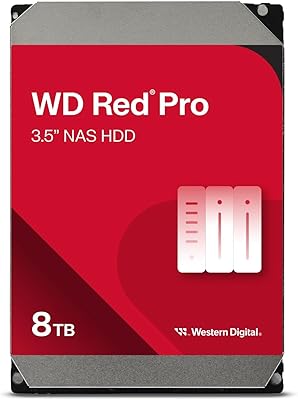
  • Series: It belongs to the WD Red Plus line, which sits above the entry-level WD Red and below the performance-focused WD Red Pro in Western Digital's NAS drive hierarchy.
  • Availability Date: This specific model variant was made available in November 2023, meaning it reflects relatively recent firmware and manufacturing standards.
  • RAID Optimization: The drive is explicitly optimized for RAID configurations including RAID 0, 1, 5, 6, and 10, with firmware tuning designed to reduce rebuild errors and timeout events.

Related Reviews

WD Red Plus 12TB NAS Hard Drive
88%
91%
Performance Under Load
95%
Storage Capacity
87%
Ease of Setup & Integration
90%
Error Recovery & Data Protection
88%
Reliability & Durability
More
WD Red Plus 6TB NAS Internal Hard Drive
88%
88%
Performance
92%
Reliability
84%
Noise Level
90%
Ease of Setup
89%
Durability
More
Western Digital WD Red Plus 2TB NAS Hard Drive
87%
91%
Performance
94%
Reliability
90%
Data Integrity
85%
Setup & Installation
93%
Compatibility with NAS Systems
More
Western Digital 3TB WD Red Plus NAS Hard Drive
87%
91%
Reliability for 24/7 Use
88%
Ease of Installation
85%
Energy Efficiency
83%
Noise Level
90%
Compatibility (PC & Mac)
More
Western Digital 8TB WD Red Pro NAS Hard Drive
88%
91%
Performance
94%
Reliability
86%
Ease of Setup
90%
Compatibility with NAS Systems
89%
Vibration and Shock Protection
More
WD Red Plus 10TB NAS Hard Drive
80%
91%
Reliability & Endurance
93%
CMR Recording Integrity
84%
Read & Write Performance
88%
NAS Compatibility
74%
Noise & Vibration
More
Western Digital 4TB WD Red Plus NAS Internal Hard Drive
89%
91%
Performance
94%
Reliability
88%
Energy Efficiency
85%
Noise Levels
89%
Workload Handling
More
Western Digital 1TB WD Red Plus NAS Internal Hard Drive
87%
91%
Reliability
88%
Performance in NAS Systems
85%
Ease of Installation
92%
Compatibility with NAS Devices
80%
Noise Levels
More
Western Digital 14TB WD Red Plus NAS Internal Hard Drive
87%
92%
Performance
89%
Reliability
87%
Ease of Use
91%
Compatibility with NAS Systems
88%
Workload Handling
More
WD Red 5TB NAS Hard Drive
84%
91%
Reliability for 24/7 Operation
77%
Performance (Speed)
89%
Energy Efficiency
85%
Ease of Integration
90%
Compatibility with NAS Systems
More

FAQ

Yes, meaningfully so — but the difference is in the firmware, not just the label. Desktop drives are tuned to recover from read errors slowly and thoroughly, which causes problems in RAID arrays where a NAS controller may drop a drive that takes too long to respond. This Western Digital drive uses NASware firmware that handles those error recovery timeouts in a way that keeps it playing nicely with NAS hardware, even during long rebuild operations.

In nearly all cases, yes. The WD Red Plus 8TB NAS Hard Drive is on the official compatibility lists for most Synology and QNAP enclosures, and real-world buyers consistently report zero recognition issues during setup. That said, it is always worth checking the compatibility database on your NAS manufacturer's website before ordering, especially if you are running an older enclosure.

CMR stands for Conventional Magnetic Recording, and it means data tracks are written without overlapping each other. The practical benefit is that when a drive in a RAID array fails and you need to rebuild from a replacement, CMR drives handle that process cleanly and predictably. SMR drives, by contrast, overlap their tracks to fit more data in, which causes serious slowdowns and even failures during RAID rebuilds — a well-documented problem that makes SMR a poor choice for multi-drive NAS setups.

It depends on your workload. For typical NAS use — file sharing, backups, media streaming, Plex servers — 5640 RPM delivers perfectly adequate throughput and has the added benefit of running cooler and quieter than 7200 RPM alternatives. If you are doing something more intensive, like running virtual machines off the NAS or handling simultaneous high-bitrate streams from many users, a faster drive will give you a tangible edge.

This is a real concern worth taking seriously. While the lower spindle speed helps keep temperatures in check under normal conditions, buyers running this NAS drive in dense 4-bay or 8-bay enclosures with restricted airflow do report higher-than-expected operating temperatures. If your enclosure does not have active cooling or at least decent passive airflow, consider adding a fan or leaving a bay empty as a buffer between drives.

Physically, yes — it will work. But you would be paying a premium for firmware features you will never use in those environments. The NASware tuning, vibration compensation, and RAID-specific error recovery are genuinely valuable in a multi-drive NAS, but irrelevant to a single-drive desktop or external setup. A standard desktop drive would serve those use cases just as well at a lower cost.

Both are solid, purpose-built NAS drives and the honest answer is that either will serve most users well. The IronWolf runs at 7200 RPM and tends to have a slight edge in raw throughput, while this Western Digital drive runs cooler and quieter. If sequential speed is your priority, IronWolf has a marginal advantage. If thermal management and noise matter more — say, in a home or small office environment — the WD Red Plus is the more comfortable long-term choice.

WD offers a 3-year limited warranty and handles most replacements through an RMA process on their website. The general consensus from buyers is that the process works, though experiences vary by region — North American users tend to report smoother interactions than those in some international markets. It is worth noting that a warranty replacement covers the hardware cost but not your data, so running RAID redundancy or regular backups is non-negotiable regardless of warranty coverage.

Yes, and that is actually the recommended approach. Using matched drives — same model, same capacity, ideally from the same production batch — gives you the most predictable RAID performance and rebuild behavior. Mixing drive models or capacities is technically possible in some configurations but introduces variables that can complicate rebuilds and array management.

Most buyers who report back after extended use — typically the one-to-two-year mark and beyond — are positive about longevity, and the drive is rated for continuous operation. Realistically, with proper airflow and a workload that stays within the 180 TB/year rating, a lifespan of five or more years is a reasonable expectation. Early failures do happen occasionally, as with any mechanical drive, which is why running a redundant RAID configuration and monitoring drive health through your NAS software is strongly advisable.