
Overview

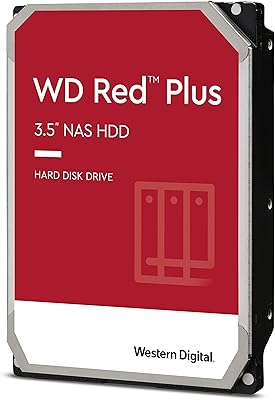
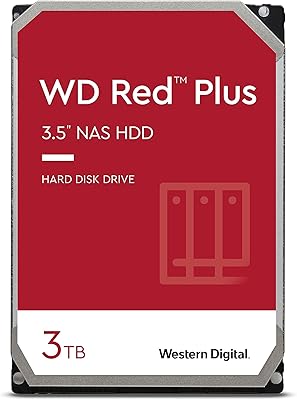
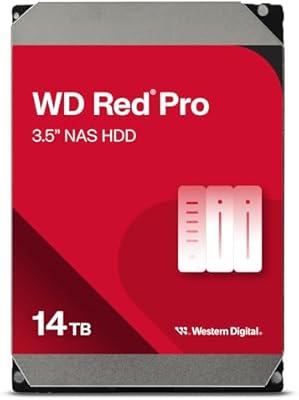
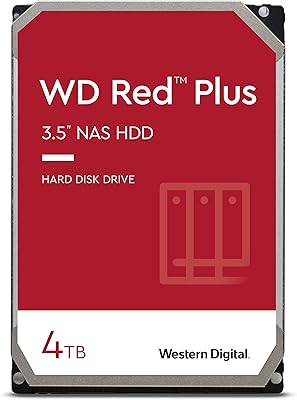
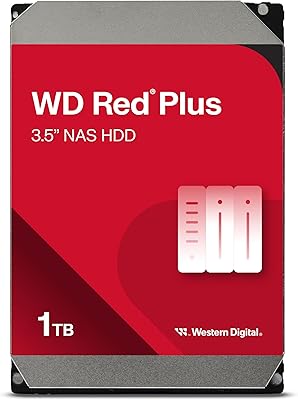
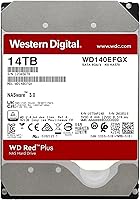
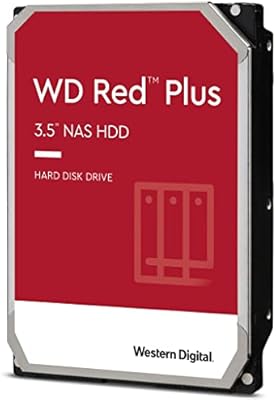
The WD Red Plus 14TB NAS Hard Drive is purpose-built for always-on storage in small to medium business setups — not a repurposed desktop drive with a NAS label slapped on it. The real story here is CMR recording technology: at a time when Western Digital quietly shipped some NAS drives with SMR, which chokes under sustained write loads, the Red Plus line held firm with conventional magnetic recording. At 14TB, you're at the top of the Red Plus capacity range, which matters if you're squeezing maximum storage out of a fixed number of bays. The price reflects that positioning. And yes, this is a mechanical drive — sequential speeds won't impress anyone coming from SSDs, but that's not what this drive was designed for.

Features & Benefits

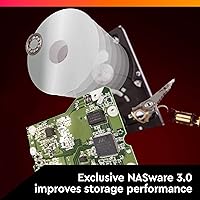
Running at 7200 RPM, this NAS hard drive spins faster than the 5400 RPM baseline common in many competing NAS drives — that extra speed shows up in real throughput when you're running backups, streaming large media files, or writing surveillance footage from multiple cameras simultaneously. The 512 MB cache helps absorb burst writes before they hit the platters, which keeps performance consistent in multi-user environments. What ties it together is the NASware firmware, which adjusts error recovery behavior so the drive doesn't trigger RAID timeout errors the way desktop drives often do in NAS bays. A rated workload of up to 180 TB per year means it can handle genuine small business traffic — shared drives, offsite backup targets, media servers — without being pushed past its rated limits.

Best For

This drive is a natural fit for anyone running a multi-bay NAS enclosure from Synology, QNAP, or similar brands who wants to maximize per-bay capacity without compromising on RAID reliability. That especially applies to RAID 5 or RAID 6 setups, where a failed drive rebuild can take days — and where SMR drives have a well-documented history of causing cascading failures during that process. Content creators who keep large 4K video libraries on a local NAS will appreciate the combination of high capacity and faster spin speed. If you're coming from a drive that throttled badly under sustained writes, or if you've had a NAS RAID degrade unexpectedly, this drive addresses those failure modes directly.

User Feedback

Across over a thousand ratings, the WD Red Plus 14TB earns strong marks — but what's driving that score matters. Reviewers consistently cite long-term reliability and quiet operation in always-on NAS systems, not standout speed. Drop-in compatibility with Synology and QNAP enclosures gets repeated praise, with minimal setup friction. Where the feedback turns more mixed is on value: at the 14TB tier, the price gap between this drive and alternatives is noticeable, and a subset of buyers feel it isn't fully justified. There are also occasional early-failure reports — not unusual for mechanical drives at scale, but worth flagging for anyone who skips purchasing a spare. The most satisfied reviewers, almost without exception, are those who've had it running continuously for a year or more.

Pros

  • CMR recording technology ensures reliable RAID rebuilds without the write throttling associated with SMR drives.
  • The 7200 RPM spindle speed delivers noticeably better sequential throughput than most competing NAS drives.
  • NASware firmware prevents RAID timeout errors that commonly knock repurposed desktop drives out of NAS arrays.
  • At 14TB, this drive maximizes per-bay storage for buyers who want fewer total drives in their array.
  • The 512 MB cache smooths out burst writes in multi-user environments, keeping performance consistent under load.
  • Quiet operation makes it easy to live with in a home office or small business setting.
  • Drop-in compatibility with Synology, QNAP, and most major NAS brands means no configuration headaches out of the box.
  • Rated for up to 180 TB per year, it handles genuine small business workloads without being pushed to its limits.
  • Long-term owners consistently report stable, reliable performance after more than a year of continuous 24x7 operation.
  • The standard 3.5-inch SATA interface ensures broad compatibility with virtually any NAS enclosure on the market.

Cons

  • The premium price at the 14TB tier is a real hurdle, especially when populating multiple bays at once.
  • Some buyers report early-unit failures, making it worth budgeting for a spare or confirming warranty terms upfront.
  • Value per terabyte weakens at the top capacity tier compared to mid-range options in the same product lineup.
  • As a mechanical drive, it cannot match SSD latency for workloads that depend on fast random access.
  • The workload rating, while generous, is not a reliability guarantee — mechanical drives can and do fail.
  • RMA experiences vary; some users report slow resolution times when warranty replacements are needed.
  • At 7200 RPM it runs slightly warmer than lower-speed NAS drives, which may matter in tightly packed enclosures.
  • The performance advantage over 5400 RPM alternatives narrows in light-traffic NAS environments where the extra speed rarely matters.

Ratings

The WD Red Plus 14TB NAS Hard Drive earns an overall score of 4.6 stars across more than a thousand verified buyers, and every category score below was generated by AI after analyzing that global feedback pool — with spam, bot activity, and incentivized reviews actively filtered out. Both the genuine strengths and the recurring frustrations are reflected transparently here, so the numbers tell the whole story rather than just the flattering parts. From long-term reliability in 24x7 NAS environments to honest assessments of value and thermal behavior, these ratings cover every dimension that matters to a real buyer.

Reliability & Longevity
83%
Users running this NAS hard drive continuously for a year or more consistently report stable operation with no meaningful degradation in performance. In always-on environments — file servers, surveillance systems, media libraries — the 24x7 design rating translates into real-world confidence that most desktop-class alternatives simply cannot match.
Like all mechanical drives, early-unit failures do occur, and a subset of buyers have initiated RMA claims within the first few months of use. The warranty process is sometimes reported as slow, which becomes a real inconvenience when the drive is part of a production NAS array that cannot afford downtime.
RAID Compatibility
91%
CMR recording technology makes this drive a natural fit for RAID 5 and RAID 6 setups, where sustained writes during array rebuilds can run for many hours. The NASware firmware's tuned error recovery prevents RAID controller timeouts that have derailed builds using cheaper desktop or SMR-based drives in the same bays.
While CMR is the right foundation for RAID, this drive lacks the enterprise-grade rotational vibration sensors found in the Red Pro and Gold lines, which can matter in densely populated 8-bay enclosures running multiple drives simultaneously. Buyers with very large arrays may occasionally notice performance variation under heavy concurrent access.
Value for Money
67%
33%
At 14TB, this drive offers one of the higher per-bay storage densities in the CMR NAS segment, reducing the total number of drives needed to hit a large storage target. For buyers who prioritize maximum capacity per slot and need NAS-specific firmware reliability, the premium is at least partially justified by the feature set.
The price gap between this drive and competing NAS options — or even lower-capacity tiers within the Red Plus lineup — is noticeable enough that many buyers pause before committing. A meaningful portion of reviewers specifically questions whether the 14TB tier is worth the cost jump when mid-range capacities often land at a better price per terabyte.
Write Performance
84%
The 7200 RPM spin speed paired with a 512 MB cache delivers noticeably better sequential write throughput than 5400 RPM NAS alternatives, which shows up during large backup jobs, surveillance footage ingestion, or bulk file transfers to a Plex media server. Users who write frequently to the drive report fewer stalls and more consistent speeds under sustained load.
Random write performance is where the mechanical nature of the drive becomes apparent — for workloads involving many small, scattered writes such as database operations, speeds lag significantly behind any SSD-based storage option. This is an inherent HDD limitation rather than a flaw specific to this model, but buyers with latency-sensitive applications should factor it in.
NAS Compatibility
93%
Drop-in compatibility is one of the most consistently praised aspects across user reviews, with owners reporting zero configuration friction on Synology and QNAP enclosures spanning multiple product generations. The standard SATA interface and NASware firmware mean the drive is recognized immediately by DSM and QTS without driver installs or manual workarounds.
Buyers using older or less common NAS enclosures should verify the drive against the manufacturer's official HDD compatibility list before purchasing, as a small number of users on aging NAS firmware versions have reported recognition delays. These cases are rare and typically resolved by updating the enclosure firmware, but they are worth flagging.
Noise Level
74%
26%
For a 7200 RPM drive, noise output is considered modest by most NAS users. In enclosed server cabinets or dedicated NAS rooms, the acoustic footprint is barely noticeable, and long-term owners regularly mention quiet operation as a pleasant surprise given the higher spin speed.
Buyers who place their NAS in a living area or home office without acoustic isolation may hear seek noise during heavy operations such as overnight backups or large file transfers. Compared to 5400 RPM NAS drives, the additional rotational noise at 7200 RPM is measurable under load, even if not particularly disruptive.
Heat Management
71%
29%
In well-ventilated NAS enclosures with active cooling, thermal performance is generally within acceptable ranges. Most users report steady operating temperatures during typical file-serving and backup workloads, and the drive does not appear to throttle under sustained access when adequate airflow is maintained.
Running at 7200 RPM generates more heat than slower NAS alternatives, which can become a concern in tightly packed multi-bay enclosures without strong active cooling. A subset of users in 6-bay and 8-bay configurations have reported elevated temperatures when running several of these drives simultaneously, suggesting that enclosure cooling quality matters more at this spin speed.
Sequential Throughput
79%
21%
Sequential read and write speeds are above average for the NAS HDD category, benefiting from both the faster platter rotation and the large cache buffer. Real-world backup jobs, media streaming to multiple clients, and large archive transfers all run noticeably faster compared to standard 5400 RPM NAS drives.
Throughput still hits the ceiling that mechanical storage imposes — performance is nowhere near what a NAS-grade SSD delivers for the same tasks. Buyers running a mix of large sequential workloads and frequent smaller file operations will find the throughput advantage less consistent and may not feel it fully justifies the premium over slower, cheaper HDD options.
Firmware Quality
88%
NASware firmware is widely credited in user reviews for ensuring the drive behaves correctly in NAS environments straight out of the box, particularly around error recovery settings that prevent RAID timeouts. Buyers who previously used desktop drives in NAS bays often note an immediate improvement in array stability after switching to this drive.
The firmware benefits are largely invisible — they prevent problems rather than unlocking active features, which makes them difficult to appreciate until something would have gone wrong otherwise. A small number of users have reported compatibility quirks with specific NAS operating system versions, though these appear rare and are typically resolved through enclosure firmware updates.
Setup Experience
86%
Installing this drive in a NAS is straightforward — slide it into the bay, power up the enclosure, and the operating system handles detection and formatting automatically. Users consistently report no configuration friction during initial setup, whether they are running Synology DSM, QNAP QTS, or similar NAS platforms.
While hardware installation is simple, first-time NAS builders may find the broader array configuration process — RAID selection, storage pool creation, volume management — more complex than expected, which is not specific to this drive but can color the overall setup experience negatively. Users expecting a plug-and-play desktop experience will need to invest time in learning their NAS platform.
Workload Headroom
87%
A 180 TB/year workload ceiling is generous enough to cover typical small business NAS usage — file sharing across a team, nightly backup targets, and light video surveillance — without approaching the rated limit. Users running demanding mixed workloads report that the drive holds up well over time without signs of accelerated wear.
Heavy surveillance deployments with many high-resolution camera feeds, or NAS systems acting as primary backup targets for larger organizations, can push against the 180 TB/year ceiling faster than expected. Buyers with genuinely high-throughput workloads should evaluate the Red Pro line, which carries a higher workload rating specifically engineered for those use cases.
Cache Performance
81%
19%
The 512 MB DRAM cache is meaningfully larger than what many competing NAS drives carry, and it shows during real-world use when multiple users are simultaneously reading and writing files — burst operations feel responsive rather than sluggish. Content creators who frequently access and edit large files from a NAS share benefit most from this buffer.
Cache advantages are most visible during short burst operations and can mask the drive's actual sustained write speed, which drops once the cache fills during prolonged heavy writes. Buyers expecting consistently fast speeds throughout long sequential operations — large-scale data migrations, for instance — may find post-cache throughput less impressive than initial benchmarks suggest.
Long-term Satisfaction
88%
The most vocal advocates in the review pool are consistently users who have had this NAS hard drive running 24x7 for twelve months or more — a strong signal that the drive earns trust over time rather than losing it. Quiet operation and steady performance without degradation are the most frequently cited reasons for high long-term satisfaction.
Short-term satisfaction is less uniform — buyers who experienced early failures, slow RMA processes, or sticker shock tend to leave lower ratings that pull the overall average down. The divergence between long-term satisfied users and early-experience frustrated ones is wider than for most products in the NAS HDD category, pointing to some initial quality control variability.

Suitable for:

The WD Red Plus 14TB NAS Hard Drive is the right choice for anyone building or expanding a multi-bay NAS system that needs to run around the clock without constant oversight. Home lab enthusiasts and prosumers running Synology or QNAP enclosures in RAID 5 or RAID 6 configurations will get the most out of it — CMR is a hard requirement for safe RAID rebuilds, and this drive delivers exactly that. Small businesses using a NAS as a central file server, surveillance storage system, or offsite backup target will find the 180 TB/year workload rating comfortably covers real-world demand. Content creators sitting on multi-terabyte 4K video archives benefit from both the high per-bay capacity and the faster 7200 RPM spin speed, which keeps transfer times reasonable during large file operations. If you have been burned by an SMR-based drive that throttled writes mid-backup or caused a RAID array to degrade during a rebuild, this drive addresses those specific failure points directly.

Not suitable for:

The WD Red Plus 14TB NAS Hard Drive is not the right tool if your primary storage need is speed — anyone expecting SSD-like performance for random read/write tasks will be disappointed, as mechanical drives cannot compete on latency or IOPS regardless of spin speed. Single-drive desktop users who simply need extra local storage for a PC will overpay here; a standard desktop hard drive handles light-duty workloads for considerably less. Budget-focused buyers who need to populate several NAS bays simultaneously may find the per-drive cost at the 14TB tier difficult to absorb, especially since mid-range capacity options often offer a better cost-per-terabyte ratio. It is also a poor fit for anyone considering it as a portable or external solution — the 3.5-inch internal form factor requires a powered enclosure or a dedicated NAS chassis. Enterprise environments with very high workload demands or stricter uptime requirements should look at the Red Pro or Gold lines instead, which are built for larger bay counts and heavier sustained use.

Specifications

  • Capacity: Offers 14TB of formatted storage, placing it at the top of the WD Red Plus lineup for maximum per-bay storage density in a NAS enclosure.
  • Recording Tech: Uses CMR (Conventional Magnetic Recording), which writes data in non-overlapping tracks for consistent sustained write performance and reliable RAID array rebuilds.
  • Spindle Speed: Operates at 7200 RPM, faster than the 5400 RPM baseline common in many NAS drives, resulting in improved sequential read and write throughput.
  • Cache: Equipped with a 512 MB DRAM cache buffer to absorb burst writes and maintain consistent performance across multi-user NAS environments.
  • Interface: Uses a SATA 6 Gb/s (SATA III) interface, ensuring broad compatibility with virtually all current NAS enclosures and desktop motherboards.
  • Form Factor: Standard 3.5-inch internal drive form factor, fitting all full-size NAS bays and standard desktop drive cages without adapters.
  • Installation: Designed exclusively for internal installation inside a NAS enclosure or desktop chassis; not suited for external or portable drive use cases.
  • Workload Rate: Rated for up to 180 TB per year of data transfer, covering demanding small-to-medium business workloads including file sharing, backups, and surveillance storage.
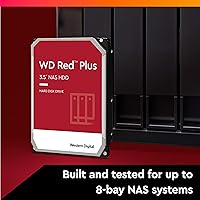
  • Bay Support: Validated for NAS systems with up to 8 drive bays, spanning the full range of prosumer and small business NAS enclosures.
  • Firmware: Ships with NASware firmware that includes NAS-optimized error recovery timing, helping prevent RAID controller timeouts during sustained operations and array rebuilds.
  • Dimensions: Physical dimensions are 5.79 x 4 x 1.52 inches (L x W x H), conforming to the standard 3.5-inch drive bay specification.
  • Weight: Weighs 1.52 pounds, which is consistent with other high-capacity 3.5-inch mechanical hard drives in this class.
  • Compatibility: Compatible with Mac and PC platforms, including the major NAS operating systems from Synology (DSM) and QNAP (QTS).
  • Operation Mode: Engineered and rated for 24x7 continuous operation, unlike desktop drives which are only designed for intermittent duty cycles.
  • Drive Type: Mechanical hard disk drive (HDD) using spinning magnetic platters; sequential throughput and random access latency reflect HDD norms, not solid-state performance.

Related Reviews
WD Red Plus 12TB NAS Hard Drive
88%
91%
Performance Under Load
95%
Storage Capacity
87%
Ease of Setup & Integration
90%
Error Recovery & Data Protection
88%
Reliability & Durability
More
WD Red Plus 6TB NAS Hard Drive
82%
89%
Reliability & Longevity
93%
NAS Compatibility
62%
Write Performance
91%
RAID Suitability
87%
Noise Level
More
WD Red Plus 3TB NAS Hard Drive
78%
91%
Long-Term Reliability
93%
NAS Compatibility
87%
RAID Performance
67%
Sequential Read/Write Speed
48%
Random I/O Performance
More
WD Red Plus 2TB NAS Hard Drive
80%
91%
Long-Term Reliability
88%
NAS Compatibility
86%
RAID Rebuild Performance
89%
Noise & Heat
72%
Sequential Read Speed
More
WD Red Plus 8TB NAS Hard Drive
82%
88%
Long-Term Reliability
93%
NAS Compatibility
91%
CMR Recording Technology
83%
Value for Money
86%
Noise & Vibration
More
Western Digital 14TB WD Red Pro NAS Hard Drive
88%
92%
Performance
89%
Reliability
88%
Workload Handling (300TB/yr)
85%
Ease of Installation
90%
Build Quality
More
WD Red Plus 10TB NAS Hard Drive
80%
91%
Reliability & Endurance
93%
CMR Recording Integrity
84%
Read & Write Performance
88%
NAS Compatibility
74%
Noise & Vibration
More
Western Digital 4TB WD Red Plus NAS Internal Hard Drive
89%
91%
Performance
94%
Reliability
88%
Energy Efficiency
85%
Noise Levels
89%
Workload Handling
More
Western Digital WD Red Plus 1TB NAS Hard Drive
84%
91%
Long-Term Reliability
93%
NAS Compatibility
88%
RAID Performance
83%
Noise & Vibration
77%
Heat Management
More
WD Red 5TB NAS Hard Drive
84%
91%
Reliability for 24/7 Operation
77%
Performance (Speed)
89%
Energy Efficiency
85%
Ease of Integration
90%
Compatibility with NAS Systems
More

FAQ

Yes, it is broadly compatible with both brands. Western Digital publishes a compatibility list on their website, and this drive is validated for most current Synology and QNAP enclosures. If your NAS accepts a 3.5-inch SATA drive, you should have no issues. The NASware firmware also helps it communicate correctly with NAS operating systems like DSM and QTS.

CMR writes data in non-overlapping tracks, so the drive can rewrite any part of the disk independently and quickly. SMR overlaps tracks to increase density, but that creates a bottleneck: updating data requires rewriting entire bands of adjacent tracks, which causes write speeds to drop sharply during sustained operations. For NAS workloads — especially RAID rebuilds, which write massive amounts of data in sequence — SMR can cause your array to degrade or even fail outright. CMR sidesteps all of that.

Yes, and it is specifically well-suited for those configurations. A RAID rebuild after a drive failure can run for many hours and write hundreds of gigabytes in sequence, which is exactly where SMR drives struggle and CMR drives hold steady. The NASware firmware also includes error recovery tuning that prevents RAID controller timeouts, a real problem when using standard desktop drives in NAS bays.

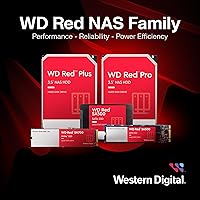
The Red Pro targets larger deployments: it supports more drive bays, carries a higher workload rating, and is positioned for medium-to-large business NAS systems running heavier traffic. For home labs and small businesses with enclosures up to 8 bays, the WD Red Plus 14TB NAS Hard Drive covers the use case well without the added cost of the Pro tier. If you are running a 16-bay or larger system, or if your workload consistently pushes the upper limits of 180 TB per year, the Red Pro is the logical next step.

Most users describe it as relatively quiet for a 7200 RPM drive. You will hear it spin up and seek during heavy operations, but it is not disruptive in a home office or server closet. It is a bit louder than a 5400 RPM NAS drive at peak activity, which is a reasonable trade-off for the additional throughput.

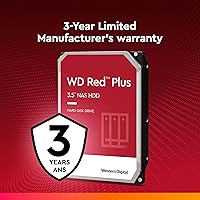
Western Digital covers the Red Plus line with a 3-year limited warranty. Registering the drive on WD's website after purchase and keeping your proof of purchase accessible will make any warranty claim smoother. Some users have reported slower-than-ideal RMA turnaround times, so for a critical always-on setup, keeping a spare drive on hand is a sensible precaution rather than relying solely on the warranty process.

Physically, yes — the SATA interface is universal, and it will work in any desktop. That said, you would be paying a premium for NAS-specific firmware features and workload ratings that simply do not matter in a typical desktop environment. A standard desktop hard drive handles that use case at a much lower cost per terabyte.

There is no way to predict exactly, since all mechanical drives will eventually fail. The 180 TB/year workload rating and 24x7 design give it a solid foundation for long-term continuous use, and buyers who have run it for a year or more tend to report the best reliability outcomes. The most important takeaway is to treat any single drive — no matter how well-built — as one layer of a broader backup strategy, not a substitute for it.

No preparation is needed before installation. Your NAS operating system — whether Synology DSM, QNAP QTS, or another platform — will detect the drive and walk you through formatting and initialization during setup. Just slot it in, follow the on-screen prompts, and the system handles partitioning automatically.

It depends on what you are storing. Large 4K video libraries, raw photo archives, and Plex media collections can fill 14TB faster than most people expect. The main advantage of going to the highest capacity tier is fewer total drives to manage, fewer bays occupied, and lower overall power draw for the same storage footprint. If your current and projected storage needs sit well below 10TB total, a mid-range capacity option will likely give you better value per terabyte.