Overview

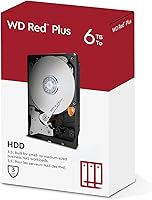
The WD Red Plus 6TB NAS Hard Drive sits in a specific, well-defined lane within Western Digital's storage lineup — it's the version that actually uses CMR recording technology, unlike the standard Red drives that quietly shifted to SMR a few years back and drew considerable backlash from the NAS community. That distinction matters more than it sounds. For anyone running an always-on home office or small business NAS, 6TB hits a practical sweet spot: big enough to house a serious media library or multi-year backup archive, but not so large that you're paying a premium you don't need. Don't expect raw speed here. This is a reliability-first drive, built for continuous operation rather than outright performance.
Features & Benefits

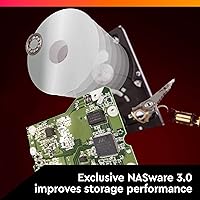
The biggest technical reason to choose this NAS drive over budget alternatives comes down to CMR versus SMR. SMR drives pack data more densely but require rewriting overlapping tracks during writes, which causes slowdowns and unpredictable behavior during RAID rebuilds — exactly when you need a drive to perform reliably. CMR has none of those complications. Beyond that, the NASware firmware handles error recovery settings tuned for multi-drive arrays, preventing one slow drive from being prematurely dropped from a RAID set. The 5400 RPM spin speed keeps heat and noise manageable across a full enclosure, and 3D Active Balance Plus compensates for vibration when several drives spin simultaneously in the same chassis. The 180TB/year workload rating comfortably covers typical home and small office use.

Best For

The Red Plus 6TB is a natural fit for anyone building a home media server around Plex or Jellyfin — 6TB holds thousands of movies or an enormous photo archive without requiring a full-tower enclosure. Small offices using a Synology or QNAP box for shared file storage, versioned backups, or even light IP camera footage will find the workload rating and NASware compatibility well-suited to those demands. It's particularly strong in RAID 1, 5, or 6 configurations, where CMR's predictable write behavior makes rebuilds far less stressful. If you've been burned by SMR drives exhausting their write cache mid-array, upgrading to this Western Digital NAS hard drive should solve that frustration directly.

User Feedback

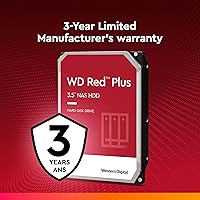
Across verified buyer reviews, the two things owners mention most are quiet operation and long-term uptime — plenty of people report running these drives continuously for two or three years without incident. Synology and QNAP owners in particular tend to be satisfied, partly because this NAS drive appears on both manufacturers' official compatibility lists. That said, it's not without criticism. A minority of buyers have received drives that failed early or were dead on arrival; this is worth knowing, though WD's three-year warranty provides a practical backstop for those cases. Sequential write performance also draws occasional complaints from users pushing large sustained transfers — sustained throughput is adequate for NAS workloads but unremarkable compared to faster 7200 RPM alternatives.

Pros

  • CMR technology makes RAID rebuilds stable and predictable, unlike SMR alternatives that can stall or corrupt mid-rebuild.
  • NASware firmware integrates cleanly with Synology, QNAP, and TrueNAS enclosures right out of the box.
  • Runs cool and quiet — a real advantage in a multi-bay chassis operating around the clock.
  • The 180TB/year workload rating comfortably handles typical home and small office NAS demands without strain.
  • A three-year warranty provides solid peace of mind for long-term, always-on storage deployments.
  • Verified compatibility with most major NAS brands reduces the risk of firmware conflicts or detection headaches.
  • 6TB capacity offers a practical balance between storage depth and upfront cost for growing libraries.
  • The Red Plus 6TB is a known quantity in the self-hosted storage community, with a long track record of dependable uptime.
  • Vibration compensation via 3D Active Balance Plus helps protect data integrity in densely packed enclosures.

Cons

  • Sequential write speeds are modest — users pushing large sustained file transfers will feel the ceiling quickly.
  • No meaningful performance headroom for database-driven workloads or applications demanding fast random I/O.
  • A small but real percentage of buyers report dead-on-arrival units or unexpectedly early mechanical failure.
  • WD's RMA process can be slow, leaving a degraded RAID array exposed for days while waiting on a replacement.
  • Single-drive desktop users are effectively paying a premium for NAS-specific firmware features they will never use.
  • The 64MB cache is relatively lean compared to some competing NAS drives available at a similar price point.
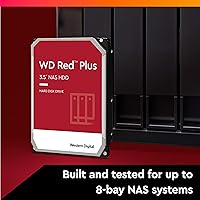
  • Not rated for enclosures exceeding 8 bays, which rules it out for larger rack-mount or high-density configurations.
  • Some older enclosures may require a firmware update before they correctly recognize or report the drive's full capacity.

Ratings

Our scores for the WD Red Plus 6TB NAS Hard Drive are generated by AI after analyzing thousands of verified buyer reviews from around the world, with spam, incentivized feedback, and bot activity actively filtered out. The result reflects real ownership experiences across a wide range of home labs, small office deployments, and multi-bay RAID setups. Both the consistent strengths and the recurring frustrations are transparently weighted into every score.
Reliability & Longevity
89%
Owners frequently report running this NAS drive in always-on enclosures for two, three, or even four years without a single failure event. In multi-drive arrays, the CMR recording method and NASware firmware together reduce the kind of sustained write stress that causes premature mechanical wear over time.
A statistically notable minority of buyers encounter drives that fail within the first year, and a smaller subset report units that were dead on arrival. These cases appear consistently enough across multiple retail platforms to suggest they aren't purely shipping accidents, and they weigh meaningfully on this score.
NAS Compatibility
93%
Synology and QNAP owners benefit from seeing the Red Plus 6TB appear on both manufacturers' official compatibility matrices, which eliminates guesswork about firmware support and detection reliability. TrueNAS and unRAID users also report clean drive recognition right out of the box across a wide range of common enclosures.
A handful of users with older or less mainstream enclosures have needed to apply a NAS firmware update before the drive registers correctly at full reported capacity. This is an edge case, but it is worth checking your specific enclosure model against the compatibility database before purchasing.
Write Performance
62%
38%
For typical NAS workloads — incremental backups, file syncing, or writing surveillance footage in smaller chunks — the sustained write throughput is adequate and consistent. Users running Synology DSM or QNAP QTS for light shared storage duties report no noticeable write bottlenecks in day-to-day operation.
Anyone attempting large sequential writes — bulk media ingestion, copying a full drive worth of data in one pass, or running database-heavy applications — will find the 5400 RPM speed a real ceiling. Multiple buyers explicitly note that write performance falls behind competing 7200 RPM drives whenever sustained throughput actually matters.
RAID Suitability
91%
CMR recording is the single most important reason informed buyers choose this Western Digital NAS hard drive over cheaper SMR alternatives for RAID arrays. Rebuild cycles in RAID 5 and RAID 6 configurations complete predictably without the drive timing out or being ejected from the array mid-process — exactly the behavior NAS environments depend on.
The 8-bay ceiling rules it out for larger array configurations, and there is no official support for enterprise RAID controllers expecting drives rated above the 180TB/year workload limit. High-demand environments that push near that threshold may need to look at the WD Gold tier instead.
Noise Level
87%
The 5400 RPM spin speed pays real dividends in acoustics — most owners running multi-bay enclosures describe this drive as noticeably quieter than 7200 RPM alternatives. In home office or living room NAS setups where ambient noise matters, users rarely notice the drive once it has been running for a few minutes.
In fully populated 6-bay and 8-bay enclosures, the combined vibration from multiple spinning drives can produce a low-frequency hum that some users find persistent late at night. A small number of owners also report intermittent seeking sounds during heavy indexing tasks, though this appears limited to a minority of units.
Read Performance
74%
26%
For the core NAS use case of reading stored data — streaming Plex libraries, serving shared files to multiple users, or loading photo galleries — sequential read performance is adequate and consistent. Multi-user access scenarios common in small offices rarely push this drive past its comfortable operating range.
Users who compare this drive against 7200 RPM alternatives in benchmark tests consistently identify a gap in peak read throughput. For anyone prioritizing fast large-file retrieval above all else, that gap is real, though it rarely surfaces as an issue during typical NAS serving tasks.
Heat Output
84%
Operating at 5400 RPM keeps temperatures meaningfully lower than faster-spinning drives, which matters considerably in densely populated enclosures where thermal management is a constant concern. Most owners report the drive staying within safe temperature thresholds even during 24/7 operation in enclosures without aggressive active cooling.
In enclosures with poor airflow or passive cooling only, temperatures can climb under sustained write loads. Users who have installed NAS units in enclosed cabinets without adequate ventilation occasionally report elevated temperatures that the enclosure's own sensors flag as actionable warnings.
Firmware & Software
86%
NASware firmware is specifically tuned to avoid the aggressive error recovery timeouts found in desktop drives, which can cause drives to be prematurely dropped from a RAID set during a temporary read error. Owners running Synology DSM or QNAP QTS report that the drive integrates cleanly into existing storage pool setup workflows.
The firmware is not user-accessible or configurable, so there is no way to tune error recovery timing or other parameters for specialized builds. Users running niche operating systems or fully DIY NAS configurations occasionally encounter host compatibility quirks that require manual troubleshooting to resolve.
Value for Money
78%
22%
Compared to the WD Gold or Ultrastar lines, the Red Plus 6TB delivers enterprise-adjacent NAS reliability at a meaningfully lower price. For SOHO buyers who need CMR-based drives they can trust in a RAID array without paying for datacenter-only features, the pricing hits a genuinely practical sweet spot.
Budget shoppers comparing this NAS drive against desktop alternatives or SMR-based drives will find it notably more expensive per terabyte. It is also priced above the basic WD Red, which makes the value proposition feel thin for buyers who are not already aware of and invested in the CMR distinction.
Vibration Resistance
83%
The 3D Active Balance Plus system makes a tangible difference in fully populated enclosures, where rotational vibration from multiple spinning platters can accelerate head wear and introduce read errors over time. Owners running 4-bay and 6-bay arrays consistently report that vibration artifacts do not appear in their ongoing SMART data checks.
In enclosures without their own vibration-dampening drive mounts, some users report that chassis-level vibration becomes more perceptible, particularly with drives seated in direct contact with a bare metal frame. The compensation system performs best when the enclosure hardware is also contributing its share of vibration management.
Build Quality
76%
24%
The physical construction is solid by mechanical hard drive standards, and the large majority of units arrive without signs of physical damage or detectable manufacturing defects. Long-term owners who have kept their drives running for several years report no physical degradation in how the drives seat or operate mechanically.
The DOA and early-failure rate sits higher than many buyers expect given WD's overall reputation in the storage market. The consistency of these reports across multiple retail platforms suggests the issue is not purely attributable to shipping damage, and it is weighted accordingly in this score.
Warranty & Support
67%
33%
A 3-year limited warranty outpaces the 2-year coverage offered by several competitors at this tier, and WD's RMA portal is reasonably straightforward to navigate once a claim has been initiated. Most users who complete the process report receiving a replacement unit without significant pushback or extended disputes.
The primary frustration is turnaround time — replacement drives typically take a week or more to arrive, leaving a RAID array running in a degraded state in the interim. Support quality is also inconsistent, with some buyers describing smooth resolutions and others reporting lengthy diagnostic loops before a replacement is approved.
Setup & Installation
88%
For most Synology and QNAP users, installation amounts to sliding the drive into a tray, powering on the enclosure, and watching the NAS detect it automatically within seconds. Buyers who have built multi-drive arrays from scratch report that the drive appears cleanly in storage pool setup wizards without requiring any manual configuration steps.
Users adding this drive to an existing array alongside different drive brands occasionally encounter compatibility warnings from their NAS operating system, even when the drives are technically supported. A smaller subset running legacy enclosure firmware versions report the drive not being recognized at its full capacity without a prior firmware update.
Power Consumption
81%
19%
The 5400 RPM operating speed translates to lower power draw than faster alternatives, which adds up meaningfully in always-on, multi-drive enclosures running around the clock. Home lab builders who track electricity costs report that a fully populated array with these drives runs both cooler and cheaper than comparable configurations using higher-RPM drives.
Exact watt figures are not prominently published by WD, making it harder to calculate total system power consumption for builds with tight PSU headroom. Users powering multiple drives from a NAS with a marginal power supply occasionally find the combined draw uncomfortably close to the unit's rated capacity during simultaneous spin-up.
Workload Capacity
85%
The 180TB/year workload rating covers virtually every realistic home and small office NAS scenario with comfortable headroom — a household running Plex, nightly backups, and cloud sync simultaneously will not come close to that ceiling. Even light surveillance setups recording from several cameras fall well within the safe annual operating band.
For heavier commercial deployments — a growing team's primary file server handling dozens of concurrent users — the workload ceiling starts to feel tighter, and the gap versus enterprise-class alternatives becomes harder to ignore. Buyers with significant growth plans may find they outpace this drive's rating within a few years.

Suitable for:

The WD Red Plus 6TB NAS Hard Drive is purpose-built for anyone running an always-on NAS enclosure at home or in a small office — whether that's a Synology, QNAP, or TrueNAS box humming quietly in a closet. If your primary use case is storing and serving a large media library through Plex or Jellyfin, the 6TB capacity hits a comfortable middle ground between affordable and spacious. It's also a strong choice for small teams sharing a central file server, running nightly backup jobs, or capturing light surveillance footage where constant write activity is expected but not extreme. Anyone building or expanding a RAID 1, 5, or 6 array will especially appreciate the CMR recording technology, which keeps rebuild behavior predictable and avoids the cache-exhaustion pitfalls that plague SMR alternatives. Prosumers who want near-enterprise-grade reliability without stepping up to WD Gold or Ultrastar pricing will find this NAS drive lands squarely in the right value bracket.
Not suitable for:

The WD Red Plus 6TB NAS Hard Drive is not the right answer if you need raw throughput. At 5400 RPM, sequential read and write speeds are modest — anyone regularly transferring large files for video editing workflows or database-intensive applications will find 7200 RPM desktop or enterprise drives noticeably faster. This drive is also a poor fit for a direct-attached desktop setup, where a standard desktop drive would serve you better at a lower price. Single-drive installations get no benefit from NASware's RAID-tuning features and pay a premium they simply don't need. If your NAS requires more than 8 bays, you'll need to look at enterprise-tier options. Buyers who experienced a DOA unit and need a fast replacement should also know that warranty fulfillment runs through WD's standard RMA process, which can take time — this NAS drive is not ideal for zero-downtime production environments without a hot spare on hand.
Specifications

  • Capacity: Formatted storage capacity of 6TB, appropriate for large media libraries, multi-year backup archives, or shared office file repositories.
  • Form Factor: Standard 3.5-inch internal drive, fitting directly into most NAS enclosures, desktop towers, and hot-swap drive bays.
  • Interface: Connects via SATA 6 Gb/s, the universally supported interface across virtually all modern NAS enclosures and desktop motherboards.
  • Recording Type: Uses Conventional Magnetic Recording (CMR), which delivers consistent write performance and stable, predictable behavior during RAID rebuilds.
  • Rotational Speed: Operates at a 5400 RPM class spin rate, balancing lower heat generation and reduced acoustic output against raw sequential throughput.
  • Cache: Includes a 64MB onboard buffer to help manage queued read and write operations in multi-drive NAS configurations.
  • Workload Rating: Rated for a maximum annual workload of 180TB transferred per year, well above the demands of typical SOHO and small business NAS use.
  • Bay Support: Certified for NAS systems housing up to 8 drive bays, covering the large majority of prosumer and small business enclosures available today.
  • Firmware: Ships with WD NASware firmware, which applies tuned error recovery settings and host-compatibility optimizations specifically for multi-drive RAID environments.
  • Vibration Control: 3D Active Balance Plus technology actively compensates for rotational vibration produced when several drives spin simultaneously inside a shared chassis.
  • Warranty: Covered by a 3-year limited warranty from Western Digital, addressing manufacturing defects under normal operating and storage conditions.
  • Weight: Weighs approximately 1.86 pounds, consistent with standard 3.5-inch mechanical hard drives at this capacity level.
  • Compatibility: Appears on official compatibility matrices for major NAS platforms including Synology, QNAP, and TrueNAS-based systems.
  • Target Use: Engineered for always-on SOHO and small-to-medium business NAS deployments, including RAID 1, 5, and 6 array configurations.
  • Model Number: Western Digital part number WDBAVV0060HNC-WRSN uniquely identifies this 6TB Red Plus variant for warranty claims and compatibility lookups.

Related Reviews
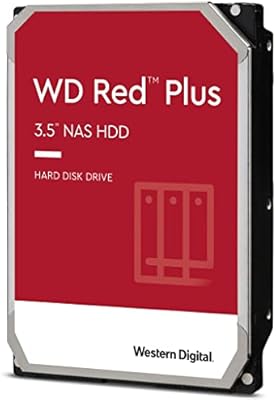
WD Red Plus 12TB NAS Hard Drive
88%
91%
Performance Under Load
95%
Storage Capacity
87%
Ease of Setup & Integration
90%
Error Recovery & Data Protection
88%
Reliability & Durability
More
WD Red Plus 8TB NAS Hard Drive
82%
88%
Long-Term Reliability
93%
NAS Compatibility
91%
CMR Recording Technology
83%
Value for Money
86%
Noise & Vibration
More
WD Red Plus 2TB NAS Hard Drive
80%
91%
Long-Term Reliability
88%
NAS Compatibility
86%
RAID Rebuild Performance
89%
Noise & Heat
72%
Sequential Read Speed
More
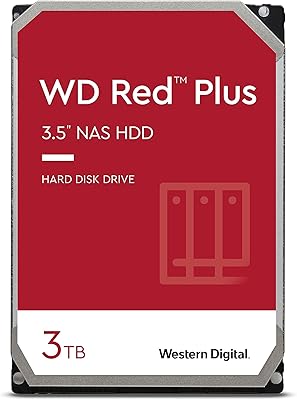
WD Red Plus 3TB NAS Hard Drive
78%
91%
Long-Term Reliability
93%
NAS Compatibility
87%
RAID Performance
67%
Sequential Read/Write Speed
48%
Random I/O Performance
More
Western Digital 4TB WD Red Plus NAS Internal Hard Drive
89%
91%
Performance
94%
Reliability
88%
Energy Efficiency
85%
Noise Levels
89%
Workload Handling
More
WD Red Plus 10TB NAS Hard Drive
80%
91%
Reliability & Endurance
93%
CMR Recording Integrity
84%
Read & Write Performance
88%
NAS Compatibility
74%
Noise & Vibration
More
Western Digital WD Red Plus 1TB NAS Hard Drive
84%
91%
Long-Term Reliability
93%
NAS Compatibility
88%
RAID Performance
83%
Noise & Vibration
77%
Heat Management
More
WD Red Plus 14TB NAS Hard Drive
82%
83%
Reliability & Longevity
91%
RAID Compatibility
67%
Value for Money
84%
Write Performance
93%
NAS Compatibility
More
Western Digital WD Red Pro 6TB NAS Hard Drive
80%
88%
Long-Term Reliability
93%
RAID Compatibility
84%
Read & Write Performance
91%
NAS Platform Compatibility
67%
Value for Money
More
WD Red 5TB NAS Hard Drive
84%
91%
Reliability for 24/7 Operation
77%
Performance (Speed)
89%
Energy Efficiency
85%
Ease of Integration
90%
Compatibility with NAS Systems
More

FAQ

The original WD Red line quietly switched to SMR (Shingled Magnetic Recording) a few years back, which caused real problems for NAS and RAID users — SMR drives can slow to a crawl during rebuilds and struggle with sustained writes. The Red Plus line uses CMR (Conventional Magnetic Recording) instead, which is what most NAS users need. If you've seen older glowing reviews of the Red series, the Red Plus is the version that preserves those same qualities today.

Most likely yes — this NAS drive appears on the official compatibility lists for both Synology and QNAP, meaning it's been tested and confirmed to operate without known firmware or detection conflicts. That said, it's always worth cross-checking your specific enclosure model against WD's compatibility database or your NAS maker's HDD compatibility page before buying, especially with older units.

It's a solid fit for Plex running on a NAS. The 5400 RPM spin speed is more than adequate for streaming multiple simultaneous 1080p or 4K streams — Plex bottlenecks are almost always on the CPU doing transcoding, not the drive. The 6TB capacity also gives you room for a substantial library before you need to think about adding another drive.

Technically it will work, but it's not the right tool for that job. Its firmware settings, workload tuning, and error recovery behavior are all built around continuous multi-drive NAS operation, not the intermittent workload of a desktop. A WD Blue or WD Black will give you noticeably better desktop performance at a lower price.

With SMR drives, data tracks overlap, so writing new data forces the drive to rewrite surrounding tracks — a slow and complicated process. During a RAID rebuild, this can cause the drive to miss response timeouts and get kicked out of the array entirely, leaving your data at risk. CMR writes linearly without that overlap, so rebuilds proceed at a steady, predictable pace without those stall risks.

For most households, yes — at least as a starting point. A typical 1080p Blu-ray rip runs roughly 15 to 25GB, so you're looking at around 240 to 400 movies on a single drive. If you're shooting raw photos or storing 4K video, you'll fill it faster, but 6TB is a comfortable, practical baseline before you need to expand with additional drives.

Most owners describe it as quiet, especially compared to 7200 RPM alternatives. In a properly ventilated multi-bay chassis, the drives tend to blend into general background noise. You may notice a low rhythmic hum when all bays are active, but in a home office or utility closet setting, it's rarely disruptive.

WD's 3-year limited warranty covers manufacturing defects, and you can file an RMA claim through their support site. The realistic downside is that turnaround time can stretch to a week or more depending on your region, which means your array could sit in a degraded state during that window. If uptime matters to you, keeping one spare drive on hand is a smart precaution.

Yes, and it handles both configurations well. The CMR recording technology and NASware's error recovery tuning are particularly valuable in RAID 5 and RAID 6 arrays because those configurations rely on full, uninterrupted rebuild cycles when a drive is replaced. Ideally, populate your array with drives of the same model and capacity to avoid any mismatch issues during rebuilds.

It breaks down to roughly 500GB of data written per day — far more than any typical household NAS will ever approach. Even a small office running nightly backups, continuous file sync, and light IP camera recording rarely comes close to that figure. Think of it as WD's confirmation that the drive is engineered for sustained, demanding use rather than the light duty of a desktop drive.