Overview

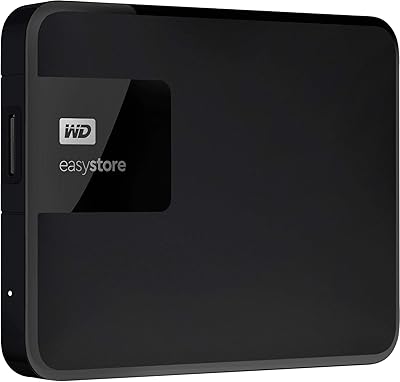
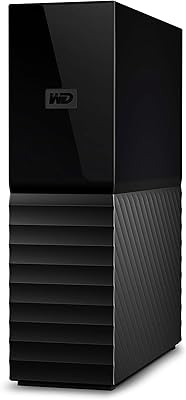
The WD EasyStore 8TB External Hard Drive has been a steady presence in the consumer storage market since 2017, and it holds up well as a practical option for anyone who needs bulk local storage without a complicated setup. Western Digital is one of the most recognized names in drives, and that brand credibility matters when you're trusting a device with years of photos, videos, or work files. This desktop backup drive connects via USB 3.0 and works natively across both Mac and PC systems right out of the box. It sits squarely in the mid-range HDD market — not the cheapest option available, but priced where serious home users and media collectors tend to land.
Features & Benefits

Eight terabytes of mechanical storage is genuinely a lot of breathing room. You can archive years of raw video footage, full system backups, and sprawling photo libraries without constantly managing what stays and what gets deleted. USB 3.0 connectivity keeps transfers moving at a reasonable clip — though it's worth being honest here: you're not getting SSD-level speeds. A mechanical drive over USB 3.0 will typically top out around 100 to 150 MB/s under real-world conditions, which is workable for large file transfers but noticeable if you're editing directly from the drive. No installation is required; plug it in and your system recognizes it. Both Mac and PC users get driver-free compatibility right away.

Best For

This external hard drive fits best in situations where raw capacity matters more than raw speed. Home users with growing media libraries — think years of vacation videos, music collections, or photo archives — will find the storage headroom genuinely useful. Content creators who need to archive project files between jobs, rather than work directly off the drive, get solid value here. It also has a dedicated following among users who shuck the enclosure and repurpose the internal disk inside a desktop or NAS build. For anyone tired of recurring cloud subscription fees, this desktop backup drive offers a straightforward one-time alternative for keeping large data sets stored locally.

User Feedback

With a 4.4-star average across nearly 200 ratings, the WD EasyStore earns solid marks overall. Buyers consistently highlight the value per terabyte, describing it as one of the more sensible ways to secure this much local storage at this tier. Setup comes up positively too — most people had it running within minutes. On the critical side, the mechanical drive's audible hum is a recurring mention, particularly for users who work in quieter environments. A handful of buyers report early unit failures, which is a real reminder to maintain separate backups. Speed-conscious users comparing it to solid-state alternatives tend to come away less impressed. The shucking community around this drive remains notably active, treating it as much a DIY component as a finished product.

Pros

  • Eight terabytes of local storage at this price tier is genuinely hard to beat per terabyte.
  • Plug-and-play setup means most users are up and running in under a minute.
  • Works natively on both Mac and PC without reformatting or driver installation for basic use.
  • No recurring subscription fees — pay once and own your storage outright.
  • Western Digital is a known and trusted name in mechanical storage with a long track record.
  • The WD EasyStore has a strong following among shuckers looking for affordable NAS-ready internal drives.
  • A 4.4-star average across nearly 200 verified ratings reflects a genuinely satisfied user base.
  • Draws power directly from USB — no separate power adapter cluttering your desk.
  • Two-year warranty provides baseline coverage for a product in this price range.
  • A single 8TB drive simplifies backup logistics compared to managing multiple smaller drives.

Cons

  • Mechanical drive noise during heavy use is a recurring complaint, especially in quiet workspaces.
  • Real-world transfer speeds are limited by the HDD mechanism, not the USB 3.0 interface.
  • Ships in Windows NTFS format, requiring reformatting for full read-write compatibility on macOS.
  • Early failure reports appear with enough frequency to warrant using this as part of a layered backup strategy, not a standalone one.
  • Actual usable storage lands closer to 7.27TB after formatting, which surprises some buyers.
  • The enclosure runs warm during extended heavy workloads, which can be a concern for long-term thermal health.
  • Bulkier and heavier than portable SSDs, making it a poor choice for users who need to travel with their storage.
  • Bundled WD backup software is widely considered inferior to free native OS backup tools.
  • The two-year warranty is shorter than the three-year coverage some competing drives offer at similar prices.
  • Internal drive model inside the enclosure can vary by production batch, which matters to buyers purchasing specifically to shuck.

Ratings

The WD EasyStore 8TB External Hard Drive has been scored by our AI system after processing hundreds of verified global buyer reviews, with spam, bot activity, and incentivized feedback actively filtered out. The scores below reflect both the genuine strengths that keep this desktop backup drive consistently ranked among the top external HDDs and the real frustrations buyers encounter after extended use. Nothing has been glossed over — the ratings capture the full picture.

Storage Capacity Value
93%
Eight terabytes of local storage at this price tier is difficult to argue with. Buyers regularly describe it as the single biggest reason they chose this drive over competitors, particularly those who have accumulated years of video footage, RAW photo archives, or large game libraries and needed a cost-effective way to offload them.
A small number of buyers note that the advertised 8TB translates to roughly 7.27TB of usable space after formatting, which catches some first-time buyers off guard. It is a standard industry reality, but it still generates frustration in reviews from users who planned storage needs down to the terabyte.
Ease of Setup
91%
The plug-and-play experience is genuinely straightforward. Most buyers on both Mac and PC report the drive being recognized within seconds of plugging it in, with no driver downloads or configuration steps required. For less technical users, this kind of frictionless first experience matters a lot.
A handful of Mac users note that the drive ships formatted for Windows and requires reformatting for full macOS compatibility, which trips up buyers who assumed cross-platform meant ready-to-use on both systems immediately. The process is simple but undocumented in the box.
Transfer Speed
61%
39%
For sequential transfers of large files — moving a full camera card or copying a folder of archived projects — the USB 3.0 connection keeps things moving at a reasonable pace compared to older USB 2.0 drives. Buyers doing occasional large bulk transfers generally find it acceptable for the use case.
Real-world speeds on a mechanical drive over USB 3.0 land well below what the interface is theoretically capable of, typically in the 100 to 130 MB/s range under good conditions. Buyers who expected near-SSD performance, or who need to edit video directly from the drive, consistently flag this as a meaningful limitation.
Long-Term Reliability
72%
28%
The majority of buyers who have owned this desktop backup drive for one to three years report no failures, which aligns with Western Digital's broader reputation for producing durable mechanical drives. Several reviewers specifically mention using it as a primary backup destination for irreplaceable data and feeling confident in that choice.
There is a visible cluster of one-star reviews citing early drive failures, some within the first few months of use. While this pattern is not unusual for mechanical HDDs at volume, it is frequent enough to be worth noting — and it reinforces the case for treating this as one layer of a backup strategy, not the only one.
Noise and Vibration
58%
42%
Under light workloads or idle conditions, the drive sits quiet enough that most users in standard home or office environments do not notice it. Buyers who keep it in a drawer or behind a monitor rarely bring up noise as an issue.
During active read and write operations, the mechanical hum and occasional clicking are noticeable enough to appear repeatedly across reviews. Users working in quiet environments — recording audio, late-night home offices, or shared workspaces — flag this as a genuine annoyance that they did not fully anticipate when buying a mechanical drive.
Build Quality and Design
67%
33%
The enclosure feels solid enough for desktop use and the matte black finish does not attract dust or fingerprints the way glossy plastic tends to. Buyers who keep it stationary on a desk generally have no complaints about how it feels or holds up over time.
The drive is not designed with portability in mind, and the plastic enclosure reflects that. It feels functional rather than premium. A few buyers also note that the enclosure is not particularly well-ventilated, which can be a concern during extended heavy use where heat buildup becomes a factor.
Compatibility
88%
Working across Mac and PC without any special software is something buyers consistently appreciate, especially in mixed-device households. The drive shows up on Windows Explorer and macOS Finder alike, making it easy to use as a shared backup destination for families or small home offices with different machines.
As noted by some Mac users, the factory NTFS formatting means the drive is read-only on macOS without reformatting or third-party software. This is a well-known limitation of NTFS on Apple systems, but it catches enough buyers off guard that it deserves a clear mention before purchase.
Value for Money
89%
When measured purely as cost per terabyte of local storage, this desktop backup drive is hard to beat in its category. Buyers who are comparing the lifetime cost of cloud storage subscriptions to a one-time hardware purchase frequently come away feeling they made the right financial call choosing a drive like this.
Buyers who later compare it to shucked bare drives or competing external HDDs on sale sometimes feel they could have gotten equivalent storage for less. The value proposition is strong at regular pricing but becomes less distinctive during promotional periods when competing 8TB options close the gap.
Shuckability and DIY Appeal
84%
The internal WD White or WD Red drive that ships inside these enclosures has developed a dedicated following among NAS builders and DIY desktop upgraders. Buyers who purchase it specifically to shuck often describe it as one of the more reliable ways to obtain a high-capacity WD drive at a lower per-terabyte cost than buying bare.
The shucking use case is entirely unofficial and voids any warranty claim on the internal drive. Buyers who go this route do so knowing there is no safety net, and the specific internal drive model can vary by production run, meaning the drive you get inside is not always guaranteed to be the same generation.
Power and Thermal Management
63%
37%
The drive draws power directly from the USB connection, which keeps the setup clean — no separate power brick required for desktop use. In practice, most modern desktops and powered USB hubs supply enough current to run it without issues.
Some users on laptops or low-power USB ports report the drive not spinning up reliably, requiring a powered hub to function properly. Extended periods of heavy access also cause the enclosure to run noticeably warm, and while it has not been linked to widespread failures, it does make buyers who monitor hardware temps a bit uneasy.
Software and Bundled Tools
44%
56%
The drive works out of the box with native operating system backup tools — Time Machine on Mac and File History or third-party software on Windows — which is genuinely all most buyers need. There is no bloatware to uninstall or mandatory account registration.
Western Digital's bundled backup software, when included, draws mixed reviews for being clunky and limited compared to third-party alternatives. Buyers expecting a polished companion app are generally better served by ignoring it entirely and using their OS-level backup tools instead.
Physical Footprint
71%
29%
For a desktop external drive packing 8TB, the physical size is reasonable. It sits stably on a desk without taking up excessive space, and the cable management situation is straightforward with a single USB connection.
It is noticeably heavier and bulkier than smaller portable SSDs, which some buyers underestimate when ordering. Users who planned to move it between locations — home and office, for instance — often wish they had chosen a more compact option once they have it in hand.
Warranty and Brand Support
74%
26%
Western Digital backs this drive with a two-year limited warranty, which is standard for external HDDs in this category. Buyers who have gone through the warranty claim process generally describe it as functional, if not particularly fast, with WD honoring replacements without excessive friction.
Two years is shorter than the three-year coverage some competing drives offer at comparable price points. Buyers who keep drives for four or five years before replacing them note that the warranty expires well before they are done using the hardware, leaving the tail end of ownership uncovered.

Suitable for:

The WD EasyStore 8TB External Hard Drive makes the most sense for home users who have outgrown their internal storage and need a reliable, low-friction place to park large volumes of data long-term. If you are a photographer sitting on years of RAW files, a videographer archiving project folders between client jobs, or simply a household that keeps accumulating movies, music, and documents with nowhere to put them, this desktop backup drive fits that role well. It is also a practical choice for anyone who has grown tired of paying monthly cloud storage fees and wants a one-time local solution they fully control. Mixed Mac and PC households will appreciate that it works across both platforms without any adapter or software juggling. There is also a meaningful DIY angle here — the shucking community has long treated this drive as a cost-effective source for a capable internal WD disk, making it appealing to NAS builders and desktop upgraders who know what they are doing.

Not suitable for:

The WD EasyStore 8TB External Hard Drive is not the right tool if speed is a priority. Anyone who plans to edit 4K video directly from the drive, run applications off it, or do anything that demands fast, sustained read and write performance will run into the hard ceiling that mechanical drives hit over USB 3.0 — real-world speeds typically land between 100 and 130 MB/s, which is a noticeable bottleneck compared to even a mid-range external SSD. This desktop backup drive is also a poor fit for users who need something genuinely portable — at 2.2 pounds and desktop-sized, it is not something you throw in a bag for travel. People working in quiet environments like home recording studios or shared silent workspaces should factor in the audible hum this drive produces under load. And if you are the type of buyer who runs a single backup copy of important data with no redundancy, a mechanical drive with a documented cluster of early-failure reports is not the safety net you want to rely on exclusively.

Specifications

  • Brand: Manufactured by Western Digital (WD), one of the longest-established names in consumer and enterprise storage hardware.
  • Model Number: The specific model identifier for this unit is WDBCKA0080HBK-NESN.
  • Capacity: This drive offers 8TB of raw storage, which formats to approximately 7.27TB of usable space depending on the operating system.
  • Drive Type: Uses a traditional mechanical hard disk (HDD) with spinning platters rather than flash-based solid-state storage.
  • Internal Interface: The internal disk connects to the enclosure controller via an ATA-4 interface, which is standard for this class of desktop mechanical drive.
  • External Interface: Connects to host computers via USB 3.0, which is backward compatible with USB 2.0 ports at reduced transfer speeds.
  • Transfer Speed: Real-world sequential read and write speeds typically fall between 100 and 130 MB/s over USB 3.0, consistent with desktop-class mechanical HDDs.
  • Compatibility: Works with both Windows PCs and Mac computers; ships pre-formatted in NTFS, which requires reformatting for full read-write access on macOS.
  • Power Source: Draws power directly from the USB connection, eliminating the need for a separate external power adapter during normal desktop use.
  • Form Factor: Desktop external enclosure; designed for stationary use rather than travel or on-the-go portability.
  • Weight: The complete unit weighs approximately 2.2 pounds, which is consistent with a desktop-class mechanical hard drive enclosure.
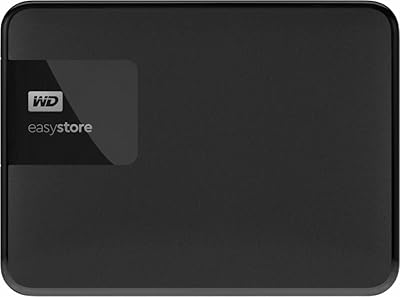
  • Color: Available in a matte black finish that resists fingerprints and blends into most home office or desktop setups.
  • Installation: No internal installation is required; the drive is entirely external and operational immediately upon connecting via USB.
  • Warranty: Western Digital covers this drive with a two-year limited warranty from the date of purchase.
  • Platform Support: Compatible with Mac and PC operating systems including Windows 10, Windows 11, and macOS without requiring third-party drivers for basic functionality.
  • Market Rank: Holds a Best Sellers Rank of approximately #310 in the External Hard Drives category on Amazon as of available data.
  • Release Date: First made available to consumers in June 2017, and the product line has remained in active production since then.
  • Average Rating: Holds an average customer rating of 4.4 out of 5 stars based on nearly 200 verified ratings across global markets.

Related Reviews
WD Easystore 1TB External USB 3.0 Portable Hard Drive
85%
88%
Performance
91%
Portability
90%
Ease of Use
85%
Transfer Speed
72%
Durability
More
Western Digital EasyStore 4TB External Hard Drive

69%
88%
Ease of Setup
91%
Storage Capacity
72%
Transfer Speed
51%
Long-Term Reliability
61%
Build Quality & Durability
More
SanDisk Professional 8TB G-Drive External Desktop Hard Drive
83%
92%
Performance
90%
Build Quality & Durability
89%
Data Transfer Speed
85%
Ease of Use & Setup
87%
Capacity & Storage Value
More
Seagate Expansion 8TB External Hard Drive
71%
91%
Value for Money
93%
Ease of Setup
94%
Storage Capacity
67%
Transfer Speed
72%
Build Quality
More
WD 6TB Elements Portable External Hard Drive
88%
91%
Value for Money
94%
Ease of Use
87%
Transfer Speed
92%
Portability
90%
Reliability
More
WD 18TB My Book Desktop External Hard Drive
85%
96%
Storage Capacity
89%
Performance and Speed
93%
Ease of Setup
85%
Software Functionality
80%
Build Quality
More
WD 22TB My Book Desktop External Hard Drive
86%
91%
Value for Money
96%
Storage Capacity
93%
Data Security
85%
Ease of Setup
88%
Transfer Speed
More
WD 24TB My Book Desktop External Hard Drive
85%
95%
Storage Capacity
89%
Data Security
91%
Ease of Setup
87%
Build Quality
82%
Software Functionality
More
Western Digital Easystore 5TB External Hard Drive
86%
96%
Storage Capacity
88%
Data Transfer Speed
91%
Ease of Setup
93%
Portability & Size
82%
Build Quality
More
WD 3TB My Book Desktop External Hard Drive
85%
91%
Data Transfer Speed
89%
Ease of Use
85%
Backup Software Experience
87%
Build Quality
88%
Security Features (Encryption)
More
Glyph BlackBox Pro 8TB
79%
92%
Build Quality
89%
Reliability & Uptime
74%
Transfer Speed
94%
Warranty & Support
61%
Value for Money
More

FAQ

It connects without any driver installation, but there is a catch: the WD EasyStore 8TB External Hard Drive ships formatted in NTFS, which macOS can read but not write to natively. If you want full read-write access on a Mac, you will need to reformat it to exFAT or APFS first — just make sure to back up anything on it beforehand, though it ships empty so that is not usually an issue.

Realistically, you are looking at somewhere between 100 and 130 MB/s for sequential transfers under good conditions. That is the practical ceiling for a mechanical drive over USB 3.0, not a limitation of the port itself. It is fine for copying large files or running backups, but if you plan to edit video directly from this drive, you will likely notice lag.

Yes, with a bit of setup. The easiest path for cross-platform use is reformatting the drive to exFAT, which both Windows and macOS can read and write to natively without any extra software. Once you do that, you can plug it into either machine and it works without fuss.

It is not silent. Under active use — large file transfers or backup jobs — you will hear the mechanical hum and occasional seek sounds that are normal for spinning hard drives. In a busy environment you probably would not notice, but in a very quiet room it can be distracting. If noise is a real concern for your setup, an external SSD would be a better fit.

Shucking means opening the plastic enclosure and removing the internal hard disk to use it directly in a desktop PC or NAS device. This desktop backup drive has a strong following in the shucking community because the internal WD drive is considered reliable and the cost per terabyte works out favorably compared to buying a bare drive. Just know that opening the enclosure voids the warranty, and the specific internal drive model can vary between production batches.

No, it draws power directly from the USB port. For most desktop computers and powered USB hubs, that is enough to spin it up reliably. On some laptops or unpowered USB hubs, you might find it does not get sufficient power and fails to mount consistently — in that case, a powered USB hub solves the problem.

After formatting, you will see roughly 7.27TB of usable space. The gap exists because drive manufacturers measure storage in decimal gigabytes while operating systems measure in binary, and the difference adds up significantly at this capacity. It is not specific to this drive — it applies to every hard drive at this scale.

Mechanically, it is a capable backup drive, but relying on any single drive as your only copy of irreplaceable data is a risk. A meaningful number of user reviews mention early failures, which is not unusual for mechanical HDDs at volume, but it is a real reminder that hardware fails. The sensible approach is to treat this as one layer in a backup strategy — local drive plus cloud, or two physical drives — rather than your sole safety net.

You can store games on it without any issue. Running games directly from it is a different story — load times will be noticeably slower compared to an internal SSD or even a fast external SSD, because mechanical drives have higher latency and lower random read speeds. For archiving games you are not actively playing, it works well. For your active game library, you would be better served by faster storage.

At this storage capacity, mechanical drives like this one offer significantly more space per dollar than external SSDs. An external SSD of comparable capacity would cost considerably more. The trade-off is speed and durability — SSDs are faster, silent, and more resistant to physical shock. If you need bulk archival storage and are not moving the drive around, the HDD makes financial sense. If you need speed or portability, the SSD is worth the premium.

Where to Buy