Overview

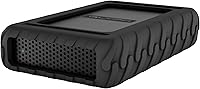
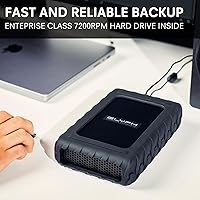
The Glyph BlackBox Pro 8TB is built for one type of buyer: the creative professional who cannot afford a drive failure mid-project. Unlike consumer desktop drives that flood this category, this desktop drive ships with an integrated power supply, a rugged aluminum enclosure, and genuine enterprise-grade endurance — details that quietly justify the premium price tag. It works straight out of the box with Mac, and reformatting for Windows or Linux takes minutes. What really sets it apart, though, is the 3-2-1 warranty — a three-year hardware guarantee backed by two years of data recovery coverage that most competitors simply do not offer.

Features & Benefits

At its core, the BlackBox Pro spins at 7200 RPM — a meaningful distinction when you are moving multi-gigabyte video files hour after hour. The USB-C 3.2 Gen 2 connection delivers up to 10 Gbps of bandwidth, and both USB-C and USB-A cables come in the box, which saves the usual cable-hunt on day one. The active fan cooling keeps internal temperatures stable during long renders or overnight backup sessions, something passive enclosures struggle with under sustained load. It is worth being honest: this is a mechanical drive, not an SSD, so burst write speeds will not rival flash storage — but for sequential media workflows, throughput is steady and predictable.

Best For

This professional hard drive makes the most sense for video editors cutting 4K or 6K footage who need a high-capacity, always-on storage solution on their desk. Photographers sitting on terabytes of RAW files will also find the capacity and reliability hard to argue with. Freelancers and small studios running overnight backups or continuous collaborative workflows benefit from the durability built into this enclosure. Mac users get the smoothest experience out of the box, though Windows and Linux users are only a quick reformat away. If lowest price per terabyte is the priority, this is not the right drive — but if uptime and long-term support matter, it makes a compelling case.

User Feedback

Across roughly 200 ratings, this desktop drive holds a 4.3-star average — solid, though not unanimous. Buyers consistently praise the build quality and reliability, with several noting the drive has run without issue through years of daily professional use. The warranty support gets called out specifically as a real differentiator; a few users report smooth experiences with Glyph's actual data recovery process. On the downside, fan noise draws occasional complaints in quiet studio environments, and the weight — just under five pounds — is noticeable. Some buyers feel the price premium over comparable G-Technology or LaCie options is hard to justify on specs alone, though most who prioritize longevity seem to leave satisfied.

Pros

  • The 3-2-1 warranty is one of the most comprehensive coverage packages in its class, including real data recovery.
  • Active fan cooling keeps the enclosure running reliably through overnight backups and long editing sessions.
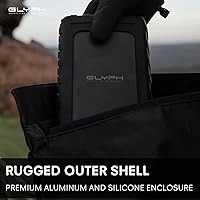
  • Rugged aluminum construction feels genuinely durable compared to the plastic shells common on consumer drives.
  • Ships with both USB-C and USB-A cables, so it works immediately across older and newer machines.
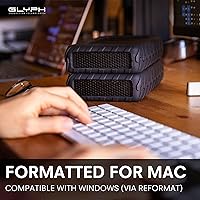
  • Mac-ready out of the box — no reformatting, no driver installs, no surprises on first mount.
  • 7200 RPM speed delivers consistent sequential throughput that holds up across large media file transfers.
  • The integrated power supply removes the instability risk associated with bus-powered desktop drives under heavy load.
  • At 8TB, capacity is generous enough to serve as a primary working drive and local backup target simultaneously.
  • Reformats cleanly for Windows or Linux in minutes, making it a practical cross-platform option for mixed-OS studios.
  • Glyph's track record for responsive warranty support is cited repeatedly by long-term buyers as a genuine differentiator.

Cons

  • Fan runs continuously at a fixed speed rather than ramping up under load, which increases ambient noise unnecessarily.
  • No Thunderbolt connectivity limits peak throughput on modern Apple Silicon Macs compared to competing enclosures.
  • At nearly five pounds with a required wall outlet, this is strictly a desk-bound solution with zero portability.
  • Random read performance is noticeably slower than SSD alternatives, which affects workflows involving many small files.
  • Companion software or a drive health dashboard is absent — third-party tools are needed to monitor disk status.
  • A small but documented percentage of early unit failures appears in verified reviews, which is worth noting for risk-sensitive deployments.
  • The short USB-C cable length draws complaints from users whose drive sits at a distance from their host machine.
  • Warranty claim and data recovery turnaround times can be slow, creating real downtime risk for time-critical production work.
  • Fingerprints and fine surface scratches appear more easily on the matte black finish than the premium price implies.
  • Windows and Linux users face an obligatory reformatting step before the drive is usable, with minimal guidance provided in the box.

Ratings

The Glyph BlackBox Pro 8TB earns a strong overall position in our analysis, which draws on verified buyer reviews from multiple global markets after actively filtering out incentivized, bot-generated, and spam submissions. Our AI scoring system weighs both the enthusiastic praise from long-term professional users and the friction points that surface repeatedly across independent feedback. The result is a transparent scorecard that reflects what real creative professionals actually experience — not just what the spec sheet promises.

Build Quality
92%
The aluminum enclosure consistently draws praise from buyers who have owned multiple external drives. Professionals describe it as noticeably more substantial than competing consumer-grade options — the kind of housing that inspires confidence sitting permanently on a studio desk rather than feeling like it might crack if knocked.
A handful of users note that the enclosure, while sturdy, shows fingerprints and fine scratches more readily than expected for a matte black finish. At this weight and price point, a few buyers felt a rubber-footed base with more grip would have been a thoughtful addition.
Reliability & Uptime
89%
Users running this desktop drive in continuous 24/7 environments — editing suites, small studio NAS setups, overnight backup cycles — frequently highlight months or years of uninterrupted operation. The combination of active cooling and enterprise-style internal components appears to genuinely translate to real-world durability that consumer drives rarely match.
A small but notable subset of buyers reported early failures, typically within the first few months. These cases are in the minority, but they do appear in verified feedback with enough frequency to warrant mention, particularly for mission-critical deployments without redundant backup.
Transfer Speed
74%
26%
For sequential read and write tasks — moving large video project folders, importing RAW photo batches, or running incremental backups — the 7200 RPM spin speed delivers throughput that feels consistent and reliable. Buyers editing directly off the drive report smooth playback on compressed 4K timelines without noticeable stuttering.
This is a mechanical hard drive, and buyers upgrading from SSDs will feel the difference immediately on random read tasks or when launching software. At this price tier, some users openly question why Glyph has not moved to at least a hybrid or SSD-based option, and that frustration shows up with regularity in feedback.
Warranty & Support
94%
The 3-2-1 warranty structure is the single most praised differentiator in user feedback, and it deserves that recognition. Buyers specifically call out the two-year Level-1 data recovery coverage as something they have actually used — and found to work — which is nearly unheard of at this product tier compared to G-Technology or LaCie offerings.
A few users found the warranty claim process slower than expected, with communication delays during the data recovery phase. The advanced replacement program is appreciated in principle, but turnaround times drew criticism from buyers in time-sensitive production environments who could not afford extended downtime.
Value for Money
61%
39%
For buyers who weigh total cost of ownership — factoring in the warranty, data recovery coverage, build longevity, and the hassle avoided from replacing cheaper drives — many conclude this professional hard drive justifies its price over a two-to-three year horizon. The peace of mind factor is real and repeatedly cited.
Dollar-per-terabyte comparisons are brutal here, and many buyers acknowledge that upfront. Competing 8TB options from WD, Seagate, and even G-Technology retail for considerably less with broadly similar raw specs. Unless the warranty and cooling design are specifically what you need, the premium requires justification that not all buyers find convincing.
Noise Level
58%
42%
Under light workloads or idle conditions, most users describe the fan noise as a low, steady hum that blends into typical office ambient sound. For buyers in larger studios or open-plan workspaces where background noise is already present, it rarely registers as an issue during standard operation.
In quiet home studios or late-night editing sessions, the active cooling fan draws consistent complaints. Multiple users describe the noise as noticeably intrusive at close range, and a few specifically switched to a passive enclosure alternative after finding the hum disruptive during recording or focused work sessions.
Setup & Compatibility
91%
Mac users report a genuinely plug-and-play experience — mount and go, no driver installation, no reformatting required. The inclusion of both USB-C and USB-A cables in the box is a small but practical detail that buyers appreciate, particularly when switching between older and newer machines without hunting for adapters.
Windows and Linux users face an inevitable reformat step before the drive is usable, which is a minor inconvenience but worth knowing upfront. A couple of buyers also noted that the USB-C cable length, while functional, felt short for certain desk setups where the drive sits at a distance from the host machine.
Cooling System
83%
The active fan cooling is what separates this drive from passive aluminum enclosures that throttle under sustained load. Buyers running extended backup jobs or continuous media ingest overnight consistently note that the enclosure stays cool to the touch, which builds confidence in the internal drive's long-term health.
The trade-off, as noted in noise feedback, is that the fan runs continuously rather than spinning up only when temperatures climb. Some buyers expected smarter thermal management — a fan that ramps up under load and quiets down at idle — and felt the always-on behavior was an unnecessary compromise.
Port & Cable Selection
86%
Shipping with both USB-C and USB-A cables is a decision that earns quiet but consistent appreciation in user reviews. It removes the frustrating assumption that all buyers have already transitioned fully to USB-C, and it means the drive is immediately usable across a wide range of desktop and laptop configurations without extra purchases.
There is no Thunderbolt 3 or Thunderbolt 4 option on this drive, which limits its ceiling for buyers who want the highest possible sustained throughput on Apple Silicon Macs. For an enclosure priced at a professional tier, the absence of Thunderbolt compatibility is a gap that more demanding buyers notice.
Size & Portability
53%
47%
The footprint is compact enough for a permanent desk setup, and the dimensions are unlikely to cause any space issues on a standard editing workstation. For buyers who keep this drive stationary and treat it as fixed studio infrastructure, the physical size is a non-issue.
At 4.6 pounds with an integrated power supply requiring a wall outlet, this is not a drive anyone is taking to a client shoot or packing in a camera bag. Buyers who expected something they could occasionally move between locations frequently express surprise at just how desk-bound this unit truly is.
Mac Ecosystem Integration
88%
Time Machine compatibility works out of the box, and several Mac users highlight using this as a primary local backup target alongside cloud storage. The drive mounts cleanly across macOS versions without driver conflicts, which is a baseline expectation that nonetheless gets called out positively when it works reliably every time.
There is no proprietary software or companion app from Glyph to manage the drive, which is fine for experienced users but can feel like a gap for newer professionals expecting a management dashboard. Disk health monitoring requires third-party tools, which adds a small but real layer of setup friction for some buyers.
Thermal Management Longevity
79%
21%
Long-term buyers — those writing reviews after 18 months or more of daily use — tend to reference the thermal design as a key reason the drive has held up. Active cooling preventing heat buildup over extended periods appears to be a genuine contributor to the reliability scores this drive earns from its most experienced users.
It is difficult to separate the thermal system's contribution from general drive quality in short-term reviews, and a few buyers question whether a well-ventilated passive enclosure would perform similarly at lower noise levels. The benefit is real but not always immediately observable for buyers in their first few months of ownership.
Packaging & Unboxing
77%
23%
Buyers describe the packaging as appropriately professional — well-protected, clearly organized, and with both cables immediately accessible without digging through filler material. For a premium-priced unit, the unboxing experience matches the price tier and sets a positive tone before the drive is even plugged in.
Nothing in the packaging stands out as exceptional, and a few buyers noted that documentation is minimal — the quick-start guide covers basics but leaves users to research reformatting steps, warranty registration, and software recommendations independently. For less experienced buyers, a more thorough printed guide would be welcome.

Suitable for:

The Glyph BlackBox Pro 8TB is purpose-built for creative professionals who treat their storage as infrastructure rather than an accessory. Video editors cutting 4K, 6K, or multicam footage will appreciate the sustained sequential throughput that a 7200 RPM drive in a properly cooled enclosure provides — particularly for long edit sessions where thermal throttling on cheaper drives becomes a real problem. Photographers archiving large RAW libraries across ongoing client projects will find 8TB a comfortable working capacity without constantly managing overflow drives. Freelancers and small studio operators who run overnight backup jobs or continuous ingest workflows benefit directly from the active cooling and integrated power supply, which make this desktop drive genuinely suited to always-on operation in a way that bus-powered or passively cooled alternatives simply are not. Mac users in particular get the smoothest experience here — plug in, register the warranty, and it just works. Perhaps most importantly, this professional hard drive is the right fit for buyers who have lost data before and place real weight on the included two-year data recovery coverage, treating it as insurance rather than a marketing footnote.

Not suitable for:

The Glyph BlackBox Pro 8TB will frustrate buyers whose primary concern is price per terabyte, and there is no honest way to argue otherwise — comparable raw capacity is available from major brands at a significantly lower cost, and if the warranty structure and cooling design do not matter to your workflow, that gap is hard to justify. Users who need portable storage for location shoots, travel, or moving between offices will immediately run into the drive's fixed limitations: it requires a power outlet, weighs close to five pounds, and is not designed to leave the desk. Creators who have fully transitioned to SSD-based workflows and expect flash-level random read performance will find the mechanical drive underwhelming, especially when accessing smaller project files or launching applications directly from the drive. Anyone working primarily in silence-critical environments — podcasting booths, home recording studios, or late-night editing setups — should take the active fan noise seriously before purchasing, as multiple users describe it as a persistent background hum rather than an occasional sound. Finally, buyers hoping for Thunderbolt-level throughput on Apple Silicon Macs will need to look elsewhere, as this drive tops out at USB 3.2 Gen 2 speeds with no Thunderbolt option available.

Specifications

  • Storage Capacity: The drive provides 8TB of usable storage, suited for large video project libraries, RAW photo archives, and long-term backup repositories.
  • Drive Type: Internal mechanism is a mechanical hard disk drive (HDD) rather than solid-state, meaning sequential throughput is strong but random access performance is limited compared to SSD alternatives.
  • Rotational Speed: The spindle runs at 7200 RPM, which is the faster of the two common HDD speed tiers and contributes to more consistent throughput during sustained large-file transfers.
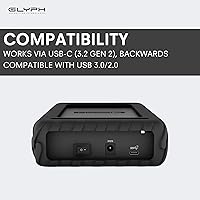
  • Interface: Connects via USB-C with USB 3.2 Gen 2 protocol, delivering a maximum theoretical bandwidth of 10 Gbps.
  • Included Cables: The package ships with one USB-C to USB-C cable and one USB-C to USB-A cable, enabling immediate use across both legacy and modern host machines.
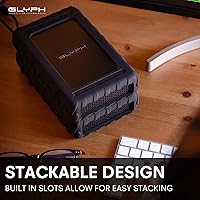
  • Enclosure Material: The outer shell is machined aluminum, providing passive heat dissipation support and a level of physical durability above standard plastic consumer enclosures.
  • Cooling System: An integrated active fan runs continuously to maintain safe operating temperatures during sustained workloads, preventing thermal throttling in always-on environments.
  • Power Supply: The drive includes a built-in power supply requiring a standard AC wall outlet, eliminating dependence on bus power from the host machine.
  • Dimensions: Physical footprint measures 5.1 x 8.25 x 1.75 inches (L x W x H), making it a compact but non-portable desktop unit.
  • Weight: The unit weighs 4.6 pounds, reflecting the integrated power supply and aluminum enclosure rather than a lightweight portable form factor.
  • OS Compatibility: Ships pre-formatted for macOS and works without reformatting; compatible with Windows and Linux after a standard reformat using the operating system's native disk utility.
  • Warranty Coverage: Covered by Glyph's 3-2-1 warranty: three years of full hardware coverage including cables, two years of Level-1 data recovery service, and one year of advanced unit replacement.
  • Model Number: The official model designation is BBPR8000, used for warranty registration, support inquiries, and confirming correct firmware or replacement parts.
  • Color & Finish: Available in matte black, with an aluminum surface that is prone to visible fingerprints and fine surface marks under close inspection.
  • Internal Form Factor: The internal hard drive uses a 2.5-inch form factor housed within the desktop enclosure, a configuration that balances capacity density with manageable physical size.
  • Hard Disk Interface: The internal drive connects to the enclosure controller via Serial ATA (SATA), which is standard for mechanical drives at this capacity tier.
  • Use Environment: Designed and rated for continuous 24/7 desktop operation in professional environments, including editing suites, studio backup systems, and collaborative media storage setups.

Related Reviews
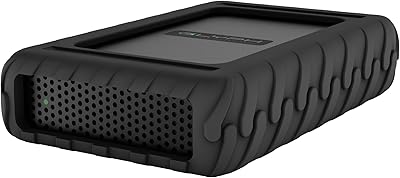
Glyph BlackBox Pro 12TB External Hard Drive
86%
91%
Performance
89%
Value for Money
94%
Storage Capacity
90%
Data Transfer Speed
85%
Build Quality
More
Glyph BlackBox Pro 16TB External Hard Drive
85%
89%
Performance
96%
Storage Capacity
87%
Reliability
85%
Data Transfer Speed
80%
Build Quality
More
Glyph BlackBox Pro 20TB External Hard Drive
86%
88%
Performance & Speed
91%
Build Quality & Durability
94%
Quiet Operation
76%
Ease of Setup
95%
Capacity & Storage Flexibility
More
Glyph BlackBox Plus 5TB
89%
88%
Performance
90%
Build Quality
85%
Portability
89%
Ease of Use
91%
USB-C Connectivity
More
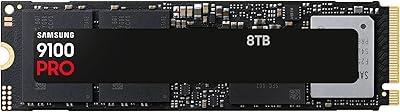
Samsung 9100 PRO 8TB SSD
89%
95%
Performance for Gaming
94%
Speed and Data Transfer Rates
93%
Storage Capacity
90%
Durability under Load
89%
Thermal Management
More
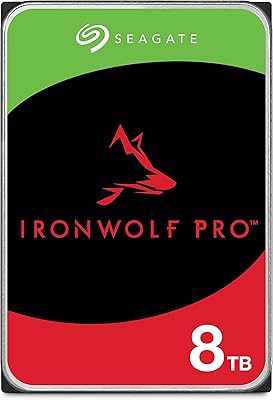
Seagate IronWolf Pro 8TB NAS Internal HDD
88%
94%
Performance in NAS Environments
92%
Reliability for 24/7 Use
89%
Setup and Integration in RAID
88%
Data Recovery Services
65%
Noise Levels Under Load
More
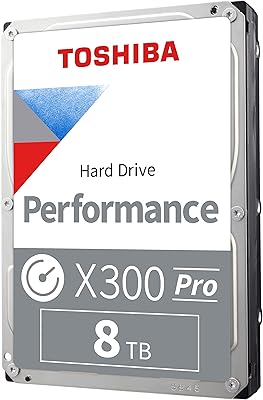
Toshiba X300 PRO 8TB Internal Hard Drive
87%
92%
Performance Speed
88%
Durability & Reliability
94%
Storage Capacity
85%
Ease of Installation
70%
Noise Levels
More
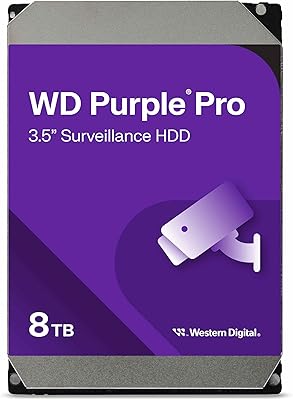
Western Digital WD Purple Pro 8TB
85%
93%
24/7 Reliability
91%
Frame Retention Under Load
88%
NVR Compatibility
94%
Workload Endurance
71%
Value for Money
More
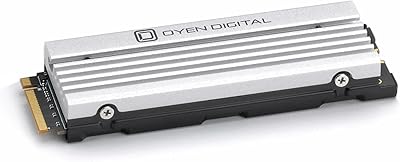
Oyen Digital Dash Pro 8TB NVMe PCIe SSD
86%
92%
Performance
88%
Ease of Installation
91%
Read/Write Speed
89%
PS5 Compatibility
87%
Durability (NAND Flash)
More
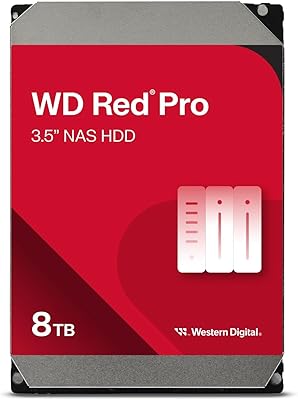
Western Digital 8TB WD Red Pro NAS Hard Drive
88%
91%
Performance
94%
Reliability
86%
Ease of Setup
90%
Compatibility with NAS Systems
89%
Vibration and Shock Protection
More

FAQ

It mounts immediately on macOS without any driver installation or reformatting required. Just plug in the power, connect the USB-C cable, and the drive appears on your desktop. It is also Time Machine compatible out of the box, so you can start a backup within minutes of unboxing.

Yes, the drive ships formatted for macOS (HFS+), so Windows users will need to reformat it to NTFS or exFAT before it shows up as usable storage. This is a straightforward process using Windows Disk Management and takes about five minutes, though it will erase any pre-loaded content on the drive.

Audible is probably the fairest word. Under normal operation the fan produces a steady, low-pitched hum rather than a loud whirring sound, but it runs continuously rather than only when the drive gets hot. In a busy studio or office it tends to disappear into background noise, but in a quiet home edit suite or recording environment, some users find it noticeable enough to be a distraction.

You can edit directly off it for most 4K workflows, particularly with compressed codecs like H.264, H.265, or ProRes. The 7200 RPM speed and USB 3.2 Gen 2 connection provide enough sequential throughput for single-stream 4K playback without stuttering. For heavily demanding multi-stream or RAW 4K and above workflows, an SSD-based solution would be more reliable, but for typical editorial use this desktop drive handles the job well.

The Glyph BlackBox Pro 8TB comes with three years of hardware coverage that includes the cables, not just the enclosure. The two-year Level-1 data recovery benefit means that if the drive fails and your data is at risk, Glyph will work with a recovery partner to attempt retrieval at no additional charge — this is the coverage tier most applicable to logical failures and some physical failures. The one-year advanced replacement program means a replacement unit ships before you send the defective one back. To initiate any of these, you register the drive on Glyph's website and contact their support team directly.

Not really — it requires a wall outlet for power and weighs close to five pounds, so it is firmly a desktop unit. If you need to bring storage on location, a bus-powered portable SSD would be a far more practical choice. Think of this drive as studio infrastructure rather than a travel companion.

An SSD at this price tier would outperform this professional hard drive significantly on random read and write tasks, and would generally deliver higher sustained speeds as well. The mechanical drive's strength is in cost-per-terabyte and long-term sequential workloads rather than raw speed. If speed is the top priority and 8TB is more capacity than you need, an SSD enclosure would be worth considering instead.

The drive uses USB 3.2 Gen 2, not Thunderbolt, so while it will physically connect to a Thunderbolt port via a USB-C cable, it will operate at USB speeds rather than Thunderbolt speeds. This is not a limitation in practice for most users since the mechanical drive inside could not saturate a Thunderbolt connection anyway, but it does mean you will not get Thunderbolt-level bandwidth even if your Mac supports it.

Yes, this is actually one of the core design intentions. The active fan cooling and integrated power supply are specifically included to support 24/7 continuous operation — overnight backups, media ingest jobs, or always-on studio storage are all within its design parameters. The drive is not rated for portable or intermittent-use scenarios; it is built for exactly the kind of sustained desk-bound workload you are describing.

G-Technology and LaCie both offer solid alternatives, and at lower price points for comparable raw capacity. The main differentiation here is the warranty: Glyph's 3-2-1 coverage with actual data recovery is more comprehensive than what either competitor typically offers at this tier. Build quality is broadly competitive across all three brands. If warranty coverage and data recovery are not priorities for your workflow, the cost savings from a G-Technology or LaCie option are real and worth considering.