Overview

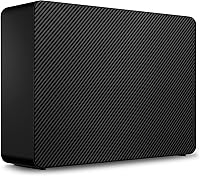
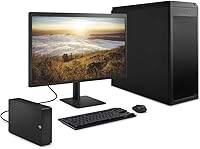
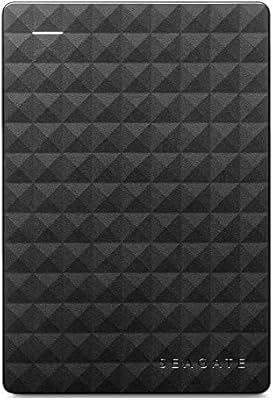
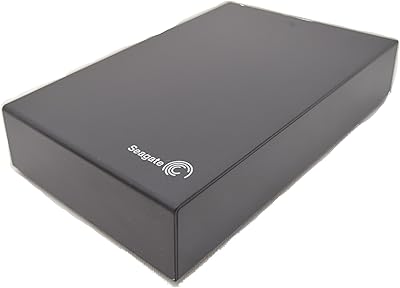
The Seagate Expansion 8TB External Hard Drive sits firmly in the high-capacity desktop storage category, targeting anyone who needs a reliable, no-fuss place to store large amounts of data without spending a fortune per terabyte. Seagate has been in the storage business long enough that their name carries real weight, and this drive slots into their more affordable, everyday-use tier rather than their performance-focused lines. Setup couldn't be simpler — plug in the power adapter, connect via USB, and your computer recognizes it almost instantly. What sets it apart is the included Rescue Data Recovery Services, a genuine safety net that most competing drives at this price point simply don't offer.
Features & Benefits

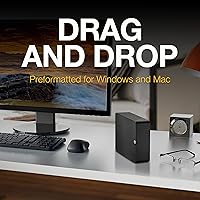
At the core of what this desktop hard drive offers is sheer capacity — 8TB is enough to house years of 4K video footage, a sprawling photo archive, or full system backups without constantly juggling files. Transfer speeds over USB 3.0 are solid for a mechanical drive, though it's worth setting realistic expectations: you're looking at real-world speeds typical of spinning-disk HDDs, not the blistering pace of an SSD. No software installation is required; drag, drop, done. Mac users should note upfront that reformatting is required for Time Machine compatibility — skip that step and you'll hit a wall fast. The external power adapter means this is a stay-on-the-desk solution, not something you toss in a bag.

Best For

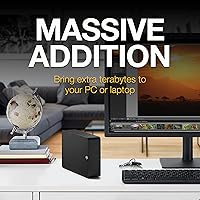
This Seagate expansion drive is a natural fit for content creators and photographers who regularly deal with large raw files and need somewhere dependable to archive them. Home users who want a simple backup solution without the complexity of a NAS device or the recurring cost of cloud storage will find it hits a practical sweet spot. Small office setups where a few people need shared local storage can also put it to good use. That said, if raw transfer speed is your priority or you need portable storage, this isn't the right tool. It's built for users who value capacity, simplicity, and data protection over performance.

User Feedback

With over 267,000 ratings and a 4.6-star average, buyer confidence in the 8TB Seagate unit is hard to argue with — it currently holds the #1 spot in External Hard Drives on Amazon. The most consistent praise centers on how painless setup is and how much storage you get for the money. Where things get more nuanced is around drive noise and long-term reliability; a subset of buyers report the drive running noticeably loud, and some mention failures after a year or two of heavy continuous use. Real-world transfer speeds align with what you'd expect from a mechanical USB drive — adequate for most tasks, but nothing remarkable. Feedback on the included data recovery service is sparse yet largely positive among those who've actually needed it.

Pros

  • 8TB of storage offers exceptional capacity for the price, making it one of the better-value desktop HDDs available.
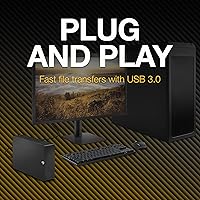
  • Plug-and-play setup on Windows requires zero configuration — just connect and start using it.
  • The included Rescue Data Recovery Services covers up to 3 years of professional data recovery support, a rare bonus at this tier.
  • Over 267,000 Amazon ratings with a 4.6-star average reflects unusually broad buyer confidence.
  • No software installation required — drag-and-drop file saving works right out of the box.
  • Holds the number-one spot in External Hard Drives, which speaks to consistent real-world satisfaction.
  • Compatible with both Windows and Mac, giving it flexibility across different home and office setups.
  • A dependable workhorse for archiving 4K video, large photo libraries, or full system backups.

Cons

  • Real-world transfer speeds are limited by mechanical HDD technology — don't expect anything close to SSD performance.
  • Mac users must reformat the drive before using it with Time Machine, which is not clearly communicated upfront.
  • Requires an external power adapter, making it completely impractical for mobile or travel use.
  • Some buyers report noticeable drive noise during operation, which can be distracting in quiet environments.
  • A subset of long-term users have flagged reliability concerns after one to two years of continuous heavy use.
  • The large physical footprint — over 8 inches on its longest side — takes up meaningful desk space.
  • No hardware encryption is offered, which matters for users storing sensitive personal or business files.
  • Recovery through the included data service requires contacting Seagate and shipping the drive, which takes time during a stressful data-loss situation.

Ratings

The scores below reflect an AI-driven analysis of tens of thousands of verified global buyer reviews for the Seagate Expansion 8TB External Hard Drive, with spam, incentivized, and bot-generated feedback actively filtered out before scoring. Each category is rated on real-world performance patterns drawn from what buyers actually experienced — not manufacturer claims — so both the genuine strengths and the recurring frustrations are reflected honestly.

Value for Money
91%
Buyers consistently point to the price-per-terabyte ratio as one of the most compelling reasons to choose this drive over competitors. For anyone archiving large video or photo libraries without wanting a cloud subscription, getting 8TB at this price point is hard to argue with.
A small segment of buyers who experienced early failures felt the value proposition collapsed quickly, since replacing a failed drive erases any savings. A few users also noted that comparable-capacity drives occasionally go on sale at similar prices, narrowing the gap.
Ease of Setup
93%
Windows users routinely describe the setup experience as taking under two minutes — plug in the power adapter, connect the USB cable, and the drive appears in File Explorer immediately. For non-technical buyers, that friction-free experience is a recurring highlight in reviews.
Mac users frequently report frustration because the drive does not work with Time Machine until reformatted, and this requirement is not prominently communicated in the box. Several reviewers admitted losing time troubleshooting before discovering the reformat step.
Storage Capacity
94%
Eight terabytes is genuinely spacious for most home and small-office users — photographers housing years of RAW files, videographers archiving 4K projects, and households backing up multiple computers all find the capacity holds up well over time.
A niche group of professional video editors working with uncompressed or ProRes RAW formats report filling the drive faster than expected, suggesting power users may outgrow it within a year or two of heavy production work.
Transfer Speed
67%
33%
For moving large files in bulk — think copying a 20GB folder of vacation videos — the USB 3.0 connection delivers adequate real-world speeds that most everyday users find acceptable. Buyers transferring files occasionally rather than constantly rarely raise speed as a concern.
This is a mechanical hard drive, and sequential read-write speeds reflect that reality. Users migrating from SSDs or expecting the upper limits of USB 3.0 bandwidth are often surprised by how much slower spinning-disk performance feels in direct comparison.
Build Quality
72%
28%
The enclosure feels solid enough for a stationary desktop device and the drive sits stably without any noticeable flex or creaking. Most buyers who use it as intended — parked on a desk and rarely moved — report no physical issues over extended periods.
The plastic enclosure does not inspire confidence in terms of durability if bumped or knocked off a desk, and the drive is not rated for any kind of shock or drop resistance. A number of long-term users reported failures after 18 to 24 months of continuous use.
Noise Level
61%
39%
In typical home office environments with ambient background noise — fans, air conditioning, general activity — most buyers say they barely notice the drive running during normal file access operations.
In quiet rooms, the low mechanical hum and occasional read-write clicking are noticeable enough that a subset of reviewers specifically flagged it as annoying. Users sensitive to ambient noise, or those placing the drive near a recording setup, may find it disruptive.
Long-term Reliability
63%
37%
The majority of buyers report the drive functioning without issues through one to two years of regular home or office use, and the high overall rating across a massive review pool suggests most units perform reliably for standard workloads.
A statistically meaningful portion of reviews describe drive failures within two years, particularly among users running continuous or heavy workloads. This is a known characteristic of consumer-grade mechanical HDDs, but it reinforces why the included recovery service matters.
Data Recovery Service
84%
Buyers who have actually used the Rescue Data Recovery Services describe the experience positively, with Seagate making a genuine attempt at file recovery rather than simply returning a failed drive. For anyone storing irreplaceable data, having professional recovery bundled in is a meaningful differentiator.
The service requires shipping the drive to Seagate and waiting for results, which can take days or weeks — a real stress factor when important files are at stake. Some users also noted uncertainty about which specific failure scenarios are covered versus excluded under the terms.
Mac Compatibility
58%
42%
Once reformatted to a Mac-compatible file system, the drive works reliably with macOS and functions correctly as a Time Machine destination, giving Mac users a capable backup option at a strong capacity-to-price point.
The out-of-box experience on Mac is a consistent pain point — the drive is essentially unusable with Time Machine until reformatted, and many buyers feel this should be communicated far more clearly in the product description and packaging.
Windows Compatibility
96%
On Windows, the experience is as close to frictionless as external storage gets — the drive is recognized automatically across Windows 10 and 11 without any driver installation, software setup, or configuration. Buyers repeatedly describe it as genuinely plug-and-play.
A small number of users reported intermittent recognition issues when switching between different USB ports, though this appears tied to specific PC configurations rather than a widespread problem with the drive itself.
Portability
21%
79%
The drive's desktop form factor is entirely appropriate for its intended use case, and buyers who understand they are purchasing a stationary storage device have no portability complaints.
This unit requires an external power adapter, weighs nearly 3 pounds, and measures over 8 inches on its longest side — it is not portable in any practical sense. Buyers who mistakenly expected a travel-friendly device are among the most disappointed reviewers.
Software & Extras
55%
45%
The no-software-required approach is actually a plus for buyers who dislike bloatware — the drive simply works without forcing you to install any proprietary applications, which many users explicitly appreciate.
There is no bundled backup software, encryption tool, or drive health monitoring utility included, which puts this drive behind some competitors that bundle meaningful extras. Power users wanting automated backup scheduling have to source and configure third-party tools themselves.
Unboxing & Documentation
69%
31%
The packaging is clean and the setup process is straightforward for Windows users, with all necessary cables and the power adapter included so buyers can get started immediately without hunting for accessories.
The documentation is minimal, and the lack of a clear callout about Mac reformatting requirements has caused measurable frustration among Apple users who feel blindsided after unboxing. Better in-box guidance would eliminate a significant portion of negative early experiences.

Suitable for:

The Seagate Expansion 8TB External Hard Drive is an excellent match for anyone who needs a large, stationary storage solution without the hassle of complex configuration. Content creators — videographers sitting on libraries of 4K footage, photographers with thousands of high-resolution RAW files — will find the sheer capacity genuinely useful rather than aspirational. Home users who want a dependable local backup without paying monthly cloud fees will appreciate how little effort the setup demands, especially on Windows where it's recognized automatically. Small office environments that need a central external drive for shared file storage can put it to work immediately. The included Rescue Data Recovery Services also makes it particularly appealing to anyone who doesn't have an IT background but understands that drives eventually fail — having professional recovery support bundled in is a meaningful safety net for people storing irreplaceable files.

Not suitable for:

The Seagate Expansion 8TB External Hard Drive is not the right choice for buyers who need portability, since it requires an external power adapter and is firmly a desk-bound device. Anyone expecting SSD-level transfer speeds will be disappointed — this is a mechanical hard drive, and real-world USB 3.0 speeds on spinning disks have a ceiling that no amount of cable swapping will overcome. Mac users who plan to use it with Time Machine need to reformat the drive before it works properly, which catches people off guard and has been a recurring frustration in buyer reviews. If you need rugged, shock-resistant storage for travel or fieldwork, this desktop unit is simply the wrong tool. Power users running intensive read-write workloads continuously may also find mechanical reliability over multi-year heavy use to be a concern worth factoring into their decision.
Specifications

  • Storage Capacity: The drive provides 8TB of total storage, suitable for large media archives, system backups, and bulk file collections.
  • Interface: Connects via USB 3.0, which is backward compatible with USB 2.0 ports, though speeds will be reduced on older connections.
  • Drive Type: Uses a traditional mechanical spinning-disk HDD design, which offers high capacity at a lower cost than solid-state alternatives.
  • Form Factor: Desktop form factor requiring an included external 12V power adapter; not designed for portable or bus-powered use.
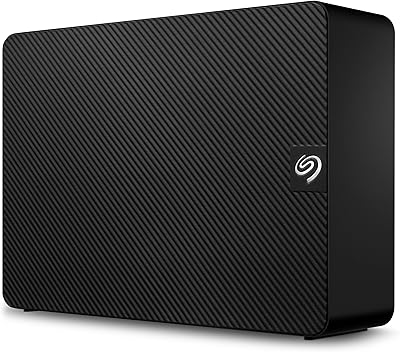
  • Dimensions: Measures 8.58 x 8.4 x 3.15 inches, making it a moderately large unit intended to sit permanently on a desk or shelf.
  • Weight: Weighs 2.85 pounds, which is typical for a desktop external HDD with an enclosure and integrated power circuitry.
  • OS Compatibility: Works plug-and-play with Windows PCs; Mac users must reformat the drive before it functions correctly with macOS or Time Machine.
  • Data Recovery: Includes Seagate Rescue Data Recovery Services, which covers professional recovery attempts for up to 3 years from the date of purchase.
  • Model Number: Manufactured under model number STKP8000400, part of Seagate's Expansion desktop series.
  • Voltage: Operates at 12 volts via the included power adapter; the drive cannot be powered through the USB cable alone.
  • File System: Ships pre-formatted as exFAT or NTFS for Windows compatibility; reformatting to exFAT or HFS+ is required for full Mac functionality.
  • Warranty: Comes with a Seagate limited manufacturer warranty; the exact term should be verified on Seagate's official warranty page at time of purchase.
  • Setup Requirement: No software installation is needed for Windows users; the drive is recognized automatically and ready for drag-and-drop file storage immediately.
  • Availability: First listed in May 2023 and confirmed as not discontinued by the manufacturer as of the most recent product listing update.
  • Amazon Ranking: Currently holds the number-one position in the External Hard Drives category on Amazon based on best-seller rankings.
  • Buyer Rating: Holds a 4.6 out of 5 star rating across more than 267,000 verified Amazon customer ratings.

Related Reviews
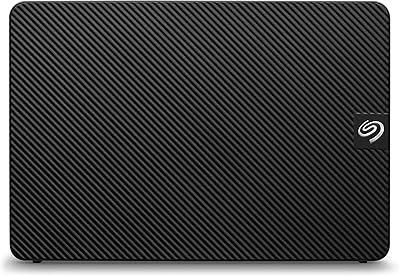
Seagate Expansion 28TB External Hard Drive

86%
96%
Storage Capacity
92%
Data Transfer Speed
89%
Ease of Setup
80%
Compatibility
88%
Build Quality
More
Seagate Expansion 22TB External Hard Drive
81%
94%
Storage Capacity
88%
Performance (Transfer Speed)
91%
Ease of Setup
87%
Reliability (Data Recovery Services)
83%
Compatibility (Windows and Mac)
More
Seagate Expansion 10TB External Hard Drive
82%
95%
Capacity & Storage
90%
Transfer Speed
92%
Ease of Setup
85%
Build Quality
78%
Reliability
More
Seagate Expansion 18TB External Hard Drive
85%
94%
Storage Capacity
86%
Transfer Speed
89%
Build Quality
91%
Ease of Setup
88%
Reliability
More
Seagate Expansion 6TB External Hard Drive
84%
91%
Value for Money
88%
Ease of Setup
93%
Data Recovery Service
85%
USB 3.0 Performance
89%
Cross-Platform Compatibility
More
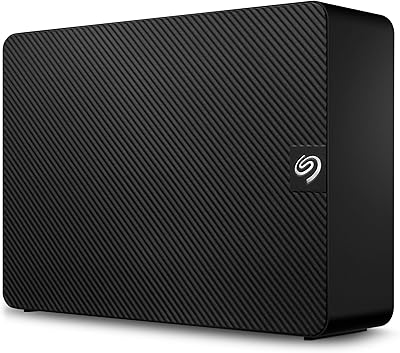
Seagate Expansion 24TB External Hard Drive
71%
93%
Value for Money
97%
Storage Capacity
91%
Ease of Setup
68%
Transfer Speed
72%
Build Quality
More
Seagate Expansion Desktop 16TB External Hard Drive
85%
94%
Capacity
92%
Ease of Use
90%
Setup/Installation
87%
Performance Speed
83%
Build Quality
More
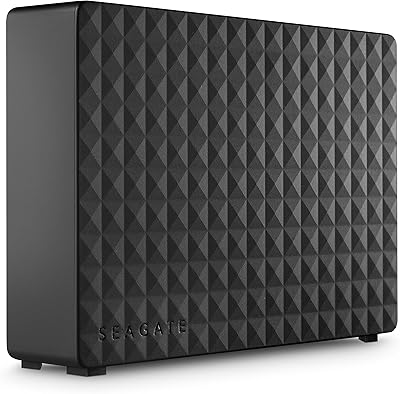
Seagate Expansion Portable 1TB External Hard Drive
85%
88%
Performance
94%
Setup & Installation
91%
Portability & Size
89%
Compatibility
87%
Value for Money
More
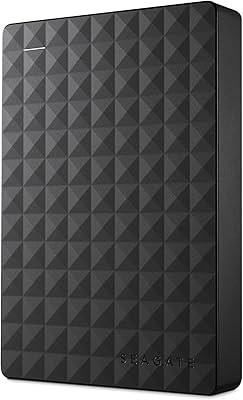
Seagate Expansion 5TB Desktop External Hard Drive
88%
89%
Performance
94%
Ease of Use
95%
Capacity
85%
Transfer Speed (USB 3.0)
87%
Build Quality
More
Seagate Expansion Portable 4TB External Hard Drive
86%
85%
Performance
93%
Ease of Use
91%
Portability
80%
Build Quality
95%
Compatibility (Windows/Mac)
More

FAQ

On a Windows PC, yes — just plug in the power adapter and USB cable and it shows up as a new drive almost immediately. No software is required. Mac users need to reformat it first before it works properly with macOS, which takes only a few minutes using Disk Utility.

You can, but not without reformatting first. The drive ships formatted for Windows, so macOS won't accept it for Time Machine backups until you erase and reformat it to APFS or Mac OS Extended using Disk Utility. It's a straightforward process, but skipping it is one of the most common frustrations Mac buyers run into.

It's a professional data recovery service included for up to 3 years. If the drive fails — whether due to accidental damage, mechanical failure, or corruption — you can contact Seagate and they'll attempt to recover your files. It doesn't guarantee recovery in every scenario, but having professional support in your corner is genuinely valuable compared to drives that offer nothing.

It depends on the device. Many smart TVs and consoles like the PS4 and PS5 support USB external drives, but they often require specific file systems. You may need to reformat the drive to FAT32 or exFAT depending on the device, and some consoles limit how external drives can be used (for example, PS5 only allows extended storage for PS4 games, not PS5 titles).

Real-world speeds typically land in the 100–160 MB/s range for sequential transfers over USB 3.0, which is normal for a mechanical desktop HDD. That's fast enough for moving large files in reasonable time, but it's nowhere near SSD territory. If you're copying a 50GB file, expect a few minutes rather than seconds.

Some buyers do notice a low hum or occasional clicking during read-write operations — that's normal behavior for a mechanical hard drive. A subset of reviewers find it distracting in quiet rooms, while others barely notice it. It's not a loud device, but it's not silent either, unlike an SSD.

Yes, it's designed for that kind of always-on desktop use. The external power adapter means it doesn't rely on your computer's USB port for power, which makes continuous connection more stable. Just be aware that like any mechanical drive, continuous heavy use over years can affect longevity.

First, check whether it's still covered under Seagate's limited warranty or the included Rescue Data Recovery Services. If your data is critical, contact Seagate's recovery team rather than attempting DIY fixes, which can make professional recovery harder or impossible. This is exactly the scenario the bundled recovery service is designed for.

The drive uses a standard USB-A connector, so you'll need a USB-A to USB-C adapter or a hub if your computer only has USB-C ports. Adapters are inexpensive and widely available, and the drive will function normally through them as long as the adapter supports data transfer (not just charging).

For most independent creators and hobbyists, 8TB goes a long way — you're looking at hundreds of hours of compressed 4K footage or tens of thousands of RAW photo files. That said, if you're shooting ProRes RAW or uncompressed 4K, files are dramatically larger and 8TB can fill up faster than expected. It's a solid starting point, but heavy professionals might eventually want multiple drives.