Overview

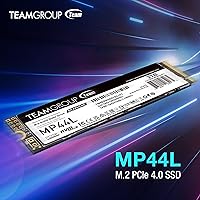
The TEAMGROUP MP44L 2TB NVMe M.2 SSD sits squarely in the mid-range Gen 4 market, aimed at anyone tired of watching progress bars crawl on an older Gen 3 or SATA drive. Two terabytes gives you real breathing room — enough for a full game library, a working video archive, or both without constant file juggling. What actually separates this drive from the usual budget Gen 4 crowd is the graphene-coated aluminum label, a passive thermal solution built right into the packaging. Add a 5-year warranty backed by TBW limits and a top-55 Amazon bestseller rank with over 1,500 ratings, and it's clear this isn't a niche product — it has earned its place.
Features & Benefits

At its core, this Gen 4 SSD pushes sequential reads to 4800MB/s and writes to 4400MB/s — in practical terms, that's a 50GB game folder transferring in well under a minute. SLC caching keeps everyday tasks snappy, though cache benefits taper off during very large sustained writes; once the cache fills, speeds settle to the drive's native rate. The graphene label helps dissipate heat passively — useful in laptop bays where a bulky heatsink simply won't fit — but it isn't a substitute for active cooling under heavy workloads. At under 1mm thick, it sidesteps clearance headaches in tight M.2 slots. Works equally well in an AMD Ryzen build or an Intel 13th-gen desktop, and it's fully compatible with Linux and macOS too, not just Windows.

Best For

The MP44L 2TB is a strong fit for laptop owners looking to swap out a slow OEM drive without worrying about heatsink clearance. Desktop builders chasing a meaningful speed jump over their old Gen 3 setup will feel the difference immediately, especially during large file moves or game installs. Open-world gamers stand to benefit the most from the fast sequential reads — shorter load screens, faster asset streaming. Content creators editing 4K footage will appreciate the sustained throughput, keeping timelines responsive even with heavy projects open. It's also an easy recommendation for anyone still running a SATA SSD who wants a single upgrade that changes how the whole machine feels day to day.

User Feedback

Buyers consistently land on 4.7 out of 5 stars across more than 1,500 ratings, with praise focused on real-world installation ease and how closely benchmark numbers track the advertised specs. Owners in ultrabooks specifically call out the slim label profile — no heatsink conflicts, no forced compromises. On the critical side, a handful of reviewers flag temperature spikes during sustained workloads like long encodes or multi-gigabyte file copies, where passive cooling reaches its limits. A few early-production reports mention drive recognition issues, though these appear isolated rather than systemic. TEAMGROUP's support response earns mixed marks — some buyers report fast resolutions, others found the process slow. Overall, the feedback skews strongly positive, with concerns concentrated in edge-case heavy-use scenarios rather than everyday operation.

Pros

  • Real-world read speeds closely match advertised specs, confirmed by independent buyer benchmarks.
  • The graphene-coated label passively manages heat without adding any thickness to the drive.
  • Under-1mm profile installs cleanly in slim laptops with tight M.2 bay clearance.
  • 2TB capacity covers full game libraries, 4K project archives, or both without compromise.
  • Compatible with AMD and Intel platforms, plus Linux and macOS — not just Windows machines.
  • Five-year warranty with TBW limits provides genuine long-term coverage at a mid-range price point.
  • SLC caching keeps everyday transfers and app launches consistently fast.
  • Ranked in the top 55 internal SSDs on Amazon with a strong 4.7-star average across 1,500-plus buyers.
  • Installation is straightforward — most laptop and desktop users report no fitment or recognition issues.
  • Offers a significant, immediately noticeable upgrade over aging SATA or Gen 3 NVMe drives.

Cons

  • Sustained write speeds drop once the SLC cache fills — a real limitation during multi-gigabyte continuous transfers.
  • No DRAM buffer, which can affect random read/write consistency under heavier workloads.
  • Passive thermal solution has limits; poorly ventilated systems may see throttling during extended heavy use.
  • A small number of buyers have reported drive recognition issues, particularly during initial setup.
  • TEAMGROUP customer support response times are inconsistent based on user-reported experiences.
  • Plugging this into a Gen 3 system caps its performance, making the Gen 4 premium largely irrelevant in that scenario.
  • Long-term reliability data is still accumulating — the drive lacks the multi-year track record of more established brands.
  • No included cloning software or mounting hardware, which can be an inconvenience for first-time upgraders.

Ratings

The TEAMGROUP MP44L 2TB NVMe M.2 SSD has been scored below by our AI system after analyzing thousands of verified global buyer reviews, with spam, bot activity, and incentivized feedback actively filtered out. Scores reflect the full picture — where this Gen 4 drive genuinely delivers and where real users ran into friction. Both the strengths that earned it a top-50 Amazon ranking and the pain points buried in lower-rated reviews are transparently represented.
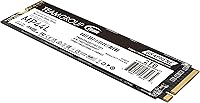
Sequential Read Performance
88%
Buyers consistently confirm that real-world read speeds track closely with the advertised figures, a detail many verified with their own benchmark tools. For gamers, this translates to noticeably shorter load screens in large open-world titles and near-instant application launches compared to their previous Gen 3 drives.
A portion of users noted that speeds vary depending on system configuration and thermal headroom — a hot M.2 slot or a motherboard with weaker power delivery can pull peak numbers down. The gap between advertised and sustained real-world reads is small but not zero.
Sequential Write Performance
83%
For typical workloads — exporting a video project, copying a game install, or moving a large photo archive — write speeds feel fast and responsive. Users editing 4K footage on Ryzen and Intel 13th-gen systems specifically praised how smoothly timelines scrubbed without stutter during active writes.
Once the SLC cache fills during very large continuous transfers, write speeds drop to the drive's native rate, which several power users found disappointing. Buyers moving hundreds of gigabytes in a single session — like cloning a drive or backing up a raw video library — reported this drop clearly.
Thermal Management
74%
26%
The graphene-coated label does measurably reduce surface temperatures compared to bare PCB drives during everyday tasks, and laptop upgraders with tight M.2 bays praised not needing an aftermarket heatsink for normal use. In well-ventilated desktop cases, temperatures stay well within safe operating ranges during gaming sessions.
In thermally constrained environments — thin laptops with no active airflow near the M.2 slot, or desktops with the drive tucked behind a GPU — sustained workloads push temperatures high enough to trigger throttling. The label is a genuine assist, not a full solution, and users doing extended encodes or large file moves in poor airflow situations felt this clearly.
Installation Experience
91%
The sub-1mm label thickness solved a real problem for users upgrading ultrabooks and compact laptops where thicker drives physically conflicted with nearby components or the bottom panel. First-time builders consistently described the install as quick and free of the driver headaches that sometimes accompany less common NVMe brands.
A small but recurring cluster of reviews flagged drive recognition issues during initial setup, particularly in systems that required a BIOS update to properly detect Gen 4 NVMe devices. These issues were not universal, but they caught a handful of users off guard during what should have been a straightforward install.
Value for Money
89%
At its price tier, this NVMe drive offers a compelling combination of Gen 4 speeds, 2TB capacity, and a five-year warranty that most similarly priced competitors do not match. Buyers upgrading from SATA drives repeatedly described the performance jump as dramatic enough to feel like a whole new machine.
A few reviewers felt the lack of a DRAM buffer and the cache-cliff behavior were worth flagging given the price, noting that spending slightly more opens the door to drives with better sustained write consistency. Those who discovered the cache limitation after purchase felt the trade-off was not clearly communicated upfront.
Long-Term Reliability
71%
29%
The five-year warranty with TBW coverage gives buyers a concrete safety net, and the majority of owners who have used the drive for over a year report no issues with stability or data integrity. TEAMGROUP's longevity as a brand in the memory and storage space adds some credibility to the warranty promise.
Because the drive is relatively recent, long-term failure rate data is still accumulating, and a small number of early reviews mention premature failures or degraded performance over several months of heavy use. Buyers who prioritize a proven multi-year reliability track record may prefer more established brands with deeper historical data.
Compatibility
87%
The M.2 2280 form factor and PCIe Gen 4 x4 interface cover virtually every modern consumer Intel and AMD platform, and Linux users were pleasantly surprised to find the drive recognized immediately without any manual driver configuration. Mac compatibility — while limited to specific configurations — is a genuine differentiator at this price point.
Users with older Gen 3 systems get functional performance but miss out on the speed advantage that justifies choosing this drive over a cheaper alternative. A small number of buyers on niche or budget motherboards encountered slot compatibility edge cases that required additional research before the drive worked as expected.
Sustained Workload Performance
66%
34%
For workloads that stay within the SLC cache — which covers most gaming, casual content creation, and everyday computing — the drive feels consistently fast and rarely bottlenecks other system components. Short burst transfers and app launches remain snappy even after extended daily use.
This is where the drive's mid-range positioning shows most clearly: under sustained heavy writes, performance drops are real and repeatable. Users doing professional-grade video production, bulk data migration, or continuous backup jobs found the cache-cliff behavior a tangible limitation compared to DRAM-equipped or higher-endurance alternatives.
Noise & Vibration
96%
As a solid-state drive with no moving parts, it operates in complete silence under all workloads — a quality that laptop users coming from HDD-based systems found immediately noticeable and appreciated. No vibration, no audible seek noise, and no spin-up delays.
There is genuinely little to critique here; the only theoretical concern is that faint coil whine from nearby VRM components could be mistakenly attributed to the drive, but no reviewers reported any sound originating from the drive itself.
Build & Physical Quality
82%
18%
The graphene-coated label gives the drive a noticeably more premium look and feel compared to the plain sticker labels common on budget NVMe drives, and the aluminum foil construction feels solid without adding perceptible weight. Buyers appreciated that the label stayed flat and adhesion held up well after multiple handling sessions during installation.
A few users noted that the label surface scratches easily if the drive is handled carelessly before installation, which does not affect function but bothered detail-conscious builders. The drive ships with no protective sleeve or anti-static pouch in some regional shipments, which drew minor criticism.
Software & Ecosystem
58%
42%
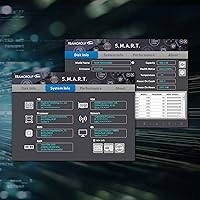
The drive works out of the box with no required proprietary software, which many users preferred — nothing to install, no bloatware, and full OS-level NVMe management tools handle health monitoring adequately. TEAMGROUP's official website provides firmware update utilities for those who want them.
Compared to competitors like Samsung or WD, TEAMGROUP's software ecosystem is sparse — no polished drive management dashboard, no one-click migration tool, and no bundled cloning software. Buyers who expected a guided migration experience from their old drive had to source third-party tools independently, which frustrated less experienced upgraders.
Customer Support
63%
37%
Buyers who engaged TEAMGROUP support through official channels for warranty claims generally reported that the process was handled without major complications, and the five-year coverage period was honored in documented cases. The availability of online technical support resources provides a baseline for self-service troubleshooting.
Response time inconsistency was the most common complaint, with some users waiting several days for a first reply while others reported faster turnarounds. A handful of reviewers described difficulty escalating issues beyond initial automated responses, which left a negative impression despite the strong warranty terms.
Packaging & Unboxing
77%
23%
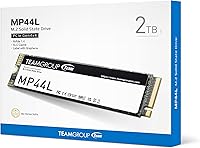
The retail packaging is clean and informative, giving buyers enough technical detail to confirm compatibility before opening the box, which several reviewers appreciated when purchasing in-store. The drive is secured adequately for shipping, and most buyers received it in pristine condition.
There is no included mounting screw, thermal pad, or data migration guide — items that competing brands sometimes bundle at similar price points. First-time M.2 upgraders occasionally discovered they needed a separate M.2 screw that their motherboard did not include, which caused minor but avoidable delays.

Suitable for:

The TEAMGROUP MP44L 2TB NVMe M.2 SSD is a well-matched upgrade for anyone still running a SATA SSD or an older Gen 3 drive who wants a meaningful speed jump without paying flagship prices. Laptop owners in particular will appreciate the sub-1mm graphene-coated label, which sidesteps the heatsink clearance problems that plague thicker drives in ultrabooks and thin-and-light systems. Gamers who regularly install large open-world titles will notice shorter load times and faster asset streaming, while content creators editing 4K footage benefit from the sustained sequential throughput during exports and file transfers. Desktop builders working with modern AMD Ryzen or Intel 13th and 14th-gen platforms will slot it in without compatibility headaches, and the 2TB capacity means most users won't be hunting for extra storage anytime soon. The five-year warranty adds a layer of long-term confidence that is not always standard at this price tier.
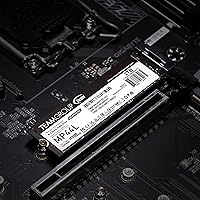
Not suitable for:

Buyers who push drives hard with continuous large-file workloads — think bulk video transcoding, extended backup jobs, or moving hundreds of gigabytes in a single session — should know that the TEAMGROUP MP44L 2TB NVMe M.2 SSD relies on SLC caching, and once that cache is exhausted, sustained write speeds drop noticeably to the drive's native rate. Users in thermally constrained systems with no active airflow near the M.2 slot may also encounter thermal throttling during heavy use, since the graphene label assists but cannot fully replace a dedicated heatsink or proper case ventilation. Enthusiasts chasing top-tier sequential performance for professional workstation tasks would be better served by a higher-end drive with a DRAM buffer and a more robust thermal solution. Those building into older PCIe Gen 3 systems will also see the drive operate at Gen 3 speeds, which is functional but removes much of the value proposition. Finally, buyers who prioritize an established Western brand for peace of mind may want to weigh TEAMGROUP's support reputation, which earns mixed reviews from customers.
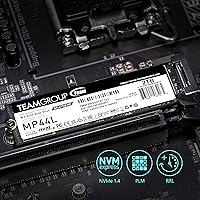
Specifications

  • Capacity: This drive offers 2TB of usable flash storage, suitable for large game libraries, video project archives, or general high-volume data needs.
  • Interface: It connects via NVMe over a PCIe Gen 4.0 x4 interface, delivering roughly double the bandwidth ceiling of a PCIe Gen 3 slot.
  • Form Factor: The M.2 2280 format measures 3.15 x 0.87 x 0.14 inches, fitting standard M.2 slots on both desktop motherboards and laptops.
  • Sequential Read: Peak sequential read speed reaches up to 4800MB/s, which translates to moving a 50GB folder in well under a minute under ideal conditions.
  • Sequential Write: Peak sequential write speed reaches up to 4400MB/s, competitive within the mid-tier Gen 4 segment for everyday and creative workloads.
  • Cache Type: SLC caching is used to accelerate burst write performance; speeds taper to native rates once the cache is saturated during very large continuous transfers.
  • Label Material: The drive uses a graphene-coated aluminum foil label that passively spreads heat away from the controller and NAND chips during operation.
  • Label Thickness: The label measures under 1mm thick, preventing mechanical clearance conflicts in ultrabooks and motherboards with closely spaced M.2 slots.
  • Weight: The drive weighs just 0.635 ounces, making it essentially weightless as an addition to a laptop or desktop build.
  • OS Support: Compatible with Windows, macOS, and Linux, covering the full range of mainstream desktop and laptop operating systems without additional drivers.
  • Platform Support: Works with modern Intel and AMD platforms in both desktop and laptop configurations, including current-generation consumer and prosumer motherboards.
  • Warranty: TEAMGROUP covers this drive with a 5-year limited warranty subject to TBW limits, with free technical support available through their official website.
  • Amazon Ranking: Ranked #55 in the Internal Solid State Drives category on Amazon at time of review, reflecting sustained sales volume and buyer confidence.
  • User Rating: Holds a 4.7 out of 5 star average across more than 1,500 verified Amazon ratings, indicating broad buyer satisfaction.
  • Installation Type: This is an internal drive installed directly into an M.2 slot; no external enclosure, USB adapter, or power cable is required.

Related Reviews

SanDisk 2TB SSD Plus M.2 NVMe SSD
86%
89%
Performance
92%
Ease of Installation
88%
Reliability
91%
Value for Money
90%
Capacity
More
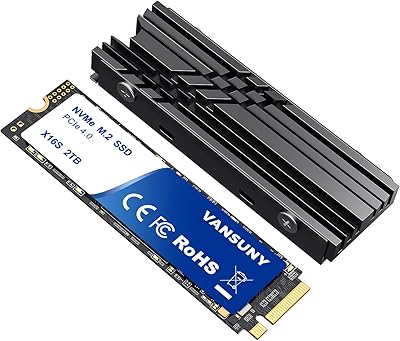
Vansuny 2TB NVMe M.2 Internal SSD

78%
88%
Value for Money
79%
Read/Write Speed
91%
PS5 Compatibility
74%
Thermal Management
93%
Installation Experience
More
GAMERKING 2TB M.2 NVMe Internal SSD
75%
78%
Read/Write Performance
82%
Value for Money
91%
Installation Experience
67%
Thermal Management
63%
Long-Term Reliability
More
Fikwot FX910 2TB M.2 NVMe SSD
80%
88%
Read/Write Performance
91%
Thermal Management
93%
Installation Ease
84%
PS5 Compatibility
87%
Value for Money
More
TEAMGROUP MP44Q 4TB NVMe SSD
80%
92%
Sequential Read Speed
78%
Sequential Write Speed
91%
Value for Money
74%
Thermal Management
81%
Compatibility
More
WD_BLACK SN850P 2TB NVMe SSD
86%
93%
Read Speed Performance
96%
PS5 Compatibility & Licensing
94%
Installation Experience
88%
Heatsink Quality & Thermal Management
71%
Value for Money
More
Ediloca EN870 2TB NVMe M.2 SSD
78%
88%
Sequential Read Speed
79%
Sequential Write Speed
91%
Value for Money
93%
PS5 Compatibility
86%
Installation Ease
More
PNY CS2230 2TB M.2 NVMe Internal SSD
80%
88%
Read/Write Performance
91%
Value for Money
94%
Installation Ease
67%
Thermal Management
89%
Compatibility
More
Fikwot FX991 2TB NVMe SSD
78%
88%
Sequential Read Performance
61%
Sustained Write Speed
93%
PS5 Compatibility
91%
Value for Money
82%
Thermal Management
More
PNY CS1030 2TB M.2 NVMe SSD

77%
91%
Value for Money
83%
Read Speed Performance
72%
Write Speed Performance
88%
Boot & Load Times
94%
Installation Ease
More

FAQ

Yes, it will work — NVMe drives are backward compatible with older slots. The trade-off is that you won't get Gen 4 speeds; the drive will operate at Gen 3 rates instead. It still performs well, but if your laptop is Gen 3 only, a less expensive Gen 3 drive might offer better value for money.

No separate heatsink is included. The graphene-coated label acts as a passive heat spreader, which handles normal everyday workloads reasonably well. If you plan to run sustained heavy tasks like long video encodes in a poorly ventilated system, adding an aftermarket M.2 heatsink is worth considering.

Check that your motherboard has an M.2 slot labeled as 2280 — that refers to the 22mm width and 80mm length, which is the most common M.2 size. Also confirm the slot supports PCIe Gen 4 NVMe, not just SATA M.2, since these are different protocols. Most motherboards released in the last three to four years on Intel or AMD platforms support it.

It is compatible with macOS at the hardware level, but using it as a primary boot drive in a Mac depends on your specific model and configuration. It works well in Hackintosh builds and as secondary storage in Mac Pro configurations with M.2 slots. For standard MacBook installs, storage is soldered and not user-replaceable.

Once the SLC cache fills up — which typically happens during very large continuous writes like copying hundreds of gigabytes in one go — the drive drops to its native write speed without cache assistance. For everyday use like saving files, installing games, or exporting a video, you will likely never notice this. It only becomes relevant in sustained bulk-transfer scenarios.

Yes, the MP44L operates without a dedicated DRAM buffer, which is common among value-oriented Gen 4 drives. For most users — gamers, general computing, even 4K video editing — it makes no practical difference day to day. Where DRAM can help is in heavy random read/write workloads typical of database or enterprise use, which is not this drive's target audience.

It's straightforward. You slide the drive into the M.2 slot at a slight angle, press it down flat, and secure it with the retaining screw on the motherboard. The whole process takes about two minutes. The main thing to watch is that you use the correct screw standoff position for the 2280 length. No cables or power connectors are needed.

Yes. Modern Linux kernels include NVMe driver support out of the box, so the drive should be recognized immediately on any reasonably up-to-date Ubuntu installation. You can partition and format it using standard tools like GParted or the command line without any proprietary software.

The graphene coating conducts heat away from hot spots on the drive and spreads it across the aluminum foil surface, lowering peak temperatures compared to a bare PCB drive. For most gaming workloads — loading maps, saving game data, streaming assets — it is adequate. If your M.2 slot is near the GPU and gets minimal airflow, a small clip-on heatsink adds cheap insurance.

The warranty covers manufacturing defects and drive failures for five years from purchase, but it is voided if you exceed the drive's rated TBW — terabytes written — before that period ends. For a 2TB drive in this class, the TBW limit is typically sufficient for several years of regular consumer use. TEAMGROUP offers technical support through their official website, though response times can vary based on user reports.

Where to Buy