Overview

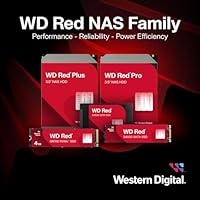
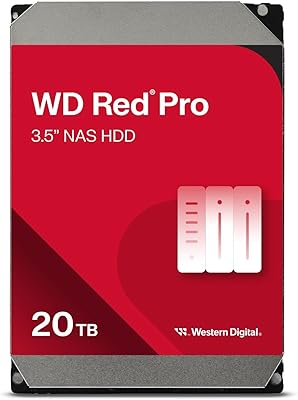
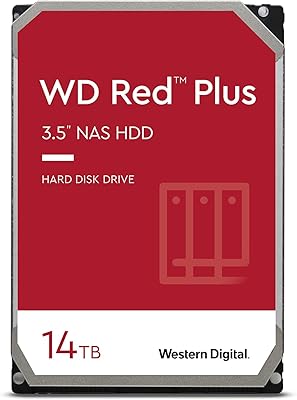
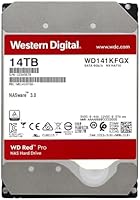
The Western Digital WD Red Pro 14TB NAS Hard Drive sits at the top of WD's Red family, above the entry-level Red and the mid-tier Red Plus, and it's built for people who need more than casual NAS duty. The 7200 RPM spin speed is the clearest signal of its intent — most NAS-focused drives spin at 5400 or 5900 RPM, so this one is noticeably quicker under sustained load. That extra performance comes with a real cost premium, which is worth understanding upfront: this high-capacity HDD is designed for prosumers, small business operators, and anyone running a multi-bay enclosure that stays powered around the clock.
Features & Benefits

What separates this NAS drive from cheaper alternatives starts with recording technology. CMR (Conventional Magnetic Recording) means data is written in non-overlapping tracks, which is critical for RAID arrays where drives are constantly rewriting and verifying data — something SMR drives sometimes bundled into NAS lineups struggle with under that kind of pressure. Pair that with a 512 MB cache and a 300 TB/year workload rating — roughly three times what a desktop drive is designed to handle — and you have something genuinely built for continuous, heavy use. NASware 3.0 handles vibration compensation and RAID error recovery, while 3D Active Balance Plus keeps noise manageable in tightly packed enclosures.

Best For

This high-capacity HDD makes the most sense in a multi-bay NAS setup — think a Synology DS1621+ or a QNAP unit with six or more bays running RAID 5 or 6. Video editors archiving raw footage, small offices keeping file servers running 24/7, and home lab operators who have already pushed entry-level drives to their limits will find the performance headroom genuinely useful. That said, if you are running a single-drive setup or just need bulk cold storage, the cost premium over the WD Red Plus is hard to justify. The WD Red Pro 14TB is a tool for high-duty-cycle environments, not casual weekend backups.

User Feedback

Owners of this NAS drive consistently point to long-term reliability and quiet operation as standout qualities — in multi-drive builds especially, the low-vibration behavior earns repeat praise. The five-year warranty also gives buyers confidence that is difficult to quantify but easy to appreciate. On the downside, the price-per-TB is noticeably higher than competing NAS drives, and some users in densely packed enclosures report slightly elevated heat output worth factoring into airflow planning. A small number of buyers also note occasional firmware compatibility hiccups with older NAS units that required an update before the drive was fully recognized. Overall, feedback skews strongly positive, with most concerns being situational rather than fundamental.

Pros

  • CMR recording technology ensures data integrity in RAID setups, unlike SMR drives that can struggle under heavy rewrite loads.
  • The 7200 RPM spin speed delivers noticeably faster sustained throughput compared to 5400 RPM NAS drives.
  • A 300 TB/year workload rating means this NAS drive is built for continuous, demanding use without wearing out prematurely.
  • NASware 3.0 firmware handles vibration compensation and RAID error recovery with no manual tuning required.
  • 3D Active Balance Plus keeps operation quiet even in tightly packed multi-drive enclosures.
  • The five-year limited warranty provides meaningful long-term coverage that justifies part of the price premium.
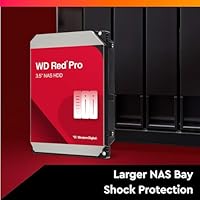
  • Supports NAS systems with up to 24 bays, making it viable for both current and future storage expansions.
  • Owners consistently report strong long-term reliability with low early failure rates across multi-drive deployments.
  • A 512 MB cache helps maintain consistent performance during the heavy concurrent read and write operations typical in NAS environments.
  • Compatibility with major NAS platforms like Synology and QNAP is well-established and broadly reported by users.

Cons

  • Price per terabyte is high compared to competing NAS drives, making it a tough sell for budget-conscious buyers.
  • Drives in densely packed enclosures can run warmer than average, requiring attention to enclosure airflow.
  • Some users with older NAS firmware have reported compatibility issues requiring updates before the drive is recognized.
  • The performance premium over the WD Red Plus is hard to notice in light or moderate home NAS workloads.
  • Not optimized for desktop or direct-attached storage use, so the cost premium goes to waste outside a NAS environment.
  • Availability in certain regions can be inconsistent, making replacements under warranty occasionally inconvenient.
  • The higher rotational speed contributes to slightly more power draw compared to 5400 RPM alternatives, relevant in always-on builds.
  • For users who only need cold or archival storage, the performance headroom of this high-capacity HDD goes largely unused.

Ratings

Our AI-generated scores for the Western Digital WD Red Pro 14TB NAS Hard Drive are derived from analyzing verified global buyer reviews, with spam, incentivized submissions, and bot activity actively filtered out before scoring. The result is a transparent, balanced picture of where this high-capacity HDD genuinely excels and where real users have run into friction. Both the standout strengths and the honest pain points are reflected in every category below.
Long-Term Reliability
91%
Across thousands of verified deployments, users running this NAS drive in always-on environments report impressively low early failure rates. IT administrators and home lab operators who have kept drives spinning continuously for two or more years consistently describe the reliability as a core reason they repurchase within the WD Red Pro lineup.
A small but notable portion of users report drives arriving dead on arrival or failing within the first six months, which, while statistically uncommon, is jarring given the premium price point. These cases tend to cluster around specific production batches rather than being a systemic issue.
Sustained Read/Write Performance
88%
The 7200 RPM spin speed and 512 MB cache combine to deliver throughput that holds up well during sustained workloads — something users running simultaneous backups, media streaming, and file transfers on the same NAS notice immediately compared to slower 5400 RPM drives. Video editors working with large raw files especially appreciate how transfers rarely bog down mid-operation.
Performance advantages over the WD Red Plus are most visible under heavy concurrent workloads; casual or light NAS users running the drive below its capacity ceiling may find the real-world speed difference underwhelming relative to the cost difference.
NAS Compatibility
89%
Compatibility with Synology, QNAP, Asustor, and other major NAS platforms is broad and well-documented. Most users slot this high-capacity HDD into their enclosure and it is recognized immediately without any firmware intervention, which matters a lot when you are populating a multi-bay array and do not want to troubleshoot individual drives.
A recurring thread among users with older NAS units involves the drive not being recognized until the enclosure firmware is updated, which can catch buyers off guard. The issue resolves quickly for most, but it is a friction point for those unfamiliar with NAS firmware management.
Noise & Vibration
83%
3D Active Balance Plus delivers measurable results in real multi-drive builds — users populating six- or eight-bay enclosures note that the overall noise floor of their setup did not rise noticeably after adding this NAS drive. For home office or home lab environments where the NAS sits within earshot, that matters.
At 7200 RPM, this drive is inherently louder than 5400 RPM alternatives, and some users in quiet home environments find the idle hum perceptible. In bare metal enclosures without acoustic dampening, vibration harmonics between multiple drives can become noticeable over time.
Heat Management
74%
26%
Under typical NAS workloads in well-ventilated enclosures, drive temperatures stay within comfortable operating ranges and users rarely report thermal throttling or heat-related errors. Setups with active fan cooling manage this drive's heat output without any special configuration.
In densely packed enclosures with limited airflow — particularly units with passive or minimal cooling — buyers consistently flag elevated temperatures as a concern. Several users recommend adding supplemental cooling when running four or more of these drives in proximity, which adds cost and complexity.
Value for Money
61%
39%
For power users who genuinely push their NAS hard, the combination of CMR recording, a 300 TB/year workload rating, and a five-year warranty makes the premium feel earned over a multi-year horizon. The cost per terabyte is easier to justify when you factor in the full ownership period rather than just the sticker price.
The price-per-TB gap between this drive and the WD Red Plus — or competing Seagate IronWolf Pro drives — is a consistent complaint. Buyers who do not fully saturate the workload headroom feel they are paying for capacity they never use, which is a fair criticism for lighter NAS deployments.
RAID Performance
92%
CMR technology is the decisive factor here: users building RAID 5 or RAID 6 arrays report stable rebuild times and none of the sluggish rewrite behavior that has plagued SMR-based drives in similar configurations. IT administrators managing multi-drive arrays describe this as the main reason they specifically select the Red Pro tier over cheaper alternatives.
While RAID performance is strong, users running very large arrays report that rebuild times for a 14TB drive are inherently lengthy regardless of drive quality — a full RAID rebuild can take over 24 hours, which is a hardware reality rather than a flaw specific to this NAS drive.
Workload Endurance
93%
A 300 TB/year workload rating is not marketing language — users running continuous backup jobs, surveillance streams, and multi-user file access simultaneously report that this high-capacity HDD handles the load without thermal or performance degradation over months of operation. It genuinely outpaces the WD Red Plus in sustained duty-cycle tolerance.
The endurance rating is only meaningful if your workload actually approaches those levels; buyers running light home NAS tasks are effectively paying a premium for a ceiling they will never get close to, which skews the value calculation significantly.
Warranty & Support
81%
19%
A five-year limited warranty is one of the longer coverage periods in the consumer and prosumer NAS drive segment, and users who have gone through the replacement process generally describe WD's RMA workflow as straightforward. The warranty provides real peace of mind for business-critical deployments where replacement costs matter.
Regional warranty terms vary, and some international buyers report slower turnaround times or more limited replacement options than domestic US or EU customers. A handful of users also note that WD support can be slow to respond during high-volume periods, which is frustrating when a failed drive is holding up a rebuild.
Installation & Setup
86%
Physical installation is as simple as any 3.5-inch SATA drive — slide it into the bay, connect the SATA data and power cables, and the NAS OS handles the rest. Users consistently describe setup as painless, even in multi-drive configurations where they are populating an entire enclosure at once.
NASware 3.0 firmware tuning is transparent to the end user, which is mostly a positive, but it also means there is no user-accessible configuration if something behaves unexpectedly. New NAS builders occasionally mistake firmware-level error recovery pauses for drive malfunction during initial setup.
Packaging & Arrival Condition
77%
23%
Most users receive this NAS drive well-protected, with WD's standard foam and anti-static packaging doing its job for the majority of deliveries. Buyers who order directly from major retailers rarely report cosmetic or functional damage on arrival.
A consistent minority of reviews mention drives arriving in thin outer packaging that shows denting or crush damage, occasionally translating to a non-functional drive. The issue is more about third-party shipping handling than WD's packaging design, but it is worth purchasing from a seller with a reliable returns policy.
Drive Capacity Options
84%
14TB is a practical sweet spot for buyers who need serious bulk storage without stepping up to the highest-capacity drives, which command significant price premiums. Users building redundant RAID arrays find that four or five of these drives cover typical small-business storage needs for several years without requiring mid-cycle expansion.
Buyers who need more than 14TB per drive have to step up to larger capacity options in the Red Pro lineup, which push the cost per drive substantially higher. For cost-conscious buyers, the 12TB tier sometimes offers a better per-terabyte proposition depending on current pricing.
Power Efficiency
69%
31%
In typical NAS operation, power draw is manageable and within the expected range for a 7200 RPM 3.5-inch drive. Users running NAS units as home servers report electricity costs in line with what they budgeted for an always-on device of this class.
Compared to 5400 RPM NAS drives, the higher rotational speed translates to measurably greater power consumption per drive — in an eight-bay fully populated enclosure, that difference adds up meaningfully on an annual electricity bill. Users running many drives 24/7 should factor this into their total cost of ownership.

Suitable for:

The Western Digital WD Red Pro 14TB NAS Hard Drive is purpose-built for buyers who run serious, always-on storage setups and cannot afford the reliability compromises that come with budget-tier drives. It is an ideal fit for small business IT administrators building multi-bay RAID arrays where drives are under constant read and write pressure, day after day. Home lab enthusiasts running six-to-eight-bay Synology or QNAP enclosures will appreciate the 7200 RPM speed and 300 TB/year workload headroom that entry-level NAS drives simply cannot match over the long term. Video production teams and content creators who need to store and retrieve large media files regularly will find this high-capacity HDD holds up well under that kind of sustained demand. If you have already burned through a cheaper NAS drive and are looking for something that will last through a five-year warranty cycle without babysitting, this is the tier worth stepping into.
Not suitable for:

The Western Digital WD Red Pro 14TB NAS Hard Drive is not the right choice for every storage buyer, and being honest about that saves money and frustration. If you only need a single drive for a basic two-bay home NAS used mostly for light backups and media streaming, the WD Red Plus will handle that workload at a noticeably lower price per terabyte. Desktop PC users looking for a high-capacity secondary storage drive will also find that the NAS-specific firmware tuning and premium cost do not translate into meaningful benefits outside of a NAS enclosure. Buyers on tight budgets who are tempted purely by the 14TB capacity should compare the per-TB cost against competing drives from Seagate or even WD's own Red Plus lineup before committing. The higher spin speed also generates slightly more heat, which can be a drawback in enclosures with limited airflow or passive cooling.
Specifications

  • Storage Capacity: This drive offers 14TB of raw storage capacity, suitable for large media libraries, RAID arrays, and long-term archival workloads.
  • Form Factor: It uses a standard 3.5-inch form factor, compatible with most desktop NAS enclosures and tower storage systems.
  • Interface: The drive connects via SATA 6 Gb/s (SATA-600), ensuring broad compatibility with modern NAS enclosures and motherboards.
  • Rotational Speed: Running at 7200 RPM, this drive spins faster than most NAS-class competitors, delivering stronger sustained read and write throughput.
  • Cache Size: A 512 MB onboard cache buffer helps smooth out data transfer spikes during heavy concurrent NAS operations.
  • Recording Technology: CMR (Conventional Magnetic Recording) is used, which maintains data integrity and performs reliably under the continuous rewrites common in RAID environments.
  • Workload Rate: Rated for up to 300 TB per year of data transfer, this drive is designed to handle always-on, high-demand storage workloads without degradation.
  • NAS Bay Support: The drive is certified for use in NAS systems with up to 24 bays, covering everything from home setups to small business rack deployments.
  • NASware Version: NASware 3.0 firmware is built in, providing optimized vibration tolerance, RAID error recovery, and compatibility tuning for multi-drive enclosures.
  • Vibration Control: 3D Active Balance Plus technology reduces both rotational and linear vibration, helping keep noise low in densely populated drive arrays.
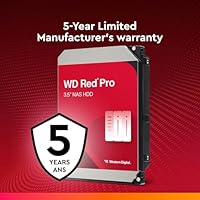
  • Warranty: Western Digital covers this drive with a 5-year limited warranty, with regional terms available on the official Western Digital support site.
  • Drive Type: This is a mechanical hard disk drive (HDD), not an SSD, relying on spinning platters for high-capacity storage at a lower cost per terabyte than flash storage.
  • Weight: The drive weighs 1.75 pounds, which is typical for a 3.5-inch high-capacity mechanical HDD.
  • Dimensions: Physical dimensions are 1.03 x 5.79 x 4 inches, fitting standard 3.5-inch drive bays without adapters.
  • Compatible Devices: Designed primarily for NAS enclosures but also physically compatible with desktop PCs and direct-attached storage systems.
  • Power State: This drive is optimized for 24/7 continuous operation, unlike desktop or external drives that are rated for intermittent use only.

Related Reviews

Western Digital WD Red Pro 10TB NAS Hard Drive
86%
92%
Performance
90%
Reliability in RAID Environments
88%
Data Transfer Speed
85%
Long-Term Durability
87%
Shock Resistance
More
Western Digital WD Red Pro 16TB NAS Hard Drive
81%
88%
Long-Term Reliability
91%
RAID Performance
86%
Multi-User Throughput
67%
Value for Money
61%
Heat Management
More
WD Red Pro 8TB NAS Internal Hard Drive
83%
88%
Long-Term Reliability
84%
Noise & Vibration
91%
RAID Compatibility
67%
Thermal Performance
72%
Value for Money
More
Western Digital 12TB WD Red Pro NAS Hard Drive
86%
92%
Performance in RAID Environments
89%
Data Transfer Speed
94%
Reliability for 24/7 Operation
88%
Workload Capacity (550TB/year)
70%
Temperature Management
More
Western Digital 26TB WD Red Pro NAS HDD (WD260KFGX)
86%
98%
Storage Density
94%
Write Consistency (CMR)
62%
Acoustic Profile
88%
Thermal Management
91%
Vibration Resistance
More
WD Red Pro 20TB NAS Hard Drive
83%
88%
Long-Term Reliability
91%
RAID Performance
86%
Sustained Throughput
93%
NAS Compatibility
63%
Thermal Management
More
WD Red Pro 4TB NAS Hard Drive
81%
93%
Reliability & Longevity
91%
RAID Compatibility
88%
NAS Firmware Optimization
86%
Vibration Management
82%
Sustained Throughput
More
Western Digital 18TB WD Red Pro NAS Internal Hard Drive
87%
92%
Performance
90%
Reliability
88%
RAID Compatibility
89%
Build Quality
70%
Noise Level Under Load
More
Western Digital WD Red Pro 6TB NAS Hard Drive
80%
88%
Long-Term Reliability
93%
RAID Compatibility
84%
Read & Write Performance
91%
NAS Platform Compatibility
67%
Value for Money
More
Western Digital 22TB WD Red Pro NAS Internal Hard Drive
89%
95%
Performance
90%
Reliability
88%
Ease of Setup
92%
Workload Capacity
87%
Noise Level
More

FAQ

Yes, the WD Red Pro 14TB is well-tested with major NAS platforms including Synology and QNAP. Both manufacturers maintain compatibility lists on their websites, and this drive appears on them for a wide range of enclosures. If you have an older unit, just make sure its firmware is up to date before installing.

The Red lineup is tiered by workload intensity. The standard Red is built for light home NAS use, the Red Plus steps up to 5400 or 7200 RPM with a moderate workload rating, and the Red Pro is the highest tier — 7200 RPM across all capacities with a 300 TB/year workload rating and support for up to 24-bay enclosures. The Pro is for users who need maximum headroom and reliability over years of heavy use.

It uses CMR, which stands for Conventional Magnetic Recording. This matters because SMR drives write data in overlapping layers, which can cause slowdowns during rewrites — a real problem in RAID arrays that frequently rebuild or verify data. CMR avoids that issue entirely, making it the safer choice for NAS and RAID environments.

Physically, yes — it will fit any standard 3.5-inch drive bay. Functionally, though, the firmware is tuned for NAS environments, and the price premium over a standard desktop drive is harder to justify if you are not running it in a multi-bay always-on setup. For desktop secondary storage, a WD Blue or Black would likely serve you better for less money.

Generally, users report it as quiet for a 7200 RPM drive. The 3D Active Balance Plus technology does meaningful work here, reducing vibration that can amplify noise in enclosures with multiple drives mounted close together. It is not silent, but most people running it in a home lab or office environment do not find the noise intrusive.

It means the drive is rated to transfer up to 300 terabytes of data over the course of a year without exceeding its design limits. To put that in perspective, a typical home NAS user might move 20 to 50 TB per year — so this drive has far more headroom than most home users will ever need. For small business file servers or video editing workflows, that headroom becomes genuinely useful.

At 7200 RPM, it does generate more heat than 5400 RPM alternatives, so airflow matters. In enclosures with active cooling and decent fan placement, heat is not a significant problem. In passively cooled or very dense builds, it is worth monitoring drive temperatures and ensuring your enclosure has adequate ventilation.

Western Digital handles warranty claims directly through their support portal. The process typically involves registering the drive, running a diagnostic, and then arranging a replacement shipment. Terms can vary slightly by region, so checking the WD website for your country before purchasing is a good idea, especially for business deployments where downtime matters.

That depends entirely on your workload. If your NAS runs 24/7 with heavy concurrent access, multiple users, or frequent large file transfers, the Western Digital WD Red Pro 14TB NAS Hard Drive offers meaningful headroom the Red Plus cannot match. But if your NAS is mostly idle overnight and handles modest home use, the Red Plus is probably doing everything you need at a lower cost per terabyte.
Technically yes, RAID controllers and NAS operating systems like DSM or QTS do not require all drives to be identical. That said, most storage professionals recommend using matched drives — same model, same capacity — in a RAID array to avoid unpredictable rebuild behavior and to make capacity planning straightforward. Mixing is possible in a pinch but is not considered best practice for critical data.