Overview

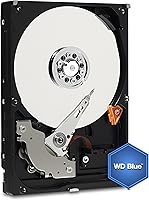
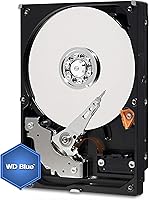
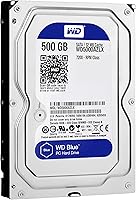
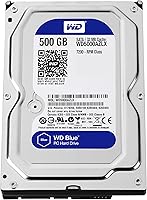
The WD Blue WD5000AZLX 500GB Internal Hard Drive is one of Western Digital's most straightforward desktop storage offerings — a mechanical spinning drive that makes no pretense of competing with SSDs, but fills a specific role reliably and affordably. At 500GB, the capacity feels modest by today's standards, where even budget NVMe drives routinely push 1TB or more. Still, for a secondary drive, a scratch disk, or a lightweight build, it's plenty. The 3.5-inch form factor and SATA 6Gb/s interface mean it drops into virtually any desktop without adapter headaches. If you know what a spinning HDD is and need one, this WD Blue drive delivers exactly that — no surprises, no shortcuts.
Features & Benefits

The most notable spec here is the 7200 RPM spindle speed, which puts this desktop hard drive a step ahead of the slower 5400 RPM drives common in budget or laptop storage. That extra rotation speed translates to faster file access and better throughput for a mechanical drive — though it's worth being clear: even the quickest HDD is no match for entry-level SSDs. The 32MB cache buffer helps manage bursts of read/write activity, keeping everyday tasks reasonably fluid. Add in WD's firmware reliability tuning that the Blue line is known for, and you get a drive that runs quietly, stays cool, and tends to hold up across years of casual daily use.

Best For

This desktop hard drive fits neatly into a few practical roles. It works well as a secondary storage drive paired with a faster primary SSD — offloading documents, photos, or media libraries where raw access speed matters less. Budget builders stretching every dollar across a new PC build will find the WD5000AZLX a sensible pick for bulk storage without blowing the component budget. It also suits home or small office environments where write cycles are infrequent and long-term reliability matters more than peak performance. Light NAS use or archival duties are reasonable fits too. What it's not built for is heavy daily workloads or primary OS drive duty — that's firmly SSD territory.

User Feedback

Buyers generally rate this WD Blue drive well, with most citing easy installation and out-of-the-box reliability as standout positives. Many users have reported running these drives for three or more years without issues — which is exactly the kind of track record that matters for a storage device. That said, the most common criticism is straightforward: 500GB simply feels tight in an era when a single game install or video project can eat through that space quickly. A handful of buyers report early failures, though the rate doesn't appear unusual for the category. On value, opinions are divided — some feel the price-per-gigabyte no longer stacks up against larger-capacity alternatives at similar price points.

Pros

  • Runs quietly and stays cool during typical everyday desktop use.
  • The 7200 RPM speed gives it a real edge over slower 5400 RPM alternatives in file access.
  • Drop-in compatible with virtually any desktop motherboard via the standard SATA interface.
  • WD Blue drives have a well-documented track record of multi-year reliable operation.
  • Works with both PC and Mac without requiring immediate reformatting for most users.
  • Installation is straightforward — no special tools or drivers needed for most desktop cases.
  • The 32MB cache helps keep read/write bursts smooth during routine tasks.
  • A practical, low-cost option for adding secondary storage to an existing build.
  • Compact physical footprint fits standard drive bays without adapters.

Cons

  • Dramatically slower than any SSD — the speed gap is immediately noticeable in daily use.
  • 500GB feels limiting in an era when single game installs can exceed 100GB.
  • Mechanical drives are inherently more vulnerable to physical shock and vibration than solid-state alternatives.
  • Not suitable as a primary drive for any modern operating system install.
  • A small but real portion of buyers report dead-on-arrival units, so keeping the return window in mind is wise.
  • The price-per-gigabyte is less competitive than stepping up to a 1TB or 2TB drive in the same category.
  • Generates more noise than SSDs under heavier read/write loads, which may be noticeable in quiet environments.
  • Long-term viability of spinning HDDs as a storage format continues to shrink as SSD prices drop.
  • Not ideal for laptop conversions or small-form-factor builds where a 2.5-inch drive is required.

Ratings

The WD Blue WD5000AZLX 500GB Internal Hard Drive has been evaluated by our AI rating system after analyzing hundreds of verified global buyer reviews, with spam, incentivized, and bot-generated submissions actively filtered out to ensure the scores reflect genuine ownership experience. Ratings cover everything from real-world installation ease to long-term reliability, giving equal weight to what users love and where the drive genuinely falls short. The result is a balanced, transparent scorecard that helps you decide whether this desktop hard drive fits your specific needs.
Reliability & Longevity
83%
A large portion of buyers report running this WD Blue drive for three years or more without a single failure, even in always-on home desktop setups. Western Digital's firmware tuning seems to contribute to consistent behavior over time, and many users specifically mention it as a drive they trust for long-term document and media archiving.
A notable minority of users report dead-on-arrival units or early failures within the first few months, which is enough to keep the reliability score from reaching elite territory. While this failure rate isn't unusual for the HDD category broadly, it does reinforce the importance of always keeping a backup.
Read & Write Speed
61%
39%
The 7200 RPM spindle speed gives this desktop hard drive a genuine edge over 5400 RPM alternatives — users notice faster file transfers and quicker directory loading when moving large batches of photos or documents. For a spinning mechanical drive, it performs about as well as you can reasonably expect at this tier.
Compared to any SSD, even a budget SATA model, the speed gap is stark and immediately felt in everyday use. Boot times, application loading, and large file transfers are all noticeably slower, and buyers who expected near-SSD performance based on the 7200 RPM spec were consistently let down.
Value for Money
67%
33%
For buyers who specifically need a secondary spinning drive to offload media libraries or serve as a backup destination, the price point makes this WD Blue drive a low-risk purchase. Users who installed it alongside a primary SSD consistently describe it as a sensible, cost-effective add-on.
At 500GB, the value proposition weakens when you compare the cost-per-gigabyte against larger-capacity drives in the same family. Several buyers noted that spending slightly more on a 1TB model would have been the smarter call, making this specific capacity feel like an awkward middle ground in today's market.
Installation Ease
91%
Installation is consistently described as one of the smoothest parts of the ownership experience — standard SATA connectors, a straightforward drive bay fit, and no special drivers or software required out of the box. Even first-time PC builders report getting it up and running without needing to consult a guide.
A small number of users encountered initial non-detection issues, usually traced back to loose SATA cables or needing to initialize the drive manually through Windows Disk Management. These aren't drive faults per se, but they did catch a few buyers off guard during their first setup.
Noise & Acoustics
76%
24%
During light workloads — loading files, browsing folders, running background backups — the WD5000AZLX is quiet enough that most users in typical home environments barely register it. The acoustic profile is noticeably better than older or higher-RPM drives of a similar era.
Under heavier sequential reads or writes, a faint but audible hum and intermittent seek clicking emerge. Users in very quiet rooms or open desk setups occasionally find the noise distracting, and it's a consistent reminder that this is a mechanical device, not a silent solid-state one.
Storage Capacity
54%
46%
For buyers with modest, well-defined storage needs — a secondary drive for documents, a scratch disk, or a lightweight archive — 500GB covers the basics without requiring careful management from day one. It fills a niche for users who simply don't need bulk storage.
500GB is the most common source of buyer regret for this drive. With modern games routinely exceeding 50–100GB each and 4K video files consuming storage rapidly, multiple users describe filling the drive faster than anticipated and wishing they had opted for a larger capacity from the start.
Build Quality
78%
22%
The physical construction feels solid and purposeful — the metal casing is sturdy, and the drive sits securely in standard bays without flex or rattling. Western Digital's manufacturing consistency at this price point is generally regarded as dependable by buyers who have owned multiple WD drives over the years.
As a mechanical drive, the internal components are inherently more fragile than solid-state alternatives, and users who experienced early failures occasionally cited handling during shipping as a possible factor. The drive offers no built-in shock protection, which is worth keeping in mind during installation.
Compatibility
88%
The combination of a universal 3.5-inch form factor and SATA 6Gb/s interface means this desktop hard drive works with an exceptionally wide range of systems — older desktops, modern tower builds, and even Mac machines all support it without adapter requirements. Buyers across diverse setups report zero compatibility issues.
Mac users need to reformat the drive before it integrates cleanly with macOS, which adds a small but necessary extra step. Additionally, the 3.5-inch size rules out use in laptops or compact mini-ITX builds that only accommodate 2.5-inch drives.
Thermal Performance
79%
21%
Under typical desktop workloads, this WD Blue drive stays well within safe operating temperatures without requiring dedicated airflow management. Users running it in mid-tower cases with standard case fans report no heat-related issues even after extended daily use.
In poorly ventilated enclosures or compact cases with minimal airflow, temperatures can creep up under sustained read/write activity. A small number of users in warm climates or cramped case configurations noted higher-than-expected drive temperatures logged by monitoring software.
Out-of-Box Experience
84%
Most buyers describe a clean, no-hassle experience from the moment they open the packaging — the drive is detected immediately, recognized correctly by the OS, and ready to use within minutes. There's no bundled software required, and Windows users especially appreciate how little friction is involved.
The drive ships with minimal packaging protection compared to some competitors, and a handful of buyers received units with cosmetic damage suggesting rough transit handling. While this didn't affect function in most reported cases, it left a slightly underwhelming unboxing impression.
Power Consumption
72%
28%
The WD5000AZLX draws a modest amount of power relative to larger-capacity or higher-performance mechanical drives, making it an unobtrusive addition to most desktop power budgets. Users running multiple drives in a single build rarely cited this drive as a meaningful contributor to system power draw.
Compared to SSDs, mechanical drives like this one consume meaningfully more power during active operation and generate slightly more heat as a byproduct. For users building energy-efficient systems or compact setups, this is a relevant trade-off that SSDs handle more cleanly.
Long-Term Value Retention
48%
52%
For users who purchased this drive specifically as a low-cost secondary storage option, it continues to serve that role adequately for several years without becoming obsolete in a functional sense — it stores files, it spins, it works.
As a category, 500GB HDDs are increasingly difficult to justify when 1TB SSDs have dropped sharply in price. Buyers looking back at this purchase a year or two later frequently note that the value case for this specific capacity and format has weakened considerably since their purchase date.

Suitable for:

The WD Blue WD5000AZLX 500GB Internal Hard Drive is a practical pick for anyone who needs dependable, no-frills desktop storage without spending much. Budget PC builders who already have a primary SSD will find this WD Blue drive a sensible companion for storing documents, downloads, and media libraries that don't demand instant load times. It also fits well in older desktops being refreshed on a tight budget — the standard 3.5-inch form factor and SATA interface mean it slots in without compatibility concerns. Home and small office users who deal mostly with document archiving, light photo storage, or local backups will get solid, long-term use out of it. For anyone running a lightweight NAS or repurposing a spare desktop as a file server, this desktop hard drive covers the basics reliably and quietly.
Not suitable for:

Buyers expecting SSD-level responsiveness will be disappointed — the WD Blue WD5000AZLX 500GB Internal Hard Drive is a mechanical spinning drive, and no amount of 7200 RPM speed changes that fundamental reality. Using it as a primary OS or application drive will result in noticeably slower boot times and program launches compared to even budget SSDs. Power users, content creators, or anyone working with large video files, databases, or heavy application workloads should look elsewhere — this desktop hard drive simply isn't built for that kind of sustained, intensive throughput. The 500GB capacity also makes it a poor fit for anyone consolidating storage into a single drive, since modern game libraries, 4K media collections, or active project folders can exhaust that space faster than expected. If you're building a current-generation system from scratch and have any flexibility in your budget, a 1TB or larger SSD will serve most of these roles better.
Specifications

  • Storage Capacity: This drive provides 500GB of formatted storage capacity for desktop use.
  • Rotational Speed: The platters spin at 7200 RPM, placing it in the faster tier of consumer mechanical hard drives.
  • Interface: It uses a SATA 6Gb/s (Serial ATA-600) interface, compatible with all modern SATA-equipped desktop motherboards.
  • Cache Buffer: A 32MB cache buffer is built in to help manage read/write bursts during routine operations.
  • Form Factor: The drive follows the standard 3.5-inch form factor used in desktop PC towers and compatible enclosures.
  • Dimensions: Physical dimensions measure 5.8 x 4 x 1 inches (L x W x H), fitting all standard 3.5-inch drive bays.
  • Weight: The unit weighs 15.8 oz, typical for a 3.5-inch mechanical hard drive of this capacity.
  • Installation Type: This is an internal hard drive designed to be mounted inside a desktop chassis, not used as a portable external device.
  • Compatible Devices: The drive is compatible with desktop PCs and Mac computers that have an available SATA port and 3.5-inch drive bay.
  • Hardware Platform: Supported hardware platforms include standard PC and Mac desktop systems.
  • Drive Series: The WD5000AZLX belongs to Western Digital's Blue series, positioned for everyday mainstream desktop storage workloads.
  • Manufacturer: Western Digital, a long-established storage manufacturer, produces and warranties this drive.
  • Model Number: The official model number is WD5000AZLX, with the full SKU listed as WD5000AZLX-SPCL5A0.
  • BSR Ranking: The drive holds a ranking of #236 in the Internal Hard Drives category on Amazon, reflecting strong and consistent sales volume.
  • Availability Date: This model was first made available for purchase in October 2015 and remains in active production as of this review.
  • Power Interface: The drive uses a standard SATA power connector, compatible with all modern desktop power supply units.

Related Reviews

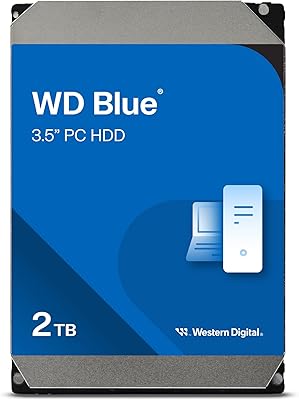
Western Digital WD Blue 2TB Hard Drive
81%
88%
Long-Term Reliability
91%
Value for Money
74%
Read/Write Performance
83%
Noise & Vibration
92%
Installation Ease
More
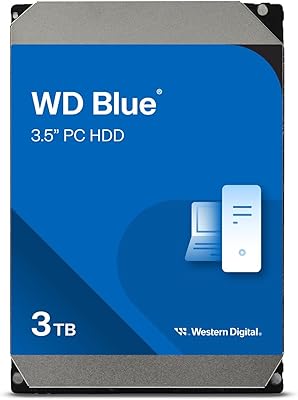
WD Blue 3TB Internal Hard Drive
80%
91%
Value for Money
86%
Reliability & Longevity
93%
Installation Ease
62%
Read & Write Speed
84%
Noise & Vibration
More
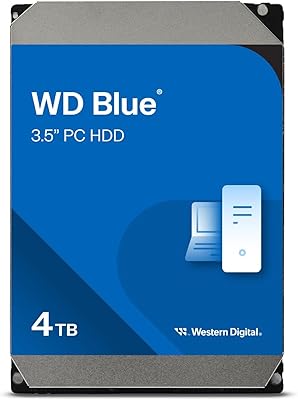
Western Digital WD Blue 4TB Hard Drive
79%
91%
Storage Capacity Value
83%
Noise & Acoustics
67%
Read & Write Performance
92%
Installation Ease
93%
Compatibility
More
Western Digital WD Blue 1TB Hard Drive
81%
83%
Value for Money
51%
Read/Write Speed
91%
Compatibility
86%
Noise & Vibration
77%
Build Quality
More
WD Red Plus 6TB NAS Hard Drive
82%
89%
Reliability & Longevity
93%
NAS Compatibility
62%
Write Performance
91%
RAID Suitability
87%
Noise Level
More
WD Red Pro 10TB NAS Hard Drive
82%
88%
RAID Reliability
91%
NAS Compatibility
83%
Sustained Throughput
86%
Acoustic Performance
69%
Long-Term Durability
More
Western Digital WD Blue 1TB Hard Drive
78%
88%
Long-Term Reliability
91%
Value for Money
67%
Read & Write Speed
93%
Compatibility
58%
Noise Level
More
Western Digital 6TB WD Blue PC Hard Drive
86%
88%
Reliability
84%
Performance for Everyday Use
90%
Noise Levels
89%
Power Consumption
91%
Value for Money
More
WD Blue 250GB 3.5-inch Desktop Hard Drive
83%
83%
Performance
90%
Quiet Operation
92%
Value for Money
88%
Energy Efficiency
75%
Durability
More
Western Digital WD Blue 500GB M.2 SSD
82%
83%
Real-World Read Speed
81%
Write Performance
91%
Installation Experience
88%
Long-Term Reliability
74%
Value for Money
More

FAQ

In almost all cases, yes. The WD Blue WD5000AZLX 500GB Internal Hard Drive uses a standard 3.5-inch form factor and SATA interface, which have been the desktop standard for well over a decade. As long as your case has a 3.5-inch drive bay and your motherboard has a free SATA port, you just plug it in, secure it with screws, and you're done.
Technically yes, but it's not a great idea for modern systems. A spinning HDD will make your OS noticeably sluggish compared to even a budget SSD — boot times, application launches, and file indexing all slow down considerably. You'll get a much better experience using an SSD as your primary drive and this WD Blue drive as secondary storage.

It depends entirely on what you're storing. For documents, spreadsheets, and light photo libraries, 500GB is workable. But if you install modern games, shoot video, or accumulate large media files regularly, you'll likely find the space tight within a year or two. Many buyers use this desktop hard drive alongside a larger-capacity drive for exactly that reason.

It's quieter than you might expect for a 7200 RPM drive. During casual reading and writing — browsing file folders, loading documents — you'll barely notice it. Under heavier sequential reads or writes, there's a faint hum and occasional seek noise, but nothing intrusive in a normal home environment.

The drive will be recognized by Mac desktops, but it ships formatted for Windows (NTFS) out of the box. If you plan to use it natively with macOS, you'll want to reformat it to APFS or Mac OS Extended using Disk Utility. That takes only a few minutes and is a standard part of setting up any new drive on a Mac.

Western Digital doesn't publish an MTBF figure for the Blue line, but real-world feedback suggests many of these drives run trouble-free for three to five years under light to moderate use. Like any mechanical drive, longevity depends heavily on operating conditions — temperature, vibration, and how often it spins up and down all play a role. Keeping it cool and avoiding physical shocks helps considerably.

It will physically work in a NAS, but WD Blue drives aren't specifically tuned for NAS environments the way WD Red drives are. For a single-bay unit or very light home use, it'll likely be fine. For multi-bay NAS setups running around the clock, you'd be better served by a NAS-optimized drive designed for continuous 24/7 operation and vibration compensation.

First, check that both the SATA data cable and power connector are fully seated — loose connections are the most common culprit. Then go into your BIOS to confirm the drive shows up there before troubleshooting at the OS level. On Windows, new drives sometimes need to be initialized and given a drive letter through Disk Management before they appear in File Explorer. If the drive still doesn't show, try a different SATA port or cable to rule out a hardware fault.

Not ideally. Surveillance applications involve continuous, 24/7 write cycles, which mechanical drives not designed for that workload handle poorly over time. Western Digital makes a purpose-built Purple series specifically engineered for surveillance DVR and NVR use. The WD5000AZLX is better suited to intermittent desktop workloads rather than always-on recording duty.

Western Digital typically backs the Blue series with a two-year limited warranty, though it's always worth confirming the warranty terms at the time of purchase, as they can vary by region and seller. Buying from an authorized retailer ensures the warranty is valid and claimable directly through Western Digital's support channels.