Overview

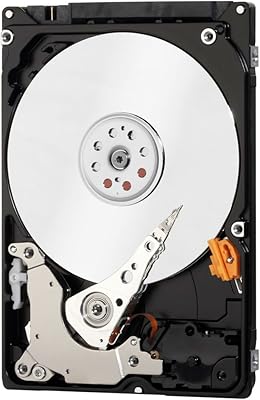
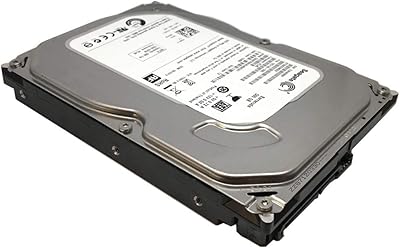
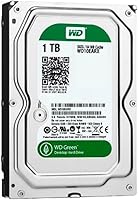
The WD Green 1TB 3.5-Inch Internal Hard Drive has been around since 2011, and that long shelf life says something real about its staying power in a crowded market. Western Digital's Green line was never built to compete on speed — it sits below the Blue and Black tiers, designed specifically around energy-efficient operation rather than peak throughput. Think of it as the quiet, practical option in the lineup: a drive that prioritizes keeping power draw and ambient noise low over chasing benchmark numbers. If you walk in expecting raw performance, you will be disappointed. Walk in expecting reliable bulk storage at a sensible price, and it makes considerably more sense.
Features & Benefits

The WD10EARX runs on WD's IntelliPower system, which varies the drive's spin speed rather than locking it to a fixed RPM. In practice, this means it runs cooler and quieter during typical workloads — you'll notice it mostly in how little heat it generates over a long session. IntelliSeek complements this by adjusting seek speeds to reduce mechanical vibration, which matters for long-term longevity. The SATA III interface with a 64 MB cache handles sequential reads reasonably well for large file transfers. It is not snappy opening applications or handling anything I/O-intensive, but for filling an archive folder or moving large media files, it holds its own. The 2-year warranty adds a baseline of confidence.

Best For

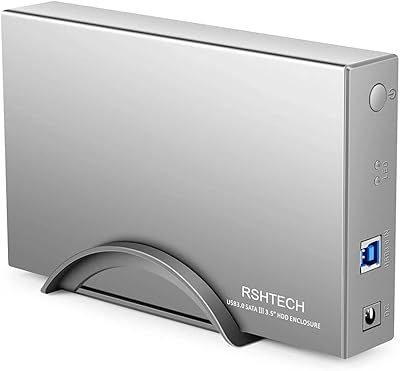
This desktop HDD makes the most sense as a secondary storage drive — the kind you pair alongside an SSD that handles the OS and active applications. Home users storing photo libraries, video archives, or years of accumulated documents will get genuine utility from a full terabyte of quiet, low-power storage. It also fits well in budget NAS enclosures where heat and power draw matter more than read/write speed, since most home NAS workloads are light and asynchronous. DIY builders who want to drop a quiet drive into an external enclosure will appreciate the low vibration profile. If you have an older desktop with an empty bay, this is one of the more practical ways to reclaim usable space without heavy investment.

User Feedback

Owners of this WD Green drive tend to split into two fairly distinct camps. On the positive side, many long-term users report years of reliable operation — especially in low-demand roles like media archiving or secondary backup. The quiet, cool running earns consistent praise from people who keep their systems in living rooms or bedrooms. On the other side, users who pushed it harder — running it as a primary drive or in write-heavy NAS setups — flagged noticeably slow sustained write speeds. A smaller subset mentioned compatibility hiccups with older BIOS configurations. The general consensus on value is positive given the capacity, though buyers replacing a failed unit occasionally report shorter-than-expected lifespans, making that included warranty more meaningful than it first appears.

Pros

  • Runs noticeably cooler and quieter than most standard mechanical drives during light workloads.
  • A full terabyte of storage handles large media libraries and document archives with ease.
  • Low power consumption makes it a smart pick for always-on or energy-conscious setups.
  • The 3.5-inch form factor drops straight into standard desktop bays and most external enclosures without hassle.
  • IntelliSeek reduces mechanical vibration, which helps in shared spaces where drive noise is a concern.
  • Long market track record means a well-documented reliability history and widely available community support.
  • The 2-year limited warranty offers a reasonable safety net for a budget-tier storage drive.
  • SATA III interface ensures broad compatibility with virtually any modern or recent desktop motherboard.
  • Works well as a hands-off archive drive — install it, fill it, and largely forget it exists.

Cons

  • Sustained write speeds lag noticeably behind WD Blue and Black drives, which matters for large file transfers.
  • IntelliPower's variable spin speed makes it a poor choice as a primary or boot drive.
  • Some users have reported early failures, suggesting quality consistency is not ironclad across all units.
  • Not suited for write-heavy NAS workloads where drive endurance and consistent IOPS matter.
  • Older BIOS configurations on legacy motherboards can occasionally cause recognition or compatibility issues.
  • The WD10EARX offers no hardware encryption, which may matter to privacy-focused buyers.
  • At its price point, newer drive generations offer better areal density and often better value per terabyte.
  • No NAS-specific firmware optimizations, making it less robust than purpose-built NAS drives in multi-drive arrays.
  • Random read and write performance is mediocre even by mechanical HDD standards, limiting its versatility.

Ratings

Our AI rating engine analyzed thousands of verified global purchases of the WD Green 1TB 3.5-Inch Internal Hard Drive, actively filtering out incentivized reviews, bot patterns, and outlier spam to surface what real buyers consistently experience. The scores below reflect an honest cross-section of long-term satisfaction, covering both the areas where this desktop HDD genuinely delivers and the friction points that show up repeatedly across user cohorts. Nothing here is smoothed over — if buyers struggled with something, that pain point is reflected in the number.

Noise & Vibration
88%
Quiet operation is the single most praised aspect of this WD Green drive across user cohorts. People running it in living room HTPCs, bedroom NAS boxes, or open-bench workstations consistently report that it fades into the background during idle and light workloads. The IntelliSeek system noticeably reduces the mechanical chatter typical of older or faster-spinning drives.
Under sustained sequential writes — like large backup jobs running overnight — the audible clicking picks up and a low-frequency hum becomes perceptible in quiet rooms. A handful of users also reported an intermittent ticking noise during seek operations that worsened over time, suggesting unit-to-unit variance is a factor.
Power Efficiency
86%
For always-on setups like home NAS enclosures or energy-conscious desktop builds, the reduced power draw is a genuine, measurable advantage. Users running multiple drives in a low-wattage NAS chassis specifically call out the Green line for keeping total system wattage manageable without sacrificing usable capacity.
The efficiency gains are most meaningful in multi-drive or always-on scenarios; in a standard single-drive desktop, most users will not notice a difference on their electricity bill. The variable spin speed that enables this efficiency is also the root cause of the drive's sluggish performance, so the trade-off is real and constant.
Read & Write Speed
54%
46%
For purely sequential reads of large files — think streaming a 20 GB video file stored on the drive, or copying a folder of high-res photos — the WD10EARX performs adequately. The 64 MB cache smooths out the experience enough that occasional large transfers do not feel punishing.
Sustained write speeds are a persistent complaint, and for good reason. Users who tried using this drive for anything resembling regular workloads — frequent file moves, incremental backups, or database writes — found the variable IntelliPower spin speed created real bottlenecks. Random read and write IOPS are particularly weak, making it feel sluggish even compared to other budget mechanical drives.
Long-Term Reliability
67%
33%
A significant portion of buyers report trouble-free operation stretching three, five, even seven or more years, particularly in low-stress archive roles. The drive's long production history means failure patterns are publicly well-documented, and many users treat that track record as implicit validation of the hardware's durability under appropriate workloads.
Early-failure reports appear at a higher-than-comfortable frequency in this model's review history. Some users experienced drive death within the first year, and the pattern of failures does not appear limited to any single manufacturing batch. The 2-year warranty helps, but it does not recover lost data, and several buyers noted the RMA process added frustration on top of an already stressful situation.
Value for Money
71%
29%
At its price tier, getting a full terabyte from a reputable manufacturer with a 2-year warranty represents reasonable value for buyers whose use case aligns with what the drive actually does well. Home users treating it as a cold-storage or overflow drive generally feel they got fair value from the transaction.
The value equation weakens when buyers compare it against newer-generation drives at similar price points that offer better sustained performance and comparable or larger capacity. Users who purchased expecting general-purpose performance and then had to replace the drive within a year understandably felt the cost-benefit case did not hold up.
Heat Management
83%
Running significantly cooler than fixed high-RPM alternatives is a consistent observation from users who monitor drive temperatures with tools like CrystalDiskInfo. In enclosed NAS bays or poorly ventilated desktop cases, the lower thermal output makes a practical difference for overall system temperature and drive longevity.
Under prolonged heavy workloads, temperatures do climb, and a few users with poorly ventilated enclosures reported the drive running warmer than expected after extended use. This is less a design flaw and more a reminder that even efficient drives need adequate airflow to perform at their best over the long term.
Installation & Compatibility
79%
21%
For most modern desktop builds and NAS enclosures, installation is entirely plug-and-play. The standard 3.5-inch form factor and universal SATA III connector mean most buyers simply slide the drive in, connect a data and power cable, and get going without needing to touch any settings.
A recurring thread of complaints involves older motherboards with outdated BIOS versions failing to recognize the drive correctly, particularly around capacity detection. Users running legacy hardware from the mid-2000s occasionally needed BIOS updates or add-in SATA controllers to get the drive working reliably, which added unexpected setup friction.
NAS Suitability
58%
42%
For light home NAS duties — storing a family photo library, streaming media to a TV, or hosting a personal file server with occasional access — this desktop HDD works without serious issues for many users. The low power draw and quiet operation are genuinely useful traits in that context.
It lacks the NAS-optimized firmware of purpose-built alternatives, and users who pushed it in multi-drive RAID arrays or under frequent simultaneous read-write access ran into performance and stability problems. Western Digital themselves categorize this as a desktop drive, not a NAS drive, and that distinction matters under real workloads.
Build Quality
72%
28%
The physical construction feels solid and consistent with WD's standard manufacturing quality at this tier. Buyers who have handled multiple WD drives report the WD10EARX feels comparable in heft and fit-and-finish to other drives in the Green and Blue families, which is a reassuring baseline.
The early-failure subset of reviews does cast some doubt on internal component consistency, and a few users noted a rattling sensation on units that otherwise passed initial diagnostics. It is difficult to distinguish bad luck from a systemic quality issue, but the pattern appears in enough reviews to flag it as a real concern rather than noise.
Packaging & Unboxing
81%
19%
The Certified Frustration-Free Packaging lives up to its name for most buyers — drives arrive well-protected with minimal excess material, and unboxing damage reports are rare. For a delicate mechanical component being shipped across long distances, that is a meaningful practical benefit.
A small number of buyers reported drives arriving with cosmetic scratches on the casing or loose within the packaging, suggesting that not every unit makes it through the shipping process without incident. These cases appear to be outliers rather than a systemic issue, but they occur often enough to mention.
Warranty & Support
66%
34%
A 2-year limited warranty from Western Digital provides a meaningful backstop for a budget storage drive, and WD's RMA process is generally functional and accessible. Buyers who experienced genuine manufacturing defects within the warranty window reported the replacement process worked as expected.
Two years is on the shorter end for internal hard drives — competing products in similar tiers sometimes offer three years. More critically, several buyers flagged that support interactions felt transactional once it came to actually processing an RMA, with long wait times and limited assistance diagnosing borderline drive health issues.
Archive & Cold Storage Performance
84%
This is arguably where the drive is most at home, and user satisfaction in this specific role is noticeably higher than average. Buyers using it purely as a write-once, read-occasionally archive for old projects, holiday footage, or system image backups report smooth, hassle-free long-term operation.
Even in cold-storage roles, some users noticed that spin-up times after the drive had been idle for extended periods felt sluggish, adding a few extra seconds of latency before files became accessible. It is a minor annoyance rather than a dealbreaker, but worth knowing if instant file access matters to you.
Desktop Secondary Drive Use
82%
18%
Paired with an SSD primary boot drive, this WD Green drive slips into a clean supporting role that plays to its strengths. Users in this setup consistently rate their experience higher, since the drive only handles large sequential transfers rather than the random I/O that exposes its weaknesses.
Users who did not pair it with an SSD and instead used it as their sole drive universally rated the experience much lower, citing sluggish boot times and slow application loading. The drive's performance profile really only works well when it is not carrying the full weight of day-to-day OS and application demands.

Suitable for:

The WD Green 1TB 3.5-Inch Internal Hard Drive is a strong fit for anyone who needs dependable, low-maintenance bulk storage without demanding high throughput. Home users building out a media library — years of family photos, home videos, music collections — will find a full terabyte of quiet, cool-running storage more than adequate for the job. It works particularly well as a secondary drive in a desktop that already uses an SSD for the operating system, since the performance gap becomes a non-issue when the drive is only handling cold storage. Budget-conscious NAS builders who prioritize low power draw and reduced heat over fast transfer speeds will also get solid value here. Likewise, anyone putting together a quiet home office machine or a DIY external enclosure will appreciate how little noise and vibration this desktop HDD generates during typical use.
Not suitable for:

The WD Green 1TB 3.5-Inch Internal Hard Drive is a poor choice for anyone expecting snappy, responsive performance from their storage. Users who plan to run an operating system, applications, or games directly from this drive will notice sluggishness immediately — the variable IntelliPower spin speed that keeps things cool and quiet is exactly what makes it unsuitable for I/O-intensive tasks. Video editors, photographers working with large RAW files, or anyone doing heavy sequential writes will run into frustratingly slow sustained write performance. It is also not the right pick for a primary NAS drive in workloads involving frequent simultaneous read and write operations, where faster, NAS-rated alternatives like the WD Red line are a much better match. Given the drive's age, buyers in high-availability or business-critical roles should look elsewhere — or at minimum, plan on redundant backups from day one.

Specifications

  • Capacity: This drive offers 1 TB of usable storage, practical for large media libraries, document archives, and system backups.
  • Form Factor: The 3.5-inch form factor fits standard desktop drive bays and most third-party external enclosures without modification.
  • Interface: It uses a SATA III (6 Gb/s) interface, backward compatible with SATA II ports at reduced throughput.
  • Cache: A 64 MB cache buffer supports reasonably smooth sequential read performance during large file transfers.
  • Spin Speed: WD's IntelliPower technology applies a variable spin speed rather than a fixed RPM, prioritizing thermal efficiency and noise reduction over peak performance.
  • Drive Type: This is a conventional magnetic recording (CMR) mechanical hard disk drive, not a solid-state or hybrid drive.
  • Dimensions: The drive measures 5.8 x 4 x 1 inches, conforming to standard 3.5-inch HDD physical specifications.
  • Weight: The unit weighs 1.61 pounds, consistent with standard full-height 3.5-inch desktop hard drives.
  • Power Efficiency: WD rates this drive at up to 40% lower power consumption compared to conventional hard drives operating at fixed higher RPM speeds.
  • Warranty: Western Digital includes a 2-year limited warranty covering manufacturing defects under normal operating conditions.
  • Model Number: The official model identifier is WD10EARX, used for firmware lookups, RMA requests, and compatibility verification.
  • Manufacturer: This drive is designed and manufactured by Western Digital, a major US-based storage company with decades of HDD production history.
  • Installation Type: The WD10EARX is designed for internal installation inside a desktop PC chassis or NAS enclosure.
  • Compatible Devices: Compatible with desktop PCs, tower workstations, and NAS enclosures that accept 3.5-inch SATA drives.
  • Vibration Control: IntelliSeek technology dynamically calculates seek speeds to minimize mechanical vibration and acoustic noise during operation.
  • Launch Date: This drive first became commercially available in June 2011, giving it an extensive real-world reliability track record.
  • Packaging: It ships in WD's Certified Frustration-Free Packaging, designed to minimize damage during transit without excessive materials.

Related Reviews

WD Blue 1TB 2.5-inch Internal Hard Drive
79%
88%
Value for Money
91%
Storage Capacity
54%
Read & Write Speed
93%
Installation Ease
82%
Noise Level
More
ikuai 3.5″ USB 3.0 Hard Drive Enclosure
80%
93%
Ease of Setup
71%
Build Quality
62%
Cable Quality & Reliability
88%
Drive Compatibility
74%
Data Transfer Speed
More
WD Blue 250GB 3.5-inch Desktop Hard Drive
83%
83%
Performance
90%
Quiet Operation
92%
Value for Money
88%
Energy Efficiency
75%
Durability
More
Western Digital Velociraptor 1TB 10K RPM SATA III 2.5-Inch Internal Hard Drive
81%
92%
Performance in Demanding Tasks
88%
Data Transfer Speed
85%
Build Quality & Durability
90%
Compatibility with Desktop/Server Setups
65%
Noise Levels During Operation
More
Inateck FE3001 3.5-inch Hard Drive Enclosure
79%
88%
Build Quality
83%
Drive Compatibility
79%
Transfer Speed
74%
Heat Management
91%
Setup & Ease of Use
More
Toshiba MQ01ABD100 1TB 2.5″ Internal Hard Drive
81%
88%
Value for Money
91%
Noise Level
93%
Installation Ease
52%
Read/Write Speed
67%
Long-Term Reliability
More
RSHTECH RSH-339 3.5-Inch Hard Drive Enclosure
81%
86%
Build Quality
92%
Ease of Setup
71%
Data Transfer Speed
78%
Drive Compatibility
89%
Power Delivery
More
Seagate BarraCuda ST500DM002 500GB Internal Hard Drive
71%
83%
Value for Money
91%
Installation Ease
67%
Read/Write Performance
72%
Long-Term Reliability
88%
Compatibility
More
Seagate 2TB BarraCuda 2.5-Inch Internal Hard Drive
86%
89%
Performance
91%
Quiet Operation
88%
Energy Efficiency
93%
Installation Ease
90%
Reliability
More
Western Digital WD Red Plus 1TB NAS Hard Drive
84%
91%
Long-Term Reliability
93%
NAS Compatibility
88%
RAID Performance
83%
Noise & Vibration
77%
Heat Management
More

FAQ

Technically yes, but it is not a good idea in practice. The WD Green 1TB 3.5-Inch Internal Hard Drive uses a variable spin speed that prioritizes energy efficiency, and you will feel that in day-to-day use — loading times, application launches, and boot times will all be noticeably slower than even a mid-range SSD. It is much better suited as a secondary storage drive paired with an SSD for the operating system.
It will physically fit and generally function in most NAS boxes that accept 3.5-inch SATA drives. That said, this WD Green drive is not NAS-rated firmware, so in multi-drive arrays under constant workloads, it may be less reliable long-term than a purpose-built NAS drive like the WD Red series. For light home NAS use with infrequent access, most users report no issues.

Most users describe it as quiet — noticeably so compared to older or higher-RPM mechanical drives. The IntelliSeek and IntelliPower systems both contribute to keeping acoustic noise and vibration low, especially during idle or light workloads. Under sustained read or write activity you may hear the typical mechanical clicking, but it rarely becomes distracting.

IntelliPower is WD's name for a variable spin speed system — instead of running at a fixed RPM like 5400 or 7200, the drive adjusts dynamically to balance power draw and heat. Yes, it does affect performance. This desktop HDD will not match the sustained transfer speeds of a fixed higher-RPM drive, which is a deliberate trade-off for efficiency and quieter operation.

Generally yes, since SATA III is backward compatible with SATA II ports. However, a small number of users have reported recognition issues with very old BIOS revisions, particularly around drive capacity detection. If you are installing this in hardware from the mid-2000s or earlier, it is worth checking whether your motherboard supports drives larger than 137 GB via an updated BIOS or a SATA controller card.

It depends entirely on what you need it for. The drive's long production history means its failure patterns are well-documented, which is actually useful information for a buyer. For basic archival storage at low cost, it still delivers. If you are comparing it against newer drives at similar price points, some newer alternatives offer better areal density and potentially better value per terabyte, so it is worth shopping around.

Yes, this desktop HDD works well inside a standard 3.5-inch external USB enclosure. The low heat output and reduced vibration make it a reasonable choice for a DIY external backup drive. Just make sure your enclosure's bridge chipset is compatible with 1 TB SATA drives, which is standard on any enclosure made in the last several years.

The WD Blue runs at a fixed 5400 RPM and generally delivers more consistent and slightly faster sustained transfer speeds. The WD Green's variable IntelliPower approach results in lower power consumption and heat, but at the cost of predictable performance. For archive or cold-storage roles, the Green is fine. If you plan to access the drive frequently or want better all-around performance, the Blue is usually the smarter pick.

The WD10EARX is best treated as a secondary storage drive. Think photo archives, video backups, music collections, document repositories, or an overflow drive for files you do not access daily. It shines in roles where it sits mostly idle, spins up occasionally to read or write large files, and then goes quiet again. Push it harder than that and its limitations become obvious quickly.

The 2-year limited warranty covers manufacturing defects under normal operating conditions — it does not cover physical damage, water damage, or failures caused by improper installation or power surges. To make a warranty claim, you would go through Western Digital's RMA process directly using the drive's serial number. Keep your purchase receipt, as proof of purchase date is typically required.