Overview

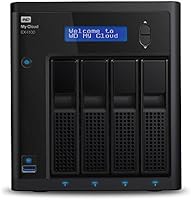
The Western Digital My Cloud EX4100 8TB NAS is a prosumer-grade 4-bay storage unit built for users who need more than a basic external drive sitting on a desk. Under the hood, a Marvell ARMADA 388 dual-core processor paired with 2GB of DDR3 RAM gives it enough muscle for multi-user file transfers and media tasks running simultaneously. The 8TB pre-loaded configuration places it firmly in the premium tier of personal and small-office network storage. My Cloud OS ties the whole experience together, handling everything from RAID management to remote access. That said, if you expect a simple plug-in-and-go setup, this WD NAS enclosure will likely surprise you in ways that require some patience and technical confidence.
Features & Benefits

The EX4100 packs real flexibility into its four bays, supporting RAID 0, 1, 5, and 10 so you can prioritize either raw capacity or redundancy depending on your needs. Transfer speeds hover around 110 MB/s in both directions under ideal conditions, which translates well for teams sharing large files across a local network. The built-in Plex Media Server is a genuine highlight — it organizes your entire library automatically and streams to phones, smart TVs, and game consoles without much manual configuration. Remote access works through WD's app and web portal, which is convenient for off-site access without configuring a VPN. Dual Gigabit Ethernet ports with link aggregation support and an aluminum-and-glass chassis round out a feature set that sits well above entry-level NAS territory.

Best For

This 4-bay network drive makes the most sense for small offices or collaborative home setups where multiple people need reliable, fast access to a shared pool of files. Photographers and videographers especially benefit from the RAID redundancy paired with fast local transfer speeds — losing a project to a single drive failure is a risk worth eliminating at this level of work. Plex enthusiasts with growing media libraries will also find it a natural fit. One honest note: users who aren't comfortable navigating RAID configurations or network settings should expect a noticeable learning curve. This isn't a device for someone who just wants extra storage; it's for someone ready to build a properly managed data infrastructure at home or in a small business.

User Feedback

Buyers consistently praise the Plex integration and the relatively smooth initial setup given the hardware complexity involved. Long-term owners report the unit handles continuous workloads reliably, though several note the fan becomes audibly noisy during heavy sustained use — worth considering if the device will sit in a quiet workspace. The My Cloud OS interface draws mixed reactions; some find it intuitive, while others flag occasional firmware update issues that required a full reset to resolve. A recurring theme in user discussions is comparison with Synology and QNAP units at a similar price point, where some feel the software ecosystem on those platforms is more refined. WD customer support responses are described as adequate but inconsistent depending on the specific issue raised.

Pros

  • Four drive bays with full RAID 0, 1, 5, and 10 support gives real flexibility for balancing capacity against data protection.
  • Local transfer speeds hold up well under multi-user load, making shared access genuinely practical for small teams.
  • Built-in Plex Media Server organizes and streams large media libraries without needing a separate dedicated device.
  • Remote access via the My Cloud app works without VPN configuration, which saves setup time for non-network-specialist users.
  • The aluminum and glass chassis feels solid and premium, and holds up well over years of continuous operation.
  • Dual Gigabit Ethernet ports support link aggregation for users with a compatible switch, boosting throughput on busy networks.
  • Pre-loaded with drives out of the box, removing the guesswork of sourcing compatible HDDs separately.
  • Four bays leave room to expand storage capacity over time without replacing the unit entirely.
  • Long-term hardware reliability is generally strong, with many owners running the EX4100 for years without drive or chassis issues.

Cons

  • My Cloud OS feels dated compared to Synology DSM and QNAP QTS, especially around third-party app support.
  • Firmware updates have caused instability for a notable number of users, sometimes requiring a full factory reset to recover.
  • Fan noise ramps up audibly under sustained workloads and stays elevated, which becomes disruptive in quiet environments.
  • Remote access reliability can drop after firmware changes, making it less dependable for users who need consistent off-site access.
  • Transcoding high-bitrate or format-incompatible video in Plex taxes the processor and can cause buffering with multiple active streams.
  • Customer support quality is inconsistent — knowledgeable help exists, but reaching it often requires multiple contacts.
  • The mobile app lacks the depth of competing NAS clients, limiting what can be managed conveniently from a phone.
  • Drive tray compatibility documentation is not always kept current, creating uncertainty when adding newer high-capacity drives.
  • Link aggregation benefits require a compatible managed switch, adding cost that buyers may not anticipate upfront.

Ratings

The Western Digital My Cloud EX4100 8TB NAS earns a nuanced scorecard built from AI analysis of verified buyer reviews worldwide, with spam, bot-generated, and incentivized feedback actively filtered out. Across thousands of real-world impressions from home office users, media enthusiasts, and small business owners, both the genuine strengths and the recurring frustrations are reflected here without softening either side. The EX4100 is a capable machine with real trade-offs, and the scores below capture exactly that balance.

Transfer Speed Performance
83%
Users running local backups or transferring large RAW photo archives report consistently solid throughput that holds up under multi-user load, which is exactly the scenario this unit is designed for. For a home office with several people accessing shared folders simultaneously, the real-world speeds feel meaningfully faster than entry-level NAS alternatives.
Speeds can dip noticeably when the network is congested or when the unit is under heavy RAID rebuild operations. A few users noted that advertised peak figures are only achievable under ideal, single-client conditions.
RAID Flexibility & Data Protection
89%
The range of supported RAID modes is one of the most praised aspects among technically experienced buyers, giving them the ability to prioritize either capacity or redundancy depending on their workflow. Small business owners particularly appreciated being able to switch configurations as storage needs evolved.
Setting up RAID for the first time is not intuitive through the My Cloud OS interface, and several users reported confusion around migrating between RAID modes without data loss risk. The documentation from WD on this topic was described as insufficient by multiple reviewers.
Plex Media Server Integration
86%
For users building a personal media library, the built-in Plex server works reliably for organizing and streaming content to TVs, phones, and game consoles without needing a separate dedicated machine. Many reviewers highlighted this as the feature that justified the purchase over a simpler NAS.
Transcoding performance has limits — streaming high-bitrate 4K content to multiple devices simultaneously can cause buffering on some setups. The processor handles direct-play well but struggles when active transcoding is required for incompatible formats.
Remote Access & Connectivity
78%
22%
The My Cloud app and web portal make off-site file access genuinely convenient for users who need to pull documents while traveling or share files with collaborators in other locations. No VPN configuration required is a real practical advantage for non-technical users.
Several long-term owners reported intermittent disconnection issues with the remote access portal, particularly after firmware updates. A subset of users found that access reliability dropped during periods of heavy local network traffic.
My Cloud OS Software Experience
61%
39%
For users already familiar with WD's ecosystem, the interface offers a reasonably organized dashboard that covers the core management tasks without requiring command-line knowledge. Initial configuration wizards are helpful enough to get most users up and running.
The OS drew consistent criticism for feeling outdated compared to Synology DSM or QNAP's QTS, especially around third-party app support and overall polish. Firmware updates have caused problems for a notable number of users, including one widely reported issue that required a full factory reset to resolve.
Build Quality & Chassis Durability
84%
The aluminum and glass construction feels noticeably premium compared to the all-plastic enclosures common at lower price points, and the overall rigidity of the chassis inspires confidence in long-term durability. Users who moved the unit between locations appreciated how solid it felt in transit.
The glass front panel, while aesthetically attractive, attracted smudges and fingerprints quickly in desk environments. A few users noted the drive trays felt slightly less robust than the outer chassis suggested they would be.
Fan Noise & Acoustic Comfort
58%
42%
Under light loads, the unit runs quietly enough to sit in a home office without becoming a distraction. Several users noted the fan noise is entirely acceptable during typical daytime file sync operations.
Under sustained workloads — extended backups, RAID rebuilds, or continuous Plex transcoding — the fan ramps up audibly and stays there. Users working in quiet rooms reported this as a genuine nuisance, and the fan management options within the OS are limited.
Initial Setup Experience
72%
28%
Users with prior NAS experience generally found the initial hardware setup and drive installation process clean and straightforward. The physical design makes drive installation tool-free and accessible.
For users without a networking background, the combination of RAID selection, static IP assignment, and My Cloud account linking during first setup created confusion. Several reviewers wished there was a more guided onboarding flow for non-expert users.
Long-Term Reliability
77%
23%
A solid portion of long-term owners — those using the unit for two or more years — report it has run without hardware failures, which matters greatly when the device is acting as a primary data backup location. Drive health monitoring through the interface adds a layer of reassurance.
A recurring concern involves firmware updates occasionally destabilizing a previously functioning setup, which erodes confidence for users who rely on the device for business-critical storage. Hardware reliability is generally well-regarded, but software-related disruptions have affected a meaningful minority of users.
Value for Money
68%
32%
For users who fully utilize the RAID options, Plex server, and dual-Ethernet capabilities, the feature-per-dollar ratio is reasonable given the hardware specifications included. Coming pre-loaded with drives removes the complexity of sourcing compatible HDDs separately.
At this price tier, direct competitors from Synology and QNAP offer what many buyers consider a more mature software platform, which shifts the value calculation significantly. Users who end up underusing the advanced features may feel the premium pricing harder to justify over time.
Mobile App Usability
66%
34%
The My Cloud mobile app covers the basics well — browsing files, uploading photos from a phone, and checking device status are all functional and reasonably responsive. For casual remote access, most users found it adequate.
The app has received criticism for lacking the depth and stability of competing NAS mobile clients. Users attempting more advanced operations through the app — like managing shares or checking RAID status — found the experience limiting compared to desktop access.
Scalability & Expandability
81%
19%
Four drive bays give this unit genuine room to grow, and the dual USB 3.0 ports allow external drives to be added for additional backup destinations. Users who started with a partial drive configuration appreciated being able to expand capacity without replacing the unit.
The maximum supported drive sizes are bounded by compatibility constraints that WD has not always updated promptly, leaving some users uncertain about which newer high-capacity drives are officially supported. Link aggregation is supported but requires a compatible switch, which adds to the total setup cost.
WD Customer Support Quality
59%
41%
Users who contacted WD support for straightforward hardware replacement requests generally reported a functional, if slow, resolution process. Warranty coverage is in line with industry standards at this tier.
Technical support quality was described as inconsistent — knowledgeable agents exist, but reaching them requires persistence, and several users reported being directed to generic troubleshooting steps that failed to address their specific firmware or RAID configuration issues.
Cooling & Thermal Management
74%
26%
Under normal operating conditions the unit maintains stable drive temperatures, and the chassis design does appear to assist in dissipating heat from the drive bays effectively. Long-term users have not widely reported heat-related drive failures.
The fan control options are limited, meaning the unit cannot be configured to prioritize silence over aggressive cooling in the way some competitors allow. Users in warmer room environments noted the fan activity was more frequent and louder than expected.

Suitable for:

The Western Digital My Cloud EX4100 8TB NAS is built for users who have outgrown single-drive storage and need a properly managed, multi-bay solution at home or in a small office. It fits especially well in workflows where several people need concurrent access to a shared file pool — think a small creative agency, a home office shared between two or three professionals, or a freelance photographer who wants automated local backups with redundancy built in. Media enthusiasts who have accumulated large libraries of video, music, and photos will find the built-in Plex server a practical centerpiece for a home media setup, provided their local network is up to the task. Users who are comfortable spending time on initial configuration — setting up RAID, assigning network shares, and exploring the My Cloud OS dashboard — will get the most out of what this 4-bay network drive offers. It also makes sense as a scalable upgrade for anyone already using WD drives across their setup and wanting a centralized hub that fits naturally into that ecosystem.

Not suitable for:

The Western Digital My Cloud EX4100 8TB NAS is a poor fit for buyers who want a simple, install-and-forget storage device with minimal setup involvement. If your networking knowledge stops at plugging in a router, the RAID configuration process, static IP management, and My Cloud OS quirks will likely cause real frustration rather than convenience. Users who prioritize a polished, app-rich software experience should seriously consider alternatives — Synology's DSM platform and QNAP's QTS both offer a broader third-party app ecosystem and a more refined management interface at comparable price points, which is a trade-off many buyers feel strongly about after living with the EX4100 for several months. Anyone planning to use the device in a quiet workspace should also factor in the fan noise under sustained load, as it is not a silent unit by any stretch. Finally, buyers who primarily need cloud-like storage access from anywhere without managing local hardware will likely be better served by a cloud subscription than by this kind of on-premises setup.

Specifications

  • Processor: Powered by a Marvell ARMADA 388 dual-core processor running at 1.6GHz, providing sufficient computing headroom for simultaneous file transfers, RAID operations, and media serving.
  • RAM: Equipped with 2GB of DDR3 SDRAM, which supports multi-user access and background services like Plex without significant performance degradation under typical workloads.
  • Drive Bays: Four hot-swappable 3.5-inch drive bays allow for flexible storage configurations, incremental capacity expansion, and drive replacement without powering down the unit.
  • Included Storage: Ships pre-loaded with 8TB of total capacity across multiple mechanical hard drives, ready to configure into a RAID array upon first setup.
  • RAID Support: Supports RAID modes 0, 1, 5, and 10, as well as JBOD, giving users control over whether to prioritize raw capacity, redundancy, or a balance of both.
  • Upload Speed: Achieves local network upload speeds of up to 114 MB/s under optimal single-client conditions over a wired Gigabit Ethernet connection.
  • Download Speed: Delivers local network download speeds of up to 108 MB/s under optimal conditions, suitable for streaming high-resolution media files to multiple devices.
  • Network Ports: Dual Gigabit Ethernet ports support both failover and link aggregation (802.3ad), requiring a compatible managed switch to unlock the full bandwidth benefit.
  • USB Ports: Two USB 3.0 ports on the rear panel allow connection of external drives for additional backup destinations or direct-attached storage expansion.
  • Operating System: Runs Western Digital's proprietary My Cloud OS, which manages RAID configuration, user access controls, remote connectivity, and app services through a browser-based dashboard.
  • Plex Media Server: Includes a native Plex Media Server installation, enabling automatic media library organization and streaming to compatible TVs, phones, game consoles, and computers.
  • Remote Access: Remote file access is available through the My Cloud mobile app (iOS and Android) and the MyCloud.com web portal without requiring manual VPN configuration.
  • Chassis Material: The enclosure is constructed from aluminum and glass, contributing to structural rigidity, a premium tactile finish, and passive heat dissipation from the drive bays.
  • Dimensions: The unit measures 9.13 x 6.69 x 7.56 inches (L x W x H), making it compact enough for a desk or shelf while accommodating four full-size 3.5-inch drives.
  • Weight: Fully loaded with drives, the unit weighs approximately 10.49 pounds, reflecting the solid construction of both the chassis and the included mechanical hard drives.
  • Power Input: Operates on a 19V DC power supply, which is included in the box; the unit is not designed to run on UPS battery backup without a compatible external UPS device.
  • Color: Available in Black with a glass front panel accent, giving the unit a professional appearance suited to both office shelving and home entertainment setups.
  • Warranty: Western Digital covers this unit with a standard limited hardware warranty; buyers should confirm current regional warranty terms directly with WD at the time of purchase.

Related Reviews
WD Red Plus 8TB NAS Hard Drive
82%
88%
Long-Term Reliability
93%
NAS Compatibility
91%
CMR Recording Technology
83%
Value for Money
86%
Noise & Vibration
More
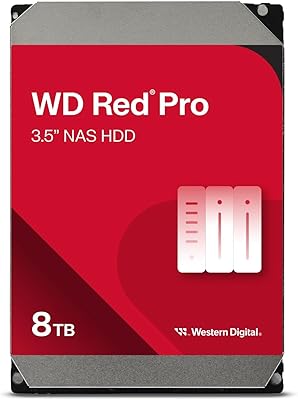
Western Digital 8TB WD Red Pro NAS Hard Drive
88%
91%
Performance
94%
Reliability
86%
Ease of Setup
90%
Compatibility with NAS Systems
89%
Vibration and Shock Protection
More
WD EasyStore 8TB External Hard Drive
73%
93%
Storage Capacity Value
91%
Ease of Setup
61%
Transfer Speed
72%
Long-Term Reliability
58%
Noise and Vibration
More
Western Digital 8TB Elements Desktop External Hard Drive
82%
92%
Value for Money
95%
Setup & Installation
85%
Performance & Speed
88%
Build Quality & Durability
58%
Noise Levels Under Load
More
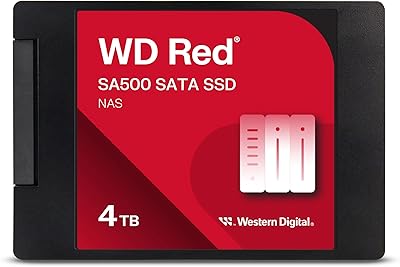
WD Red SA500 4TB NAS SSD
83%
93%
NAS Compatibility
91%
Endurance & Longevity
87%
Read & Write Performance
61%
Value for Money
89%
Installation Ease
More
Western Digital 1TB WD Red SA500 NAS SSD
87%
93%
Performance in NAS Environments
88%
Endurance & Reliability
89%
Read Speed
85%
Power Consumption
87%
Multi-User Performance
More
Western Digital 8TB Ultrastar DC HC320 SATA HDD
86%
91%
Performance
89%
Reliability
87%
Durability
94%
Capacity
85%
Data Transfer Speed
More
Western Digital 8TB WD Purple Surveillance Hard Drive
87%
91%
Performance for Surveillance Tasks
94%
Durability for 24/7 Operation
89%
Value for Money
88%
Compatibility with Security Systems
85%
Installation and Setup
More
Western Digital WD Purple Pro 8TB
85%
93%
24/7 Reliability
91%
Frame Retention Under Load
88%
NVR Compatibility
94%
Workload Endurance
71%
Value for Money
More
Western Digital 500GB WD Red SA500 NAS SSD
87%
92%
Performance
91%
Speed
88%
Reliability
90%
Endurance (24/7 Operation)
87%
Ease of Installation
More

FAQ

Some networking knowledge definitely helps. Installing the drives physically is straightforward, but configuring RAID, assigning a static IP, and setting up user shares through the My Cloud OS dashboard will take time if you haven't done it before. It isn't plug-and-play, and first-time NAS users should budget an afternoon for initial setup and a willingness to consult the documentation.

Yes, the drive bays accept standard 3.5-inch SATA hard drives, and you can replace or supplement the included drives with compatible units. WD maintains a compatibility list on their support site, and sticking to it is advisable — not all newer high-capacity drives are immediately added to that list, so it's worth checking before purchasing additional drives.

For direct-play scenarios — where the client device supports the file format natively — it handles multiple streams without much strain. Where it shows its limits is active transcoding: if your TV or phone requires the unit to convert a high-bitrate or unsupported format on the fly, you may experience buffering with more than one or two simultaneous streams. For a typical household Plex setup, it performs well enough.

It depends on your tolerance and the ambient noise level in your workspace. Under light loads it runs quietly. During extended backups, RAID rebuilds, or heavy Plex activity, the fan becomes clearly audible. If you're in a quiet room and sensitive to background noise, it's worth factoring in — the fan control options in the software are limited, so you can't dial it back much manually.

The Western Digital My Cloud EX4100 8TB NAS competes directly with Synology and QNAP units in this tier on hardware, but most experienced NAS users consider Synology's DSM software more polished, with broader third-party app support and a more active development community. If software ecosystem depth matters as much as raw storage, it's worth comparing the platforms directly before committing. WD's hardware is solid; the software is where opinions tend to diverge.

Yes, that's one of the core use cases this unit is designed for. You can create separate user accounts with individual access permissions for different shared folders. Under normal office conditions with a wired Gigabit network, multiple users accessing files simultaneously works reliably without noticeable slowdowns.

It works well in most cases through the My Cloud app and web portal, and for routine tasks like grabbing a document or uploading photos from a phone it's genuinely convenient. That said, some long-term users have reported intermittent connectivity issues following firmware updates, so it's not quite as dependable as a dedicated cloud service. It's best treated as a practical bonus rather than a mission-critical remote access solution.

That depends entirely on which RAID mode you configured at setup. With RAID 1 or RAID 5, a single drive failure is recoverable — the unit continues operating while you replace the failed drive, then rebuilds the array. In RAID 0 or JBOD, a single drive failure results in data loss for that portion of the array. Choosing the right RAID mode for your risk tolerance is one of the most important decisions you make during initial setup.

Yes, you can replace existing drives with higher-capacity ones over time, though the process requires careful attention to the rebuild sequence to avoid data loss. Adding drives to empty bays is more straightforward. Always verify that any new drives you plan to add appear on WD's official compatibility list before purchasing, as not all drives are guaranteed to be recognized correctly by the firmware.

It is designed for continuous operation and many users run it around the clock without issues. However, the fan activity and associated noise under sustained load are worth keeping in mind if it will be running constantly in a living space. Placing it in a dedicated utility area or network closet is a practical approach if noise is a concern in your environment.

Where to Buy