Overview

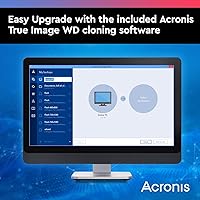
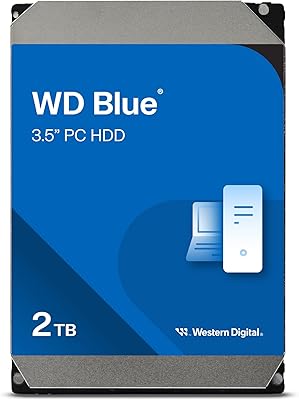
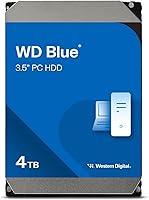
The Western Digital WD Blue 4TB Hard Drive sits squarely in the middle of WD's drive lineup — above the power-sipping Green series and below the higher-performance Black. It's built for everyday desktop storage, not speed records. At 5400 RPM, this is a drive you pair with an SSD for bulk storage: think photo archives, video libraries, or backup duties. Don't expect snappy application load times from a mechanical drive at this spin speed. What you do get is strong capacity at a fair price, plus WD's Acronis True Image cloning software thrown in, which makes migrating data from an old drive genuinely painless.
Features & Benefits

The 256 MB cache buffer helps the drive handle sequential read and write tasks more smoothly — you'll notice this most when copying large files in bulk. The SATA 6 Gb/s interface keeps it compatible with virtually any desktop motherboard, old or new. At 3.5 inches and just over a pound, installation in a standard desktop tower is straightforward. Running at 5400 RPM keeps heat and noise low compared to faster 7200 RPM drives, which matters if your rig runs around the clock. The included cloning software is a genuine time-saver during setup, and the 2-year warranty gives reasonable peace of mind for a drive in this tier.

Best For

This WD Blue drive makes the most sense as a secondary storage drive — the kind that sits alongside an SSD in a desktop build, holding everything that doesn't need lightning-fast access. If you're building or upgrading a home media PC, a 4TB capacity covers a large video library comfortably without breaking the bank. It also fits light home NAS setups or dedicated backup duties well. If you're replacing an aging 1TB or 2TB spinner and just need more headroom, this desktop HDD fits that upgrade path naturally. It's less suited for anyone expecting performance anywhere near SSD territory.

User Feedback

With over 60,000 ratings behind it, the WD Blue 4TB has enough real-world data to paint a fairly honest picture. Buyers consistently highlight quiet operation and solid out-of-box reliability, particularly when the drive is used for secondary storage alongside a faster SSD boot drive. The bundled Acronis cloning software earns repeated praise as a practical setup bonus. On the downside, some owners raise long-term durability concerns — a reasonable point, since mechanical drives carry inherently higher failure risk over time compared to SSDs. A smaller share of users also report increased noise under sustained, heavy workloads. Those with realistic bulk-storage expectations tend to come away satisfied.

Pros

  • Four terabytes of storage covers even large media libraries, photo archives, and multi-year backups with room to spare.
  • The WD Blue 4TB runs noticeably cooler and quieter than 7200 RPM alternatives, making it a good fit for home setups.
  • Standard 3.5-inch sizing means it drops into virtually any desktop tower with zero compatibility headaches.
  • Included Acronis True Image cloning software makes migrating from an old drive straightforward, even for first-timers.
  • SATA 6 Gb/s interface works with both current and older motherboards without any adapters or fuss.
  • Over 60,000 real-world ratings provide genuine confidence that this is a proven, widely tested drive.
  • When paired with a separate SSD boot drive, this desktop HDD rounds out a storage setup efficiently and affordably.
  • Low rotational speed keeps vibration transmission to the chassis minimal during normal workloads.
  • This WD Blue drive is one of the more cost-effective ways to add serious bulk storage to a desktop build.
  • The 2-year warranty gives adequate short-term coverage for buyers using it in low-intensity secondary storage roles.

Cons

  • Random read and write speeds are noticeably sluggish — do not use this as your primary or only drive.
  • Long-term reliability concerns are real; mechanical drives carry higher failure risk than SSDs after a few years.
  • Noise increases meaningfully under sustained heavy workloads, which can be distracting in quiet environments.
  • The 2-year warranty is shorter than what WD offers on its performance and NAS-oriented drive families.
  • Not suitable for always-on NAS enclosures; prolonged continuous access stresses the drive beyond its intended design.
  • Some buyers have reported Acronis activation issues, making the bundled software less reliable than advertised.
  • Drives purchased through third-party sellers have a higher-than-ideal rate of arriving with physical handling damage.
  • Per-terabyte cost becomes less competitive when compared against higher-capacity variants in the same product line.

Ratings

The Western Digital WD Blue 4TB Hard Drive has accumulated one of the largest verified review pools in its category, and our AI-driven scoring system has parsed tens of thousands of those real buyer experiences — actively filtering out incentivized, bot-generated, and duplicate submissions — to produce the scores below. Ratings reflect how this desktop HDD actually performs in everyday use, not just on paper, covering everything from installation ease to long-term reliability. Both the strengths that keep buyers recommending it and the friction points that earn its occasional criticism are represented transparently here.
Storage Capacity Value
91%
Four terabytes at this price tier is genuinely hard to argue with for bulk storage needs. Buyers building out media libraries, storing RAW photo archives, or maintaining rolling local backups consistently cite the sheer space-per-dollar as the primary reason they chose this drive over competitors.
While the capacity is strong, shoppers who do the math against higher-capacity variants sometimes feel the per-terabyte cost advantage narrows enough to make the 6TB or 8TB models worth the stretch. A few buyers wished they had sized up from the start.
Noise & Acoustics
83%
At 5400 RPM, this WD Blue drive runs noticeably quieter than most 7200 RPM alternatives. Users who keep their desktop rigs in home offices or living spaces consistently praise how unobtrusive the drive is during typical read and write operations, even during long backup sessions.
A meaningful subset of buyers reports that noise increases under sustained, heavy workloads — particularly during prolonged sequential writes or NAS-style constant access. In those scenarios, the characteristic mechanical hum becomes more audible than some users anticipated.
Read & Write Performance
67%
33%
For bulk file transfers, archiving, and backup tasks, the WD Blue 4TB delivers predictable, adequate throughput. The 256 MB cache smooths out sequential operations, making large folder copies feel reasonably brisk for a mechanical drive in this class.
This is not a fast drive, and buyers who underestimate that pay the price. Application load times, OS responsiveness, and random read performance are all noticeably sluggish compared to any SSD. Users who expected this desktop HDD to replace an SSD as a primary drive were frequently disappointed.
Installation Ease
92%
Standard 3.5-inch sizing means this drive drops into virtually any desktop tower without adapters or modifications. Buyers across skill levels — from first-time builders to seasoned PC enthusiasts — describe the physical installation as completely uneventful, which is exactly what you want.
A small number of users running compact ITX cases or older enclosures with limited bay clearance noted fitment constraints, though these cases are the exception rather than the rule. The drive itself presents no installation complexity.
Compatibility
93%
SATA 6 Gb/s with full backward compatibility means this WD Blue drive works reliably with a wide range of motherboards, from decade-old builds to current-generation platforms. Buyers rarely report compatibility issues, and the universal form factor keeps it flexible across desktop and external enclosure setups.
This is purely an internal drive and requires a SATA connection, so users looking for a plug-and-play external solution need an enclosure. Not a flaw, but buyers occasionally overlook this and purchase without the necessary hardware.
Long-Term Reliability
62%
38%
Many buyers report trouble-free operation well beyond the one and two-year marks for standard secondary storage and archival duties. When used in low-intensity roles — cold storage, occasional backups, media servers — the WD Blue 4TB appears to hold up reasonably well.
Mechanical hard drives carry inherently higher failure risk over time compared to SSDs, and the WD Blue is no exception. A recurring thread in critical reviews involves drives developing bad sectors or failing outright after two to four years of moderate use, which is consistent with the broader mechanical HDD failure curve.
Heat Management
84%
The lower rotational speed keeps operating temperatures well within safe ranges during typical workloads. Users who monitor drive temps report this desktop HDD runs cool enough that active cooling is rarely necessary in a well-ventilated case.
Extended periods of continuous use — particularly in enclosed NAS enclosures with limited airflow — can push temperatures higher than ideal. A handful of NAS users recommend monitoring temps closely if the drive is running 24/7 in a confined space.
Cloning Software (Acronis)
78%
22%
Bundling Acronis True Image WD Edition is a genuinely useful touch. Buyers who used it to migrate from an older drive to this one describe the process as straightforward, especially for users without prior cloning experience who would otherwise face a steeper learning curve.
The software is functional but not flawless. Some buyers hit activation snags or found the interface less intuitive than expected, and a few noted that the WD-branded version lags behind the full Acronis commercial release in features. It's a bonus, not a selling point to bank on.
Vibration & Build Quality
76%
24%
The drive feels solidly constructed and sits firmly in its mounting bays without excessive rattling. For a mid-range mechanical HDD, the physical build inspires reasonable confidence, and most buyers handling it describe it as feeling appropriately dense and well-assembled.
Under heavier random access loads, some users in cases with lightweight side panels notice mild resonant vibration transmitted through the chassis. This is less a product defect and more a characteristic of spinning-platter drives, but it surprises buyers accustomed to SSDs.
Value for Money
88%
Across thousands of reviews, value is the single most repeated compliment. For buyers who need bulk storage and aren't chasing SSD-level speed, the WD Blue 4TB hits a practical sweet spot — enough capacity for most home and prosumer use cases without requiring a significant budget commitment.
The value calculation shifts if a buyer's real need is performance rather than space. In those cases, spending the same amount on a smaller but faster SSD would serve them far better. The value is real, but only when the drive is matched to the right workload.
Warranty & Support
73%
27%
A 2-year limited warranty is standard for this market tier and covers most early-failure scenarios. Buyers who have gone through WD's RMA process generally describe it as functional and reasonably responsive, with replacement units arriving without significant delays.
Two years is shorter than the 3 to 5-year warranties offered on WD's Black or enterprise-grade drives, and some buyers feel that gap reflects a real compromise in expected lifespan. For long-term archival use, the warranty window can feel tight.
NAS & Continuous-Use Suitability
58%
42%
For light home NAS setups running intermittent access workloads — a Plex server that streams a few times a day, for example — the WD Blue 4TB can get the job done at a lower cost than drives purpose-built for NAS environments.
This drive is not rated for the kind of workload a proper NAS demands. Buyers who deploy it in always-on, multi-drive enclosures with heavy concurrent access report elevated failure rates and noise. For serious NAS use, WD's Red series is the more appropriate choice.
Packaging & Delivery Condition
81%
19%
The majority of buyers receive the drive well-protected and in factory condition. WD's packaging for this drive is designed to handle standard shipping handling, and out-of-box DOA rates appear low relative to the enormous volume of units sold.
A small but consistent group of buyers receives drives showing physical handling damage or reports DOA units. Given the scale of sales, the percentage is low — but it does surface regularly enough in reviews to be worth noting, particularly for buyers ordering from third-party sellers.

Suitable for:

The Western Digital WD Blue 4TB Hard Drive is a natural fit for desktop users who need a large, affordable pool of storage without any expectation of SSD-level speed. It's the kind of drive that earns its place as a secondary workhorse — sitting alongside a solid-state boot drive and quietly holding everything from video libraries and RAW photo collections to full system backups. Home media server builders and Plex users who prioritize capacity over access speed will find the WD Blue 4TB hits a practical sweet spot. Budget-conscious PC builders upgrading from a smaller 1TB or 2TB spinner will also appreciate how much headroom this drive adds without requiring a major investment. If your priority is storing a lot, paying reasonably, and keeping your rig quiet, this desktop HDD makes a compelling case.
Not suitable for:

Anyone expecting fast application loads, quick OS boot times, or responsive everyday computing should steer well clear of the Western Digital WD Blue 4TB Hard Drive — mechanical drives at 5400 RPM simply cannot compete with SSDs on those fronts, and no amount of cache changes that reality. Creative professionals who work directly off their storage drive, whether editing 4K footage or accessing large project files at speed, will hit frustrating bottlenecks quickly. This drive is also not the right tool for demanding NAS environments that run continuously with multiple concurrent users; WD's Red series is purpose-built for that punishment. Buyers who want long-term peace of mind beyond the two-year warranty window may also want to look at higher-tier drives with stronger longevity guarantees. And anyone already working with an SSD who is considering this as an upgrade rather than a complement will likely feel underwhelmed.

Specifications

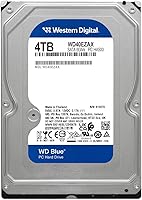
  • Storage Capacity: This drive offers 4 TB of formatted storage capacity, suitable for housing large media libraries, backups, and file archives.
  • Drive Type: It is a traditional mechanical hard disk drive (HDD) using spinning platters, not solid-state flash memory.
  • Rotational Speed: The drive spins at 5400 RPM, prioritizing lower heat and noise over raw read/write performance.
  • Cache Buffer: A 256 MB cache buffer assists with smoother sequential data transfers during large file operations.
  • Interface: It uses a SATA 6 Gb/s (Serial ATA-600) interface and is backward compatible with SATA 3 Gb/s and 1.5 Gb/s connections.
  • Form Factor: The drive uses the standard 3.5-inch form factor, fitting directly into desktop tower bays without requiring an adapter.
  • Dimensions: Physical dimensions measure 5.8 x 4 x 1.03 inches, consistent with standard 3.5-inch internal desktop drive sizing.
  • Weight: The drive weighs 1.26 pounds, typical for a 3.5-inch mechanical hard drive of this capacity.
  • Compatible Devices: It is rated for use in desktop PCs and laptops equipped with a 3.5-inch drive bay and a SATA connection.
  • Installation Type: This is an internal drive requiring installation inside a compatible desktop or laptop enclosure; it is not a plug-and-play external device.
  • Hardware Platform: The drive is designed for the PC platform and is compatible with Windows operating environments.
  • Series: The WD40EZAX belongs to Western Digital's Blue series, positioned for everyday mainstream desktop storage use.
  • Model Number: The specific model identifier for this drive is WD40EZAX, useful for firmware lookups and warranty verification.
  • Warranty: Western Digital provides a 2-year limited warranty covering manufacturing defects under normal operating conditions.
  • Included Software: The drive includes a license for Acronis True Image WD Edition, a cloning and backup utility for data migration.
  • Brand: Manufactured by Western Digital Technologies, Inc., a long-established storage hardware company headquartered in San Jose, California.
  • First Available: This specific model variant was first made available for purchase in February 2023.

Related Reviews
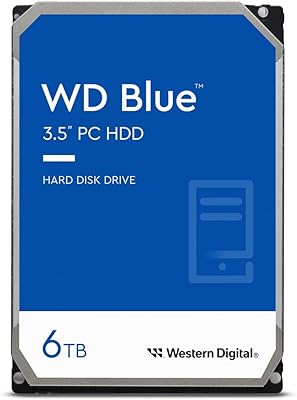
WD Purple 4TB Surveillance Internal Hard Drive
84%
92%
Recording Reliability
94%
NVR/DVR Compatibility
83%
Value for Money
78%
Durability & Longevity
91%
Installation Ease
More
Western Digital 1TB WD Blue PC Hard Drive
87%
88%
Performance
91%
Reliability
92%
Value for Money
86%
Ease of Installation
89%
Compatibility
More
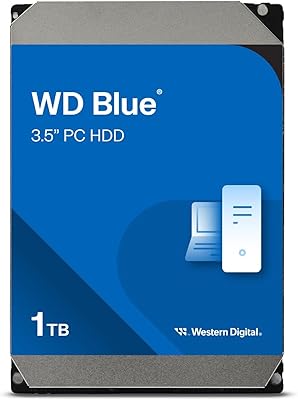
Western Digital 6TB WD Blue PC Hard Drive
86%
88%
Reliability
84%
Performance for Everyday Use
90%
Noise Levels
89%
Power Consumption
91%
Value for Money
More
Western Digital 3TB WD Blue PC Internal Hard Drive
85%
78%
Performance
85%
Reliability
90%
Ease of Installation
92%
Noise Level
88%
Value for Money
More
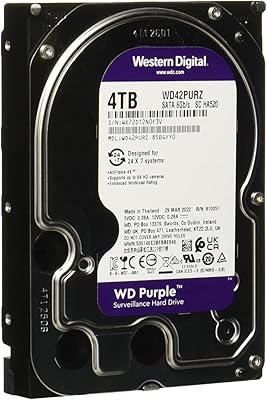
Western Digital WD Blue 1TB Hard Drive
78%
88%
Value for Money
57%
Read/Write Speed
91%
Installation Ease
74%
Reliability & Longevity
83%
Noise & Vibration
More
Western Digital WD Blue 2TB Hard Drive
81%
88%
Long-Term Reliability
91%
Value for Money
74%
Read/Write Performance
83%
Noise & Vibration
92%
Installation Ease
More
Western Digital 2TB WD Blue Mobile Hard Drive HDD
86%
92%
Value for Money
90%
Storage Capacity
85%
Performance for Everyday Use
88%
Portability
91%
Installation Ease
More
Western Digital 4TB WD Red Plus NAS Internal Hard Drive
89%
91%
Performance
94%
Reliability
88%
Energy Efficiency
85%
Noise Levels
89%
Workload Handling
More
Western Digital 4TB WD Black Gaming Internal Hard Drive HDD
82%
92%
Performance (Speed)
89%
Reliability (Durability)
87%
Value for Money
74%
Ease of Setup
81%
Noise Level
More
WD Red Pro 4TB NAS Hard Drive
81%
93%
Reliability & Longevity
91%
RAID Compatibility
88%
NAS Firmware Optimization
86%
Vibration Management
82%
Sustained Throughput
More

FAQ

Technically yes, but it is strongly not recommended. At 5400 RPM, Windows will feel noticeably slow — boot times, application launches, and file access will all lag behind what you would get from even a budget SSD. The WD Blue 4TB is best used as a secondary storage drive paired with an SSD handling the operating system.

The drive hardware itself is platform-agnostic — SATA drives work in Macs that have a 3.5-inch SATA bay. However, it ships formatted for Windows (NTFS), so Mac users will need to reformat it to APFS or exFAT before use. The included Acronis software is Windows-only.

Yes, it is one of the more popular choices for home Plex setups. The 4TB capacity handles a substantial library of movies and TV shows, and the 5400 RPM speed is more than adequate for streaming to a few devices simultaneously. Just make sure the server has decent airflow if the drive will be running continuously.

You will need a standard SATA data cable (usually included with most motherboards) and a SATA power connector from your power supply. If your case requires it, you may also need mounting screws, though most towers include these. No additional adapters are needed for standard desktop installations.

The WD Black spins at 7200 RPM and is tuned for performance workloads, making it noticeably faster for random access tasks. The trade-off is higher heat, slightly more noise, and a higher price. If you are storing files you access occasionally — backups, archives, media — the WD Blue is the smarter buy. If you are running a workstation that reads from the drive frequently, the WD Black earns its premium.

You can, but it is not ideal for demanding NAS use. This desktop HDD is not rated for the continuous 24/7 workloads that NAS environments typically demand. Light home NAS setups with occasional access may be fine, but for multi-drive, always-on NAS builds, WD's Red series is specifically engineered for that use case and will hold up much better over time.

After installing the drive, you download and activate Acronis True Image WD Edition from Western Digital's website using the provided license. From there, the software walks you through cloning your existing drive to the new one — useful if you are migrating your data setup from an older drive. The process is fairly guided, though some users find the activation steps a bit finicky.

For most home users, yes. Four terabytes gives you room for thousands of hours of standard HD video, hundreds of thousands of photos, or a mix of both with space left over. If you are storing 4K video files in large quantities or working with uncompressed RAW files from professional cameras, you may fill it faster than expected and should consider whether a larger capacity variant makes more sense upfront.

Under typical workloads like copying files or streaming media, the drive is quite quiet — most users describe it as a faint, low hum that is easy to ignore. Under sustained heavy writes, such as long backup sessions, the noise increases slightly but is still modest compared to older mechanical drives. It is unlikely to bother you in a normal home office setup.

You can file an RMA (return merchandise authorization) claim directly with Western Digital through their support website. You will need the drive's serial number and proof of purchase. Most users who have gone through the process describe it as straightforward, with replacement units shipped in a reasonable timeframe. It is worth noting that the warranty covers manufacturing defects, not data recovery — keeping an independent backup is always advisable.