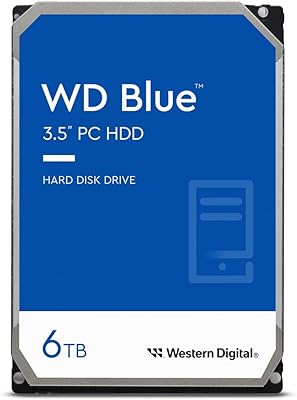
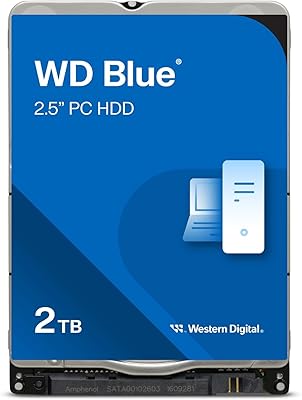
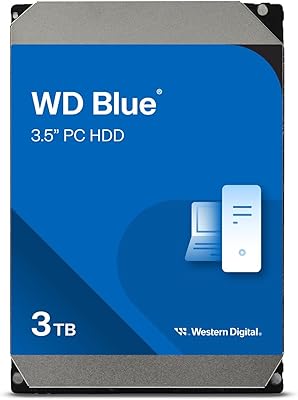
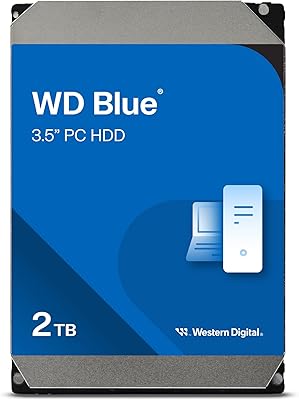
Overview

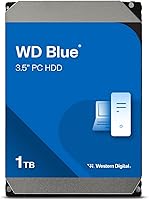
The Western Digital WD Blue 1TB Hard Drive has been a staple of the budget desktop storage market for years, and for good reason. WD's Blue lineup carries a well-earned reputation for dependable everyday performance without asking much of your wallet. At 1TB, the capacity hits a practical sweet spot — enough room for an operating system, applications, documents, and a decent media collection. It's worth being upfront: this is a traditional spinning disk drive, not flash storage, so speed expectations should be calibrated accordingly. It runs on both Windows and macOS desktop systems, making it a straightforward fit for most home or office setups.

Features & Benefits

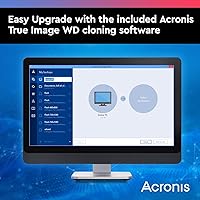
Running at 7200 RPM, this WD Blue HDD sits at the faster end of the mechanical drive spectrum — quicker than the 5400 RPM alternatives common in budget builds, though still nowhere near SSD territory. The SATA 6 Gb/s interface means it slots into virtually any modern desktop motherboard without compatibility headaches. A 64 MB cache buffer keeps things moving during sequential transfers and repeated file access. The standard 3.5″ form factor is desktop-only, so laptop users need not apply. One genuinely useful inclusion is Acronis True Image WD Edition, bundled free for full-disk cloning — a real time-saver when migrating from an older drive.

Best For

This desktop hard drive makes the most sense as secondary or backup storage inside a desktop tower — the kind of drive you install alongside an SSD to offload bulk files. It's a natural fit for storing large media libraries, game installations, or years' worth of documents without paying flash storage prices. Budget-conscious builders who need a reliable place to put data, rather than a speed-critical boot drive, will find it hard to fault. It also handles light NAS or HTPC setups where workloads stay modest. And if you're upgrading from an older drive, the bundled cloning software makes the transition considerably less painful.

User Feedback

With over 64,000 ratings and a strong average score, the WD Blue 1TB has a track record that speaks for itself. Long-term users repeatedly cite multi-year reliability in home and office desktops as its standout strength. On the downside, mechanical drives produce audible seek noise — something reviewers flag as noticeable in quiet builds, especially compared to the silence of SSDs. A small percentage report early unit failures, though that's not unusual for any spinning drive sold at this volume. The cloning software draws genuine praise from first-time upgraders. The key caveat: buyers expecting SSD-like responsiveness will be disappointed. Set realistic expectations and this desktop hard drive rarely lets people down.

Pros

  • Proven long-term reliability backed by tens of thousands of real-world user reviews over many years.
  • 7200 RPM spin speed gives it a meaningful edge over slower 5400 RPM mechanical drives for file transfers.
  • SATA 6 Gb/s interface makes it compatible with virtually every modern desktop motherboard out of the box.
  • Bundled Acronis cloning software is genuinely useful when migrating from an older or smaller drive.
  • Data Recovery Service eligibility adds a layer of protection that budget-tier competitors rarely offer.
  • 1TB capacity comfortably handles large media libraries, game installs, and document archives.
  • Works with both Windows and macOS desktop systems without needing extra drivers or configuration.
  • Strong price-to-capacity ratio makes it one of the more cost-efficient options for secondary desktop storage.

Cons

  • Noticeably slower than any SSD for boot times, application launches, and random file access.
  • Audible seek noise can be distracting in quiet or noise-sensitive desktop environments.
  • Strictly a desktop drive — the 3.5-inch form factor rules it out entirely for laptop or ultracompact builds.
  • Like all mechanical drives, it carries an inherent risk of failure from physical shock or normal wear over time.
  • A small but consistent minority of buyers report early unit failures, which is worth factoring into long-term planning.
  • 64 MB cache is adequate but shows its limits during heavy multitasking or large simultaneous file operations.
  • As a spinning platter drive, power consumption and heat output are higher than solid-state alternatives.
  • Not a practical choice as a standalone primary drive in any modern desktop build where responsiveness matters.

Ratings

The Western Digital WD Blue 1TB Hard Drive has been evaluated by our AI system after processing thousands of verified global user reviews, with spam, bot-generated, and incentivized submissions actively filtered out. Scores reflect what real desktop PC owners experienced over extended daily use — including both the strengths that keep buyers recommending this drive year after year and the friction points that occasionally frustrate. Nothing has been smoothed over.

Long-Term Reliability
88%
Across years of verified feedback, buyers consistently report this drive running without issue in home and office desktops well past the two-year warranty window. It has built a reputation as a set-it-and-forget-it storage solution for everyday computing workloads.
A small but notable subset of reviewers experienced early failures within the first few months — a reality for any mechanical drive sold at high volume. For users storing irreplaceable data, this underscores the need for regular backups regardless of brand.
Value for Money
91%
For buyers who need bulk desktop storage on a tight budget, this desktop hard drive consistently punches above its price point. The inclusion of Acronis cloning software adds tangible value, saving users the cost of a third-party migration tool when upgrading from an older drive.
As SSD prices have continued to fall, the cost-per-gigabyte advantage of this WD Blue HDD has narrowed for smaller capacities. Buyers weighing pure value at the 1TB tier increasingly find SSDs worth the modest price difference for the speed benefits alone.
Read & Write Speed
67%
33%
At 7200 RPM, this drive outpaces slower 5400 RPM alternatives in sustained sequential transfers — moving large video files or game folders feels noticeably quicker than budget-tier mechanical drives. For bulk storage tasks where you are not constantly opening files, it holds its own.
Anyone coming from an SSD will feel the slowdown immediately, especially during boot sequences and application launches. Random read and write performance — where mechanical drives fundamentally struggle — remains a real bottleneck in day-to-day desktop use.
Compatibility
93%
The SATA 6 Gb/s interface and standard 3.5″ form factor mean this drive fits into virtually any desktop motherboard and tower case without adapter or configuration work. It cooperates cleanly with both Windows and macOS desktop systems out of the box.
Its compatibility story ends at the desktop. Laptop users, mini-ITX ultra-compact builders, and anyone needing an external solution will find the form factor completely unsuitable without purchasing additional hardware.
Noise Level
58%
42%
In a standard office or home desktop environment with other components running, the drive blends into the background reasonably well during light file access. Users with mid-tower cases and decent airflow rarely cite noise as a significant day-to-day concern.
The audible clicking and seeking sounds during heavy read and write operations are a genuine complaint among users with quiet builds or open-air setups. Compared to the near-silent operation of an SSD, the mechanical noise of the WD Blue 1TB is a clear step backward in acoustics.
Installation Ease
86%
The physical installation is straightforward for anyone comfortable working inside a desktop tower — mount, connect the SATA data and power cables, and the drive is recognized at next boot. First-time builders appreciate how little configuration is required to get it running.
Users unfamiliar with disk initialization may be briefly confused when the drive does not immediately appear in File Explorer or Finder after installation. It requires a quick formatting step through Disk Management or Disk Utility before it becomes usable as storage.
Software Bundle
79%
21%
The bundled Acronis True Image WD Edition is frequently highlighted as a genuine bonus rather than throwaway software. For users migrating from an older drive, being able to clone the entire system without paying for a separate utility is a practical time and money saver.
The software requires a download and registration process that some less tech-savvy users find fiddly. It is also a WD-specific version with limited features compared to the full commercial Acronis product, which can feel restrictive for advanced cloning scenarios.
Build & Durability
74%
26%
WD's build quality on the Blue line is consistent — drives arrive well-packaged and feel solid in hand. The majority of users who handle and install the drive carefully report no physical issues even after years of continuous desktop operation.
As a spinning platter drive, it is inherently more vulnerable to physical shock than solid-state alternatives. Users who have experienced an accidental knock or vibration-heavy environment occasionally report premature failure, which is an unavoidable mechanical limitation.
Cache Performance
71%
29%
The 64 MB cache buffer provides a noticeable assist during sequential file transfers and when repeatedly accessing the same data, such as loading a media library or a frequently played game. For the drive's intended use case, it does its job without complaint.
Once the cache saturates during sustained heavy writes — large file copies or simultaneous transfers — speeds drop back to base mechanical rates. Users pushing the drive with constant multitasking or large backup jobs will feel this ceiling relatively quickly.
Power Consumption
69%
31%
For a desktop system where power draw is shared across multiple components, the drive's consumption has minimal real-world impact on electricity bills for most home users. It does not require any special power configuration or dedicated connectors beyond a standard SATA power cable.
Compared to SSDs, the drive draws meaningfully more power and generates more heat during sustained activity. In warmer cases or setups without adequate airflow, this can be a minor but legitimate concern for users focused on thermal management.
Data Recovery Support
82%
18%
Eligibility for WD's Data Recovery Service is a genuine differentiator at this price tier. Buyers who have had to use it describe the peace of mind as worth more than they expected, particularly when the drive stored family photos or work archives.
Data recovery services are rarely free, and WD's offering is no exception — eligibility means access to the service, not a guarantee of cost-free recovery. Some users were surprised to find that invoking the service still came with a fee depending on the severity of the failure.
Warranty Coverage
76%
24%
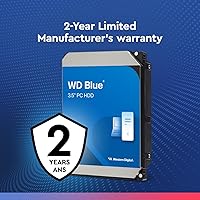
A 2-year limited warranty is standard for this class of drive and gives buyers reasonable protection during the period when early failures are most statistically likely. WD's warranty process is described as relatively painless by buyers who have used it.
Two years is shorter than the 3-to-5-year warranties offered on some competing drives and WD's own higher-tier lines. Buyers planning to run this drive for four or five years are essentially unprotected for the majority of its expected lifespan.

Suitable for:

The Western Digital WD Blue 1TB Hard Drive is a practical choice for desktop PC builders and upgraders who need dependable bulk storage without spending much. If your priority is having a large, affordable place to store games, videos, music collections, or years of work documents, this drive does that job reliably. It pairs well with an existing SSD — use the SSD as your boot and application drive, and let this handle the overflow. Home office users, students building their first desktop, and media enthusiasts who archive large files will find the 1TB capacity genuinely useful day-to-day. It also suits light NAS or home theater PC setups where the workload is modest and cost matters more than raw throughput.

Not suitable for:

The Western Digital WD Blue 1TB Hard Drive is simply the wrong tool if you need speed. Anyone planning to use it as a primary boot drive will notice sluggish load times compared to even a budget SSD — the mechanical nature of this drive cannot match flash storage on random read and write performance. Laptop users should not consider it at all; the 3.5-inch form factor is desktop-only. Noise-sensitive builds, such as a quiet living room PC, may find the audible seek sounds distracting during heavy file operations. Power users running databases, video editing workloads, or anything requiring fast, sustained data access should look toward SSDs or higher-tier drives instead. If your use case demands speed over capacity, this desktop hard drive will frustrate more than it helps.

Specifications

  • Storage Capacity: This drive offers 1TB of total storage space, suitable for operating systems, applications, and large media libraries.
  • RPM: The platters spin at 7200 RPM, placing it at the faster end of the consumer mechanical hard drive range.
  • Interface: It uses a SATA 6 Gb/s (SATA III) interface, backward compatible with SATA II and SATA I motherboard connections.
  • Cache Buffer: A 64 MB cache buffer assists with sequential read and write operations and improves performance on frequently accessed files.
  • Form Factor: The drive follows the standard 3.5″ form factor, designed exclusively for installation inside desktop tower cases.
  • Drive Type: This is a traditional spinning platter hard disk drive (HDD), not a solid-state or hybrid drive.
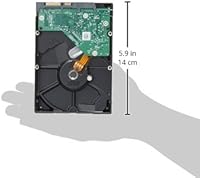
  • Dimensions: Physical dimensions measure 5.8 x 4 x 1 inches, consistent with the standard desktop 3.5″ drive footprint.
  • Weight: The drive weighs 15.5 ounces, typical for a populated 3.5″ mechanical hard drive.
  • OS Compatibility: Officially supported operating systems include Windows 10, Windows 8.1, Windows 7, macOS High Sierra, Sierra, and El Capitan.
  • Included Software: Acronis True Image WD Edition cloning software is bundled in the box, allowing full disk-to-disk migration at no extra cost.
  • Installation Type: The drive is designed for internal installation only and requires a desktop PC with a free 3.5″ drive bay and SATA connection.
  • Compatible Devices: Compatible with desktop PCs; it is not designed for use in laptops, ultrabooks, or external enclosures without an adapter.
  • Data Recovery: The drive qualifies for WD's Data Recovery Service, providing an additional safety net in the event of unexpected drive failure.
  • Model Number: The official model identifier for this 1TB variant is WD10EZEX, which can be used to confirm firmware updates or warranty status.
  • Manufacturer: Manufactured by Western Digital, one of the longest-established names in consumer and enterprise storage hardware.
  • Availability Date: This model has been available since June 2012, giving it a long track record of real-world user feedback and proven reliability data.

Related Reviews

Western Digital WD Blue 1TB Hard Drive
78%
88%
Value for Money
57%
Read/Write Speed
91%
Installation Ease
74%
Reliability & Longevity
83%
Noise & Vibration
More
Western Digital 6TB WD Blue PC Hard Drive
86%
88%
Reliability
84%
Performance for Everyday Use
90%
Noise Levels
89%
Power Consumption
91%
Value for Money
More
Western Digital WD Blue 2TB Hard Drive
81%
93%
Storage Value
88%
Reliability
86%
Noise & Heat
91%
Installation Ease
61%
Read/Write Speed
More
Western Digital WD Blue 2TB Hard Drive
81%
88%
Long-Term Reliability
91%
Value for Money
74%
Read/Write Performance
83%
Noise & Vibration
92%
Installation Ease
More
WD Blue 3TB Internal Hard Drive
80%
91%
Value for Money
86%
Reliability & Longevity
93%
Installation Ease
62%
Read & Write Speed
84%
Noise & Vibration
More
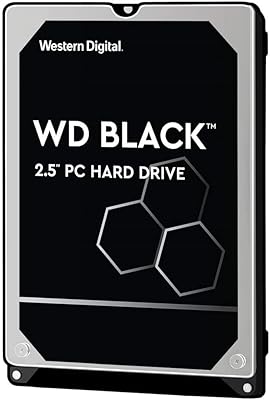
WD Black 1TB Mobile Hard Drive
76%
84%
Read/Write Speed
81%
Build Quality & Durability
58%
Noise Level
88%
Value for Money
91%
Installation & Compatibility
More
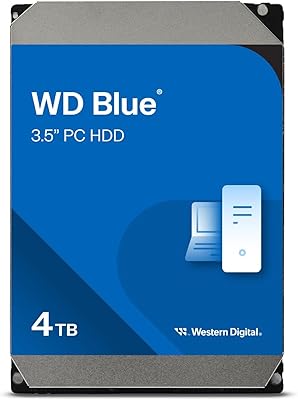
Western Digital WD Blue 4TB Hard Drive
79%
91%
Storage Capacity Value
83%
Noise & Acoustics
67%
Read & Write Performance
92%
Installation Ease
93%
Compatibility
More
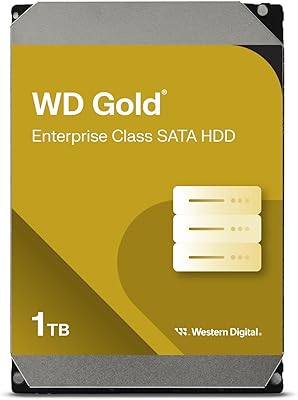
Western Digital 1TB WD Gold Enterprise Class Internal Hard Drive
84%
91%
Performance Under Load
88%
Reliability for 24/7 Operation
75%
Ease of Setup
90%
Data Transfer Speed
87%
Durability and Build Quality
More
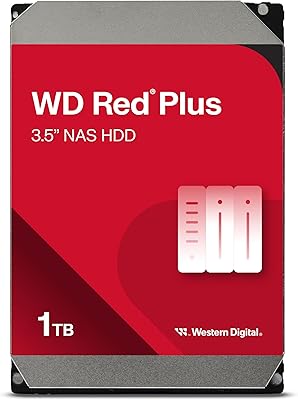
Western Digital WD Red Plus 1TB NAS Hard Drive
84%
91%
Long-Term Reliability
93%
NAS Compatibility
88%
RAID Performance
83%
Noise & Vibration
77%
Heat Management
More
Western Digital WD Blue 1TB Hard Drive
81%
83%
Value for Money
51%
Read/Write Speed
91%
Compatibility
86%
Noise & Vibration
77%
Build Quality
More

FAQ

Technically yes, but it is not the ideal setup. At 7200 RPM it is one of the faster mechanical drives, but boot and load times will still be noticeably slower than any SSD. Most people use this WD Blue HDD as a secondary storage drive alongside an SSD for the best of both worlds.

As long as your desktop tower has a free 3.5″ drive bay and an available SATA data port on the motherboard, it will fit. Most mid-tower and full-tower cases have multiple 3.5″ bays. Just double-check your case specs before ordering if you have a compact or mini-ITX build.

It is compatible with macOS desktop systems up to High Sierra as officially stated. On newer macOS versions, the drive will still be recognized as a storage device, but you may need to format it using Disk Utility to the file system of your choice, such as APFS or Mac OS Extended.

It produces the typical clicking and seeking sounds you would expect from a 7200 RPM mechanical drive. In a standard desktop environment it is not intrusive, but in a very quiet room or an open-air build, you will hear it during active reads and writes. If near-silent operation is a priority, an SSD is the better fit.

Acronis True Image WD Edition lets you clone your existing hard drive directly onto this one, copying the entire operating system, applications, and files without needing a fresh install. It is particularly handy when upgrading from an older or smaller drive. You download it from WD's website using a code included in the packaging.

Yes, it comes with a 2-year limited warranty from Western Digital. The model also qualifies for WD's Data Recovery Service, which can be useful if the drive fails unexpectedly and you need to retrieve data from it.

You can, but with some caveats. This desktop hard drive was not specifically engineered for NAS use — WD makes a dedicated Red series for that purpose. For a light home NAS with low workloads, the WD Blue 1TB will likely perform fine, but for a system that runs 24/7 under heavy access, the Red series is the more appropriate choice.

In practical terms, sequential read and write speeds are meaningfully better — you can expect around 20 to 30 percent improvement in sustained throughput compared to a typical 5400 RPM consumer drive. That said, both are still far slower than any SATA SSD, so the difference matters most if you are comparing two HDDs side by side.

If you are adding it as a secondary drive, yes — you will need to initialize and format it through your operating system before it shows up as usable storage. On Windows, Disk Management handles this in a few clicks. On macOS, use Disk Utility. If you are using the Acronis cloning software to migrate from an old drive, the software manages the formatting as part of the process.

Mechanical drives do not last forever, but this desktop hard drive has a strong reliability track record based on years of real-world use. Many users report trouble-free operation for five or more years under normal desktop conditions. That said, no mechanical drive is immune to eventual failure, so keeping a regular backup of important data is always a smart habit regardless of the brand.

Where to Buy