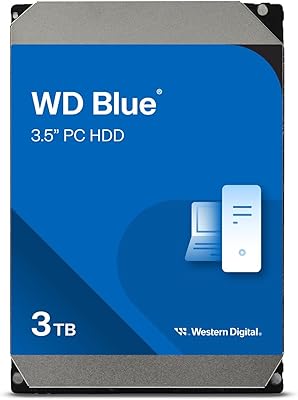
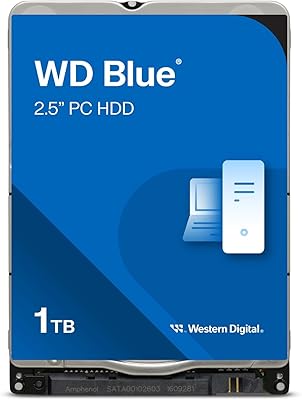
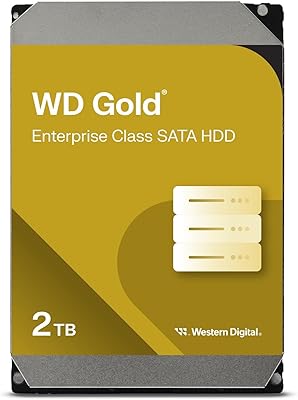
Overview

The Western Digital WD Blue 2TB Hard Drive has been a staple recommendation for desktop users who want dependable storage without overcomplicating their build. WD's Blue line has earned its reputation over years of consistent real-world performance — it's not flashy, but it rarely disappoints. At 2TB, this desktop hard drive hits a practical sweet spot: enough room for an operating system, applications, games, and years of documents without paying a premium for capacity you may never need. It uses a standard 3.5-inch SATA connection, so it drops into virtually any desktop case without adapters or fuss. Just know going in: this is a mechanical hard drive, and random access speeds will never rival an SSD.
Features & Benefits

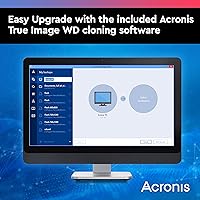
The 7200 RPM motor immediately sets this WD Blue drive apart from cheaper 5400 RPM alternatives that feel sluggish during large file transfers. In practice, that extra speed matters when you're copying a 50GB video folder or running a disk-intensive backup. The 256 MB cache acts as a short-term buffer — think of it as the drive's working memory, smoothing out bursts of read requests so performance stays consistent under load. The SATA 6 Gb/s interface is standard on virtually every modern desktop motherboard, making installation plug-and-play. WD also bundles Acronis True Image cloning software, a genuinely useful tool for migrating data from an aging drive without starting from scratch. The 2-year warranty is reasonable, though some competitors stretch to three.

Best For

This desktop hard drive is an ideal secondary storage companion for anyone building or upgrading a desktop PC with a separate SSD as the primary boot drive. Drop in the WD Blue 2TB for games, media libraries, or project archives and let the SSD handle the OS — it's a classic two-drive setup that stretches your budget without sacrificing day-to-day responsiveness. Small business owners and home office workers who need a reliable, always-on drive for everyday file storage will find it fits naturally into that role. Content creators archiving raw footage or photography will appreciate the generous capacity. Xbox users can also put it to work as expanded game storage. If raw speed is the priority, look elsewhere — this drive is built for value-focused buyers.

User Feedback

With over 64,000 ratings and a 4.5-star average, the WD Blue 2TB has earned its standing across a wide, real-world user base. The most consistent praise centers on quiet operation — many reviewers note they can barely tell the drive is spinning — alongside trouble-free installation. Long-term owners frequently report years of uninterrupted use, which carries more weight than any benchmark. That said, no drive is immune to DOA incidents, and a handful of buyers have flagged early failures. The 2-year warranty draws mild criticism from shoppers cross-shopping with Seagate's Barracuda, which offers longer coverage in some configurations. The bundled Acronis software earns credit for being functional, though a few users find its interface feeling dated next to newer migration tools.

Pros

  • 7200 RPM spin speed delivers noticeably faster file transfers compared to budget 5400 RPM alternatives.
  • 2TB capacity handles years of documents, games, and media without requiring constant housekeeping.
  • Runs quietly at idle — easy to forget it is even spinning in a home office or living room build.
  • Drops into any standard desktop case via a familiar SATA connection with no adapters needed.
  • Bundled Acronis cloning software makes migrating from an old drive straightforward, even for non-technical users.
  • Ranked among the top internal hard drives on Amazon with over 64,000 ratings backing its real-world credibility.
  • 256 MB cache keeps performance consistent during sustained read-heavy tasks like large folder copies.
  • Compatible with Xbox consoles, making it a practical upgrade beyond the typical PC use case.
  • Strong long-term reliability track record reported by users who have run the WD Blue 2TB for multiple years.

Cons

  • Random-access performance is far behind any SSD — noticeable if used as a primary boot or application drive.
  • Only a 2-year limited warranty, which falls short of the 3-year coverage some competing drives offer.
  • Mechanical drives carry an inherent risk of failure from physical shock or drops that solid-state storage avoids.
  • A small but consistent number of buyers report receiving defective units out of the box.
  • The bundled Acronis software, while functional, has an interface that feels behind modern alternatives.
  • Generates more heat under sustained load than an SSD, which may matter in poorly ventilated cases.
  • Not rated for 24/7 continuous operation, so it is a poor fit for NAS or always-on server builds.
  • Heavier and bulkier than 2.5-inch drives, which limits retrofitting into smaller form-factor desktop cases.

Ratings

The Western Digital WD Blue 2TB Hard Drive has been scored by our AI engine after processing tens of thousands of verified global buyer reviews, with spam, incentivized submissions, and bot activity actively filtered out before any scoring was calculated. The result is an honest, data-grounded picture of where this desktop hard drive genuinely excels and where real buyers have run into friction. Both the strengths and the recurring pain points are reflected transparently across each category below.

Long-Term Reliability
88%
The most consistent theme across years of verified owner feedback is that this WD Blue drive simply keeps running. Users who have had the drive installed in everyday desktop builds for three or more years frequently return to leave updated positive reviews, citing zero failures under normal home and office workloads.
A persistent minority of buyers report early failures within the first few months, suggesting some quality variance in production batches. While the overall failure rate is low given the sales volume, it is enough of a pattern that it cannot be dismissed as pure bad luck.
Value for Money
91%
At this price tier, the cost-per-gigabyte is among the most competitive available for a 7200 RPM desktop drive. Buyers consistently describe it as the obvious choice when building a secondary storage setup alongside an SSD, getting meaningful capacity without stretching the budget.
A small segment of buyers feel the value calculation shifts when SSDs are factored in — for only a moderate premium, entry-level SSDs now offer dramatically better speeds. For buyers on the fence between HDD and SSD, the gap has narrowed enough to give some pause.
Read/Write Performance
74%
26%
The 7200 RPM spin speed and 256 MB cache combine to deliver sequential transfer rates that handle large file copies, game installs, and media streaming without noticeable stuttering. Users copying multi-gigabyte folders report smooth, predictable throughput that beats slower 5400 RPM alternatives meaningfully.
Random read and write performance is where this desktop hard drive predictably lags — application load times, database queries, and anything requiring fast random I/O feel sluggish compared to even a budget SSD. Buyers who installed it as a primary drive and expected SSD-like responsiveness were frequently disappointed.
Noise & Vibration
83%
For a 7200 RPM mechanical drive, the noise floor at idle is impressively low. Home office users and builders in quiet environments consistently note that the drive is easy to forget about — a faint hum during heavy reads is about as intrusive as it gets under normal use.
Under sustained heavy load, some users report an audible seek noise that becomes noticeable in a very quiet room. A small number of units have also been flagged for a subtle vibration resonance when mounted in certain cases without dedicated dampening hardware.
Installation Ease
92%
First-time builders and experienced enthusiasts alike single out the installation process as effortless. Standard SATA connectors, a familiar 3.5-inch form factor, and clear documentation mean most users have the drive recognized and formatted within fifteen minutes of opening the box.
A handful of users encountered issues where the drive was not immediately detected by their BIOS, typically traced back to cable quality or motherboard SATA port settings rather than the drive itself — but it added friction during an otherwise smooth setup experience.
Bundled Software
67%
33%
The included Acronis True Image WD Edition cloning software is genuinely appreciated by users who are replacing an aging drive and want to avoid a full Windows reinstall. For that specific use case — cloning a working system onto the new drive — it delivers reliably and saves real time.
Outside of cloning, the software feels dated and limited compared to modern alternatives. Users who tried to use it for ongoing backup or scheduling tasks found the interface unintuitive, and several reported compatibility hiccups with newer versions of Windows 11.
Warranty Coverage
61%
39%
Western Digital processes warranty replacements without excessive friction when a defect is confirmed within the 2-year window. Users who followed up on failed units generally reported that RMA requests were handled professionally and replacement drives arrived without significant delay.
The 2-year limit itself is the recurring sore point. Buyers who cross-shopped with competitors offering 3-year coverage on equivalent drives feel underserved, especially given that mechanical drive failures sometimes surface after the 18–24 month mark, right at the edge of this warranty window.
Compatibility
93%
The standard SATA 6 Gb/s interface and 3.5-inch form factor mean this WD Blue drive works out of the box with virtually every desktop motherboard and tower case on the market. Xbox compatibility adds an extra use case that many buyers were pleasantly surprised to confirm in practice.
Compatibility issues are rare but not zero — a few users with very compact desktop builds found the 3.5-inch form factor created clearance conflicts, and laptop users occasionally ordered without realizing this drive is strictly a desktop internal component.
Capacity Adequacy
86%
For the vast majority of home users, small business setups, and casual content creators, 2TB provides years of headroom. Buyers storing document archives, photo collections, and moderate game libraries consistently describe the capacity as hitting a practical sweet spot without paying for space they do not need.
Power users working with large 4K video projects, extensive raw photography, or bloated modern game libraries report that 2TB fills up faster than anticipated. For that audience, the drive's capacity starts to feel limiting within 12 to 18 months of active use.
Heat Management
77%
23%
Under typical desktop workloads — file storage, occasional large transfers, background backup — this desktop hard drive runs at temperatures well within safe operating ranges. Users who monitor drive health with tools like CrystalDiskInfo report consistently normal temperature readings during day-to-day use.
During prolonged sustained workloads, particularly large bulk file copies lasting over an hour, drive temperatures climb more noticeably than some users expect. In poorly ventilated cases without dedicated HDD airflow, a small number of users reported temperatures approaching the upper boundary of the recommended range.
Packaging & Delivery Condition
79%
21%
The majority of buyers receive the drive in good physical condition, with Western Digital's standard anti-static packaging doing its job adequately for most shipping scenarios. Users who ordered from reputable retailers reported the drive arriving undamaged and ready to install.
A recurring complaint involves drives arriving with visible cosmetic damage or, in rarer cases, mechanical failure consistent with rough handling in transit. Buyers who received a DOA unit often attribute it to insufficient protective packaging rather than a manufacturing defect in the drive itself.
Sequential Transfer Speed
78%
22%
When moving large contiguous files — full movie folders, game installs, raw video exports — the 7200 RPM motor and generous cache deliver throughput that is genuinely usable and consistent. Users doing regular large-file work describe it as a capable workhorse that does not create a bottleneck in typical desktop workflows.
While sequential speeds are respectable for a mechanical drive, they remain far below what even a mid-range SATA SSD delivers. Buyers running benchmarks for the first time after years of SSD use are sometimes caught off guard by how wide that gap has grown.
Brand Reputation & Trust
89%
Western Digital's brand carries significant weight in this category, and buyers frequently cite trust in the WD name as a deciding factor when choosing between comparable drives. The WD Blue line specifically has a long track record that lends credibility beyond what marketing alone could achieve.
Some technically informed buyers note that WD's past practice of quietly switching drive internals without updating model numbers has eroded a degree of trust among enthusiasts. While this does not affect most everyday users, it surfaces in community discussions whenever a newer batch behaves differently from an older one.

Suitable for:

The Western Digital WD Blue 2TB Hard Drive is a natural fit for desktop PC builders who want affordable, high-capacity secondary storage to pair alongside an SSD boot drive — a combination that keeps costs reasonable without sacrificing everyday responsiveness. Home office workers and small business owners who store documents, backups, and moderate-sized files daily will find it reliably handles that workload without complaint. Content creators archiving raw photos, video projects, or audio sessions benefit from the generous 2TB capacity at a cost-per-gigabyte that external or solid-state alternatives rarely match at this tier. Xbox users looking to expand internal game storage will also find this WD Blue drive a compatible and cost-effective upgrade. If your priority is dependable, quiet storage for bulk data rather than raw speed, this desktop hard drive checks the right boxes.
Not suitable for:

The Western Digital WD Blue 2TB Hard Drive is not the right call for anyone whose primary concern is speed. Laptop users are immediately ruled out — the 3.5-inch form factor is strictly a desktop component. Builders assembling a fast workstation for video editing, 3D rendering, or database work will hit real bottlenecks using a mechanical drive as anything other than cold archive storage, since HDDs carry significantly higher random-access latency than any modern SSD. Buyers who tend to run their hardware for four or five years before replacing it may also find the 2-year limited warranty leaves them exposed longer than competitors like Seagate, which offers extended coverage on comparable models. If you're building a compact NAS or need a drive rated for continuous 24/7 operation, the WD Red line is the more appropriate choice — this desktop hard drive is designed for standard intermittent desktop workloads, not always-on server environments.
Specifications

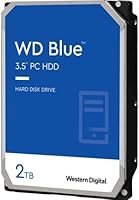
  • Capacity: This drive offers 2TB (2000 GB) of formatted storage, suitable for large media libraries, game collections, and long-term file archives.
  • Form Factor: The 3.5-inch form factor is the standard size for desktop PC internal bays and most full-size tower cases.
  • Interface: It connects via SATA 6 Gb/s (Serial ATA-600), compatible with the SATA ports found on virtually all modern desktop motherboards.
  • Rotational Speed: The drive spins at 7200 RPM, placing it in the faster tier of consumer mechanical hard drives and improving throughput over 5400 RPM models.
  • Cache Buffer: A 256 MB onboard cache helps absorb burst read and write requests, keeping transfer performance stable during sustained workloads.
  • Drive Type: This is a traditional mechanical hard disk drive (HDD) using spinning magnetic platters, not solid-state flash storage.
  • Dimensions: Physical dimensions measure 5.79 x 4 x 1.03 inches, fitting standard 3.5-inch internal drive bays without modification.
  • Weight: The drive weighs 15.9 ounces, which is typical for a 3.5-inch mechanical drive of this capacity.
  • Warranty: Western Digital covers this drive with a 2-year limited warranty, which applies to manufacturing defects under normal operating conditions.
  • Bundled Software: Acronis True Image WD Edition is included, providing disk cloning functionality for migrating data from an existing drive to this one.
  • Compatible Devices: The drive is compatible with desktop PCs and Xbox gaming consoles that support internal 3.5-inch SATA hard drives.
  • Installation Type: This is an internal drive requiring installation inside a desktop case; it is not an external plug-and-play storage device.
  • Model Number: The official model identifier is WD20EZBX, which can be used to verify firmware updates and warranty registration with Western Digital.
  • Power Connection: The drive uses a standard SATA power connector, drawing power directly from the desktop PC power supply unit.
  • Manufacturer: Produced by Western Digital Technologies, Inc., a long-established storage manufacturer headquartered in San Jose, California.
  • Amazon Ranking: This drive holds a top-5 position in the Internal Hard Drives category on Amazon, reflecting sustained commercial and buyer confidence.
  • Average Rating: It carries a 4.5 out of 5 star average across more than 64,000 customer ratings as of the time of this review.
  • Operating Use: This drive is designed for standard desktop workloads and is not rated for continuous 24/7 operation as required in NAS or server environments.

Related Reviews
Western Digital 2TB WD Blue Mobile Hard Drive HDD
86%
92%
Value for Money
90%
Storage Capacity
85%
Performance for Everyday Use
88%
Portability
91%
Installation Ease
More
Western Digital WD RE 2TB Enterprise Hard Drive
87%
89%
Performance
91%
Reliability
88%
Build Quality
72%
Noise in High-Vibration Environments
90%
Ease of Installation
More
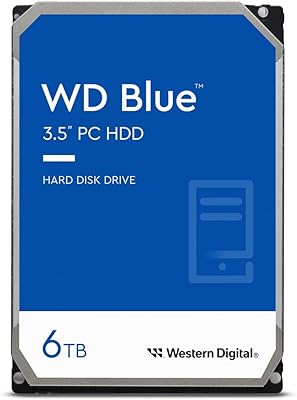
Western Digital 6TB WD Blue PC Hard Drive
86%
88%
Reliability
84%
Performance for Everyday Use
90%
Noise Levels
89%
Power Consumption
91%
Value for Money
More
Western Digital 1TB WD Blue PC Hard Drive
87%
88%
Performance
91%
Reliability
92%
Value for Money
86%
Ease of Installation
89%
Compatibility
More
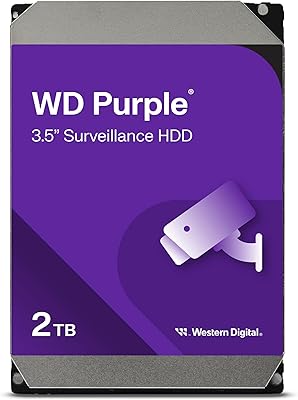
Western Digital 2TB WD Purple Surveillance Hard Drive
86%
93%
Performance in Surveillance
90%
Durability for 24/7 Operation
91%
Video Streaming Quality
88%
Ease of Integration with NAS
89%
Write-Intensive Workload Handling
More
Western Digital WD Blue 1TB Hard Drive
78%
88%
Value for Money
57%
Read/Write Speed
91%
Installation Ease
74%
Reliability & Longevity
83%
Noise & Vibration
More
Western Digital 3TB WD Blue PC Internal Hard Drive
85%
78%
Performance
85%
Reliability
90%
Ease of Installation
92%
Noise Level
88%
Value for Money
More
WD Black 2TB 3.5″ Internal Hard Drive
79%
78%
Read & Write Performance
82%
Reliability & Longevity
74%
Noise & Vibration
76%
Value for Money
89%
Installation & Compatibility
More
Western Digital WD Red Plus 2TB NAS Hard Drive
87%
91%
Performance
94%
Reliability
90%
Data Integrity
85%
Setup & Installation
93%
Compatibility with NAS Systems
More
Western Digital 2TB WD Gold Enterprise Class Internal Hard Drive
86%
94%
Reliability in Heavy Workloads
91%
Performance for Enterprise Environments
89%
Data Integrity and Error Handling
86%
Vibration Protection and Durability
87%
Energy Efficiency
More

FAQ

Technically yes, but it is not the ideal choice for a boot drive. Because this is a mechanical HDD, your operating system and applications will load noticeably slower than they would from an SSD. Most users pair this WD Blue drive with a smaller, faster SSD for the OS and use the 2TB for secondary storage — that setup gets the best of both worlds.

If your case has a standard 3.5-inch internal drive bay, yes — it will fit. Most mid-tower and full-tower desktop cases include at least one or two of these bays. Compact mini-ITX cases sometimes only support 2.5-inch drives, so it is worth checking your case specifications before ordering.

Yes, Western Digital lists Xbox compatibility for this drive. You would need to open the console and physically install the drive internally, which voids your Xbox warranty, so factor that in before going that route. Many Xbox users opt for this desktop hard drive as a cost-effective storage upgrade once their console is out of warranty.

For a 7200 RPM drive, it is relatively quiet. You may hear a faint hum or occasional seek noise when the drive is actively reading or writing, but at idle it is nearly silent. Users in quiet home office environments generally report it is not distracting.

Acronis True Image WD Edition is a disk cloning tool — its main purpose is to copy everything from your old hard drive onto this new one, so you do not have to reinstall Windows or move files manually. If you are replacing an existing drive, it is genuinely useful. If you are adding this as a fresh secondary drive alongside an existing setup, you can skip it entirely.

Both are solid mainstream 2TB desktop drives and perform similarly in everyday tasks. The key practical differences come down to warranty length — some Seagate Barracuda configurations offer a 2-year warranty comparable to this WD Blue drive, while others push to 3 years depending on the specific SKU. Real-world reliability is comparable between the two brands at this tier, and either is a reasonable choice for standard desktop storage.

Just a Phillips-head screwdriver in most cases. You mount the drive in the bay using four screws, connect the SATA data cable to your motherboard, and plug in the SATA power cable from your power supply. The whole process typically takes under ten minutes for someone doing it for the first time.

For most home and small office users, 2TB is more than enough for years of everyday files, documents, photos, and even a decent game library. If you are actively working with 4K video, large raw photo archives, or planning to store a significant number of large game titles simultaneously, stepping up to a 4TB model might save you from running out of space sooner than expected.

Western Digital handles warranty claims through their support portal. You would register the drive using the model number and purchase date, then submit a claim if a defect appears within the 2-year window. WD typically processes a replacement drive after verifying the failure. Keep in mind that warranty coverage addresses manufacturing defects, not accidental damage or data recovery.

Any mechanical drive shipped in volume will have a small percentage of defective units — that is true across all brands at this scale. The rate of DOA reports for this desktop hard drive is low relative to its sales volume and review count. Buying from a reputable seller and running a quick disk health check using a free tool like CrystalDiskInfo right after installation is good practice with any new hard drive, just to confirm it arrived in good condition.