Overview

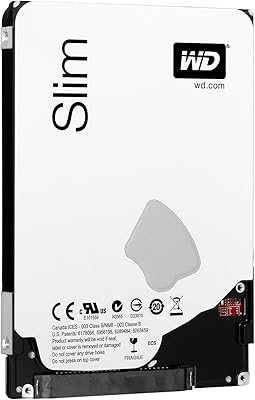
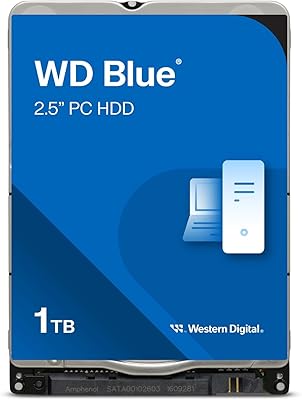
The WD Blue 1TB 2.5-inch Internal Hard Drive is about as no-nonsense a laptop storage upgrade as you will find — a product from a trusted Western Digital lineup with a long track record in everyday computing, from student notebooks to home office machines. This mechanical laptop drive fits standard 2.5-inch bays, which makes it a natural candidate for most laptops and slim desktops. Console users on older PlayStation hardware will find it compatible too. Just go in with realistic expectations: this is a spinning-platter drive, not a flash-based one, and things like boot times and application loading will reflect that distinction clearly.
Features & Benefits

A full terabyte gives you genuine room to store years of documents, a sizeable photo library, and a solid game collection without constantly juggling files. The SATA 6Gb/s interface keeps this drive compatible with virtually any laptop built in the last decade. Running at 5400 RPM, it draws less power and generates less heat than faster mechanical alternatives — a real consideration when you are working on battery for extended periods. At 9.5mm tall and barely over three ounces, it fits standard bays cleanly without modification. WD's firmware also includes error recovery tuning built specifically to prevent the drive from stalling during ordinary, everyday workloads.

Best For

This WD Blue drive makes the most sense for a handful of specific buyers. If your laptop shipped with a 250GB or 500GB drive that is running low or starting to fail, this is a practical, affordable replacement that does not require a large upfront commitment. Students and light users benefit most here — people who need bulk storage but are not chasing the instant responsiveness an SSD delivers. PS3 and PS4 owners looking to expand their game libraries will find this hard drive slots in cleanly and gives their console real breathing room. It also works well as a secondary storage drive in a desktop paired with an SSD boot drive.

User Feedback

With over 430 ratings and a 4.5-star average, the consensus leans clearly positive. Buyers frequently mention that installation was painless, that laptops and consoles recognized the drive without fuss, and that it operates quietly during daily use. The value-per-gigabyte ratio lands well with most reviewers given the price point. On the other side, some users note that speeds feel sluggish compared to SSDs, especially when loading applications or booting an OS — which is an honest and expected trade-off for any 5400 RPM mechanical drive. A small number of reviewers reported early unit failures, though this is not statistically unusual at this scale of sales. Setting expectations before purchase goes a long way here.

Pros

  • A full terabyte of storage covers years of files, photos, and game libraries without constant management.
  • Drop-in installation — most laptops and consoles recognize this WD Blue drive immediately with no driver fuss.
  • Runs quietly during everyday tasks, which matters in shared spaces like libraries or offices.
  • The 9.5mm height fits standard laptop bays cleanly, no modifications or adapter brackets required.
  • Low power draw at 5400 RPM helps preserve battery life compared to higher-RPM mechanical drives.
  • WD's firmware includes error recovery tuning that keeps the drive stable under typical consumer workloads.
  • Broad SATA compatibility means it works in laptops, desktops, external enclosures, PS3, and PS4.
  • Weighing barely over three ounces, it adds virtually nothing to the physical weight of a laptop.
  • Buyers consistently rate the value-per-gigabyte as strong for the price tier, especially for bulk storage needs.

Cons

  • Boot times and application loading are noticeably slower than even entry-level SSDs.
  • As a spinning-platter drive, it is more vulnerable to damage from drops or physical shocks than solid-state options.
  • A small but recurring portion of user reviews report early unit failures, so keeping a backup plan is wise.
  • Not a viable fix for a sluggish laptop — speed issues tied to an old processor or RAM will not improve.
  • Sustained large-file transfers can feel slow compared to modern NVMe or even SATA SSD alternatives.
  • The mechanical internals generate a faint operational hum that sensitive users may notice in quiet environments.
  • No hardware encryption support, which can matter for users storing sensitive personal or professional data.
  • Long-term vibration or heat in cramped laptop chassis can shorten the lifespan of any mechanical drive.
  • If your laptop has already transitioned to an M.2 slot only, this 2.5-inch drive will not be compatible.

Ratings

Based on a thorough AI analysis of verified global buyer reviews for the WD Blue 1TB 2.5-inch Internal Hard Drive — with spam, bot submissions, and incentivized feedback actively filtered out — the scores below reflect the honest consensus of real-world users across laptops, desktops, and gaming consoles. Both the strengths that keep buyers satisfied and the friction points that occasionally disappoint are represented transparently in each category.
Value for Money
88%
Buyers consistently point to the cost-per-gigabyte ratio as one of the strongest arguments for choosing this WD Blue drive over competing options. For students and budget-conscious upgraders who need bulk storage without a large upfront investment, the pricing lands well against what a terabyte of mechanical storage actually delivers in day-to-day use.
A growing number of reviewers note that entry-level SSDs have narrowed the price gap enough to make this hard drive feel less like an obvious choice than it once was. Buyers who do the math and factor in long-term performance often feel the value proposition depends heavily on how much speed matters to them personally.
Storage Capacity
91%
A full terabyte is genuinely practical for the majority of users — years of documents, a substantial photo library, thousands of songs, and a solid game collection all fit without creative file management. PS4 owners in particular appreciate having room for a dozen or more large game installs without constantly deleting titles to make space.
For heavy video editors or users with growing raw media archives, 1TB can start feeling tight faster than expected. A handful of reviewers working with 4K footage or large virtual machine environments wished they had gone with a higher-capacity option from the outset.
Read & Write Speed
54%
46%
For basic file transfers, document access, and sequential media playback, the drive performs adequately and without hiccups. Users who are upgrading from an older or smaller drive of the same mechanical type will notice no regression in speed, and quiet background tasks run without interruption.
This is where the mechanical architecture shows its age most clearly — boot times, application launches, and large file operations are noticeably slower than even budget SSDs. Users expecting a meaningful speed improvement over their previous laptop drive are often disappointed when the bottleneck turns out to be the drive type rather than capacity.
Installation Ease
93%
Almost universally praised across reviews — buyers report that the drive drops into standard laptop bays and PS4 slots without adapter brackets, proprietary tools, or driver installations. Most operating systems and consoles detect it immediately on first boot, which removes a common anxiety point for first-time upgraders.
A small number of users encountered fitment issues in very slim ultrabooks where the chassis tolerance is tighter than the standard 9.5mm bay spec allows. These cases are the exception rather than the rule, but it is worth double-checking your specific laptop model before purchasing.
Noise Level
82%
18%
During typical use — browsing, word processing, media playback — this mechanical laptop drive is quiet enough that most users forget it is a spinning-platter device. Reviewers working in libraries or shared offices note it does not draw attention or cause distraction under normal workloads.
Under sustained read or write operations, a faint rhythmic hum and occasional head-seek clicking become audible, particularly in very quiet environments. Users who are noise-sensitive or who frequently run large background backup jobs have flagged this as a mild but real annoyance.
Heat Management
78%
22%
Running at 5400 RPM rather than a faster 7200 RPM keeps operating temperatures notably lower during sustained use, which reviewers running the drive in slim laptops with limited airflow particularly appreciate. Battery-powered sessions feel unaffected by any thermal throttling related to the drive.
In tight laptop chassis with poor ventilation — common in older budget notebooks — some users observed the surrounding area getting warmer than expected during extended file transfers. This is manageable in most cases but worth monitoring in fanless or passively cooled machines.
Build & Durability
71%
29%
The majority of buyers report months or years of trouble-free operation, and WD's reputation for consistent firmware and error recovery behavior holds up well in aggregate across the review pool. Long-term users who have carried the drive through regular laptop use report no mechanical degradation under normal conditions.
A recurring thread in negative reviews involves early unit failures within the first few months — not statistically alarming given the sales volume, but frequent enough to be worth noting. Mechanical drives are also inherently more vulnerable to physical shock than SSDs, and a dropped laptop during active operation carries real risk.
Compatibility
94%
Broad SATA compatibility means this hard drive works across a wide range of laptops, desktop bays, external enclosures, and gaming consoles — a genuine strength that reduces the research burden on buyers. Reviewers consistently confirm plug-and-play recognition across Windows, macOS, and Linux environments without any additional configuration.
Users with newer ultrabooks or MacBooks that have fully transitioned to proprietary blade-style M.2 or PCIe slots find this drive completely incompatible, leading to frustrating returns. Compatibility is excellent within its intended form factor, but the 2.5-inch SATA standard is not universal across modern thin-and-light designs.
Power Consumption
84%
The 5400 RPM spin speed keeps power draw low compared to higher-performance mechanical alternatives, which translates to a tangible benefit for laptop users prioritizing battery longevity. Buyers using this WD Blue drive in portable setups report that it does not feel like a drain on their runtime.
Compared to SSDs, any mechanical drive consumes more power during active operations — and this one is no exception. Users doing sustained reads or writes from battery will notice a slightly larger impact on overall runtime than they would with solid-state storage in the same chassis.
Brand Reliability
86%
Western Digital's WD Blue lineup carries genuine goodwill among tech-savvy buyers who have used their drives for years across multiple machines. That track record provides a level of purchasing confidence that off-brand alternatives simply do not offer, especially for buyers storing irreplaceable data.
Brand reputation does not prevent individual unit failures, and some reviewers feel WD's warranty support process, while functional, requires patience to navigate. A few buyers also note that the WD Blue line has not kept pace with competitors in terms of drive firmware innovation in recent years.
Form Factor Fit
89%
The 9.5mm height hits the standard laptop bay dimension reliably, and the lightweight chassis means it does not shift the physical balance of the host device in any noticeable way. Console users find it drops into the PS3 and PS4 drive bays without any trimming, shaving, or forced fitting.
Edge cases exist where slightly non-standard laptop bays — particularly in certain Lenovo slim series and older Dell models — result in minor clearance issues that require a shim or cause the drive to sit slightly loose. These are minority cases but they do appear in the review pool with enough frequency to mention.
Shock Resistance
47%
53%
Under everyday stationary or low-movement use, the drive performs reliably and without incident — and most buyers who use their laptop at a desk or table never encounter shock-related issues across the product's lifespan.
Mechanical drives are fundamentally ill-suited to high-impact or drop-prone environments, and this one is no different. Multiple reviewers who experienced accidental laptop drops reported data loss or drive failure, which is an inherent physical limitation of spinning-platter technology rather than a WD-specific flaw, but it is a real and meaningful trade-off versus SSDs.
Long-Term Value
73%
27%
For a secondary storage drive or a console expansion where raw speed is irrelevant, this mechanical laptop drive holds its value proposition well over time — especially in scenarios where capacity matters more than performance. Buyers using it in archive or media roles often report satisfaction years after purchase.
As a primary laptop drive in 2024 and beyond, the mechanical HDD has an increasingly limited shelf life in terms of relevance — SSDs have become affordable enough that future-proofing strongly favors flash storage for new builds. Buyers who plan to keep their machine for several more years may find themselves reconsidering this choice sooner than expected.

Suitable for:

The WD Blue 1TB 2.5-inch Internal Hard Drive is a practical choice for anyone who needs to breathe new life into an older or undersized laptop without spending heavily on flash storage. Students carrying a notebook through years of coursework, downloads, and media accumulation will find a full terabyte gives them genuine headroom without the anxiety of running low mid-semester. It also fits console owners well — PS3 and PS4 users who want to stop deleting games to make room for new ones will find this mechanical laptop drive slots in cleanly and works reliably. Desktop builders on a budget who already have an SSD for their operating system can pair this hard drive alongside it as a high-capacity secondary volume for media, backups, or archives. Anyone comparing cost-per-gigabyte across storage options will find this WD Blue drive holds up well for everyday, non-speed-critical workloads.

Not suitable for:

Buyers who prioritize system responsiveness above all else should look elsewhere — the WD Blue 1TB 2.5-inch Internal Hard Drive is a mechanical drive running at 5400 RPM, and that reality shows up clearly in boot times, application launch speeds, and file-intensive tasks. If your primary frustration with your current laptop is sluggishness, swapping in this drive will not fix that; in many cases an SSD of even half the capacity would make a more noticeable day-to-day difference. Professionals working with large video files, databases, or anything requiring sustained high-speed data throughput will find the mechanical architecture a bottleneck. This hard drive is also not ideal for users in physically demanding environments — spinning-platter drives are more vulnerable to shock and vibration than solid-state alternatives, making them a poor fit for rugged or highly mobile use. Anyone whose laptop has a proprietary or blade-style storage slot rather than a standard 2.5-inch bay will find this drive is simply the wrong form factor.

Specifications

  • Brand: Manufactured by Western Digital, a storage industry veteran with decades of consumer and enterprise drive experience.
  • Capacity: Provides 1TB of raw storage, giving users ample space for documents, photos, media libraries, and application data.
  • Form Factor: Built to the standard 2.5-inch form factor, compatible with the vast majority of laptops and slim desktop bays.
  • Drive Height: Measures 9.5mm in height, fitting standard laptop hard drive bays without requiring spacers or modifications.
  • Interface: Uses a SATA 6Gb/s connection, ensuring broad compatibility with modern and legacy SATA-equipped systems alike.
  • Rotational Speed: Spins at 5400 RPM, a speed chosen to balance power consumption, heat output, and noise for mobile use.
  • Drive Type: This is a mechanical hard disk drive using spinning platters, not a solid-state or hybrid storage device.
  • Weight: Weighs just 3.52 ounces, adding a negligible amount of mass to any laptop or desktop it is installed in.
  • Dimensions: Physical dimensions measure approximately 4.4 x 4.3 x 0.9 inches, consistent with standard 2.5-inch internal drive sizing.
  • Connectivity: Connects via Serial ATA (SATA), a widely supported interface standard found in laptops, desktops, and gaming consoles.
  • Compatible Devices: Officially compatible with laptops, PlayStation 3, and PlayStation 4, making it a versatile internal storage option.
  • Installation: Designed for internal installation, requiring physical mounting inside a compatible drive bay and a SATA data and power connection.
  • Color: The drive casing carries Western Digital's signature blue color designation, indicating its placement in the consumer reliability lineup.
  • Warranty: Covered by WD's standard consumer warranty; buyers should verify the current term directly with Western Digital at time of purchase.
  • Manufacturer: Made by WD Storage, a division of Western Digital Corporation, headquartered in San Jose, California.

Related Reviews
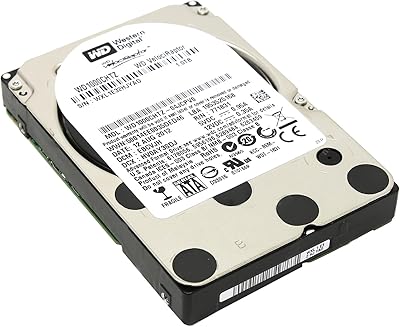
Western Digital Velociraptor 1TB 10K RPM SATA III 2.5-Inch Internal Hard Drive
81%
92%
Performance in Demanding Tasks
88%
Data Transfer Speed
85%
Build Quality & Durability
90%
Compatibility with Desktop/Server Setups
65%
Noise Levels During Operation
More
Toshiba MQ01ABD100 1TB 2.5″ Internal Hard Drive
81%
88%
Value for Money
91%
Noise Level
93%
Installation Ease
52%
Read/Write Speed
67%
Long-Term Reliability
More
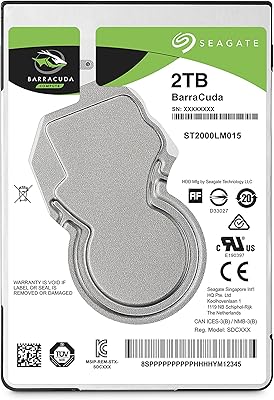
Seagate 2TB BarraCuda 2.5-Inch Internal Hard Drive
86%
89%
Performance
91%
Quiet Operation
88%
Energy Efficiency
93%
Installation Ease
90%
Reliability
More
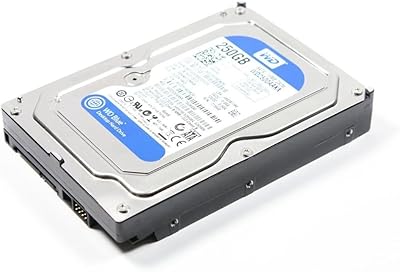
WD Blue 250GB 3.5-inch Desktop Hard Drive
83%
83%
Performance
90%
Quiet Operation
92%
Value for Money
88%
Energy Efficiency
75%
Durability
More
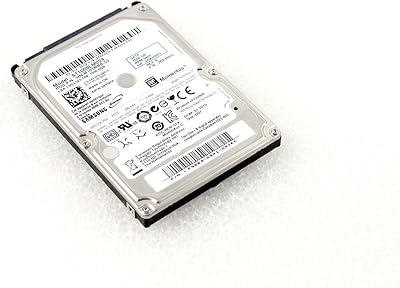
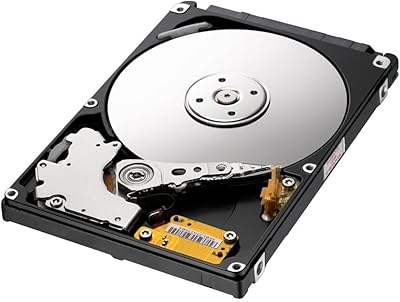
Samsung SpinPoint M8 1TB 2.5-Inch Hard Drive
78%
88%
Value for Money
91%
Storage Capacity
89%
Installation Ease
54%
Read & Write Speed
86%
Noise Level
More
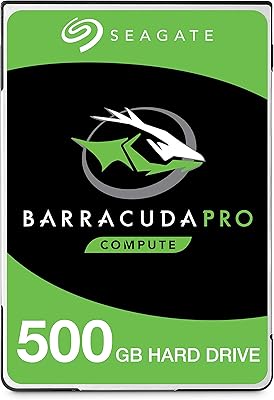
Seagate BarraCuda Pro 500GB Internal Hard Drive
75%
74%
Read/Write Performance
83%
Reliability & Longevity
67%
Value for Money
58%
Noise & Vibration
91%
Compatibility
More
Seagate Momentus ST1000LM024 1TB 2.5-Inch SATA III 5400 RPM Hard Drive
84%
91%
Value for Money
88%
Storage Capacity
94%
Ease of Installation
85%
Performance for Everyday Use
90%
Power Efficiency
More
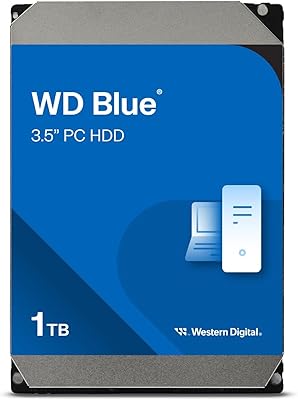
Western Digital WD Blue 1TB Hard Drive
81%
83%
Value for Money
51%
Read/Write Speed
91%
Compatibility
86%
Noise & Vibration
77%
Build Quality
More
Western Digital WD Blue 1TB Hard Drive
78%
88%
Long-Term Reliability
91%
Value for Money
67%
Read & Write Speed
93%
Compatibility
58%
Noise Level
More
Western Digital WD Blue 1TB Hard Drive
78%
88%
Value for Money
57%
Read/Write Speed
91%
Installation Ease
74%
Reliability & Longevity
83%
Noise & Vibration
More

FAQ

In almost all cases, yes. As long as your laptop uses a standard 2.5-inch SATA bay — which the vast majority of laptops manufactured in the past 15 years do — this WD Blue drive will fit and connect without any issue. Just double-check your laptop's bay height; 9.5mm is the standard, and this drive matches it.

Yes, it is. The PS4 uses a standard 2.5-inch SATA slot for its internal drive, and this mechanical laptop drive fits that spec. Many console owners swap their stock drive for a 1TB option specifically to stop juggling game installs. The PS3 works the same way.

Honestly, an SSD will feel noticeably faster for most day-to-day tasks — booting up, opening applications, loading files. This hard drive runs at 5400 RPM, which is reliable and quiet, but it cannot match solid-state speeds. If storage capacity is your priority and speed is secondary, the WD Blue 1TB 2.5-inch Internal Hard Drive makes sense; if you want a snappier overall experience, an SSD is the better path.

Generally, just a small Phillips-head screwdriver to open your laptop and secure the drive in place. Most operating systems will detect the drive automatically once installed. If you are using it as a fresh primary drive, you will need to install your OS separately; if it is a secondary drive, your system should recognize and format it with minimal effort.

Most users describe it as quiet — a faint hum or subtle clicking during active reads and writes is normal for any mechanical drive, but it is rarely intrusive. In a quiet room you may occasionally notice it, but in typical use it fades into the background completely.

Absolutely. This hard drive works well in any 2.5-inch SATA external enclosure, which you can pick up separately and inexpensively. It is a popular option for repurposing an older drive or adding plug-and-play portable storage to any computer with a USB port.

Western Digital covers their consumer drives with a standard warranty, though the exact duration can vary by region and purchase date, so it is worth confirming directly with WD. If you experience early failure, WD's support process for warranty claims is fairly straightforward. Regardless of warranty, always keep a backup of anything important — that applies to any storage device.

If you are installing it as a secondary or external drive, most systems will prompt you to format it before use — a quick process that takes only a minute or two. If you are replacing a primary drive, you will format it as part of the operating system installation. Either way, out of the box it requires no special pre-configuration.

For the majority of everyday users — students, casual home users, and console gamers — 1TB is a solid amount of space. You can comfortably store tens of thousands of photos, several years of documents, a large music library, and a healthy collection of games or videos before running into limits. Heavy video editors or raw media professionals may outgrow it faster, but for general use it holds up well.

It can, but with some caveats. Mechanical drives are more sensitive to physical shock than SSDs, particularly while spinning. Everyday transport in a padded laptop bag is fine and what most users do without issue, but dropping a laptop with a spinning mechanical drive carries more risk than with solid-state storage. For very rugged or high-impact use, an SSD would be a safer long-term choice.