

Overview
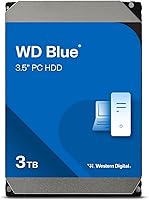
The WD Blue 3TB Internal Hard Drive sits comfortably in Western Digital's color-coded lineup as the go-to choice for everyday desktop users who need bulk storage without stepping into NAS or enterprise territory. The Blue tier has always meant dependable, no-fuss performance for home builders and casual upgraders — not cutting-edge speed, but consistent proven reliability. At 3TB, this WD Blue drive hits a practical sweet spot: enough room for a media library, years of backups, or a growing game collection, without the cost of moving to higher-capacity models. Its position near the top of internal drive sales rankings signals that a lot of buyers have landed here and stayed satisfied.
Features & Benefits
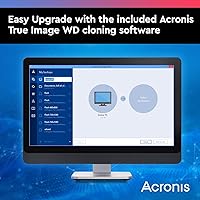
Running at 5400 RPM, this desktop hard drive spins slower than a performance-class drive — think of it like a dependable commuter car rather than a sports car. You won't be loading games in seconds, but for storing and accessing large files, it handles everyday workloads without complaint and runs noticeably cooler and quieter than faster alternatives. The SATA 6 Gb/s interface plugs into virtually any desktop motherboard built in the last decade. A 256 MB cache acts like a small staging area, smoothing out bursts of read and write activity so transfers feel less choppy. The included Acronis cloning software is a genuine bonus for anyone migrating off an older drive.
Best For
This WD Blue drive makes the most sense as secondary storage in a dual-drive setup — installed alongside an SSD handling the operating system and frequently used apps, while the HDD holds everything else. Home users managing growing photo archives, video files, or bulky game libraries will find 3TB genuinely useful for the price. It also works well as a straightforward drop-in upgrade for an aging desktop with a small original drive. That said, if you are planning a NAS build or a multi-drive array that runs around the clock, steer clear. The WD Red series is purpose-built for that kind of workload — this Blue drive is not.
User Feedback
With nearly 64,000 ratings and a 4.5-star average, the Blue HDD has earned its reputation through sheer volume of satisfied buyers. Owners frequently highlight quiet operation and the fact that it shows up immediately in BIOS — no driver hunting, no configuration headaches. The bundled cloning software earns praise from first-time builders but gets largely ignored by veterans who have their own preferred tools. The main recurring complaint is transfer speed: buyers coming from SSDs are sometimes caught off guard by how much slower mechanical drives feel on large file moves. A handful of DOA reports exist, but that is not unusual for this category. Long-term owners, one to two years in, broadly report continued stable operation.
Pros
- Massive 3TB capacity covers years of media, backups, and game storage without running out of room.
- Plug-and-play SATA compatibility means most modern desktops recognize it instantly with zero driver setup.
- Runs noticeably quiet compared to higher-RPM drives, which matters in a home office or bedroom setup.
- The Blue HDD runs cooler than faster drives, reducing thermal stress in compact desktop cases.
- Bundled Acronis cloning software makes migrating from an old drive genuinely painless for first-timers.
- Thousands of long-term owners report stable, consistent performance well past the one-year mark.
- Strong cost-per-gigabyte ratio makes it one of the most practical bulk storage options in its category.
- Wide compatibility means it drops into virtually any desktop tower or external enclosure with a 3.5-inch bay.
Cons
- At 5400 RPM, large file transfers feel noticeably sluggish compared to SSDs or even 7200 RPM drives.
- The 2-year warranty is shorter than NAS or surveillance-class drives, which often cover three to five years.
- Not suitable for always-on workloads — running it continuously around the clock risks premature failure.
- The 3.5-inch form factor rules out direct installation in standard laptops without an adapter or enclosure.
- Experienced builders will get little use from the bundled cloning software, making it a non-benefit for that group.
- Mechanical drives carry an inherent risk of data loss from physical shock or vibration that SSDs do not.
- Sequential read speeds lag behind modern SSDs by a wide margin, making it a poor choice for a boot drive.
- DOA units, while not common, do appear in user reports — always test immediately and keep packaging for returns.
Ratings
The WD Blue 3TB Internal Hard Drive has been scored by our AI after processing thousands of verified global buyer reviews, with spam, bot-generated, and incentivized submissions actively filtered out. The scores below reflect a transparent picture of where this desktop hard drive genuinely excels and where real buyers have run into friction — no cherry-picking, no spin.
Value for Money
Reliability & Longevity
Installation Ease
Read & Write Speed
Noise & Vibration
Heat Management
Compatibility
Software Bundle
Packaging & Build
Warranty Coverage
Capacity Satisfaction
Long-term Performance
Suitable for:
The WD Blue 3TB Internal Hard Drive is an excellent pick for desktop PC builders and upgraders who need a large, affordable pool of storage for everyday use. If you are running an SSD as your primary boot drive and want a spacious secondary drive to hold your game library, video files, or photo archives, this drive fits that role about as well as anything in its class. Home users who are finally outgrowing a smaller original drive will find the installation straightforward — it is a standard SATA connection, and most systems recognize it the moment you plug it in. Small office environments that need a local backup destination without spending on enterprise hardware will also get solid value here. Essentially, if your priority is cost-effective capacity for a desktop that runs normal hours rather than around the clock, this WD Blue drive is hard to argue against.
Not suitable for:
Buyers planning to run a NAS enclosure or a multi-drive RAID array should look elsewhere — the WD Blue 3TB Internal Hard Drive is not rated for the constant vibration or the 24/7 duty cycles those setups demand, and running it that way will likely shorten its lifespan. Users who expect SSD-level responsiveness will be disappointed; at 5400 RPM, this is a mechanical drive designed for bulk storage access, not rapid application loading or fast OS boot times. The 2-year limited warranty is also worth noting if you plan to store irreplaceable data — that coverage window is shorter than what competing NAS-class or surveillance drives typically offer, so pairing this drive with a solid backup strategy is strongly advisable. Laptop users hoping to swap in extra storage should be aware that the 3.5-inch form factor does not fit standard notebook bays without a specific desktop enclosure. If any of these scenarios match your situation, a more purpose-built drive will serve you better.
Specifications
- Storage Capacity: This drive provides 3 TB of raw storage, giving you room for tens of thousands of photos, hundreds of hours of video, or a large game library.
- Rotational Speed: The platters spin at 5400 RPM, a speed optimized for cool, quiet operation rather than peak sequential performance.
- Interface: It connects via SATA 6 Gb/s, the standard interface found on virtually every desktop motherboard manufactured in the last decade.
- Cache Size: A 256 MB cache buffer acts as a short-term memory layer, helping the drive handle bursts of read and write requests more smoothly.
- Form Factor: The drive uses the standard 3.5-inch form factor, designed for full-size desktop tower bays and compatible external enclosures.
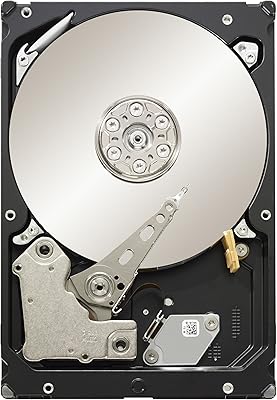
- Drive Type: This is a traditional mechanical hard disk drive, using spinning magnetic platters rather than flash-based solid-state storage.
- Dimensions: The unit measures 5.8 x 4 x 1.03 inches, conforming to the standard 3.5-inch HDD footprint for easy installation.
- Weight: The drive weighs 1.26 pounds, which is typical for a 3.5-inch mechanical hard drive of this capacity.
- Compatibility: It is designed for desktop PCs and can also be used in laptops or compact builds with the appropriate 3.5-inch external enclosure or adapter.
- Installation Type: This is an internal drive intended to be mounted inside a desktop tower and connected directly to the motherboard and power supply.
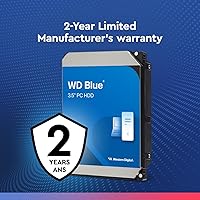
- Warranty: Western Digital covers this drive with a 2-year limited warranty, which is standard for their Blue consumer line but shorter than NAS-class drives.
- Included Software: The package includes a license for Acronis True Image WD Edition, a disk cloning tool useful for migrating data from an older drive.
- Series: This drive belongs to the WD Blue line, which is Western Digital's mainstream tier targeting everyday desktop and personal computing workloads.
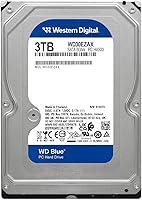
- Model Number: The specific model identifier is WD30EZAX, which can be used to verify compatibility or look up detailed technical specifications.
- Hardware Platform: The drive is built for standard PC architecture and is compatible with Windows and Linux desktop environments.
Related Reviews
Western Digital WD Blue 2TB Hard Drive
Western Digital WD Blue 4TB Hard Drive
WD Blue WD5000AZLX 500GB Internal Hard Drive
Western Digital WD Blue 1TB Hard Drive

WD Elements Desktop 3TB External Hard Drive
White Label 3TB 7200RPM Internal Hard Drive
WD My Passport 3TB External Hard Drive
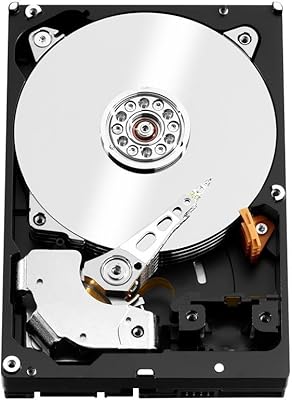
WD Red Pro 3TB NAS Hard Drive
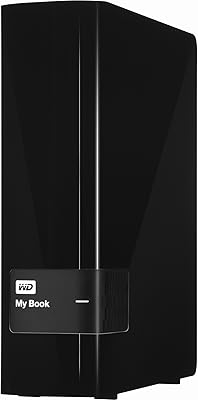
WD My Book 3TB Desktop External Hard Drive