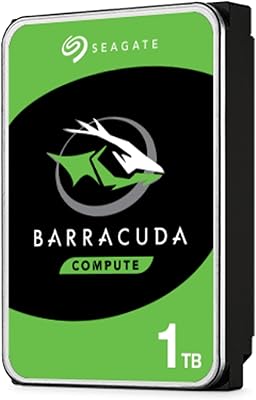
Overview

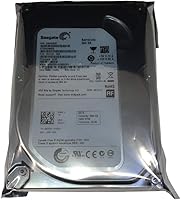
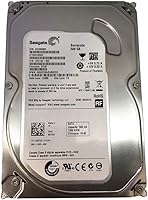
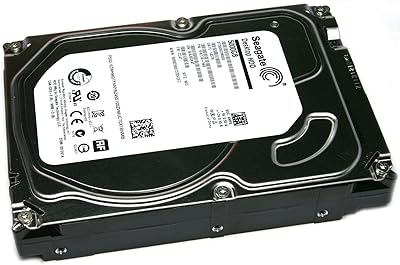
The Seagate BarraCuda ST500DM002 500GB Internal Hard Drive is one of those workhorses that has quietly held its ground in the desktop storage market since 2012. This BarraCuda drive uses a standard 3.5-inch form factor and a SATA-600 interface, meaning it drops into virtually any desktop build without fuss. At 500GB, it won't win any capacity contests against modern multi-terabyte options, but it's more than adequate for an OS install, a secondary data partition, or breathing new life into an aging rig. The bundle also includes a silicone protective sleeve — a small but practical touch that makes handling and storing the drive safer before installation.
Features & Benefits

Running at 7200 RPM, the ST500DM002 holds up well for everyday desktop tasks — file transfers, application loading, and general OS responsiveness feel adequate for a mechanical drive, even if it won't rival an SSD. The SATA-600 interface supports full 6 Gb/s throughput while remaining backward compatible with older SATA ports, so it works across a wide range of motherboards without adapter headaches. The 3.5-inch chassis slides into standard desktop bays cleanly. The included silicone sleeve adds protection during storage or shipping, genuinely useful if you're stocking a spare or mailing one. Community support for this long-running model is substantial — finding firmware notes or troubleshooting resources takes very little effort.

Best For

This desktop hard drive makes the most sense for a specific type of buyer. If you're upgrading an older PC that already has SATA infrastructure in place, dropping this in is about as painless as it gets. It's also a solid choice for anyone building a dedicated backup or archive drive — somewhere to store photos, documents, or media that doesn't need to be accessed at high speed constantly. DIY builders and repair technicians will appreciate that this is a well-documented, widely tested model, which cuts down on compatibility surprises. It's not the right pick if raw speed is your priority, but for cost-effective bulk storage in a desktop context, it checks the right boxes.

User Feedback

With over 1,100 ratings and a 4.3-star average, the BarraCuda drive has built genuine trust among buyers over the years. Most users highlight easy installation and immediate recognition by their systems as consistent wins — no driver drama, no configuration puzzles. The silicone cover draws more appreciation than you might expect; buyers who ordered spares mention it's a practical detail. That said, not every experience is flawless. A portion of reviews come from data recovery contexts and circuit board swap scenarios, and those use cases carry their own risks — BIOS transfer requirements are real and shouldn't be overlooked. Long-term reliability gets mostly positive marks, though a minority report early failures, which falls in line with mechanical HDD norms generally.

Pros

  • Plug-and-play installation — most systems recognize this BarraCuda drive immediately with no driver setup.
  • 7200 RPM spin speed delivers adequate performance for everyday desktop storage tasks.
  • SATA-600 interface ensures compatibility with virtually any modern or legacy desktop motherboard.
  • Over a decade of real-world use means community knowledge and troubleshooting resources are widely available.
  • The silicone protective sleeve is a practical addition for safe handling before and during installation.
  • More than 1,100 user ratings with a 4.3-star average reflects strong, consistent buyer satisfaction.
  • Backward compatible with SATA 3Gb/s ports, so older systems are fully supported.
  • Ideal capacity for secondary storage, OS installs on older rigs, or dedicated backup partitions.
  • Lightweight at under 2 ounces, making it easy to handle and position inside tight desktop cases.
  • A well-tested, long-running model that reduces compatibility guesswork for DIY builders and technicians.

Cons

  • 500GB feels limiting for users with growing media libraries or modern storage demands.
  • Mechanical design means noticeably slower read/write speeds compared to any SSD, even budget ones.
  • Audible seek noise is common with spinning drives and may bother users in quiet environments.
  • Circuit board swap scenarios require a BIOS transfer, adding real complexity for non-technical users.
  • No official warranty details are prominently disclosed, which is a concern for long-term reliability planning.
  • A small but consistent minority of buyers report early failures, a known risk with mechanical HDDs generally.
  • Not suitable as a primary system drive for anyone running demanding modern software or games.
  • The silicone sleeve offers minimal protection — it is not a substitute for proper anti-static or padded packaging during shipping.
  • Availability through third-party sellers raises authenticity and condition concerns that buyers should vet carefully.

Ratings

The scores below reflect an AI-driven analysis of verified global buyer feedback for the Seagate BarraCuda ST500DM002 500GB Internal Hard Drive, with spam, bot-generated, and incentivized reviews actively filtered out to surface what real users genuinely experienced. Ratings span everything from installation ease to long-term reliability, giving you a transparent view of where this desktop hard drive earns its reputation and where it falls short.

Value for Money
83%
For buyers on a tight budget who need a secondary drive or a quick fix for an aging desktop, the ST500DM002 delivers solid usable storage at a price point that is hard to argue with. The bundled silicone sleeve adds a small but tangible bonus that budget shoppers tend to notice and appreciate.
As SSD prices have dropped significantly over recent years, the value case for a mechanical drive at this capacity has narrowed. Some buyers feel the per-gigabyte cost no longer justifies choosing this over a modestly priced SSD, especially for primary drive use.
Installation Ease
91%
One of the most consistently praised aspects across buyer feedback is how straightforward the setup process is. Users report that the drive is recognized immediately upon connection, with no driver installation required — a genuine win for less experienced builders and repair technicians alike.
A small number of buyers encountered confusion specifically in circuit board swap scenarios, where the additional BIOS transfer requirement caught them off guard. For standard installations, though, issues are rare and typically trace back to cable or power connector problems rather than the drive itself.
Read/Write Performance
67%
33%
At 7200 RPM, this BarraCuda drive handles everyday desktop tasks — file transfers, program launches, light data work — without frustrating delays by mechanical HDD standards. Users refreshing older systems often note that it feels like a meaningful improvement over slower or aging drives it replaces.
Anyone accustomed to SSD speeds will find the performance gap jarring, particularly during OS boot times and application loading. Sequential write performance is adequate but not impressive by modern standards, and random read/write speeds are where the mechanical design really shows its age.
Long-Term Reliability
72%
28%
A model with over a decade of real-world deployment carries genuine credibility, and the majority of verified buyers report consistent operation over multi-year use. The established track record means failure patterns are well-documented, making it easier to anticipate and plan around potential issues.
A recurring thread in negative reviews involves drives failing earlier than expected, which is a known risk with mechanical HDDs generally but feels more notable given the age of this design. Users storing critical data without a backup have occasionally reported losing files to unexpected failures.
Compatibility
88%
The SATA-600 interface with backward SATA 3Gb/s support means this drive plugs into almost any desktop motherboard produced in the last fifteen-plus years without a second thought. DIY builders and IT repair technicians specifically call this out as a reason they keep returning to this model.
The 3.5-inch form factor limits use to desktop cases and compatible enclosures — laptop or compact form factor users are simply out of luck. A handful of buyers also noted minor compatibility friction in specific older NAS enclosures that required firmware updates before recognizing the drive.
Build Quality
74%
26%
The physical construction feels sturdy in hand, with the metal casing offering reasonable protection against incidental bumps during handling. The included silicone sleeve adds a layer of practical protection that buyers fitting spare drives into rotation find genuinely useful.
As with most mechanical drives, the internal components are inherently sensitive to physical shock in ways that solid-state alternatives are not. A few users noted cosmetic wear on units that appeared to have been previously handled or stored before shipment, raising questions about condition consistency.
Noise Level
61%
39%
During light workloads like basic file browsing or background archiving, the drive operates at a low enough hum that most users in a standard desk environment barely register it. Users coming from much older drives have noted it is noticeably quieter than the hardware it replaced.
During intensive read/write cycles, the audible seek noise becomes more pronounced and can be distracting in quiet home office or study environments. Users who have switched from SSDs elsewhere in their builds find the mechanical noise of this desktop hard drive a noticeable step backward in overall system acoustics.
Heat Management
69%
31%
Under typical desktop workloads — secondary storage, periodic backups, media archiving — this BarraCuda drive maintains temperatures that most users and monitoring tools report as within normal operating range. It does not require active cooling in well-ventilated cases.
Extended heavy workloads or placement in poorly ventilated enclosures push temperatures higher than comfort levels for some users. A few buyers running the drive in compact or poorly airflowed cases reported thermal throttling behavior and elevated idle temperatures during warmer ambient conditions.
Capacity Adequacy
58%
42%
For narrow, specific use cases — a dedicated OS partition on a legacy machine, a focused archive of older project files, or a backup target for a single user — 500GB is genuinely functional and not wasteful. Buyers with modest and clearly scoped storage needs report satisfaction.
At 500GB, the drive feels undersized for most modern use cases, particularly as media file sizes and software installations continue to grow. Many buyers who initially thought 500GB would be sufficient found themselves needing to offload data or add another drive within a year or two.
Packaging & Presentation
71%
29%
The silicone sleeve bundled with the drive adds a degree of thoughtfulness to the unboxing experience that buyers do not always expect at this price tier. Several reviewers specifically mentioned appreciating the protective accessory as a sign the seller was attentive to safe delivery.
Packaging protection beyond the silicone sleeve is minimal, and a handful of buyers reported receiving units with slight physical damage suggesting insufficient cushioning during transit. For a mechanical drive where physical shock resistance is limited, this is a more meaningful concern than it might be for an SSD.
Software & Ecosystem Support
78%
22%
Seagate's SeaTools diagnostic utility is freely available and works well with the ST500DM002, giving users a reliable way to run health checks and surface early warning signs before a failure occurs. The drive's longevity in the market also means community forums are rich with troubleshooting guidance.
Seagate's broader software ecosystem is functional but not particularly refined, and some users find the interface dated compared to competing tools. There is no bundled backup software included in this listing, which means buyers have to source their own solution if they want automated backup capabilities.
Seller Transparency
63%
37%
Buyers who purchase from established or verified sellers generally report receiving drives in the expected condition with accurate descriptions. The product's long market history also means buyers can cross-reference specifications against independent technical resources to verify claims before purchasing.
The listing surfaces in contexts involving refurbished units, circuit board swap parts, and third-party resellers, which introduces real uncertainty around condition and provenance for some buyers. Warranty clarity is inconsistent across seller listings, which is a legitimate friction point that several reviewers flagged with frustration.
Boot Drive Suitability
47%
53%
In a budget build where an SSD is simply not in the picture, this BarraCuda drive can serve as a boot drive and deliver a functional Windows experience on older hardware. For users running lightweight Linux distributions, the performance gap versus an SSD is less punishing.
As a primary boot drive for any modern operating system, the mechanical speed limitations result in noticeably sluggish startup and wake times that most users find frustrating after even brief exposure to SSD alternatives. Buyers who tried it as a main drive frequently returned to leave feedback about disappointing day-to-day responsiveness.

Suitable for:

The Seagate BarraCuda ST500DM002 500GB Internal Hard Drive is a practical choice for budget-focused desktop users who need dependable storage without spending heavily on an SSD. It fits naturally into older desktop systems running SATA infrastructure, where swapping in a familiar, well-documented drive is more sensible than a full hardware overhaul. Hobbyist builders and PC repair technicians will find the ST500DM002 especially appealing — its long market history means compatibility questions are rarely a mystery. Anyone building a dedicated archive or backup drive for photos, home videos, or documents will get solid value here, since that kind of workload plays to the strengths of a reliable mechanical drive rather than demanding SSD-level speed. The included silicone sleeve is a useful bonus for technicians who store spare drives on a shelf before deployment.
Not suitable for:

The Seagate BarraCuda ST500DM002 500GB Internal Hard Drive is not the right fit for users whose workflows demand fast load times, rapid file transfers, or snappy application response. Anyone building or upgrading a primary system drive for gaming, video editing, or running modern operating systems will likely find a mechanical drive frustrating compared to even an entry-level SSD. The 500GB capacity, while adequate for lighter use, will feel restrictive for buyers with large media libraries or growing data needs — terabyte-range drives are available at comparable price points and offer considerably more headroom. Users looking at this drive specifically for data recovery or circuit board swaps should also proceed carefully: BIOS transfer is required in those scenarios, which adds complexity that inexperienced users may underestimate. Laptop users need not apply either, as the 3.5-inch form factor is strictly a desktop and desktop-enclosure proposition.
Specifications

  • Brand: Manufactured by Seagate under the long-running BarraCuda series, a line known for desktop storage reliability.
  • Model Number: The official model number is ST500DM002, used for firmware lookups, RMA requests, and compatibility verification.
  • Capacity: This drive offers 500GB of formatted storage, suitable for operating system installs, software libraries, or archive partitions.
  • Form Factor: The 3.5-inch form factor fits standard desktop PC drive bays and most compatible NAS enclosures without adapters.
  • Interface: Uses a SATA-600 (6 Gb/s) interface and is backward compatible with SATA 3Gb/s ports on older motherboards.
  • Rotational Speed: Platters spin at 7200 RPM, delivering respectable sequential read and write throughput for a mechanical hard drive.
  • Drive Type: This is a traditional mechanical hard disk drive (HDD), using spinning platters and a read/write head rather than flash memory.
  • Dimensions: Physical measurements are 0.7 x 4 x 6 inches, conforming to standard 3.5-inch desktop drive specifications.
  • Weight: The drive weighs approximately 1.6 ounces, making it easy to handle and mount inside a desktop chassis.
  • Bundle Contents: Each unit ships with a silicone 3.5-inch protective sleeve designed to cushion the drive during storage or pre-installation handling.
  • Compatibility: Designed for use in desktop computers; backward compatible with SATA 3Gb/s controllers found on older motherboards.
  • First Available: This model was first listed for sale in January 2012, giving it over a decade of real-world deployment history.
  • Manufacturer: Seagate Technology, one of the largest and most established hard drive manufacturers in the world, produces this drive.
  • Special Feature: The drive is noted for backward compatibility with legacy SATA standards, reducing installation friction on mixed-generation systems.
  • BSR Ranking: Ranked #362 in the Internal Hard Drives category on Amazon, reflecting sustained buyer interest over many years.

Related Reviews
Seagate BarraCuda Pro 500GB Internal Hard Drive
75%
74%
Read/Write Performance
83%
Reliability & Longevity
67%
Value for Money
58%
Noise & Vibration
91%
Compatibility
More
Seagate BarraCuda 2TB Internal Hard Drive
79%
91%
Value for Money
74%
Transfer Speed
77%
Reliability & Longevity
93%
Installation Ease
79%
Noise Level
More
Seagate Barracuda 6TB Internal Hard Drive
77%
93%
Value for Money
91%
Storage Capacity
74%
Reliability & Longevity
89%
Installation Ease
61%
Read/Write Performance
More
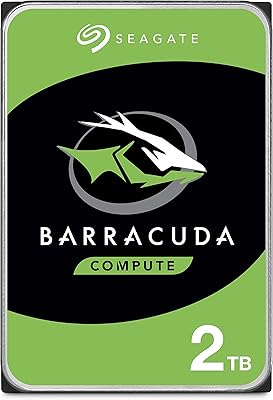
Seagate BarraCuda 4TB Internal Hard Drive
87%
86%
Performance
90%
Reliability
93%
Setup & Installation
95%
Storage Capacity
72%
Data Transfer Speed
More
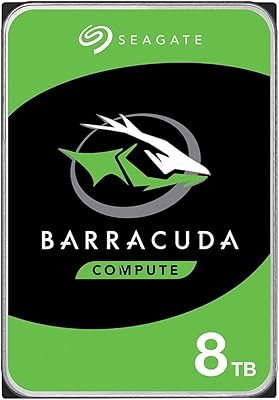
Seagate BarraCuda ST8000DM004 8TB Internal Hard Drive
73%
93%
Storage Capacity Value
67%
Reliability & Longevity
61%
Read & Write Performance
89%
Installation & Compatibility
63%
Noise & Vibration
More
Seagate BarraCuda ST1000DM010 1TB Internal Hard Drive
77%
91%
Value for Money
74%
Reliability & Longevity
79%
Read & Write Performance
93%
Installation Ease
68%
Noise & Vibration
More
Seagate Barracuda ST5000DM000 5TB Internal Hard Drive
83%
91%
Value for Money
94%
Storage Capacity
88%
Ease of Setup
85%
Performance for General Use
65%
Speed for Demanding Tasks
More
Seagate BarraCuda Pro 6TB Internal Hard Drive
87%
88%
Performance
95%
Storage Capacity
89%
Speed (7200 RPM)
85%
Reliability
91%
Ease of Setup
More
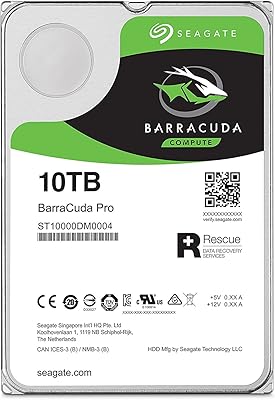
Seagate BarraCuda Pro 10TB Internal Hard Drive
74%
93%
Storage Capacity
78%
Read/Write Performance
61%
Reliability & Longevity
54%
Noise & Vibration
91%
Warranty Coverage
More
Seagate Barracuda XT 3TB Internal Hard Drive
84%
89%
Performance
95%
Storage Capacity
88%
Speed/Access Time
92%
Value for Money
85%
Build Quality
More

FAQ

Yes, it should. The ST500DM002 uses a SATA-600 interface but is fully backward compatible with SATA 3Gb/s ports, which are common on motherboards going back well over a decade. As long as your board has a standard SATA connector, you are good to go.

For a dedicated OS drive, 500GB is workable, especially on older systems running Windows 10 or earlier. If you plan to install a lot of applications or games alongside the OS, you may find yourself managing space more carefully than you would like. It is best suited as a secondary drive or for lighter workloads.

Technically yes — the 3.5-inch form factor and SATA interface are physically compatible with many NAS enclosures. That said, this is a desktop-class drive and not rated for the always-on workloads that NAS environments demand. For serious NAS use, a drive specifically designed for that purpose is a smarter long-term choice.

It is a basic protective cover that wraps around the drive body. It helps guard against minor bumps, dust, and static during storage or transport before you install the drive. It is not a substitute for proper anti-static packaging if you are shipping the drive, but it is a genuinely useful accessory for technicians keeping spares on a shelf.

There is a noticeable difference. This BarraCuda drive spins at 7200 RPM and delivers decent mechanical HDD performance, but any modern SSD will outpace it significantly for boot times and application loading. If speed is your main concern, an SSD is the better path. This drive earns its place on value and capacity per dollar, not raw performance.

This refers to a specific use case where buyers purchase the drive to replace a failed PCB on an identical model for data recovery purposes. In that scenario, simply swapping the circuit board is not enough — the drive-specific BIOS data must also be transferred, otherwise the replacement board will not correctly communicate with the platters. It is a technical process best left to experienced users or data recovery professionals.

Seagate typically offers a limited warranty on BarraCuda drives, but the specific terms can vary depending on where and from whom you purchase. It is worth confirming warranty coverage directly with the seller before buying, particularly if the listing comes from a third-party reseller rather than Seagate directly.

Like most 7200 RPM mechanical drives, it produces some audible noise — a faint hum during normal operation and occasional clicking during heavy read/write activity. It is not unusually loud by HDD standards, but if you are used to the silence of an SSD, there will be an adjustment. For a standard desktop environment, most users find it acceptable.

Yes, with the right enclosure. A 3.5-inch USB-to-SATA enclosure will house this drive without issue. Keep in mind that 3.5-inch enclosures typically require their own power supply rather than drawing power from the USB port alone, so factor that into your setup.

The community track record for this model is generally solid, with over a decade of real-world use to draw from. That said, no mechanical hard drive is immune to failure over time — heat, vibration, and usage patterns all play a role. For anything you truly cannot afford to lose, keeping a separate backup copy is always sensible regardless of the drive brand or model.

Where to Buy