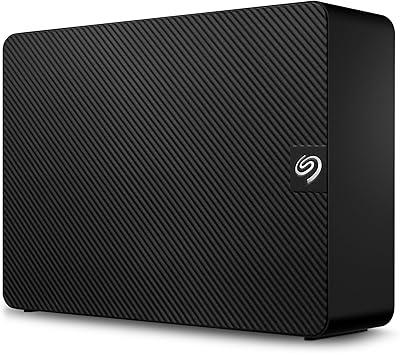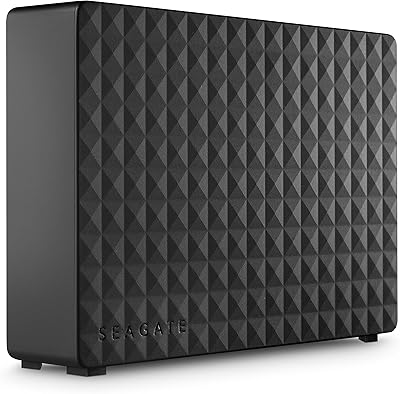

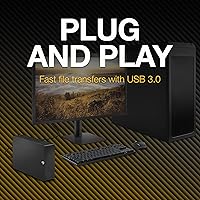
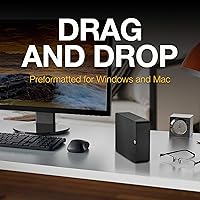

Overview

The Seagate Expansion 18TB External Hard Drive sits in a specific, well-defined niche: high-capacity desktop archiving for people who have run out of room and need a straightforward solution. This is not a portable drive — it requires an AC power adapter and stays on your desk. On Windows, setup is genuinely plug-and-play. Mac users can read and write files immediately too, but anyone wanting Time Machine compatibility will need to reformat first — a five-minute task, but worth knowing upfront. Eighteen terabytes translates to roughly 4,000 hours of HD video or several million RAW photos. The included Rescue Data Recovery Services adds a meaningful layer of protection that most rivals skip at this capacity level.

Features & Benefits

The USB 3.0 interface handles large sequential transfers well — think backing up a full video project overnight — but it won't feel fast when you're accessing files randomly or running active workloads. The 5400 RPM spindle speed is the honest ceiling here; this drive is built for sustained archival reads and writes, not snappy response times. On Windows, it mounts and works immediately with no software required. Mac users just need one reformat to enable Time Machine. The Rescue Data Recovery Services covers up to three recovery attempts over two years — useful insurance, though not a blank check. Build quality feels solid for the price tier, and the passive cooling design runs quietly under normal archival loads.

Best For

This high-capacity external HDD makes the most sense for home media collectors and videographers who are drowning in footage and need a reliable, no-fuss archive. Small business owners who want local backups without building a full NAS setup will find it refreshingly simple. It also suits PC users running scheduled backup software — plug it in, point the software at it, and largely forget it exists. Where it falls short is as a primary working drive; editors actively pulling clips or running applications from it will notice the speed limitations. Think of it as a deep storage vault, not a workhorse. If data recovery peace of mind matters to you, the included service makes this a notably safer bet than bare drives.

User Feedback

With over 16,000 ratings and a 4.4-star average, the Seagate 18TB Expansion earns its popularity mostly through consistency rather than excitement. Buyers repeatedly praise how quickly it gets recognized by both Windows and Mac machines, and the sheer relief of having that much local storage without complicated configuration. The criticisms, though, are pointed: the power brick is bulky, the drive produces an audible hum under load that some find annoying, and anyone expecting fast access times will be disappointed. A smaller but vocal group of Mac buyers was caught off-guard by the Time Machine reformat requirement. Long-term reliability reports are mixed — most units perform steadily for years, but enough failures exist to make the Rescue service feel less optional and more like a sensible precaution.

Pros

  • Eighteen terabytes of capacity handles years of photos, video libraries, and full system backups without running short.
  • Windows plug-and-play setup requires no drivers or software — just connect and start copying files immediately.
  • The included Rescue Data Recovery Services adds a meaningful safety net that most competitor drives skip.
  • A 4.4-star average across more than 16,000 ratings reflects consistent real-world reliability for archival workloads.
  • Automatic recognition on both Windows and Mac makes cross-platform use genuinely straightforward.
  • Passive cooling keeps operating noise acceptable during long, sequential backup runs.
  • Seagate's limited warranty coverage stacks on top of the recovery service for added purchase confidence.
  • At 3.03 lbs with a tidy desktop footprint, it sits neatly on a shelf or beside a monitor without dominating the space.
  • Works well as a secondary archive drive alongside a faster primary SSD setup.
  • Drag-and-drop file saving on Windows works instantly — no reformatting, no configuration, no learning curve.

Cons

  • The 5400 RPM spindle speed makes this a poor choice for editors or anyone accessing files in real time.
  • The external AC power adapter is bulky and requires a free wall outlet wherever the drive is stationed.
  • Rescue Data Recovery Services is a facilitated process with eligibility conditions — it does not guarantee full data restoration.
  • Mac users must reformat before enabling Time Machine, which catches less technical buyers off guard post-purchase.
  • The drive produces an audible hum under sustained load that some users find distracting in quiet home office environments.
  • No USB-C or Thunderbolt connectivity limits future-proofing as newer systems phase out Type-A ports.
  • Long-term failure reports exist within the large ratings pool — not alarming at scale, but worth factoring in for mission-critical storage.
  • The physical footprint and power dependency make it completely unsuitable for any portable or travel use case.
  • No built-in hardware encryption or password protection, which is a drawback for businesses storing sensitive data.

Ratings

Our scores for the Seagate Expansion 18TB External Hard Drive were generated by AI after analyzing thousands of verified global buyer reviews, with active filtering applied to remove suspected bot activity, incentivized submissions, and statistically anomalous outliers. The ratings reflect the genuine consensus — real strengths and recurring pain points alike — so you get a transparent, balanced picture before committing. Where this desktop expansion drive excels and where it consistently falls short are both captured honestly in the category breakdowns below.

Value for Money
88%
At the high-capacity end of the consumer desktop storage market, this desktop expansion drive delivers an impressive cost-per-terabyte ratio that is hard to match without stepping into NAS territory. Buyers consistently highlight that getting 18TB of local storage — with a data recovery service bundled in — for this price tier feels genuinely fair.
The value case weakens for anyone who also needs to purchase a USB-C adapter separately, or who later realizes the 5400 RPM speed is insufficient for their actual workflow. Users who expected performance to scale with capacity, rather than paying purely for storage volume, occasionally feel the purchase was only partially fit for purpose.
Storage Capacity
93%
Eighteen terabytes is the kind of headroom that changes how people think about storage altogether — videographers archiving 4K projects and photographers accumulating RAW libraries report that they finally stopped worrying about running out of space. Most users note that after months of regular use, this high-capacity external HDD still has plenty of room to spare.
Very few buyers criticize the raw capacity figure itself, though some find that managing a single 18TB partition feels unwieldy without a clear organizational strategy. A recurring minor frustration is that formatted usable capacity lands slightly below the labeled 18TB, which is technically standard but still catches some buyers off guard when they first check their drive properties.
Setup & Ease of Use
84%
On Windows, this is about as frictionless as external storage gets — plug in, power on, and the drive appears in File Explorer within seconds with no software or drivers needed. Users across all experience levels praise how little thought the initial setup requires, and the drag-and-drop simplicity is frequently called out as a standout strength.
Mac users regularly surface frustration around Time Machine compatibility; the drive requires a full reformat before it works with Time Machine, which erases any existing data and confuses less technical buyers who were not warned. A notable share of critical reviews come specifically from Mac owners who discovered this requirement only after connecting the drive for the first time.
Transfer Speed
61%
39%
For its intended purpose — large sequential transfers like full backup jobs, overnight file migrations, or moving entire video project folders — this high-capacity external HDD delivers acceptable throughput in the 100 to 160 MB/s real-world range. Users running scheduled overnight backups rarely complain about speed because those jobs complete well before they are needed again.
Anyone who expects to work actively from this drive — pulling video clips for editing, running applications, or accessing dozens of small files quickly — will find the 5400 RPM speed genuinely limiting and frustrating. The gap between what USB 3.0 could theoretically deliver and what this spinning disk actually achieves in random-access scenarios is consistently flagged in critical reviews.
Long-term Reliability
71%
29%
The majority of buyers with this desktop expansion drive report stable, uneventful operation across one to three years of archival and backup use. The drive's strong category ranking and large rating volume suggest that most buyers who treat it as an archive destination — rather than a daily-driver working disk — have a positive long-term experience.
A meaningful minority of reviewers report early or unexpected failures, and Seagate's broader reputation for mechanical reliability at high capacities draws real skepticism from experienced users. Several reviewers noted that when failures did occur, the Rescue Data Recovery Service process was slower and more conditional than anticipated, reinforcing that this drive should never be your only copy of critical data.
Build Quality
77%
23%
The enclosure feels solid and well-assembled for a consumer-grade desktop drive — there is no flex or rattle, the matte black finish resists fingerprints reasonably well, and users who have carefully relocated the drive between setups report no structural issues. For a stationary archive device, the physical construction generally inspires confidence.
The enclosure is functional rather than premium; at this weight and size, some buyers expected a more robust shell or at least better-gripping rubber feet. The power brick draws consistent criticism for feeling undersized and cheap relative to the drive itself, and its cable occasionally sits at an awkward angle that puts low-level strain on the connector over time.
Noise Level
66%
34%
Under light workloads and idle conditions, most users find the operational hum from this drive entirely tolerable, blending into typical home office ambient noise without demanding attention. Users who run backup jobs overnight report that the acoustic footprint rarely registers as a problem during the hours that matter most.
Under sustained reads and writes — particularly during large multi-hour backup operations — the drive produces a noticeable mechanical hum and seek noise that multiple reviewers describe as distracting in quiet rooms or shared workspaces. Users who placed the drive on a hollow wooden desk found that vibration resonance amplified the noise meaningfully beyond what the drive produces in isolation.
Data Recovery Service
74%
26%
The inclusion of Rescue Data Recovery Services is a genuine differentiator at this capacity level — most competing bare drives offer nothing comparable, and buyers who have actually needed professional recovery assistance describe the existence of this service as genuinely reassuring versus attempting a DIY fix. For non-technical users in particular, it adds real pre-purchase confidence.
The service carries eligibility conditions and does not guarantee full data restoration, which surprises buyers who assumed it was a comprehensive warranty extension. Reviewers who attempted claims report mixed experiences — some found the process efficient, others found it slow or received only partial data back — making it a safety net worth having but not one to rely on exclusively.
Mac Compatibility
67%
33%
The drive reads and writes files on a Mac immediately out of the box, making it genuinely useful for straightforward cross-platform file storage and sharing without any configuration. Creative professionals who use it as a secondary archive alongside a Mac-formatted primary drive report smooth day-to-day operation once any initial format decisions have been sorted.
Time Machine compatibility requires a full drive reformat that erases existing data — a step not prominently communicated at the point of purchase, generating a disproportionate share of negative reviews from Mac-only users. Less technical buyers who expected a true plug-and-play Mac experience consistently feel misled, even when the technical requirement is technically noted somewhere in the product description.
Power & Portability
37%
63%
The dedicated AC power adapter delivers consistent, stable power to the drive without voltage fluctuations, and users who keep it permanently stationed on a desk find the power setup entirely unobtrusive after the initial installation. The separate power source also ensures the drive is never starved of current during heavy, sustained transfer operations.
This is unambiguously a desk-bound device — requiring a wall outlet and a bulky power brick makes it completely incompatible with any portable or travel use case, a reality that frustrates buyers who did not carefully review the product details before purchasing. The adapter is also wide enough to block an adjacent outlet on most standard power strips, which generates its own minor but consistent complaints.
Warranty Coverage
73%
27%
Seagate's limited warranty provides a baseline of protection that aligns with what most competing brands offer at this storage tier, and for most buyers the combination of warranty coverage plus the Rescue service creates a reasonable overall protection story. Users who have made warranty claims describe the process as functional, if not particularly swift.
The warranty term is not as generous as some rival drives at this capacity and price level, and the limited nature of the coverage means physical damage, user error, and many common real-world failure scenarios fall outside what is actually protected. Buyers who scrutinize the fine print often leave less impressed than the initial coverage pitch suggested.
Thermal Management
82%
18%
The fanless passive cooling design keeps this high-capacity external HDD running at stable temperatures during typical archival workloads without adding any fan noise, which is a genuine plus for users running long overnight backup jobs in bedrooms or quiet home offices. Most buyers report no heat-related shutdowns or performance throttling under normal use patterns.
During extended high-throughput operations — particularly multi-hour large-volume transfers — some users report the enclosure becoming noticeably warm to the touch, raising understandable concerns about long-term thermal stress. The passive-only design offers no fallback if the drive is placed in a poorly ventilated space or sandwiched beneath other equipment on a crowded desk.
OS Recognition Speed
89%
One of the most consistently praised aspects across both Windows and Mac user reviews is how quickly this drive mounts after being connected — typically within a few seconds of plugging in the USB cable. Users who reconnect it regularly for scheduled backup sessions highlight this instant recognition as a small but meaningful quality-of-life detail that competitors do not always match.
A recurring subset of reviewers — primarily on Windows 11 — report intermittent recognition delays or occasional mid-session disconnections that cause automated backup software to log errors and abandon jobs partway through. These incidents appear isolated rather than systematic, but they are difficult to diagnose and disproportionately frustrating when they occur during an unattended overnight backup run.

Suitable for:

The Seagate Expansion 18TB External Hard Drive is purpose-built for people who need a large, dependable storage reservoir rather than raw speed. Home media enthusiasts sitting on terabytes of 4K footage, RAW photos, or sprawling music libraries will find 18TB genuinely useful — this is not a drive you will fill overnight. Small business owners who want a straightforward local backup solution without the complexity and cost of a NAS system will appreciate how little setup is required on Windows. Automated backup users running software like Macrium Reflect or Windows Backup can simply point their software at the drive and largely walk away. Creative professionals who already rely on a fast primary SSD and just need reliable overflow or archival storage also fit squarely in this drive's target audience. If a built-in data recovery service gives you extra peace of mind — particularly if DIY recovery is not something you would attempt — the included Rescue coverage makes this a meaningfully safer choice than a comparable bare drive.

Not suitable for:

The Seagate Expansion 18TB External Hard Drive is a poor fit for anyone expecting portable convenience — it requires a dedicated AC power outlet and is not going in a laptop bag. Video editors or photographers who plan to work directly from an external drive will hit frustration quickly; the 5400 RPM mechanical disk was not designed for the rapid, random file access that active creative work demands. Mac users expecting Time Machine to work straight out of the box should know that a one-time reformat is required first — not complicated, but an extra step that catches less technical buyers off guard. This desktop expansion drive is also not suited for field use or anyone needing a ruggedized, shock-resistant solution. Buyers who want USB-C, Thunderbolt, or faster interface options will need to look at other products, as this high-capacity external HDD offers only a USB Type-A connection.

Specifications

  • Storage Capacity: The drive provides 18TB of total usable storage space, sufficient for large media archives, multi-year backup histories, and high-volume data collections.
  • Drive Type: It uses a traditional mechanical hard disk with spinning magnetic platters, not solid-state flash memory.
  • Form Factor: The 3.5-inch desktop form factor is designed to remain stationary on a desk or shelf and is not suitable for portable or travel use.
  • Interface: The drive connects via USB 3.0, which supports sustained sequential transfer speeds well suited to large backup and archival operations.
  • Connector Type: It ships with a USB Type-A plug; users with USB-C-only systems will need a separate adapter to connect it.
  • Rotational Speed: Internal platters spin at 5400 RPM, a speed optimized for sequential reads and writes rather than the fast random-access demands of active workloads.
  • Power Source: An external AC power adapter is required for operation; this drive is not bus-powered through its USB connection.
  • Dimensions: The unit measures 8.58 x 8.35 x 3.03 inches (L x W x H), giving it a substantial desktop footprint.
  • Weight: The complete unit weighs 3.03 lbs, reflecting the internal 3.5-inch mechanical drive components and the surrounding enclosure.
  • Color: The enclosure is finished in a matte black coating with no external indicator lights beyond a basic activity LED.
  • OS Compatibility: The drive works plug-and-play on Windows PCs and is immediately readable on macOS, though a one-time reformat is required to enable Time Machine backup functionality.
  • Included Service: Every unit includes access to Seagate Rescue Data Recovery Services, a facilitated professional recovery program that covers up to three recovery attempts over a two-year window, subject to eligibility conditions.
  • Warranty: The drive is backed by a Seagate limited warranty; buyers should confirm the current warranty term directly on Seagate's official support site, as terms may vary by region.
  • Cooling Design: The enclosure relies on passive cooling with no internal fan, which keeps operating noise lower during moderate sequential workloads.
  • Average Rating: Based on more than 16,000 customer ratings, the drive holds a 4.4-out-of-5-star average, placing it among the top-ranked drives in its Amazon category.

Related Reviews

Seagate Expansion 28TB External Hard Drive
75%
94%
Storage Capacity Value
91%
Ease of Setup
78%
Sequential Transfer Speed
74%
Long-Term Reliability
61%
Noise Level
More
Seagate Expansion 22TB External Hard Drive
81%
94%
Storage Capacity
88%
Performance (Transfer Speed)
91%
Ease of Setup
87%
Reliability (Data Recovery Services)
83%
Compatibility (Windows and Mac)
More
Seagate Expansion 10TB External Hard Drive
82%
95%
Capacity & Storage
90%
Transfer Speed
92%
Ease of Setup
85%
Build Quality
78%
Reliability
More
Seagate Expansion 24TB External Hard Drive
71%
93%
Value for Money
97%
Storage Capacity
91%
Ease of Setup
68%
Transfer Speed
72%
Build Quality
More
Seagate Expansion 6TB External Hard Drive
73%
93%
Ease of Setup
91%
Storage Value
67%
Transfer Speed
88%
Data Recovery Service
72%
Build Quality
More
Seagate Expansion 8TB External Hard Drive
71%
91%
Value for Money
93%
Ease of Setup
94%
Storage Capacity
67%
Transfer Speed
72%
Build Quality
More
Seagate Expansion 5TB Desktop External Hard Drive
67%
91%
Storage Value
93%
Ease of Setup
58%
Long-Term Durability
72%
Transfer Speed
63%
Build Quality
More
Seagate Expansion 4TB Portable External Hard Drive
74%
94%
Ease of Setup
91%
Storage Capacity
66%
Transfer Speed
73%
Build Quality
88%
Portability
More
Seagate Expansion Desktop 16TB External Hard Drive
85%
94%
Capacity
92%
Ease of Use
90%
Setup/Installation
87%
Performance Speed
83%
Build Quality
More
Seagate Expansion Portable 1TB External Hard Drive
85%
88%
Performance
94%
Setup & Installation
91%
Portability & Size
89%
Compatibility
87%
Value for Money
More

FAQ

No software or drivers are required on Windows. The Seagate Expansion 18TB External Hard Drive is fully plug-and-play — connect the USB cable and power adapter, and Windows will recognize it within seconds. You can start dragging and dropping files right away.

It will mount and read on a Mac immediately, but Time Machine requires a Mac-compatible file system such as HFS+ or APFS, and the drive ships formatted for Windows. You will need to reformat it first using Disk Utility — the process takes about five minutes and is straightforward, but plan to do it before you depend on it for backups. Keep in mind that reformatting erases all existing data on the drive.

It is a facilitated recovery program that connects you with professional data recovery specialists if the drive fails, covering up to three recovery attempts over approximately two years. It is not a guarantee — actual results depend on the nature and severity of the failure. Think of it as a meaningful safety net rather than a promise of full restoration, and it is not a substitute for keeping your own independent backups.

Not practically. This desktop expansion drive needs to be plugged into a wall outlet via its AC adapter — it does not draw power from the USB connection like a portable drive does. At over 3 lbs and with a power brick to carry, it is a desk-bound device. If you need something for travel, you would want a compact bus-powered portable drive instead.

For big sequential transfers — moving large video folders, running overnight backups, or copying entire project directories — this high-capacity external HDD is reasonably capable, with real-world sustained speeds typically in the 100–175 MB/s range over USB 3.0. Where it noticeably slows down is with random access; the 5400 RPM spinning mechanism was not designed for the kind of quick, scattered reads involved in running applications or editing directly from the drive.

It produces the low hum and occasional seek noise typical of any 3.5-inch mechanical hard drive. During idle or light use most people barely notice it, but under a sustained backup or large transfer operation the noise becomes more audible. It is not unusually loud for its class, but if you work in a very quiet environment, you may find the hum mildly distracting.

To put it in practical terms: 18TB is roughly enough for 4,000 to 5,000 hours of Full HD video footage, approximately 4.5 million average-sized RAW photos, or many decades of typical document and email archives. For most households and small businesses, this is years of headroom — not something the average user fills quickly.

If you only need to read and write files across both systems without using Time Machine, the drive's default exFAT-style formatting generally works on both Windows and Mac without reformatting. However, if you decide to reformat it for Time Machine at any point, that will convert it to a Mac-only file system and Windows will no longer be able to write to it natively. It is worth deciding upfront which use case matters most to you.

The Seagate 18TB Expansion's track record is solid overall — the vast majority of buyers in its large ratings pool report years of trouble-free operation for archival and backup use. That said, no mechanical hard drive is immune to failure, and a meaningful minority of reviews do report early failures or reliability concerns. The honest advice is to treat this as one part of your backup strategy rather than your sole copy of irreplaceable data, regardless of brand.

Yes, with a simple USB-A to USB-C adapter or hub. The drive uses a standard USB Type-A connector, so it will not plug in directly, but any quality adapter that supports USB 3.0 data speeds will work fine. Just avoid basic charging-only adapters, which may limit your transfer performance.