Overview

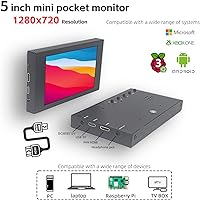
The VIEWMEI VW050HD01 5-Inch Mini HDMI Monitor sits squarely in a growing category of ultra-compact HDMI displays built for makers, tinkerers, and anyone who needs a small dedicated screen without hauling out a full-sized monitor. This isn't aimed at someone upgrading their home office — it's for the Raspberry Pi hobbyist, the DIY PC builder, or the developer who needs a secondary display on a cramped desk. Plug-and-play compatibility across Windows, Linux, and Android is the real draw here. At this price point, you're not buying a premium panel; you're buying convenience and versatility. On a 5-inch screen, 720p resolution is genuinely sharp enough for most maker tasks.

Features & Benefits

The IPS panel is what sets this mini HDMI display apart from cheaper TN alternatives at the same size. A 178-degree viewing angle means the image holds up whether it's mounted inside a windowed PC case at an angle or propped on a desk beside you. At 1280x720 on just 5 inches, pixel density is solid — text is legible and images look clean. Brightness sits at 300 nits, fine for dim workspaces but expect reflections on the glossy surface under bright lights. One cable note worth knowing: Raspberry Pi 4 users need a Micro-HDMI adapter, while Pi 3 works with the included standard cable. The built-in speakers work, but treat them as a backup, not a feature.

Best For

This 5-inch monitor really earns its keep in a few specific scenarios. Raspberry Pi projects are the obvious home — Pi 3 users can plug in the included HDMI cable directly, while Pi 4 owners will need a separate Micro-HDMI adapter worth picking up before the build. DIY PC builders who want a live stats or GPU temperature panel visible through a windowed case will find the compact footprint and 5V USB power genuinely useful. It also holds up well as a compact CCTV or rear-view camera monitor. Where it falls short: color-sensitive design work, fast-paced gaming, and any setup where ambient lighting is strong. The glossy screen picks up glare, and 300 nits isn't enough to punch through it.

User Feedback

Most buyers land in two camps: those who needed a small plug-and-play screen for a project and got exactly what they expected, and those who didn't read the fine print. Setup praise is consistent — zero driver hassle on Windows and Linux is genuinely appreciated, and this mini HDMI display comes alive quickly across different devices. On the flip side, a recurring complaint is the glossy panel causing distracting reflections in typical home office lighting. The plastic frame gets mixed reviews — functional but not particularly sturdy. The included cables are good enough to get started but feel cheap, and a few users have swapped them out. Long-term reliability feedback is thinner since this mini HDMI display is relatively new, so that's worth keeping in mind before committing.

Pros

  • Genuine plug-and-play setup works across Windows, Linux, Android, and Raspbian without installing a single driver.
  • The IPS panel's 178-degree viewing angle keeps image quality consistent even at steep off-axis positions.
  • At 1280x720 on a 5-inch screen, text is sharp and readable for monitoring and project use.
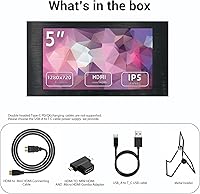
  • Everything needed is in the box — HDMI cable, USB-C power cable, and a metal stand included.
  • Weighing just over a pound, this 5-inch monitor is easy to pack and reposition as needed.
  • USB-C power draw means a single cable can power the display from most laptops or USB hubs.
  • Compatible with Raspberry Pi 3, 4, and 5, making it one of the more versatile picks in this niche.
  • The included metal stand is noticeably sturdier than the plastic clip stands common at this size and price.
  • Built-in speakers handle basic system audio, reducing the need for an external speaker in simple utility setups.

Cons

  • The glossy screen surface causes noticeable glare in rooms with windows or overhead lighting.
  • At 300 nits, brightness falls short in well-lit environments, limiting where you can comfortably use it.
  • Raspberry Pi 4 users need a separate Micro-HDMI adapter — it is not included in the box.
  • The plastic frame feels lightweight and will not hold up well if the screen is frequently moved or dropped.
  • Included cables feel budget-grade; some users have replaced them after only a short period of use.
  • Speaker audio is thin and low-volume — adequate for system alerts, but not for watching any real media.
  • The VIEWMEI VW050HD01 5-Inch Mini HDMI Monitor has no high refresh rate, making it a poor fit for gaming or fast-motion content.
  • The stand can wobble when nudged, so it is not the most stable option for a permanently fixed installation.
  • Long-term durability data is still sparse since this mini HDMI display launched relatively recently.

Ratings

These scores for the VIEWMEI VW050HD01 5-Inch Mini HDMI Monitor were produced by our AI review engine after analyzing verified buyer feedback from global markets, with spam, bot-generated, and incentivized reviews actively filtered out before any scoring was applied. The ratings reflect both what real users genuinely value — particularly the zero-driver setup and broad device compatibility — and where this mini HDMI display consistently draws complaints, including brightness limitations and audio performance. Strengths and pain points carry equal weight so you get a transparent, realistic picture of exactly who this screen is right for.
Setup & Ease of Use
91%
Buyers consistently report that this 5-inch monitor is genuinely driver-free — plug in the HDMI and USB cables, and a working image appears within seconds across Windows, Linux, and Raspbian alike. For Raspberry Pi hobbyists and DIY builders who dread software configuration, that kind of zero-friction startup is exactly what makes the difference on a late-night project.
The one setup hiccup that catches buyers off guard is the Raspberry Pi 4 cable situation — the included Mini HDMI cable does not fit the Pi 4's Micro-HDMI port, requiring a separate adapter purchase most buyers did not anticipate. A handful of users also noted that the screen does not always wake instantly after a host device resumes from sleep.
Display Clarity
78%
22%
At 5 inches, a 720p resolution produces a pixel density that most users find genuinely sharp for terminal windows, system dashboards, and media thumbnails. Text renders crisply enough that makers running Raspbian or monitoring data feeds rarely raise legibility concerns at normal desk viewing distances.
Anyone expecting this mini HDMI display to double as a quality media screen will find the 720p ceiling limiting for detailed content. The glossy surface can also soften perceived sharpness indirectly, since reflected glare competes with the image and reduces effective contrast in less-than-ideal lighting.
Viewing Angle
84%
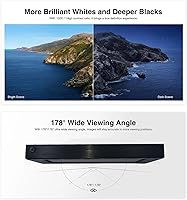
The IPS panel delivers on its 178-degree viewing angle claim — color and contrast hold up reliably whether the screen is tilted inside a PC case or propped at a steep angle on a cluttered desk. Users mounting this 5-inch monitor in fixed project or CCTV positions report that the image stays accurate and readable from nearly any direction.
While viewing angle performance is strong for the category, the glossy screen still makes finding a comfortable position tricky in bright rooms, as glare shifts rather than disappears when you reposition the display. A small number of users also noted mild IPS glow in darker scenes when viewed at the most extreme angles.
Brightness & Glare
51%
49%
In a dim workspace — a basement build station, a darkened server rack, or a bedroom desk — 300 nits delivers clean, readable output without eye strain. Users running always-on CCTV monitors or project displays in controlled indoor environments generally report the brightness level as perfectly adequate for their specific needs.
Place this monitor near a window or under bright overhead LEDs and the glossy panel becomes a genuine liability, turning into a near-mirror that competes with on-screen content rather than displaying it. At 300 nits, there is simply not enough output to fight back against sunlight or strong artificial ambient light sources.
Build Quality
63%
37%
The metal stand is the standout element of the physical build, feeling more solid than the plastic clip mounts common at this price tier. It holds the VIEWMEI screen at a consistent angle without flexing during normal desk use, which is a small but meaningful upgrade over the plastic alternatives that ship with most competitors.
The monitor's plastic frame is serviceable but not confidence-inspiring — it flexes slightly under pressure and would not hold up well to repeated drops or rough handling in transit. A handful of buyers noted minor inconsistencies in the frame edge fit and finish, which is a common trade-off at this price tier.
Compatibility
89%
Broad OS support is one of the VIEWMEI screen's strongest suits — Windows 7 through 11, Android, Linux, and Raspbian all recognize it without any driver installation. That driver-free compatibility across such a wide range of systems means makers, developers, and tinkerers rarely need to troubleshoot just to get a signal on screen.
Raspberry Pi 4 and Pi 5 users need a Micro-HDMI adapter that is not included, which introduces an extra cost and a purchasing step that a surprising number of buyers do not anticipate before ordering. Compatibility with older HDMI 1.x source devices has also produced occasional signal handshake delays for a small segment of users.
Value for Money
74%
26%
For makers and hobbyists who need a compact, plug-and-play display for a specific project, the all-in-one package — screen, cables, and stand included — keeps the total cost down without extra shopping trips. Buyers who go in with realistic expectations for a utility-grade display tend to walk away satisfied with what they paid.
Buyers expecting mainstream monitor performance at this price point will feel let down — the 300-nit glossy panel and plastic build reflect the cost tier accurately, and the included cables feel budget-grade rather than premium. Against a few competing alternatives in the same size range, the overall feature set does not particularly stand out.
Audio Quality
47%
53%
The built-in speakers do serve a functional role — system alert sounds, basic audio feedback from a Raspberry Pi project, or low-volume background playback all come through without requiring a separate audio device. For pure utility setups, having any integrated audio at all is a genuine convenience.
Volume peaks well below what most users consider usable for casual listening, and audio quality is thin and hollow at anything beyond minimal output. Nearly every buyer who intentionally tested the speakers found them barely passable, and most simply routed sound to external speakers or headphones within the first session.
Portability
87%
At just over a pound and roughly the footprint of a large smartphone, this 5-inch monitor fits easily into a laptop bag, a project kit, or a tool case without adding meaningful weight. Developers and tinkerers who need a secondary display on the go consistently praise how little space and effort the carry setup demands.
The glossy surface picks up fingerprints noticeably when handled, becoming a minor but persistent annoyance for users who transport it frequently. The included stand adds some bulk to a carry kit, and the cables — while packaged compactly — feel borderline fragile for repeated packing and unpacking over time.
Cable & Accessories
66%
34%
Shipping with both the HDMI cable and the USB power cable pre-included means buyers can connect and power the display straight out of the box without a hardware store run. The metal stand arriving in the same package is a practical bonus that competing products at this size sometimes charge extra for or omit entirely.
The included cables feel thin and budget-grade, and several buyers have swapped them out after short-term use due to loose connector fits or concerns about long-term durability. The Mini HDMI cable is also irrelevant for Raspberry Pi 4 and Pi 5 users, making that key inclusion less useful for a meaningful portion of the target audience.
Stand Stability
71%
29%
The metal construction of the included stand gives it a noticeably more solid feel than the plastic alternatives typically bundled with small monitors at this price point. On flat desk surfaces, it holds the screen at a consistent angle without the wobble or collapse risk that plagues cheaper clip-style stands in the same category.
The stand's footprint is narrow relative to the monitor's height, meaning it can tip when nudged on smooth surfaces — especially on a desk that vibrates from typing or nearby activity. Users who need a rock-solid permanent mount have generally found it necessary to look at third-party mounting solutions rather than rely on the included holder.
Long-term Reliability
58%
42%
Early ownership reports are encouraging — buyers who have used this mini HDMI display for several months in project environments describe consistent performance with no signal dropouts or dead pixels emerging over time. For a product at this price tier that launched relatively recently, that is a positive early signal.
Since the product only reached market in mid-2024, there is not yet enough accumulated feedback to draw firm conclusions about durability over a year or more of regular use. The plastic frame and budget-grade included cables are the two components most likely to show meaningful wear as ownership periods extend.
Color Accuracy
44%
56%
For maker dashboards, terminal windows, and basic visual monitoring tasks, color rendering is more than adequate — hues are distinguishable and UI elements read clearly without obvious distortion. The IPS panel also avoids the directional color shift that TN screens exhibit at off-angles, which is a real advantage for monitors used in variable positions.
This monitor was not designed or calibrated for accurate color reproduction, and it shows — photographers, designers, and anyone doing color-graded video work will quickly notice the limited panel calibration and compressed color range. The glossy surface further introduces inconsistent color cast that shifts depending on ambient lighting conditions in the room.
Indoor Performance
77%
23%
In a controlled indoor environment — a home office with blinds drawn, a server room, or a maker bench with focused directional lighting — this 5-inch monitor performs solidly above what its price tier would suggest. The IPS panel's angular consistency makes it especially practical in rack-mounted or case-embedded configurations where direct viewing is not always possible.
The 300-nit ceiling means even modest indirect daylight filtering into a room can reduce contrast enough to make the display feel washed out and harder to read. Users without meaningful control over their room lighting frequently report spending more time repositioning the screen to avoid glare than they anticipated before buying.

Suitable for:

The VIEWMEI VW050HD01 5-Inch Mini HDMI Monitor is purpose-built for makers, hobbyists, and anyone who needs a compact dedicated display for a specific task rather than a general desktop upgrade. Raspberry Pi enthusiasts will find it particularly practical — Pi 3 users can connect straight out of the box with the included cable, while Pi 4 owners simply need to add a Micro-HDMI adapter before they are up and running. DIY PC builders who want a live stats or temperature readout visible through a windowed case will appreciate the slim form factor and straightforward USB power. It also serves well in fixed indoor CCTV or rear-view camera setups where a small, always-on screen is all that is needed. Developers and tinkerers who want a lightweight secondary screen to pair with a laptop or mini PC on a cluttered desk round out the ideal buyer profile.

Not suitable for:

If your priority is color accuracy, high refresh rates, or working in a bright room, the VIEWMEI VW050HD01 5-Inch Mini HDMI Monitor will likely disappoint. The glossy panel is a real liability in sunlit spaces — 300 nits is not enough brightness to fight off reflections, and this screen was not designed with ambient light in mind. Graphic designers, photographers, or anyone who needs reliable color reproduction should look elsewhere, as entry-level IPS at this price tier does not meet a professional color standard. Gamers will find the experience underwhelming — there is no high refresh rate on offer, and a 5-inch screen makes fast-paced gameplay impractical regardless. Anyone expecting the built-in speakers to carry meaningful audio will be let down, as they handle basic sound at best. If you are not comfortable with light technical setup — such as knowing which cable your specific Raspberry Pi model requires — this screen demands a bit more buyer research than a standard plug-in monitor.
Specifications

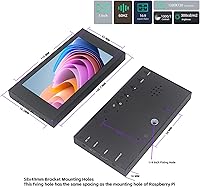
  • Screen Size: The display measures 5 inches diagonally, giving it roughly the same footprint as a large smartphone screen.
  • Resolution: Native resolution is 1280x720 pixels (HD 720p) at a 16:9 aspect ratio, providing a pixel density well-suited to the screen's compact size.
  • Panel Type: The screen uses an IPS (In-Plane Switching) panel, which maintains consistent color and contrast across a wide range of viewing positions.
  • Viewing Angle: Horizontal and vertical viewing angles reach up to 178 degrees, so image quality stays reliable from nearly any off-axis position.
  • Brightness: Peak brightness is rated at 300 nits, which is adequate for dim to moderately lit indoor environments but insufficient to counter strong ambient light.
  • Screen Surface: The panel has a glossy finish, which enhances perceived color vibrancy but increases surface reflectivity under direct or overhead lighting.
  • Aspect Ratio: The display uses a standard 16:9 widescreen aspect ratio, compatible with the vast majority of video and desktop output formats.
  • Video Input: Video signal is delivered via a standard HDMI port; a Mini HDMI-to-HDMI cable is included in the package.
  • Power Input: The monitor draws power through a USB port at 5 volts, using the included USB-to-USB-C cable for a clean, single-cable power setup.
  • Built-in Audio: Integrated speakers provide basic audio output suitable for system sounds and light media playback, though output volume and quality are limited by the form factor.
  • Dimensions: The monitor body measures 5.78 x 3.09 x 0.63 inches, keeping the overall footprint compact enough to place, carry, or mount in tight spaces.
  • Weight: The unit weighs 1.04 pounds, light enough to carry in a bag or reposition on a desk without difficulty.
  • Included Stand: A metal holder is included in the box, offering a more durable base than the plastic clip stands commonly bundled with monitors at this price tier.
  • In-Box Cables: The package includes one Mini HDMI-to-HDMI cable and one USB-to-USB-C power cable, covering both signal and power connections without requiring additional purchases.
  • OS Compatibility: The display is compatible with Windows 7, 8, 10, and 11, as well as Android, Linux, and Raspbian operating systems.
  • Driver Required: No drivers or additional software are needed; the monitor is recognized automatically upon connection to any compatible host device.
  • Brand & Model: Manufactured by VIEWMEI under model number VW050HD01, with the product first made available in June 2024.

Related Reviews

Aurevita 7-Inch Mini HDMI Portable Monitor
77%
91%
Input Versatility
84%
Build Quality
76%
Image Quality
78%
Brightness & Visibility
88%
Portability
More
VIEWMEI 8-Inch Portable Touch Screen Monitor
71%
83%
Build Quality
78%
Display Clarity
62%
Touch Responsiveness
88%
Portability
81%
Setup & Compatibility
More
JUN-ELECTRON 7-inch Portable IPS Touchscreen Monitor
74%
88%
Raspberry Pi Compatibility
83%
Touch Responsiveness
76%
Display Quality
54%
Glare & Reflectivity
86%
Portability
More
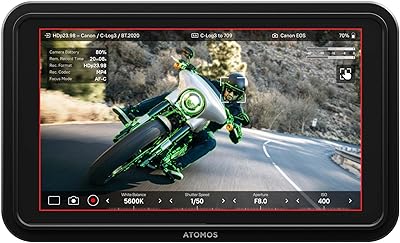
Atomos Shinobi II 5-inch Camera Monitor
79%
93%
Display Brightness
91%
Exposure Tools
78%
Camera Control
71%
Value for Money
66%
Build Quality
More
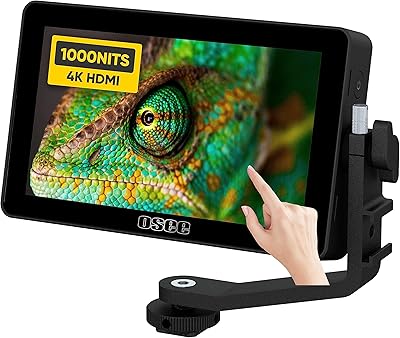
osee Lilmon 5 5.5″
osee Lilmon 5 5.5″
83%
93%
Outdoor Visibility
88%
Color Accuracy
79%
Build Quality
81%
Touch Interface Usability
86%
Value for Money
More
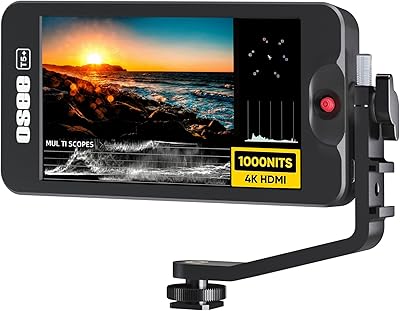
Osee T5+ 5.5-inch Camera Monitor
79%
91%
Outdoor Brightness
88%
Value for Money
86%
False Color & Exposure Tools
83%
MySets Workflow System
67%
Build Quality
More
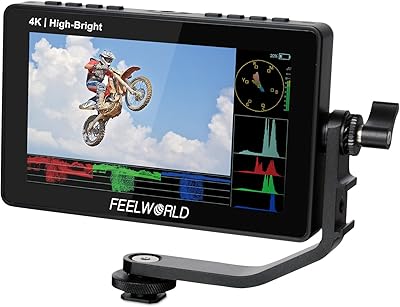
Feelworld F5 ProX 5.5″ Field Monitor
78%
91%
Screen Brightness
83%
Image Clarity & Resolution
86%
Monitoring Tools
67%
Touchscreen Responsiveness
58%
Build Quality & Durability
More
VILTROX DC-550 Pro 5.5-inch Field Monitor
79%
83%
Display Quality
78%
Outdoor Visibility
81%
Touchscreen Usability
86%
Color Accuracy
91%
Value for Money
More
Eyoyo EM08B 8″ Monitor
75%
91%
Input Versatility
88%
BNC Connectivity
84%
Setup & Plug-and-Play Experience
82%
Mirror Flip Functionality
76%
Image Clarity for Surveillance Use
More
SKitphrati 18.5-Inch HD Touchscreen Monitor
68%
74%
Touch Responsiveness
51%
Display Resolution
78%
Value for Money
83%
Setup & Installation
61%
Brightness & Visibility
More

FAQ

Not quite — the Raspberry Pi 4 outputs video through a Micro-HDMI port, and the included cable is a standard Mini HDMI-to-HDMI, so you will need a separate Micro-HDMI adapter to bridge the gap. Raspberry Pi 3 users can connect directly with the included cable and be up and running without any extras.

No, none at all. This 5-inch monitor is detected automatically the moment you plug it in, across Windows, Linux, Android, and Raspbian. There is nothing to install and no configuration screens to navigate through — it just works.

Honestly, not well. The glossy panel picks up reflections easily, and 300 nits of brightness is not enough to compete with strong ambient or natural light. It performs best in a dim or controlled indoor environment where you can manage the lighting around it.

Yes, provided your laptop has an HDMI output port. The VIEWMEI VW050HD01 5-Inch Mini HDMI Monitor connects via HDMI for video and draws power from a USB port, so you can run it alongside your primary display without much setup.

Functional, but modest. The speakers produce thin, low-volume output that covers system sounds and basic alerts without issue, but they are not going to fill a room or handle media well. If audio quality matters for your use case, plan on connecting external speakers or headphones.

It is more solid than the plastic clip stands typically bundled with screens at this size and price, which is a genuine plus. That said, it can be nudged off balance on an uneven surface, and the screen's slightly top-heavy profile means it is not ideal for a setup where it might get bumped often. For a fixed installation, you may want to explore additional mounting options.

The Raspberry Pi 5 uses the same Micro-HDMI ports as the Pi 4, so you will need a Micro-HDMI-to-standard HDMI adapter or cable — and that is not included in the box. It is worth grabbing one before you start your build so you are not sitting there with everything assembled and no signal on screen.

Yes, and this is genuinely one of the strongest use cases for the VIEWMEI screen. Its slim profile, lightweight build, and USB power draw make it practical for mounting inside a windowed case as a live stats or monitoring panel. Just make sure you have a clean HDMI routing path from your board or GPU to wherever you plan to position it inside the case.

At 5 inches, 720p delivers a pixel density where individual pixels are not visible under normal use, so text reads clearly and data feeds look clean. You would only notice the resolution ceiling if you were doing color-critical or detail-heavy professional work, which this mini HDMI display was never designed for. For maker, utility, and secondary-display tasks, it holds up well.

The frame is plastic, which is expected at this size and price point, and it is serviceable rather than robust — it will handle a stable desk setup but not rough handling over time. The metal stand is a welcome exception to the otherwise budget feel. Since the product launched relatively recently, there is not yet a strong body of long-term reliability data to draw from, so it is best approached as a project-grade accessory rather than a multi-year daily driver.