Overview

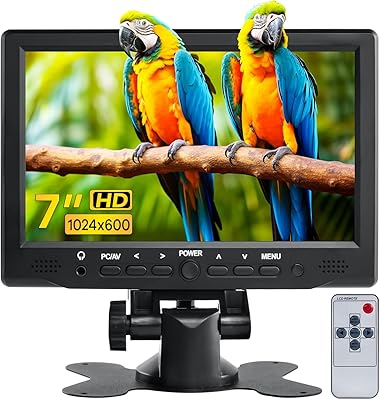
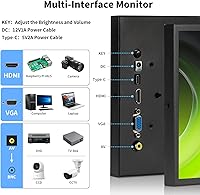
The Aurevita 7-Inch Mini HDMI Portable Monitor sits in an interesting spot — compact enough to tuck into a bag, yet surprisingly well-equipped for a display this small. Four input types (HDMI, VGA, AV, and BNC) on a 7-inch panel is genuinely uncommon, making it stand apart from similarly priced competitors that usually offer one or two. The aluminum shell keeps things sturdy without adding bulk; the whole unit weighs just over a pound. Power arrives via a standard DC adapter or a Micro USB connection, meaning a phone charger or power bank works in a pinch. For makers and hobbyists, that flexibility matters more than it might sound.
Features & Benefits

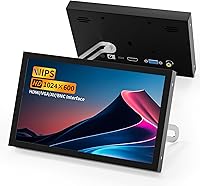
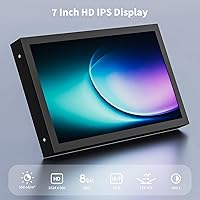
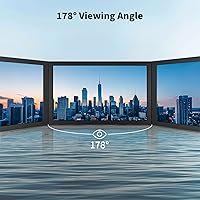
The IPS panel reaches 500 nits of brightness with a 178° viewing angle, so colors stay consistent whether you're looking straight on or glancing from the side — handy when you're deep in a wiring project. The 1024×600 resolution is modest but clean at 7 inches; native content looks sharp enough for monitoring and reference work. The matte surface cuts down reflections without washing out the image during extended sessions. Built-in speakers are present and handle basic audio feedback adequately, but treat them as a convenience rather than a feature worth getting excited about — they're functional, not impressive.

Best For

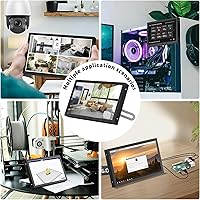
Raspberry Pi builders will appreciate how straightforward it is to get a dedicated display running without a significant investment. Anyone testing CVBS security cameras will find the BNC input genuinely useful — just keep in mind it's CVBS only, so AHD or TVI cameras will require an adapter (easy to miss if you skim the listing). VGA-only retro setups get a clean, small display option that's increasingly rare. It also works as a compact secondary monitor in a livestream or studio rig. Powered by a USB power bank, this 7-inch portable display becomes a practical field tool wherever wall outlets aren't available.

User Feedback

Buyers who pick this up for Raspberry Pi or retro computing tend to come away satisfied — plug-and-play behavior over HDMI is a recurring positive. The build quality also draws praise; the aluminum housing feels more substantial than the price bracket suggests. On the downside, the BNC adapter requirement for non-CVBS cameras catches people off guard regularly, which is a fair frustration if the product description wasn't read carefully. A handful of users flag the Micro USB power connection as occasionally finicky under heavier load. Audio from the Aurevita small screen earns passing marks at best — adequate for basic monitoring, but no one is impressed by it.

Pros

  • Four input types — HDMI, VGA, AV, and BNC — on a single 7-inch display is a rare combination at this price.
  • The IPS panel holds consistent color and contrast even when viewed from wide angles, which matters in cramped workspaces.
  • Weighing just over a pound with an aluminum shell, this mini monitor is genuinely portable without feeling cheap.
  • Micro USB power support means any standard phone charger or power bank can keep it running in the field.
  • The matte screen surface handles ambient light well, reducing eye strain during longer monitoring sessions.
  • Raspberry Pi users consistently report straightforward HDMI plug-and-play behavior with no driver headaches.
  • 500 nits of brightness is strong enough for use in moderately lit rooms or outdoor shade.
  • The compact footprint makes it a practical secondary display in tight studio or streaming setups.
  • Build quality feels above average for the price tier — the aluminum chassis does not flex or creak.

Cons

  • The BNC port is CVBS-only, so owners of AHD or TVI cameras are stuck sourcing an adapter separately.
  • No external audio output means there is no way to route sound to headphones or external speakers.
  • The Micro USB power connection has been flagged by some users as inconsistent under sustained load.
  • 1024×600 resolution, while adequate for monitoring tasks, makes reading standard desktop text noticeably uncomfortable.
  • At 7 inches, screen real estate is tight — multitasking or running most software interfaces is genuinely impractical.
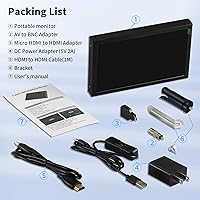
  • The included accessory kit is minimal, and buyers needing specific cables may need to purchase them separately.
  • Built-in speaker output is weak and tinny, making it unreliable for anything beyond basic audio confirmation.
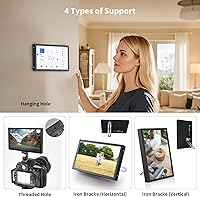
  • No VESA mount or built-in stand options are mentioned, which limits permanent installation flexibility.

Ratings

The scores below for the Aurevita 7-Inch Mini HDMI Portable Monitor were generated by our AI system after analyzing verified purchase reviews from buyers worldwide, with spam, bot activity, and incentivized feedback actively filtered out before scoring. Each category reflects the honest distribution of real user experiences — the strengths are recognized where earned, and the recurring frustrations are not glossed over.
Input Versatility
91%
Having HDMI, VGA, AV, and BNC on a single 7-inch display is a genuine differentiator that buyers consistently call out. Makers switching between a Raspberry Pi, a legacy PC, and a CVBS camera without swapping monitors find real daily value in this range of connectivity.
The BNC port limitation — CVBS signals only — creates friction for users who own AHD or TVI cameras and assumed full compatibility. This specific gap appears frequently in negative feedback, often from buyers who did not catch the fine print before purchasing.
Build Quality
84%
The aluminum shell earns consistent praise from users who expected a plasticky feel at this price point. Field technicians and hobbyists who carry this mini monitor in bags or tool kits report that it holds up well without developing creaks or flex over time.
A small number of users note that port connectors, particularly the Micro USB power port, feel less robust than the shell itself and show signs of wear after repeated plugging cycles. Corner and edge finishing is solid but not premium.
Image Quality
76%
24%
At native 1024×600, the IPS panel produces clean, accurate color rendering that works well for monitoring camera feeds, previewing Raspberry Pi outputs, and light reference tasks. The 178° viewing angle means color does not shift noticeably when glancing from the side during busy workbench sessions.
Upscaled or off-resolution content introduces visible softness that some users find distracting. At 7 inches, pixel density is modest, and reading standard-size desktop text for extended periods draws frequent complaints about eye strain.
Brightness & Visibility
78%
22%
The 500-nit rating performs well in typical indoor environments including moderately lit workshops and studio setups. Users running this 7-inch portable display near a window or under overhead lighting report that the image stays readable without washing out.
Direct sunlight or very bright outdoor environments push the display to its limits, and a few field users note that visibility degrades meaningfully in those conditions. Brightness adjustment works, but the range on the lower end feels too dim for comfortable night use at minimum settings.
Portability
88%
At just over a pound with a compact aluminum chassis, this display genuinely fits in a backpack without becoming the heaviest item inside it. Users who bring it to client sites, outdoor shoots, or mobile Raspberry Pi demos consistently mention how little space and effort it takes to carry.
The lack of an integrated stand or VESA mount means users often improvise a support solution, which adds friction to on-the-go setups. A small kickstand or basic folding mount would meaningfully improve real-world portability.
Power Flexibility
86%
The ability to run off a standard 5V/2A Micro USB power bank is a practical advantage that resonates strongly with users who work in locations without reliable wall outlets. Raspberry Pi builders especially appreciate being able to run both the Pi and the display from a single portable battery.
Several users report intermittent stability issues when powering via Micro USB under sustained load, with occasional screen flickering or unexpected shutdowns linked to power banks that cannot consistently hold 2A output. The DC adapter route is more reliable but less portable.
Ease of Setup
83%
HDMI plug-and-play behavior is one of the most commonly praised aspects in buyer feedback, particularly from Raspberry Pi and retro computing users who expected configuration headaches and got none. Most setups are reported as working within minutes of unboxing.
VGA and BNC connections occasionally require manual input source switching through an on-screen menu that some users describe as unintuitive. The menu navigation buttons are small and unlabeled, which adds friction during initial configuration.
Audio Performance
47%
53%
Having any audio output built into a display this small and affordable is a functional convenience for use cases where you just need basic system sounds or a quick audio confirmation during testing. Users monitoring CCTV feeds or running headless Pi setups appreciate not needing an external speaker just to hear alerts.
The built-in speakers are consistently described as thin, low-volume, and unsuitable for anything beyond minimal monitoring audio. There is no external audio output to work around this, which means users who care about sound quality have no recourse short of routing audio separately from the source device.
Value for Money
82%
18%
For the combination of four input types, an IPS panel, aluminum construction, and dual power options at this price tier, most buyers consider the value proposition strong. Users comparing it against single-input rivals at similar prices overwhelmingly view this Aurevita small screen as the more practical buy.
Buyers who purchase it expecting a general-purpose desktop monitor often feel the value proposition breaks down quickly once they encounter the resolution and size limitations in daily use. The value holds specifically for niche maker and monitoring tasks, not broad consumer display needs.
BNC/CVBS Compatibility
58%
42%
For users with legacy CVBS analog cameras — older CCTV setups, classic security systems, or rearview camera monitors — the BNC input works reliably and fills a real gap that few monitors at this size bother to address. Analog security hobbyists find it a useful included feature.
The CVBS-only limitation causes genuine frustration for buyers with AHD, TVI, or CVI cameras who do not realize an adapter is required. This is the single most recurring source of negative reviews and return requests, and the product listing could communicate the limitation more prominently.
Screen Glare & Surface
79%
21%
The matte panel coating handles typical workshop and studio lighting well, and users running this as a secondary monitor near overhead fluorescents or desk lamps report noticeably less eye fatigue compared to glossy alternatives they have tried.
In very bright conditions the matte coating slightly mutes colors and reduces perceived contrast, which is a trade-off some color-sensitive users mention. It is the right choice for utility monitoring, but users hoping for vivid visuals may prefer a glossy alternative.
Viewing Angle
87%
The 178° IPS viewing angle is one of the display specifications that holds up well in real-world use, with users confirming that image quality stays consistent when the monitor is positioned off-axis on a workbench or mounted in a corner of a streaming desk.
At extreme angles near the physical limit, a slight color temperature shift is detectable under side-by-side testing, though the vast majority of users note this only in controlled conditions and not during normal use.
Menu & Controls
61%
39%
The on-screen display menu covers the expected adjustments — brightness, contrast, and input source selection — which is all most users need for basic setup. Users who configure the display once and leave the settings rarely interact with the menu again.
The physical control buttons are small, closely spaced, and lack clear labeling, which makes navigating the menu during initial setup more tedious than it should be. Multiple buyers describe it as the most frustrating part of the first-use experience.

Suitable for:

The Aurevita 7-Inch Mini HDMI Portable Monitor was clearly designed with makers, tinkerers, and niche-use hobbyists in mind, and it delivers well for those audiences. Raspberry Pi enthusiasts and single-board computer users get a plug-and-play HDMI display that requires no complicated setup and takes up almost no desk space. Anyone running a DIY security setup with legacy CVBS cameras will find the BNC input a rare and genuinely useful inclusion at this price point. The dual power design — DC adapter or Micro USB — means field technicians or mobile setups can run it off a power bank without carrying extra hardware. It also fits naturally as a compact reference or preview monitor in a small streaming or studio rig where a second screen helps but budget and space are both limited. Retro computing fans who still rely on VGA output will appreciate having a modern IPS panel that accepts the connection without adapters or workarounds.
Not suitable for:

The Aurevita 7-Inch Mini HDMI Portable Monitor is not the right fit for anyone expecting a general-purpose desktop display or a sharp everyday screen. At 1024×600, the resolution is purposeful for monitoring tasks but noticeably limited if you plan to read text, browse, or run standard desktop applications for extended periods. Buyers with AHD, TVI, or CVI security cameras should know upfront that the BNC port only handles CVBS signals — using it with modern HD analog cameras requires a separate adapter that is not included. The built-in speakers are functional for basic audio confirmation but fall short for anyone who needs reliable sound output, and there is no headphone jack or external audio output to work around that. If you need a display for daily productivity, media consumption, or anything requiring accurate color grading, this small monitor is simply the wrong tool for the job.
Specifications

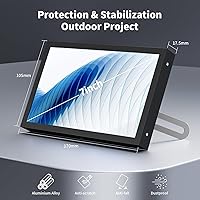
  • Screen Size: The display measures 7 inches diagonally, housed in a 7 × 4.1 × 0.6 inch overall chassis.
  • Resolution: Native resolution is 1024×600 pixels at a 16:10 aspect ratio, suitable for monitoring and reference tasks.
  • Panel Type: Uses an IPS panel, which delivers consistent color accuracy and contrast across a wide 178° viewing angle.
  • Brightness: Peak brightness is rated at 500 nits, providing usable visibility in moderately lit indoor environments.
  • Screen Surface: The panel uses a matte finish that diffuses ambient light and reduces reflective glare during extended use.
  • Video Inputs: Accepts four signal types: HDMI, VGA, AV (composite), and BNC, making it compatible with a wide range of source devices.
  • BNC Compatibility: The BNC input supports CVBS analog signals only; AHD, TVI, and CVI camera formats require a separate signal converter.
  • Audio Output: Two built-in speakers are integrated into the unit; there is no headphone jack or external audio output port.
  • Power Input: Accepts power via DC barrel jack (12V/1A) or Micro USB (5V/2A), allowing use with standard power banks.
  • Shell Material: The outer housing is constructed from aluminum, contributing to both structural rigidity and low overall weight.
  • Weight: The complete unit weighs 1.15 pounds, making it light enough for portable and field use scenarios.
  • Dimensions: Physical dimensions are 7 inches wide, 4.1 inches tall, and 0.6 inches deep.
  • Aspect Ratio: The screen uses a 16:10 aspect ratio, which is slightly taller than the standard 16:9 widescreen format.
  • Brand: Manufactured and sold under the Aurevita brand, model designation VGA LCD Monitor HDMI.
  • Availability: This product was first listed for sale on Amazon in late February 2025 and carries ASIN B0DYV5YRW2.

Related Reviews

JUN-ELECTRON 7-inch Portable IPS Touchscreen Monitor
74%
88%
Raspberry Pi Compatibility
83%
Touch Responsiveness
76%
Display Quality
54%
Glare & Reflectivity
86%
Portability
More
Yasoca 7-inch Portable HD 1080P Monitor
82%
87%
Display Quality
93%
Portability
85%
Ease of Use
82%
Input Connectivity
80%
Build Quality
More
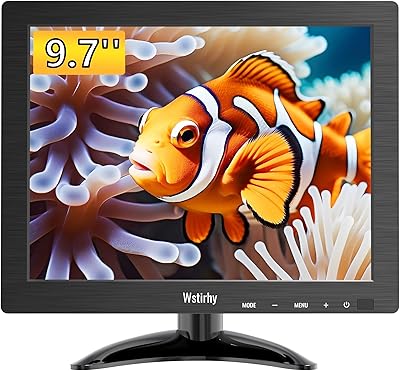
Wstirhy 9.7-Inch Portable Monitor
75%
91%
Port Versatility
86%
Connectivity & Setup Ease
61%
Display Resolution
67%
Build Quality
74%
Image Brightness & Clarity
More
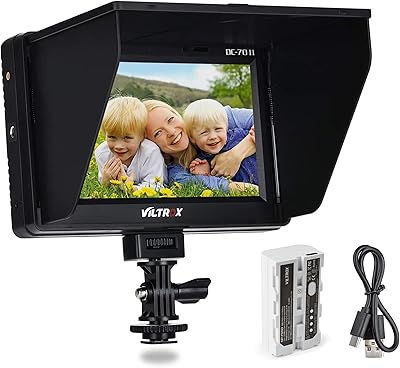
VILTROX DC-70 II 7″ Field Monitor
75%
88%
Value for Money
83%
Focus Peaking Performance
61%
Display Resolution & Sharpness
78%
Build Quality & Durability
74%
HDMI Connectivity
More
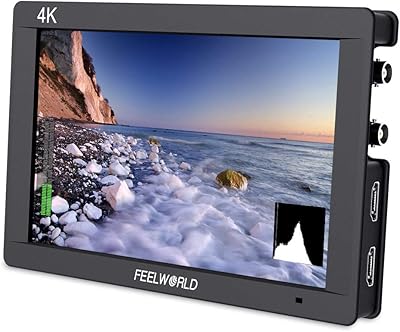
Feelworld FW703 7″ Field Monitor
75%
88%
Image Clarity
83%
Color Accuracy
58%
Brightness & Outdoor Usability
61%
Build Quality
86%
Monitoring Tools
More
Geimrsy GY-S75-1 7.7-inch Portable Teleprompter
73%
81%
Value for Money
88%
Portability & Form Factor
84%
Ease of Setup
67%
Beam Splitter Glass Quality
63%
Remote Control Functionality
More
LONCEVON L1098A 10.1-inch Portable Monitor
70%
88%
Input Versatility
83%
Value for Money
86%
Ease of Setup
47%
Display Resolution
58%
Build Quality
More
AYY A15G1B 15-inch Portable Monitor
74%
91%
Setup & Plug-and-Play Ease
78%
Display Quality
93%
Portability & Form Factor
88%
Value for Money
69%
Smart Cover & Stand
More
Hosyond 7-inch TFT LCD Portable Monitor
71%
83%
Value for Money
86%
Setup & Connectivity
61%
Display Quality
54%
Build Quality
88%
Portability & Size
More
Eyoyo EM08B 8″ Monitor
75%
91%
Input Versatility
88%
BNC Connectivity
84%
Setup & Plug-and-Play Experience
82%
Mirror Flip Functionality
76%
Image Clarity for Surveillance Use
More

FAQ

Yes, in most cases it is plug-and-play over HDMI with Raspberry Pi boards. You may want to set the display resolution in your Pi config to 1024×600 to match the native panel resolution, but most users do not need to install any special drivers.

Yes, the Micro USB port accepts 5V at 2A, which is within the output range of most standard power banks. Just make sure your power bank can sustain at least 2A output — some cheaper ones throttle under load, which can cause the display to flicker or restart.

Not directly. The BNC port on this 7-inch portable display only supports CVBS (standard composite analog) signals. AHD, TVI, and CVI cameras output a different format and will require a separate signal converter or adapter before connecting. This is a common point of confusion, so it is worth double-checking your camera type before purchasing.

Unfortunately, no. The Aurevita 7-Inch Mini HDMI Portable Monitor has built-in speakers only, with no 3.5mm audio jack or other external audio output. If audio quality matters for your use case, you would need to route sound from your source device separately.
The display will scale the image to fit, which can introduce a small amount of softness or slight distortion on content that was not produced at or near the native resolution. For monitoring tasks like checking a camera feed or previewing a desktop, this is usually not noticeable. For reading fine text, staying close to the native resolution makes a visible difference.

The unit does not include a dedicated stand. It sits on its own if laid flat, but for upright use in a fixed setup you would likely want to source a compatible small monitor stand or mount separately. There is no mention of integrated VESA mounting points in the product specifications.

They are functional but modest — about what you would expect from a small integrated speaker on a compact display at this price. They handle basic system sounds or quiet audio monitoring adequately. For anything where audio quality matters, you are better off relying on your source device's audio output instead.

Technically yes, if you connect via HDMI or VGA. Windows and macOS should detect it as an external display. Keep in mind that at 1024×600 and 7 inches, it is quite small for typical productivity tasks — it works better as a secondary reference display than a practical working screen.

The aluminum construction gives this small display a notably solid feel for its size and price tier. It does not flex or creak under normal handling. It is not a ruggedized device, so you would not want to drop it, but for bench work, portable field use, or a fixed monitoring setup, the build quality holds up well.

The included accessories are minimal — typically a power cable and sometimes a basic HDMI cable, but the exact bundle can vary. If you need VGA, AV, or BNC cables, plan to source those separately. It is always worth checking the current listing details to confirm what is included before your order arrives.