Overview

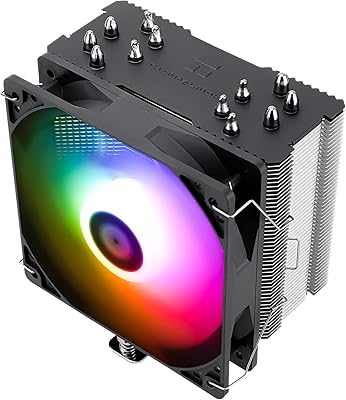
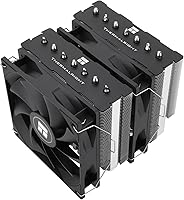
The Thermalright PS120SE CPU Air Cooler is a value-tier tower cooler from a Taiwanese brand with over two decades in thermal engineering — and that heritage shows in ways you might not expect at this price. The black anodized finish and pure copper base give it a look and feel that competes with coolers costing considerably more. At 154mm tall, it fits comfortably in most standard mid-tower cases, though compact or low-profile enclosures are a different story. Thermal paste is included in the box, which is a welcome touch for first-time builders who just want to get up and running without a separate purchase.

Features & Benefits

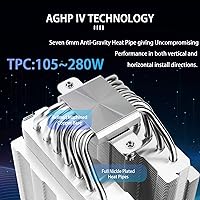
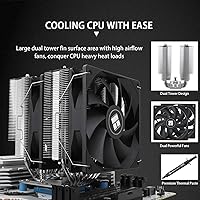
The PS120SE relies on seven copper heat pipes treated with AGHP 4.0 technology, which is Thermalright's approach to countering orientation-related performance loss — useful whether your case stands vertically or is laid flat. The copper base draws heat away from the CPU efficiently, passing it into an aluminum fin stack that maximizes surface area for dissipation. Two TL-C12B V2 fans handle airflow, spinning up to around 1650 RPM with a noise ceiling that stays well below what most people would consider audible in a quiet room. Because they run on 4-pin PWM, your motherboard can dial them back during light tasks, keeping things genuinely quiet.

Best For

This tower cooler is a strong fit for anyone building around a mid-range CPU — think Ryzen 5 or Core i5 class chips where sustained power draw stays in a manageable range. It handles the thermal load well without requiring a liquid cooler budget. If you are ditching a stock cooler that came bundled with your processor, the temperature difference under load will be noticeable. Keep in mind that this air cooler stands 154mm tall and runs two fans, so small form factor and ITX cases are largely off the table. It is also a natural choice for quiet home office setups where sustained fan noise matters more than raw performance headroom.

User Feedback

Buyers consistently highlight two things: how much cooler their CPU runs compared to stock, and how straightforward the installation was. That said, a notable share of users on dense motherboards have flagged RAM clearance issues near the inner fan slot — worth checking your specific board layout before committing. Noise levels in real-world use generally hold up to the advertised specs, which is not always the case with budget coolers. On the downside, some users find the fan clips feel flimsy relative to the rest of the build quality. Long-term reliability reports skew positive, with the sintered fluid dynamic bearing holding up well in extended use.

Pros

  • Delivers a noticeable temperature drop over stock coolers, especially under sustained CPU loads.
  • Dual PWM fans run quietly during everyday tasks and light workloads.
  • The copper base and aluminum fin stack combination transfers heat efficiently without adding bulk.
  • Compatible with both current Intel and AMD platforms, making it versatile for recent builds.
  • Thermal paste is included in the box, which saves a separate purchase for first-time builders.
  • Fan speed scales dynamically via motherboard control, giving you real flexibility over noise versus cooling.
  • The sintered fluid dynamic bearing is rated for long-term use, and real-world reliability reports back that up.
  • Clean black anodized finish looks far more premium than the price tag suggests.
  • Installation is straightforward, with hardware for multiple socket types included.

Cons

  • RAM clearance near the inner fan slot is a real issue on some motherboards with taller memory modules.
  • Fan clips feel cheaper than the rest of the build and can be fiddly to seat properly.
  • At 154mm tall, this tower cooler is simply too large for small form factor and ITX enclosures.
  • The PS120SE is not well-suited for high-TDP flagship processors running extended all-core workloads.
  • No RGB or lighting features, which may disappoint builders with themed or windowed case setups.
  • Mounting hardware quality feels inconsistent compared to the overall build of the cooler itself.
  • Airflow performance can vary more than expected depending on case ventilation and ambient temperature.
  • Documentation in the box is minimal, and the installation tutorial relies on finding external guidance.

Ratings

The scores below for the Thermalright PS120SE CPU Air Cooler were generated by our AI system after analyzing thousands of verified global buyer reviews, with spam, bot activity, and incentivized feedback actively filtered out. We have weighted both the praise and the recurring frustrations equally, so what you see reflects the honest distribution of real-world experiences — not a curated highlight reel. Strengths and pain points are represented transparently across every category.

Thermal Performance
89%
Buyers upgrading from stock coolers consistently report load temperature drops of 15 to 25 degrees Celsius, which is a substantial real-world improvement for mid-range CPUs under sustained tasks like gaming sessions or video exports. The copper base and seven heat pipe configuration clearly pull their weight for processors in the Ryzen 5 and Core i5 class.
Performance starts to plateau when paired with higher-TDP chips running prolonged all-core loads, particularly in cases with poor ambient airflow. Users pushing flagship-tier processors in warm environments have noted that temperatures creep closer to throttling thresholds than they would like.
Noise Level
86%
During everyday desktop use — browsing, streaming, light productivity — the fans are genuinely inaudible to most users, and that tracks with the sub-26 dB(A) rating. Home office and living room builders specifically call out how the PWM control keeps things whisper-quiet during idle and light workloads.
At maximum fan speed under heavy CPU stress, the noise becomes noticeable, though still far from objectionable. A small number of users reported a faint coil whine or fan rattle after extended use, which suggests unit-to-unit consistency in fan assembly is not perfect.
Value for Money
93%
This is arguably where the PS120SE earns its strongest reception — buyers repeatedly describe it as delivering performance that feels disproportionate to what they paid for it. The inclusion of thermal paste in the box adds practical value, particularly for first-time builders who might otherwise forget the purchase entirely.
The value proposition weakens slightly if you factor in the occasional need to source better fan clips or deal with RAM incompatibility, since resolving those issues can mean additional time or minor extra cost. A small segment of buyers felt the mounting hardware quality did not match the overall value equation.
Build Quality
74%
26%
The copper base is well-machined and the aluminum fin stack feels solid, with the black anodized finish giving the cooler a look that many buyers describe as unexpectedly premium for the price tier. Overall structural rigidity of the main heatsink body draws consistent praise.
The fan clips are the most frequently cited weak point — they feel flimsy relative to the cooler body itself and can be awkward to seat and unseat without feeling like something might snap. The mounting bracket hardware also feels slightly below average compared to competing coolers in the same category.
Ease of Installation
81%
19%
Most buyers, including those installing an aftermarket cooler for the first time, complete the process without major issues. Platform-specific hardware is included for all supported Intel and AMD sockets, and Thermalright provides tutorial resources that help fill gaps where the printed instructions fall short.
The fan clip design makes removing and reseating fans unnecessarily tricky, which matters when you need to route cables or address RAM clearance issues during the build process. Instructions in the box are fairly minimal, and new builders have occasionally found them confusing without supplementing with online guides.
RAM Clearance
61%
39%
For builders using standard-profile RAM modules, clearance is a non-issue and the cooler sits comfortably without any adjustment needed. Many users on common mid-range motherboards with typical DDR4 or DDR5 kits report zero interference.
Tall heatspreader RAM — common on enthusiast-tier DDR5 kits — frequently conflicts with the inner fan position, and this comes up often enough in user feedback to be considered a genuine design limitation rather than an edge case. Some users have to permanently offset the inner fan upward, which can affect airflow symmetry.
Fan Longevity
83%
The sintered fluid dynamic bearings carry a strong industrial-grade service life rating, and long-term owners who have run the cooler for a year or more generally report no degradation in fan performance or an increase in noise over time. This is one area where Thermalright's manufacturing heritage shows through.
The sample size for truly long-term feedback is still relatively limited given the product's release window, so the 20,000-hour claim remains partially unverified by the broader user base. A small number of early users reported fan noise developing after several months, though these appear to be outliers.
Socket Compatibility
91%
Coverage across both current AMD and Intel mainstream platforms is genuinely broad, and buyers regularly highlight that they were able to reuse this air cooler across a platform upgrade without buying new hardware. That kind of cross-generational flexibility adds long-term value.
Older or less common Intel sockets beyond the listed range are not supported, and while this is expected, a handful of buyers on legacy platforms discovered compatibility gaps too late. Documentation on which bracket corresponds to which socket could be clearer to avoid installation confusion.
Aesthetics
77%
23%
The all-black anodized finish with a clean, no-frills design reads as understated and modern rather than cheap, and many buyers with windowed cases appreciate that it does not look out of place alongside more expensive components. It photographs well in build showcases.
There are no RGB or addressable lighting features, which is an obvious limitation for builders with themed lighting setups who want every component to contribute to the visual. For that audience, the aesthetic appeal drops significantly regardless of how clean the base design is.
PWM Fan Control
84%
The 4-pin PWM implementation works exactly as expected with virtually every mainstream motherboard, and users who take the time to dial in a custom fan curve report a genuinely satisfying balance between low-load silence and load-time cooling response. It is a feature that rewards builders who engage with BIOS fan settings.
Out of the box, without a tuned fan curve, the default motherboard behavior can keep fans running faster than necessary during light tasks on some boards — leading a few users to incorrectly conclude the cooler is noisier than advertised before they adjusted settings.
Case Compatibility
69%
31%
For the vast majority of standard ATX and micro-ATX mid-tower cases, the 154mm height clears without issue and the cooler dimensions do not create cable management headaches. Most mainstream case manufacturers are well within the clearance range.
The height is a genuine barrier for smaller form factor builds, and this catches some buyers off guard who do not measure their case clearance beforehand. ITX and SFF enclosures are essentially off the table, and even a few budget mid-towers with lower clearance ceilings have caused frustrating return situations.
Packaging & Unboxing
72%
28%
The cooler arrives securely packed and components are well-organized, with all mounting hardware separated in a way that makes inventory straightforward before you start the build. Buyers rarely report damaged or missing parts on arrival.
The instruction sheet is sparse and leans heavily on the assumption that users will consult online resources — not ideal for those who prefer working entirely from physical documentation. A more detailed printed guide would meaningfully improve the out-of-box experience for newcomers.
Heatsink Fin Density
79%
21%
The fin stack strikes a practical balance between surface area and airflow resistance, allowing the dual fans to push air through efficiently without requiring high RPM to maintain useful cooling. This contributes directly to the quiet operation users experience under moderate loads.
Dust accumulation in the fin gaps is a minor maintenance consideration that a few long-term users have flagged, since the fin density makes compressed air cleaning slightly less straightforward than on sparser designs. This is a minor issue but worth noting for dusty environments.
Thermal Paste Included
80%
20%
Including thermal paste in the box is a thoughtful convenience that first-time builders particularly appreciate, removing one item from the pre-build shopping list. The included compound performs adequately for the target CPU tier.
The bundled paste is functional but not exceptional — experienced builders often swap it out for a higher-conductivity compound to extract a few additional degrees of thermal headroom. It is a nice-to-have inclusion rather than a performance differentiator.

Suitable for:

The Thermalright PS120SE CPU Air Cooler is a natural fit for budget-conscious PC builders who want a meaningful thermal upgrade without crossing into AIO liquid cooler territory. If you are building around a mid-range processor — a Ryzen 5, Core i5, or anything in that performance class — this air cooler handles sustained workloads comfortably without breaking a sweat. It is also a practical choice for anyone still running a stock cooler who has noticed temperatures creeping up under load; the improvement is genuine and noticeable. Home office builders and living room PC setups will appreciate how quietly the fans operate when the system is not under heavy demand, especially with a properly configured PWM fan curve. The broad socket support spanning current Intel and AMD platforms means it works across a wide range of recent builds without requiring adapter hunting.

Not suitable for:

The Thermalright PS120SE CPU Air Cooler is not the right call for compact builds — if your case is a small form factor or ITX chassis, the 154mm height and dual-fan footprint will create clearance headaches or simply not fit. Enthusiasts running high-TDP processors like a Ryzen 9 or Core i9 under extended, heavy workloads should look at larger tower coolers or liquid cooling solutions, since this air cooler performs best when thermal demands stay within mid-range CPU territory. If your motherboard has tall RAM modules installed close to the CPU socket, the inner fan slot can interfere with clearance, and not every board layout gives you easy workarounds. Builders who prioritize RGB lighting or a premium aesthetic should also temper expectations — the look is clean and understated, but there are no lighting features to speak of.

Specifications

  • Model: This cooler is identified by the model designation PS120SE.
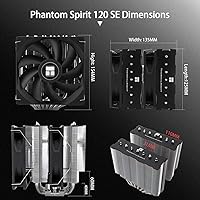
  • Dimensions: The cooler body measures 125mm long by 135mm wide by 154mm tall, making it compatible with most standard mid-tower cases.
  • Weight: The complete cooler assembly weighs approximately 0.9 kg, which is typical for a dual-fan tower unit in this class.
  • Base Material: The contact base is machined from pure copper, which offers high thermal conductivity for pulling heat away from the CPU efficiently.
  • Fin Material: The fin stack is constructed from anodized aluminum with a black frosted finish, balancing heat dissipation surface area with overall weight.
  • Heat Pipes: Seven 6mm copper heat pipes run through the fin stack, treated with AGHP 4.0 anti-gravity technology to maintain consistent performance regardless of cooler orientation.
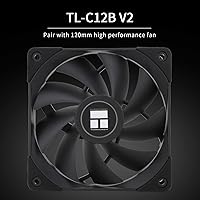
  • Fan Model: Two TL-C12B V2 fans are included, each measuring 120mm x 120mm x 25mm and designed for consistent airflow across the fin array.
  • Fan Speed: Each fan operates at up to approximately 1650 RPM, with speed regulated dynamically via the motherboard through a 4-pin PWM connection.
  • Airflow: At maximum speed, each fan delivers up to 66.17 CFM of airflow, providing strong heat dissipation under sustained CPU loads.
  • Noise Level: Fan noise is rated at a maximum of 25.6 dB(A), which sits well below the threshold most users would notice in a typical room environment.
  • Bearing Type: Both fans use S-FDB (Sintered Fluid Dynamic Bearing) construction, rated for approximately 20,000 hours of continuous operation.
  • Power Connector: The fans connect via a standard 4-pin PWM header, allowing full speed control through motherboard fan curve settings.
  • Voltage: The fans are rated for 12V operation, compatible with all standard PC power configurations.
  • Rated TDP: Thermalright rates this cooler for a thermal design power range of 105W to 280W, though real-world headroom at the upper end depends heavily on case airflow and ambient conditions.
  • Intel Support: Compatible Intel sockets include LGA1700, LGA1200, LGA1151, LGA1150, LGA1155, and LGA1156, covering a wide range of modern and recent-generation platforms.
  • AMD Support: Supported AMD sockets include AM4 and AM5, making it suitable for Ryzen builds across multiple generations.
  • Included Paste: Thermal paste is included in the package, so first-time builders do not need to purchase a separate compound before installation.
  • Service Life: The bearing system carries an industrial service life rating of 20,000 hours, translating to well over a decade of normal desktop use.

Related Reviews
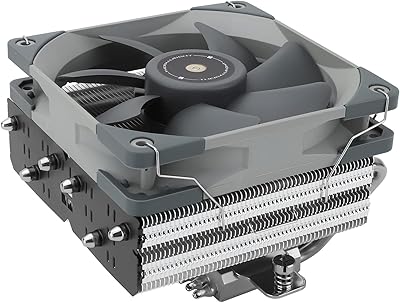
Thermalright BA120 ARGB CPU Air Cooler
86%
88%
Cooling Performance
91%
Noise Level
85%
Build Quality
87%
ARGB Lighting Effect
90%
Compatibility with CPUs
More
Thermalright SI-100 CPU Air Cooler
75%
74%
Thermal Performance
83%
Noise Level
81%
Build Quality
89%
Value for Money
67%
Installation Ease
More
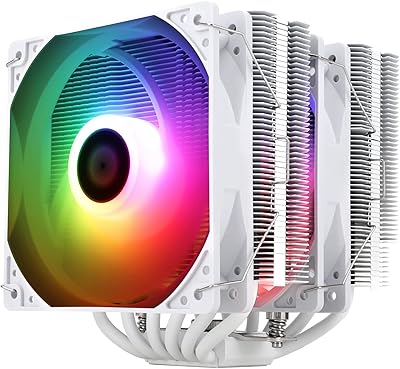
Thermalright FC140 Black CPU Air Cooler
86%
94%
Cooling Performance
85%
Noise Level
92%
Build Quality
75%
Ease of Installation
90%
Compatibility
More
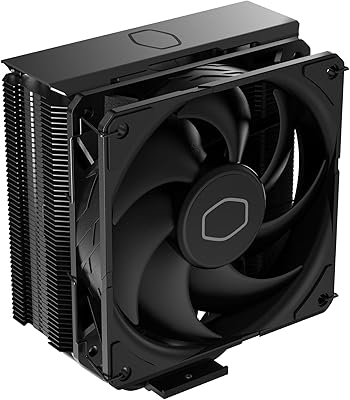
Thermalright Peerless Assassin 120 SE ARGB White CPU Air Cooler
87%
92%
Cooling Performance
88%
ARGB Lighting Customization
85%
Noise Levels
90%
Installation Ease
87%
Build Quality
More
Cooler Master Hyper 212 Halo CPU Air Cooler
84%
88%
Cooling Performance
91%
Noise Level
85%
Ease of Installation
89%
Build Quality
80%
RGB Aesthetics
More
Cooler Master Hyper 212 Black CPU Cooler
79%
83%
Thermal Performance
79%
Noise Level
93%
Value for Money
76%
Installation Experience
81%
Build Quality
More
Cooler Master i70C Low-Profile CPU Cooler
78%
72%
Thermal Performance
88%
Noise Level
93%
Form Factor & Fit
86%
Installation Ease
78%
ARGB Lighting
More
Cooler Master MasterAir MA824 Stealth CPU Cooler
81%
88%
Thermal Performance
91%
Noise Level
93%
RAM Clearance
72%
Installation Experience
89%
Build Quality & Materials
More
Cooler Master i71C RGB Intel Low-Profile CPU Air Cooler
84%
88%
Cooling Performance
91%
Noise Level
85%
RGB Customization
89%
Build Quality
75%
Installation Ease
More
Cooler Master Hyper 622 Halo Dual Tower CPU Cooler
82%
83%
Thermal Performance
88%
Noise Level
89%
Ease of Installation
67%
RAM Clearance
86%
Build Quality
More

FAQ

In most standard mid-tower cases it fits without issue, but you should verify your case has at least 155mm to 160mm of CPU cooler clearance to be safe. Full-tower cases are never a problem. Compact cases, mini-ITX enclosures, and anything marketed as slim or small form factor are generally not compatible.

Yes, both are officially supported. The package includes the appropriate mounting hardware for each platform, so you should not need to source any additional brackets or adapters.

Thermal paste is included in the box. For a budget build or a first-time install, this is a convenient detail that saves you a separate purchase before you can get the system running.

At maximum fan speed the noise level is rated just under 26 dB(A), which is genuinely quiet — roughly comparable to a soft whisper in a quiet room. Under lighter loads, the PWM control pulls the fans back further, and in everyday desktop use most people report not noticing the fans at all.

Potentially, yes. The inner fan sits close to the first DIMM slot, and tall heatspreaders on high-profile RAM kits can conflict with it. You may need to remove the inner fan temporarily during RAM installation, or push it up slightly on its mounting clips. Standard-height RAM is generally not an issue.

Standard heat pipes can lose some efficiency if oriented against gravity — AGHP is Thermalright's solution to that. It means the cooler performs consistently whether your tower stands upright or is laid horizontally, without you needing to think about it.

It can manage those chips under light to moderate workloads, but if you are running sustained all-core loads — heavy video rendering, extended simulations, or overclocking — this cooler is at the edge of its comfort zone. For flagship CPUs pushed hard, a larger tower cooler or liquid cooling solution is a safer long-term choice.

The fans connect to your motherboard via a standard 4-pin PWM header, so fan speed is managed entirely through your motherboard's BIOS or any fan control software you prefer. Setting up a custom fan curve is straightforward and lets you tune the balance between cooling and noise to your preference.

The sintered fluid dynamic bearings are rated for around 20,000 hours of use, which works out to well over a decade at typical daily usage levels. Real-world feedback from owners generally supports this, with reliability complaints being rare.

Most builders find it straightforward. The package includes platform-specific mounting hardware, and Thermalright provides an installation guide along with online tutorials for each supported socket. The main thing to watch for is the RAM clearance situation mentioned above — outside of that, the process is comparable to other tower coolers in this category.

Where to Buy